









Valkey forked from Redis OSS in March 2024 after Redis Inc. switched to a restrictive source-available license. Since then, Valkey has shipped observability improvements that Redis OSS never had, per-slot metrics for granular performance insights, more detailed latency breakdowns, and better cluster health visibility.
For teams running Redis today, the monitoring question is not just “should we migrate to Valkey?” but “will our current monitoring stack still work?” and “what new signals does Valkey expose that Redis does not?”
This guide compares Valkey and Redis monitoring across metric availability, observability tooling, and what actually changes when you switch from one to the other. We cover AWS ElastiCache’s unified metric namespace (where Valkey and Redis share the same metrics), the new observability features Valkey introduced in version 8.0, and how to monitor both with Prometheus, infrastructure monitoring tools, and observability platforms like CubeAPM.
Quick Comparison: Valkey vs Redis Monitoring at a Glance
| Feature | Redis OSS | Valkey 8.0+ |
|---|---|---|
| Core INFO metrics | Yes; same baseline as Valkey | Yes; identical INFO commands |
| Per-slot metrics | No | Yes; granular cluster insights |
| Latency monitoring | Basic latency tracking | Enhanced per-command latency |
| Memory observability | Standard used_memory metrics | Improved dictionary structure visibility |
| Cluster health visibility | Basic cluster info | Improved failover and scaling metrics |
| Prometheus exporter support | Yes (redis_exporter) | Yes (same exporter works) |
| AWS ElastiCache metrics | Shared namespace with Valkey | Shared namespace with Redis |
| RDMA support (experimental) | No | Yes; performance gains in specialized environments |
| OpenTelemetry compatibility | Community exporters only | Native support improving |
Pricing based on publicly available information as of April 2026. Verify current feature sets on each vendor’s official documentation.
What Are Valkey and Redis?
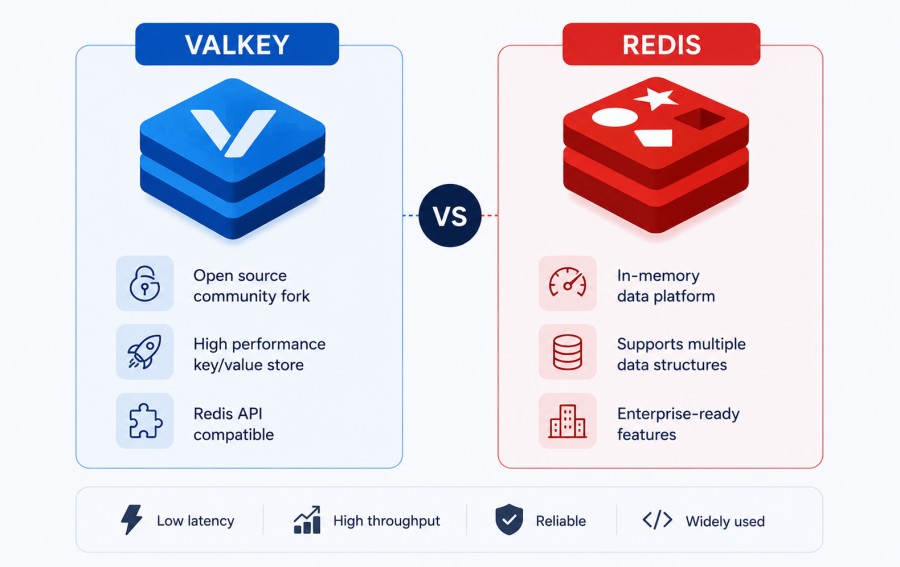
Redis is an in-memory data store launched in 2009 that became the industry standard for caching, session storage, real-time analytics, and message brokering. It supports strings, hashes, lists, sets, sorted sets, bitmaps, and streams, making it one of the most versatile key-value stores in production use.
Valkey is an open source fork of Redis OSS created in March 2024 after Redis Inc. adopted a more restrictive license. Backed by The Linux Foundation, AWS, Google Cloud, Oracle, and Snap Inc., Valkey maintains BSD licensing while adding new performance and observability features that Redis OSS does not receive.
From a monitoring perspective, the two share nearly identical core metrics because Valkey started as a direct fork of Redis 7.2.4. The differences emerge in Valkey’s post-fork improvements — per-slot metrics, enhanced latency tracking, and better cluster observability.
Valkey vs Redis: Core Monitoring Metrics
Both Valkey and Redis expose metrics through the INFO command, which returns real-time statistics about memory usage, replication, persistence, client connections, and command execution.
Shared Core Metrics
These metrics exist in both Redis and Valkey with identical names and behavior:
Memory metrics:
used_memory: total bytes allocated by Redis or Valkeymaxmemory: configured memory limitmem_fragmentation_ratio: ratio of used memory to RSS memoryevicted_keys: keys removed to make space for new data
Performance metrics:
instantaneous_ops_per_sec: current operations per secondkeyspace_hitsandkeyspace_misses: cache hit rate indicatorsconnected_clients: active client connectionsblocked_clients: clients waiting on blocking operations
Replication metrics:
role: master or replicaconnected_slaves: number of connected replicasmaster_repl_offset: replication offset for lag calculation
Persistence metrics:
rdb_last_save_time: timestamp of last snapshotaof_current_size: size of append-only fileaof_base_size: base size for AOF rewrite calculation
For a full breakdown of available metrics, see the official Valkey INFO documentation.
Valkey-Specific Observability Improvements
Valkey 8.0 introduced observability features that Redis OSS does not have:
Per-slot metrics: Valkey exposes metrics at the cluster slot level, giving you visibility into how individual hash slots behave under load. This matters in large clusters where uneven key distribution can create hotspots.
With per-slot metrics, you can identify which slots are handling the most traffic, which are causing replication lag, and which are triggering evictions first. Redis OSS aggregates all cluster metrics at the node level, making it harder to pinpoint slot-specific bottlenecks.
Enhanced latency monitoring: Valkey improved the latency monitoring framework introduced in Redis 7.x. You get per-command latency histograms that break down how long each command type (GET, SET, HGET, ZADD) takes to execute.
This is more granular than Redis’s basic commandstats output, which only shows average execution time. Valkey’s latency data includes p50, p99, and p999 percentiles, helping you identify tail latency issues that averaged metrics miss.
Better memory observability: Valkey introduced a new dictionary structure that reduces memory overhead and improves eviction performance. The memory metrics now include more detail about how much memory the dictionary structure itself consumes, separate from the data it stores.
This makes it easier to understand where memory is going in deployments with millions of keys.
AWS ElastiCache: Valkey and Redis Share the Same Metrics
If you run Redis or Valkey on AWS ElastiCache, monitoring is identical. AWS publishes both engines under the same CloudWatch namespace: AWS/ElastiCache.
According to AWS ElastiCache documentation, the metrics for Valkey and Redis OSS are the same. Key metrics include:
EngineCPUUtilization: CPU usage of the Redis or Valkey engine threadDatabaseMemoryUsagePercentage: percentage of maxmemory in useDatabaseMemoryUsageCountedForEvictPercentage: memory usage excluding overheadCurrConnections: number of active client connectionsNetworkBytesInandNetworkBytesOut: data transfer ratesReplicationLag: replication delay in secondsSuccessfulReadRequestLatencyandSuccessfulWriteRequestLatency: per-operation latency
For larger node types with four or more vCPUs, AWS recommends monitoring EngineCPUUtilization rather than overall CPUUtilization, since the latter includes background management processes that are not related to Redis or Valkey performance.
For ElastiCache deployments, the choice between Valkey and Redis does not change your monitoring setup. CloudWatch metrics, alarms, and dashboards work identically for both engines.
How to Monitor Valkey and Redis with Prometheus
Prometheus is the most widely used open source monitoring system for Redis and Valkey. Both engines use the same exporter: redis_exporter.
Setting Up redis_exporter for Valkey or Redis
The exporter connects to your Redis or Valkey instance and scrapes metrics every few seconds. It exposes them in Prometheus format at /metrics.
Install the exporter:
docker run -d --name redis_exporter \
  -p 9121:9121 \
  oliver006/redis_exporter \
--redis.addr=redis://your-redis-or-valkey-host:6379Add the exporter as a Prometheus scrape target in prometheus.yml:
scrape_configs:
  - job_name: 'redis'
    static_configs:
- targets: ['localhost:9121']The exporter surfaces all standard Redis metrics plus cluster-specific metrics if you are running a Redis or Valkey cluster.
Key Prometheus Metrics to Monitor
Once scraped, you can query these metrics in Prometheus:
redis_up: 1 if the instance is reachable, 0 if downredis_memory_used_bytes: memory usage in bytesredis_connected_clients: active client connectionsredis_evicted_keys_total: total keys evicted since startupredis_keyspace_hits_totalandredis_keyspace_misses_total: cache hit rateredis_commands_processed_total: total commands executedredis_instantaneous_ops_per_sec: current operations per second
For Valkey, the same metrics are available. If your Valkey instance exposes per-slot metrics, the exporter will surface those as well under separate metric names.
Monitoring Valkey and Redis with CubeAPM

CubeAPM provides full-stack observability for Redis and Valkey with native support for Prometheus exporters and OpenTelemetry. It runs inside your cloud or on-premises, so telemetry data never leaves your infrastructure.
What CubeAPM Monitors for Redis and Valkey
CubeAPM collects and indexes metrics from both Redis and Valkey using the same Prometheus exporter setup described above. Once connected, you get:
- Real-time dashboards for memory usage, hit rate, eviction rate, and replication lag
- Alerting on memory thresholds, high eviction rates, connection spikes, or replication lag
- Log correlation to link Redis or Valkey errors with application traces
- Infrastructure context showing how Redis or Valkey performance correlates with host CPU, disk I/O, and network saturation
CubeAPM’s infrastructure monitoring unifies Redis metrics with APM traces and logs, so you can see how a slow Redis command affects downstream services without switching tools.
How to Set Up Redis or Valkey Monitoring in CubeAPM
CubeAPM integrates with Prometheus exporters using OpenTelemetry or direct Prometheus scrape configuration.
If you already have redis_exporter running, add it as a Prometheus scrape target in your CubeAPM deployment:
scrape_configs:
  - job_name: 'redis'
    static_configs:
- targets: ['redis-exporter:9121']CubeAPM will start ingesting Redis or Valkey metrics immediately. You can then create dashboards, set alerts, and correlate Redis performance with application traces.
CubeAPM Pricing for Redis and Valkey Monitoring
CubeAPM charges $0.20/GB for all ingested telemetry: metrics, logs, and traces. There are no per-host fees, no user seat charges, and no separate costs for retention.
For a typical Redis or Valkey deployment with 10 nodes, metric ingestion averages around 50 MB per day per node, or 15 GB per month total. At $0.15/GB, that is $2.25 per month for full Redis or Valkey observability.
If you add application traces and logs to the same CubeAPM instance, you pay the same rate for all telemetry. No surprise egress charges. No per-host multiplier that scales with your cluster size.
For detailed pricing scenarios, see the CubeAPM pricing page.
Valkey-Specific Monitoring: What Changed After the Fork
Since forking in March 2024, Valkey has shipped observability improvements that Redis OSS does not have. These are most relevant for teams running large clusters or high-throughput workloads.
Per-Slot Metrics in Valkey
Valkey 8.0 introduced per-slot metrics that break down cluster performance at the hash slot level. In a Redis or Valkey cluster, keys are distributed across 16,384 hash slots. Each slot is owned by a specific master node.
With per-slot metrics, you can see:
- Which slots are handling the most traffic
- Which slots are causing replication lag
- Which slots are triggering evictions first
- Which slots are experiencing high command latency
This is not available in Redis OSS, where all cluster metrics are aggregated at the node level. For large clusters with uneven key distribution, per-slot visibility helps you rebalance slots or scale specific parts of the cluster without affecting the rest.
According to Redisson’s Valkey comparison, Valkey’s per-slot metrics provide granular insights into performance and usage patterns that Redis OSS lacks.
Enhanced Latency Monitoring
Valkey improved the latency monitoring framework that Redis 7.x introduced. The LATENCY DOCTOR command in Valkey now returns more detailed diagnostics, including per-command latency histograms with p50, p99, and p999 breakdowns.
This helps identify tail latency issues that averaged metrics hide. For example, if your average GET latency is 0.5ms but your p99 is 15ms, you have a tail latency problem that affects 1% of requests. Valkey’s latency metrics surface this directly without requiring custom instrumentation.
Redis OSS has basic latency tracking through commandstats, but it only shows average execution time per command type. Valkey’s histogram-based latency metrics are more actionable for debugging performance regressions.
Memory Dictionary Structure Visibility
Valkey introduced a new dictionary structure that reduces memory overhead and improves eviction performance. The memory metrics now include detail about how much memory the dictionary itself consumes, separate from the data it stores.
This is visible in the INFO output under mem_overhead_dict (Valkey-specific). Redis OSS aggregates all overhead into a single mem_overhead metric, making it harder to understand where memory is going in deployments with millions of keys.
For teams running Valkey with high key counts, this additional visibility helps optimize memory usage and plan capacity more accurately.
Should You Switch from Redis to Valkey?
From a monitoring perspective, switching from Redis to Valkey does not require changes to your existing tooling. The same Prometheus exporters, CloudWatch metrics, and observability platforms work identically for both.
The decision depends on three factors: licensing, observability needs, and long-term ecosystem support.
Licensing: If you need BSD-licensed open source software, Valkey is the only option. Redis Inc.’s new license restricts commercial use, making it unsuitable for many teams. Valkey maintains the original Redis OSS licensing model.
Observability: If you run large clusters and need per-slot metrics or more detailed latency histograms, Valkey provides features Redis OSS does not. For smaller deployments, the monitoring capabilities are functionally identical.
Ecosystem support: Valkey has backing from AWS, Google Cloud, Oracle, and other major infrastructure providers. AWS ElastiCache supports both Redis and Valkey with the same monitoring metrics. If you are on AWS, switching to Valkey is a configuration change, not a migration project.
For teams already using Redis, the monitoring question is: “Will my current setup still work?” The answer is yes. Redis exporters, dashboards, and alerting rules work unchanged with Valkey.
Monitoring Both Redis and Valkey in the Same Environment
Some teams run both Redis and Valkey during migration or in separate environments. Monitoring both from a single platform simplifies observability and reduces tool sprawl.
CubeAPM, Prometheus, Grafana, and most enterprise observability platforms support Redis and Valkey using the same exporter and metric namespace. You can monitor both engines in the same dashboard, apply the same alert rules, and correlate performance across both without custom configuration.
For example, if you run Redis in production and Valkey in staging, you can:
- Use the same redis_exporter for both environments
- Tag metrics with
env=productionandenv=staging - Create unified dashboards showing memory usage, hit rate, and latency for both
- Set the same alert thresholds for memory saturation or replication lag
This approach minimizes migration risk because you can validate Valkey’s behavior in staging before switching production workloads.
Common Monitoring Challenges with Redis and Valkey
Both Redis and Valkey share the same operational challenges. These are the most common monitoring problems teams hit in production:
Memory saturation: Redis and Valkey are in-memory data stores. When used memory approaches maxmemory, the engine starts evicting keys or rejecting writes, depending on your eviction policy. Without monitoring, this appears as intermittent application errors.
Alert on used_memory / maxmemory > 0.8 to catch memory saturation before it causes evictions.
High eviction rate: If evicted_keys_total increases rapidly, your cache is too small for your workload. This degrades hit rate and increases latency as the application fetches data from the backing store.
Monitor eviction rate per second: rate(redis_evicted_keys_total[5m]). If it is consistently above zero, increase memory capacity.
Replication lag: In a master-replica setup, replication lag measures how far behind replicas are from the master. High lag means reads from replicas return stale data.
Alert on redis_replication_lag_seconds > 5 to catch replication delays early. Common causes include network latency, slow disk on the replica, or a replica that cannot keep up with write throughput.
Connection storms: Sudden spikes in connected clients can exhaust available connections or trigger connection limits. This often happens during traffic surges or when application connection pools are misconfigured.
Alert on redis_connected_clients > 10000 (adjust threshold based on your instance size). If connections spike, check application connection pool settings.
Slow commands: Blocking commands like KEYS *, SMEMBERS, or HGETALL on large keys can block the Redis or Valkey event loop, causing all other commands to queue.
Use SLOWLOG GET to identify commands taking longer than 10ms. Better yet, monitor command latency in Prometheus with redis_command_duration_seconds and alert on p99 latency spikes.
Valkey vs Redis: Performance and Scalability Differences
Valkey claims better performance than Redis OSS, especially for high-throughput ETL pipelines, IoT telemetry, and real-time analytics workloads. However, benchmark results vary widely depending on workload, hardware, and configuration.
According to a Reddit benchmark comparison, Valkey showed worse latency than Redis in synthetic tests, but the tests did not account for Valkey’s per-slot optimizations in cluster mode.
For monitoring purposes, the performance difference between Redis and Valkey does not change how you track metrics. Both engines expose the same core metrics through INFO and Prometheus exporters. If Valkey performs better in your environment, you will see it in lower instantaneous_ops_per_sec for the same throughput or lower used_memory for the same dataset.
From a scalability perspective, Valkey’s improved per-slot metrics make it easier to identify and resolve cluster hotspots before they degrade performance. Redis OSS requires custom tooling or log analysis to get the same level of cluster visibility.
Monitoring Tools That Support Both Redis and Valkey
Most monitoring tools that support Redis also support Valkey because both engines expose the same INFO command output and Prometheus metrics.
Prometheus + Grafana: The most common open source stack. Use redis_exporter to scrape metrics from Redis or Valkey, store them in Prometheus, and visualize in Grafana. Pre-built Grafana dashboards for Redis work identically with Valkey.
CubeAPM: Full-stack observability platform with native support for Prometheus exporters, OpenTelemetry, and direct Redis or Valkey monitoring. Runs on-premises or in your cloud. Pricing at $0.15/GB for all telemetry with unlimited retention. See CubeAPM infrastructure monitoring for details.
Datadog: SaaS observability platform with built-in Redis integration. Datadog automatically detects Redis or Valkey instances and starts collecting metrics. Pricing starts at $15/host/month for infrastructure monitoring plus $0.10/GB for logs. Does not support on-premises deployment.
New Relic: Managed APM and infrastructure monitoring with Redis integration. Pricing based on data ingest ($0.35/GB) plus user seats ($99/user/month). Works with Redis and Valkey using the same integration.
Dynatrace: Enterprise observability platform with AI-assisted anomaly detection. Supports Redis and Valkey through OneAgent. Pricing is host-based, starting around $0.08/hour per host.
For teams already using one of these platforms, switching from Redis to Valkey requires no changes to your monitoring configuration.
Disclaimer: The information in this article reflects the latest details available at the time of publication and may change as technologies and products evolve. Features, pricing, and plan limits can change over time. Always verify the latest information directly with the vendor before making purchasing or deployment decisions.
Frequently Asked Questions
How is Valkey better than Redis?
Valkey provides per-slot metrics for granular cluster insights, enhanced latency monitoring with histogram breakdowns, and better memory observability. It also maintains BSD open source licensing while Redis Inc. moved to a restrictive source-available license. From a monitoring perspective, Valkey offers more detailed observability for large clusters.
What is Redis metrics?
Redis metrics are performance and health indicators exposed through the INFO command and Prometheus exporters. They include memory usage, cache hit rate, eviction rate, replication lag, connected clients, and per-command latency. These metrics help teams monitor Redis performance, capacity, and availability in production.
Is Valkey better than Redis?
For teams that need BSD-licensed open source software, Valkey is better because Redis Inc. changed its license in 2024. For observability, Valkey provides more granular per-slot metrics and improved latency monitoring. For most workloads, the core performance and reliability are similar. The choice depends on licensing needs and observability requirements.
Is there anything better than Redis?
Alternatives like DragonflyDB, KeyDB, and Dragonfly claim better performance or scalability in specific workloads. However, Redis and Valkey have the largest ecosystem, broadest tooling support, and most mature monitoring integrations. For most use cases, Redis or Valkey remain the best choice for in-memory data stores.
What are the key differences between Valkey and Redis monitoring?
Valkey introduced per-slot metrics for cluster performance insights, enhanced latency histograms with p99 breakdowns, and better memory dictionary structure visibility. Redis OSS aggregates cluster metrics at the node level and provides basic latency tracking. For monitoring, both expose the same core INFO metrics and work with the same Prometheus exporters.
Can I use the same monitoring tools for Valkey and Redis?
Yes. Valkey forked from Redis OSS and exposes the same INFO command output and Prometheus metrics. Tools like Prometheus, Grafana, Datadog, New Relic, and CubeAPM work identically with both engines. You do not need to change your monitoring setup when switching from Redis to Valkey.
Does AWS ElastiCache support Valkey and Redis with the same metrics?
Yes. AWS ElastiCache publishes both Redis and Valkey metrics under the same CloudWatch namespace. The metrics are identical, so your existing CloudWatch dashboards and alarms work for both engines without modification.