










Redis performance degrades silently. A cache hit rate dropping from 95% to 60% can double database load without triggering a single alert, until page load times spike and customers start complaining. Without proper monitoring, memory fragmentation, eviction storms, and replication lag go unnoticed until they cause production incidents.
Redis monitoring tracks the health, performance, and resource usage of Redis instances in real time: measuring cache efficiency, memory consumption, connection patterns, and replication status so teams can fix issues before they impact users. According to the CNCF Annual Survey 2024, 43% of organizations run stateful workloads including databases and caches in production Kubernetes clusters, making Redis monitoring a foundational piece of infrastructure observability.
This guide covers what Redis monitoring is, how it works, the specific metrics that matter, and how to implement monitoring across Prometheus, Grafana, commercial APM platforms, and self-hosted observability tools like CubeAPM.
What Is Redis Monitoring?
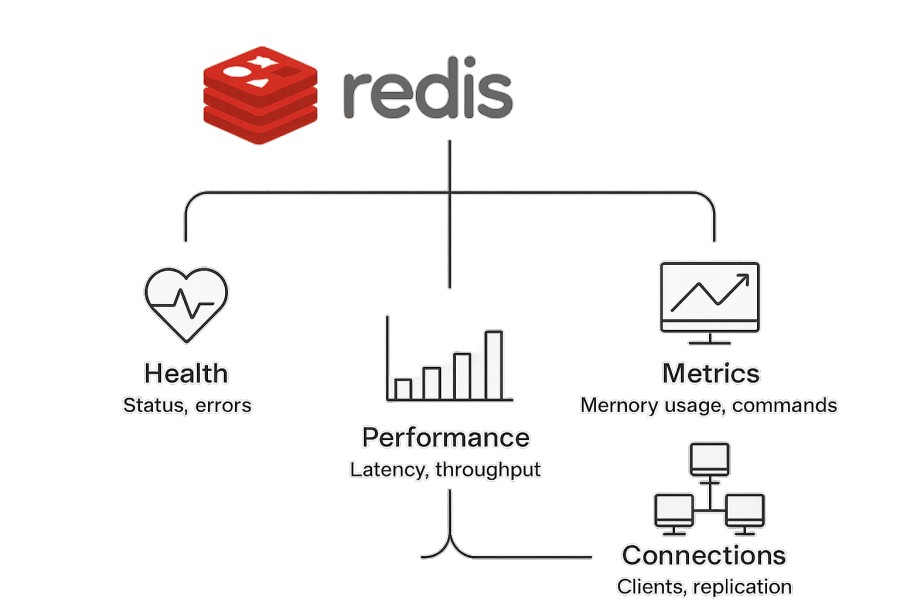
Redis monitoring is the practice of continuously collecting and analyzing performance metrics, logs, and health indicators from Redis instances to ensure availability, performance, and efficient resource usage. It answers three core questions: Is Redis responding to queries fast enough? Is the cache working effectively? Are there resource constraints or replication issues building up?
Redis serves as a cache, session store, message queue, or primary database in many production stacks. A Redis instance that slows down or becomes unavailable can cascade into widespread application failures. Monitoring helps teams detect problems early — before cache misses spike, memory runs out, or replication lag breaks consistency guarantees.
Redis monitoring typically covers performance metrics like latency and throughput, memory usage and eviction behavior, cache hit and miss rates, replication lag between master and replica nodes, connection count and blocked clients, and persistence status when Redis is configured to write data to disk.
Effective Redis monitoring integrates with broader infrastructure monitoring to correlate Redis performance with application traces, database queries, and Kubernetes pod resource limits.
How Redis Monitoring Works
Redis monitoring works by collecting telemetry from Redis instances, aggregating it into time series data, and surfacing insights through dashboards, alerts, and diagnostic queries. The collection layer pulls data from Redis itself, the monitoring layer stores and processes it, and the alerting layer notifies teams when thresholds are breached.
Data Collection Methods
Redis exposes detailed runtime metrics through the INFO command, which returns over 100 fields covering memory, stats, replication, CPU, and persistence. Monitoring tools parse this output at regular intervals — typically every 10 to 60 seconds — to build a historical view of Redis behavior.
The MONITOR command streams every command Redis receives in real time. This is useful for debugging specific query patterns but comes with a performance cost — running MONITOR on a production instance can slow it down significantly.
Third-party exporters like the Prometheus Redis Exporter translate INFO output into Prometheus-compatible metrics that can be scraped and stored in a time series database. This is the most common pattern for Kubernetes-based Redis monitoring.
Cloud-managed Redis services like AWS ElastiCache, Azure Cache for Redis, and Google Cloud Memorystore expose metrics directly through native cloud monitoring APIs: CloudWatch, Azure Monitor, and Cloud Monitoring, respectively. These integrate natively with each cloud’s dashboarding and alerting tools.
Commercial APM platforms like Datadog, New Relic, and CubeAPM use agents or OpenTelemetry collectors to pull Redis metrics alongside application traces and infrastructure data, correlating cache performance with application behavior automatically.
Storage and Visualization
Once collected, metrics are stored in time series databases like Prometheus, InfluxDB, or platform-native storage in managed observability tools. Visualization happens through Grafana dashboards, built-in APM dashboards, or custom query interfaces.
For teams running Redis in Kubernetes, the standard pattern is Prometheus scraping a Redis exporter pod, storing metrics in Prometheus, and visualizing them in Grafana using pre-built community dashboards. This setup works but requires maintaining Prometheus retention, Grafana instances, and exporter configurations across every Redis deployment.
Managed platforms simplify this by auto-discovering Redis instances, collecting metrics without manual exporter setup, and providing pre-built dashboards that require no configuration.
Alerting and Anomaly Detection
Alerting rules define thresholds for critical metrics — memory usage above 90%, cache hit rate below 80%, replication lag above 5 seconds. When a rule triggers, alerts route to Slack, PagerDuty, email, or incident management systems.
Basic monitoring setups use static thresholds. More advanced platforms apply anomaly detection to spot unusual patterns — a gradual increase in eviction rate over hours, sudden connection spikes, or irregular command latency distributions.
What Does Redis Monitoring Measure? Key Metrics to Track
Redis exposes over 100 metrics through the INFO command, but most production teams focus on 15 to 20 core indicators that signal performance degradation, resource exhaustion, or replication problems. These metrics group into memory, performance, cache efficiency, replication, and persistence categories.
Memory Metrics
Redis stores all data in memory. Once memory fills, Redis either evicts keys based on the configured eviction policy or starts rejecting writes. Monitoring memory usage prevents both scenarios.
used_memoryshows the total bytes Redis is using for data and internal structures.used_memory_rssshows the resident set size, the actual memory Redis consumes from the operating system’s perspective. A large gap between these two indicates memory fragmentation.mem_fragmentation_ratiois the ratio ofused_memory_rsstoused_memory. A ratio above 1.5 means Redis is wasting memory due to fragmentation — common after heavy delete operations or long-running instances. A ratio below 1.0 means Redis is swapping to disk, which kills performance.evicted_keyscounts how many keys Redis removed to free memory. A non-zero eviction count when you expected infinite retention signals undersized memory. Evictions are normal when using Redis as a cache with an LRU or LFU policy, but a sudden spike often means memory pressure from a traffic surge or data model change.maxmemoryshows the configured memory limit. Ifused_memoryapproachesmaxmemory, evictions or write rejections will start soon.
Performance Metrics
Redis is designed for sub-millisecond latency. Performance metrics track whether it is delivering that in production.
instantaneous_ops_per_secmeasures current throughput — how many commands Redis is processing per second. A drop in throughput when application load is constant suggests a bottleneck.total_commands_processedis a cumulative counter of all commands since Redis started. The rate of change shows overall activity trends.- Latency tracking in Redis is available through the
LATENCYcommand suite, which records latency spikes caused by slow commands, fork operations during persistence, or I/O blocking. Latency monitoring is opt-in and must be enabled withCONFIG SET latency-monitor-threshold. - Command-specific latency matters more than average latency. A
GETcommand should complete in under 1ms. AZRANGEover a large sorted set might take 10ms. Monitoring the slowlog viaSLOWLOG GETsurfaces commands exceeding a defined threshold — default is 10ms.
Cache Efficiency Metrics
- When Redis is used as a cache, hit rate determines how much load it offloads from the backend database. A 95% hit rate means only 5% of requests reach the database. A 60% hit rate means 40% do, effectively doubling database load.
keyspace_hitscounts successful cache lookups.keyspace_missescounts failed lookups. Cache hit rate iskeyspace_hits / (keyspace_hits + keyspace_misses). A declining hit rate signals either a cache warming issue after a restart, a change in query patterns, or too-short TTLs evicting keys before they are reused.expired_keystracks how many keys Redis removed due to TTL expiration. A sudden spike can indicate misconfigured TTLs or a burst of short-lived session data.
Replication Metrics
Redis replication keeps replica nodes in sync with a master. Replication lag is the delay between a write hitting the master and appearing on replicas. High lag breaks read-after-write consistency and can cause stale data to be served.
master_repl_offseton the master andslave_repl_offseton the replica show the position in the replication stream. The difference is the lag in bytes. Convert this to time lag by correlating with write throughput.connected_slaveson the master shows how many replicas are currently connected. A drop means a replica disconnected — either due to network issues or a crash.
Replication lag above 5 seconds in a high-throughput environment means replicas are falling behind. This often happens when replicas cannot keep up with the master’s write rate due to slower disks, CPU limits, or network bottlenecks.
Connection Metrics
Redis handles connections from application clients. Too few connections mean underutilization. Too many mean connection pooling is misconfigured or clients are leaking connections.
connected_clientsshows the current number of active client connections. A sudden drop suggests a network partition or mass client failure. A gradual climb towardmaxclientsmeans you are running out of connection capacity.blocked_clientscounts clients waiting on blocking commands likeBLPOPorBRPOP. A non-zero value is normal when using Redis as a message queue, but a rising count without corresponding throughput increase suggests queue processing has stalled.
Persistence Metrics
When Redis is configured to persist data to disk using RDB snapshots or AOF logs, persistence metrics track whether writes are safely durably stored.
rdb_last_save_timeshows the Unix timestamp of the last successful RDB snapshot. If this timestamp is hours old and you expect snapshots every 5 minutes, snapshots are failing.aof_rewrite_in_progressis 1 when Redis is actively rewriting the AOF log. This operation can spike CPU and disk I/O.aof_last_rewrite_time_secmeasures how long the last AOF rewrite took. If this duration grows over time, it signals that the AOF is growing faster than Redis can compact it.
Best Practices for Redis Monitoring
Effective Redis monitoring requires more than setting up a dashboard. It requires configuring the right alerts, tuning retention policies, and integrating Redis telemetry with application and infrastructure observability.
Set Alerts on Critical Thresholds
Alert on memory usage above 85% of maxmemory to give time to scale before evictions start. Alert on cache hit rate below 80% to detect warming failures or TTL misconfigurations early. Alert on replication lag above 10 seconds to catch replica drift before it causes consistency problems. Alert on connected_clients approaching maxclients to prevent connection exhaustion.
Avoid alerting on every eviction or every slow command. These are often normal. Alert when the rate changes suddenly — for example, evictions spiking from 10 per minute to 1,000 per minute.
Monitor Command Patterns with Slowlog
Enable the slowlog and set a threshold that makes sense for your workload — 5ms for cache-heavy workloads, 20ms for general-purpose use. Review the slowlog weekly to identify commands that are slower than expected. A KEYS * command in production will lock Redis for seconds. A ZRANGE over a 100,000-item sorted set will spike latency for all concurrent operations.
Track Memory Fragmentation and Defragment When Needed
If mem_fragmentation_ratio climbs above 1.5, Redis is wasting memory. This happens after heavy deletes or updates that leave holes in memory. Redis 4.0+ includes active defragmentation (activedefrag yes), which runs in the background and reclaims fragmented memory. Enable it and monitor defrag progress through INFO memory.
Use Separate Monitoring for Master and Replicas
Do not assume master and replica metrics are identical. Replicas can lag, run out of memory independently, or experience different query loads if used for read offloading. Monitor each instance separately and alert on divergence.
Integrate Redis Metrics with Application Traces
A spike in Redis latency often correlates with a spike in application response time. Observability platforms that correlate Redis metrics with distributed traces — like infrastructure monitoring tools — make it easier to pinpoint whether Redis is the root cause or just a symptom. For example, a slow database query might cause Redis cache misses, which then look like a Redis performance problem.
Tools for Redis Monitoring
Redis monitoring tools range from open source Prometheus exporters and Grafana dashboards to managed APM platforms and self-hosted observability stacks. The right choice depends on whether you prioritize simplicity, control, cost, or integration depth.
Prometheus and Grafana
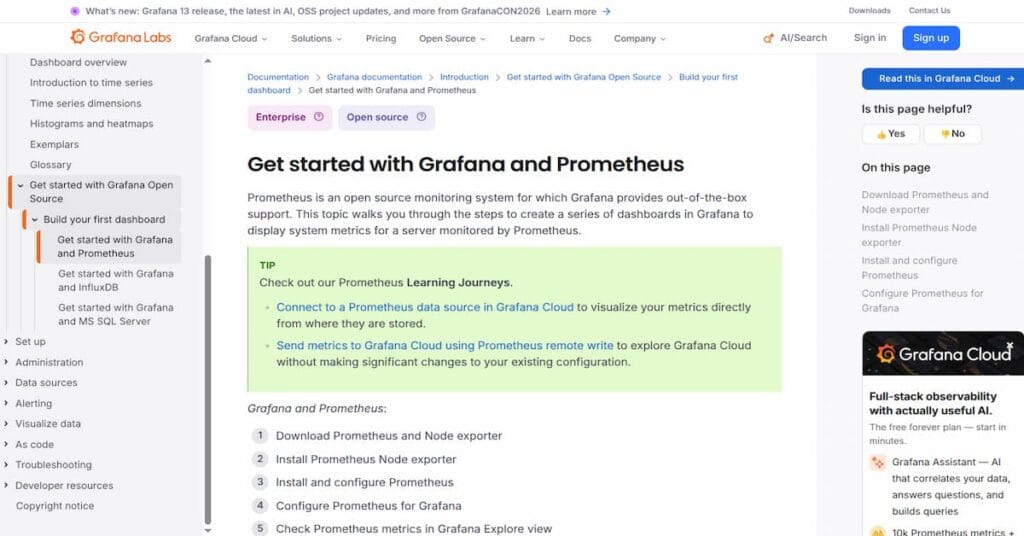
The most common open source stack for Redis monitoring is the Prometheus Redis Exporter paired with Grafana dashboards. The exporter runs as a sidecar or standalone container, scrapes Redis metrics via the INFO command, and exposes them in Prometheus format. Grafana visualizes the metrics using pre-built community dashboards.
This setup works well for teams already running Prometheus and Grafana. It requires no licensing cost and gives full control over data retention and query performance. The downside is operational overhead — maintaining exporters across every Redis instance, managing Prometheus storage and retention, and keeping Grafana dashboards up to date.
Cloud-Native Monitoring Tools
AWS CloudWatch for ElastiCache, Azure Monitor for Azure Cache for Redis, and Google Cloud Monitoring for Memorystore provide built-in Redis monitoring with no setup required. Metrics are collected automatically and surfaced through native cloud dashboards.
These tools work well if your Redis deployment is managed by the cloud provider and you are already using that cloud’s monitoring stack. They integrate poorly with multi-cloud or hybrid environments and lack the query flexibility of Prometheus-based stacks.
Commercial APM Platforms
Datadog, New Relic, and Dynatrace offer Redis monitoring as part of broader APM and infrastructure observability platforms. They auto-discover Redis instances, collect metrics without manual exporter setup, and correlate Redis performance with application traces, logs, and infrastructure metrics.
Datadog Redis monitoring starts at $15 per host per month for infrastructure monitoring. New Relic ingests Redis metrics as part of its data ingest pricing, which starts at $0.40 per GB beyond the 100 GB free tier. Both platforms charge extra for retention beyond 15 months and for features like synthetic monitoring or real user monitoring.
The advantage is simplicity and integration depth. The cost disadvantage is significant at scale, a 50-instance Redis cluster monitored by Datadog costs $750 per month before logs, traces, or custom metrics are added.
CubeAPM for Self-Hosted Redis Monitoring
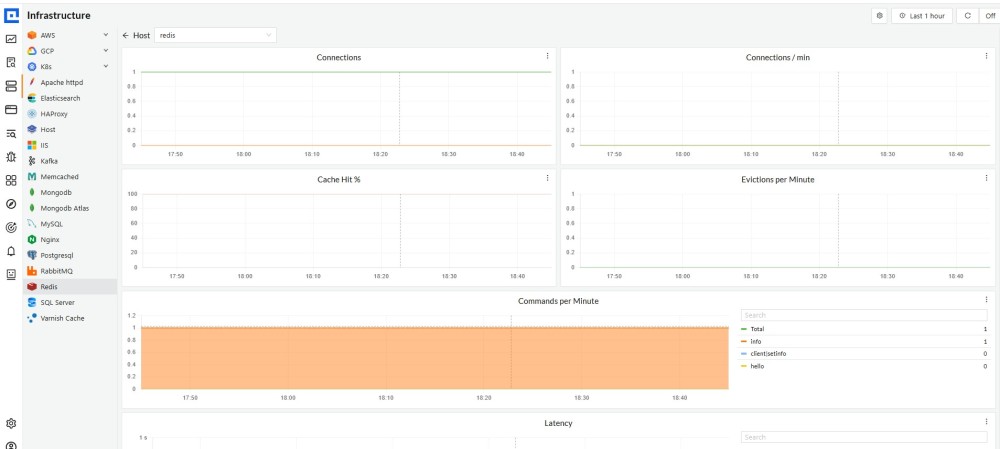
CubeAPM provides full-stack observability including Redis monitoring as part of a unified platform that runs inside your own cloud or on-premises infrastructure. It collects Redis metrics via OpenTelemetry or Prometheus exporters, correlates them with application traces and logs, and stores everything with unlimited retention at $0.15 per GB ingested.
CubeAPM’s Redis monitoring surfaces the same metrics as Prometheus exporters: memory, cache hit rate, replication lag, command latency, but eliminates the need to maintain separate Prometheus and Grafana instances. Dashboards are pre-built and customizable. Alerts integrate with Slack, PagerDuty, and email. Because CubeAPM runs on your infrastructure, there are no data egress fees and no vendor access to your telemetry.
For a 50-instance Redis cluster generating 500 GB of telemetry per month, CubeAPM costs $75 per month ($0.15/GB × 500 GB) with no per-host fees, no user seat charges, and no retention limits. Compare this to Datadog at $750 per month for infrastructure monitoring alone or New Relic at $200 per month for data ingest plus $49 to $99 per user per month for platform access.
CubeAPM’s OpenTelemetry-native design means you can migrate incrementally. Start with Redis metrics, add application traces later, and never face vendor lock-in. For teams running Redis in Kubernetes or on-premises environments with strict data residency requirements, CubeAPM provides the control of self-hosting with the ease of a managed platform. More details on deployment and features are available at CubeAPM Redis Monitoring.
For a full comparison of Redis monitoring tools, including open source options, SaaS platforms, and self-hosted alternatives, see the dedicated tools guide.
Migrating from Basic Redis Monitoring to Full Observability
Most teams start with basic Redis monitoring, a Grafana dashboard pulling from a Prometheus exporter, and hit limits when they need to correlate Redis performance with application behavior, debug cache misses in the context of distributed traces, or enforce retention policies beyond Prometheus’s default 15 days.
Migrating to a full observability platform means centralizing Redis metrics alongside APM traces, logs, and infrastructure data. This enables questions like: Which API endpoint is causing the spike in Redis cache misses? Did the deploy 10 minutes ago change the cache hit rate? Is the Redis latency spike caused by memory pressure or a slow command?
The migration path depends on your current stack. If you are running Prometheus and Grafana, adding an OpenTelemetry collector to forward metrics to a unified platform like CubeAPM or Datadog is the simplest path. If you are on a cloud-native stack, switching to a platform that supports multi-cloud Redis monitoring removes the dependency on CloudWatch or Azure Monitor.
The key decision is whether you prioritize cost predictability, data control, or ease of use. Managed SaaS platforms optimize for ease of use but charge per host, per user, or per GB ingested with unpredictable costs at scale. Self-hosted platforms optimize for cost and control but require infrastructure management. Hybrid platforms like CubeAPM split the difference — self-hosted for data control, managed for operational simplicity.
Disclaimer: The information in this article reflects the latest details available at the time of publication and may change as technologies and products evolve. Features, pricing, and plan limits can change over time. Always verify the latest information directly with the vendor before making purchasing or deployment decisions.
Frequently Asked Questions
What does Redis stand for?
Redis stands for Remote Dictionary Server. It is an open source, in-memory data structure store used as a database, cache, message broker, and streaming engine.
How do I check if Redis is being used in my application?
Check active connections using `redis-cli CLIENT LIST`, review application logs for Redis connection strings, or monitor Redis command throughput with `INFO stats` to see `total_commands_processed` incrementing.
What is the MONITOR command in Redis?
The `MONITOR` command streams every command Redis processes in real time, useful for debugging but it degrades performance significantly and should never run on production instances under heavy load.
What is a good cache hit rate for Redis?
A cache hit rate above 90% is typical for well-tuned Redis caches. Rates between 80% and 90% are acceptable depending on workload. Anything below 80% signals misconfigured TTLs, poor cache warming, or query patterns that bypass the cache.
How do I monitor Redis replication lag?
Compare `master_repl_offset` on the master with `slave_repl_offset` on replicas using the `INFO replication` command. The byte difference divided by write throughput gives approximate time lag.
What causes high memory fragmentation in Redis?
Memory fragmentation occurs after many delete or update operations leave unused memory holes. Workloads with frequent key expiration, large value updates, or long-running instances are most affected. Redis 4.0+ includes active defragmentation to reclaim fragmented memory automatically.
Should I alert on every Redis eviction?
No. Evictions are normal when using Redis as a cache with an LRU or LFU eviction policy. Alert when the eviction rate spikes suddenly or when evictions occur despite expecting infinite retention, signaling undersized memory.