










UptimeRobot is an uptime monitoring tool that helps teams check whether websites, APIs, ports, DNS records, SSL certificates, domains, keywords, and cron jobs are available. It monitors services from the outside and alerts teams when something becomes unreachable or stops responding as expected.
This UptimeRobot pricing and reviews matter because UptimeRobot’s Free plan is restricted to personal, non-commercial use, while paid plans differ by monitor count, check interval, seats, integrations, alerting, and status page limits. The plan that looks cheapest at first may not be the right fit once a team needs commercial use, faster checks, SMS or voice alerts, or collaboration.
In this guide, we’ll break down UptimeRobot pricing in 2026, what each plan includes, what real teams may actually pay, what users like and dislike, and how UptimeRobot compares with alternatives such as Pingdom, Better Stack, StatusCake, Checkly, and CubeAPM.
What Is UptimeRobot?
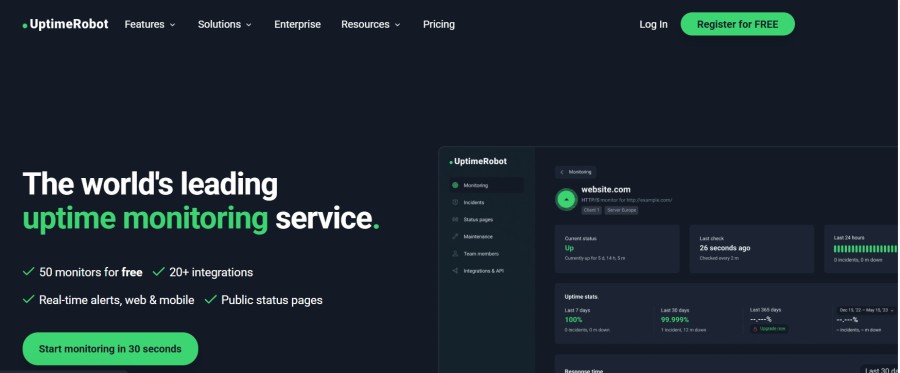
UptimeRobot is a cloud-based uptime monitoring platform for websites, APIs, ports, ping checks, keywords, DNS, SSL certificates, domain expiry, and heartbeat-based cron job monitoring. Its main role is to check whether a public-facing service is available from outside your infrastructure.
In simpler terms, UptimeRobot helps teams answer three questions:
- Is the website, API, or service down?
- How long has it been down?
- Who should be alerted?
UptimeRobot’s pricing page currently lists HTTP, port, ping, keyword, API, UDP, multi-location, slow-response, DNS, SSL, domain expiry, heartbeat, custom headers, maintenance windows, incidents, integrations, and status page capabilities, though some features vary by plan.
Key Features of UptimeRobot
HTTP and HTTPS monitoring are UptimeRobot’s core use cases. The platform checks whether a URL responds correctly and alerts users when the endpoint appears unavailable. The Free plan uses 5-minute checks, while paid plans reduce the interval to 60 seconds or 30 seconds depending on the tier.
Keyword monitoring checks whether specific text is present in the HTML source of a page. This is useful when a page is technically online but displaying the wrong content, such as an error page, maintenance message, broken template, or incorrect landing page.
Ping monitoring checks whether a server responds to ICMP requests. Port monitoring checks whether a specific port is reachable, such as a mail, FTP, database, or custom application port. These checks are useful for basic network and service reachability.
UptimeRobot now lists API monitoring across its plan structure. Its pricing page describes API monitoring as a way to monitor API endpoints with authentication, custom headers, and validation of key JSON fields and values. This makes it useful for API availability checks, but not a replacement for API performance tracing or distributed tracing.
UptimeRobot supports SSL certificate, domain expiry, and DNS monitoring. The pricing page says SSL monitoring can alert 30, 14, and 7 days before certificate expiry, while domain expiry monitoring can alert 30, 14, and 7 days before a domain expires. DNS monitoring is positioned around detecting DNS issues before they affect users.
Cron job monitoring uses heartbeats. Instead of UptimeRobot checking a public URL, your scheduled job sends a request to UptimeRobot after it runs. If the expected heartbeat does not arrive on time, UptimeRobot can alert the team. This is useful for backups, data syncs, queue workers, reports, and scheduled scripts.
UptimeRobot supports location-specific monitoring, including regions such as North America, Europe, Asia, and Australia. This helps teams confirm whether an issue is global or limited to one region.
UptimeRobot includes status pages. Current plan limits show 1 status page on Free, 3 on Solo, 100 on Team, and unlimited status pages on Enterprise. Higher plans also support more advanced status page features such as custom design, own domain, translations, white labeling, password protection, subscribers, search engine opt-out, and analytics.
UptimeRobot supports email, SMS, voice call, Email2SMS, mobile app alerts, and third-party integrations. Its pricing page currently lists basic integrations such as Google Chat, Discord, Pushover, Pushbullet, and Splunk, plus additional integrations such as Slack, Mattermost, Telegram, Microsoft Teams, Webhook, Zapier, and PagerDuty depending on plan.
UptimeRobot Pricing in 2026
UptimeRobot pricing is organized around four main plan levels: Free, Solo, Team, and Enterprise. The pricing below reflects UptimeRobot’s current public pricing page as checked in June 2026.
| Plan | Annual billing equivalent | Annual price | Monitor count | Check interval |
| Free | $0/month | $0 | 10 monitors | 5 minutes |
| Solo | Starts at $9/month | Starts at $108/year | 50 monitors at entry tier | 60 seconds |
| Team | $33/month | $396/year | 100 monitors | 60 seconds |
| Enterprise | Starts at $69/month | Starts at $828/year | 200 monitors at entry tier | 30 seconds |
UptimeRobot’s pricing page also shows monthly billing values alongside annual pricing. The page presents Solo around $10/month, Team around $38/month, and Enterprise around $82/month on monthly billing, while annual billing saves about 20%.
Important Note: Free Plan Commercial Use Restriction
This is the most important pricing detail.
UptimeRobot’s Terms of Service state that the Free Plan is intended solely for personal, non-commercial use. The terms prohibit commercial, business, institutional, or revenue-generating use on the Free Plan.
UptimeRobot’s help article also says the Free Plan is intended for non-commercial use and is best for personal projects, hobby websites, and projects that do not generate direct monetary profit. It also says UptimeRobot extends Free-plan access to open-source initiatives, educational institutions, charities, and non-profit organizations.
That means the Free plan is not the right fit for:
- Freelancers monitoring client websites
- Agencies monitoring customer projects
- Startups monitoring paid SaaS products
- Ecommerce teams monitoring revenue pages
- Businesses monitoring production services
- Commercial teams using uptime checks as part of paid operations
For commercial use, buyers should treat Solo as the practical starting point.
What Does UptimeRobot Really Cost?
⚠️ Disclaimer
The scenarios below are directional editorial estimates, not official UptimeRobot quotes. UptimeRobot can be very affordable for basic uptime monitoring, but total cost can increase with more external checks, faster check intervals, team access, integrations, status pages, SMS alerts, and voice calls.
UptimeRobot pricing is not based on hosts, logs, traces, metrics, RUM sessions, API test runs, or browser test runs. A 10-host team does not automatically need 10 UptimeRobot checks. A check usually represents a website, API endpoint, SSL certificate, DNS record, port, keyword check, domain expiry check, or cron job heartbeat.
That is why the scenarios below use infrastructure size only as background context. The actual UptimeRobot estimate is based on external availability monitoring needs.
| Team profile | Broader environment | UptimeRobot usage assumption | Likely plan | Estimated cost |
| Small team | 10 hosts | 20–40 checks, 60-second checks, light alerting | Solo or Team | ~$15–$40/month |
| Growing team | 50 hosts | 75–150 checks, team workflows, integrations, moderate alerting | Team | ~$50–$100/month |
| Mid-market team | 250 hosts | 250–500 checks, 30-second checks, more users, status pages, SMS/voice buffer | Enterprise | ~$175–$300/month |
Small Team: About $15–$40/Month
A small team may run around 10 hosts, but UptimeRobot does not charge by host. A practical setup may include checks for the homepage, API health endpoint, login page, SSL certificate, domain expiry, DNS records, important ports, and a few cron jobs.
| Component | Assumption | Estimated cost |
| Base plan | Solo or light Team usage | ~$9–$33/month |
| External checks | 20–40 checks | Included in plan range |
| Check interval | 60-second checks | Included on paid plans |
| Alerting buffer | Light SMS or voice usage | ~$3–$7/month |
| Estimated total | Small-team uptime setup | ~$15–$40/month |
This is a realistic range for a small commercial team. If the team only needs a few checks, it may stay near the lower end. If it needs collaboration or more alerting, Team-level pricing is more realistic.
Growing Team: About $50–$100/Month
A growing team may run around 50 hosts, but its UptimeRobot cost depends on how many customer-facing services it monitors. This may include production APIs, webhooks, landing pages, SSL certificates, DNS records, ports, status pages, and cron jobs.
| Component | Assumption | Estimated cost |
| Base plan | Team-level usage | ~$33/month |
| External checks | 75–150 checks | Team-level or higher usage |
| Check interval | 60-second checks | Included |
| Alerting buffer | Moderate SMS, voice, or routing use | ~$10–$25/month |
| Workflow buffer | Status pages, integrations, team needs | ~$10–$40/month |
| Estimated total | Growing-team uptime setup | ~$50–$100/month |
This range is fair for a growing team that needs more than basic uptime checks but is not yet operating a large enterprise monitoring program.
Mid-Market Team: About $175–$300/Month
A mid-market team may operate multiple products, APIs, domains, SSL certificates, DNS records, ports, cron jobs, and customer-facing status pages. At this level, the team may need faster checks, more users, more alerting contacts, and more operational workflows.
| Component | Assumption | Estimated cost |
| Base plan | Enterprise-level usage | ~$69/month+ |
| External checks | 250–500 checks | Higher monitor capacity |
| Check interval | 30-second checks for key services | Enterprise-level need |
| Alerting buffer | SMS, voice, escalation, incident alerts | ~$25–$75/month |
| Workflow buffer | More users, status pages, integrations | ~$75–$150/month |
| Estimated total | Mid-market uptime setup | ~$175–$300/month |
This is a reasonable mid-market range without exaggerating. It assumes UptimeRobot is used seriously across many external services, but not as a replacement for full observability.
Why UptimeRobot May Seem Cheap
UptimeRobot can look much cheaper than observability platforms because it is priced for a narrower job. It mainly checks whether websites, APIs, SSL certificates, DNS records, ports, and cron jobs are reachable from the outside.
It does not price around hosts, log volume, trace volume, metrics, RUM sessions, or browser test runs. That means a team with 10 hosts or 250 hosts may still pay a relatively low UptimeRobot bill if it only needs a limited number of external checks.
This is why UptimeRobot should not be compared directly with full-stack observability platforms on price alone. UptimeRobot helps confirm that something is down. It does not provide the same depth of root-cause analysis, telemetry storage, application performance monitoring, infrastructure monitoring, log analysis, distributed tracing, or real user monitoring.
For buyers, the important question is not only “Why is UptimeRobot cheaper?” but “What job is it being used for?” If the goal is basic uptime detection, UptimeRobot can be very affordable. If the goal is deeper troubleshooting across logs, metrics, traces, infrastructure, and user experience, teams usually need a separate observability platform alongside it.
What Actually Drives UptimeRobot Costs?
| Cost driver | Why it matters |
| Monitor count | Each endpoint, SSL check, DNS check, port, or heartbeat can consume monitor capacity |
| Check interval | 60-second checks require paid plans; 30-second checks require Enterprise |
| Commercial use | Business use requires a paid plan because Free is non-commercial |
| Login seats | Team and Enterprise include login seats; Solo does not |
| Notify seats | Extra alert-only contacts may increase cost |
| SMS and voice alerts | Credits can be purchased separately and may add cost during incidents |
| Integrations | More advanced integrations are available on higher plans |
| Status pages | Higher tiers include more status pages and more customization |
| Monitoring depth | UptimeRobot does not replace APM, logs, traces, or full synthetic testing |
Additional Costs and Operational Overhead Buyers Should Plan For
The Free plan is attractive, but it is restricted to personal, non-commercial use. Teams using UptimeRobot for business websites, paid SaaS products, ecommerce, or client projects should treat Solo as the real entry point.
Solo does not include login seats. Team includes 3 login seats, while Enterprise includes 5. More seats can be purchased separately. Teams that need shared dashboard access should consider this before choosing Solo.
SMS and voice call credits are one-time purchases and do not renew with the plan. UptimeRobot currently lists credit packs from $3 for 10 credits to $100 for 1,000 credits. Teams that rely heavily on SMS or voice calls should estimate incident volume before subscribing.
UptimeRobot is strong for uptime and endpoint checks, but it is not a full browser-based transaction testing platform. Teams that need scripted user journeys such as login, checkout, account creation, search, or payment flows may need a stronger synthetic monitoring tool such as Pingdom or Checkly. Pingdom offers synthetic monitoring and RUM, while Checkly supports Playwright-based browser checks and Monitoring as Code.
UptimeRobot tells you that something is down. It may not tell you why it is down.
For root-cause analysis, teams usually need logs, metrics, traces, dashboards, infrastructure monitoring, and application performance visibility. This is where tools such as CubeAPM, Datadog, New Relic, Grafana, or Dynatrace become relevant.
UptimeRobot User Reviews in 2026
UptimeRobot has strong public review signals overall.
G2 lists UptimeRobot at 4.7/5 from 289 reviews. G2’s review summary says users praise ease of use, reliable monitoring, quick setup, and instant alerts, while some users mention limited advanced features and customization on the free plan.
Capterra shows 4.8/5 after 75 reviews in its review listing. Positive reviews highlight simplicity, stability, reasonable pricing, fast setup, and useful notifications. Some critical reviews mention delayed or inaccurate monitor status and support frustrations, so the article should not imply that user feedback is universally positive.
Gartner Peer Insights lists UptimeRobot at 4.8/5 from 13 ratings, with ratings shown across evaluation, deployment, service, and support categories.
Trustpilot shows UptimeRobot with a 4.7/5 from about 460 reviews. Trustpilot reviews are useful as a public signal, but buyers should treat them as directional rather than definitive because review platforms can change over time.
What Users Like
| Positive theme | Verified basis |
| Easy setup | G2 and Capterra reviews repeatedly mention ease of use and quick setup |
| Reliable basic monitoring | G2 and Capterra review summaries highlight reliable monitoring |
| Useful alerts | G2 mentions instant alerts; Capterra reviews mention immediate notifications |
| Simple UI | Capterra reviewers describe the interface as simple and easy to understand |
| Good value | Capterra reviewers mention reasonable pricing and value |
| Good fit for lightweight monitoring | Reviews commonly position it as simple website and uptime monitoring |
What Users Criticize
⚠️ Disclaimer
The points below reflect themes found in public user reviews and buyer feedback. They should not be read as universal platform limitations, since the experience can vary by plan, use case, team size, and setup.
| Criticism | Verified basis |
| Free plan is limited for businesses | UptimeRobot’s Terms restrict Free to non-commercial use |
| Advanced features require paid tiers | G2 review summary mentions limited advanced features on Free |
| Free 5-minute checks may be slow for production | UptimeRobot’s pricing page confirms 5-minute Free checks |
| Seat limits can matter | Solo has no login seats; Team and Enterprise include limited login seats |
| SMS and voice can add cost | Credits are separate one-time purchases |
Review Ratings Summary
| Platform | Rating or signal |
| G2 | 4.7/5 from 289 reviews |
| Capterra | 69 reviews shown; many positive reviews highlight simplicity and reliability |
| Gartner Peer Insights | 4.8/5 from 13 ratings |
| Trustpilot | 4.7/5 rating from about 460 reviews |
UptimeRobot Alternatives: How It Compares to Competitors
UptimeRobot vs CubeAPM
CubeAPM is not a direct one-to-one UptimeRobot replacement. UptimeRobot monitors availability from the outside. CubeAPM is a full-stack observability and APM platform built around OpenTelemetry. CubeAPM’s public site says it uses predictable $0.15/GB ingestion pricing and can deploy in the customer’s infrastructure while CubeAPM handles upgrades, patches, and support.
| Category | UptimeRobot | CubeAPM |
| Primary role | External uptime monitoring | Full-stack observability and APM |
| Monitoring direction | Outside-in | Inside-out |
| Best for | Website, API, SSL, DNS, port, cron checks | Logs, metrics, traces, dashboards, infra, APM |
| Pricing model | Plan and monitor based | Usage-based ingestion pricing |
| Deployment | SaaS | Managed self-hosted/customer infrastructure model |
| Data ownership | Hosted by UptimeRobot | Telemetry can stay in customer environment |
| OpenTelemetry | Not core positioning | OpenTelemetry-native |
| Best fit | Detecting downtime quickly | Finding root cause and controlling observability cost |
UptimeRobot and CubeAPM are better viewed as complementary tools. A team can use UptimeRobot to detect external downtime and CubeAPM to investigate internal application, infrastructure, trace, log, or metric causes.
UptimeRobot vs Datadog
Datadog is much broader than UptimeRobot. UptimeRobot focuses on external uptime checks for websites, APIs, ports, SSL, DNS, and cron jobs. Datadog covers infrastructure monitoring, APM, logs, synthetics, RUM, network monitoring, dashboards, alerts, and security monitoring.
| Category | UptimeRobot | Datadog |
| Best for | External uptime checks | Full-stack observability |
| Main focus | Availability monitoring | Infra, APM, logs, traces, RUM |
| Pricing model | Plan and monitor based | Modular usage-based pricing |
| APM, logs, traces | No | Yes |
| Best fit | Simple uptime monitoring | Deep production visibility |
UptimeRobot is better for affordable external availability monitoring. Datadog is stronger for teams that need full-stack observability, deeper troubleshooting, and broad monitoring across cloud infrastructure and applications.
UptimeRobot vs New Relic
New Relic is a full observability platform, while UptimeRobot is mainly an uptime monitoring tool. UptimeRobot helps teams confirm whether a service is reachable from outside the system. New Relic collects and analyzes telemetry across applications, infrastructure, logs, traces, synthetics, and user experience.
| Category | UptimeRobot | New Relic |
| Best for | Uptime and endpoint checks | Full-stack observability |
| Main focus | Availability monitoring | APM, logs, metrics, traces, RUM |
| Pricing model | Monitor and plan based | Data ingest and user based |
| APM, logs, traces | No | Yes |
| Best fit | Website and API uptime checks | Root-cause analysis |
UptimeRobot is simpler and cheaper when the goal is basic downtime detection. New Relic is better when teams need application performance monitoring, telemetry correlation, and deeper debugging across services.
UptimeRobot vs Dynatrace
Dynatrace is an enterprise observability platform, while UptimeRobot is a lightweight uptime monitoring tool. UptimeRobot checks whether services are reachable. Dynatrace focuses on application and infrastructure observability, automation, AI-assisted analysis, logs, traces, metrics, cloud monitoring, and digital experience monitoring.
| Category | UptimeRobot | Dynatrace |
| Best for | Simple external uptime checks | Enterprise observability |
| Main focus | Availability monitoring | APM, infra, logs, traces, automation |
| Pricing model | Plan and monitor based | Usage-based platform pricing |
| APM, logs, traces | No | Yes |
| Best fit | Small teams and agencies | Large, complex environments |
UptimeRobot is easier to adopt for basic uptime monitoring. Dynatrace is stronger for enterprises that need automated root-cause analysis, full-stack monitoring, and advanced observability across large environments.
UptimeRobot vs Pingdom
Pingdom, owned by SolarWinds, is broader than UptimeRobot for website performance monitoring because it offers both Synthetic Monitoring and Real User Monitoring. Pingdom’s pricing page includes a subscription calculator for synthetic monitoring and RUM, and its trial includes both.
| Category | UptimeRobot | Pingdom |
| Best for | Affordable uptime checks | Synthetic monitoring plus RUM |
| Free plan | Yes, personal/non-commercial use | Trial-based |
| Paid entry | Starts at $9/month annual equivalent | Calculator-based pricing |
| RUM | No | Yes |
| Transaction monitoring | Limited | Stronger advanced checks |
| Page speed visibility | Limited | Stronger |
| Best fit | Budget uptime checks | Teams needing uptime, RUM, and transaction checks |
Pingdom is the better fit when a team needs page performance visibility, real user monitoring, and scripted synthetic checks. UptimeRobot is simpler and usually cheaper for basic uptime and endpoint monitoring.
UptimeRobot vs Better Stack
Better Stack is broader than UptimeRobot because it combines uptime monitoring, incident management, on-call workflows, logs, and status pages. Better Stack says its uptime free tier includes 10 monitors, 10 heartbeats, and a status page with 3-minute checks, and it promotes 30-second checks on paid monitoring.
| Category | UptimeRobot | Better Stack |
| Best for | Simple uptime monitoring | Uptime, incidents, on-call, logs |
| Free plan | 50 monitors, non-commercial | 10 monitors and 10 heartbeats |
| Free interval | 5 minutes | 3 minutes |
| Paid interval | 60 seconds or 30 seconds | Up to 30 seconds |
| Logs | No | Yes |
| Incident workflows | Basic compared with incident platforms | Stronger |
| Best fit | Low-cost availability checks | Monitoring plus incident workflows |
Better Stack is stronger when teams want uptime checks, logs, on-call, incident response, and status pages in one workflow. UptimeRobot is better when the main requirement is simple external availability monitoring.
UptimeRobot vs Checkly
Checkly is more developer-focused. It supports API checks, browser checks, Playwright-based synthetic monitoring, and Monitoring as Code workflows. Checkly’s documentation describes browser checks as Node.js scripts using Playwright, and its Monitoring as Code page explains how teams can define and deploy monitors through code workflows.
| Category | UptimeRobot | Checkly |
| Best for | Simple uptime and API checks | Developer-first synthetic monitoring |
| Monitoring as Code | No | Yes |
| Browser checks | No deep browser journeys | Yes |
| Playwright support | No | Yes |
| Transaction testing | Limited | Stronger |
| Setup style | UI-first | Code-first |
| Best fit | Small teams, agencies, website owners | DevOps and SRE teams using code-driven monitoring |
Checkly is stronger for teams that want tests defined in code and integrated into CI/CD workflows. UptimeRobot is better for teams that want a simpler UI-first uptime monitoring setup.
Is UptimeRobot the Right Choice?
When UptimeRobot Works Best
UptimeRobot is a strong fit for:
- Personal website owners who need free basic monitoring
- Non-commercial hobby projects
- Freelancers who need affordable paid commercial monitoring
- Small businesses monitoring websites, APIs, SSL, DNS, and domains
- Agencies managing client uptime checks on paid plans
- SaaS teams that need external availability checks for APIs, ports, SSL, DNS, and cron jobs
- Teams that want simple uptime monitoring without a complex observability rollout
- Buyers who want low-cost external monitoring alongside an APM or observability platform
When UptimeRobot May Not Be Enough
UptimeRobot may not be enough when a team needs:
- Full application performance monitoring
- Centralized logs, traces, metrics, and infrastructure monitoring
- Real user monitoring for frontend user experience
- Deep browser-based transaction testing for flows such as login, checkout, or account creation
- Advanced root-cause analysis across applications, services, and infrastructure
- Complex enterprise incident response workflows across many teams
- A free plan for commercial, business, client, or revenue-generating projects
- Many dashboard users, alert contacts, or collaboration workflows on lower-tier plans
This does not make UptimeRobot a weak product. It means UptimeRobot is best used for external uptime and availability monitoring. Teams that need deeper troubleshooting usually pair it with a separate observability, APM, logging, tracing, or synthetic monitoring platform.
Conclusion
UptimeRobot remains one of the strongest budget-friendly uptime monitoring tools in 2026. Its biggest strengths are simplicity, fast setup, broad availability-monitoring coverage, and low paid entry pricing. The Free plan is still useful for personal and non-commercial projects, but businesses should treat Solo as the real starting point because UptimeRobot’s Terms restrict the Free plan to personal, non-commercial use.
For small teams, UptimeRobot is a practical way to monitor websites, APIs, SSL certificates, domains, DNS records, ports, and cron jobs without paying for a full observability platform. For growing teams, Team and Enterprise add more collaboration, faster checks, more status pages, and higher limits.
The main limitation is depth. UptimeRobot can tell you that something is down, but it is not built to explain every internal cause. Teams that need logs, metrics, traces, infrastructure monitoring, and full-stack troubleshooting should pair UptimeRobot with a deeper observability platform such as CubeAPM, Datadog, New Relic, Grafana, or Dynatrace.
Disclaimer: Pricing, plan limits, monitor counts, integrations, and Free-plan rules can change. This article is based on public information checked in June 2026. Buyers should confirm current pricing and terms directly with UptimeRobot before purchasing.
FAQs
1. What is UptimeRobot?
UptimeRobot is an uptime monitoring tool that checks websites, APIs, ports, keywords, DNS records, SSL certificates, domain expiry, and cron jobs. It alerts teams when monitored services become unavailable.
2. How much does UptimeRobot cost?
UptimeRobot has a Free plan for personal, non-commercial use. Current paid pricing starts at $108/year for Solo, $396/year for Team, and $828/year for Enterprise, equal to $9, $33, and $69/month on annual billing.
3. Does UptimeRobot have a free plan?
Yes. UptimeRobot has a Free plan with 50 monitors and 5-minute checks, but it is intended for personal, non-commercial use.
4. Can businesses use UptimeRobot Free?
No, not for commercial use. UptimeRobot’s Terms of Service say the Free Plan is intended solely for personal, non-commercial use and prohibit commercial, business, institutional, or revenue-generating use.
5. What is the UptimeRobot check interval?
UptimeRobot’s current pricing page lists 5-minute checks on Free, 60-second checks on Solo and Team, and 30-second checks on Enterprise.
6. Is UptimeRobot good for API monitoring?
Yes, UptimeRobot can monitor API endpoints and validate key response details such as authentication, custom headers, and JSON fields. It is best for API availability checks, not deep API performance tracing or full distributed tracing.