










SpeedCurve is a web performance monitoring platform for teams that care about website speed, Core Web Vitals, real user experience, and front-end performance. It is now branded as SpeedCurve by Embrace after Embrace acquired SpeedCurve in November 2025.
SpeedCurve’s strength is that it combines synthetic monitoring, real user monitoring, Lighthouse data, performance budgets, competitor benchmarking, third-party script analysis, and business metric correlation in one focused platform. This makes it useful for ecommerce, SaaS, media, SEO, product, and front-end teams that need to understand how website speed affects users and conversions.
This SpeedCurve pricing and review guide verifies its pricing, plan limits, RUM and synthetic monitoring model, real-world cost drivers, user review signals, strengths, limitations, and alternatives so buyers can decide whether SpeedCurve is the right fit in 2026.
What Is SpeedCurve?
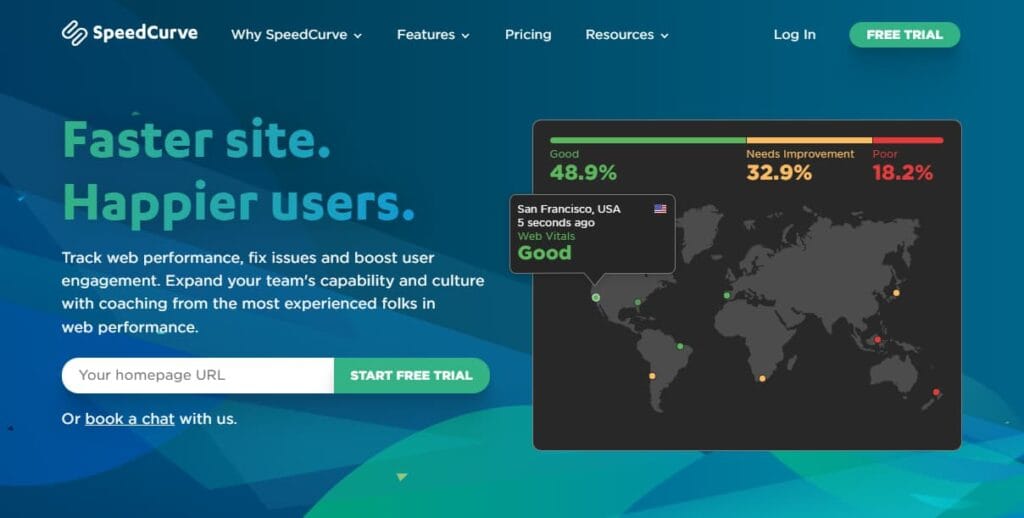
SpeedCurve is a specialist website performance monitoring platform. It helps teams understand how fast their pages load, how real users experience those pages, and how performance changes affect business outcomes such as conversion rate, bounce rate, and engagement.
SpeedCurve is useful for teams that need to answer practical questions such as:
- How fast are our most important pages?
- Are Core Web Vitals improving or getting worse?
- Which users are having the worst experience?
- Did a new deployment slow down the site?
- Are third-party scripts affecting performance?
- Are we faster or slower than competitors?
- Does better speed correlate with higher conversion rate?
Google says Core Web Vitals measure real-world user experience across loading performance, interactivity, and visual stability, and it recommends that site owners achieve good Core Web Vitals for Search success and user experience. That makes SpeedCurve relevant for SEO teams as well as engineering and product teams.
Supported Monitoring Types, Metrics, and Technical Coverage
SpeedCurve focuses on front-end performance and digital experience monitoring. Its own homepage says it collects lab-based synthetic testing, real user monitoring, conversion rates, and other web performance metrics in one place.
| Monitoring area | SpeedCurve coverage |
| Synthetic monitoring | Lab tests for selected URLs, browsers, devices, locations, and test settings |
| Real user monitoring | Field data from real visitors using SpeedCurve RUM |
| Core Web Vitals | LCP, INP, and CLS tracking |
| Lighthouse monitoring | Lab-based Lighthouse audits and scores |
| User Timing and Element Timing | Custom page timing and element rendering metrics |
| Performance budgets | Thresholds for speed, page weight, JavaScript, images, and Web Vitals |
| Competitor benchmarking | Performance comparison against competitor pages |
| Third-party performance | Visibility into scripts, tags, ads, analytics, and other external resources |
| Business correlation | Speed correlation with conversion rate, bounce rate, and business KPIs |
Key Features of SpeedCurve
SpeedCurve runs controlled lab tests against selected pages, devices, browsers, and locations. This helps teams catch performance regressions after deployments and compare page speed under repeatable test conditions.
SpeedCurve RUM shows how real visitors experience a website across different devices, browsers, networks, and regions. It helps teams understand field performance, not just lab test results.
SpeedCurve tracks key user experience metrics such as Largest Contentful Paint, Interaction to Next Paint, and Cumulative Layout Shift. This makes it useful for teams working on SEO, page experience, and front-end performance.
SpeedCurve includes Lighthouse data so teams can monitor performance, accessibility, SEO, and best-practice scores over time. This helps connect technical audits with ongoing performance trends.
SpeedCurve lets teams set limits for metrics such as page weight, JavaScript size, image weight, LCP, INP, and CLS. These budgets help prevent slowdowns before they affect users.
SpeedCurve helps teams compare their website speed with competitor pages. This is useful for ecommerce, travel, media, SaaS, and marketplace teams where page speed can affect conversion and user experience.
SpeedCurve helps identify how third-party scripts, ads, tags, analytics tools, chat widgets, and personalization tools affect page speed. This is useful because many performance issues come from external resources, not only internal code.
SpeedCurve connects performance data with business metrics such as conversion rate and bounce rate. This helps teams show how speed improvements may affect revenue, engagement, and customer experience.
SpeedCurve Pricing in 2026
As of June 8, 2026, SpeedCurve pricing starts at:
| Plan | Starting price | Main coverage |
| Starter | $90/month | Synthetic monitoring and RUM |
| Growth | $576/month | Starter features plus 13 months retention, high priority support, and synthetic priority testing |
| Enterprise | Custom | Growth features plus SSO, private agents, check-ins, and consulting |
Starter Plan
SpeedCurve Starter starts at $90/month.
It includes:
- Unlimited teams and users
- Synthetic monitoring
- Real user monitoring
Starter is a good fit for small ecommerce teams, SEO teams, SaaS teams, agencies, and product teams that want continuous performance monitoring without moving into enterprise pricing.
Starter is not the cheapest website monitoring option. Basic uptime tools cost less. But SpeedCurve is not only an uptime checker. It is built for performance quality, RUM, synthetic testing, Web Vitals, budgets, and business reporting.
Growth Plan
SpeedCurve Growth starts at $576/month.
It includes everything in Starter, plus:
- 13 months of data retention
- High priority support
- Synthetic priority testing
Growth is a better fit for growing ecommerce, SaaS, media, publishing, marketplace, and travel teams that need longer historical reporting and more serious support.
The jump from Starter to Growth is significant, so teams should choose Growth when they really need retention, support priority, and higher-priority synthetic testing.
Enterprise Plan
SpeedCurve Enterprise uses custom pricing.
It includes Growth features plus:
- Single Sign-On
- Synthetic Private Agents
- Regular check-ins
- Consulting
Enterprise is relevant for large organizations with higher traffic, multiple brands, private network testing, security review needs, procurement requirements, or performance consulting needs.
SpeedCurve’s private agent docs add an important buying detail: private agents are available for annual plans worth more than $12,000, or by paying a one-time $2,000 setup fee, according to SpeedCurve’s support documentation. Buyers should confirm this directly with SpeedCurve during procurement because enterprise terms can change.
How SpeedCurve Billing Works
SpeedCurve is not priced like a host-based infrastructure monitoring tool.
Its pricing is mainly driven by:
- RUM page views
- Synthetic checks
- Plan tier
- Retention needs
- Support needs
- Enterprise requirements
- Private agents
- Consulting
What Is a RUM Page View?
A RUM page view is a real user page view measured through SpeedCurve’s RUM script.
RUM page views matter because traffic volume affects cost. A small B2B website may need much less RUM volume than a high-traffic ecommerce store, media site, or marketplace.
Teams should estimate:
- Monthly page views
- Important page types
- Traffic spikes
- Mobile vs desktop traffic
- Country or region coverage
- Sampling needs
- Campaign traffic
- Checkout or signup volume
RUM sampling can help manage cost, but teams should be careful not to sample so aggressively that the data stops representing real user experience.
What Is a Synthetic Check?
A synthetic check is a scheduled lab test against a URL or journey.
Synthetic usage can grow when teams add:
- More URLs
- More page templates
- More devices
- More browsers
- More test locations
- More test times
- More checks per test
- More competitor pages
- More checkout or signup journeys
A simple setup may test a few URLs daily. A larger setup may test dozens of pages across regions, browsers, devices, and competitors several times per day.
What Does SpeedCurve Really Cost?
⚠️ Disclaimer
The scenarios below are directional editorial estimates, not official SpeedCurve quotes. SpeedCurve cost can change based on RUM page views, synthetic checks, monitored URLs, test frequency, browsers, regions, support needs, retention, private agents, consulting, annual billing, and contract terms.
SpeedCurve pricing is not based on hosts, containers, logs, traces, metrics, or telemetry GB. A team with 50 hosts or 5 TB/month of backend telemetry does not automatically pay more in SpeedCurve. SpeedCurve is a web performance monitoring tool, so the main pricing inputs are RUM page views and synthetic checks.
SpeedCurve’s pricing page says teams can choose RUM page views and synthetic checks, starting from $90/month. Starter starts at $90/month, Growth starts at $576/month, and Enterprise is custom. Growth adds 13 months of retention, high priority support, and synthetic priority testing.
Pricing Assumptions Used in These Scenarios
These scenarios use SpeedCurve-relevant pricing inputs: RUM page views and synthetic checks. Hosts, containers, logs, traces, metrics, and telemetry GB are left out of the SpeedCurve estimate because they do not match SpeedCurve’s public pricing model.
| Scenario | SpeedCurve pricing anchor | SpeedCurve estimate | CubeAPM estimate |
| Small team | 500K RUM page views + 50K synthetic checks | ~$818/month | ~$522/month |
| Growing team | 1M RUM page views + 100K synthetic checks | ~$1,635/month | ~$919/month |
| Mid-market team | 5M RUM page views + 400K synthetic checks | ~$6,675/month | ~$4,594/month |
These estimates use monthly pricing before annual discounts. SpeedCurve’s pricing page shows annual billing can reduce the bill by 20%.
Workload Assumptions Used for SpeedCurve Estimates
| Team size | Website context | RUM assumption | Synthetic assumption | Estimated SpeedCurve cost |
| Small team | 1 main website | 500K page views/month | 50K checks/month | ~$818/month |
| Growing team | 1–3 websites | 1M page views/month | 100K checks/month | ~$1,635/month |
| Mid-market team | Multiple sites or brands | 5M page views/month | 400K checks/month | ~$6,675/month |
The SpeedCurve estimate is based on website performance monitoring usage. The CubeAPM estimate is based on observability ingestion volume. The two tools are not exact one-to-one replacements, but the comparison is useful when a buyer is deciding whether they need a specialist web performance tool, a full-stack observability platform, or both.
Scenario 1: Small Team, 1 Main Website
Situation
A small ecommerce, SaaS, or content team monitors one main website. The team wants to track real user performance and run synthetic tests across important pages such as the homepage, pricing page, product page, blog template, signup page, checkout page, and a few competitor pages.
For this scenario, the team measures 500K RUM page views per month and runs 50K synthetic checks per month. This is a serious small-team setup, not a hobby website or basic uptime-only setup.
Why Teams at This Stage Consider SpeedCurve
Small teams usually consider SpeedCurve when free tools like PageSpeed Insights, Lighthouse, and Search Console are no longer enough. They may need continuous Core Web Vitals tracking, RUM dashboards, synthetic monitoring, alerts, performance budgets, and competitor benchmarking.
SpeedCurve is strongest here when the team cares about front-end performance and wants to understand how users experience important pages. It is not mainly for backend APM, infrastructure monitoring, logs, or traces.
Estimated Profile
| Configuration | Detail |
| Website context | 1 primary website |
| Key pages/templates | Homepage, pricing/product pages, signup, checkout, blog, competitors |
| Likely SpeedCurve plan | Starter |
| RUM page views | 500K/month |
| Synthetic checks | 50K/month |
| Retention need | Standard |
| Support need | Standard |
| Pricing basis | RUM page views + synthetic checks |
Estimated Monthly Cost
Disclaimer: This estimate uses SpeedCurve’s public pricing model and calculator-style assumptions as a planning anchor. It is not an official SpeedCurve quote.
| Component | Assumption | Estimated monthly cost |
| RUM page views | 500K page views/month | ~$68 |
| Synthetic checks | 50K checks/month | ~$750 |
| Monthly billing estimate | Before annual discount | ~$818/month |
| Annual billing estimate | 20% annual discount | ~$654/month |
| Estimated annual bill | Annual billing | ~$7,848/year |
CubeAPM Cost Comparison
| Platform | Pricing basis | Estimated monthly cost |
| SpeedCurve | 500K RUM page views + 50K synthetic checks | ~$818/month |
| CubeAPM | ~1.1 TB/month ingestion estimate | ~$522/month |
| Estimated savings with CubeAPM | Calculation | Result |
| Difference vs SpeedCurve | $818 – $522 | ~$296/month |
| Percentage savings | $296 ÷ $818 | ~36% lower |
What This Scenario Shows
For a small team, SpeedCurve cost is mostly driven by synthetic checks. The RUM portion is smaller because 500K measured page views is still a moderate volume, while 50K synthetic checks can add up quickly.
CubeAPM is cheaper in this scenario based on the calculator assumptions. However, the tools are not identical. SpeedCurve is stronger for dedicated web performance workflows such as Core Web Vitals, competitor benchmarking, performance budgets, and front-end speed analysis. CubeAPM is stronger when the team also needs backend APM, logs, metrics, traces, infrastructure monitoring, RUM, synthetics, and OpenTelemetry-native troubleshooting in one platform. CubeAPM lists predictable pricing at $0.15/GB ingested.
Scenario 2: Growing Team, 1–3 Websites
Situation
A growing SaaS, ecommerce, media, or marketplace team monitors 1–3 websites or digital properties. The team may track the main marketing site, product pages, category pages, checkout or signup flows, campaign landing pages, regional pages, mobile templates, and competitor pages.
For this scenario, the team measures 1M RUM page views per month and runs 100K synthetic checks per month.
Why Teams at This Stage Consider SpeedCurve
At this stage, website performance becomes a shared concern across engineering, SEO, product, marketing, and leadership. SEO wants Core Web Vitals. Product wants user experience trends. Marketing wants fast campaign pages. Engineering wants release regression alerts. Leadership wants to know whether speed affects conversion or revenue.
Growth becomes more relevant here because it adds 13 months of data retention, high priority support, and synthetic priority testing.
Estimated Profile
| Configuration | Detail |
| Website context | 1–3 websites or digital properties |
| Key pages/templates | 15–30 pages, templates, or flows |
| Likely SpeedCurve plan | Growth |
| RUM page views | 1M/month |
| Synthetic checks | 100K/month |
| Retention need | 13 months |
| Pricing basis | RUM page views + synthetic checks + Growth-level needs |
Estimated Monthly Cost
Disclaimer: This estimate uses SpeedCurve’s public pricing model and calculator-style assumptions as a planning anchor. Usage and contract details can change the final cost.
| Component | Assumption | Estimated monthly cost |
| RUM page views | 1M page views/month | ~$135 |
| Synthetic checks | 100K checks/month | ~$1,500 |
| Monthly billing estimate | Before annual discount | ~$1,635/month |
| Annual billing estimate | 20% annual discount | ~$1,308/month |
| Estimated annual bill | Annual billing | ~$15,696/year |
CubeAPM Cost Comparison
| Platform | Pricing basis | Estimated monthly cost |
| SpeedCurve | 1M RUM page views + 100K synthetic checks | ~$1,635/month |
| CubeAPM | ~5.4 TB/month ingestion estimate | ~$919/month |
| Estimated savings with CubeAPM | Calculation | Result |
| Difference vs SpeedCurve | $1,635 – $919 | ~$716/month |
| Percentage savings | $716 ÷ $1,635 | ~44% lower |
What This Scenario Shows
For a growing team, SpeedCurve becomes more of a performance program platform than a simple page-speed dashboard. The team is no longer only checking whether a few pages are fast. It is tracking performance across multiple sites, templates, journeys, devices, and business-critical pages.
CubeAPM becomes more cost-effective here because it charges by ingested observability data rather than separate RUM page views and synthetic checks. It is a stronger fit when the team wants full-stack visibility across backend services, infrastructure, logs, metrics, traces, RUM, synthetics, and errors. SpeedCurve remains stronger when the main goal is deep website performance analysis, Core Web Vitals, competitor benchmarking, and performance budget workflows.
Scenario 3: Mid-Market Team, Multiple Sites or Brands
Situation
A mid-market company monitors several websites, brands, regions, and high-value user journeys. The team may track ecommerce pages, checkout paths, signup flows, logged-in pages, campaign landing pages, mobile and desktop experiences, third-party scripts, and competitor benchmarks.
For this scenario, the team measures 5M RUM page views per month and runs 400K synthetic checks per month. This fits a larger digital team that needs deeper performance visibility across many pages, markets, and business-critical journeys.
Why Teams at This Stage Consider SpeedCurve
At mid-market scale, website speed can affect several teams at once. A slow checkout page can reduce revenue. A slow content page can hurt SEO. A slow campaign page can weaken paid acquisition. A heavy third-party script can hurt performance across many important pages.
SpeedCurve becomes useful because it gives engineering, SEO, marketing, product, and leadership a shared view of front-end performance. It is strongest when performance is treated as an ongoing business process, not a one-time page-speed audit.
Estimated Profile
| Configuration | Detail |
| Website context | Multiple websites, brands, or regions |
| Key pages/templates | 40+ pages, templates, journeys, and competitors |
| Likely SpeedCurve plan | Growth or Enterprise |
| RUM page views | 5M/month |
| Synthetic checks | 400K/month |
| Retention need | Long-term reporting |
| Support need | High priority or enterprise support |
| Enterprise needs | Possible SSO, private agents, consulting |
| Pricing basis | RUM page views + synthetic checks + possible enterprise needs |
Estimated Monthly Cost
Disclaimer: This estimate is a directional planning model based on SpeedCurve’s calculator-style pricing. It is not an official SpeedCurve quote. Enterprise pricing is custom, and buyers should confirm final pricing directly with SpeedCurve.
| Component | Assumption | Estimated monthly cost |
| RUM page views | 5M page views/month | ~$675 |
| Synthetic checks | 400K checks/month | ~$6,000 |
| Subtotal | Before volume discount | ~$6,675 |
| Volume discount | 10% discount shown in calculator | -$667.50 |
| Monthly billing estimate | After volume discount | ~$6,007.50/month |
| Annual billing estimate | 20% annual discount | ~$4,806/month |
| Estimated annual bill | Annual billing | ~$57,672/year |
CubeAPM Cost Comparison
| Platform | Pricing basis | Estimated monthly cost |
| SpeedCurve | 5M RUM page views + 400K synthetic checks after volume discount | ~$6,008/month |
| CubeAPM | ~27 TB/month ingestion estimate | ~$4,594/month |
Estimated Savings
| Estimated savings with CubeAPM | Calculation | Result |
| Difference vs SpeedCurve | $6,008 – $4,594 | ~$1,414/month |
| Percentage savings | $1,414 ÷ $6,008 | ~24% lower |
What This Scenario Shows
At mid-market scale, synthetic checks become the biggest SpeedCurve cost driver. A team testing many pages across multiple regions, browsers, devices, user journeys, and competitor URLs can reach high check volume quickly.
CubeAPM is cheaper in this estimate, but the comparison should be framed carefully. SpeedCurve is stronger for dedicated web performance work such as Core Web Vitals, synthetic testing, RUM, performance budgets, competitor benchmarking, and business impact reporting.
CubeAPM is stronger when the team also needs broader observability across backend services, infrastructure, logs, metrics, traces, application errors, RUM, and synthetic monitoring. This matters when a slow page is not only a front-end problem, but is connected to a backend service, database, API, infrastructure issue, or application error.
At this stage, buyers should also check whether they need SpeedCurve Enterprise. Enterprise may become relevant when the team needs SSO, Synthetic Private Agents, regular check-ins, consulting, procurement support, or custom contract terms.
Summary: SpeedCurve vs CubeAPM Estimated Monthly Cost
Disclaimer: These are directional planning estimates, not official quotes. SpeedCurve’s final pricing can change based on RUM page views, synthetic checks, monitored pages, devices, locations, test frequency, annual billing, support needs, private agents, consulting, volume discounts, and enterprise terms. CubeAPM’s estimate can change based on ingested telemetry volume.
| Team profile | SpeedCurve usage assumption | SpeedCurve estimate | CubeAPM estimate | Monthly savings with CubeAPM | Percentage savings |
| Small team | 500K RUM page views + 50K synthetic checks | ~$818/month | ~$522/month | ~$296/month | ~36% lower |
| Growing team | 1M RUM page views + 100K synthetic checks | ~$1,635/month | ~$919/month | ~$716/month | ~44% lower |
| Mid-market team | 5M RUM page views + 400K synthetic checks after 10% volume discount | ~$6,008/month | ~$4,594/month | ~$1,414/month | ~24% lower |
The cost gap is clearest for growing and mid-market teams. SpeedCurve’s cost rises mainly when teams add more synthetic checks, RUM page views, websites, competitors, browsers, and test locations. In the mid-market example, the calculator applies a 10% volume discount, which lowers the monthly SpeedCurve estimate from about $6,675 to about $6,008.
CubeAPM is cheaper in these estimates because it uses ingestion-based pricing instead of separate RUM and synthetic monitoring pricing. It is the stronger fit when a team wants full-stack observability across logs, metrics, traces, APM, infrastructure monitoring, errors, RUM, and synthetics.
SpeedCurve is still stronger as a specialist web performance platform. It is the better fit when the main goal is Core Web Vitals, front-end speed, synthetic testing, RUM, performance budgets, competitor benchmarking, and business impact reporting.
What Drives SpeedCurve Costs?
Higher website traffic can increase RUM needs. This is especially important for ecommerce, media, travel, and marketplace sites.
More URLs, devices, browsers, regions, test frequencies, journeys, and competitor pages can increase synthetic usage.
Starter begins at $90/month. Growth begins at $576/month. Enterprise is custom.
Growth includes 13 months of data retention. Teams that need year-over-year performance reporting may need Growth or Enterprise.
Growth includes high priority support. Enterprise may be relevant when teams need regular check-ins, consulting, or procurement support.
Private agents can matter when teams need to test internal apps, private sites, or locations not covered by default agents. SpeedCurve’s docs say private agents require an annual plan worth more than $12,000 or a one-time $2,000 setup fee.
Additional Costs Buyers Should Plan For
| Cost area | Why it matters |
| RUM traffic growth | More measured traffic can require more RUM capacity |
| Synthetic expansion | More pages, locations, devices, and journeys can increase checks |
| Private agents | Internal or private testing may require Enterprise or setup fees |
| Implementation time | Teams need to set up RUM, dashboards, alerts, and budgets |
| Complementary tools | SpeedCurve does not replace APM, logs, traces, or infrastructure monitoring |
SpeedCurve User Reviews
SpeedCurve has positive public review signals, but the review volume is small compared with larger observability platforms.
GetApp describes SpeedCurve as a website performance monitoring tool that combines synthetic testing and real user monitoring data into unified dashboards. This matches SpeedCurve’s official positioning.
G2 has a SpeedCurve reviews page and has a rating of 5/5 based on 1 review. Describes SpeedCurve’s synthetic and real user monitoring solutions for finding and fixing web performance problems. Buyers should still check G2 directly before using review counts or ratings in procurement material, because review totals and displayed ratings can change.
TrustRadius comparison pages show limited SpeedCurve rating data. One TrustRadius comparison page shows SpeedCurve with 1 rating, so it should not be treated as a broad market sample.
Review Summary
| Review source | Current signal | Buyer note |
| Capterra | 5.0/5 based on 1 review | Positive, but very small sample |
| GetApp | Product profile available | Confirms synthetic plus RUM positioning |
| G2 | 5/5 | Useful, but verify current review count |
| TrustRadius | Limited comparison data | Useful for context, not enough alone |
| Editorial view | Strong specialist tool | Best for website speed and Core Web Vitals |
What Users Like
SpeedCurve is focused on website speed and user experience. That is useful because many broad observability tools include RUM and synthetics, but web performance may feel like a secondary module.
For teams that care about Core Web Vitals, page speed, performance budgets, third-party scripts, competitor benchmarking, and business reporting, that focus is valuable.
SpeedCurve combines synthetic monitoring and real user monitoring.
Synthetic monitoring gives repeatable lab data. RUM gives field data from real visitors. SpeedCurve’s own guide says both are needed because they teach different things about website speed.
SpeedCurve is useful for teams managing Core Web Vitals. Google recommends good Core Web Vitals for Search success and user experience, and SpeedCurve gives teams continuous tracking rather than one-off checks.
Performance budgets help teams prevent regressions before they affect users.
This is useful for engineering teams with frequent releases and for marketing-heavy websites where third-party scripts can accumulate over time.
SpeedCurve helps connect performance with conversion rate, bounce rate, and other business KPIs. This helps teams explain performance work in business terms, not only technical terms.
Starter includes unlimited teams and users. That is useful because performance work often involves engineering, SEO, marketing, product, design, and leadership.
What Users May Dislike
⚠️ Disclaimer
The following points reflect public user-review themes from review platforms. They should be treated as user feedback, not universal limitations of SpeedCurve.
SpeedCurve is not priced by hosts, but usage still matters. RUM page views and synthetic checks can grow as teams monitor more pages, regions, journeys, devices, and competitors.
SpeedCurve can feel advanced for teams that are new to web performance monitoring. The platform brings together RUM, synthetic monitoring, Core Web Vitals, Lighthouse data, performance budgets, competitor benchmarking, and business metrics. That depth is useful, but it can take time for new users to understand which metrics matter, how to read dashboards, and how to turn the data into action.
SpeedCurve may require more setup than a basic uptime monitoring tool. Teams need to decide which pages to monitor, how much RUM traffic to measure, which synthetic checks to run, which devices and locations to use, what budgets to set, and who should respond to alerts. The tool is most valuable when teams set it up with a clear performance process.
The public review sample is limited. Capterra shows one review, and TrustRadius comparison pages also show limited SpeedCurve rating data. Buyers should use a trial and test SpeedCurve with their own traffic, pages, alerts, and reporting needs.
SpeedCurve provides data, but teams still need process. To get value, teams need performance owners, alert routing, budget thresholds, release checks, optimization priorities, and regular reviews.
SpeedCurve Alternatives: How it Compares with Competitors
SpeedCurve alternatives depend on the buyer’s main need. For Core Web Vitals and front-end performance, DebugBear is a close alternative. For enterprise digital experience and internet performance monitoring, Catchpoint is relevant. For full-stack observability, Datadog, New Relic, Dynatrace, and CubeAPM are stronger comparisons.
SpeedCurve vs. CubeAPM
CubeAPM is a full-stack observability and APM platform. It is OpenTelemetry-native and covers APM, logs, metrics, traces, infrastructure monitoring, RUM, synthetic monitoring, and error tracking. CubeAPM’s website lists predictable pricing at $0.15/GB for data ingestion and says it deploys in the customer’s infrastructure while feeling like SaaS.
| Category | SpeedCurve | CubeAPM |
| Main focus | Website performance monitoring | Full-stack observability and APM |
| Deployment | SaaS | Managed self-hosted in customer infrastructure |
| Pricing model | RUM page views and synthetic checks | $0.15/GB ingestion |
| RUM | Yes | Yes |
| Synthetic monitoring | Yes | Yes |
| Logs, metrics, traces | Not primary focus | Yes |
| Infrastructure monitoring | Not primary focus | Yes |
SpeedCurve is stronger as a specialist website performance platform. CubeAPM is stronger when teams need to connect front-end symptoms with backend services, infrastructure metrics, logs, traces, and application errors.
Choose SpeedCurve if the main goal is dedicated website performance monitoring, Core Web Vitals, RUM, synthetics, competitor benchmarking, and performance budgets.
Choose CubeAPM if the team wants RUM and synthetic monitoring plus backend APM, logs, metrics, traces, infrastructure monitoring, and OpenTelemetry-native troubleshooting.
SpeedCurve vs. Datadog
Datadog is a broad observability platform. It covers infrastructure monitoring, APM, logs, RUM, synthetic monitoring, security, cloud cost, database monitoring, and many other products. SpeedCurve is narrower but more specialized in website performance.
| Category | SpeedCurve | Datadog |
| Main focus | Website performance | Full-stack observability |
| Pricing model | RUM page views and synthetic checks | Modular product and usage-based pricing |
| RUM | Yes | Yes |
| Synthetic monitoring | Yes | Yes |
| Logs and APM | Not primary focus | Strong native coverage |
Choose SpeedCurve if the main goal is Core Web Vitals, performance budgets, competitor benchmarking, and front-end speed.
Choose Datadog if the team needs infrastructure, logs, traces, APM, RUM, synthetics, and security monitoring in one SaaS platform.
SpeedCurve vs. New Relic
New Relic is a full-stack observability platform with pricing based on data ingest and users. Its pricing page says accounts get 100 GB of free data ingest per month, with additional Original Data ingest priced from $0.40/GB beyond the free limit on Standard and Pro editions.
| Category | SpeedCurve | New Relic |
| Main focus | Website speed and UX | Full-stack observability |
| Pricing model | RUM page views and synthetic checks | Data ingest plus user pricing |
| Free tier | Free trial available | 100 GB free monthly ingest |
| RUM and synthetics | Yes | Yes |
| Logs and traces | Not primary focus | Native coverage |
Choose SpeedCurve when Core Web Vitals, competitor benchmarking, and performance budgets are central.
Choose New Relic when the team wants application telemetry, infrastructure, logs, traces, browser monitoring, and synthetics in one platform.
SpeedCurve vs. Dynatrace
Dynatrace is an enterprise observability and AIOps platform. It covers application monitoring, infrastructure monitoring, logs, traces, digital experience, security, and automation. Dynatrace’s pricing page lists Real User Monitoring at $2.25 per 1,000 sessions and RUM with Session Replay at $4.50 per 1,000 sessions.
| Category | SpeedCurve | Dynatrace |
| Main focus | Website performance | Enterprise observability and AIOps |
| Pricing model | RUM page views and synthetic checks | Usage-based rate card |
| RUM | Yes | Yes |
| Synthetic monitoring | Yes | Yes |
| APM and infrastructure | Not primary focus | Strong native coverage |
Choose SpeedCurve when the main problem is website speed and user experience.
Choose Dynatrace when the main problem is enterprise-wide observability, automated root cause analysis, infrastructure visibility, and application performance.
SpeedCurve vs. DebugBear
DebugBear is one of the closest alternatives to SpeedCurve for Core Web Vitals and website speed monitoring. DebugBear says it monitors Core Web Vitals with continuous synthetic tests and real user monitoring data.
| Category | SpeedCurve | DebugBear |
| Main focus | Web performance, RUM, synthetic monitoring, business reporting | Core Web Vitals and page speed monitoring |
| RUM | Yes | Yes |
| Synthetic monitoring | Yes | Yes |
| Core Web Vitals | Strong | Strong |
| Business metric correlation | Strong SpeedCurve positioning | More technical performance focus |
Choose SpeedCurve if the team wants performance budgets, competitor benchmarking, business metric correlation, and cross-functional reporting.
Choose DebugBear if the team wants focused Core Web Vitals monitoring and technical page speed workflows.
SpeedCurve vs. Catchpoint
Catchpoint is a digital experience and internet performance monitoring platform. It is more relevant for enterprises that need broader external monitoring, internet resilience, and regional digital experience visibility.
| Category | SpeedCurve | Catchpoint |
| Main focus | Website performance and Core Web Vitals | Digital experience and internet performance |
| RUM | Yes | Yes |
| Synthetic monitoring | Yes | Yes |
| Network and internet visibility | Limited compared with Catchpoint | Stronger fit |
| Best for | Web performance and SEO-focused teams | Enterprises monitoring internet reliability |
Choose SpeedCurve when front-end website performance is the main priority.
Choose Catchpoint when the organization needs broader internet resilience and digital experience monitoring.
Is SpeedCurve the Right Choice?
When SpeedCurve Works Best
SpeedCurve works best for teams where page speed has a clear business impact. Its website says it tracks performance metrics and helps correlate speed with business outcomes such as conversion rate and bounce rate. That makes it a strong fit for ecommerce, travel, marketplace, SaaS, and media teams that need to connect performance work with business results.
SpeedCurve is a good fit when teams need ongoing Core Web Vitals tracking. Its Core Web Vitals feature page focuses on Web Vitals dashboards and Lighthouse recommendations tied to the metrics they affect. Google also recommends that site owners achieve good Core Web Vitals for Search success and user experience.
SpeedCurve works well when teams need both controlled lab testing and real user field data. SpeedCurve’s RUM documentation explains that RUM collects data from real users, while synthetic monitoring uses synthetic traffic. This combination helps teams compare repeatable test results with real visitor experience.
SpeedCurve is useful for teams that want to set performance limits and get alerts when pages slow down. SpeedCurve’s performance monitoring page highlights performance budgets, and its performance budget guidance explains that budgets are thresholds applied to important metrics, with alerts when budgets are violated.
SpeedCurve works best when website performance is not only an engineering concern. Its platform tracks Synthetic, RUM, Lighthouse, Core Web Vitals, User Timing, Element Timing, competitors, conversion rate, and bounce rate metrics. That mix makes it useful for cross-functional teams that need one shared view of speed, user experience, and business impact.
SpeedCurve is a good fit for teams that need to compare their site speed against competitors or industry benchmarks. SpeedCurve lists competitor tracking among the metrics it supports, and its benchmark content shows how teams can compare web performance across industries, regions, mobile/desktop, and Core Web Vitals.
SpeedCurve works best when the main problem is front-end speed and user experience, not general infrastructure monitoring. Its public pages focus on website performance, Synthetic Monitoring, RUM, Lighthouse, Core Web Vitals, performance budgets, and business outcomes. That makes it a stronger fit for dedicated web performance programs than for teams that only need basic uptime checks or backend APM.
When SpeedCurve May Not Be the Right Fit
SpeedCurve may be too advanced if the team only needs to know whether a website is online or offline. SpeedCurve positions itself around Synthetic Monitoring, RUM, Lighthouse, Core Web Vitals, User Timing, Element Timing, competitor tracking, conversion rate, and bounce rate metrics. That is much broader than simple uptime alerting.
SpeedCurve is focused on website performance and user experience monitoring. Its public pages describe capabilities around synthetic testing, RUM, Core Web Vitals, performance budgets, and business metric correlation, not backend APM, logs, traces, Kubernetes monitoring, database monitoring, or infrastructure monitoring. Teams that need backend root-cause analysis will usually need a broader observability platform alongside it.
SpeedCurve pricing depends on RUM page views and synthetic checks. Its pricing page says buyers choose any number of RUM page views or Synthetic checks, starting from $90/month. Its support docs also say Synthetic plans are billed based on the number of performance checks included in the plan. If a team does not know how many pages, regions, browsers, devices, and test times it needs, the monthly cost can be hard to estimate at first.
SpeedCurve gives teams detailed performance data, but someone still needs to own the process. Its performance budget docs explain that teams create budgets for RUM and Synthetic metrics and get alerts when a metric exceeds or recovers from a threshold. Without a clear owner to review alerts, tune budgets, and prioritize fixes, SpeedCurve can become a reporting tool instead of a performance improvement process.
SpeedCurve may require more setup than lightweight website monitoring tools. Its setup guide includes steps for understanding synthetic usage, modifying global settings, adding sites and URLs, and choosing regions, browsers, test times, and number of checks per test. RUM also requires adding SpeedCurve’s JavaScript snippet to the website. That is reasonable for serious performance monitoring, but it may be too much for teams wanting a quick plug-and-play uptime tool.
SpeedCurve lists Synthetic Private Agents under the Enterprise plan. This can matter for teams that need to test private sites, internal apps, or locations behind a firewall. Those buyers may need a custom Enterprise discussion instead of relying only on the public Starter or Growth plan.
Buyer Checklist Before Choosing SpeedCurve
Before buying SpeedCurve, ask:
- How many monthly page views do we need to monitor with RUM?
- Can we sample RUM traffic without losing useful visibility?
- How many URLs need synthetic monitoring?
- How many user journeys need scripted tests?
- Which regions, browsers, and devices matter?
- Do we need competitor benchmarking?
- How often should synthetic tests run?
- Do we need 13 months of retention?
- Do we need high priority support?
- Do we need SSO?
- Do we need private synthetic agents?
- Who will own performance budgets?
- Who will respond to alerts?
- Which business metrics should performance be linked to?
- Do we also need logs, traces, APM, or infrastructure monitoring?
The most important question is whether the team will use SpeedCurve data to make decisions. The product is most valuable when it helps teams prioritize fixes, prevent regressions, and show business impact.
Conclusion
SpeedCurve is a strong specialist platform for website performance monitoring. It combines synthetic monitoring, real user monitoring, Core Web Vitals tracking, Lighthouse data, performance budgets, competitor benchmarking, third-party performance insight, and business metric correlation.
Its official pricing starts at $90/month for Starter and $576/month for Growth. Enterprise pricing is custom. The final cost depends on RUM page views, synthetic checks, monitoring coverage, retention, support needs, private agents, consulting, and billing terms.
The main strength of SpeedCurve is depth in web performance. It is well suited for SEO, ecommerce, product, marketing, and front-end engineering teams that need to understand how real users experience website speed.
The main limitation is scope. SpeedCurve is not a full-stack observability platform. It does not replace backend APM, logs, traces, infrastructure monitoring, Kubernetes visibility, or database monitoring.
For teams focused on website speed and Core Web Vitals, SpeedCurve is worth evaluating. For teams that need broader observability across front-end and backend systems, CubeAPM, Datadog, New Relic, and Dynatrace should be evaluated alongside it.
⚠️ Disclaimer
Pricing figures in this article are based on SpeedCurve’s public pricing page at the time of writing and may change over time. Always check SpeedCurve’s official pricing page for the most current rates before making a purchase decision.
FAQs
1. What is SpeedCurve’s starting price?
SpeedCurve pricing starts at $90/month for Starter. Growth starts at $576/month, and Enterprise pricing is custom.
2. Does SpeedCurve have a free plan?
SpeedCurve does not advertise a permanently free plan on its pricing page. It offers a free trial option.
3. How does SpeedCurve billing work?
SpeedCurve pricing is mainly based on RUM page views and synthetic checks. Buyers can choose the amount of RUM and synthetic monitoring they need, starting from $90/month.
4. What is included in SpeedCurve Starter?
Starter includes unlimited teams and users, synthetic monitoring, and real user monitoring.
5. What is included in SpeedCurve Growth?
Growth includes everything in Starter plus 13 months of data retention, high priority support, and synthetic priority testing.
6. What does SpeedCurve Enterprise include?
Enterprise includes Growth features plus Single Sign-On, Synthetic Private Agents, regular check-ins, and consulting. Enterprise pricing is custom.
7. Is SpeedCurve priced per host?
No. SpeedCurve is not priced like host-based infrastructure monitoring tools. Its pricing is mainly tied to RUM page views, synthetic checks, and plan tier.