










Pingdom is a strong website monitoring tool for teams that need external uptime checks, page speed monitoring, transaction monitoring, alerting, public status pages, and Real User Monitoring. It is especially useful for SaaS, ecommerce, agencies, and IT teams that want to know when customer-facing pages, APIs, or workflows are slow or unavailable.
Thos Pingdom pricing and review guide is important because the product is not priced like full-stack observability tools. Costs depend mainly on Synthetic Monitoring checks, Advanced Checks, RUM pageviews, SMS alerts, and billing terms. Buyers also need to understand that Pingdom is strong for external monitoring, but it does not replace APM, logs, traces, infrastructure monitoring, or root-cause analysis.
In this Pingdom Pricing & Review guide, we break down Pingdom’s features, current pricing structure, free trial, real cost drivers, user reviews, strengths, limitations, and alternatives such as UptimeRobot, Better Stack, Checkly, Datadog Synthetics, and CubeAPM.
What Is Pingdom?
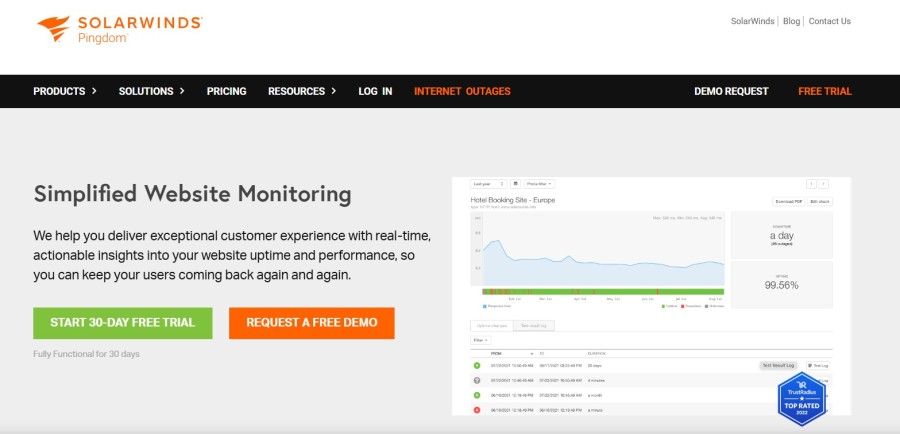
Pingdom is a SolarWinds website monitoring tool built for external monitoring and digital experience visibility. It helps teams check whether websites, APIs, pages, and key user flows are available, fast, and working as expected.
Pingdom’s core strength is synthetic monitoring. It can simulate visitor activity through uptime checks, page speed checks, and transaction checks, so teams can detect downtime, slow pages, or broken flows before customers report them. SolarWinds describes Pingdom Synthetic Monitoring as a way to set up uptime, page speed, and transaction checks quickly.
Pingdom also offers Real User Monitoring, or RUM, which shows what actual visitors experience on a website. RUM can track active sessions, load time, bounce rates, and other user-experience signals from the visitor’s perspective.
Pingdom should not be confused with the full SolarWinds observability suite. The wider SolarWinds ecosystem includes infrastructure monitoring, application monitoring, and log management, but Pingdom itself is mainly focused on website uptime, page speed, transaction monitoring, RUM, alerting, reporting, and public status pages.
What Pingdom Covers
| Area | What Pingdom covers |
| Uptime monitoring | Checks whether websites, APIs, and endpoints are available |
| Page speed monitoring | Tests page load performance and helps identify slow resources |
| Transaction monitoring | Simulates user flows such as login, signup, search, checkout, and form submission |
| Real User Monitoring | Tracks real visitor experience, including active sessions, load time, and bounce rates |
| Alerting | Sends alerts when websites are unavailable, slow, or key flows break |
| Public status pages | Displays uptime check status and reports without requiring a SolarWinds login |
| Reports | Supports uptime, performance, transaction, and user-experience reporting |
Pingdom is best treated as an external monitoring and digital experience monitoring tool. It tells teams whether users can reach and use the website, but it does not provide full APM, logs, traces, infrastructure metrics, or deep root-cause analysis by itself.
Key Features of Pingdom
Pingdom monitors website and endpoint availability from global polling locations. SolarWinds says Pingdom can test website availability every minute from more than 60 global polling locations, which helps teams detect outages affecting users in different regions.
Teams can use uptime checks for websites, APIs, email, and network services. This makes Pingdom useful for customer-facing websites, SaaS products, ecommerce stores, agencies, and IT teams that need basic external availability monitoring.
Pingdom page speed monitoring helps teams understand whether important pages are loading quickly enough. SolarWinds describes this feature as a way to track website load time and find bottlenecks that affect the customer’s end-user experience.
This is useful for teams that care about website performance, conversion rates, and user experience. Slow pages can affect signups, checkout completion, customer satisfaction, and SEO performance.
Pingdom transaction monitoring simulates user interactions with a website. It can test simple or complex flows such as new user registration, login, search, shopping cart checkout, and other important user journeys.
This feature is important because uptime alone does not prove that a website is usable. A homepage may be online while checkout, login, or search is broken. Transaction checks help teams catch those issues earlier.
Pingdom Real User Monitoring shows what real visitors experience on a website. SolarWinds documentation says RUM lets teams view website activity from the user’s perspective, including active sessions, load time, and bounce rates.
RUM is useful because synthetic checks test selected pages or flows from controlled locations, while RUM reflects actual visitor behavior across browsers, devices, locations, and network conditions.
Pingdom alerts teams when a website is unavailable, slow, or when a critical transaction fails. The Pingdom pricing calculator includes SMS alerts in Synthetic Monitoring plans, with the entry setup showing 50 SMS alerts.
This makes Pingdom useful for teams that need simple incident notification without building a complex observability setup.
Pingdom includes public status pages for sharing uptime information. SolarWinds documentation says Pingdom’s Public Status Page lets teams display the status of uptime checks and give others access to reports without requiring a SolarWinds Unified Login account.
This is useful for SaaS teams, agencies, and IT teams that need to communicate availability to customers, clients, or internal stakeholders.
Pingdom provides reports for uptime, page speed, transactions, and RUM. These reports help teams review availability history, investigate performance trends, and share monitoring results with clients or business stakeholders.
Reports are especially useful for agencies managing client sites and SaaS teams that need to track uptime and performance over time.
Pingdom Pricing in 2026
Pingdom pricing is split into two main products:
- Synthetic Monitoring
- Real User Monitoring
These are purchased separately. A team can buy only Synthetic Monitoring, only RUM, or both.
Pingdom’s public subscription calculator currently shows:
| Product | Entry allocation | Public annual price | Annualized monthly cost |
| Synthetic Monitoring | 10 uptime checks, 1 advanced check, 50 SMS alerts | $198/year | $16.50/month |
| Real User Monitoring | 100,000 RUM pageviews | $198/year | $16.50/month |
Pingdom’s pricing calculator shows Synthetic Monitoring at $198/year, Real User Monitoring at $198/year, and a combined yearly price of $396/year for the entry setup.
Pingdom Free Trial
Pingdom offers a free trial. Its Synthetic Monitoring pricing page says the first 14 days are free and that the trial includes Synthetics and RUM.
Pingdom Plan Limits and Feature Coverage
| Feature area | Entry Synthetic | Higher Synthetic tiers | Enterprise |
| Uptime checks | 10 | Higher limits available | Custom |
| Advanced checks | 1 | Higher limits available | Custom |
| SMS alerts | 50 | Higher limits available | Custom |
| Global monitoring locations | Available | Available | Available |
| Page speed monitoring | Uses Advanced Checks | Uses Advanced Checks | Custom |
| Transaction monitoring | Uses Advanced Checks | Uses Advanced Checks | Custom |
| RUM | Separate product | Separate product | Separate or custom |
| Public status pages | Included | Included | Included |
| Unlimited users | Listed by third-party pricing pages | Verify current terms | Verify current terms |
| Enterprise support | Not usually public | Not usually public | Contact sales |
What Does Pingdom Really Cost?
⚠️ Disclaimer
The estimates below are directional editorial estimates, not official Pingdom quotes. Pingdom pricing can change based on billing cycle, selected uptime checks, Advanced Check volume, RUM pageviews, SMS alert usage, and enterprise terms. Buyers should confirm final pricing on Pingdom’s live pricing calculator before purchase.
Pingdom is not priced by hosts, logs, traces, metrics, or telemetry volume. Its pricing is mainly tied to Synthetic Monitoring and Real User Monitoring. Synthetic Monitoring includes uptime checks, Advanced Checks, and SMS alerts, while RUM is priced by pageview volume.
Pingdom’s public pricing calculator currently shows Synthetic Monitoring at $198/year for 10 uptime checks, 1 Advanced Check, and 50 SMS alerts. Real User Monitoring also starts at $198/year for 100,000 pageviews. Together, that entry setup equals $396/year, or about $33/month when billed annually.
For real production teams, however, the entry setup may be too small. Costs can grow as teams add more websites, APIs, transaction flows, page speed checks, RUM pageviews, SMS alerts, and larger monitoring requirements.
Pricing Assumptions Used in These Scenarios
| Scenario | Pingdom usage assumption | Estimated monthly cost |
| Small team | 25 uptime checks, 4 Advanced Checks, 250K RUM pageviews, moderate SMS alert usage | Around $100/month |
| Growing team | 100 uptime checks, 20 Advanced Checks, 1M RUM pageviews, higher SMS alert usage | Around $400/month |
| Mid-market team | 500 uptime checks, 80 Advanced Checks, 5M RUM pageviews, high SMS alert usage or enterprise terms | Around $1,000/month |
These are editorial planning estimates, not official Pingdom quotes. The goal is to model realistic production usage rather than the cheapest entry setup.
Scenario 1: Small Team, Around $100 Per Month
Situation
A small SaaS team, ecommerce site, or agency monitors a few customer-facing websites, APIs, and key user flows. The team needs more than basic uptime checks, but it is not yet operating at large scale.
Estimated Pingdom usage
| Usage item | Estimate |
| Uptime checks | 25 |
| Advanced Checks | 4 |
| RUM pageviews | 250,000/month |
| SMS alerts | Moderate usage |
| Estimated monthly cost | Around $100/month |
What this scenario includes
This setup is more realistic than the entry plan for a small production team. It can cover the main website, a few landing pages, public APIs, and several basic customer flows such as login, signup, checkout, or contact forms.
The main cost driver is the move beyond the entry allocation of 10 uptime checks, 1 Advanced Check, and 100,000 RUM pageviews. A team that only needs the entry allocation may stay closer to $33/month, but a small production setup with more checks and more RUM traffic should budget higher.
Scenario 2: Growing Team, Around $400 Per Month
Situation
A growing SaaS company or digital agency monitors multiple production websites, APIs, staging environments, regional endpoints, and important customer workflows. It also wants broader RUM coverage for moderate traffic.
Estimated Pingdom usage
| Usage item | Estimate |
| Uptime checks | 100 |
| Advanced Checks | 20 |
| RUM pageviews | 1 million/month |
| SMS alerts | Higher usage |
| Estimated monthly cost | Around $400/month |
What this scenario includes
This scenario fits teams that monitor more than a homepage and one login flow. It may include production URLs, API endpoints, status endpoints, payment flows, search, signup, checkout, and important third-party dependencies.
Advanced Checks matter here because Pingdom uses them for page speed and transaction monitoring. As teams add more transaction flows or page speed checks, they may need a higher Synthetic Monitoring tier. RUM can also increase the bill because Pingdom prices Real User Monitoring by pageviews.
Scenario 3: Mid-Market Team, Around $1,000 Per Month
Situation
A mid-market SaaS, ecommerce, or multi-brand company monitors many customer-facing services across production, staging, regional services, public APIs, third-party dependencies, and critical user journeys.
Estimated Pingdom usage
| Usage item | Estimate |
| Uptime checks | 500 |
| Advanced Checks | 80 |
| RUM pageviews | 5 million/month |
| SMS alerts | High usage or custom terms |
| Estimated monthly cost | Around $1,000/month |
What this scenario includes
This setup reflects a larger external monitoring footprint. It may include multiple websites, checkout flows, login flows, onboarding paths, API health checks, region-specific endpoints, page speed checks, and high-volume real user monitoring.
At this scale, buyers should expect to use higher Pingdom tiers or speak with SolarWinds about enterprise terms. Pingdom’s pricing page states that Enterprise options are available for larger digital footprints, including RUM volumes from 500K to over 5M pageviews per month.
Summary: Estimated Pingdom Monthly Cost by Team Size
| Team profile | Uptime checks | Advanced Checks | RUM pageviews | Estimated monthly cost |
| Small team | 25 | 4 | 250K | Around $100/month |
| Growing team | 100 | 20 | 1M | Around $400/month |
| Mid-market team | 500 | 80 | 5M | Around $1,000/month |
Key Takeaway
Pingdom can start much cheaper than these estimates. The public calculator shows an entry setup of Synthetic Monitoring plus RUM at about $33/month when billed annually. However, that entry setup includes only 10 uptime checks, 1 Advanced Check, and 100,000 RUM pageviews.
A more realistic production budget may be closer to $100/month for a small team, $400/month for a growing team, and $1,000/month for a mid-market team, depending on how many uptime checks, Advanced Checks, RUM pageviews, SMS alerts, and enterprise requirements the team needs.
What Actually Drives Pingdom Costs?
| Cost driver | Why it matters |
| Uptime check count | Each monitored website, API, DNS check, or endpoint can require a check |
| Advanced checks | Page speed and transaction checks are more limited than uptime checks |
| RUM pageviews | RUM cost scales with traffic volume |
| Monthly vs annual billing | Annual billing can reduce the effective monthly cost |
| SMS alerts | Included SMS limits vary by tier |
| Enterprise requirements | Custom support, procurement, and larger scale can require sales involvement |
Additional Costs and Operational Overhead Buyers Should Plan For
The entry synthetic plan includes only 1 Advanced Check. That may be enough for one page speed check or one transaction flow, but not for a SaaS product that needs to monitor login, checkout, billing, onboarding, and search.
RUM is not automatically bundled into every synthetic setup. Teams that want real user performance data must budget for RUM separately.
Pingdom does not replace APM, logs, distributed tracing, infrastructure monitoring, or database monitoring.
Teams that need root-cause analysis will need tools such as SolarWinds Observability, Datadog, New Relic, Grafana, Dynatrace, or CubeAPM alongside Pingdom.
RUM pricing depends on pageviews. If traffic grows quickly, RUM costs can grow even if the engineering team size stays the same.
Large teams should verify custom pricing, support terms, data retention, contractual requirements, and procurement needs directly with SolarWinds.
Pingdom User Reviews in 2026
Pingdom has a review presence across several software review platforms, but the clearest public review signals come from GetApp, TrustRadius, Capterra, Software Advice, PeerSpot, and Trustpilot. I would avoid citing G2 for Pingdom unless you can confirm a dedicated Pingdom product profile, because the visible G2 results currently point more clearly to SolarWinds Observability and SolarWinds as a seller, not Pingdom as a standalone product.
| Platform | Verified review signal | How to use it |
| GetApp | 4.5/5 from 78 reviews | Good main rating source |
| TrustRadius | 9.5/10 from 123 reviews and ratings | Strong enterprise/user-review signal |
| Capterra | Pingdom product page and verified reviews are listed | Use carefully; confirm aggregate rating on live product page before quoting |
| Trustpilot | 2.5/5 from 7 reviews | Mention only as a low-sample caution |
What Users Tend to Like
Users commonly describe Pingdom as effective for monitoring website uptime and performance. GetApp summarizes reviewer sentiment by saying users find Pingdom effective for uptime and performance monitoring, with real-time alerts and analytics that help identify and resolve issues.
Capterra review snippets mention that setup is simple and that alerts are useful. This supports the point that Pingdom is easier to start with than heavier observability platforms.
Users mention alerts through phones, emails, and collaboration tools, and Capterra snippets also show positive feedback around uptime alerts, response code checks, DNS checks, and production monitoring use cases.
TrustRadius describes SolarWinds Pingdom as a website uptime monitoring and alert tool with reporting and Real User Monitoring capabilities. That matches the article’s positioning: Pingdom is strongest as an external monitoring and digital experience tool, not as a full-stack observability platform.
What Users Criticize
Pingdom is straightforward for basic uptime monitoring, but teams may face a learning curve when they move into transaction monitoring, Real User Monitoring, alert routing, reporting, and larger multi-site setups. The tool is easier to start with than a full observability platform, but advanced configuration still requires planning.
Small teams can usually create simple checks quickly. Larger teams, however, may need more time to map services, define critical user flows, configure alert contacts, organize checks, set up status pages, and decide which pages or workflows should be monitored. This can make the initial setup feel more complex than expected.
Pingdom’s cost can increase as teams add more uptime checks, Advanced Checks, RUM pageviews, SMS alerts, and higher-tier requirements. The entry plan is affordable, but teams monitoring many customer-facing pages, APIs, and transactions should review the pricing calculator carefully before scaling usage.
Is Pingdom the Right Choice?
Pingdom is a good fit when the main goal is to monitor customer-facing website availability, page speed, transaction flows, and real user experience from the outside. SolarWinds positions Pingdom Synthetic Monitoring around uptime checks, page speed checks, transaction monitoring, and alerts, while Pingdom RUM tracks how real users experience a website or web application.
Pingdom Works Best For
Pingdom is a strong fit for:
- Teams that need external website uptime monitoring
- SaaS companies monitoring login, signup, checkout, search, and other critical user flows
- Ecommerce teams that care about page speed, checkout availability, and real user experience
- Agencies managing uptime, performance, and reporting for multiple client websites
- Teams that want fast setup without code instrumentation
- Teams that need public status pages and uptime reports
- Buyers who want synthetic monitoring and RUM from one established vendor
These use cases are well-supported by Pingdom’s official feature set. Pingdom’s product pages list uptime monitoring, page speed analysis, transaction monitoring, and alerts as core capabilities, and SolarWinds says public status pages are included in Pingdom plans.
Pingdom’s transaction monitoring also supports common flows such as new customer signup, membership login, shopping cart, checkout, form submission, and URL hijacking checks, so the SaaS and ecommerce examples are fair.
Pingdom May Not Be the Right Fit For
Disclaimer: Pingdom’s limitations are mostly about scope, not reliability. It is built primarily for external website monitoring, synthetic checks, transaction monitoring, RUM, alerts, and status pages. Teams that need full-stack observability, developer-first monitoring workflows, self-hosting, or deeper incident response may need another tool alongside or instead of Pingdom.
Pingdom may not be enough for:
- Teams that need APM, logs, traces, infrastructure monitoring, and database visibility in one tool
- Developer-first teams that want Monitoring as Code and Playwright-based checks managed in code
- Very small teams that need a permanent free plan instead of a time-limited free trial
- Teams that need deep incident management, on-call scheduling, and incident response workflows
- Organizations that need self-hosted observability or full telemetry data control
- Buyers who are sensitive to cost increases from Advanced Checks, RUM pageviews, SMS alerts, or higher check volume
- Teams that need deep root-cause analysis across services, infrastructure, logs, traces, and telemetry
Conclusion
Pingdom remains a reliable and recognizable website monitoring product in 2026. Its biggest strengths are uptime monitoring, page speed monitoring, transaction monitoring, RUM, alerting, reports, and public status pages.
The pricing model is easy to understand at a high level, but buyers should pay close attention to two things: Advanced Checks and RUM pageviews. Those are the areas most likely to change the final bill.
For small teams, Pingdom can be affordable at around $33/month for entry Synthetic Monitoring plus entry RUM when billed annually. For growing and mid-market teams, buyers should verify the live calculator before publishing exact totals because costs depend heavily on check volume, transaction/page speed checks, pageviews, SMS use, and billing terms.
Pingdom is best viewed as an external monitoring and digital experience layer. It does not replace deeper observability tools. Teams that need application traces, logs, infrastructure metrics, root-cause analysis, and data ownership should compare broader platforms such as CubeAPM, Datadog, New Relic, Grafana, or Dynatrace.
FAQs
1. What is Pingdom?
Pingdom is a website monitoring and digital experience monitoring product from SolarWinds. It provides uptime monitoring, page speed monitoring, transaction monitoring, Real User Monitoring, alerting, status pages, and reports.
2. How much does Pingdom cost?
Pingdom’s public pricing calculator currently shows Synthetic Monitoring at $198/year for 10 uptime checks, 1 advanced check, and 50 SMS alerts. Real User Monitoring also starts at $198/year for 100,000 pageviews.
3. Does Pingdom have a free plan?
Pingdom does not currently advertise a permanent free plan on its pricing page. It offers a free trial that includes Synthetics and RUM.
4. What is the difference between Synthetic Monitoring and RUM in Pingdom?
Synthetic Monitoring uses scheduled checks from probe locations to test availability, page speed, and transactions. RUM collects performance data from actual visitors using a JavaScript snippet.
5. What is an Advanced Check in Pingdom?
An Advanced Check is used for page speed monitoring or transaction monitoring. Examples include checkout flows, login flows, search flows, and form submissions.
6. Is Pingdom good for ecommerce monitoring?
Yes. Pingdom can work well for ecommerce teams because it supports uptime checks, page speed monitoring, checkout transaction checks, alerting, status pages, and RUM.
7. Is Pingdom a full observability platform?
No. Pingdom is mainly for external website monitoring and digital experience monitoring. Teams that need APM, logs, traces, infrastructure metrics, and root-cause analysis need additional observability tools.
8. What are the best Pingdom alternatives?
Common alternatives include UptimeRobot for low-cost uptime monitoring, Better Stack for uptime plus incident workflows, Checkly for developer-first Monitoring as Code, Datadog Synthetics for enterprise observability users, and CubeAPM for full-stack observability with stronger data control.