








Cribl’s pricing model centers on consumption credits: you buy an annual credit pool, and all products draw from it. The credit-to-dollar conversion is simple: 1 credit = $1 USD. But the actual cost depends on two dimensions for Cribl Stream: data ingest at 0.32 credits per GB, plus infrastructure sizing based on your peak ingestion rate. According to the 2025 CNCF Observability Survey, 87% of organizations use logs as a primary signal type, which means log routing and transformation tools like Cribl Stream are scaling alongside log volumes at enterprise scale.
Beyond the headline credit rate, three factors drive real-world Cribl costs: whether you use Cribl-managed cloud-hosted workers or customer-managed hybrid workers, how you size infrastructure to handle peak vs. average ingest, and how much data you send through Edge vs. Stream. This guide breaks down the Cribl pricing for Stream, Edge, Lake, and Search, covers hidden infrastructure costs, and compares total cost of ownership against platforms like CubeAPM and traditional observability backends.
Disclaimer: Pricing is based on publicly available information as of early 2026. Enterprise discounts, custom contracts, and negotiated rates are not reflected here. Verify current pricing at cribl.io/pricing before making decisions.
What Is Cribl and What Does It Do?
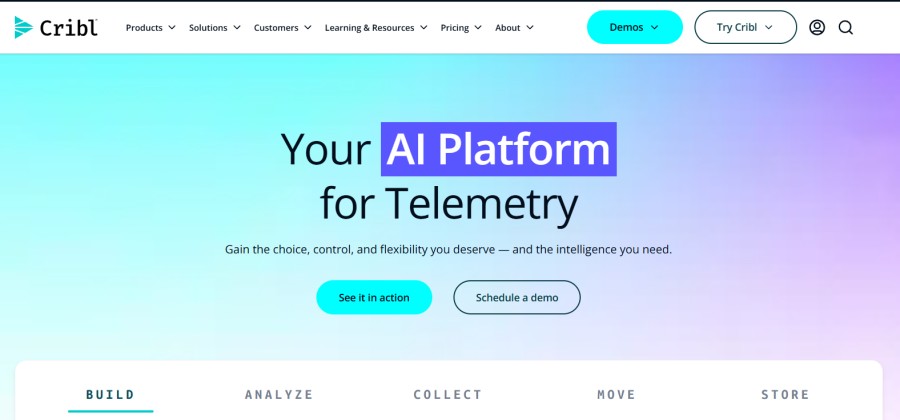
Cribl is a vendor-neutral data routing and transformation platform. It sits between your data sources, applications, infrastructure, logs, metrics, traces, and your observability backends like Splunk, Datadog, Elastic, or CubeAPM as a New Relic alternative. Cribl does not store data long-term or replace your APM or SIEM. Instead, it processes telemetry in stream: filtering, enriching, redacting, routing, and compressing data before it lands in your backend.
The core value proposition is cost reduction. By filtering out noisy logs, sampling high-volume traces, and routing expensive data to cheaper storage tiers, teams can cut backend ingestion costs by 40 to 70% without losing visibility. Cribl Stream handles the routing and transformation. Cribl Edge pushes that capability to the edge running on end devices, IoT sensors, or remote servers. Cribl Lake provides object storage for searchable data archives. Cribl Search lets you query across multiple backends and Lake in a single interface.
Cribl became widely adopted after enterprises hit backend billing surprises like Datadog bills scaling from $50K to $200K per month, Splunk ingest overages, or New Relic user seat sprawl. By reducing what reaches the backend, Cribl cuts the primary cost driver: data volume.
How Cribl Pricing Works: The Credit-Based Consumption Model
Cribl uses a credit-based consumption model. You purchase an annual pool of Cribl Credits upfront, and each product – Stream, Edge, Search, Lake – draws from that pool based on usage.
1 Cribl Credit = $1 USD
This is straightforward. If you buy 100,000 credits, you have paid $100,000 for the year. Credits are consumed as you use Cribl products. The rate depends on the product and deployment type.
Credit Rollover Rules
Unused credits roll over annually within a subscription term, but there are limits:
- No more than 20% of credits purchased for a given year can roll over into the next subscription term
- Credits only roll over if you renew for at least the same credit amount
- All unused credits are forfeited if you do not renew
- Any credits beyond the 20% rollover cap are forfeited at renewal
Example: If you buy 50,000 credits in Year 1 and use 35,000, you have 15,000 unused. Only 10,000 (20% of 50,000) can roll over into Year 2. The extra 5,000 are lost unless you increase your Year 2 purchase.
This structure incentivizes accurate capacity planning. Overbuying credits means forfeiting the excess. Underbuying means mid-year top-ups or throttling ingestion.
Cribl Stream Pricing: Ingest + Infrastructure
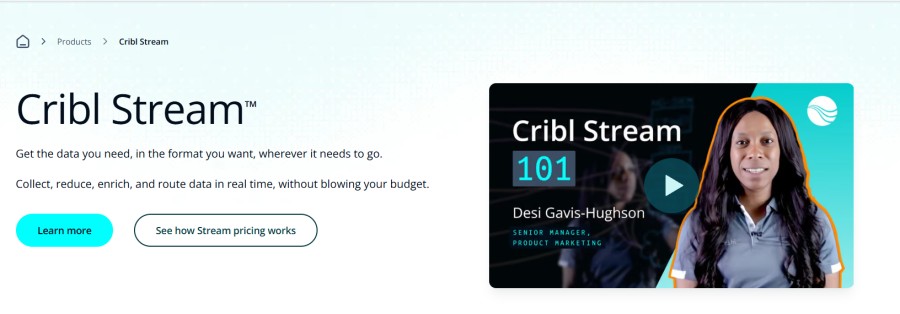
Cribl Stream is the core product. It runs as a distributed pipeline: leader nodes manage configuration, worker nodes process data. Pricing depends on whether Cribl manages the worker infrastructure (cloud-hosted) or you manage it yourself (hybrid workers).
Cribl-Managed Cloud-Hosted Workers
For Cribl-managed workers, you pay on two dimensions:
Ingest: 0.32 credits per GB ingested
This is the data volume Cribl Stream receives. If you ingest 10 TB per month, that is 10,000 GB × 0.32 = 3,200 credits per month, or 38,400 credits annually.
Infrastructure: Based on provisioned worker group size
You configure the expected ingestion rate in MB/sec. Cribl provisions the backend infrastructure – compute, memory, networking – to handle that rate. Infrastructure cost scales with the size of the worker group.
Cribl does not publish a fixed infrastructure rate card publicly. The infrastructure charge depends on the worker group’s configured ingestion capacity. Larger ingestion rates require more infrastructure and consume more credits per hour of operation.
Customer-Managed Hybrid Workers
Hybrid workers run on infrastructure you provide – your own cloud VMs, on-prem servers, or Kubernetes clusters. Cribl manages the control plane (leader nodes), but you manage the worker compute.
Pricing: 0.26 credits per GB ingested
There is no additional infrastructure charge from Cribl because you are paying for the infrastructure yourself via AWS, Azure, GCP, or bare metal. The lower per-GB rate (0.26 vs. 0.32) compensates for the infrastructure burden you carry.
This estimate models a specific workload profile. Your actual costs will vary based on data volume, retention period, and feature usage.
How to Size Infrastructure for Cribl Stream
Cribl recommends two rules for capacity planning:
For ingest credits: use average daily ingest volume
Purchase credits based on your typical daily data flow, not the maximum or peak. This minimizes leftover credits at year-end.
For infrastructure sizing: use peak ingest rate
Size your worker groups to handle peak ingestion rate in MB/sec, not average. If your average is 12 MB/sec but peak is 36 MB/sec during business hours or incident spikes, size for 36 MB/sec. Otherwise, backpressure, lag, and data loss occur during peak.
Example: A retail company ingests 1 TB per day on average (roughly 12 MB/sec sustained over 24 hours). On weekends and Black Friday, peak ingestion jumps to 3 TB per day (36 MB/sec peak). They should buy credits based on 365 TB annually (average), but size infrastructure for 36 MB/sec to avoid service degradation during peak.
Failure to size for peak creates bottlenecks. During high traffic periods, Cribl cannot keep up, upstream sources buffer or drop data, and the business loses visibility exactly when it matters most — during incidents or revenue-critical events.
Real-World Cribl Stream Cost Scenario
Team profile:
- 30 TB per month average ingest (1 TB per day, ~12 MB/sec average)
- Peak ingestion: 36 MB/sec during business hours and incidents
- Deployment: Cribl-managed cloud-hosted workers
Annual ingest credits:
30 TB/month × 12 months = 360 TB/year 360,000 GB × 0.32 credits/GB = 115,200 credits for ingest
Infrastructure credits:
Infrastructure sizing for 36 MB/sec peak. Cribl does not publish exact infrastructure credit consumption rates publicly, but based on community discussions and customer reports, infrastructure for a 36 MB/sec worker group typically consumes 15,000 to 25,000 credits annually depending on redundancy and region.
Assume 20,000 credits for infrastructure.
Total annual cost:
115,200 (ingest) + 20,000 (infrastructure) = 135,200 credits = $135,200 per year
This estimate models a production-ready setup with high availability. A smaller or simpler deployment may cost significantly less.
Compare this to backend ingestion costs. If this team sends 30 TB per month to Datadog at $0.10/GB ingest (plus $1.70 per million events indexed), the Datadog ingest alone is $36,000 per year before indexing. If Cribl reduces backend ingestion by 50% via filtering and sampling, the team sends only 15 TB to Datadog, cutting backend cost to $18,000 per year. Cribl cost is $135,200; backend savings are $18,000 per year – this does not break even unless Cribl also reduces other backend costs (APM hosts, log indexing, custom metrics).
The ROI calculation depends entirely on how much Cribl reduces backend ingestion and whether that reduction offsets Cribl’s own cost.
Cribl Edge Pricing
Cribl Edge runs on end devices: servers, containers, IoT devices, edge compute nodes. It preprocesses data at the source before sending it to Cribl Stream or directly to backends. Edge is useful for remote locations, IoT fleets, or reducing data egress from edge to cloud.
Pricing: Data processed by Edge is billed separately
Cribl does not publish a separate per-GB rate for Edge in public documentation. Edge pricing is typically bundled into Stream credits or handled via custom enterprise agreements. For small-scale Edge deployments, Cribl offers a free tier with limited throughput.
Most teams treat Edge as part of their overall Cribl Stream ingestion – data flows through Edge, then into Stream, and the combined volume is billed under Stream credits.
Cribl Lake Pricing
Cribl Lake is object storage for telemetry data. It stores logs, metrics, and events in Parquet format on S3, Azure Blob, or GCS. Lake provides a searchable archive – cheaper than hot-tier SIEM or APM storage, but still queryable via Cribl Search.
Pricing: Storage and compute credits
Lake charges for:
- Storage: Object storage cost (your cloud provider’s S3/Blob/GCS rate) + Cribl metadata indexing overhead
- Compute: Credits consumed when querying Lake data via Cribl Search
Cribl does not charge per-GB ingest for Lake the way Stream does. Instead, you pay for the underlying cloud storage (typically $0.02 to $0.03 per GB per month on S3 Standard) plus query compute credits when you run searches.
Lake is designed for long-term retention of data you rarely query but need available for compliance or post-incident investigation.
Cribl Search Pricing
Cribl Search is a federated query interface. It lets you search across multiple backends- Splunk, Elastic, Datadog, S3, Cribl Lake- in a single query. Search does not store data. It federates queries to the backends that do.
Pricing: Compute credits per query
You consume credits based on the compute resources used to execute searches. The cost depends on query complexity, data volume scanned, and whether results come from fast backends (Elastic) or slow backends (S3).
Cribl has not published a fixed per-query credit rate. Pricing is usage-based and varies by workload.
Hidden Costs and Considerations with Cribl
1. Infrastructure Costs for Hybrid Workers
If you choose hybrid workers to save on Cribl’s infrastructure fees (0.26 credits/GB instead of 0.32), you take on the cost of running worker VMs or Kubernetes pods yourself. For a 36 MB/sec peak workload, you might need 4 to 8 m5.xlarge EC2 instances ($0.192/hour each, or $1,100 per instance per month). That is $4,400 to $8,800 per month in AWS compute alone — $52,800 to $105,600 annually.
The 0.06 credit/GB savings (0.32 – 0.26) on 360 TB per year is 21,600 credits saved, or $21,600. If your infrastructure costs $60,000 per year, you are spending more on infra than you save on credits. Hybrid workers only make financial sense if you already have spare compute capacity or can run workers on cheaper infrastructure (reserved instances, spot, on-prem).
2. Data Egress Fees When Sending to Cloud Backends
Cribl processes data and sends it to backends. If Cribl runs in AWS us-east-1 and your Datadog backend is in a different region or outside AWS, you pay AWS data egress fees, typically $0.09 per GB for internet egress. At 15 TB per month to Datadog, that is $1,350 per month in egress fees, or $16,200 annually.
This is not a Cribl charge; it is an AWS charge, but it is a real cost component teams overlook when estimating TCO.
3. Backend Costs Still Exist
Cribl does not replace your observability backend. You still pay for Datadog, Splunk, Elastic, or another platform. Cribl’s value is reducing what reaches the backend, but if you cut backend ingestion by 50%, you only cut backend cost by 50%; you are still paying the other 50% plus Cribl’s own cost.
For Cribl to deliver positive ROI, backend savings must exceed Cribl cost. If Cribl costs $135,000 per year and saves you $80,000 on Datadog, you have lost $55,000.
4. Credit Overruns and Mid-Year Top-Ups
If you underestimate annual ingestion and run out of credits mid-year, Cribl will either throttle ingestion or sell you additional credits. Mid-year credit purchases may not have the same discount as annual contracts.
5. Operational Complexity
Cribl adds another layer to your observability stack. You now manage Cribl pipelines, routes, transformations, and worker health in addition to your existing backends. For small teams, this is an additional operational burden.
CubeAPM as a Cribl Alternative for Cost-Sensitive Teams
Cribl optimizes data routing to backends. CubeAPM removes the backend cost problem entirely by offering full-stack observability of APM, logs, infrastructure, RUM, and synthetics at $0.20/GB with unlimited retention and no per-seat fees.
CubeAPM pricing: $0.20/GB ingested, all-in
No infrastructure surcharge. No per-user fees. No separate charges for indexing, querying, or retention. If you ingest 30 TB per month, you pay:
30,000 GB × $0.20 = $6,000 per month = $72,000 per year
Compare this to the Cribl + Datadog stack:
- Cribl Stream: $135,200 per year (115,200 ingest + 20,000 infra)
- Datadog ingest (50% reduced): $18,000 per year
- Datadog APM, logs, infra for 50 hosts: ~$40,000 per year
- Total: $193,200 per year
CubeAPM total: $72,000 per year
Savings: $121,200 per year
CubeAPM runs inside your VPC or on-prem
All telemetry stays within your infrastructure. No data egress to external SaaS platforms. No compliance risk from sending PII to third-party clouds. No surprise bandwidth charges.
OpenTelemetry native
CubeAPM ingests OTel directly. No proprietary agents. No vendor lock-in. You can switch backends without rewriting instrumentation.
Use case fit:
CubeAPM works best for teams that want unified observability in one platform, control over data residency, and predictable cost. It does not replace Cribl if your goal is to continue using Datadog or Splunk but reduce their cost. But if the goal is to reduce total observability spend and consolidate tools, CubeAPM eliminates the need for both Cribl and the expensive backend.
How to Evaluate Whether Cribl Is Worth It
Step 1: Model Your Current Backend Cost
Break down your current observability spend by vendor:
- Datadog: APM hosts, log ingestion, indexed logs, custom metrics, RUM, synthetics
- Splunk: ingest volume, indexing, search, license type
- Elastic: hosted tier, node count, ingestion
- New Relic: user seats, data ingestion
Identify which cost dimensions are driven purely by data volume (log ingest, trace ingest, custom metrics).
Step 2: Estimate How Much Cribl Can Reduce Backend Ingestion
Cribl’s value is filtering, sampling, and routing. Common reduction scenarios:
- 40 to 60% reduction in log volume via filtering noisy debug logs
- 30 to 50% reduction in trace volume via intelligent sampling
- 20 to 40% reduction in metrics by dropping low-value custom metrics
Be conservative. If your logs are already lean, Cribl cannot filter much. If you are already sampling traces aggressively, Cribl adds little.
Step 3: Calculate Cribl Cost
Use the formulas:
- Ingest credits: Annual TB ingested × 1,000 × 0.32 (cloud-hosted) or × 0.26 (hybrid)
- Infrastructure credits: Estimate 15,000 to 30,000 credits for typical production workloads
- Cloud egress fees: If sending to external SaaS, add $0.09/GB for internet egress
Step 4: Compare Cribl Cost to Backend Savings
If Cribl costs $135K per year and saves you $200K on Datadog, ROI is positive.
If Cribl costs $135K and saves you $80K, you lose money.
Step 5: Consider Operational Overhead
Cribl requires:
- Initial pipeline setup (routing, filtering, transformations)
- Ongoing pipeline maintenance as data sources change
- Worker group sizing and scaling
- Monitoring Cribl itself (yes, you need to monitor your monitoring pipeline)
For small teams (under 10 engineers), this overhead may not justify the cost savings.
Cribl Pricing FAQ
How much does Cribl cost per GB?
Cribl Stream charges 0.32 credits per GB for cloud-hosted workers, or 0.26 credits per GB for hybrid workers. 1 credit = $1 USD. Infrastructure charges are separate and depend on worker group sizing.
Does Cribl charge for data egress?
No. Cribl does not charge for data leaving its platform. However, if Cribl runs in AWS and sends data to a SaaS backend outside AWS, you pay AWS egress fees (typically $0.09/GB for internet egress).
Can I use Cribl with Datadog or Splunk?
Yes. Cribl is vendor-neutral. It routes data to any backend that accepts syslog, HTTP, S3, Kafka, or other standard protocols. Most teams use Cribl to reduce Datadog or Splunk ingestion costs.
What happens if I run out of Cribl credits mid-year?
Cribl will either throttle ingestion or allow you to purchase additional credits. Mid-year credit purchases may not have the same discount as annual contracts.
Is Cribl free?
Cribl offers a free tier for Cribl.Cloud with a 1 TB per day ingestion limit. For on-prem or higher volume, you need an Enterprise license with an annual credit commitment.
How does Cribl pricing compare to CubeAPM?
Cribl optimizes data routing to reduce backend cost. CubeAPM replaces the backend entirely with a unified observability platform at $0.20/GB all-in. For teams spending $100K+ on Datadog or Splunk, CubeAPM often delivers larger cost savings without needing Cribl.
Does Cribl support OpenTelemetry?
Yes. Cribl Stream ingests and routes OpenTelemetry logs, metrics, and traces. It can also transform OTel data before sending it to backends.
Disclaimer: The information in this article reflects the latest details available at the time of publication and may change as technologies and products evolve. Features, pricing, and plan limits can change over time. Always verify the latest information directly with the vendor before making purchasing or deployment decisions. This review is based on CubeAPM’s independent research and analysis and does not constitute an official audit or endorsement. This article is intended for informational purposes only and is not meant to disparage any individual, company, or product. We encourage readers to verify current details directly with the relevant providers before making any decisions.