









InfluxDB pricing has evolved significantly since its early days as a simple open-source time series database. What started as a free download now spans four distinct commercial offerings, each with its own pricing dimension, service quota, and operational burden. Engineers evaluating InfluxDB today face a choice between multi-tenant serverless with usage-based billing, single-tenant cloud with custom pricing, self-managed enterprise with CPU licensing, or AWS native deployment billed through their cloud account.
The challenge is not just picking a tier. It is understanding what each pricing model actually costs at scale, what quotas apply, and which hidden expenses on data transfer, support SLAs, and high availability add-ons appear only after deployment.
This guide breaks down every InfluxDB pricing dimension, compares total cost across deployment models, and covers alternatives for teams that need time series monitoring without InfluxDB’s complexity or cost.
What Is InfluxDB and Why Teams Use It?
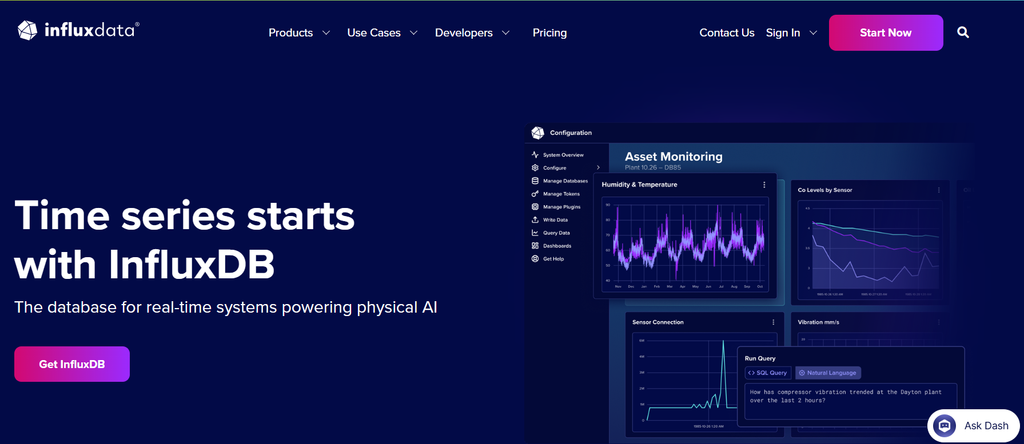
InfluxDB is a purpose-built time series database designed for high write throughput and fast query performance on timestamped data. It stores metrics, events, and sensor data from applications, infrastructure, IoT devices, and industrial systems. Unlike general-purpose databases, InfluxDB optimizes for append-heavy workloads where data arrives continuously, and queries scan time ranges rather than relational joins.
Teams use InfluxDB to monitor application performance, track infrastructure metrics, analyze IoT sensor streams, and store business analytics events. Its query language (originally InfluxQL, now Flux in InfluxDB 2.x and SQL in InfluxDB 3.x) lets developers aggregate and downsample time series data efficiently. Native integrations with Telegraf, Grafana, and Prometheus make it a common choice in observability stacks.
InfluxDB 3.x, released in 2023, rewrote the storage engine on Apache Arrow and Parquet for better compression and query speed. This version underpins all current commercial offerings of Cloud Serverless, Cloud Dedicated, InfluxDB 3 Enterprise, and Amazon Timestream for InfluxDB. The open source edition, InfluxDB 3 Core, runs the same engine but lacks high availability, clustering, enterprise security, and support SLAs.
InfluxDB Pricing Models: Four Deployment Options Explained
InfluxDB offers four distinct pricing models. Each targets a different deployment preference, team size, and operational tolerance.
InfluxDB Cloud Serverless: Multi-Tenant, Usage-Based Pricing
Cloud Serverless is InfluxDB’s multi-tenant SaaS offering. It bills across four dimensions: data in ($0.0025 per MB written), query count ($0.012 per 100 query executions), storage ($0.002 per GB hour), and data out ($0.09 per GB transferred). No minimum commitment exists on the usage-based plan. New paid accounts receive $250 in credits applied to the first 30 days.
Free tier limits: 5 MB writes per 5 minutes, 300 MB queries per 5 minutes, 30-day retention, 2 databases. These quotas work for prototyping but not production workloads. The moment a workload exceeds free tier limits, usage-based charges begin.
Service quotas apply even on paid plans. Cloud Serverless is multi-tenant, so InfluxData enforces rate limits to prevent noisy neighbors. For teams with high cardinality datasets (millions of unique series), contact sales is required; the self-serve tier cannot scale to those volumes.
Cost scenario for a mid-size workload: 20 GB writes per day (600 GB/month), 5,000 queries per day, 30-day retention storing 600 GB, minimal data transfer.
- Data in: 600 GB × $0.0025/MB = 600,000 MB × $0.0025 = $1,500
- Query count: 150,000 queries/month ÷ 100 × $0.012 = $18
- Storage: 600 GB × 720 hours × $0.002 = $864
- Data out: 10 GB × $0.09 = $0.90
Total: $2,383/month before credits.
This estimate models a production-ready workload with moderate query frequency. Higher query rates or longer retention periods will increase costs significantly.
InfluxDB Cloud Dedicated: Single-Tenant, Custom Pricing
Cloud Dedicated deploys a single-tenant cluster managed by InfluxData. Pricing is custom, based on CPU/RAM configuration and storage volume. No self-serve pricing exists; teams contact sales for a quote.
Dedicated clusters remove service quotas. You get unlimited scale, high availability, read replicas, and the option to add private networking and SAML/SSO for an additional fee. Technical support SLAs are included. Disaster recovery support is available.
Cloud Dedicated works for teams that outgrow Serverless quotas but do not want to self-manage infrastructure. The trade-off is cost. A typical Dedicated cluster starts at several thousand dollars per month, depending on instance size and retention requirements.
InfluxDB 3 Enterprise: Self-Managed, CPU-Based Licensing
InfluxDB 3 Enterprise runs on your own infrastructure- on-premises, private cloud, or edge. Pricing is custom based on CPU configuration. A 30-day free trial is available with no credit card required.
Enterprise includes unlimited scale (no service quotas), high availability, read replicas, SAML/SSO, OAuth, enterprise security, compliance features, and a technical support SLA. You own the network; no data egress fees, full control over data residency.
The operational burden is yours. You provision hardware, manage upgrades, patch security vulnerabilities, and handle backup/restore. InfluxData provides the software and support, but infrastructure management remains with your team.
Cost scenario for a 50-node cluster: Assume $200/month per CPU core in licensing (directional estimate—verify with InfluxData). A 50-node cluster with 4 cores per node = 200 cores × $200 = $40,000/month in licensing alone, plus infrastructure costs.
This estimate models a production-ready setup with high availability. A smaller or simpler deployment may cost significantly less.
Amazon Timestream for InfluxDB: AWS Native, Consumption Pricing
Amazon Timestream for InfluxDB is InfluxDB 3 deployed natively on AWS infrastructure. It appears in your AWS console, deploys in minutes, and bills directly to your AWS account. Existing AWS credits and Enterprise Discount Program (EDP) discounts apply.
Pricing follows AWS consumption models. You pay for compute, storage, and data transfer – AWS does not publish a simple per-GB rate for Timestream InfluxDB as it does for other services. Costs vary by instance type, region, and usage patterns. High availability is included.
Native IAM, VPC, and Secrets Manager integration make it the easiest option for AWS-heavy organizations. AWS support plans are honored. The downside: you lose visibility into InfluxDB-specific cost drivers. Your bill shows EC2, EBS, and data transfer line items, not “data in” or “query count” metrics.
InfluxDB Pricing Dimensions: What Drives Cost Across All Plans
Every InfluxDB plan, Serverless, Dedicated, Enterprise, or Timestream, bills based on some combination of data volume, compute resources, and operational overhead. Understanding which dimension matters most for your workload determines which plan makes sense.
Data Ingestion: Writes, Cardinality, and Retention
Data ingress charges apply on Cloud Serverless ($0.0025/MB). On Dedicated and Enterprise, data volume influences instance sizing and storage costs. High cardinality datasets – millions of unique series created by combining tags – require more memory and CPU. If your dataset has 10 million unique series and you write 1 point per second to each, that is 10 million writes per second. InfluxDB can handle it, but you need enough compute to keep up.
Retention period multiplies storage costs. Serverless charges $0.002/GB hour. A 1 TB dataset kept for 30 days costs $1,440/month in storage alone (1,000 GB × 720 hours × $0.002). Extend retention to 90 days and that triples.
Query Execution: Frequency, Complexity, and Data Scanned
Cloud Serverless charges $0.012 per 100 query executions. Query cost depends on how often dashboards refresh, how many API calls your application makes, and how many automated jobs run. A Grafana dashboard refreshing every 10 seconds runs 8,640 queries per day. Over 30 days, that is 259,200 queries, or $31/month in query charges for one dashboard.
On Dedicated and Enterprise, query load influences CPU/RAM requirements instead of direct per-query fees. Complex queries scanning months of data at high cardinality require larger instances.
Storage and Data Transfer: The Hidden Multipliers
Cloud Serverless charges $0.002/GB hour for storage. This compounds with retention. A dataset growing 20 GB/day costs more each month as historical data accumulates.
Data out charges ($0.09/GB on Serverless) hit when you export data, run backups, or send telemetry to external systems. If you write 600 GB/month but also export 100 GB to an external analytics platform, that is $9/month in egress—small compared to ingest, but it adds up.
AWS Timestream for InfluxDB bills data transfer separately. Inter-region transfers, egress to the internet, and cross-AZ replication all incur AWS standard data transfer rates (~$0.09/GB for internet egress). Teams often overlook this when estimating Timestream costs.
Pricing is based on publicly available information as of April 2026. Enterprise discounts, custom contracts, and negotiated rates are not reflected here.
InfluxDB Open Source vs. Commercial: What You Lose Without Paying
InfluxDB 3 Core is open source and free to run. It uses the same storage engine as Enterprise and Cloud offerings. The difference is what surrounds the engine: operational features, scale, and support.
InfluxDB 3 Core: What You Get for Free
InfluxDB 3 Core runs on Linux, macOS, and Docker. It supports the full InfluxDB 3 query engine with SQL and InfluxQL compatibility. No usage limits exist. No licensing fees apply. You can ingest as much data as your hardware supports.
What you do not get: high availability, multi-node clustering, read replicas, SAML/SSO, OAuth, enterprise security controls, technical support SLAs, or managed upgrades. If the single node fails, writes stop until you restore from backup. Community support exists via GitHub and forums, but there is no dedicated team responding to production incidents.
Core works for local development, prototyping, edge deployments with limited uptime requirements, and small projects where a single-node failure is acceptable.
What Enterprise and Cloud Add
Enterprise and Cloud tiers add:
- High availability with multi-node clustering and automatic failover
- Read replicas for query load distribution
- Long-range data compaction to optimize storage over time
- SAML/SSO and OAuth for enterprise identity management
- Role-based access control and audit logs
- Technical support SLA with guaranteed response times
- Managed upgrades and patches (Cloud tiers only)
These features matter in production. A single-node Core deployment might work for a side project, but it does not meet the reliability bar for customer-facing applications or business-critical monitoring.
InfluxDB Compared to Time Series Monitoring Alternatives
InfluxDB is not the only option for time series workloads. Teams evaluating InfluxDB also consider Prometheus, TimescaleDB, VictoriaMetrics, and observability platforms like CubeAPM that handle time series data alongside traces and logs.
Prometheus: Free, Pull-Based, Limited Retention
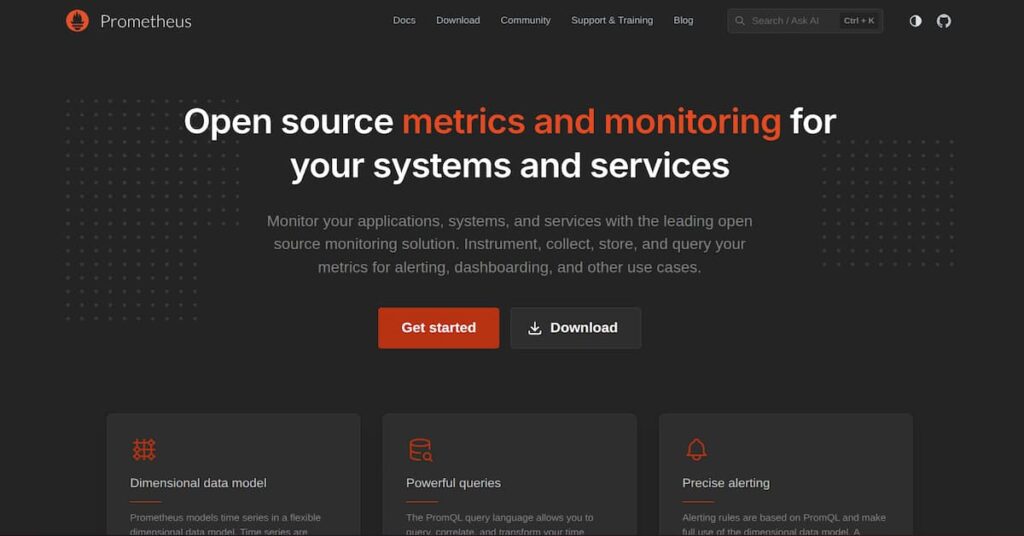
Prometheus is the most widely deployed open-source time series database in cloud native environments. It scrapes metrics from instrumented targets, stores them locally, and integrates natively with Grafana. According to the CNCF Annual Survey 2023, Prometheus is used by 77% of organizations running containers in production.
Prometheus is free, but it is pull-based and designed for local retention (typically 15-30 days). Long-term storage requires Thanos, Cortex, or Mimir, each adding operational complexity. Prometheus also lacks native clustering, high availability, or data replication. Teams run multiple Prometheus instances and federate them, which works but requires custom automation.
Prometheus fits teams already in the Kubernetes ecosystem who want a simple, free, well-supported tool for short-term metrics. It does not fit teams that need multi-month retention, high availability, or centralized multi-cluster visibility without adding a remote write backend.
TimescaleDB: SQL Native, PostgreSQL-Based
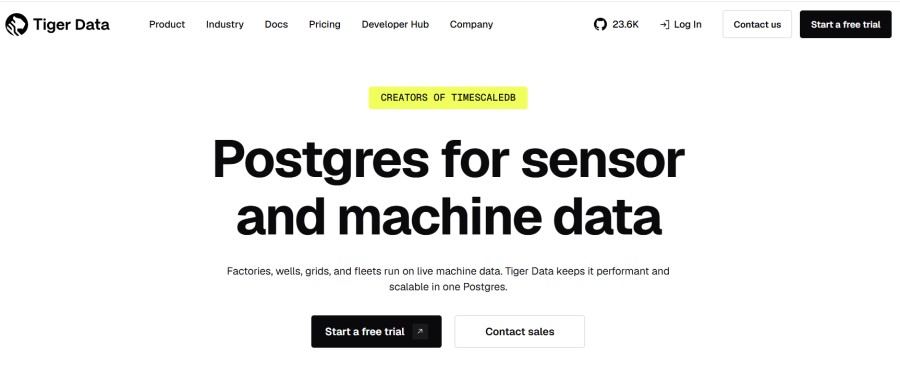
TimescaleDB is a PostgreSQL extension optimized for time series data. It supports full SQL, relational joins, and ACID transactions. Teams already using PostgreSQL can add TimescaleDB without learning a new query language or operational model.
TimescaleDB offers a free self-hosted tier and a managed cloud service with usage-based pricing. Cloud pricing starts at $0.25/GB for compressed storage plus compute charges. For workloads that need relational features alongside time series data, TimescaleDB simplifies the stack.
The trade-off: TimescaleDB is slower than InfluxDB at very high write rates (millions of points per second). If your workload is pure time series with minimal joins, InfluxDB performs better. If you need SQL compatibility and relational features, TimescaleDB makes more sense.
VictoriaMetrics: Prometheus Compatible, Lower Resource Use
VictoriaMetrics is a Prometheus-compatible time series database designed for high compression and low resource consumption. It supports Prometheus remote write, PromQL queries, and Grafana integration. Teams report 10x compression improvements over vanilla Prometheus and significantly lower memory usage.
VictoriaMetrics is open source (Apache 2.0 license). A commercial managed cloud tier exists with custom pricing. For teams running Prometheus who hit storage or memory limits, VictoriaMetrics is a drop-in replacement that reduces infrastructure costs without changing the monitoring stack.
VictoriaMetrics lacks some features. InfluxDB offers native high cardinality support, flux/SQL query flexibility, and first-class InfluxDB protocol compatibility. But for Prometheus users, it is often the simpler, cheaper option.
CubeAPM: Unified Observability with Time Series Built In
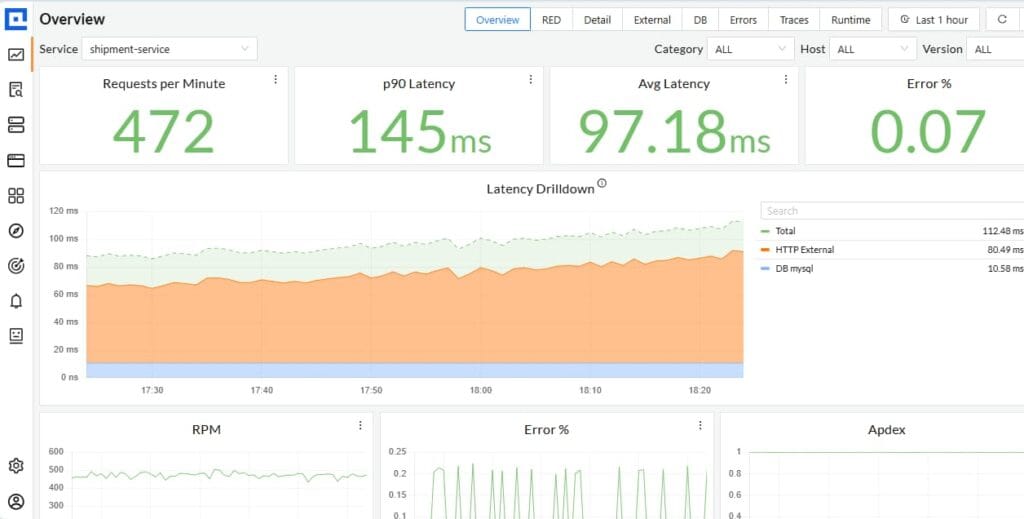
CubeAPM is a self-hosted observability platform that ingests metrics, traces, and logs in one system. It runs inside your own infrastructure (on-prem or VPC) with pricing at $0.20/GB ingested, covering all telemetry types, not just time series data. CubeAPM supports OpenTelemetry, Prometheus remote write, and native integration with Telegraf for InfluxDB-style metric collection.
For teams evaluating InfluxDB because they need time series monitoring, CubeAPM offers an alternative: store metrics alongside application traces and logs in a single unified platform. This eliminates the operational burden of running separate systems for metrics (InfluxDB or Prometheus), traces (Jaeger or Tempo), and logs (Loki or Elasticsearch).
CubeAPM includes unlimited retention with no separate storage fees, high availability clustering, and OpenTelemetry native ingestion. Because it runs on your infrastructure, there are no data egress charges when sending telemetry from your cloud to CubeAPM – you avoid the $0.09/GB internet transfer fee that Cloud Serverless charges.
Cost comparison for a mid-size workload: 20 GB metrics per day (600 GB/month), plus 10 GB traces and 5 GB logs.
- InfluxDB Cloud Serverless (metrics only): ~$2,383/month
- CubeAPM (metrics + traces + logs): 615 GB × $0.20/GB = $123/month base + infrastructure (~$12) = ~$135/month total
This estimate models a production-ready setup with high availability. Your actual costs will vary based on data volume, retention period, and feature usage.
CubeAPM fits teams that want unified observability without paying SaaS prices or managing three separate open source tools. It does not fit teams that need InfluxDB-specific features like Flux scripting or native InfluxDB Line Protocol without OpenTelemetry conversion.
How to Choose an InfluxDB Plan or Alternative
Choosing the right time series solution depends on four factors: deployment model preference, operational tolerance, cost sensitivity, and whether you need time series data alone or full observability.
If You Need Managed SaaS with Zero Operational Burden
Choose InfluxDB Cloud Serverless for prototyping and light production workloads under service quotas. Upgrade to Cloud Dedicated if you hit quotas or need private networking and SAML/SSO. Accept that Dedicated pricing is custom and starts at several thousand dollars per month.
Alternatively, choose Amazon Timestream for InfluxDB if you are AWS native and want to consolidate billing under your cloud account. Accept that cost visibility is lower because AWS does not surface InfluxDB-specific metrics in billing.
If You Want Full Data Control and On-Premises Deployment
Choose InfluxDB 3 Enterprise if you need high availability, clustering, and enterprise security on your own infrastructure. Expect to pay custom CPU-based licensing and manage the operational burden yourself.
Alternatively, choose CubeAPM if you want self-hosted observability that includes time series alongside traces and logs. CubeAPM is managed by the vendor but runs in your infrastructure; you get data control without Day 2 operational burden.
If You Want to Minimize Cost and Operational Complexity
Choose Prometheus if you are Kubernetes native, need only short-term metrics, and already run Grafana. Accept that long-term storage requires adding Thanos or Mimir.
Choose VictoriaMetrics if you need Prometheus compatibility with better compression and lower resource use. Accept that it is less feature-rich than InfluxDB but significantly cheaper at scale.
Choose CubeAPM if you want predictable pricing ($0.20/GB for all telemetry types) and unified observability without managing multiple open source projects.
If You Need SQL Compatibility and Relational Features
Choose TimescaleDB if your workload requires joins, ACID transactions, or tight PostgreSQL integration alongside time series data.
Best Practices for Managing InfluxDB Costs at Scale
InfluxDB costs grow with data volume, retention period, query frequency, and cardinality. Teams that do not actively manage these dimensions see bills scale faster than usage.
Reduce Cardinality to Lower Resource Requirements
High cardinality, unique combinations of tag values, drives memory and CPU consumption. A dataset with 10 tags, each with 100 unique values, creates 100^10 potential series. Most of those never get written, but InfluxDB must track metadata for every series that does exist.
Best practice: limit tag value diversity. Use finite sets for tags (environment, region, service) rather than unbounded values (user ID, request ID, timestamp). If you must track high cardinality dimensions, consider storing them as fields instead of tags. Fields are not indexed, so they do not multiply series count.
Downsample and Expire Data to Control Storage Growth
Retention policies and downsampling rules reduce storage costs. Instead of keeping raw 1-second resolution data for 90 days, keep 1-second data for 7 days, 1-minute rollups for 30 days, and 1-hour rollups for 90 days.
Cloud Serverless charges $0.002/GB hour for storage. A 1 TB dataset retained for 30 days costs $1,440/month. Downsample 80% of that data after 7 days and storage drops to ~$400/month.
Optimize Query Patterns to Reduce Execution Costs
On Cloud Serverless, every query costs $0.012 per 100 executions. A Grafana dashboard refreshing every 10 seconds runs 259,200 queries per month, costing $31. Multiply that by 20 dashboards and query charges hit $620/month.
Best practice: increase dashboard refresh intervals to 30 or 60 seconds. Cache query results at the application layer when real-time updates are not required. Use continuous queries to precompute aggregations instead of running the same calculation repeatedly.
Monitor Egress Charges When Exporting Data
Data out fees ($0.09/GB on Serverless, AWS standard rates on Timestream) hit when exporting data, running backups, or sending telemetry to external platforms. If you write 600 GB/month but also export 200 GB for long-term archival, that is $18/month in egress.
Best practice: compress exports, use incremental backups instead of full snapshots, and avoid unnecessary cross-region or cross-cloud data transfers.
Disclaimer: The information in this article reflects the latest details available at the time of publication and may change as technologies and products evolve. Features, pricing, and plan limits can change over time. Always verify the latest information directly with the vendor before making purchasing or deployment decisions.
Frequently Asked Questions
Is InfluxDB free to use?
InfluxDB 3 Core is open source and free to run with no licensing fees. It works for local development, prototyping, and single-node deployments. Commercial plans (Cloud Serverless, Cloud Dedicated, Enterprise) add high availability, clustering, enterprise security, and support SLAs.
How much does InfluxDB Cloud Serverless cost?
Cloud Serverless charges $0.0025 per MB ingested, $0.012 per 100 query executions, $0.002 per GB hour of storage, and $0.09 per GB transferred out. A mid-size workload ingesting 600 GB per month with moderate query frequency costs approximately $2,400 per month before credits.
What is the difference between InfluxDB Cloud Serverless and Cloud Dedicated?
Cloud Serverless is multi-tenant with usage based billing and service quotas. Cloud Dedicated is single-tenant with custom pricing, unlimited scale, high availability, and optional private networking and SAML/SSO add-ons.
Can I run InfluxDB on my own infrastructure?
Yes. InfluxDB 3 Enterprise runs on your own infrastructure with CPU based licensing. InfluxDB 3 Core is free and self-hosted but lacks clustering, high availability, and enterprise features.
What are the best alternatives to InfluxDB?
Prometheus is the most common free alternative for Kubernetes environments. TimescaleDB fits teams that need SQL compatibility. VictoriaMetrics offers Prometheus compatibility with better compression. CubeAPM provides unified observability with time series, traces, and logs in one self-hosted platform.
How does InfluxDB pricing compare to Prometheus?
Prometheus is free and open source but requires adding Thanos, Cortex, or Mimir for long term storage and high availability. InfluxDB Cloud Serverless has clear per-GB pricing but charges for queries and storage. InfluxDB Enterprise has custom licensing. Total cost depends on retention, query frequency, and operational burden tolerance.
Does InfluxDB support OpenTelemetry?
InfluxDB supports OpenTelemetry metrics via Telegraf with the OpenTelemetry input plugin. Native OpenTelemetry Protocol (OTLP) ingestion is not built in—teams send OTLP to Telegraf, which converts and forwards to InfluxDB.