









ClickStack combines ClickHouse, OpenTelemetry, and HyperDX into a single observability platform that stores logs, traces, and metrics in one database. For Kubernetes environments, this means collecting telemetry from every pod, node, and service without running three separate storage backends or paying per-host SaaS fees that compound as clusters scale.
According to the CNCF Annual Survey 2024, 84% of organizations now run Kubernetes in production, and most report using multiple observability tools to cover logs, metrics, and distributed tracing. ClickStack eliminates that fragmentation by unifying all three signal types in ClickHouse’s columnar storage, which handles high-cardinality Kubernetes metadata labels, namespaces, pod names without the indexing costs typical of log-first platforms.
This guide walks through deploying ClickStack on Kubernetes using Helm, configuring OpenTelemetry collectors to gather cluster telemetry, and using the HyperDX UI to visualize infrastructure and application performance. It covers both open source self-hosted deployment and managed ClickStack options, with real configuration examples and troubleshooting steps for production environments.
What Is ClickStack?
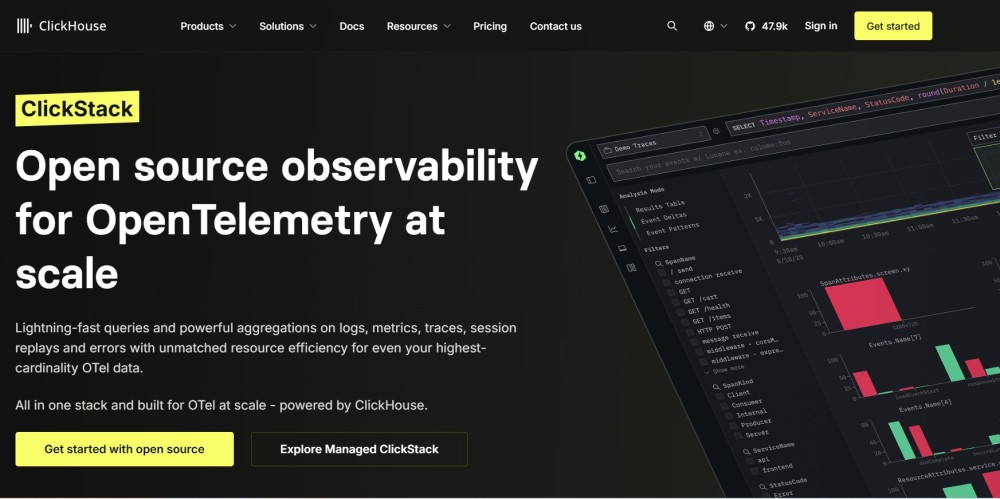
ClickStack is an observability platform built on three components: ClickHouse for storage, OpenTelemetry for data collection, and HyperDX for visualization. It runs as a single Helm chart deployment inside your Kubernetes cluster or connects to Managed ClickStack in ClickHouse Cloud if you prefer hosted infrastructure.
The platform is designed for teams that want unified observability without vendor lock-in. All telemetry data is stored in ClickHouse using OpenTelemetry’s standard schema, which means you can query it directly with SQL or export it to other tools without proprietary formats blocking the way.
ClickStack supports distributed tracing via OpenTelemetry trace instrumentation, structured and unstructured log ingestion via Fluentbit or Logstash, and infrastructure metrics via Prometheus or OpenTelemetry collectors. For Kubernetes specifically, it includes a pre-configured monitoring module that collects pod metrics, node health indicators, control plane events, and container logs without requiring manual configuration of data sources.
The architecture avoids the cost traps common in SaaS observability. There are no per-host fees that triple when your cluster autoscales, no separate billing for logs versus traces, and no data egress charges if you run the full stack on premises.
How ClickStack Works for Kubernetes Monitoring
ClickStack monitors Kubernetes by deploying OpenTelemetry collectors as DaemonSets and sidecar containers that gather telemetry from kubelet APIs, container runtimes, and application instrumentation. The collectors forward logs, metrics, and traces to ClickHouse, where they are indexed and made available for querying in the HyperDX UI.
The data flow works like this: OpenTelemetry collectors running on every node scrape metrics from kubelet, pull logs from container stdout/stderr, and receive traces from instrumented applications. The collectors batch and compress this data before sending it to the ClickStack backend. ClickHouse ingests the telemetry streams and stores them in columnar tables optimized for high-cardinality queries. HyperDX reads from ClickHouse and provides dashboards, alerting, and trace search.
For Kubernetes metrics, the collectors expose node-level resource usage CPU, memory, disk I/O, network throughput, pod-level metrics like restart counts and OOMKills, and cluster-level aggregates like total pod count and scheduling pressure. Logs are captured from every container and enriched with Kubernetes metadata: pod name, namespace, labels, and node name. Traces are correlated with logs and metrics using trace IDs embedded in log lines and metric attributes.
This design keeps all observability data in one queryable store. If a pod crashes, you can see the trace that triggered high memory usage, the logs showing the OOMKill event, and the node-level memory saturation metric all in one view without switching tools.
Deploying ClickStack on Kubernetes
ClickStack deploys via the official HyperDX Helm chart, which includes ClickHouse, the OpenTelemetry collector distribution, HyperDX, and MongoDB for storing HyperDX application state. You can deploy everything inside your cluster or use Managed ClickStack to offload ClickHouse and HyperDX hosting to ClickHouse Cloud.
Before starting, ensure you have a Kubernetes cluster running version 1.20 or later with at least 32 GiB of RAM and 100 GB of disk space available on one node for ClickHouse. You also need Helm 3+ and kubectl configured to interact with your cluster.
First, add the HyperDX Helm repository:
helm repo add hyperdx https://hyperdxio.github.io/helm-charts
helm repo updateFor a self-hosted deployment that runs all components inside your cluster, install ClickStack with:
helm install my-hyperdx hyperdx/hdx-oss-v2 \
  --set clickhouse.persistence.dataSize=100Gi \
  --set global.storageClassName="standard-rwo" \
  -n otel-demo \
--create-namespaceThis command deploys ClickHouse with 100 GB of persistent storage, the OpenTelemetry collector, HyperDX, and MongoDB to the otel-demo namespace. Adjust the storageClassName to match your cluster’s storage provisioner.
If you prefer Managed ClickStack, disable the bundled ClickHouse and point the collectors to your ClickHouse Cloud instance:
export CLICKHOUSE_URL=https://your-instance.clickhouse.cloud:8443
export CLICKHOUSE_USER=default
export CLICKHOUSE_PASSWORD=your-password
helm install my-hyperdx hyperdx/hdx-oss-v2 \
  --set clickhouse.enabled=false \
  --set clickhouse.persistence.enabled=false \
  --set otel.clickhouseEndpoint=${CLICKHOUSE_URL} \
  --set clickhouse.config.users.otelUserName=${CLICKHOUSE_USER} \
  --set clickhouse.config.users.otelUserPassword=${CLICKHOUSE_PASSWORD} \
  --set global.storageClassName="standard-rwo" \
  -n otel-demo \
--create-namespaceVerify the deployment by checking that all pods reach the Running state:
kubectl get pods -n otel-demoYou should see pods for ClickHouse unless using managed, the OpenTelemetry collector, HyperDX, and MongoDB all showing 1/1 Running.
Configuring OpenTelemetry Collectors for Kubernetes Metrics
The ClickStack Helm chart deploys an OpenTelemetry collector automatically, but it requires configuration to scrape Kubernetes-specific metrics. The collector runs as a DaemonSet, placing one instance on every node to gather kubelet metrics and container logs.
To enable Kubernetes metrics collection, you need to configure the collector’s receivers. The key receivers for Kubernetes are kubeletstats for node and pod metrics, k8s_cluster for cluster-level aggregates, and filelog for container logs.
Here is an example OpenTelemetry collector configuration snippet that enables Kubernetes monitoring:
receivers:
  kubeletstats:
    collection_interval: 30s
    auth_type: serviceAccount
    endpoint: https://${K8S_NODE_NAME}:10250
    insecure_skip_verify: true
    metric_groups:
      - node
      - pod
      - container
  k8s_cluster:
    collection_interval: 30s
    node_conditions_to_report:
      - Ready
      - MemoryPressure
      - DiskPressure
  filelog:
    include:
      - /var/log/pods/*/*/*.log
    operators:
      - type: json_parser
        timestamp:
          parse_from: attributes.time
          layout: '%Y-%m-%dT%H:%M:%S.%LZ'
processors:
  k8sattributes:
    auth_type: serviceAccount
    passthrough: false
    extract:
      metadata:
        - k8s.pod.name
        - k8s.pod.uid
        - k8s.namespace.name
        - k8s.node.name
exporters:
  otlp:
    endpoint: clickhouse-endpoint:4317
    tls:
      insecure: false
service:
  pipelines:
    metrics:
      receivers: [kubeletstats, k8s_cluster]
      processors: [k8sattributes]
      exporters: [otlp]
    logs:
      receivers: [filelog]
      processors: [k8sattributes]
exporters: [otlp]Apply this configuration by creating a ConfigMap and updating the collector deployment to mount it. The k8sattributes processor enriches every metric and log with Kubernetes metadata, making it possible to filter by pod, namespace, or node in the HyperDX UI.
For trace collection, instrument your applications with OpenTelemetry SDKs and configure them to send traces to the collector endpoint. The collector will forward traces to ClickHouse alongside logs and metrics, enabling correlated debugging.
Using the HyperDX UI to Visualize Kubernetes Performance
HyperDX provides a web interface for querying logs, metrics, and traces stored in ClickHouse. After deploying ClickStack, access HyperDX by port-forwarding the service:
kubectl port-forward -n otel-demo svc/my-hyperdx-hdx-oss-v2 8080:8080Open http://localhost:8080 in your browser. The default credentials are set during Helm installation and can be found in the deployment notes.
The HyperDX dashboard shows a unified view of your Kubernetes cluster. You can filter logs by pod name, namespace, or container ID. Metrics are displayed in time series charts showing CPU, memory, and network usage across nodes and pods. Traces link to the exact logs and metrics captured during a request’s lifetime.
To investigate a slow API endpoint, search for traces with latency above a threshold, click a trace to see the span breakdown, then jump to the logs from the specific pod that handled the request. The metrics view shows whether the pod was under memory pressure or throttled during that time window.
HyperDX also supports alerting based on query results. You can create alerts for conditions like pod restart count exceeding 5 in 10 minutes, node memory usage above 90%, or error log rate spiking beyond baseline. Alerts route to Slack, PagerDuty, or email.
For teams familiar with SQL, HyperDX allows direct queries against ClickHouse tables. This is useful for custom reports or investigations that require joins across logs, metrics, and traces.
Best Practices for Production Kubernetes Monitoring with ClickStack
Running ClickStack in production requires attention to resource limits, retention policies, and high availability configuration. The default Helm deployment is suitable for development but needs adjustments for production workloads.
- First, allocate sufficient resources to ClickHouse. A production ClickHouse instance should have at least 64 GiB of memory and fast SSD storage. Enable replication by deploying multiple ClickHouse replicas and configuring ClickHouse Keeper for distributed consensus. The Helm chart supports this via the
clickhouse.replicaCountandclickhouse.keeper.enabledvalues. - Second, configure retention policies to prevent unbounded storage growth. ClickStack stores all telemetry by default. Define TTL policies in ClickHouse to drop old logs, metrics, and traces after a set period. For example, retain traces for 7 days, logs for 30 days, and aggregated metrics indefinitely.
- Third, tune the OpenTelemetry collector’s batch and memory limit settings. The default collector configuration may drop data under high load. Increase the batch size and memory limit in the collector ConfigMap to handle peak ingestion rates.
- Fourth, monitor ClickStack itself. Export ClickHouse metrics using the Prometheus exporter and track query performance, insert rates, and disk usage. Export collector metrics to detect pipeline bottlenecks.
- Fifth, use dedicated node pools for ClickHouse and the collector to isolate observability workloads from application pods. This prevents resource contention during traffic spikes.
- Sixth, test failover scenarios. Simulate node failures and verify that the collector continues forwarding data to ClickHouse and that HyperDX remains accessible. Configure pod disruption budgets to ensure at least one collector pod runs during maintenance.
Monitoring Kubernetes with CubeAPM
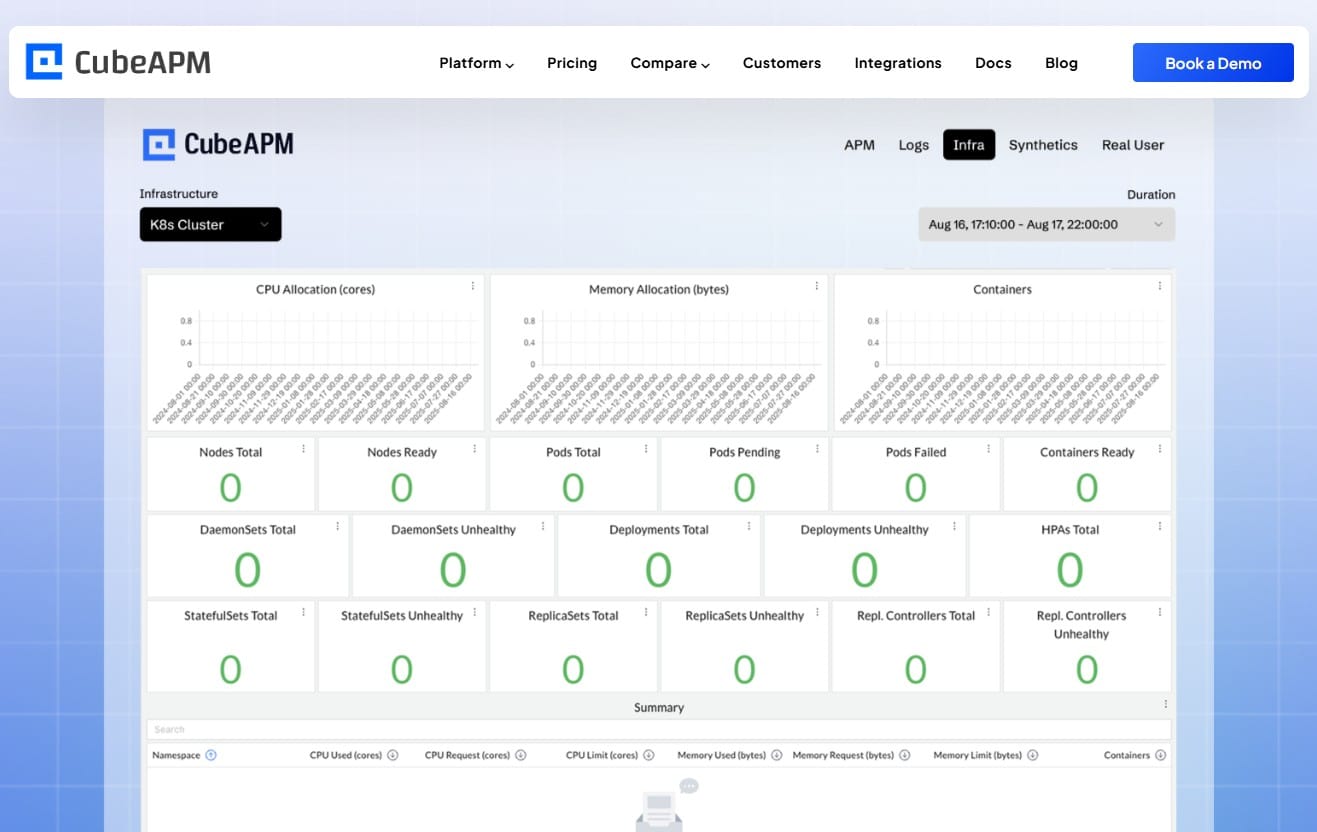
CubeAPM is a self-hosted observability platform that covers APM, logs, infrastructure monitoring, and Kubernetes-specific insights. Unlike ClickStack, which requires you to manage ClickHouse and HyperDX separately, CubeAPM for infrastructure monitoring delivers a managed experience where CubeAPM handles upgrades, patches, and operational tasks while running entirely inside your VPC or data center.
CubeAPM integrates with Kubernetes via native OpenTelemetry support and Helm chart deployment. It monitors node health, pod performance, container restarts, and resource saturation with high-cardinality metrics that support filtering by namespace, deployment, or custom labels. The platform correlates Kubernetes metrics with application traces and logs, surfacing issues like OOMKills alongside the slow database query that triggered memory exhaustion.
For teams evaluating ClickStack, CubeAPM offers three advantages. First, it eliminates the operational burden of running ClickHouse, HyperDX, and MongoDB yourself. CubeAPM’s team manages the backend while you retain full data control. Second, CubeAPM’s pricing is simpler: $0.15/GB for all ingested telemetry with unlimited retention and no per-host or per-seat fees. Third, CubeAPM includes features like Real User Monitoring and Synthetic Monitoring without requiring additional tools or integrations.
CubeAPM is particularly well-suited for teams that want ClickStack’s unified storage model but need faster support response times and lower operational overhead. It deploys in under an hour and integrates with existing Prometheus, Datadog, or New Relic agents for incremental migration.
Kubernetes Monitoring Tools Beyond ClickStack
ClickStack is one of several options for Kubernetes observability. Other infrastructure monitoring tools include Prometheus with Grafana for metrics visualization, the ELK stack for log aggregation, and SaaS platforms like Datadog or New Relic for fully managed monitoring.
- Prometheus is the most widely deployed Kubernetes monitoring tool. It scrapes metrics from kubelet and kube-state-metrics, stores them in a time series database, and exposes them via Grafana dashboards. Prometheus excels at metrics but requires separate tools for logs and traces. Teams often pair it with Loki for logs and Tempo for traces, creating a three-component observability stack.
- Datadog offers comprehensive Kubernetes monitoring with per-host pricing starting at $18/host/month. It provides out-of-the-box dashboards, automated service discovery, and integrations with cloud provider APIs. The cost scales linearly with cluster size, making it expensive for large deployments.
- New Relic monitors Kubernetes via its infrastructure agent and charges based on data ingest, starting at $0.40/GB beyond the free tier. It includes logs, metrics, and traces in one platform but requires cloud-only deployment and does not support on premises hosting.
- Elastic APM with the ELK stack stores Kubernetes logs in Elasticsearch and provides APM via Elastic agents. It runs self-hosted or in Elastic Cloud starting at $99/month for the standard tier. Elasticsearch requires significant operational expertise to run at scale.
- CubeAPM combines the self-hosted flexibility of Prometheus and ELK with the managed experience of Datadog and New Relic. It runs inside your infrastructure, supports OpenTelemetry natively, and uses predictable $0.15/GB pricing without per-host fees. For teams evaluating multiple tools, CubeAPM covers the same signal types as ClickStack with lower operational complexity.
Troubleshooting Common ClickStack Kubernetes Issues
The most common ClickStack deployment issues involve collector misconfiguration, ClickHouse resource exhaustion, and networking problems between components.
If the OpenTelemetry collector fails to scrape kubelet metrics, verify that the collector DaemonSet has a ServiceAccount with the correct RBAC permissions. The collector needs get and list access to nodes, pods, and namespaces. Check the collector logs with:
kubectl logs -n otel-demo -l app.kubernetes.io/name=otel-collectorLook for authentication errors or connection timeouts. If the collector cannot reach kubelet, ensure the kubelet API is accessible on port 10250 and that the collector’s kubeletstats receiver is configured with the correct endpoint.
If ClickHouse runs out of memory or disk space, check the resource usage with:
kubectl top pod -n otel-demoIncrease ClickHouse’s memory limit or disk allocation by updating the Helm values and running helm upgrade. Enable ClickHouse’s prewarm_mark_cache setting to reduce memory pressure on high-cardinality queries.
If HyperDX shows no data despite successful collector deployment, verify that the collector is forwarding data to ClickHouse. Port-forward the ClickHouse service and run a query to check for recent inserts:
kubectl port-forward -n otel-demo svc/clickhouse 9000:9000

clickhouse-client --host localhost --query "SELECT count() FROM otel_logs WHERE timestamp > now() - INTERVAL 10 MINUTE"If the count is zero, the collector is not sending data. Check the collector’s exporter configuration for the correct ClickHouse endpoint and credentials.
For trace correlation issues, ensure that your application’s OpenTelemetry SDK is configured to propagate trace context in HTTP headers. The collector’s k8sattributes processor must extract the trace ID from log lines and metric attributes for correlation to work in HyperDX.
Disclaimer: The information in this article reflects the latest details available at the time of publication and may change as technologies and products evolve. Features, pricing, and plan limits can change over time. Always verify the latest information directly with the vendor before making purchasing or deployment decisions.
Frequently Asked Questions
How does ClickStack compare to Prometheus and Grafana for Kubernetes monitoring?
ClickStack stores logs, traces, and metrics in one ClickHouse database, while Prometheus handles only metrics and requires separate tools like Loki and Tempo for logs and traces. Prometheus is simpler to start with, but ClickStack scales better for high-cardinality Kubernetes metadata queries.
Can ClickStack run entirely on premises without cloud dependencies?
Yes, the open source ClickStack deployment runs entirely inside your Kubernetes cluster with no external dependencies. Managed ClickStack requires connectivity to ClickHouse Cloud for storage and HyperDX hosting.
What is the difference between self-hosted ClickStack and Managed ClickStack?
Self-hosted ClickStack deploys ClickHouse, HyperDX, and MongoDB inside your cluster, giving you full control but requiring you to manage storage, scaling, and upgrades. Managed ClickStack offloads ClickHouse and HyperDX to ClickHouse Cloud, reducing operational burden but requiring cloud connectivity.
How much storage does ClickStack require for a 50 node Kubernetes cluster?
A 50 node cluster generating logs, metrics, and traces typically produces 5 to 10 GB of telemetry per day. With 30 day retention, expect ClickHouse to consume 150 to 300 GB of storage. Compression and downsampling can reduce this by 50 to 70 percent.
Does ClickStack support alerting on Kubernetes events?
Yes, HyperDX supports alerting based on query results, including Kubernetes events like pod restarts, OOMKills, or node NotReady conditions. Alerts route to Slack, PagerDuty, email, or webhooks.
Can ClickStack replace Datadog for Kubernetes monitoring?
ClickStack covers the same core signals as Datadog logs, metrics, and traces but requires self-hosting or managed ClickHouse Cloud. It lacks some Datadog features like automatic service maps and cloud provider integrations but costs significantly less at scale.
How does ClickStack handle high-cardinality Kubernetes labels?
ClickHouse is optimized for high-cardinality queries using columnar storage and sparse indexing. ClickStack stores Kubernetes labels as ClickHouse columns, allowing fast filtering by pod name, namespace, or custom labels without indexing penalties typical of log-first platforms.