









Azure cost governance has become a board-level concern. A single misconfigured auto-scaling policy or forgotten VM can quietly burn $8,000 before month-end. Unlike one-time optimization wins like rightsizing VMs, cost monitoring is an ongoing governance practice that prevents overruns before they hit the invoice. Yet most teams discover their Azure cost management tool’s limits only after the first budget breach.
This guide compares 10 Azure cost monitoring platforms across multi-subscription visibility, allocation flexibility, reporting depth, and total cost of ownership. Each tool is assessed on what it actually delivers in production environments ranging from single-subscription startups to multi-tenant MSPs managing hundreds of Azure accounts. If you need to model your current Azure spend before evaluating platforms, the Azure CloudWatch pricing calculator breaks down every cost dimension from compute and storage to bandwidth and monitoring services.
Quick Comparison: 10 Azure Cost Monitoring Tools at a Glance
| Tool | Best For | Pricing Model | Multi-Subscription View | Free Tier |
|---|---|---|---|---|
| Turbo360 | Azure-first teams, MSPs managing multiple tenants | From $99/mo per subscription | ✓ Native | 30-day trial |
| Azure Cost Management | Single-subscription teams, native Azure visibility | Free with Azure subscription | ✓ Limited | ✓ Included |
| CloudHealth by VMware | Multi-cloud governance, enterprise FinOps | Custom pricing (starts ~$15K/yr) | ✓ Strong | Demo only |
| Holori | Cloud cost forecasting, budget scenario modeling | Free tier; Pro from €49/mo | ✓ Yes | ✓ Up to 3 accounts |
| Ternary | Cloud-agnostic cost allocation, engineering attribution | Custom pricing | ✓ Native | Demo only |
| Umbrella | Per-customer cost visibility for MSPs | Custom pricing | ✓ Native | Demo only |
| CubeAPM | Teams that monitor infrastructure and need unified cost + observability view | $0.20/GB ingestion | ✓ Via infrastructure monitoring | ✓ Trial available |
| Kubecost | Kubernetes-native cost allocation, container-level visibility | Free OSS; Enterprise from $500/mo | ✓ Via K8s clusters | ✓ OSS version |
| CloudZero | Engineering-driven cost allocation, unit economics | Custom pricing (mid-market starts ~$30K/yr) | ✓ Native | Demo only |
| Vantage | Multi-cloud cost visibility with integrated business metrics | Free tier; Team plan from $500/mo | ✓ Strong | ✓ Up to $100K spend |
Pricing based on publicly available information as of April 2026. Enterprise pricing, volume discounts, and negotiated contracts may differ significantly. Verify current rates at each vendor’s pricing page before committing.
1. Turbo360
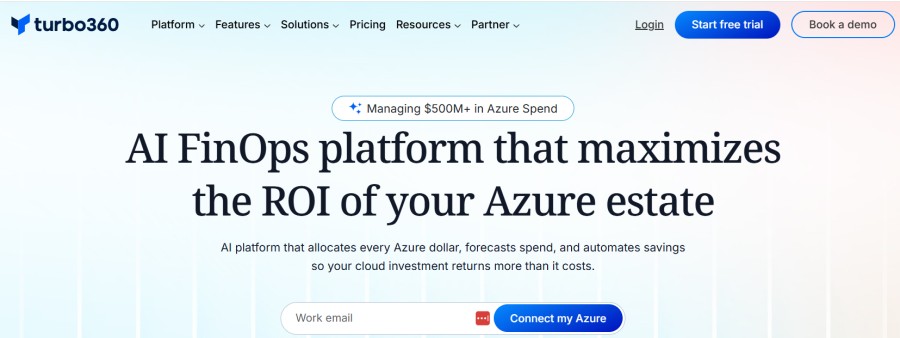
Best for: Azure-dominant organizations, MSPs, and CSPs managing multiple subscriptions
Turbo360 is a dedicated Azure cost management platform built exclusively for the Microsoft Azure ecosystem. Unlike multi-cloud tools that divide development focus across AWS, GCP, and Azure simultaneously, Turbo360’s entire platform is designed around Azure’s billing structure, pricing models, and subscription hierarchy.
Key Features:
- Multi-subscription governance that ingests cost data across all subscriptions and automatically allocates it to business units
- Tag normalization that removes manual overhead of cross-subscription cost reporting
- Built-in report templates designed for finance stakeholders rather than technical dashboards
- Proactive cost monitoring with real-time anomaly detection and threshold alerts
- Azure-native alert rules that catch spending spikes before end-of-month billing
- Cost allocation rules that split or move costs between business units
- Governance automation including tag enforcement and budget policy workflows
Pricing: Starts at $99/mo per subscription. Volume pricing available for MSPs and enterprise customers.
Pros:
- Deepest Azure-native governance compared to multi-cloud platforms
- Fastest setup for Azure-only environments without needing cross-cloud configuration
- MSP-friendly multi-tenant architecture with per-customer cost isolation
Cons:
- Azure-only means teams with AWS or GCP workloads need a second tool
- Smaller integration ecosystem compared to enterprise multi-cloud platforms
- Limited third-party data source support beyond Azure resource usage
Best for: Organizations where Azure is the primary cloud and MSPs billing customers based on Azure consumption.
2. Azure Cost Management

Best for: Single-subscription teams and organizations starting cost governance
Azure Cost Management is Microsoft’s native cost visibility platform built directly into the Azure portal. It provides no-cost access to cost analysis, budget alerts, and basic reporting for any active Azure subscription.
Key Features:
- Cost analysis with drill-down by resource group, service, location, or tag
- Budget governance that sets spending limits and triggers alerts at defined thresholds
- Cost alerts for tracking anomalies like spending spikes or unusual resource usage
- Cost allocation rules to distribute costs across business units or projects
- Export capabilities for custom reporting and integration with external systems
- Azure Copilot integration that summarizes costs and isolates fluctuations via natural language queries
Pricing: Free with any Azure subscription. No additional charges for core cost management features.
Pros:
- Zero additional cost makes it accessible for teams at any scale
- Native integration with Azure resource metadata and billing data
- No setup required; works immediately for any subscription owner or contributor
Cons:
- Multi-subscription visibility requires manual aggregation or Enterprise Agreement setup
- Limited cross-cloud support means AWS or GCP costs require separate tools
- Basic reporting compared to third-party platforms with executive-ready templates
Best for: Teams with a single Azure subscription or organizations evaluating cost visibility before committing to a paid platform.
3. CloudHealth by VMware
Best for: Multi-cloud governance and enterprise FinOps programs
CloudHealth by VMware is a multi-cloud cost management and governance platform covering Azure, AWS, and GCP. It provides unified visibility across cloud environments with deep reporting, policy enforcement, and FinOps workflow automation.
Key Features:
- Multi-cloud cost analysis across Azure, AWS, GCP, and on-premises VMware environments
- Policy-based governance that enforces tagging standards, budget limits, and resource lifecycle rules
- Chargeback and showback reports with business unit attribution and internal billing accuracy
- Reserved Instance and Savings Plan recommendations with ROI tracking
- Executive reporting templates designed for CFO and finance stakeholder consumption
- API access for integrating cost data with external BI tools or custom dashboards
Pricing: Custom pricing starting around $15,000 per year for mid-market deployments. Enterprise pricing varies by cloud spend and feature requirements.
Pros:
- Strongest multi-cloud governance for organizations using Azure alongside AWS or GCP
- Mature FinOps workflows with policy automation and accountability controls
- Deep VMware integration for hybrid cloud cost visibility
Cons:
- High entry price point rules it out for startups and small teams
- Complexity requires dedicated FinOps or cloud finance resources to manage effectively
- Slower time to value compared to Azure-native tools with pre-configured Azure defaults
Best for: Enterprises with multi-cloud environments and dedicated FinOps teams managing cloud spend at scale.
4. Holori
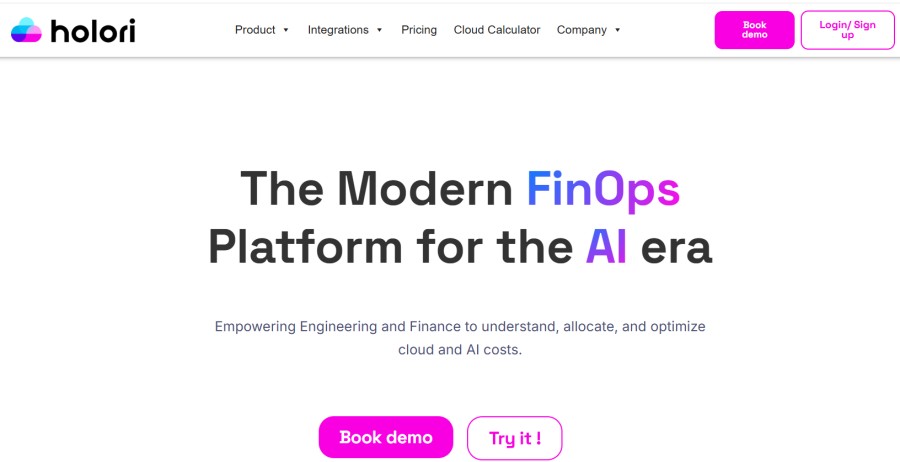
Best for: Cloud cost forecasting and budget scenario modeling
Holori is a cloud cost forecasting platform that models future Azure spend based on historical usage, planned infrastructure changes, and growth scenarios. It helps teams forecast budgets before deploying new workloads or scaling existing ones.
Key Features:
- Cost forecasting that models future Azure spend based on usage trends and planned changes
- Budget scenario modeling to compare cost impacts of different architecture decisions
- Multi-cloud support covering Azure, AWS, and GCP cost projections
- Resource tagging recommendations to improve cost allocation accuracy
- Integration with Azure Cost Management for live usage data
- Export capabilities for sharing forecasts with finance stakeholders
Pricing: Free tier available for up to 3 cloud accounts. Pro plan starts at €49/mo per account.
Pros:
- Forecasting focus helps teams plan budgets before committing to infrastructure changes
- Scenario modeling answers questions like what happens to cost if we double our VM count
- Affordable entry point compared to enterprise platforms
Cons:
- Less governance depth than dedicated cost management platforms
- Limited real-time alerting compared to tools focused on proactive monitoring
- Forecasting accuracy depends on stable usage patterns, which breaks during rapid growth
Best for: Teams planning Azure deployments or scaling existing infrastructure who need budget forecasts before execution.
5. Ternary
Best for: Cloud-agnostic cost allocation and engineering attribution
Ternary is a cloud cost allocation platform that attributes spending to engineering teams, products, and customers across Azure, AWS, and GCP. It focuses on accountability by showing which teams or projects drive cloud costs.
Key Features:
- Engineering attribution that maps cloud costs to specific teams or products
- Multi-cloud cost allocation across Azure, AWS, and GCP in a unified view
- Custom allocation rules that split shared infrastructure costs based on usage or business logic
- Unit economics tracking that ties cloud spend to per-customer or per-transaction costs
- Showback reports designed for engineering leads and product managers
- API access for integrating cost data with internal BI dashboards
Pricing: Custom pricing based on cloud spend and number of accounts. Mid-market deployments typically start around $20,000 per year.
Pros:
- Strongest engineering attribution compared to finance-first platforms
- Multi-cloud support makes it suitable for teams using Azure alongside other clouds
- Flexible allocation rules handle complex shared infrastructure scenarios
Cons:
- Higher cost than Azure-only tools for organizations using just one cloud
- Requires investment in tagging discipline and allocation rule setup
- Limited proactive monitoring compared to platforms with real-time anomaly detection
Best for: Multi-cloud engineering organizations that need to attribute costs to teams or products for accountability.
6. Umbrella
Best for: Per-customer cost visibility for MSPs and CSPs
Umbrella is a cost visibility platform designed specifically for MSPs and cloud service providers managing Azure environments for multiple customers. It isolates costs per customer and generates billing-ready reports.
Key Features:
- Multi-tenant architecture that separates cost data by customer or business unit
- Per-customer cost isolation with automatic allocation to client accounts
- Billing-ready reports that match MSP invoicing requirements
- Markup and margin tracking for MSP profitability analysis
- Azure-native integration with cost data pulled directly from Azure billing APIs
- White-label reporting for MSPs presenting cost data under their own brand
Pricing: Custom pricing based on number of customers and total Azure spend under management. Contact vendor for MSP-specific pricing.
Pros:
- Purpose-built for MSPs with multi-customer cost isolation out of the box
- Billing-ready reports reduce manual work generating customer invoices
- Profitability tracking shows margin per customer or service
Cons:
- Not designed for single-organization use cases, limiting applicability outside the MSP market
- Azure-only focus means MSPs with multi-cloud customers need additional tools
- Smaller user base compared to enterprise platforms may limit community support
Best for: MSPs and CSPs managing Azure subscriptions for multiple customers who need per-customer cost visibility and billing automation.
7. CubeAPM
Best for: Teams monitoring infrastructure who need a unified cost and observability view
CubeAPM is a self-hosted observability platform covering APM, logs, infrastructure monitoring, and Kubernetes observability. While not a dedicated cost management tool, it provides infrastructure-level cost visibility through resource usage tracking and capacity planning features.
Key Features:
- Infrastructure monitoring across Azure VMs, containers, Kubernetes clusters, and databases
- Resource usage tracking for CPU, memory, disk, and network consumption
- Kubernetes cost visibility at cluster, namespace, and pod level
- Capacity planning insights that identify over-provisioned resources
- Unlimited retention for historical cost trend analysis
- Self-hosted deployment that keeps telemetry data inside your Azure environment
Pricing: $0.20/GB for data ingestion with unlimited retention. No per-host or per-user fees.
Pros:
- Unified view of infrastructure performance and resource consumption in one platform
- Predictable pricing model with no surprise overages from host-based billing
- Self-hosted deployment keeps cost data and telemetry within your Azure tenant
Cons:
- Not a dedicated cost management platform; lacks budget alerts and allocation rules
- Cost visibility limited to the infrastructure layer; does not track Azure service billing
- Requires self-hosting infrastructure, adding operational overhead compared to SaaS tools
Best for: Engineering teams already using CubeAPM for observability who want infrastructure cost visibility without adding a separate cost management tool.
8. Kubecost
Best for: Kubernetes-native cost allocation and container-level visibility
Kubecost is a Kubernetes-native cost management tool that provides visibility into cloud spending at the cluster, namespace, and workload level. It helps teams understand which Kubernetes workloads drive Azure costs.
Key Features:
- Kubernetes cost allocation at cluster, namespace, pod, and container level
- Real-time cost monitoring for Azure Kubernetes Service (AKS) workloads
- Showback reports for engineering teams showing per-service or per-team costs
- Rightsizing recommendations for over-provisioned pods and nodes
- Multi-cluster support for teams running Kubernetes across Azure regions or subscriptions
- OpenCost integration for open-source Kubernetes cost visibility
Pricing: Free open-source version available. Enterprise plan starts from $500/mo with advanced features and support.
Pros:
- Deepest Kubernetes cost visibility compared to general Azure cost tools
- Open-source option provides free cost monitoring for teams comfortable self-hosting
- Real-time visibility shows cost impact of Kubernetes scaling events immediately
Cons:
- Kubernetes-only focus means non-containerized workloads require separate tools
- Setup complexity is higher than SaaS platforms and requires Kubernetes expertise
- Limited multi-cloud support compared to platforms covering Azure alongside AWS or GCP
Best for: Teams running Kubernetes on Azure who need container-level cost allocation and workload-specific visibility.
9. CloudZero
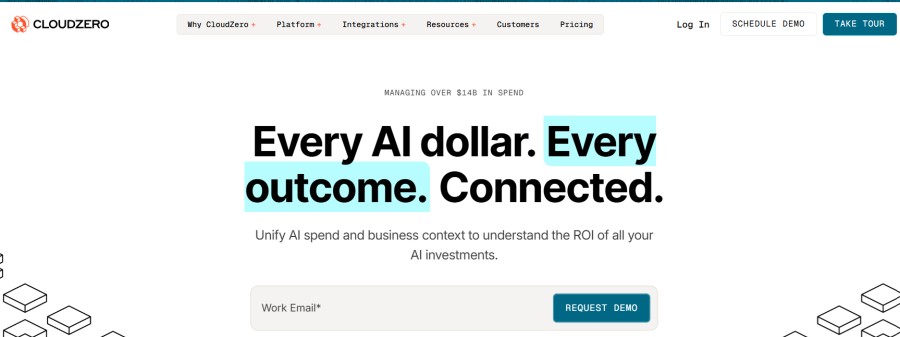
Best for: Engineering-driven cost allocation and unit economics
CloudZero is a cloud cost intelligence platform that attributes spending to engineering teams, products, and customers. It focuses on unit economics by tying cloud costs to business metrics like cost per customer or cost per transaction.
Key Features:
- Engineering attribution that maps Azure costs to specific teams or microservices
- Unit economics tracking that calculates cost per customer, transaction, or API call
- Cost anomaly detection with real-time alerts for unexpected spending increases
- Multi-cloud support covering Azure, AWS, and Kubernetes environments
- Showback reports designed for engineering leads and product managers
- API access for integrating cost data with internal BI tools
Pricing: Custom pricing based on cloud spend. Mid-market deployments typically start around $30,000 per year.
Pros:
- Strongest unit economics focus helps teams understand cost per business outcome
- Engineering-first interface designed for developers rather than finance stakeholders
- Real-time anomaly detection catches cost spikes before month-end billing
Cons:
- High entry price point limits accessibility for startups and small teams
- Requires strong tagging discipline to achieve accurate cost attribution
- Multi-cloud focus may be overkill for Azure-only organizations
Best for: Engineering-driven organizations that need to tie Azure costs to unit economics and product-level profitability.
10. Vantage
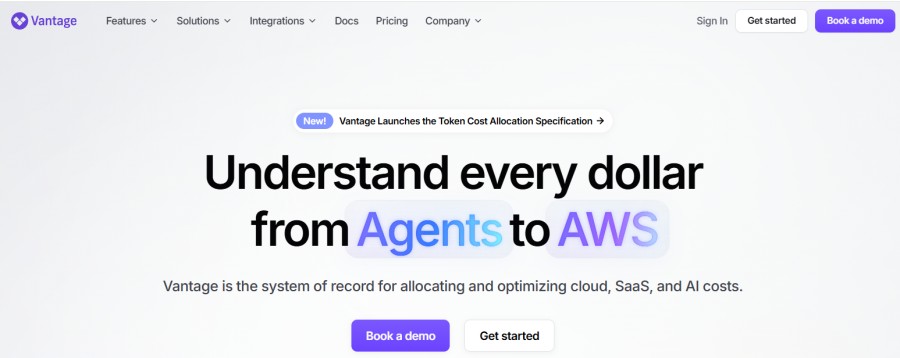
Best for: Multi-cloud cost visibility with integrated business metrics
Vantage is a multi-cloud cost platform that provides unified visibility across Azure, AWS, and GCP with integrated business metrics and cost optimization recommendations.
Key Features:
- Multi-cloud cost analysis across Azure, AWS, GCP, and Kubernetes
- Business metric integration that ties cloud costs to revenue, users, or transactions
- Cost anomaly detection with customizable alert thresholds
- Budget tracking with real-time spend monitoring and forecast alerts
- Rightsizing recommendations for over-provisioned Azure resources
- Integration with Slack, Teams, and PagerDuty for cost alert routing
Pricing: Free tier available for up to $100,000 in cloud spend. Team plan starts at $500/mo.
Pros:
- Multi-cloud support makes it suitable for teams using Azure alongside other clouds
- Free tier provides meaningful cost visibility for startups and small teams
- Business metric integration helps tie cloud costs to company KPIs
Cons:
- Azure-specific depth is lower than dedicated Azure-only platforms
- Limited governance automation compared to enterprise FinOps platforms
- Smaller integration ecosystem than established players like CloudHealth
Best for: Multi-cloud teams that need unified cost visibility across Azure, AWS, and GCP with business metric integration.
How to Choose the Right Azure Cost Monitoring Tool
Selecting an Azure cost monitoring tool depends on your organization’s scale, cloud strategy, and governance maturity. Use this framework to narrow your options.
For single-subscription teams: Start with Azure Cost Management. It provides immediate visibility with zero additional cost and covers basic budget alerts and cost analysis. Upgrade to a dedicated platform only when multi-subscription visibility, advanced allocation, or executive reporting becomes a blocker.
For Azure-dominant organizations: Evaluate Turbo360 or Holori. Both are purpose-built for Azure environments and provide deeper governance depth than multi-cloud platforms. Turbo360 excels in multi-subscription management while Holori focuses on forecasting and scenario modeling.
For multi-cloud environments: Consider CloudHealth, Ternary, or Vantage. These platforms provide unified visibility across Azure, AWS, and GCP with consistent allocation rules and reporting. CloudHealth suits enterprises with mature FinOps programs, while Vantage offers a lower entry point for mid-market teams.
For Kubernetes-heavy workloads: Use Kubecost if most of your Azure spend comes from AKS clusters. It provides container-level cost visibility that general Azure cost tools cannot match. Pair it with a broader Azure cost tool if you also run non-containerized workloads.
For MSPs and CSPs: Evaluate Umbrella for per-customer cost isolation and billing automation. Its multi-tenant architecture is purpose-built for MSPs managing Azure subscriptions for multiple clients.
For engineering-driven cost attribution: Consider CloudZero or Ternary if your goal is to attribute costs to engineering teams, products, or unit economics. Both focus on engineering accountability rather than traditional finance-driven reporting.
For unified observability and cost visibility: Evaluate CubeAPM if you already monitor infrastructure and want resource usage tracking alongside APM and logs. It provides infrastructure-level cost insights without adding a separate cost management tool.
Frequently Asked Questions
What is the difference between Azure cost monitoring and cost optimization tools?
Azure cost monitoring tools focus on governance visibility, budget tracking, allocation, and reporting. Cost optimization tools focus on tactical actions like rightsizing VMs, eliminating idle resources, and purchasing reservations. Monitoring answers what are we spending while optimization answers how do we reduce waste.
Can I use Azure Cost Management for multi-subscription environments?
Azure Cost Management supports multi-subscription visibility through management groups or Enterprise Agreement setups. However, its allocation and reporting capabilities are more limited than dedicated platforms like Turbo360 or CloudHealth which are purpose-built for multi-subscription governance.
Do Azure cost monitoring tools charge based on cloud spend?
Some tools like CloudHealth and CloudZero use custom pricing that scales with cloud spend. Others like Turbo360 charge per subscription and Kubecost charges per cluster. Azure Cost Management is free with any Azure subscription. Verify pricing model before committing to avoid unexpected costs as your Azure spend grows.
How do Azure cost monitoring tools handle Kubernetes cost allocation?
General Azure cost tools allocate costs at the VM or subscription level which means AKS cluster costs are grouped together. Kubernetes-native tools like Kubecost allocate costs down to the namespace, pod, and container level by analyzing resource requests and actual usage. Use Kubecost if Kubernetes workload visibility is critical.
What is the best free Azure cost monitoring tool?
Azure Cost Management is the best free option. It provides cost analysis, budget alerts, and basic reporting with no additional charges. For Kubernetes workloads, the open-source version of Kubecost provides free container-level cost visibility. Vantage offers a free tier for up to $100,000 in cloud spend across multiple clouds.
How long does it take to set up an Azure cost monitoring tool?
Azure Cost Management works immediately with no setup required. SaaS platforms like Vantage or CloudZero typically take 1 to 2 hours to connect via Azure APIs and begin ingesting cost data. Self-hosted tools like Kubecost require infrastructure setup and can take several hours to configure correctly. Dedicated Azure platforms like Turbo360 often provide guided onboarding to reduce time to first report.
Do Azure cost monitoring tools support on-premises or hybrid environments?
Most Azure cost tools focus on cloud-native resources only. CloudHealth by VMware provides hybrid visibility through VMware integration. Infrastructure monitoring platforms like CubeAPM track on-premises resource usage alongside Azure workloads but do not pull Azure billing data directly.
Disclaimer: The information in this article reflects the latest details available at the time of publication and may change as technologies and products evolve. Features, pricing, and plan limits can change over time. Always verify the latest information directly with the vendor before making purchasing or deployment decisions.