










Self hosted APM and monitoring platforms run inside your own infrastructure, keeping all application telemetry traces, logs, metrics, and user data within your VPC or data center instead of sending it to a third party SaaS vendor. This deployment model eliminates public cloud egress fees, gives teams full control over data retention and compliance, and removes dependency on external services during incidents. According to the CNCF Annual Survey 2023, 70% of organizations cite data sovereignty and regulatory compliance as primary drivers for adopting self hosted observability tools.
The self hosted observability has become more viable as OpenTelemetry standardized telemetry collection, making it possible to ingest data from any instrumented application without proprietary agents. This guide covers what self hosted APM is, how it differs from SaaS platforms, when teams choose it, deployment patterns, storage considerations, and the tools built for teams that need full data control without the operational burden of building monitoring infrastructure from scratch.
What Is Self Hosted APM and Monitoring?
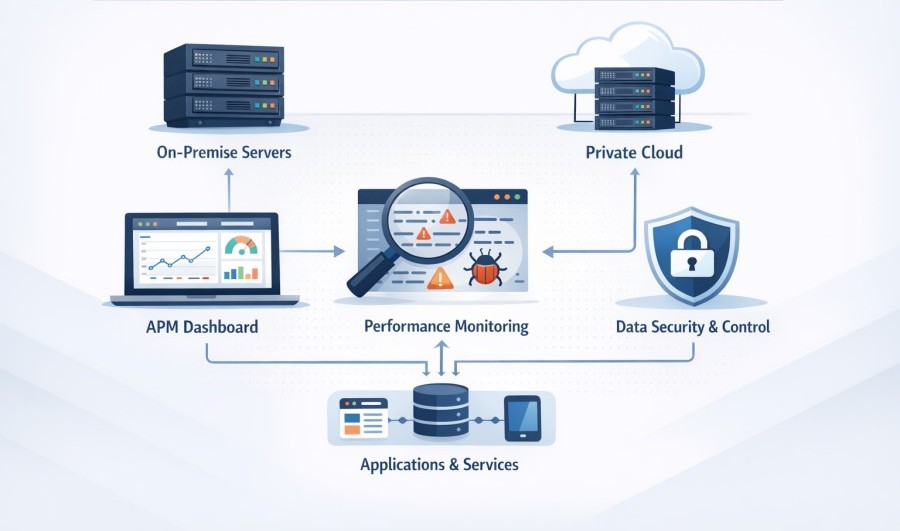
Self hosted APM (Application Performance Monitoring) refers to observability platforms that deploy and run entirely within your own infrastructure. Instead of sending traces, logs, and metrics to a vendor’s cloud, you install the monitoring platform on your own servers, VMs, Kubernetes clusters, or private data centers. You own the hardware or cloud instances, you control the data, and you decide retention policies without external limits.
The term “self hosted” describes the deployment model, not the functionality. A self hosted APM tool does the same job as Datadog or New Relic collecting distributed traces, tracking service latencies, surfacing errors, correlating logs, monitoring infrastructure but it does so without any telemetry leaving your environment.
Self hosted platforms typically consist of multiple components: data ingestion endpoints that accept OpenTelemetry or vendor specific agents, time series databases for metrics (Prometheus, VictoriaMetrics), columnar stores for logs and traces (ClickHouse, Elasticsearch), query engines, dashboards, and alerting systems. Some platforms bundle all components into a single deployable stack. Others require you to assemble and manage each layer separately.
The key distinction: in a SaaS APM model, you pay per host, per GB, or per user, and the vendor runs the infrastructure. In a self hosted model, you run the infrastructure, which means you pay for compute, storage, and bandwidth in your own cloud account or data center. The APM software itself may be open source (free to use), commercially licensed, or sold as a managed service that runs in your environment.
How Self Hosted APM Works
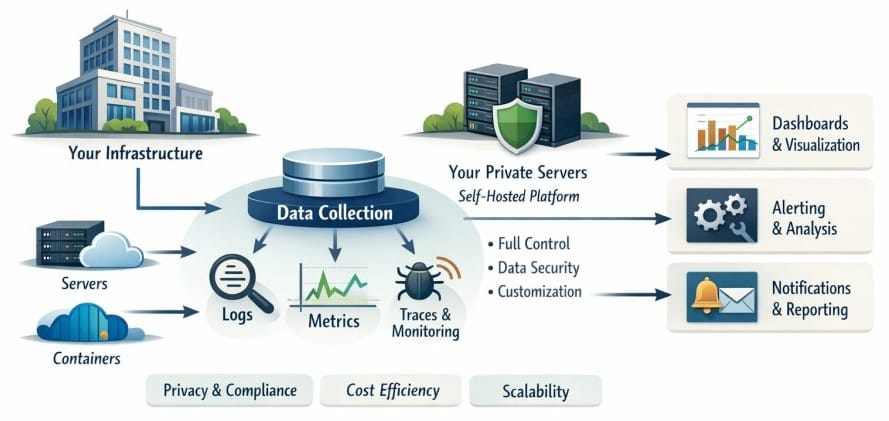
Self hosted APM platforms follow the same data collection and processing flow as SaaS tools, but every step happens inside your infrastructure. The workflow starts with instrumentation, moves through ingestion and storage, and ends with querying, visualization, and alerting.
Data Collection and Ingestion
Applications are instrumented using OpenTelemetry SDKs, vendor agents, or auto instrumentation libraries. These agents collect traces, metrics, and logs from application code, databases, message queues, and infrastructure components. Instead of sending telemetry to a SaaS endpoint, agents send data to an ingestion service running in your own network. This service might be an OpenTelemetry Collector, a Grafana Agent, a Logstash pipeline, or a vendor specific receiver.
The ingestion layer validates incoming data, applies any filtering or sampling logic, enriches telemetry with metadata (service names, environment tags, Kubernetes labels), and forwards it to the appropriate backend storage system. Because everything runs in your VPC, there is no egress traffic to public cloud endpoints, which eliminates one of the largest hidden costs in cloud based monitoring.
Storage and Indexing
Telemetry data flows into purpose built databases optimized for different signal types. Metrics go into time series stores like Prometheus, VictoriaMetrics, or M3DB. Logs and traces are typically stored in columnar databases like ClickHouse or Elasticsearch, which handle high cardinality fields and support fast full text search. Some platforms use a unified storage layer that handles all signal types in one system.
Storage sizing is the most critical infrastructure decision in self hosted monitoring. A production environment generating 10 TB of telemetry per month needs enough disk, memory, and CPU to ingest, index, and query that volume at acceptable speed. Retention policies determine how long data stays queryable. Unlike SaaS platforms that charge more for longer retention, self hosted systems let you keep data as long as you have storage capacity.
Querying and Visualization
Dashboards and query interfaces run as web applications inside your environment. Engineers use these to explore traces, build metric graphs, search logs, and correlate signals during incident response. Query languages vary by platform: PromQL for Prometheus metrics, Lucene or SQL for logs and traces, proprietary languages like Datadog’s DQL or New Relic’s NRQL (though these are SaaS only).
The query engine retrieves data from storage, applies filters and aggregations, and returns results to the UI. Because the database and query engine are in the same network, query latency can be lower than SaaS platforms where data must travel over the internet. However, query performance depends heavily on how well you size and tune the storage backend.
Alerting and Incident Response
Alert rules run inside the platform and evaluate metric thresholds, trace error rates, or log patterns in real time. When a condition triggers, the platform sends notifications to Slack, PagerDuty, email, webhooks, or other channels. Because the alerting system is self hosted, it remains operational even if internet connectivity drops or a SaaS vendor has an outage.
Self Hosted vs SaaS APM: Key Differences
The choice between self hosted and SaaS APM is not just about deployment location. It affects cost structure, operational responsibility, data control, and long-term flexibility.
Cost Model
SaaS APM tools charge per unit of usage: per host, per GB ingested, per user seat, per custom metric, or some combination. These costs scale linearly with your infrastructure. A 100 node Kubernetes cluster might cost $1,500/month in host fees alone before adding logs, traces, or custom metrics. Cloud egress fees add another layer: sending telemetry from AWS to Datadog costs around $0.09/GB in data transfer.
Self hosted APM shifts costs to infrastructure. You pay for the compute, memory, and storage needed to run the monitoring platform. A self hosted setup processing 10 TB/month might require $500 to $1,200 in cloud instance costs depending on retention, indexing strategy, and storage tier. There are no per host fees, no seat limits, and no egress charges because data stays in your cloud.
The break-even point typically occurs between 5 TB and 15 TB of monthly telemetry, depending on the SaaS vendor’s pricing and your cloud provider. Below that, SaaS is often cheaper because you are not paying for dedicated monitoring infrastructure. Above that, self hosted becomes more cost effective, especially if you keep high retention periods or run large clusters.
Operational Responsibility
SaaS platforms are fully managed. The vendor handles upgrades, scaling, backups, and security patches. You configure agents, build dashboards, and set alerts, but you do not manage the underlying infrastructure.
Self hosted platforms require you to deploy, maintain, and scale the monitoring stack. This includes provisioning storage, tuning databases, managing Kubernetes deployments, monitoring the monitoring system itself, and applying updates. Some vendors offer “managed self hosted” models where the platform runs in your environment but the vendor handles upgrades and support. This reduces operational burden while keeping data in your cloud.
The operational cost is real. A team running Prometheus, Grafana, Loki, and Tempo self hosted needs someone who understands time series databases, PromQL, storage tuning, and Kubernetes. If that expertise does not exist in-house, the TCO (total cost of ownership) may exceed SaaS even if infrastructure costs are lower.
Data Control and Compliance
Self-hosted monitoring keeps all telemetry inside your infrastructure. This matters for industries with strict data residency rules (healthcare, finance, government), teams handling PII (personally identifiable information), or companies operating in regions with GDPR, HIPAA, or data localization laws. When logs contain customer email addresses, IP addresses, or transaction details, sending that data to a third party SaaS vendor can create compliance risk.
With self-hosted APM, you control where data is stored, who has access, how long it is retained, and whether it is encrypted at rest. Audit trails stay internal. There is no vendor subprocessor agreement needed. Security teams have full visibility into the monitoring stack.
SaaS vendors offer data residency options (Datadog has EU and US regions), encryption, and compliance certifications (SOC 2, ISO 27001). But the data still leaves your environment, which may not satisfy auditors in regulated industries.
Vendor Lock-In and Portability
SaaS platforms often use proprietary agents, query languages, and data formats. Migrating from Datadog to another tool means rewriting dashboards, reconfiguring agents, and losing historical data unless you export it. Some SaaS tools charge egress fees to retrieve your own data.
Self-hosted platforms built on open standards (OpenTelemetry, Prometheus, Grafana) offer more portability. Telemetry collected via OpenTelemetry can be sent to any compatible backend. Dashboards built in Grafana work with any Prometheus compatible data source. If you switch from one self hosted tool to another, you keep control of the data and can migrate without vendor permission.
However, some self hosted platforms still use proprietary query languages or storage formats. The level of portability depends on how committed the tool is to open standards.
When Teams Choose Self Hosted Monitoring
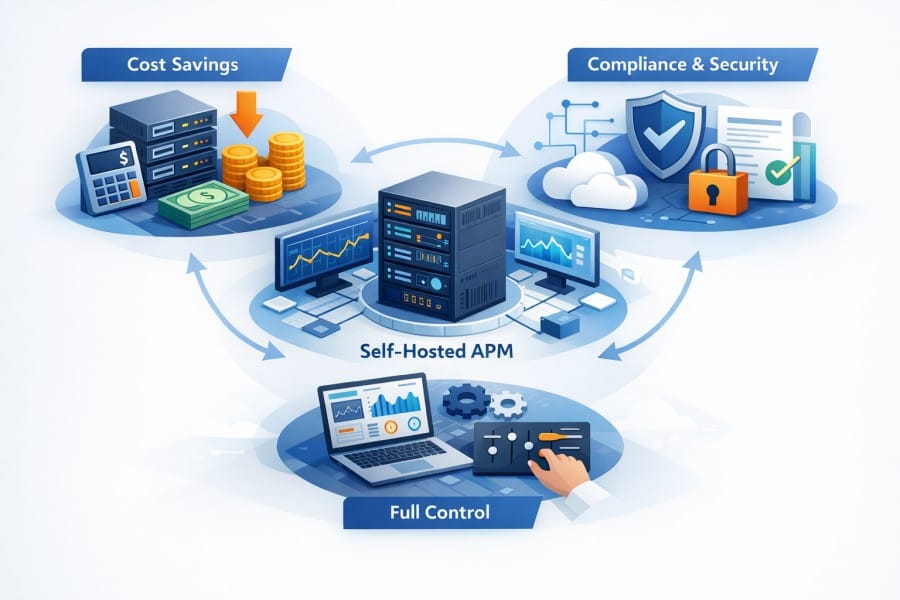
Self hosted APM is not the default choice for most teams, but specific operational, regulatory, or cost conditions make it the only viable option.
Data Sovereignty and Regulatory Compliance
Organizations in healthcare, finance, government, and critical infrastructure often face legal requirements that prohibit sending telemetry data outside their own infrastructure. HIPAA in the US, GDPR in Europe, and India’s data localization rules all create scenarios where self hosted monitoring is not optional, it is required.
A hospital running electronic health records cannot send application traces containing patient identifiers to a US based SaaS vendor if the hospital operates in the EU. A payment processor handling credit card data may be prohibited from exporting transaction logs to third parties under PCI DSS rules.
In these cases, self hosted APM is the only compliant option unless the SaaS vendor offers a dedicated single tenant deployment in the required geography, which usually costs more than self hosting.
Cost Control at Scale
SaaS APM pricing works well for small to midsize deployments, but it becomes expensive at scale. A platform processing 50 TB of telemetry per month might pay $20,000 to $40,000 monthly to a SaaS vendor. The same workload self hosted might cost $3,000 to $8,000 in infrastructure, depending on retention and storage tier.
The savings come from eliminating per host fees, per user seats, and egress charges. Self hosted platforms let you keep unlimited retention without additional cost. If you need to store 12 months of trace data for compliance or long term trend analysis, SaaS vendors charge significantly more. Self hosted systems let you archive to cheap object storage (S3, GCS) and query on demand.
Avoiding SaaS Dependency During Incidents
When your monitoring platform is a SaaS service, an outage at the vendor means you lose visibility into your own systems. Datadog has had outages. New Relic has had outages. During those windows, teams are blind.
Self hosted monitoring stays up as long as your own infrastructure is running. If your application is reachable, your monitoring is reachable. This is critical for teams managing high availability systems where losing observability during an incident is unacceptable.
High Cardinality and Custom Use Cases
SaaS platforms often limit high cardinality dimensions (unique combinations of labels) to control storage costs. Datadog charges extra for custom metrics. New Relic limits certain query types. Teams doing deep performance analysis, security tracing, or research workloads may hit these limits.
Self hosted platforms let you define your own limits. If you need to track millions of unique trace IDs, billions of log events, or hundreds of thousands of custom metrics, you can scale the storage backend to handle it. The cost is infrastructure, not per metric pricing.
Self Hosted Deployment Patterns
Self hosted APM can run in several different infrastructure models, each with trade-offs in cost, complexity, and control.
Kubernetes Deployments
Most modern self hosted monitoring platforms are designed to run on Kubernetes. Tools like Grafana, SigNoz, and CubeAPM ship Helm charts that deploy all components (ingestion, storage, query, UI) into a Kubernetes cluster. This approach works well for teams already running containerized workloads and gives you declarative configuration, auto scaling, and integration with existing CI/CD pipelines.
Kubernetes deployments require storage for stateful components like Prometheus, ClickHouse, or Elasticsearch. You provision persistent volumes backed by EBS, GCE Persistent Disks, or network attached storage. High availability setups run multiple replicas of each component with load balancing and failover.
The complexity here is managing stateful storage in Kubernetes, which is harder than managing stateless services. Database performance depends on disk IOPS, memory, and CPU. Under-provisioning leads to slow queries. Over-provisioning wastes money.
VM Based Deployments
Some teams deploy monitoring platforms on dedicated VMs instead of Kubernetes. This works for organizations that do not run Kubernetes or prefer traditional server management. You install components on EC2 instances, Azure VMs, or bare metal servers, configure them manually or via Ansible/Terraform, and manage upgrades through package managers or scripts.
VM deployments are simpler if you do not already have Kubernetes expertise, but they lose the benefits of container orchestration. Scaling requires manual provisioning. High availability requires load balancers and failover scripts.
Hybrid and Multi Cloud
Large organizations often run monitoring in a hybrid model: some telemetry stays on prem, some goes to a private cloud, and some is sent to a managed service for specific use cases. For example, production traces might stay in an on prem ClickHouse cluster for compliance, while dev/staging telemetry goes to a cloud hosted Grafana instance for convenience.
Hybrid setups add complexity. You need to manage multiple deployments, ensure consistent configuration, and potentially aggregate data across environments for centralized dashboards.
Managed Self Hosted
A newer model is “managed self hosted,” where the APM vendor deploys and manages the platform inside your infrastructure. CubeAPM and some other vendors offer this: the software runs in your VPC, data stays in your cloud, but the vendor handles upgrades, scaling, and support. You get data sovereignty without the operational burden of running the stack yourself.
This model costs more than pure self hosting (you pay the vendor a management fee or per GB rate) but less than SaaS because there are no egress fees and no per host pricing. It works well for teams that need compliance and cost control but lack deep expertise in running time series databases or columnar stores.
Storage and Retention Strategies
Storage is the most expensive part of self hosted monitoring infrastructure. Choosing the right storage backend, retention policy, and archival strategy determines both cost and query performance.
Hot vs Warm vs Cold Storage Tiers
Hot storage refers to fast, expensive storage that supports real time queries. This is typically SSD backed volumes optimized for low latency. You keep the most recent data (last 7 to 30 days) in hot storage because that is what engineers query most during incident response.
Warm storage uses slower, cheaper disks (HDD or lower tier SSD) and keeps data that is occasionally queried but not mission critical. Retention here might be 30 to 90 days. Queries run slower but are still interactive.
Cold storage archives data to object stores like S3, GCS, or Azure Blob. This is the cheapest tier and supports retention of months or years. Queries require rehydration, so they are slow, but cold storage is essential for compliance teams that need long term audit trails.
Most self hosted platforms support tiered storage. Prometheus has remote write to long term backends. ClickHouse can archive partitions to S3. Elasticsearch has snapshot/restore APIs. Configuring these tiers correctly can reduce storage costs by 80% while keeping recent data fast.
Sampling and Downsampling
Not all telemetry needs full fidelity forever. Sampling reduces data volume by keeping only a percentage of traces or logs. Head based sampling makes decisions at collection time (keep 10% of all traces). Tail based sampling makes smarter decisions after seeing the full trace (keep all traces with errors or high latency, drop normal traces).
Downsampling reduces metric resolution over time. You might keep per-second metrics for 7 days, per-minute metrics for 30 days, and hourly rollups for a year. This cuts storage without losing long term trend visibility.
Self hosted platforms give you full control over sampling and downsampling logic. SaaS tools often apply sampling automatically to control their costs, which can lead to missing the exact trace you need during debugging.
Compression and Indexing
Columnar databases like ClickHouse compress telemetry data heavily. A 1 GB trace file might compress to 100 MB. Compression ratios vary by data type: metrics compress less than logs because they are already numeric. Logs with high entropy (unique error messages, timestamps, UUIDs) compress better than structured key value logs.
Indexing strategy affects query speed and storage size. Full text indexing on all log fields gives fast search but uses more disk. Selective indexing (only on service name, environment, error status) reduces storage but makes some queries slower. Finding the right balance requires understanding your query patterns.
CubeAPM: Self Hosted Observability Managed for You
CubeAPM is a self hosted observability platform designed for teams that need full data control and cost control without the operational burden of managing a DIY monitoring stack. It runs entirely inside your cloud or on prem infrastructure, keeping all traces, logs, and metrics within your VPC, but CubeAPM handles deployment, upgrades, scaling, and support so you are not running the platform yourself.
Why Teams Choose CubeAPM for Self Hosted Monitoring
CubeAPM is built for teams in regulated industries (healthcare, finance, government), organizations with strict data residency requirements, and engineering teams tired of SaaS pricing that compounds with scale. It delivers full stack APM distributed tracing, log management, infrastructure monitoring, Kubernetes visibility, RUM (Real User Monitoring), and synthetic monitoring in a single unified platform.
The deployment model is unique: CubeAPM runs in your environment (AWS, Azure, GCP, or on prem), but the CubeAPM team manages it. You get the data sovereignty and cost predictability of self hosting without hiring database specialists or SREs to run the monitoring infrastructure. Upgrades happen automatically. Scaling is handled. Support is direct access to engineers, not a ticket queue.
How CubeAPM Works in Your Infrastructure
CubeAPM deploys as a set of Kubernetes workloads or VMs inside your cloud account. It ingests telemetry via OpenTelemetry Collector, Prometheus scrape endpoints, or agents compatible with Datadog and New Relic, so you can migrate incrementally without ripping out existing instrumentation.
Telemetry is stored in ClickHouse, a columnar database optimized for analytical queries on high cardinality data. ClickHouse handles billions of trace spans and log events while keeping query times under one second. Storage is your own EBS volumes or persistent disks, so retention is unlimited. There are no per GB fees, no per host charges, and no seat limits.
The platform includes pre-built dashboards for common use cases (service latency, error rates, infrastructure health, Kubernetes pod status) and a query builder for custom analysis. Alerts can route to Slack, PagerDuty, email, or webhooks with full trace context included in notifications.
Pricing and Cost Model
CubeAPM charges $0.15/GB for data ingested, with no additional fees for indexing, querying, users, or retention. A team ingesting 10 TB/month pays $1,500/month. A team ingesting 50 TB/month pays $7,500/month. Costs scale linearly with data volume, not with team size or infrastructure complexity.
Infrastructure costs (compute and storage for the ClickHouse cluster and supporting services) are separate and run in your cloud account. For most workloads, infrastructure adds approximately $0.02/GB, so the total cost of ownership is around $0.17/GB. This is 60% to 75% lower than enterprise SaaS APM at the same scale, with no surprise overages.
Compliance and Data Control
Because CubeAPM runs in your infrastructure, all telemetry stays within your geographic region and compliance boundary. It is SOC 2 and ISO 27001 certified, which satisfies most enterprise security audits. You control access via your own IAM policies, and you can integrate with SSO providers (Okta, Google Workspace, Azure AD) for authentication.
PII and sensitive data never leave your environment. There is no third party subprocessor. Logs and traces can include production data, customer identifiers, or internal service names without compliance risk.
Migration from SaaS APM
CubeAPM is agent-compatible with Datadog and New Relic, which means you can switch without changing instrumentation. Point your OpenTelemetry Collector or existing agents at CubeAPM’s ingestion endpoint, and telemetry flows to your self hosted platform instead of the SaaS vendor. Dashboards and alerts need to be recreated, but the migration is measured in hours, not weeks.
Historical data can remain in the SaaS platform during a transition period, or you can export it and load it into CubeAPM’s storage if the SaaS vendor allows export. Most teams run dual ingestion for a week (sending telemetry to both platforms) to validate equivalence before cutting over fully.
Open Source vs Commercial Self Hosted Platforms
Self hosted monitoring tools fall into two broad categories: open source projects that you run entirely yourself, and commercial platforms that offer self hosted deployment with vendor support.
Open Source Platforms
Open source tools like Prometheus, Grafana, Jaeger, Loki, and Tempo are free to use and fully community supported. You download the software, deploy it, and operate it. There is no vendor lock in because the code is public. You can modify it, fork it, or contribute back to the project.
The downside is operational complexity. Running Prometheus at scale requires expertise in PromQL, federation, and remote storage. Grafana gives you visualization, but you need to integrate it with separate backends for logs (Loki), traces (Tempo), and metrics (Prometheus or VictoriaMetrics). Setting up high availability, scaling, and long term storage is your responsibility.
SigNoz is an open source alternative that bundles traces, logs, and metrics into a single deployable stack. It uses ClickHouse for storage and is designed to run on Kubernetes. You get the unified experience of a commercial platform with the freedom of open source. However, you still manage the infrastructure, and community support is slower than vendor SLAs.
Commercial Self Hosted Platforms
Commercial tools like CubeAPM, Grafana Enterprise, and Elastic Cloud on Kubernetes offer self hosted deployment with vendor support. You pay for the software license, a managed service fee, or per GB ingestion, and the vendor provides upgrades, support, and sometimes managed infrastructure.
These platforms reduce operational burden while keeping data in your environment. You get SLAs, direct support channels, and regular updates without running the platform yourself. The cost is higher than pure open source but lower than SaaS because there are no egress fees or per host pricing.
The trade off is vendor dependency. If the vendor raises prices, changes licensing, or sunsets the product, you are affected. However, most commercial self hosted platforms offer more generous licensing than SaaS because they are not paying for multi tenant infrastructure.
Tools and Implementation
Self hosted APM platforms vary widely in complexity, cost, and signal coverage. This section compares the most widely used tools across open source and commercial categories.
Prometheus and Grafana
Prometheus is the default choice for Kubernetes metrics monitoring and is widely adopted in cloud native environments. It scrapes metrics from applications, stores them in a local time series database, and supports PromQL queries for alerting and dashboards. Grafana provides visualization on top of Prometheus and supports multiple data sources (Loki for logs, Tempo for traces, Elasticsearch, ClickHouse, and others).
Prometheus is excellent for metrics but does not handle logs or traces. You need to add Loki for logs and Tempo (or Jaeger) for traces, and then configure Grafana to correlate these signals. This is powerful but requires significant setup and operational knowledge. Long term storage requires integrating with remote write backends like Thanos, Cortex, or VictoriaMetrics.
The cost is infrastructure only. There are no software licensing fees, but you pay for the expertise needed to run and scale the stack. For teams already on Kubernetes, Prometheus and Grafana are often the starting point for self hosted monitoring.
SigNoz
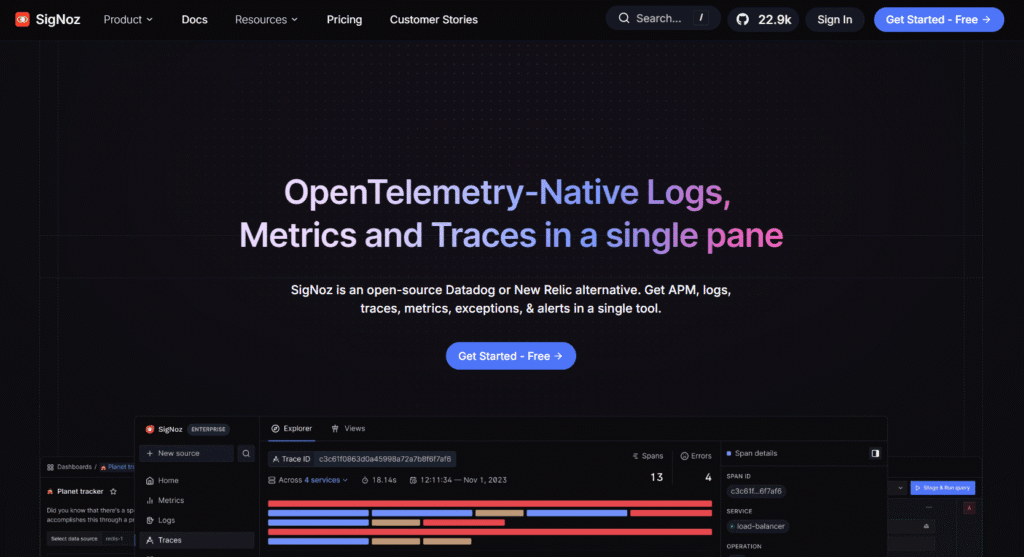
SigNoz is an open source observability platform built on OpenTelemetry and ClickHouse. It provides APM, logs, metrics, and traces in a single UI, similar to commercial platforms like Datadog but fully self hosted. SigNoz is designed to deploy on Kubernetes via Helm charts and includes pre-built dashboards, alerting, and query builders.
The benefit of SigNoz over assembling Prometheus, Grafana, Loki, and Tempo separately is simplicity. Everything is integrated out of the box. The storage backend (ClickHouse) handles high cardinality better than Prometheus, which makes SigNoz a strong choice for distributed tracing and high cardinality logs.
The downside is that SigNoz is still a relatively young project. The community is active, but enterprise features like SSO, RBAC, and advanced alerting are less mature than commercial tools. You also manage the infrastructure yourself unless you use SigNoz Cloud, which is a SaaS offering.
Elastic Observability
Elastic APM is part of the Elastic Stack (Elasticsearch, Logstash, Kibana). It collects traces, logs, and metrics and stores them in Elasticsearch. Kibana provides dashboards, alerting, and search. Elastic APM works well for teams already using the ELK stack for log aggregation.
Elastic’s strength is full text search on logs and traces. You can filter traces by any field, search log messages, and correlate signals using Kibana’s query language. The downside is storage cost: Elasticsearch is resource intensive. A high volume deployment (10 TB/month) requires significant compute and memory to keep queries fast.
Elastic offers managed hosting (Elastic Cloud), but you can also self host Elasticsearch on Kubernetes or VMs. The self hosted option gives you full control but adds operational complexity, especially when managing index lifecycle policies, shard allocation, and cluster health.
Grafana Loki, Tempo, and Mimir
Grafana Labs offers separate open source projects for logs (Loki), traces (Tempo), and long term metrics storage (Mimir). These integrate with Grafana for visualization and are designed to scale to massive volumes.
- Loki is optimized for log aggregation and uses a unique indexing approach: instead of indexing every field, Loki indexes only metadata labels (service name, environment, pod ID). This makes it cheaper to run than Elasticsearch but limits search to structured labels. Full text search is slower.
- Tempo stores traces and supports both Jaeger and OpenTelemetry formats. It uses object storage (S3, GCS) as a backend, which makes long term retention cheap. However, querying archived traces requires rehydration, so queries can be slow for older data.
- Mimir is a long term storage backend for Prometheus metrics and supports horizontal scaling. It is more complex than vanilla Prometheus but handles higher cardinality and longer retention.
Running Loki, Tempo, and Mimir together gives you full stack observability, but each component must be deployed, configured, and scaled separately. This is powerful but requires deep Grafana expertise.
Jaeger
Jaeger is an open source distributed tracing platform originally created by Uber and now part of the CNCF. It collects traces via OpenTelemetry or Jaeger native agents, stores them in Cassandra, Elasticsearch, or other backends, and provides a UI for trace visualization.
Jaeger is lightweight and easy to deploy for tracing only use cases. It does not handle logs or metrics, so it is often paired with Prometheus and Grafana. The storage backend choice affects cost and complexity: Cassandra scales well but is harder to manage than Elasticsearch or ClickHouse.
Jaeger is a good starting point for teams that need distributed tracing without full observability. However, it lacks the query depth and correlation features of platforms like SigNoz or CubeAPM.
Best Practices for Self Hosted Monitoring
Running a self hosted APM platform successfully requires planning for storage, retention, scaling, and observability of the monitoring system itself.
Monitor Your Monitoring
The most common mistake in self hosted monitoring is not monitoring the monitoring platform. If your ClickHouse cluster runs out of disk space or your Prometheus instance crashes, you lose visibility into your applications. Every component in the monitoring stack should have its own health checks, alerts, and resource utilization dashboards.
Set up alerts for disk usage, query latency, ingestion lag, and database replication status. If possible, send platform health metrics to a separate lightweight monitoring system (a second Prometheus instance or a SaaS uptime monitor) so you have visibility even if the primary platform fails.
Start with Retention Policies
Define retention policies before deploying the platform. How long do you need to keep traces queryable? Do you need 30 days of logs in hot storage or 7 days? What is the business requirement for long term trend analysis?
Map these requirements to storage tiers: hot (SSD, 7 to 30 days), warm (HDD, 30 to 90 days), cold (S3, 1 to 7 years). Configure automated archival policies so old data moves to cheaper storage without manual intervention. This prevents surprise storage costs and keeps query performance acceptable.
Use OpenTelemetry for Agent Portability
Instrument applications with OpenTelemetry SDKs instead of vendor specific agents. OpenTelemetry is an open standard supported by every major observability platform. If you switch from one self hosted tool to another, you do not need to re-instrument. The same telemetry flows to the new backend.
OpenTelemetry also supports multi-pipeline configuration, which means you can send telemetry to multiple backends simultaneously. This is useful during migrations or for running redundant monitoring systems.
Plan for Scaling Before You Need It
Self hosted platforms require capacity planning. A monitoring system that works fine at 1 TB/month may collapse at 10 TB/month if the storage backend is under-provisioned. Monitor ingestion rates, query load, and storage growth over time. Set up auto scaling for stateless components (API servers, query workers) and plan manual scaling for stateful components (databases).
Test failure scenarios in staging: what happens if a ClickHouse node fails? Can the cluster recover automatically? What is the performance impact of adding a new replica?
Optimize for Query Performance, Not Just Storage Cost
Cheap storage is worthless if queries time out. A monitoring platform that cannot answer “show me all traces with errors in the last hour” in under 5 seconds is unusable during incidents. Invest in sufficient memory and CPU for query nodes. Use SSDs for hot storage. Tune database indexes for your most common query patterns.
Profile slow queries and optimize them. If certain dashboards take 30 seconds to load, identify why and fix the underlying data model or query logic. Engineers will abandon a slow monitoring platform and build shadow systems, which defeats the purpose of centralized observability.
Conclusion
Self hosted APM and monitoring platforms give teams full control over telemetry data, eliminate SaaS vendor costs at scale, and ensure compliance with data residency requirements. The trade off is operational complexity: you must deploy, maintain, and scale the platform yourself, or choose a managed self hosted option where the vendor handles infrastructure while keeping data in your cloud.
For teams processing more than 5 TB of telemetry per month, dealing with strict regulatory requirements, or needing to avoid dependency on external SaaS services, self hosted monitoring is often the only viable long term strategy. The cost savings compared to SaaS can reach 60% to 80%, and unlimited retention becomes feasible without exponential pricing.
However, self hosted platforms require infrastructure expertise and ongoing operational attention. Open source tools like Prometheus, Grafana, and SigNoz offer maximum flexibility and zero licensing costs but demand deep knowledge of time series databases, Kubernetes, and observability architecture. Commercial self hosted platforms like CubeAPM reduce this burden by managing the platform for you while keeping data in your environment.
The most important decision is not self hosted vs SaaS, but rather: does your team have the operational capacity to run a monitoring platform, or do you need a managed option? If the answer is “we need help,” a managed self hosted platform gives you the best of both worlds.
Disclaimer: The information in this article reflects the latest details available at the time of publication and may change as technologies and products evolve. Features, pricing, and plan limits can change over time. Always verify the latest information directly with the vendor before making purchasing or deployment decisions.
Frequently Asked Questions
What is self hosted APM?
Self hosted APM refers to application performance monitoring platforms that run inside your own infrastructure (cloud VPC or on prem data center) instead of sending telemetry to a third party SaaS vendor. You control where data is stored, how long it is retained, and who has access, which is critical for teams with data sovereignty or compliance requirements.
Why would a team choose self hosted monitoring over SaaS?
Teams choose self hosted monitoring for three main reasons: eliminating cloud egress fees and per host pricing at scale, meeting regulatory requirements that prohibit sending telemetry outside their infrastructure, and maintaining full control over data retention and access. Self hosted platforms typically cost 60% to 80% less than SaaS at high telemetry volumes.
What is the difference between open source and commercial self hosted APM?
Open source self hosted platforms like Prometheus and SigNoz are free to use but require you to deploy, maintain, and scale the infrastructure yourself. Commercial self hosted platforms like CubeAPM run in your environment but are managed by the vendor, which reduces operational burden while keeping data in your cloud.
How much does self hosted APM cost?
Infrastructure costs for self hosted APM typically range from $0.02 to $0.10 per GB of telemetry processed, depending on storage tier, retention, and indexing strategy. Commercial managed self hosted platforms add a software license or per GB fee on top of infrastructure costs, but total cost of ownership is still significantly lower than Saa