










Oracle Database remains the backbone of enterprise systems, powering ERPs, financial applications, and mission-critical workloads where uptime and reliability are paramount. With Oracle database monitoring, teams seek to improve SQL performance, detect anomalies early, and maintain reliability across hybrid and cloud environments.
CubeAPM offers highly efficient monitoring for Oracle databases by offering end-to-end observability across Oracle metrics, logs, and traces. With predictable pricing, smart sampling, and self-host/BYOC flexibility, CubeAPM simplifies database performance tracking, correlates slow queries with system metrics, and ensures full compliance and scalability.
This guide explores what Oracle database monitoring means, the key metrics and alert rules to track, and how to establish complete Oracle observability using CubeAPM.
What Do You Mean by Oracle Database Monitoring?
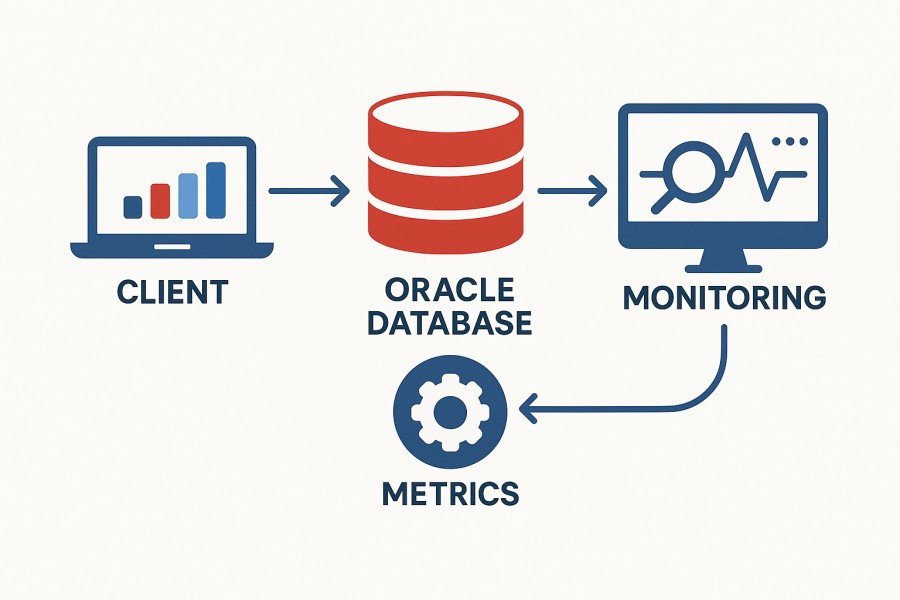
Oracle Database is a multi-model relational database management system (RDBMS) built for high performance, scalability, and security. It supports both transactional (OLTP) and analytical (OLAP) workloads and is used globally for enterprise applications that demand consistency and reliability. Oracle’s architecture combines advanced memory management, concurrency control, and robust replication features—making it ideal for high-throughput systems such as financial platforms, ERPs, logistics networks, and e-commerce backends.
Oracle database monitoring refers to the continuous collection, analysis, and visualization of performance data from Oracle instances to ensure that the database remains healthy, responsive, and cost-efficient. It involves tracking key indicators such as SQL query latency, active sessions, buffer cache hit ratio, I/O throughput, and ORA error events. Monitoring these metrics helps administrators detect bottlenecks, optimize queries, forecast resource usage, and maintain data integrity across distributed environments.
For modern businesses, Oracle database monitoring delivers tangible operational benefits:
- Faster root-cause analysis: Identifies whether performance degradation originates from SQL queries, network issues, or infrastructure limits.
- Predictable scalability: Helps capacity planners understand workload trends and optimize compute and storage before demand spikes.
- Proactive reliability: Detects anomalies—such as deadlocks, long waits, or redo log pressure—before they trigger outages.
- Cost optimization: Enables efficient resource allocation and data retention strategies, especially when integrated with tools like CubeAPM that offer transparent per-GB pricing.
Example: Oracle Database Monitoring for Financial Transactions
Consider a fintech company processing thousands of credit card authorizations per second using Oracle Database 19c. During peak transaction hours, a sudden rise in query latency could lead to delayed approvals or failed payments.
With CubeAPM’s OpenTelemetry-based Oracle batabase monitoring, the team can visualize slow SQL traces in real time, correlate them with CPU and I/O metrics, and pinpoint a poorly indexed transaction table as the root cause. By tuning the query plan and adjusting cache allocations, they restore sub-millisecond response times—ensuring compliance, faster transaction throughput, and a seamless customer experience.
Why Oracle Database Monitoring Is Important
See what Oracle is actually waiting on (AWR/ASH & wait events)
Oracle’s internal engine surfaces the real bottlenecks via dynamic performance views (V$ views), AWR (Automatic Workload Repository), and ASH (Active Session History). Monitoring these lets you track top SQL statements and categorize delays into wait classes like I/O, concurrency, or latch contention. Rather than guess at what’s slow, you identify the real hot paths and tune the system accordingly.
Keep RAC healthy: interconnects, instance skew, and global cache
In an Oracle RAC cluster, each node participates in a cache-fusion mechanism. Latency or packet loss on the interconnect, imbalanced load across nodes, or repeated global cache operations (GCS/GES) can cause severe performance degradation. Monitoring RAC-specific wait classes, service distribution, and instance load balance helps preempt cluster-wide slowdowns.
Prevent infamous ORA errors before they hit
These classic Oracle errors often indicate deeper systemic issues.
- ORA-01555 (snapshot too old) typically arises from excessive undo churn, long scans, or inadequate undo retention. Continuously monitoring undo usage, long-running queries, and undo write throughput gives an early warning.
- Monitoring error log streams and parsing ORA error patterns allows prompt alerts when anomalies like deadlocks or internal errors begin to surface.
Protect commit latency and durability (redo, log file sync)
Every transaction commit is gated by redo write and log flush latency (LGWR operations). If redo generation is too high or the redo/log devices are slow, log file sync waits spike, and user commits stall. Tracking redo MB/s, log switch rate, plus log file sync and log file parallel write wait times highlights commit bottlenecks early.
Capacity planning that’s Oracle-aware (SGA/PGA, buffer cache, temp & tablespaces)
Generic infrastructure utilization charts won’t tell you that buffer cache hit ratio is declining, or the TEMP/UNDO tablespace is nearing exhaustion during nightly jobs. Oracle database monitoring tracks SGA/PGA consumption, buffer cache ratio trends, and tablespace growth to allow proactive scaling and plan tuning before production suffers.
Security & compliance: Patch posture and sensitive events

Oracle publishes Critical Patch Updates and security alerts regularly. By tracking your database patch level and watching logs for failed login attempts, privilege escalations, or changes to audit tables, you preserve compliance and reduce risk exposure in production environments.
Business impact: minimize downtime and breach exposure
Downtime is expensive—enterprises often incur losses well into the hundreds of thousands of dollars per hour. Proactive Oracle database monitoring helps reduce Mean Time to Resolution by correlating SQL, wait events, and infrastructure patterns. In parallel, monitoring privileged operations, replication delays, and audit trails shrinks exposure windows for unauthorized access or data loss.
Key Metrics to Monitor in Oracle Databases
Effective Oracle databases monitoring means tracking a combination of performance, resource utilization, and system health metrics. Each category below highlights critical parameters that DBAs and SREs should continuously observe to ensure Oracle remains optimized, reliable, and stable across workloads.
Instance and Availability Metrics
These metrics verify that your Oracle database instance is up, responsive, and performing basic operations without interruption. They form the foundation of every Oracle monitoring strategy.
- Database Uptime: Tracks the total time your Oracle instance has been running since the last restart. A sudden drop in uptime could indicate an unplanned outage or restart.
Threshold: Uptime should be continuous unless maintenance is scheduled; any unexpected reset should trigger an alert. - Listener Availability: Checks the status of the Oracle Net Listener (TNS Listener) responsible for client connections. Monitoring listener health ensures clients can establish sessions.
Threshold: The listener process (tnslsnr) must be active; connection failures >2% in a 5-minute interval indicate possible listener or network issues. - Instance Status: Captures the operational state (OPEN, MOUNT, NOMOUNT). Keeping the instance in the
OPENstate ensures it’s fully available to users and applications.
Threshold: Instance must remainOPEN; a transition toMOUNTorNOMOUNTduring production hours is critical. - Alert Log Activity: Scans for new errors, ORA codes, and system alerts written to the alert log. Continuous parsing prevents silent failures.
Threshold: ORA error frequency above 5 per minute or repeating identical errors indicates a systemic issue.
Performance and SQL Execution Metrics
Performance metrics show how efficiently Oracle executes SQL statements, manages workload distribution, and handles user queries under load.
- Average Query Response Time: Measures the time taken for SQL queries to complete. High values may signal inefficient queries or contention.
Threshold: OLTP workloads should target <100 ms average query latency; >500 ms sustained indicates degradation. - Wait Events and Wait Class Time: Analyzes where Oracle sessions spend their time (e.g., I/O, CPU, locks). It helps pinpoint specific bottlenecks, such as the
db file sequential readorlog file sync.
Threshold: A single wait class consuming >40% of total DB time warrants investigation. - Top SQL by Elapsed Time: Identifies queries consuming the most total execution time from AWR or ASH views. Monitoring them aids in targeted tuning.
Threshold: Any SQL consuming >10% of the total elapsed time in the workload snapshot should be reviewed. - Executions Per Second: Measures query execution rate. Sudden drops may mean application failures; spikes can cause CPU saturation.
Threshold: Deviations of ±30% from baseline execution rate trigger anomaly alerts. - Parse to Execute Ratio: High parsing rates suggest inefficient use of bind variables and poor cursor reuse, increasing CPU usage.
Threshold: Maintain a ratio <1%; ratios >5% require application-side optimization.
Memory and Resource Utilization Metrics
Oracle relies heavily on memory areas like SGA and PGA for caching and computation. Oracle database monitoring for these ensures efficient memory allocation and prevents paging or contention.
- SGA Utilization: Tracks the Shared Global Area usage, which stores cached data, SQL plans, and control structures. Low free SGA memory can degrade query speed.
Threshold: SGA free memory <10% consistently indicates a potential cache resizing need. - PGA Usage: Measures the Program Global Area allocated per session for sorting and joins. Excess PGA usage can push Oracle to disk-based temporary sorting.
Threshold: PGA-to-total-memory ratio should not exceed 60% under steady load. - Buffer Cache Hit Ratio: Indicates the percentage of data blocks served from memory instead of disk. A declining ratio means frequent physical I/O.
Threshold: Keep buffer cache hit ratio >90% for OLTP systems. - Library Cache Hit Ratio: Reflects how often Oracle can reuse parsed SQL statements. Low ratios mean constant reparsing and CPU waste.
Threshold: Ratios <85% signal the need for shared pool or cursor optimization. - Shared Pool Free Space: Monitors available memory in the shared pool for caching SQL, PL/SQL, and dictionary data.
Threshold: Free space below 10% can causeORA-04031errors.
I/O and Disk Performance Metrics
These metrics monitor how efficiently Oracle interacts with the underlying storage system. Poor I/O performance can lead to high latency and slow query response times.
- Physical Reads/Writes per Second: Measures the number of I/O operations Oracle performs on datafiles. Spikes often indicate inefficient query patterns or missing indexes.
Threshold: Sustained IOPS above baseline by 50% for over 10 minutes needs review. - Redo Log Write Latency: Tracks how fast Oracle can write to redo logs (commit logs). Delays here impact all transactions.
Threshold: Average redo write latency should stay under 10 ms. - Tablespace Usage: Observes used vs. allocated tablespace for data, temp, and undo files. Overfilled tablespaces can halt transactions.
Threshold: Alert at 80%, critical at 90% usage. - Temp Tablespace I/O: Indicates the frequency of sorts written to disk due to insufficient PGA memory.
Threshold: Persistent temp I/O exceeding 20% of total I/O indicates under-allocated PGA. - Disk Wait Time: Measures the average time Oracle waits for disk operations to complete.
Threshold: Wait times >20 ms on SSD or >40 ms on HDD require I/O tuning.
Session and Connection Metrics
Sessions define user load, connection health, and concurrency. Tracking session states helps prevent connection leaks and identify blocking sessions.
- Active Sessions: Monitors the number of currently executing sessions. High counts can saturate the CPU or cause latch contention.
Threshold: Sustained active sessions >70% of CPU cores signal overload. - Session Wait Time: Reflects how long sessions spend waiting on resources (locks, I/O).
Threshold: Average wait >500 ms per session is a red flag. - Blocked Sessions: Tracks sessions blocked by locks on rows or objects. Frequent blocking indicates poor transaction management.
Threshold: More than 5 blocked sessions simultaneously is critical. - Connection Failures: Measures failed login attempts or dropped connections. Spikes may indicate listener or network issues.
Threshold: Failure rate >3% within 10 minutes demands immediate investigation. - Session CPU Time: Evaluates how much CPU each session consumes to spot runaway queries or resource hogs.
Threshold: Individual sessions using >20% of the total DB CPU should be reviewed.
Error and Log Monitoring Metrics
Oracle continuously writes operational and diagnostic information to alert and trace logs. Monitoring logs in real time ensures early detection of failures.
- ORA Error Rate: Tracks the occurrence of Oracle errors across all sessions. Repeating error patterns often highlight systemic issues.
Threshold: More than 10 identical ORA errors in 5 minutes signals a persistent issue. - Deadlocks Detected: Measures how often Oracle detects circular locking between sessions. Frequent deadlocks indicate poor transaction handling.
Threshold: More than 2 deadlocks per hour in OLTP systems is unacceptable. - Archive Log Generation Rate: Reflects how fast archive logs are created. High rates may indicate heavy DML or inadequate redo size.
Threshold: Growth exceeding 20% of baseline over multiple hours requires log file review. - Trace File Growth: Tracks diagnostic trace file size increases. Rapid growth can fill disks and mask issues.
Threshold: Trace files expanding >100 MB/hour suggest runaway processes or verbose debug logging. - Audit Log Events: Captures DDL changes, failed logins, and privilege escalations for compliance.
Threshold: Unexpected DDL or privilege events outside maintenance windows should raise alerts immediately.
Replication and Backup Health Metrics
Replication metrics safeguard data consistency and recovery posture. These KPIs ensure that Oracle Data Guard and RMAN backups meet recovery objectives.
- Data Guard Transport Lag: Shows how far behind the standby is in receiving redo data from the primary.
Threshold: Transport lag >60 seconds triggers a warning; >300 seconds is critical. - Apply Lag: Measures how long it takes the standby to apply redo logs once received.
Threshold: Apply lag >120 seconds requires attention. - RMAN Backup Success Rate: Ensures that automated backups complete successfully without corruption.
Threshold: Success rate should be 100%; any failed job requires immediate review. - Backup Duration: Monitors the average time taken for full and incremental backups. Increasing trends can indicate I/O saturation or configuration drift.
Threshold: Duration growth >25% compared to baseline signals performance degradation. - Restore Validation Checks: Tests whether recent backups can be restored successfully in test mode.
Threshold: Validation must pass 100% of attempts; any error invalidates recovery confidence.
Continuous Oracle database monitoring for these metrics helps teams proactively detect performance regressions, prevent outages, and maintain optimal database health. Combined with tools like CubeAPM, which unify these metrics under an OpenTelemetry-based framework, organizations can visualize dependencies, automate alerting, and ensure cost-efficient, end-to-end observability for Oracle workloads.
Common Oracle Database Performance Issues
Even in well-tuned environments, Oracle databases can experience recurring performance bottlenecks that impact throughput, scalability, and user experience. Below are some of the most common issues that DBAs and SREs should monitor closely.
- High CPU Usage: Caused by inefficient SQL queries, missing indexes, or full table scans that force excessive computation. Monitoring AWR and ASH reports helps identify top CPU-consuming statements. Optimize execution plans, use bind variables, and ensure proper indexing to reduce CPU load.
Quick Check: CPU usage consistently above 80% with minimal I/O waits indicates a need for SQL optimization. - Buffer Cache Misses: Occur when the buffer cache is undersized, forcing frequent disk reads instead of serving data from memory. Tuning
DB_CACHE_SIZEand analyzing cache advisory views improves performance.
Quick Check: Buffer cache hit ratio below 90% signals insufficient cache or suboptimal data access patterns. - I/O Bottlenecks: Result from redo log contention, overloaded disks, or poorly distributed temporary tablespace operations. Track wait events like
log file syncanddb file sequential readto locate bottlenecks.
Quick Check: Redo write latency over 10 ms or TEMP I/O exceeding 20% of total I/O requires immediate review. - Session Leaks: Happen when database connections remain open due to unclosed sessions or misconfigured connection pools. Over time, this leads to resource exhaustion or
ORA-00018errors.
Quick Check: If inactive sessions exceed 50% of total connections during peak load, enforce timeout policies and pool cleanup routines. - Network Latency: Especially critical in Oracle RAC setups, where inter-node communication keeps the cluster synchronized. Delays in the interconnect cause global cache waits and slow query performance.
Quick Check: Interconnect latency above 2 ms or uneven workload distribution between RAC nodes indicates congestion or imbalance.
Each of these issues can be detected and diagnosed faster with CubeAPM’s Oracle database monitoring, which correlates SQL traces, system metrics, and wait events in real time—helping teams prevent outages and maintain optimal database performance.
How to Perform Oracle Database Monitoring with CubeAPM
Step 1: Prepare Oracle for telemetry (least-privilege user and permissions)
Create a dedicated monitoring user with read access to the performance views you’ll query. Grant only what’s required (e.g., CREATE SESSION, SELECT_CATALOG_ROLE) so the collector can read V$/GV$ and AWR/ASH-exposed data without changing state. This keeps production safe while enabling rich metrics on sessions, waits, I/O, PGA/SGA, and tablespaces.
Step 2: Install and bring up CubeAPM
Install the CubeAPM backend where you want to aggregate metrics, logs, and traces, then set the public base-url and admin users. Follow the official guide and keep your instance reachable from the collectors that will send Oracle telemetry. See Install CubeAPM and Configure.
Step 3: Pick a metrics ingestion path for Oracle (choose one)
Oracle metrics can be ingested in two proven, vendor-neutral ways. Both feed into CubeAPM over OTLP and work on bare metal, VMs, or Kubernetes.
Path A — Prometheus OracleDB exporter + OTel Collector (recommended, battle-tested):
Run the community oracledb_exporter near your database, expose a /metrics endpoint, then have the OpenTelemetry Collector scrape it via the prometheus receiver and forward to CubeAPM. This path surfaces comprehensive Oracle KPIs with minimal query authoring.
Path B — OTel Collector SQL-Query receiver (direct queries):
Use the Collector’s SQL query receiver to connect with the Oracle driver and execute curated queries against V$/GV$ views, transforming results into metrics. Choose this when you want full control over the query set or to add bespoke metrics without an exporter.
Step 4: Configure the OpenTelemetry Collector to send to CubeAPM
Point your Collector at CubeAPM’s OTLP endpoint and tune batching/retries. The example below shows Path A: scraping a local Oracle exporter and shipping to CubeAPM. Adjust targets, creds, and intervals to your estate.
receivers:
  prometheus:
    config:
      scrape_configs:
        - job_name: "oracle-db"
          scrape_interval: 15s
          static_configs:
            - targets: ["localhost:9161"]  # oracledb_exporter endpoint

processors:
  batch:
    send_batch_size: 5000
    timeout: 5s

exporters:
  otlphttp:
    endpoint: "http://<CUBEAPM_HOST>:3125/otlp"   # if TLS/proxy, use https and set headers
    headers:
      x-api-key: "<CUBEAPM_API_KEY>"

service:
  pipelines:
    metrics:
      receivers: [prometheus]
      processors: [batch]
exporters: [otlphttp]If you prefer Path B, replace the prometheus receiver with an SQL query receiver configured for Oracle; examples in OTel distribution docs show the Oracle DSN/driver and query blocks.
Step 5: Ingest Oracle alert logs and listener logs (error visibility)
Capture alert_<SID>.log, listener.log, and any application-level DB logs using a file tail/Vector/Fluent/OTel filelog agent and forward to CubeAPM Logs. Normalize fields such as ora_code, severity, sid, module, and host so you can correlate errors with wait spikes and slow SQL in dashboards. See Logs (ingest options and fielding guidance).
Step 6: Add host & storage telemetry for root-cause correlation
Collect host metrics (CPU, load, memory, disk latency, IOPS) from the Oracle server(s) using the OTel hostmetrics receiver or the Kubernetes pattern if Oracle runs in containers. This lets you correlate log file sync or db file sequential read waits with real storage latency. See Infra Monitoring (bare metal/VM and Kubernetes patterns).
Step 7: Configure CubeAPM (base URL, auth, retention, alerting)
Set base-url, admin users, and retention/sampling knobs appropriate for database telemetry volumes. Then wire up alert notifications (email, webhook, Slack via webhook) so Oracle alerts reach on-call in minutes. See Configure and Alerting (Email/Webhook).
Step 8: Build Oracle-focused dashboards (sessions, waits, redo, I/O, errors)
In CubeAPM, create panels for: Active Sessions, Wait Class time, top waits (log file sync, db file sequential read, db file scattered read), redo MB/s and switch rate, buffer cache/library cache ratios, PGA/SGA, TEMP/UNDO usage, tablespace headroom, and ORA error rate. Use labels like db_name, instance, pdb, and rac_node to filter views per instance/PDB and to compare RAC nodes.
Real-World Example: Oracle Database Monitoring with CubeAPM
Challenge
A fintech enterprise managing high-volume Oracle 19c databases faced recurring slowdowns during daily reconciliation jobs. CPU utilization reached 90%, and user transactions experienced 2–3 second lags. AWR reports showed spikes in log file sync and db file sequential read waits, but the operations team struggled to correlate query slowdowns with system-level metrics. Existing monitoring tools offered siloed visibility—metrics, logs, and traces lived in separate systems, making root-cause analysis slow and reactive.
Solution
The company adopted CubeAPM to unify its Oracle observability under a single OpenTelemetry-native platform. They deployed the OracleDB Prometheus exporter alongside an OpenTelemetry Collector, configured to push metrics, logs, and traces to CubeAPM’s OTLP endpoint. Within CubeAPM, dashboards visualized key metrics like active sessions, redo write latency, buffer cache hit ratio, and session wait time, while the log pipeline ingested and parsed ORA error logs for real-time correlation.
Alerting rules were configured to trigger when log file sync exceeded 10 ms or when active sessions surpassed 80% of CPU cores. CubeAPM’s email integration notified the SRE team instantly, reducing detection latency.
Fixes Implemented
- Optimized redo log file configuration and relocated redo logs to high-throughput NVMe storage.
- Increased
DB_CACHE_SIZEto improve buffer cache efficiency and reduce physical reads. - Tuned connection pool settings in the application layer to prevent session saturation.
- Adjusted PGA allocation to reduce temporary tablespace I/O spikes.
- Implemented CubeAPM dashboards correlating
log file synclatency with host I/O metrics for proactive alerting.
Results
After fine-tuning, commit latency dropped by 65%, and average query response times improved from 450 ms to under 150 ms. ORA error incidents fell by 70%, and peak-hour CPU utilization stabilized below 70%. The team’s MTTR (Mean Time to Resolution) decreased from 45 minutes to under 10 minutes.
With CubeAPM, the organization achieved end-to-end Oracle database monitoring, unifying telemetry across metrics, logs, and traces—enabling proactive performance tuning and predictable cost management.
Verification Checklist & Example Alert Rules for Oracle Database Monitoring with CubeAPM
Before going live, DBAs and SREs should confirm that Oracle telemetry, alerting, and dashboards are fully functional in CubeAPM. A short checklist and sample alert rules below will help validate your setup.
Verification Checklist for Oracle Database Monitoring
- Listener Status: Ensure the Oracle Net Listener (tnslsnr) is active and reachable from the OpenTelemetry Collector host.
- Telemetry Flow: Confirm Oracle metrics (sessions, waits, redo rate) appear in CubeAPM dashboards within 1–2 scrape intervals.
- Log Parsing: Verify ORA error logs and listener logs are streaming into CubeAPM Logs with proper fields (error code, severity, timestamp).
- Alert Notifications: Test alert delivery via CubeAPM Email Integration.
- Dashboard Refresh: Validate key widgets (Active Sessions, Buffer Cache Hit Ratio, Redo Latency) update in real time.
Example Alert Rules for Oracle Database Monitoring
Below are sample PromQL-style rules that can be directly added to CubeAPM’s Alerting configuration to monitor Oracle database health.
1. High Active Sessions
Purpose: Detects spikes in Oracle active sessions that can lead to latch contention or slow performance under heavy workloads.
alert: HighActiveSessions
expr: avg_over_time(oracle_sessions_active[5m]) > 0.7 * count(node_cpu_seconds_total{mode="user"})
for: 5m
labels:
  severity: warning
annotations:
  summary: "High Active Sessions Detected"
description: "Oracle active sessions exceeded 70% of CPU capacity for more than 5 minutes. Investigate blocking sessions or long-running SQL."2. Low Buffer Cache Hit Ratio
Purpose: Identifies when Oracle’s buffer cache is underperforming, forcing more physical reads and increasing query latency.
alert: LowBufferCacheHitRatio
expr: oracle_buffer_cache_hit_ratio < 0.9
for: 10m
labels:
  severity: critical
annotations:
  summary: "Low Buffer Cache Hit Ratio"
description: "Buffer cache hit ratio fell below 90%, indicating possible cache pressure or inefficient queries."3. Redo Log Write Latency
Purpose: Flags slow redo log writes that can delay commits and degrade transaction throughput in high-volume Oracle workloads.
alert: RedoLogWriteLatency
expr: avg_over_time(oracle_redo_write_latency_seconds[5m]) > 0.01
for: 5m
labels:
  severity: warning
annotations:
  summary: "High Redo Log Write Latency"
description: "Redo log write latency exceeded 10ms for 5 minutes. Check disk throughput or redo log configuration."With this verification and alert setup, CubeAPM continuously tracks Oracle’s key metrics—helping teams detect anomalies early, reduce downtime, and maintain optimal performance across production workloads.
Conclusion
Oracle databases monitoring isn’t just about keeping systems online—it’s about ensuring data integrity, performance, and business continuity. As enterprises rely on Oracle for mission-critical workloads, real-time visibility into queries, sessions, I/O, and errors becomes essential to prevent costly downtime.
CubeAPM empowers DBAs and SREs with unified observability—combining metrics, logs, and traces through an OpenTelemetry-based platform. Its real-time dashboards, smart sampling, and alerting make diagnosing performance issues faster and more cost-efficient.
By adopting CubeAPM for Oracle database monitoring, teams gain deep visibility, lower operational overhead, and predictive scalability. Start monitoring your Oracle workloads today and experience truly unified observability with CubeAPM.
Disclaimer: The information in this article reflects the latest details available at the time of publication and may change as technologies and products evolve.
FAQs
1. What are the most important metrics to monitor in Oracle databases?
Key metrics include active sessions, buffer cache hit ratio, redo log write latency, wait event times, and tablespace utilization. Monitoring these ensures optimal query performance and system stability.
2. Can CubeAPM monitor Oracle RAC or multitenant (CDB/PDB) environments?
Yes. CubeAPM supports distributed architectures and collects telemetry from Oracle RAC clusters or multitenant setups via OpenTelemetry, giving per-node and per-PDB visibility.
3. How frequently should Oracle database metrics be collected?
Most production setups use a 15–30 second scrape interval for near real-time metrics while balancing performance overhead and data volume.
4. What are ORA errors, and how can CubeAPM help detect them?
ORA errors indicate database-level issues such as locking conflicts, I/O failures, or resource shortages. CubeAPM’s log pipeline captures these events, indexes them, and triggers alerts for quick remediation.
5. Does CubeAPM support alert notifications for Oracle incidents?
Yes. CubeAPM integrates with email, Slack, and webhook channels, sending real-time alerts when thresholds for session load, cache hit ratio, or redo latency are breached.