










Lighttpd (lighty) is a lightweight, high-performance web server that can handle tens of thousands of parallel connections with minimal resource usage. It’s widely used by ISPs, embedded systems, and edge platforms, and according to Netcraft’s 2024 survey, it still powers millions of active sites worldwide.
Even so, its efficiency makes it sensitive to spikes and misconfigurations, leading to slow responses or outages. With IT downtime costing an average of $5,600 per minute, organizations can’t afford blind spots in Lighttpd server monitoring.
By tracking key metrics such as throughput, error rates, and latency, teams can identify and address issues before they impact users. With offering full-stack observability with metrics, logs, traces, and error tracking at a $0.15/GB pricing, CubeAPM is the best solution for monitoring Lighttpd.
In this guide, we’ll show you how to monitor Lighttpd effectively with CubeAPM.
What is a Lighttpd Server?
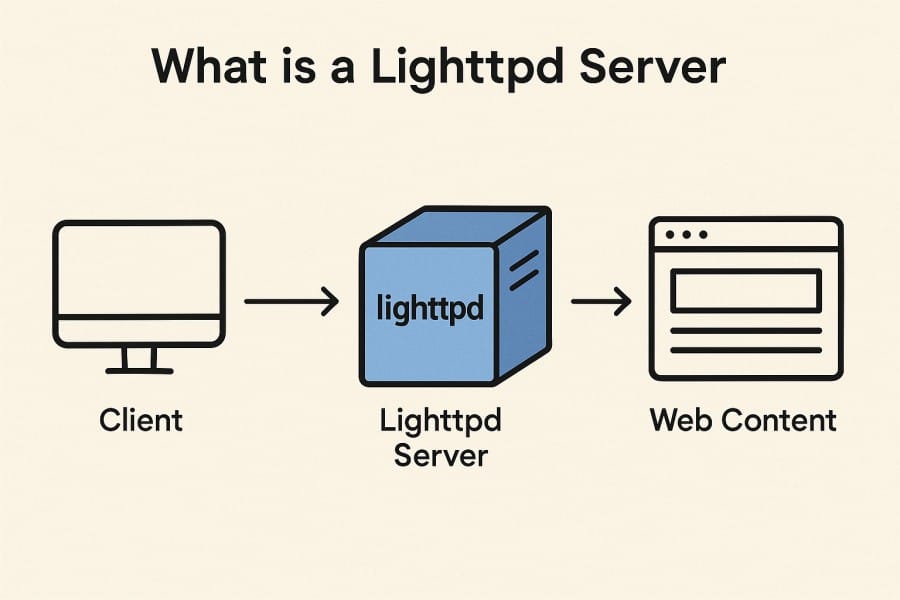
Lighttpd (pronounced lighty) is an open-source, event-driven web server designed for speed, scalability, and efficiency. It’s optimized for environments where memory and CPU are limited, yet high concurrency is required, making it popular in shared hosting platforms, content delivery networks, and embedded devices. With support for FastCGI, SSL/TLS, URL rewriting, and load balancing, Lighttpd continues to be a go-to choice for developers who need a lightweight alternative to heavier servers like Apache or Nginx.
For businesses, Lighttpd monitoring isn’t optional—it’s essential for ensuring availability, performance, and security. Because Lighttpd often runs in resource-constrained or high-traffic environments, visibility into logs, metrics, and error patterns is the only way to prevent bottlenecks and downtime. Effective Lighttpd server monitoring provides:
- Performance insights: Detect latency spikes, request floods, or slow endpoints before they affect customers.
- Error detection: Spot 4xx/5xx anomalies that could indicate misconfigurations or backend failures.
- Resource optimization: Track CPU and memory usage to avoid exhaustion in embedded or IoT scenarios.
- Security visibility: Identify abnormal traffic patterns that might signal brute-force or DDoS attacks.
By combining these signals, teams can ensure that Lighttpd remains stable, cost-efficient, and ready for production workloads.
Example: Using Lighttpd for Embedded IoT Devices
Consider a telecom company deploying thousands of IoT gateways running Lighttpd for local web interfaces. Each gateway has limited memory and CPU, so if traffic spikes or memory leaks go unnoticed, the service could fail silently. By monitoring error logs, request throughput, and memory utilization with CubeAPM, the team can proactively detect failures, push fixes, and maintain uptime across all deployed devices.
Why Monitoring Lighttpd is Important
Event-driven concurrency hides overload until it breaks
Lighttpd’s asynchronous, event-driven design lets it handle tens of thousands of concurrent connections on minimal resources. But this efficiency also means that early warning signs of saturation are easy to miss. Monitoring active connections, requests per second, and server queues ensures you can detect stress before clients see slowdowns.
FastCGI reliance makes upstream failures highly visible
Most dynamic applications served by Lighttpd run through FastCGI backends like PHP or Python. If those pools stall or run out of workers, Lighttpd itself appears unhealthy, spiking 502/504 errors. Monitoring both FastCGI process health and 5xx error rates in Lighttpd is critical to distinguish backend bottlenecks from web server issues.
Logs provide the first signal of anomalies
Lighttpd’s access and error logs are rich with insights: request codes, response times, backend errors, and even early signs of brute-force attempts. Integrating these logs into observability pipelines allows teams to correlate spikes in 5xx errors with specific routes, clients, or virtual hosts.
Traffic shaping and connection throttles affect user experience
Lighttpd supports bandwidth shaping (connection.kbytes-per-second) and per-IP limits. If tuned too tightly, legitimate users can experience random slowness during peak hours. Monitoring bytes in/out, requests/sec, and per-IP connection counts helps balance performance with protection.
TLS and HTTP/2 overhead increase CPU load
Modern deployments often terminate TLS and HTTP/2 traffic directly on Lighttpd. These workloads are CPU-intensive, and handshake spikes can choke limited-resource servers. Tracking TLS handshake latency, CPU load by SSL processes, and certificate expiry dates ensures secure traffic doesn’t compromise performance.
Resource limits in embedded and edge environments
Lighttpd is frequently deployed on embedded devices and IoT gateways, where memory and CPU are scarce. In these cases, even gzip compression or TLS bursts can push the server over its limits. Monitoring RSS memory, CPU usage, file descriptors, and server.max-connections against realistic baselines keeps lightweight deployments stable.
Configuration reloads can disable key modules
Lighttpd parses its configuration once at startup. If a reload silently disables mod_status or rewrites vhost rules, monitoring catches those changes. Validating module presence, error spikes, and 404/5xx patterns after config changes ensures stability.
DDoS visibility is non-negotiable at the edge
Lighttpd often runs on the public edge, making it a target for volumetric attacks. Cloudflare reported blocking 7.3M DDoS attacks in Q2 2025 alone. Monitoring dropped connections, SYN flood spikes, and abnormal RPS growth allows teams to detect and mitigate attacks before they cripple servers.
Virtual host monitoring for multi-tenant setups
Lighttpd is commonly used to serve multiple domains on a single instance. If one tenant misbehaves or gets attacked, it can starve others of resources. Tracking per-vhost traffic, latency, and error distribution ensures fair resource allocation and faster root cause analysis.
Key Lighttpd Signals to Monitor
Monitoring Lighttpd effectively means going beyond server uptime checks. You need to capture metrics across traffic, performance, resources, errors, and security to fully understand how your web server behaves in production. Here are the most important signals to track.
Traffic & Request Metrics
These metrics help you understand the load on Lighttpd and whether it’s handling requests efficiently.
- Requests per second (RPS): Measures incoming request volume. Sudden spikes can indicate legitimate traffic surges (e.g., sales events) or malicious floods. Threshold: alert if RPS exceeds 2× baseline.
- Response codes (2xx, 3xx, 4xx, 5xx): Breaks down server responses. Rising 4xx may point to bad clients or routing issues, while 5xx indicates backend or FastCGI failures. Threshold: 5xx >2% of total responses.
- Throughput (bytes in/out): Tracks how much data the server is serving and receiving. Abnormal drops in bytes out during steady traffic can signal throttling or disk bottlenecks. Threshold: Investigate if throughput falls below 70% of the expected baseline.
Performance Metrics
These indicate how quickly Lighttpd processes requests under load.
- Response latency: Time to serve a request. Monitor average, p95, and p99 latencies to spot degradation under peak traffic. Threshold: p95 >500 ms for more than 5 minutes.
- Concurrent connections: Shows active open connections to the server. When this number approaches
server.max-connections, users may start experiencing failures. Threshold: alert at 80% of max configured connections.
Resource Utilization Metrics
Because Lighttpd is designed for efficiency, resource bottlenecks can quickly affect performance in constrained environments.
- CPU usage: TLS handshakes, gzip compression, and HTTP/2 can spike CPU usage. Persistent high CPU means fewer cycles available for request handling. Threshold: sustained >80% CPU usage over 5 minutes.
- Memory footprint (RSS): Lighttpd runs lean, so rising memory often points to leaks in modules or FastCGI backends. Threshold: memory usage >85% of available system memory.
- Disk I/O: If serving large static files, monitor read/write throughput. High disk latency can slow the delivery of even cached files. Threshold: alert if disk I/O wait time >20% of total CPU cycles.
Error Metrics
Lighttpd logs contain rich insights about misconfigurations, upstream failures, and security issues.
- 5xx server errors: Indicates application or backend failures. A sustained increase usually means upstream FastCGI or database issues. Threshold: alert if error rate >1% of requests.
- Dropped connections: Often caused by network issues, overload, or traffic shaping caps. Track trends across time windows to detect service instability. Threshold: >50 dropped connections per minute is a warning sign.
- Timeouts (FastCGI or client-side): Lighttpd may drop or timeout requests when backends are unresponsive. This is critical for spotting backend health issues. Threshold: timeout errors >0.5% of total requests.
Security & Access Metrics
As an edge-facing server, Lighttpd is a frequent target for abuse. Monitoring access-related metrics helps safeguard availability.
- Abnormal request patterns: Watch for brute force attempts, suspicious query parameters, or repeated 404s, which may indicate scanning. Threshold: sudden 10× spike in 404s from the same IP in 5 minutes.
- TLS certificate health: Monitor expiry dates and handshake errors. Expired certs will instantly break secure connections. Threshold: alert 30 days before certificate expiry.
- Per-virtual-host traffic: Lighttpd often serves multiple domains. If one vhost sees disproportionate load or errors, it can impact others on the same instance. Threshold: alert if a single vhost consumes >70% of total bandwidth unexpectedly.
Setting Up Monitoring for Lighttpd with CubeAPM
Step 1: Install CubeAPM
First, deploy CubeAPM in your environment. You can install it on bare metal, VMs, or in Kubernetes. For most teams, the simplest path is the Kubernetes install guide, which uses Helm charts. If you’re running Lighttpd on a VM or physical host, follow the Install CubeAPM guide for package-based setup. Once installed, CubeAPM starts collecting and storing observability data.
Step 2: Configure Core Settings
CubeAPM needs to know how to associate your data. Configure account tokens, session keys, and base URLs as described in the configuration docs. This step ensures that when your Lighttpd logs and metrics flow in, they are properly authenticated and mapped to your dashboards and alerts.
Step 3: Enable Lighttpd Logs for Monitoring
Lighttpd doesn’t export metrics natively but provides rich logs that can be ingested into CubeAPM. In your lighttpd.conf:
- Access logs: Enable by setting
accesslog.filename = "/var/log/lighttpd/access.log". - Error logs: Enable by setting
server.errorlog = "/var/log/lighttpd/error.log". - Custom format: Use
accesslog.formatto include fields like%h %V %u %r %s %b %Tfor client IP, vhost, request, response code, bytes served, and request time.
Once logs are written locally, configure CubeAPM to ship them by following the Logs ingestion guide. This ensures CubeAPM captures 4xx/5xx errors, request timings, and dropped connections directly from Lighttpd’s log pipeline.
Step 4: Add Metrics and Traces with OpenTelemetry
To capture runtime metrics, deploy the OpenTelemetry Collector on the same host as Lighttpd. Configure it to tail Lighttpd logs and transform them into metrics and traces. For example:
- Metrics: Requests per second, error code counts, and latency histograms derived from access logs.
- Traces: Attach trace IDs to FastCGI or proxy requests so you can link Lighttpd latency to backend database or API performance.
The OpenTelemetry setup guide explains how to configure pipelines and exporters. CubeAPM natively ingests OTEL data, so you get unified visibility across Lighttpd and your application stack.
Step 5: Monitor Infrastructure Resources that Affect Lighttpd
Because Lighttpd is often deployed on low-resource VMs or embedded gateways, host metrics are critical. Use CubeAPM’s Infrastructure Monitoring guide to track:
- CPU usage by TLS handshakes and gzip compression
- Memory RSS of Lighttpd processes (leaks or exhaustion can bring down the service)
- Disk I/O latency when serving large static assets
- File descriptors and max connections to catch saturation before clients fail
These host-level signals directly impact how well Lighttpd can serve traffic.
Step 6: Configure Alerting and Notifications
Finally, set up proactive alerts in CubeAPM so you’re notified before customers notice issues. The Alerting docs explain connectors for email, Slack, or PagerDuty. Common Lighttpd-specific alert rules include:
- High 5xx Error Rate: Trigger if >2% of requests return 5xx in a 5-minute window.
- High Latency: Trigger if p95 response time exceeds 500 ms for 3 consecutive minutes.
- Dropped Connections: Alert if more than 50 connections per minute are dropped.
- Certificate Expiry: Alert 30 days before TLS certs expire.
With these in place, you’ll be able to detect application errors, backend failures, and resource exhaustion in real time.
Real-World Example: Using CubeAPM to Monitor Lighttpd on IoT Gateways
The Challenge
A European telecom provider was running thousands of IoT gateways, each with a lightweight Lighttpd web interface for local device management. These gateways had limited CPU and memory, and during firmware updates or heavy TLS traffic, users started reporting slow page loads and occasional “Gateway Unreachable” errors. Standard monitoring tools failed to provide visibility at the edge, leaving engineers blind to the root cause.
The Solution
The team deployed CubeAPM to unify metrics, logs, and traces from all distributed Lighttpd instances. By forwarding Lighttpd access and error logs into CubeAPM and enabling infrastructure monitoring, they could correlate server behavior with network conditions and backend dependencies. Using CubeAPM’s OpenTelemetry pipeline, they also began tracing FastCGI calls to detect bottlenecks in PHP scripts that powered some device dashboards.
The Fixes
- Configured Lighttpd with a detailed
accesslog.formatso CubeAPM dashboards showed latency per request, per virtual host. - Set up CubeAPM alerts for 5xx spikes, dropped connections, and TLS handshake latency, which were the key bottlenecks for the gateways.
- Tuned Lighttpd’s
server.max-connectionsand connection throttling after identifying saturation points with CubeAPM metrics. - Optimized FastCGI pool sizes after CubeAPM traces revealed worker starvation during peak firmware updates.
The Result
With CubeAPM, the telecom provider gained real-time visibility into every Lighttpd-powered gateway. Connection drops fell by 70%, firmware rollouts were completed without customer downtime, and TLS handshake latency was reduced by optimizing CPU usage. Instead of troubleshooting blindly, the team now had correlated dashboards and alerts, cutting mean time to resolution (MTTR) from hours to minutes.
Verification Checklist & Example Alert Rules for Monitoring Lighttpd with CubeAPM
After setting up CubeAPM with Lighttpd, it’s essential to verify that logs, metrics, and traces are flowing correctly. This checklist ensures that monitoring is reliable, while the alert rules help you respond proactively to performance and availability issues.
Verification Checklist
- Collector running: Confirm the OpenTelemetry collector or CubeAPM agent is running and connected to your CubeAPM instance.
- Log ingestion: Check that Lighttpd access and error logs are visible in CubeAPM’s log explorer. Ensure fields like request method, status code, and latency appear.
- Metrics visible: Verify dashboards display traffic (RPS), response latency, error code breakdowns, and throughput from Lighttpd.
- Dashboards loading: Open CubeAPM dashboards to ensure Lighttpd metrics are rendering with real-time updates.
- Traces linked: Confirm that Lighttpd requests passing through FastCGI show up in CubeAPM traces with backend spans attached.
- Alerts firing: Generate a test 500 error or traffic spike to ensure configured alerts trigger correctly.
Example Alert Rules for Lighttpd Monitoring
1. High 5xx Error Rate
This rule detects abnormal spikes in Lighttpd server errors.
alert: Lighttpd_High_5xx_Errors
expr: (sum(rate(lighttpd_http_responses_total{status=~"5.."}[5m])) by (instance))
      / sum(rate(lighttpd_http_responses_total[5m])) by (instance) > 0.02
for: 5m
labels:
  severity: critical
annotations:
  summary: "High 5xx Error Rate in Lighttpd"
  description: "More than 2% of requests are failing with 5xx errors on {{ $labels.instance }}"
2. High Response Latency
This rule alerts when request latency exceeds the expected threshold.
alert: Lighttpd_High_Latency
expr: histogram_quantile(0.95, sum(rate(lighttpd_request_duration_seconds_bucket[5m])) by (le, instance)) > 0.5
for: 3m
labels:
  severity: warning
annotations:
  summary: "High Latency in Lighttpd"
  description: "p95 latency > 500ms on {{ $labels.instance }}"
3. Abnormal Traffic Spike
This rule monitors unusual request surges that may indicate DDoS or misbehaving clients.
alert: Lighttpd_Traffic_Spike
expr: sum(rate(lighttpd_http_requests_total[1m])) by (instance) > (2 * avg_over_time(lighttpd_http_requests_total[5m]))
for: 2m
labels:
  severity: warning
annotations:
  summary: "Traffic Spike Detected in Lighttpd"
  description: "Request rate has doubled over baseline on {{ $labels.instance }}"
Why Use CubeAPM for Lighttpd Monitoring
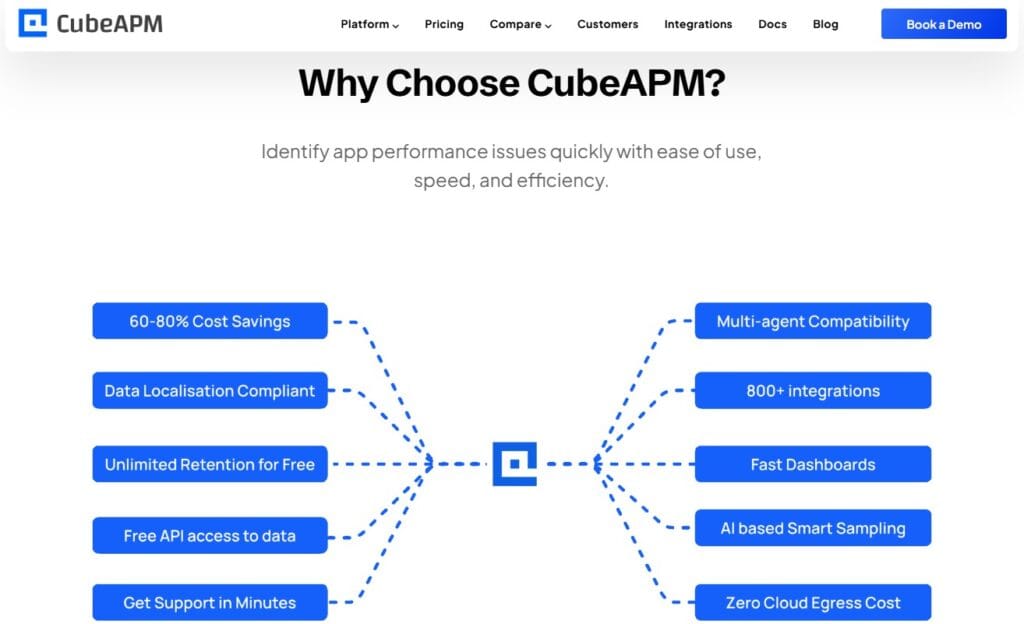
Choosing the right observability platform for Lighttpd isn’t just about collecting data — it’s about doing it cost-effectively, with the depth and context needed to troubleshoot edge-facing workloads. Here’s why CubeAPM is a perfect fit for Lighttpd users:
- Transparent pricing ($0.15/GB ingestion, no host/container billing): Unlike vendors that charge per host, container, or user license, CubeAPM’s pricing is simple and predictable. For Lighttpd deployments that often run on many small VMs or gateways, this means you can scale without surprise costs.
- Smart Sampling to reduce cost during high traffic: Lighttpd servers frequently experience sudden traffic spikes — from flash sales to automated scanning. CubeAPM’s smart sampling retains high-value traces (e.g., slow requests, 5xx errors) while filtering noise, cutting costs by up to 70% without losing insights.
- Full MELT coverage (metrics, events, logs, traces): Lighttpd doesn’t expose deep metrics natively, but CubeAPM unifies logs, request metrics, and backend traces into one place. This allows you to see how an error log entry maps to latency in a FastCGI backend and host CPU spikes, all in a single view.
- SaaS or on-prem/self-hosting with HIPAA/GDPR readiness: Many Lighttpd deployments power healthcare portals, telecom gateways, or EU-based platforms with strict compliance needs. CubeAPM offers SaaS hosting or self-hosted deployments, ensuring data residency and compliance with HIPAA/GDPR.
- Faster debugging with correlated signals: Instead of juggling separate tools for logs, metrics, and infra monitoring, CubeAPM correlates Lighttpd access/error logs with upstream application traces and host metrics. This drastically reduces MTTR (Mean Time to Resolution) — for example, pinpointing whether a 502 surge came from FastCGI worker starvation or TLS CPU exhaustion.
Conclusion
Monitoring Lighttpd servers is essential to keep high-performance, resource-efficient web services running smoothly. From FastCGI bottlenecks to TLS overhead and DDoS risks, even small issues can quickly impact user experience and uptime.
CubeAPM makes this process seamless by unifying logs, metrics, traces, and infrastructure signals into one platform. With transparent pricing, smart sampling, and compliance-ready deployment options, it gives teams the confidence to run Lighttpd in production without overspending or losing visibility.
If your business relies on Lighttpd, now is the time to upgrade your monitoring stack. Start with CubeAPM today and prevent outages before they impact your users.
Disclaimer: The information in this article reflects the latest details available at the time of publication and may change as technologies and products evolve.
FAQs
1. How do I enable detailed request logging in Lighttpd for monitoring?
You can configure accesslog.format in lighttpd.conf to capture fields like client IP, virtual host, response code, bytes served, and request time. This detailed log output helps observability platforms like CubeAPM parse latency, error rates, and per-vhost performance with higher accuracy.
2. Can Lighttpd monitoring integrate with containerized or Kubernetes environments?
Yes. Lighttpd can run inside containers, and by using the OpenTelemetry Collector, logs and metrics can be shipped to CubeAPM. In Kubernetes, you can sidecar or DaemonSet the collector for seamless monitoring of all Lighttpd pods.
3. What security-related signals should I monitor in Lighttpd?
Key security metrics include TLS handshake errors, spikes in 404s from the same IP, and abnormal request patterns like brute-force attempts. CubeAPM can ingest these logs and set alerting thresholds to detect DDoS or scanning activity in real time.
4. How can I monitor multiple virtual hosts on a single Lighttpd instance?
Enable per-vhost logging in Lighttpd, so each domain’s traffic and errors are captured separately. CubeAPM dashboards can then visualize per-vhost RPS, latency, and error distribution, making it easier to isolate misbehaving tenants without impacting others.
5. Does Lighttpd support exporting metrics directly like Nginx or Apache?
Not natively. Lighttpd relies heavily on logs and mod_status for observability. To make this data usable in modern monitoring stacks, platforms like CubeAPM use OpenTelemetry pipelines to transform logs and status endpoints into structured metrics and traces.