









Kubernetes Jobs and Pods retry automatically when failures occur, but once the restart threshold is exceeded, they hit the Kubernetes backoffLimit error — a state where Kubernetes stops trying altogether. This leads to stalled deployments. It’s not uncommon either: 37% of organizations report that half or more of their workloads need configuration review, and backoffLimit is often a clear symptom of misconfigured jobs.
CubeAPM helps teams avoid blind spots by correlating Events, Metrics, Logs, and Rollouts in real time. Instead of digging through scattered kubectl outputs, engineers get a single pane of glass to pinpoint why jobs failed, how many retries occurred, and what triggered the termination. With smart sampling and predictable pricing, CubeAPM makes diagnosing backoffLimit faster and cost-efficient.
In this guide, we’ll cover what the backoffLimit error is, why it happens, how to fix it step by step, and how to monitor it effectively with CubeAPM.
What is Kubernetes-backofflimit error?
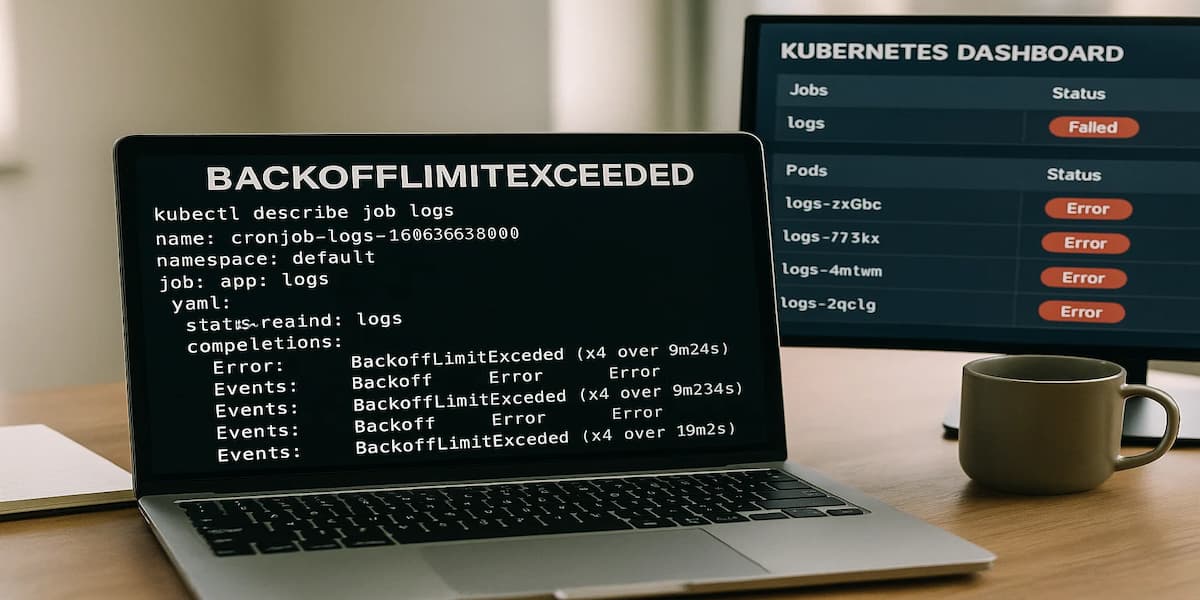
The backoffLimit error occurs when a Kubernetes Job fails repeatedly and exceeds its retry threshold. By default, this limit is set to 6 attempts. Once the Pod crashes more times than allowed, Kubernetes marks the Job as Failed and stops scheduling new retries.
This mechanism protects clusters from infinite crash loops that waste resources. But it also means that a single misconfigured Job — like a migration script with a bad command or a Pod with an invalid image — can halt critical workloads.
Key characteristics of Kubernetes backoff limit Error:
- Retry threshold enforced: Kubernetes only allows a fixed number of restarts (default = 6).
- Job marked as Failed: After the limit, the Job no longer spawns new Pods.
- Crash loop protection: Prevents infinite retries that waste CPU, memory, and cluster resources.
- Misconfigurations exposed: Commonly triggered by bad images, invalid commands, or failing init containers.
- Pipeline disruption: Blocks database migrations, batch jobs, or CI/CD tasks from completing.
Why the Kubernetes backoff limit Error Happens
The backoffLimit error occurs when a Pod or Job keeps failing and Kubernetes exhausts its retry count. Here are the main causes:
1. Wrong image name or tag
A typo in the image string (registry, repository, or tag) is the most common reason. For example, nginx:latestt instead of nginx:latest will be rejected by the registry, leading to ErrImagePull that escalates into backoffLimit after multiple retries. Quick check with:
kubectl describe pod <pod-name>If the Events show manifest not found, the tag is invalid.
2. Invalid entrypoint or command
If the Pod spec points to a binary or script that doesn’t exist, the container exits immediately. Kubernetes retries until the limit is hit and then marks the Job as Failed. Logs can be checked with:
kubectl logs <pod-name> -c <container> --previousLook for errors like exec: not found.
3. Failing init containers
Init containers that fail block the main workload from ever starting. Issues like missing Secrets, unreachable endpoints, or bad permissions cause repeated crashes until the retry budget is exhausted.
4. Application-level failures
Sometimes the container launches fine, but the application exits with a non-zero code — for example, a failing migration script or an unhandled runtime error. Kubernetes doesn’t distinguish app errors and will keep retrying until backoffLimit is reached.
5. Misconfigured resources or environment
If resource requests can’t be met by the node, or if invalid ConfigMaps and Secrets are referenced, Pods crash on startup. Kubernetes retries each failure until the retry count runs out, leaving the Job stuck.
How to Fix Kubernetes backofflimit Error
Fixing Kubernetes backoff limit Error requires checking each possible failure point and correcting the root cause. Below are the most common fixes:
1. Fix invalid image name or tag
Typos in the image string cause pulls to fail. Verify the image exists in the registry and update the Pod spec with the correct name and tag.
kubectl set image job/<job-name> <container>=nginx:latest2. Correct invalid entrypoint or command
If commands or args point to binaries that don’t exist, the container exits immediately. Compare against the Dockerfile or run the image locally to test valid entrypoints.
kubectl logs <pod-name> -c <container> --previousLook for exec: not found and fix the Pod spec accordingly.
3. Resolve failing init containers
Init containers must complete successfully before the main Pod runs. Check missing Secrets, endpoints, or permissions causing crashes, then redeploy.
kubectl describe pod <pod-name>Look under Init Containers for repeated failures.
4. Address application-level failures
If the app inside the container exits with errors, review logs for non-zero exit codes or failed scripts. Update configs, migrations, or runtime settings before redeploying.
kubectl logs <pod-name> -c <container>5. Fix misconfigured resources or environment
Check whether Pods request more CPU/memory than nodes can provide, or reference invalid ConfigMaps/Secrets. Adjust the resource requests and validate environment variables.
kubectl describe pod <pod-name>Monitoring Kubernetes-backofflimit error with CubeAPM
Fastest path to root cause: correlate the retries that exhausted the Job’s budget with the Pod errors that caused them. CubeAPM brings together four signals — Events, Metrics, Logs, and Rollouts — so you can see why the Job failed, how often/recently, what the container reported, and which rollout introduced it.
Step 1 — Install CubeAPM (Helm)
Add the repo, then install or upgrade with a values.yaml that sets your OTLP endpoint/keys.
helm repo add cubeapm https://charts.cubeapm.com && helm repo update cubeapm && helm show values cubeapm/cubeapm > values.yaml && helm install cubeapm cubeapm/cubeapm -f values.yamlUpgrade (when you tweak values.yaml):
helm upgrade cubeapm cubeapm/cubeapm -f values.yamlStep 2 — Deploy the OpenTelemetry Collector (DaemonSet + Deployment)
Use DaemonSet for node/pod scraping (events, kubelet stats, logs) and Deployment for central pipelines (OTLP intake, batching, export).
helm repo add open-telemetry https://open-telemetry.github.io/opentelemetry-helm-charts && helm repo update && helm install otel-ds open-telemetry/opentelemetry-collector --set mode=daemonset -f otel-ds.yaml && helm install otel-dep open-telemetry/opentelemetry-collector --set mode=deployment -f otel-dep.yamlStep 3 — Collector configs focused on backoffLimit
3A. DaemonSet (node-level signals: Events, Kubelet stats, container Logs)
receivers:

  k8s_events: {}

  kubeletstats:

    collection_interval: 30s

    auth_type: serviceAccount

    endpoint: https://${K8S_NODE_NAME}:10250

    insecure_skip_verify: true

  filelog:

    include: [/var/log/containers/*.log]

    start_at: end

processors:

  k8sattributes:

    extract:

      metadata: [k8s.pod.name, k8s.namespace.name, k8s.job.name, k8s.container.name, k8s.pod.uid]

  batch: {}

exporters:

  otlp:

    endpoint: ${CUBEAPM_OTLP_GRPC}

    headers: { authorization: Bearer ${CUBEAPM_TOKEN} }

service:

  pipelines:

    metrics: { receivers: [kubeletstats], processors: [k8sattributes, batch], exporters: [otlp] }

logs: { receivers: [filelog, k8s_events], processors: [k8sattributes, batch], exporters: [otlp] }- k8s_events: captures Job BackoffLimitExceeded.
- kubeletstats: emits Pod restart counts.
- filelog: ingests container/stdout logs (e.g., exec: not found).
- k8sattributes: attaches Job/Pod metadata.
- otlp: exports signals to CubeAPM.
3B. Deployment (central OTLP pipeline + transforms)
receivers:

  otlp:

    protocols: { http: {}, grpc: {} }

processors:

  batch: {}

  resource:

    attributes:

      - key: error.kind

        action: insert

        value: backoffLimit

exporters:

  otlp:

    endpoint: ${CUBEAPM_OTLP_GRPC}

    headers: { authorization: Bearer ${CUBEAPM_TOKEN} }

service:

  pipelines:

    metrics: { receivers: [otlp], processors: [batch], exporters: [otlp] }

    logs:    { receivers: [otlp], processors: [resource, batch], exporters: [otlp] }

traces: { receivers: [otlp], processors: [batch], exporters: [otlp] }- otlp receiver: central intake from DaemonSet + app SDKs.
- resource processor: tags backoffLimit artifacts for filtering.
- batch: reduces export chattiness.
Step 4 — Supporting components (optional)
Install kube-state-metrics to enrich Job/Pod status timelines.
helm repo add prometheus-community https://prometheus-community.github.io/helm-charts && helm repo update && helm install kube-state-metrics prometheus-community/kube-state-metricsStep 5 — Verification (what you should see in CubeAPM)
- Events: Job <name> failed with reason BackoffLimitExceeded.
- Metrics: Pod restart_count plateau before Job flips to Failed.
- Logs: container logs from the last retries (exec: not found, migration errors).
- Rollouts: Job tied to the rollout that introduced it.
- Topology/Context: Job → Pod → Container relations with k8s metadata.
Example Alert Rules for Kubernetes-backofflimit error
1. Detect Jobs hitting BackoffLimitExceeded
This alert fires when a Job fails because it exceeded its retry count. It ensures engineers are notified immediately when workloads stop progressing.
alert: JobBackoffLimitExceeded

expr: kube_job_failed{reason="BackoffLimitExceeded"} > 0

for: 2m

labels:

  severity: critical

annotations:

  summary: "Job failed due to backoffLimit"

  description: "Kubernetes Job {{ $labels.job_name }} in namespace {{ $labels.namespace }} exceeded retry threshold."
2. High Pod restart count in a Job
This alert catches Pods that restart repeatedly, signaling an approaching backoffLimit before the Job fully fails.
alert: JobPodHighRestarts

expr: increase(kube_pod_container_status_restarts_total[5m]) > 5

for: 5m

labels:

  severity: warning

annotations:

  summary: "Pod restarts trending high"

  description: "Pod {{ $labels.pod }} in Job {{ $labels.job_name }} restarted more than 5 times within 5m."
3. Job duration exceeds expected runtime
This rule triggers when a Job keeps retrying without completion, often a sign of misconfigurations or application-level failures.
alert: JobStalled

expr: kube_job_spec_completions > 0 and time() - kube_job_status_start_time_seconds > 600

for: 10m

labels:

  severity: warning

annotations:

  summary: "Job stalled in backoff loop"

  description: "Job {{ $labels.job_name }} has been running for over 10 minutes without completion."
Conclusion
The backoffLimit error is Kubernetes’ way of preventing infinite crash loops, but for engineers it often signals deeper misconfigurations or fragile workloads. Once triggered, critical Jobs fail silently, pipelines stall, and rollouts grind to a halt.
Fixing the error means more than adjusting retries — it requires identifying the root cause, whether image issues, invalid commands, or application-level failures.
By tying together runtime signals, CubeAPM makes it easier to spot the exact failure path and restore workloads quickly. This helps teams keep deployments reliable and production pipelines moving.