









Cron jobs, scheduled tasks, background jobs, backups, billing workflows, API checks, and data pipelines can fail quietly. Cronitor is built for this problem. It helps teams monitor cron jobs, background tasks, heartbeats, websites, APIs, status pages, and real user monitoring from one platform. Cronitor’s own pricing page lists product areas for jobs, checks, heartbeats, status pages, and analytics.
This Cronitor Pricing & Review guide explains what Cronitor does, how its pricing works, what it may cost at different usage levels, what users like and dislike, and how it compares with tools such as Healthchecks.io, UptimeRobot, Better Stack, PagerDuty, Datadog Synthetics, and CubeAPM.
What Is Cronitor?
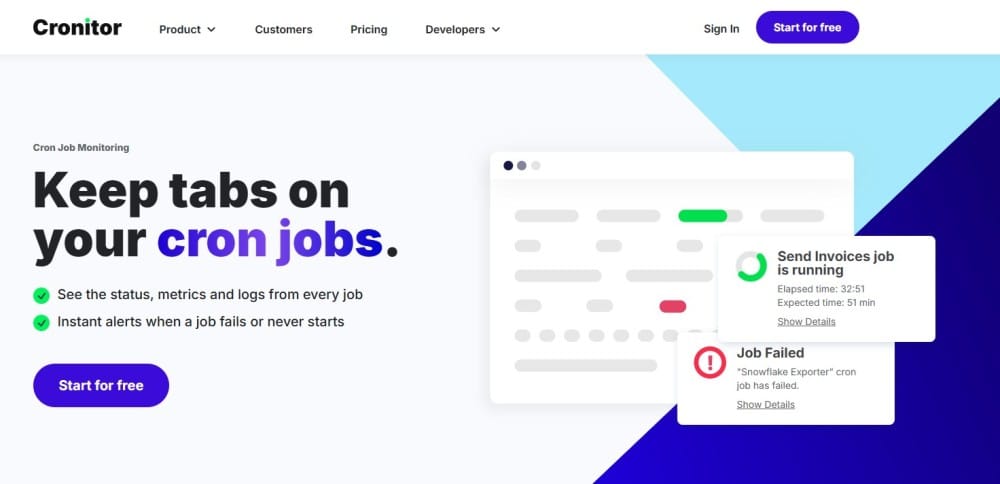
Cronitor is a monitoring platform for developers, DevOps teams, SREs, and operations teams that depend on scheduled work and external service checks. It monitors cron jobs, background tasks, heartbeats, websites, APIs, status pages, and real user monitoring. Its pricing page lists Cron Monitoring, Heartbeat Monitoring, Website & API Monitoring, Status Pages, Synthetic Browser Checks, and Real User Monitoring as supported product areas.
In simple terms, Cronitor helps teams answer questions such as:
| Question | Why It Matters |
| Did the scheduled job run? | Catches missed cron jobs and backups |
| Did the job fail or run too long? | Helps detect broken background workflows |
| Did a heartbeat stop arriving? | Shows when a process or service may be stuck |
| Is an API or website responding? | Supports uptime and endpoint monitoring |
| Do users need a status update? | Connects monitoring with status pages |
Supported Languages and Frameworks
Cronitor is language-agnostic because teams can send telemetry through HTTP endpoints. Its documentation lists official SDKs for Python, Node.js, Ruby, PHP, and Java, plus a community-supported .NET package. Cronitor also supports direct integration through its Telemetry API, which allows any language or script that can make HTTP requests to send monitoring events.
Cronitor also documents platform integrations for Linux cron jobs, Windows scheduled tasks, Kubernetes jobs, Sidekiq, Celery, Apache Airflow, GitHub Actions, and Laravel scheduled tasks.
Key Features of Cronitor
Cronitor monitors cron jobs and background tasks, making it useful for backups, billing jobs, reports, ETL workflows, queue workers, and cleanup scripts. Its product page and pricing page both position jobs and cron monitoring as core product areas.
Cronitor supports heartbeat monitoring for systems that need to send regular signals. If the signal stops, the team can be alerted before the issue becomes harder to detect.
Cronitor includes Website & API Monitoring across its Hacker, Business, and Enterprise plans. Its Real User Monitoring page also says Cronitor checks can monitor websites and APIs from 12+ locations worldwide.
Cronitor includes status pages in its pricing table. Hacker and Business include one basic page, while Enterprise lists unlimited basic pages. Branded pages, private pages, and extra subscribers are paid items on Business.
Cronitor includes Real User Monitoring and website analytics. Its RUM page describes it as a way to measure website traffic, performance, and important website metrics in real time.
Cronitor’s pricing page lists Synthetic Browser Checks as a priced Business usage item at 1,000 checks for $1/month.
Cronitor’s pricing page lists email, Slack, Telegram, Discord, Teams, webhooks, SMS alerts, PagerDuty, OpsGenie, and Splunk On-Call-style integration support in the alerts section. The Hacker plan includes email and Slack alerts, while Business includes more alert integrations.
What Does Cronitor Monitor?
| Monitoring Area | What It Covers | Typical Use Case |
| Jobs | Cron jobs and background tasks | Backups, billing jobs, reports, ETL |
| Checks | Websites and APIs | Uptime, API health, SSL checks |
| Heartbeats | Regular signals from systems | Workers, devices, queues, workflows |
| Status pages | Public or internal service status | Incident updates and maintenance |
| Analytics/RUM | Website traffic and performance | Frontend visibility and user experience |
| Alerts | Notifications and integrations | Slack, email, SMS, PagerDuty, webhooks |
Cronitor Pricing in 2026
Cronitor has three main pricing paths: Hacker, Business, and Enterprise. The Hacker plan is free and includes 5 monitors, email and Slack alerts, a basic status page, no SMS alerts, and no premium integrations. Business pricing is usage-based, with monitors priced at $2/month each and dashboard users priced at $5/month each. Enterprise starts from $6,000/year.
| Plan | Public Price | Best For | Key Notes |
| Hacker | Free | Homelabs and small projects | 5 monitors, email and Slack alerts, basic status page |
| Business | $2/month per monitor + $5/month per user | Growing teams | 12-month retention, 10 alert integrations, multiple environments |
| SAML SSO add-on | +$5/month per user | Teams needing SSO | Listed as a Business add-on |
| Enterprise | From $6,000/year | Larger teams | Custom features, custom integrations, dedicated engineer, priority support |
Cronitor Add-Ons and Optional Costs
Cronitor’s Business pricing is not only monitor-based. The pricing page also lists separate costs for browser checks, RUM events, branded status pages, private status pages, extra subscribers, dashboard users, and SAML SSO.
| Add-On or Usage Item | Business Price | What It Means |
| Synthetic Browser Checks | 1,000 checks for $1/month | Browser-based synthetic checks |
| Real User Monitoring | 100,000 events for $10/month | Website analytics and RUM events |
| Branded Status Page | $25/month | Branded public status page |
| Private Status Page | $50/month | Restricted internal status page |
| Additional Subscribers | 1,000 for $25/month | Extra status page subscribers |
| Dashboard User | $5/month per user | Business dashboard access |
| SAML SSO | $5/month per user | SSO add-on for Business users |
What Is Included in Each Plan?
| Feature | Hacker | Business | Enterprise |
| Monitors | 5 included | $2/month each | Custom |
| Fastest check frequency | 5 minutes | 30 seconds | 5 seconds |
| Basic status page | 1 included | 1 included | Unlimited |
| Included subscribers | 50 | 500 | 500 |
| Dashboard users | 1 included | $5/month per user | Custom |
| SAML SSO | Not included | $5/month per user | Included/custom |
| Data retention | Limited | 12 months | Custom |
| Support | Basic | Email and chat | Priority support + dedicated engineer |
What Counts as a Monitor?
Cronitor’s pricing page uses “monitor” as the main Business billing unit. In this article, a monitor means a configured cron job, background job, heartbeat, website check, API check, or similar monitored object. This is an editorial model based on Cronitor’s pricing table, which lists monitors at $2 each on Business and also separately prices browser checks, RUM events, users, SSO, and status page add-ons.
| Billing Unit | Cost Impact |
| Monitor | $2/month each on Business |
| Dashboard user | $5/month per user |
| SAML SSO user | +$5/month per user |
| Synthetic browser checks | $1 per 1,000 checks/month |
| RUM events | $10 per 100,000 events/month |
| Branded page | $25/month |
| Private page | $50/month |
| Additional subscribers | $25 per 1,000 subscribers/month |
What Does Cronitor Really Cost?
⚠️ Disclaimer
The scenarios below are directional editorial estimates, not official Cronitor quotes. Cronitor publishes public pricing, but final cost can change based on monitor count, dashboard users, SAML SSO users, synthetic browser checks, RUM events, status page needs, subscriber volume, volume discounts, Enterprise terms, and future pricing changes.
Cronitor is not priced like a host-based or ingest-based observability platform. A team with 10 hosts, 50 hosts, or 250 hosts does not automatically pay based on those hosts. A team producing 1 TB, 5 TB, or 27 TB of telemetry also does not pay Cronitor based on GB/month.
For Cronitor, the main public pricing driver is monitor count. A monitor can represent a cron job, heartbeat, website check, API check, or similar monitored object. Other costs come from dashboard users, SAML SSO, synthetic browser checks, RUM events, branded/private status pages, and extra subscribers.
Pricing Assumptions Used in These Scenarios
These scenarios use the workload profiles from the CubeAPM calculator screenshots, but only map the parts that fit Cronitor’s pricing model. The uploaded usage estimate file shows small, growing, and mid-market profiles with CubeAPM estimates of about $522/month, $919/month, and $4,594/month respectively.
| Pricing input | Cronitor public Business price |
| Business monitors | $2/month per monitor |
| Dashboard users | $5/month per user |
| SAML SSO | +$5/month per user |
| Synthetic Browser Checks | $1/month per 1,000 checks |
| Real User Monitoring | $10/month per 100,000 events |
| Branded status page | $25/month |
| Private status page | $50/month |
| Additional subscribers | $25/month per 1,000 subscribers |
| Enterprise | From $6,000/year |
RUM Assumption Used
The usage estimate file gives RUM sessions, but Cronitor prices Real User Monitoring by events, not sessions. Because sessions and events are not the same billing unit, this article uses a simple planning assumption of 5 RUM events per session.
Workload Assumptions Used for Cronitor Estimates
| Team size | Context from usage estimate | Cronitor usage assumption | Estimated Cronitor cost |
| Small team | 10 hosts, ~1.1 TB/month, 5,000 RUM sessions, 2,000 browser runs | 250 monitors, 3 users, 2,000 browser checks, 25,000 RUM events | ~$527/month |
| Growing team | 50 hosts, ~5.4 TB/month, 50,000 RUM sessions, 20,000 browser runs | 550 monitors, 8 users, 8 SSO users, 20,000 browser checks, 250,000 RUM events, branded page | ~$1,255/month |
| Mid-market team | 250 hosts, ~27 TB/month, 200,000 RUM sessions, 80,000 browser runs | 2,400 monitors, 20 users, 20 SSO users, 80,000 browser checks, 1,000,000 RUM events, branded/private pages, extra subscribers | ~$5,280/month |
Note: Hosts and telemetry volume are shown only for context. Cronitor does not price by hosts, logs, traces, metrics, or GB/month. The monitor count is the main lever used to model cost.
Scenario 1: Small Team, Around $500–$600/Month
Situation
A small production team runs around 10 hosts and produces roughly 1.1 TB of monthly telemetry across logs, traces, and metrics. The usage estimate also includes 5,000 RUM sessions, 50,000 API test runs, and 2,000 browser test runs.
For Cronitor, the host count and 1.1 TB/month telemetry volume do not directly affect pricing. The better pricing model is based on how many cron jobs, background jobs, heartbeats, website checks, API checks, browser checks, and RUM events the team wants to monitor.
Why teams at this stage consider Cronitor
Teams at this stage may consider Cronitor because they want a simple way to detect missed cron jobs, failed backups, broken background workers, API downtime, heartbeat failures, and basic status page incidents.
Estimated profile
| Configuration | Detail |
| Cronitor monitors | 250 monitors |
| Dashboard users | 3 users |
| Synthetic browser checks | 2,000/month |
| RUM sessions | 5,000/month |
| Estimated RUM events | 25,000/month |
| Pricing basis | Monitors + users + browser checks + RUM events |
Estimated monthly cost
Disclaimer: The cost estimates below are directional editorial estimates based on Cronitor’s public pricing structure and assumed monitoring needs. They are not official Cronitor quotes. Final costs can vary based on monitor count, check frequency, users, alerting needs, incident workflows, support requirements, and any custom or enterprise terms.
| Component | Assumption | Monthly cost |
| Business monitors | 250 × $2/monitor | $500 |
| Dashboard users | 3 × $5/user | $15 |
| Synthetic browser checks | 2,000 checks = 2 × $1 | $2 |
| RUM events | 25,000 events = 1 × $10 | $10 |
| Estimated total | Small Cronitor setup | ~$527/month |
Rounded planning estimate: ~$530/month.
CubeAPM cost comparison
| Platform | Pricing basis | Estimated monthly cost |
| Cronitor | 250 monitors + 3 users + browser checks + RUM events | ~$527/month |
| CubeAPM | ~1.1 TB/month ingestion estimate | ~$522/month |
| Estimated difference | Cronitor vs CubeAPM | Roughly similar |
What this scenario shows
At around 250 monitors, Cronitor and CubeAPM can look similar in monthly cost. But they are not priced for the same scope. Cronitor is focused on cron jobs, heartbeats, website/API checks, status pages, browser checks, and RUM events. CubeAPM is broader full-stack observability covering logs, metrics, traces, infrastructure monitoring, APM, dashboards, alerting, and root-cause analysis.
Scenario 2: Growing Team, Around $1,200/Month
Situation
The usage estimate also includes 50,000 RUM sessions, 500,000 API test runs, and 20,000 browser test runs.
Why teams at this stage consider Cronitor
At this stage, teams may have more production jobs, queues, APIs, customer-facing services, scheduled workflows, and internal automation. Cronitor becomes useful when the team wants a clean way to know whether jobs ran, heartbeats arrived, APIs responded, and status pages should show an incident.
Estimated profile
| Configuration | Detail |
| Cronitor monitors | 550 monitors |
| Dashboard users | 8 users |
| SAML SSO users | 8 users |
| Synthetic browser checks | 20,000/month |
| RUM sessions | 50,000/month |
| Estimated RUM events | 250,000/month |
| Status page | 1 branded page |
| Pricing basis | Monitors + users + SSO + browser checks + RUM events + branded page |
Estimated monthly cost
Disclaimer: The cost estimates below are directional editorial estimates based on Cronitor’s public pricing structure and assumed monitoring needs. They are not official Cronitor quotes. Final costs can vary based on monitor count, check frequency, users, alerting needs, incident workflows, support requirements, and any custom or enterprise terms.
| Component | Assumption | Monthly cost |
| Business monitors | 550 × $2/monitor | $1,100 |
| Dashboard users | 8 × $5/user | $40 |
| SAML SSO | 8 × $5/user | $40 |
| Synthetic browser checks | 20,000 checks = 20 × $1 | $20 |
| RUM events | 250,000 events = 3 × $10 | $30 |
| Branded status page | 1 × $25 | $25 |
| Estimated total | Growing Cronitor setup | ~$1,255/month |
Rounded planning estimate: ~$1,250/month.
CubeAPM cost comparison
| Platform | Pricing basis | Estimated monthly cost |
| Cronitor | 550 monitors + users + SSO + browser checks + RUM + branded page | ~$1,255/month |
| CubeAPM | ~5.4 TB/month ingestion estimate | ~$919/month |
| Estimated savings with CubeAPM | Difference vs Cronitor | ~$336/month |
| Percentage savings | $336 ÷ $1,255 | ~27% lower |
What this scenario shows
At growing-team scale, Cronitor’s per-monitor pricing becomes more visible. The monitor base alone is about $1,100/month before users, SSO, browser checks, RUM, or status page branding. CubeAPM becomes cheaper in this model because it does not charge per monitor, per host, or per user.
Scenario 3: Mid-Market Team, Around $5,000/Month
Situation
A mid-market team runs around 250 hosts and produces roughly 27 TB of monthly telemetry. The usage estimate also includes 200,000 RUM sessions, 2,000,000 API test runs, and 80,000 browser test runs.
For Cronitor, the 250 hosts and 27 TB/month telemetry estimate are not used in the pricing calculation. The model should focus on monitored jobs, APIs, websites, heartbeats, users, SSO seats, browser checks, RUM events, and status page add-ons.
Why teams at this stage consider Cronitor
At mid-market scale, teams may have many scheduled tasks, customer-facing endpoints, internal APIs, data pipelines, background workers, backup jobs, and operational workflows. Cronitor can help detect missed runs, long-running jobs, failed jobs, heartbeat gaps, and website/API downtime.
Estimated profile
| Configuration | Detail |
| Cronitor monitors | 2,400 monitors |
| Dashboard users | 20 users |
| SAML SSO users | 20 users |
| Synthetic browser checks | 80,000/month |
| RUM sessions | 200,000/month |
| Estimated RUM events | 1,000,000/month |
| Status page | Branded page + private page + 1,000 extra subscribers |
| Pricing basis | Monitors + users + SSO + browser checks + RUM + status page add-ons |
Estimated monthly cost
Disclaimer: The cost estimates below are directional editorial estimates based on Cronitor’s public pricing structure and assumed monitoring needs. They are not official Cronitor quotes. Final costs can vary based on monitor count, check frequency, users, alerting needs, incident workflows, support requirements, and any custom or enterprise terms.
| Component | Assumption | Monthly cost |
| Business monitors | 2,400 × $2/monitor | $4,800 |
| Dashboard users | 20 × $5/user | $100 |
| SAML SSO | 20 × $5/user | $100 |
| Synthetic browser checks | 80,000 checks = 80 × $1 | $80 |
| RUM events | 1,000,000 events = 10 × $10 | $100 |
| Branded status page | 1 × $25 | $25 |
| Private status page | 1 × $50 | $50 |
| Additional subscribers | 1,000 subscribers = 1 × $25 | $25 |
| Estimated total | Mid-market Cronitor setup | ~$5,280/month |
Rounded planning estimate: ~$5,300/month.
At this level, buyers should not rely only on Business math. Cronitor Enterprise starts from $6,000/year and may be more relevant for larger environments that need custom features, custom integrations, dedicated engineering support, priority support, or flexible invoice billing. However, the public Business calculation is still useful because it shows how quickly per-monitor pricing can grow.
CubeAPM cost comparison
| Platform | Pricing basis | Estimated monthly cost |
| Cronitor | 2,400 monitors + users + SSO + browser checks + RUM + status add-ons | ~$5,280/month |
| CubeAPM | ~27 TB/month ingestion estimate | ~$4,594/month |
| Estimated savings with CubeAPM | Difference vs Cronitor | ~$686/month |
| Percentage savings | $686 ÷ $5,280 | ~13% lower |
What this scenario shows
At mid-market scale, Cronitor can cross $5,000/month when monitor count grows into the thousands. This can happen when teams monitor many jobs, APIs, heartbeats, websites, environments, regions, and service checks separately. CubeAPM is slightly cheaper in this model while covering a broader observability scope across logs, metrics, traces, infrastructure, APM, dashboards, and root-cause analysis.
Summary: Cronitor vs CubeAPM Estimated Monthly Cost
Disclaimer: These are directional planning estimates, not official quotes. Cronitor and CubeAPM are not direct one-to-one substitutes. Cronitor is strongest for cron jobs, heartbeats, website/API checks, status pages, browser checks, and lightweight RUM. CubeAPM is broader full-stack observability and APM. The comparison is useful when teams are deciding whether to keep many operational checks in Cronitor alone or use a broader observability platform for deeper troubleshooting.
| Team profile | Cronitor estimate | CubeAPM estimate | Monthly savings with CubeAPM | Percentage savings |
| Small team | ~$527/month | ~$522/month | Roughly similar | Roughly similar |
| Growing team | ~$1,255/month | ~$919/month | ~$336/month | ~27% lower |
| Mid-market team | ~$5,280/month | ~$4,594/month | ~$686/month | ~13% lower |
Cronitor is cost-effective when the buyer mainly needs cron monitoring, heartbeat monitoring, API checks, website checks, basic status pages, browser checks, and RUM. But when monitor count grows, its per-monitor pricing can approach or exceed the cost of broader observability tools.
CubeAPM becomes stronger when teams need more than uptime and scheduled-job visibility. It gives teams logs, metrics, traces, infrastructure monitoring, APM, dashboards, alerts, and root-cause analysis under one ingestion-based model, without per-monitor, per-host, or per-user pricing.
What Drives Cronitor Costs?
Monitor count is the main cost driver because Business monitors are priced at $2/month each. Teams with many cron jobs, heartbeats, API checks, and website checks should model monitor count carefully.
Dashboard users also matter because Business charges $5/month per dashboard user. If SAML SSO is needed, Cronitor lists it as another $5/month per user on Business.
Synthetic browser checks, RUM events, branded pages, private pages, and additional subscribers are separate cost lines. They may be small at low usage, but they matter when Cronitor is used as both a monitoring and status communication platform.
Cronitor User Reviews
Cronitor has positive review signals, but public review volume is limited. Capterra lists Cronitor at 4.7/5 from 19 reviews, with 13 five-star reviews and 6 four-star reviews. G2 lists Cronitor products at 4.3/5 from 2 reviews.
| Review Source | Verified Signal |
| Capterra | 4.7/5 from 19 reviews |
| G2 | 4.3/5 from 12 reviews |
What Users Like
Capterra reviewers mention ease of setup and easy integration. One review says Cronitor “doesn’t require too much to get started,” while another says setup is easy and alerts are timely.
Cronitor is repeatedly reviewed as useful for cron jobs, scheduled tasks, automated processes, and data pipelines. Capterra review snippets mention cron jobs, scheduled tasks, automated processes, and pipeline monitoring.
A Capterra reviewer said alerts are “on time and actionable,” which matches Cronitor’s positioning around alerting for missed or broken scheduled work.
One Capterra review mentions multiple libraries for different languages and easy integration. Cronitor’s own docs list SDKs for Python, Node.js, Ruby, PHP, Java, and a community-supported .NET package.
A Capterra reviewer praised the generous free tier. Cronitor’s official Hacker plan includes 5 monitors, email and Slack alerts, and a basic status page.
What Users Dislike
⚠️ Disclaimer
These points reflect recurring themes from public user reviews and should be treated as individual user experiences, not universal platform limitations.
One Capterra reviewer said more documentation and examples would help for more complex scenarios. This does not mean the documentation is poor overall, but it is a fair point for teams with advanced monitoring workflows.
One Capterra reviewer said they wanted to pin a website to the dashboard home page instead of navigating to another page. This points to dashboard workflow preferences rather than a core monitoring failure.
One Capterra reviewer using Cronitor for data pipelines said it had seamless language integration but was “little costly.” Since Business pricing scales by monitors, users, SSO, RUM, browser checks, and status page add-ons, larger teams should model usage before buying.
One Capterra reviewer said the Enterprise plan was not useful for their use case and they switched back to Business. This is one user’s experience, but it supports the idea that buyers should compare Business pricing against Enterprise terms instead of assuming Enterprise is always better.
Cronitor Alternatives: How It Compares with Competitors
Cronitor competes with cron monitoring tools, uptime monitoring platforms, incident tools, and broader observability platforms. The best alternative depends on whether the buyer mainly needs cron monitoring, uptime checks, status pages, incident response, synthetic testing, or full-stack observability.
Cronitor vs CubeAPM
Cronitor and CubeAPM are better seen as complementary tools, not direct one-to-one replacements. Cronitor is useful for cron jobs, heartbeats, uptime checks, APIs, status pages, and lightweight RUM. CubeAPM is a broader observability and APM platform for logs, metrics, traces, infrastructure monitoring, RUM, synthetic monitoring, error tracking, dashboards, and root-cause analysis. CubeAPM publicly lists $0.15/GB ingestion pricing and a managed self-hosted deployment model.
| Category | Cronitor | CubeAPM |
| Primary use case | Cron jobs, heartbeats, checks, status pages | Full-stack observability and APM |
| Monitoring type | Outside-in and scheduled-task monitoring | Application and infrastructure telemetry |
| Pricing model | Per monitor + per user + add-ons | $0.15/GB ingestion |
| Data ownership | SaaS-hosted monitoring platform | Self-hosted/customer-controlled positioning |
| Best for | Detecting missed work and endpoint failures | Root-cause analysis across apps and infra |
Cronitor vs New Relic
Cronitor and New Relic serve different monitoring needs. Cronitor is better for cron jobs, heartbeats, website/API checks, status pages, browser checks, and lightweight RUM. New Relic pricing is mainly based on data ingest and users, while Cronitor’s public Business pricing is mainly based on monitors, users, SSO, RUM events, browser checks, and status page add-ons. New Relic lists 100 GB of free data ingest per month and $0.40/GB beyond that, while its synthetics docs list included synthetic check limits by edition.
| Category | Cronitor | New Relic |
| Primary use case | Cron jobs, heartbeats, uptime/API checks, status pages | Full-stack observability, APM, logs, infra, traces |
| Pricing model | Per monitor, per user, SSO, RUM events, browser checks | Data ingest, users, compute/add-ons |
| Synthetics | $1 per 1,000 synthetic browser checks | Included checks by edition; overages may apply |
| RUM | Priced by RUM events | Browser monitoring included in observability platform |
| Best for | Teams focused on scheduled-job and endpoint reliability | Teams needing deeper root-cause analysis across the stack |
Cronitor vs UptimeRobot
UptimeRobot is stronger for basic uptime monitoring at scale. Its pricing page lists a free plan with 50 monitors and a Team plan with 100 monitors, 60-second intervals, full-featured status pages, and included seats. Cronitor is stronger when scheduled job monitoring and heartbeats are the center of the use case.
| Category | Cronitor | UptimeRobot |
| Primary use case | Cron jobs, heartbeats, APIs, status pages | Uptime checks, status pages, SSL/domain checks |
| Free plan | 5 monitors | 50 monitors |
| Pricing style | Per monitor + per user | Plan-based monitor bundles |
| Best for | Job-heavy engineering workflows | Many simple uptime checks |
| Tradeoff | Better scheduled-task context | Simpler uptime monitor bundles |
Cronitor vs Better Stack
Better Stack combines uptime monitoring, incident management, on-call, logs, metrics, traces, error tracking, RUM, and status pages. Its uptime page also calls out cron monitoring and incident escalation features. Cronitor is more focused on jobs, heartbeats, checks, and lightweight status/RUM needs.
| Category | Cronitor | Better Stack |
| Primary use case | Cron, heartbeat, website/API monitoring | Uptime, incidents, logs, observability |
| Incident workflows | Alerting and integrations | Stronger incident/on-call workflow |
| Logs | Not the core product | Log management included |
| Status pages | Included, add-ons available | Strong status page workflow |
| Best for | Silent job failures | Uptime + logs + incidents together |
Cronitor vs PagerDuty
PagerDuty is not mainly a cron monitoring tool. It is more useful for alert routing, on-call schedules, escalation, and incident response. Cronitor can detect missed jobs or endpoint failures, then send alerts into incident tools such as PagerDuty. Cronitor’s pricing page lists PagerDuty integration support.
| Category | Cronitor | PagerDuty |
| Primary role | Detects job/check/heartbeat failures | Routes and manages incidents |
| Monitoring | Built in | Usually receives alerts |
| On-call management | Limited compared with incident tools | Core use case |
| Best for | Detecting silent failures | Escalation and response |
| Relationship | Can feed alerts to PagerDuty | Can complement Cronitor |
Cronitor vs Datadog Synthetics
Datadog Synthetics is stronger for teams already using Datadog for full-stack observability. Datadog prices Synthetic API Tests per 10,000 API test runs and Synthetic Browser Tests per 1,000 browser test runs. Datadog’s billing docs also define API tests as HTTP/HTTPS requests and browser tests as scripted browser user actions.
| Category | Cronitor | Datadog Synthetics |
| Primary use case | Jobs, heartbeats, uptime checks, status pages | API and browser synthetic testing |
| Pricing model | Per monitor/user plus add-ons | Per API/browser test runs |
| Broader observability | Limited | Strong inside Datadog ecosystem |
| Best for | Cron-heavy teams | Teams already using Datadog |
| Tradeoff | Simpler job monitoring | More complete synthetic + observability stack |
Is Cronitor the Right Choice?
When Cronitor Works Best
Cronitor is a strong fit when your team depends on scheduled jobs, backups, reports, ETL, billing workflows, queue workers, and background tasks. It is also useful when you want website and API checks next to cron and heartbeat monitoring. Cronitor’s own pricing page confirms support for cron monitoring, heartbeat monitoring, website/API monitoring, status pages, synthetic checks, and RUM.
It also works well for small teams that can start with the Hacker plan or growing teams that can clearly model Business pricing by monitors, users, SSO, RUM, browser checks, and status page add-ons.
When Cronitor May Not Be the Right Fit
Cronitor may not be the best fit if your main need is full APM, distributed tracing, log analytics, infrastructure monitoring, Kubernetes observability, or deep root-cause analysis. Cronitor covers jobs, checks, heartbeats, status pages, and RUM, but it is not positioned as a complete MELT observability platform.
It may also require careful cost modeling for larger teams because Business pricing includes $2/month per monitor, $5/month per dashboard user, $5/month per SAML SSO user, and separate costs for browser checks, RUM, branded pages, private pages, and subscribers.
Practical Buying Advice
Before choosing Cronitor, answer these questions:
| Question | Why It Matters |
| How many jobs and heartbeats need monitoring? | This drives monitor count |
| How many website/API checks do we need? | These can also count as monitors |
| How many dashboard users need access? | Users add monthly cost |
| Do we need SAML SSO? | SSO adds another per-user cost |
| Will we use browser checks? | Browser checks are priced separately |
| Will we use RUM? | RUM events are priced separately |
| Do we need branded or private status pages? | These are separate add-ons |
| Do we need 30-second or 5-second checks? | Fastest checks depend on plan |
| Do we need Enterprise support? | Enterprise starts from $6,000/year |
Conclusion
Cronitor is a strong choice for teams that need reliable monitoring for cron jobs, background tasks, heartbeats, websites, APIs, and status pages. Its main strength is simplicity. Teams can start with the free Hacker plan and move to Business pricing when they need more monitors, users, integrations, retention, and faster checks.
The key pricing point is that Cronitor’s real cost is not only monitor count. Dashboard users, SAML SSO, synthetic browser checks, RUM events, branded pages, private pages, and extra subscribers can all change the final bill. For small teams, Cronitor can remain affordable. For mid-market and enterprise teams, it is worth comparing Business math with a formal Enterprise quote.
Overall, Cronitor is best for detecting silent failures around scheduled work and lightweight endpoint monitoring. Teams that also need logs, metrics, traces, infrastructure visibility, distributed tracing, and root-cause analysis may pair Cronitor with broader observability tools such as CubeAPM, Datadog, New Relic, Grafana, or Better Stack.
Disclaimer: This article is an independent editorial review based on public Cronitor pricing, documentation, review-platform data, and competitor information available as of June 2026. Pricing, packaging, and features can change. Buyers should verify current pricing and plan terms directly with Cronitor before making a purchase.
FAQs
1. What is Cronitor?
Cronitor is a monitoring platform for cron jobs, background tasks, heartbeats, websites, APIs, status pages, and real user monitoring.
2. How much does Cronitor cost?
Cronitor has a free Hacker plan, Business pricing at $2/month per monitor plus $5/month per user, and Enterprise pricing from $6,000/year.
3. Does Cronitor have a free plan?
Yes. Cronitor’s Hacker plan is free and includes 5 monitors, email and Slack alerts, and a basic status page.
4. How is Cronitor Business priced?
Business is priced by monitors and dashboard users. Monitors cost $2/month each, and dashboard users cost $5/month each.
5. Does Cronitor charge extra for SAML SSO?
Yes. Cronitor lists SAML SSO as a Business add-on at $5/month per user.
6. What does Cronitor Enterprise cost?
Cronitor Enterprise starts from $6,000/year and includes custom features, custom integrations, a dedicated engineer, priority support, and flexible invoice billing.
7. What are the best Cronitor alternatives?
Common alternatives include Healthchecks.io for cron monitoring, UptimeRobot for uptime monitoring, Better Stack for uptime plus incidents and logs, PagerDuty for incident response, Datadog Synthetics for API/browser testing inside Datadog, and CubeAPM for full-stack observability.