









Apica is an observability and telemetry data management platform built around Apica Ascent. The platform helps teams process, route, store, analyze, and monitor telemetry data across logs, metrics, traces, events, and alerts. Apica’s recent positioning is focused on telemetry pipelines, observability cost control, synthetic monitoring, and enterprise data management.
Apica pricing is partly public and partly custom. The clearest public plan is Apica Ascent Freemium, launched in January 2025. It includes up to 1 TB/month of telemetry processing, unlimited users, unlimited dashboards, up to 25 agents, and 10 UR , and SSL checks. Paid pricing is not published as a fixed rate card, so teams above the free limits need to contact Apica for a custom quote.
This review explains what Apica is, what the Ascent platform includes, how Apica pricing works, what buyers should plan for, what users say in reviews, and when Apica may or may not be the right fit.
What Is Apica?
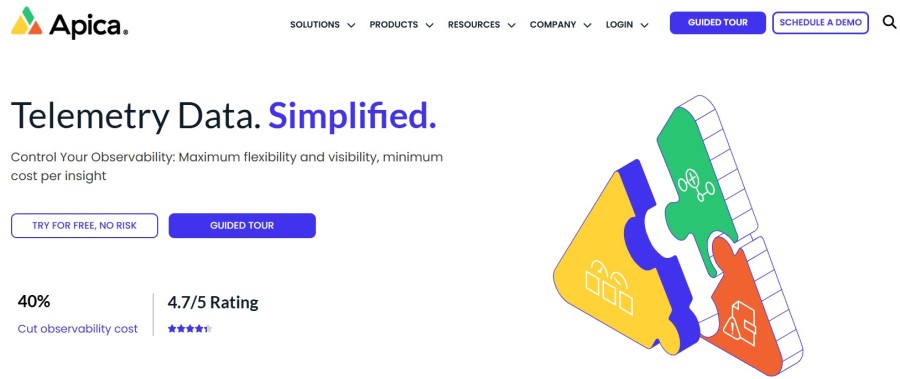
Apica is an enterprise observability and telemetry data management company. Its main platform, Apica Ascent, is designed to help organizations control telemetry data before, during, and after storage. Instead of only acting as a dashboard layer, Apica focuses on the full telemetry lifecycle: collection, filtering, routing, storage, querying, synthetic monitoring, and test data orchestration.
Apica’s platform is especially useful for teams handling high telemetry volume across hybrid, cloud-native, and enterprise environments. Its public Freemium announcement confirms support for logs, metrics, traces, events, alerts, OpenTelemetry, Fluent Bit, Logstash, Filebeat, Kafka, Elasticsearch, Splunk, and other integrations.
Apica also publishes enterprise security and compliance information. Its policy page lists SOC 2, ISO 27001:2022, PCI DSS, GDPR-related information, and a Trust Center, which makes it more relevant for regulated and enterprise buyers.
Apica Ascent Platform Overview
Apica Ascent is not a single-feature monitoring tool. It is a modular platform made up of several products that work together across the telemetry lifecycle. Apica’s 2026 product messaging describes Ascent as a seven-plane platform covering Flow, Fleet, Lake, Observe, Forge, Vanguard, and Wayfinder.
Flow
Flow is Apica’s telemetry pipeline product. It helps teams filter, enrich, route, mask, and buffer telemetry before it reaches storage or analytics systems. Apica says Flow is Kubernetes-native and built for pipeline control, zero data loss, spike handling, and observability cost reduction. Apica’s Flow page states that organizations can cut observability spend by up to 40%, but this should be treated as a vendor claim, not a guaranteed result.
Lake
Lake is Apica’s telemetry storage layer. Apica describes Lake as a data lake for storing observability data at object-storage economics while still supporting indexed search and long-term access. Apica’s Freemium materials mention 30-day retention in the free tier, while paid retention details require a custom quote.
Observe
Observe is Apica’s analytics and visualization layer. It is used for dashboards, querying, anomaly detection, and operational insight. Apica positions Observe as the layer that turns stored and routed telemetry into answers across logs, metrics, traces, and related signals.
Fleet
Fleet is Apica’s agent management layer. In the Freemium plan, Apica includes support for up to 25 agents, including OpenTelemetry Collectors for Windows, Linux, and Kubernetes. This is useful for teams that need to manage collectors across different environments.
Forge
Forge is Apica’s high-cardinality metrics engine. It is built for large metric workloads and SLO-focused analysis. This matters for teams working with modern services where metric labels, dimensions, and cardinality can grow quickly.
Vanguard
Vanguard is Apica’s synthetic monitoring product. Apica’s documentation says synthetic monitoring can regularly and programmatically check business-critical applications, API services, authentication services, certificates, DNS services, and other digital services. The Freemium plan includes 10 URL, Ping, Port, and SSL checks.
Wayfinder
Wayfinder is Apica’s test data management and orchestration product. Apica positions it for compliant test data provisioning and agentic workflows. This makes it more relevant for teams that need controlled pre-production testing data, not only production observability.
Apica Pricing in 2026
Apica does not publish a full paid pricing table with fixed monthly prices. The only public plan with clear limits is Apica Ascent Freemium.
Apica Ascent Freemium
Apica Ascent Freemium is free and does not require a credit card. It includes:
| Feature | Freemium Details |
| Data processing | Up to 1 TB/month |
| Telemetry types | Logs, metrics, traces, events, and alerts |
| Users | Unlimited |
| Dashboards | Unlimited |
| Agents | Up to 25 agents |
| Agent support | OpenTelemetry Collector, Fluent Bit, Logstash, Filebeat, and others |
| Retention | 30 days |
| Synthetic checks | 10 URL, Ping, Port, and SSL checks |
| Storage cost | No storage cost in the Freemium plan |
| Credit card | Not required |
Apica Paid Plans
Apica paid pricing is custom. Apica states that teams can upgrade from Freemium to paid tiers for higher processing volumes, on-premises implementation, advanced requirements, and dedicated support. However, Apica does not publish a standard per-GB rate, per-agent price, or fixed monthly paid plan table.
That means the safest verified pricing statement is:
Apica starts with a free plan for up to 1 TB/month of telemetry processing. Paid plans require a custom quote.
What Drives Apica Pricing?
Since Apica does not publish paid plan prices, buyers should model pricing around the public limits and likely enterprise variables.
The first pricing driver is monthly telemetry volume. Freemium covers up to 1 TB/month. Teams processing more than that need a paid plan. This volume may include logs, metrics, traces, events, and alerts.
Freemium supports up to 25 agents. Larger environments with more collectors, agents, or distributed telemetry sources will likely need a paid plan. Apica’s release notes mention agent support across Windows, Linux, and Kubernetes.
Freemium includes 30-day retention. Teams needing longer retention for audits, compliance, incident review, or historical analysis should expect this to be part of the paid quote.
Apica Ascent is modular. A team using only Flow and Lake may have a different quote from a team using Flow, Lake, Observe, Fleet, Forge, Vanguard, and Wayfinder together. Apica’s own 2026 platform messaging confirms these seven product areas.
Apica’s public materials mention on-premises implementation as one reason to upgrade from Freemium to paid tiers. That means deployment model can affect pricing, especially for enterprises with strict data control or infrastructure requirements.
Dedicated support, onboarding, implementation help, SLAs, and enterprise success services may also affect the final quote. These are not publicly priced, so buyers should ask Apica to separate platform cost, support cost, retention cost, and implementation cost during the sales process.
What Buyers Should Ask Before Buying Apica
Ask whether the quote includes only Flow and Lake or also Observe, Fleet, Forge, Vanguard, and Wayfinder. Apica is modular, so product scope matters.
Freemium includes up to 1 TB/month. Buyers should ask how paid pricing changes as telemetry volume grows.
Freemium includes up to 25 agents. Larger teams should confirm how agent count affects pricing.
Freemium includes 30-day retention. Buyers with audit, compliance, or long troubleshooting windows should ask how longer retention is priced.
Ask whether the price includes onboarding, migration help, dedicated support, SLAs, and customer success.
Apica User Reviews
Apica has a smaller public review base than some larger observability vendors, but there are still useful signals from G2, PeerSpot, Gartner Peer Insights, and TrustRadius.
| Review Source | Public Rating / Status |
| G2 | 4.2/5 |
| PeerSpot | 8.2/10 |
| Gartner Peer Insights | Apica has 15 reviews with a 4.4 overall average across markets; Observability comparison pages show 4.3 stars with 9 reviews |
| TrustRadius | Verified Apica Synthetic reviews available |
What Users Like
TrustRadius review content highlights Apica Synthetic for monitoring applications across different servers and triggering alerts when issues are identified. This supports Apica’s strength in synthetic monitoring and digital experience monitoring.
G2’s review summary says users praise Apica for ease of use and the ability to generate load tests quickly. This is useful for teams that need to simulate traffic and test performance before users are affected.
PeerSpot lists Apica among Observability Pipeline Software solutions and gives it an average rating of 8.2/10. This supports Apica’s positioning as more than a legacy synthetic monitoring tool.
Gartner Peer Insights review snippets for Apica Observe mention user-friendly dashboards, actionable operational insights, monitoring capabilities, and reliable alerts.
What Users Criticize
Disclaimer: The following points reflect public user-review themes from review platforms. They should be treated as user feedback, not universal limitations of Apica.
G2’s review summary notes that some users think Apica’s UI could be more intuitive. This should be treated as user feedback, not a universal product limitation.
Apica covers telemetry pipelines, agent management, observability analytics, synthetic monitoring, high-cardinality metrics, and test data orchestration. This broad scope can create a learning curve for teams that only need simple monitoring. Gartner review snippets also mention operational strengths, but the platform’s enterprise scope means setup may take planning.
Apica’s Freemium plan is clear, but paid pricing is not published. This makes cost comparison harder for buyers that need a fixed monthly price before speaking with sales.
Apica Alternatives: How It Compares to Competitors
Apica is mainly a telemetry data management and observability control platform. It helps teams process, route, store, analyze, and monitor telemetry across logs, metrics, traces, events, and alerts. Tools like CubeAPM, Dynatrace, New Relic, Grafana, SigNoz, and Datadog often overlap with Apica, but they do not always replace it directly.
Apica vs CubeAPM
Apica is stronger for telemetry pipelines, routing, storage, and synthetic monitoring. CubeAPM is stronger when teams want a full-stack, self-hosted observability platform with predictable per-GB pricing and data control.
| Category | Apica | CubeAPM |
| Primary role | Telemetry management | Full-stack observability |
| Pricing | Freemium + custom quote | $0.15/GB ingestion |
| Deployment | SaaS / enterprise options | Managed self-hosted |
| Strongest area | Pipelines and routing | APM, logs, metrics, traces |
| Best fit | Telemetry control | Data ownership |
Apica vs Dynatrace
Dynatrace is built for deep enterprise observability and AI-assisted root-cause analysis. Apica is better for teams that need telemetry control, routing, retention, and pipeline governance.
| Category | Apica | Dynatrace |
| Primary role | Telemetry control | Enterprise observability |
| Pricing | Custom quote | Usage-based rate card |
| AI depth | Analytics-focused | Davis AI |
| Monitoring depth | Pipeline + analytics | Full-stack monitoring |
| Best fit | Data flow control | Large enterprises |
Apica vs New Relic
New Relic is a full-stack SaaS observability platform with public ingest pricing. Apica is more useful when the main need is telemetry routing, storage, filtering, and enterprise data management.
| Category | Apica | New Relic |
| Primary role | Telemetry management | SaaS observability |
| Pricing | Freemium + custom quote | Ingest + users |
| Free tier | 1 TB/month processing | 100 GB/month ingest |
| Strength | Pipeline control | APM and troubleshooting |
| Best fit | Telemetry governance | Engineering visibility |
Apica vs Grafana
Grafana is strongest for dashboards and the open observability ecosystem. Apica is stronger when teams need to manage telemetry flow before storage or visualization.
| Category | Apica | Grafana |
| Primary role | Telemetry pipeline | Dashboards and LGTM |
| Pricing | Custom quote | Free / Pro / Enterprise |
| Strength | Routing and storage | Visualization |
| Ecosystem | Ascent platform | Loki, Tempo, Mimir |
| Best fit | Data lifecycle control | Flexible dashboards |
Apica vs SigNoz
SigNoz is an OpenTelemetry-native observability platform. Apica is broader on telemetry routing, storage, synthetic monitoring, and enterprise pipeline control.
| Category | Apica | SigNoz |
| Primary role | Telemetry control | OTel observability |
| Pricing | Freemium + custom quote | OSS + cloud pricing |
| Deployment | Enterprise options | Cloud or self-hosted |
| Strength | Pipeline and storage | APM, logs, traces |
| Best fit | Telemetry governance | OTel-native monitoring |
Apica vs Datadog
Datadog is a broad SaaS observability platform. Apica is more focused on controlling telemetry before and after it reaches storage or analytics systems.
| Category | Apica | Datadog |
| Primary role | Telemetry management | SaaS observability |
| Pricing | Freemium + custom quote | Modular pricing |
| Strength | Routing and filtering | Broad monitoring suite |
| Monitoring depth | Pipeline + analytics | APM, logs, infra, RUM |
| Best fit | Telemetry control | All-in-one SaaS monitoring |
Is Apica the Right Choice?
Apica Works Best For
Apica is a strong fit for teams processing large volumes of logs, metrics, traces, events, and alerts. Its pipeline-first design helps teams control what data is filtered, routed, stored, replayed, or analyzed.
Apica Flow is built for filtering, enrichment, masking, routing, buffering, and pipeline governance. This is useful for teams that want more control over telemetry before it reaches storage or analytics systems.
Apica’s Freemium materials confirm OpenTelemetry Collector support, along with Fluent Bit, Logstash, Filebeat, and other collection tools.
Apica publishes SOC 2, ISO 27001:2022, PCI DSS, GDPR-related information, and Trust Center access. That makes it more suitable for enterprise procurement and security review than smaller tools with limited compliance documentation.
Apica Vanguard supports synthetic monitoring for business-critical applications, APIs, authentication services, certificates, DNS, and other digital services. This makes Apica useful when synthetic monitoring is part of a larger observability strategy.
Apica May Not Be the Right Fit For
A small team under 1 TB/month can use Freemium. But a team slightly above that limit needs a custom quote, which may feel like too much friction for small buyers.
Apica includes synthetic monitoring, but the full platform is much broader. Teams that only need basic uptime checks may prefer a simpler, narrower tool.
Apica’s platform is powerful, but broad. Teams without someone to manage telemetry pipelines, agents, routing rules, and retention decisions may need more onboarding support.
Conclusion
Apica is a serious enterprise observability and telemetry data management platform. Its biggest strength is the Ascent architecture, which combines telemetry pipelines, storage, analytics, agent management, high-cardinality metrics, synthetic monitoring, and test data orchestration.
Its Freemium plan is also strong. Publicly verified limits include up to 1 TB/month of telemetry processing, unlimited users, unlimited dashboards, up to 25 agents, 30-day retention, and 10 URL, Ping, Port, and SSL checks. For small teams under those limits, Apica can be tested at no software cost.
The main limitation is paid pricing transparency. Apica does not publish fixed paid tiers or a public per-GB rate. Once teams grow beyond the Freemium limits, they need a custom quote. That makes Apica easier to justify for enterprise buyers with high telemetry volume and harder to evaluate for smaller teams that want simple self-serve pricing.
Disclaimer: Pricing, product packaging, retention limits, review scores, and included features can change over time. Always verify current details on Apica’s official website and confirm paid-plan pricing directly with Apica before making a purchase decision.
FAQs
1. What is Apica pricing?
Apica offers a free Ascent Freemium plan with up to 1 TB/month of telemetry processing. Paid pricing is custom and not published as a fixed rate card.
2. Does Apica have a free plan?
Yes. Apica Ascent Freemium includes up to 1 TB/month of telemetry processing, unlimited users, unlimited dashboards, up to 25 agents, 30-day retention, and 10 URL, Ping, Port, and SSL checks.
3. Is Apica only a synthetic monitoring tool?
No. Apica has synthetic monitoring through Vanguard, but the current Ascent platform is broader. It includes telemetry pipelines, storage, analytics, agent management, metrics, synthetics, and test data management.
4. Who is Apica best for?
Apica is best for enterprise and growing teams that need telemetry pipeline control, observability data management, synthetic monitoring, OpenTelemetry support, and flexible routing across complex environments.
5. What are the main Apica limitations?
The main limitations are custom paid pricing, limited public cost transparency, possible setup complexity, and a smaller public review base than larger observability vendors.
6. What are good Apica alternatives?
Good alternatives depend on the use case. Teams may compare Apica with full-stack observability platforms, OpenTelemetry-native platforms, synthetic monitoring tools, telemetry pipeline tools, or self-hosted observability platforms such as CubeAPM.