










Sentry is a developer-first application monitoring platform best known for error tracking, stack traces, performance tracing, session replay, release tracking, and debugging workflows. It is used by millions of developers and more than 100,000 organizations globally, and Sentry’s public materials describe support for over 100 languages and frameworks.
Sentry pricing and review are important because the entry price seems simple, but the final bill depends on usage. Errors, spans, replays, logs, application metrics, monitors, profiling, attachments, and Seer AI can all affect monthly cost once teams exceed the included quota.
In this guide, we review Sentry’s current pricing plans, included quotas, overage rates, real-world cost scenarios, user feedback, and alternatives such as CubeAPM, Rollbar, BugSnag, Datadog, and New Relic.
🔑 Key Takeaways
- Sentry has four plans: Developer ($0), Team ($26/month), Business ($80/month), and Enterprise with custom pricing.
- Team and Business include 50K errors, 5M spans, 50 replays, 5GB logs, and 5GB application metrics.
- Cost rises when errors, spans, replays, logs, metrics, profiling, monitors, or Seer AI usage exceeds the included quota.
- Seer AI costs $40 per active contributor per month and is billed separately from PAYG.
- Sentry is strongest for error tracking, tracing, session replay, and developer workflow integrations.
- Teams with high event volume should model costs carefully. Reserved volume is cheaper than PAYG but final cost depends on usage mix.
What Is Sentry?
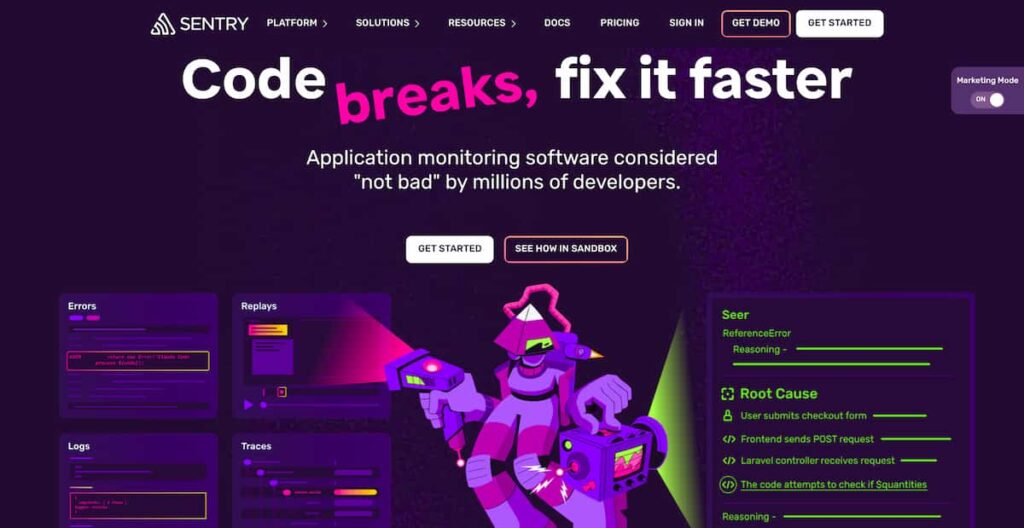
Sentry is an application monitoring and debugging platform for software teams. It helps developers detect, trace, and fix production issues by capturing errors, stack traces, breadcrumbs, release data, user context, performance spans, logs, and session replays. Sentry’s GitHub repository describes it as a debugging platform that helps developers “detect, trace, and fix issues.”
🚨 Important Correction
Sentry should not be described as open source. Sentry now uses a Fair Source licensing model. In its own 2024 announcement, Sentry explicitly states: “Just don’t call it Open Source.” Writers and editors should use “Fair Source” when describing Sentry’s licensing, not “open source.”
Sentry Feature Overview
Error monitoring is Sentry’s strongest use case. It captures exceptions, stack traces, user context, breadcrumbs, release data, and environment details so developers can understand what broke and where. G2 reviewers frequently praise Sentry for real-time error tracking, detailed stack traces, user context, issue grouping, and release tracking.
Sentry supports tracing through spans. Paid plans include 5M spans per month, with additional spans billed by volume. This is useful for latency analysis and slow transaction debugging, but span volume can grow quickly in microservice environments.
Session Replay helps teams see what happened before a frontend issue. Paid plans include 50 replays per month, and additional replays are billed by volume. This is useful for debugging frontend bugs that are hard to reproduce from logs alone.
Sentry now includes 5GB logs and 5GB application metrics in paid plans. Additional logs and application metrics cost $0.50/GB and are available through PAYG only.
Seer is Sentry’s AI debugging agent. Sentry describes it as a tool that catches breaking changes before deploy and debugs and fixes production issues. It costs $40 per active contributor per month and is billed separately from the PAYG budget.
Paid plans include one cron monitor and one uptime monitor. Additional cron monitors cost $0.78 per monitor, and additional uptime monitors cost $1.00 per monitor through PAYG.
Sentry Pricing Plans 2026
Sentry’s current pricing page lists four plan categories: Developer, Team, Business, and Enterprise. The Team and Business prices below are annual-billing prices shown with default prepaid data.
| Plan | Starting Price | Included Usage | Best For |
| Developer | $0/month | 5K errors, 1 user | Solo developers and small projects |
| Team | $26/month annually | 50K errors, 5M spans, 50 replays, 5GB logs, 5GB app metrics | Small production teams |
| Business | $80/month annually | Same base quota as Team | Teams needing SSO, dashboards, anomaly detection, and quota controls |
| Enterprise | Custom | Custom | Large teams needing TAM, premium support, SLAs, or custom requirements |
Sentry’s pricing page also shows monthly billing as an option, and Sentry support material says the monthly Team plan is $29/month and Business is $89/month.
Plan-by-Plan Breakdown
Developer Plan
The Developer plan is free and limited to one user. It includes error monitoring and tracing, email alerts, 10 custom dashboards, and 5,000 monthly errors. It is useful for personal projects, prototypes, and early evaluation, but it is not ideal for production teams that need third-party integrations or multiple users.
Team Plan
The Team plan starts at $26/month when billed annually. It includes unlimited users, third-party integrations, 20 custom dashboards, Seer availability as a paid add-on, and additional events through Sentry’s billing model. The included monthly quota is 50K errors, 5M spans, 50 replays, 5GB logs, 5GB application metrics, 1 cron monitor, 1 uptime monitor, 100 size analysis builds, and 1GB attachments.
Business Plan
The Business plan starts at $80/month when billed annually. It includes Team features plus unlimited custom dashboards, unlimited metric monitors with anomaly detection, advanced quota management, and SAML + SCIM support. The included data quota is largely the same as Team, but Business has higher overage rates for some categories, especially errors and spans.
Enterprise Plan
Enterprise pricing is custom. Sentry lists Enterprise for organizations with advanced needs and includes Business features plus a technical account manager and dedicated customer support. Enterprise is the right plan to evaluate when a team needs custom support, commercial terms, higher limits, or advanced account requirements.
Sentry Overage and Add-On Pricing
Sentry’s billing documentation says paid plans include preset monthly volume, and teams can buy more through reserved volume or a PAYG budget. Reserved volume is prepaid at a discount, while PAYG is shared across categories on a first-come, first-served basis. Any unused reserved volume expires at the end of each billing month.
Error Overage Pricing
| Error Volume | Team Reserved | Team PAYG | Business Reserved | Business PAYG |
| >50K–100K | $0.0002900 | $0.0003625 | $0.0008900 | $0.0011125 |
| >100K–500K | $0.0001750 | $0.0002188 | $0.0005000 | $0.0006250 |
| >500K–10M | $0.0001500 | $0.0001875 | $0.0003000 | $0.0003750 |
| >10M–20M | $0.0001300 | $0.0001625 | $0.0002600 | $0.0003250 |
| >20M | $0.0001200 | $0.0001500 | $0.0002400 | $0.0003000 |
Tracing Overage Pricing
| Span Volume | Team Reserved | Team PAYG | Business Reserved | Business PAYG |
| >5M–100M | $0.0000016 | $0.0000020 | $0.0000032 | $0.0000040 |
| >100M | $0.0000014 | $0.0000018 | $0.0000029 | $0.0000036 |
Other Usage Rates
| Category | Included | Additional Pricing |
| Logs | 5GB/month | $0.50/GB PAYG only |
| Application metrics | 5GB/month | $0.50/GB PAYG only |
| Cron monitors | 1 monitor | $0.78/monitor PAYG |
| Uptime monitors | 1 monitor | $1.00/monitor PAYG |
| Continuous profiling | PAYG required | $0.0315/hour |
| UI profiling | PAYG required | $0.25/hour |
| Seer AI | Not included | $40/active contributor/month |
What Does Sentry Really Cost?
⚠️ Disclaimer
The scenarios below are directional editorial estimates, not official Sentry quotes. Sentry does not price mainly by host count or total telemetry GB. It prices based on plan tier and usage across errors, spans, session replays, logs, application metrics, monitors, profiling, attachments, and Seer AI contributors. Final cost can change based on sampling, filtering, reserved volume, PAYG budgets, annual billing, enterprise discounts, and contract terms.
Sentry can look inexpensive if you only compare the base plan price. Team starts at $26/month and Business starts at $80/month on annual billing. But production teams usually pay more once errors, traces, replays, logs, metrics, and add-ons are included.
For these scenarios, host count and telemetry volume describe the size of the environment. They are not directly converted into Sentry cost. The Sentry estimate assumes a realistic Sentry deployment where teams use sampling and filtering instead of sending every log line, trace span, and replay into Sentry.
Pricing Assumptions Used in These Scenarios
| Scenario | Workload context | Sentry usage assumption | Estimated Sentry cost | CubeAPM cost |
| Small team | 10 hosts, 1.1 TB/month telemetry | Team plan, moderate errors, sampled traces, sampled replays, limited logs | ~$700/month | $522/month |
| Growing team | 50 hosts, 5.4 TB/month telemetry | Business plan, higher errors, sampled traces, replays, logs, light Seer usage | ~$1,100/month | $919/month |
| Mid-market team | 250 hosts, 27 TB/month telemetry | Business or Enterprise-style usage, higher event volume, sampled tracing, logs, replay, Seer | ~$15,000/month | $4,594/month |
These estimates are not based on converting hosts into errors. They use the workload profile to describe environment size, then estimate Sentry billing units separately.
Workload Assumptions Used for Sentry Estimates
| Team size | Environment context | Sentry modeling assumption |
| Small team | 10 hosts, 720GB logs, 360GB traces/APM, 1GB metrics, 5K RUM sessions | Uses Sentry mainly for errors, sampled traces, sampled replays, and limited logs |
| Growing team | 50 hosts, 3.6TB logs, 1.8TB traces/APM, 5GB metrics, 50K RUM sessions | Uses Business plan with higher event volume, replay sampling, limited logs, and light Seer usage |
| Mid-market team | 250 hosts, 18TB logs, 9TB traces/APM, 25GB metrics, 200K RUM sessions | Uses Sentry at scale with sampled tracing/replay, controlled logs, and likely Enterprise negotiation |
Scenario 1: Small Team, 10 Hosts
Situation
A small team runs around 10 hosts and produces about 1.1 TB of monthly telemetry across logs, traces/APM, and metrics. It also has about 5,000 RUM sessions, 50,000 API test runs, and 2,000 browser test runs.
For Sentry, this does not mean the team sends all 1.1 TB into Sentry. A realistic setup would use Sentry mainly for error tracking, sampled tracing, sampled replay, and selected logs.
Estimated profile
| Configuration | Detail |
| Environment context | 10 hosts |
| Total telemetry context | 1.1 TB/month |
| Sentry plan | Team |
| Errors | Moderate production error volume |
| Tracing | Sampled performance spans |
| Replays | Sampled replay usage |
| Logs | Selected application logs, not full log ingestion |
| Seer AI | Not assumed |
Estimated monthly cost
| Component | Assumption | Monthly cost |
| Team plan | Annual billing | $26 |
| Error overages | Moderate production usage | ~$150 |
| Span overages | Sampled tracing | ~$250 |
| Replay overages | Sampled replay usage | ~$50 |
| Logs and metrics | Selected usage above included quota | ~$200 |
| Monitors / other usage | Light uptime or cron usage | ~$25 |
| Estimated total | Small production setup | ~$700/month |
CubeAPM cost comparison
| Platform | Pricing basis | Estimated monthly cost |
| Sentry | Team plan + sampled errors/traces/replays/logs | ~$700/month |
| CubeAPM | 1.1 TB/month telemetry estimate | $522/month |
| Estimated savings with CubeAPM | Difference vs Sentry | ~$178/month |
| Percentage savings | ~25% lower |
What this scenario shows
For a small team, Sentry can still be reasonable, especially when used mainly for debugging. CubeAPM is cheaper in this model, but the gap is not extreme. The bigger difference is pricing style: Sentry cost depends on event mix, while CubeAPM uses one ingestion-based model.
Scenario 2: Growing Team, 50 Hosts
Situation
A growing team runs around 50 hosts and produces about 5.4 TB of monthly telemetry. The workload includes 3,600GB logs, 1,800GB traces/APM, 5GB metrics, 50,000 RUM sessions, 500,000 API test runs, and 20,000 browser test runs.
For Sentry, this scenario assumes the team does not send all logs and traces at full volume. Instead, it uses filtering, sampling, and quota controls to keep Sentry focused on application debugging.
Estimated profile
| Configuration | Detail |
| Environment context | 50 hosts |
| Total telemetry context | 5.4 TB/month |
| Sentry plan | Business |
| Errors | Higher production error volume |
| Tracing | Sampled traces across key services |
| Replays | Sampled frontend replay usage |
| Logs | Selected logs for debugging |
| Seer AI | Light usage by a small contributor group |
Estimated monthly cost
| Component | Assumption | Monthly cost |
| Business plan | Annual billing | $80 |
| Error overages | Higher application volume | ~$250 |
| Span overages | Sampled tracing | ~$350 |
| Replay overages | Sampled replay usage | ~$100 |
| Logs and metrics | Selected usage above included quota | ~$150 |
| Seer AI | Limited contributor usage | ~$160 |
| Monitors / other usage | Light uptime or cron usage | ~$30 |
| Estimated total | Growing production setup | ~$1,100/month |
CubeAPM cost comparison
| Platform | Pricing basis | Estimated monthly cost |
| Sentry | Business plan + sampled usage + light Seer | ~$1,100/month |
| CubeAPM | 5.4 TB/month telemetry estimate | $919/month |
| Estimated savings with CubeAPM | Difference vs Sentry | ~$181/month |
| Percentage savings | ~16% lower |
What this scenario shows
At growing-team scale, Sentry can still be controlled if the team uses sampling and filtering. The estimated cost is higher than CubeAPM, but not wildly higher. The main risk is that Sentry’s cost can rise if tracing, logs, replay, or errors grow beyond the planned limits.
Scenario 3: Mid-Market Team, 250 Hosts
Situation
A mid-market team runs around 250 hosts and produces about 27 TB of monthly telemetry. The environment may include multiple services, Kubernetes clusters, databases, queues, APIs, and frontend applications.
At this scale, Sentry is likely to be managed more carefully. Many teams would use sampling, filtering, reserved volume, budget controls, and possibly Enterprise negotiation rather than pure PAYG pricing.
Estimated profile
| Configuration | Detail |
| Environment context | 250 hosts |
| Total telemetry context | 27 TB/month |
| Sentry plan | Business pricing anchor or Enterprise negotiation |
| Errors | High production error volume |
| Tracing | Sampled tracing across important services |
| Replays | Sampled replay usage |
| Logs | Selected application logs, not full log ingestion |
| Seer AI | Broader team usage |
Estimated monthly cost
| Component | Assumption | Monthly cost |
| Business or Enterprise-style plan | Public pricing anchor / negotiated plan | ~$80+ |
| Error overages | High application volume | ~$3,000 |
| Span overages | Sampled tracing at scale | ~$5,000 |
| Replay overages | Larger sampled replay usage | ~$1,000 |
| Logs and metrics | Selected debug logs and app metrics | ~$2,500 |
| Seer AI | Larger contributor group | ~$2,000 |
| Monitors / other usage | Cron, uptime, attachments, profiling | ~$1,400 |
| Estimated total | Mid-market setup | ~$15,000/month |
CubeAPM cost comparison
| Platform | Pricing basis | Estimated monthly cost |
| Sentry | Business/Enterprise-style usage with sampling and controls | ~$15,000/month |
| CubeAPM | 27 TB/month telemetry estimate | $4,594/month |
| Estimated savings with CubeAPM | Difference vs Sentry | ~$10,406/month |
| Percentage savings | $10,406 ÷ $15,000 | ~69% lower |
What this scenario shows
At mid-market scale, Sentry can become a meaningful monthly expense, but a $40K+ estimate would be too aggressive unless the team sends very large trace and log volumes without sampling. A more balanced estimate is around $15,000/month for broad Sentry usage with controls, sampling, and possible enterprise negotiation.
Summary: Sentry vs CubeAPM Estimated Monthly Cost
⚠️ Disclaimer
These are directional planning estimates, not official quotes. Sentry pricing depends on the mix of errors, spans, replays, logs, metrics, monitors, profiling, attachments, Seer usage, and contract terms. CubeAPM pricing is based on ingested GB, so it is easier to forecast when teams want full-stack observability across logs, metrics, traces, infrastructure monitoring, APM, RUM, synthetics, and error tracking.
| Team profile | Sentry estimate | CubeAPM estimate | Monthly savings with CubeAPM | Percentage savings |
| Small team | ~$700/month | $522/month | ~$178/month | ~25% |
| Growing team | ~$1,100/month | $919/month | ~$181/month | ~16% |
| Mid-market team | ~$15,000/month | $4,594/month | ~$10,406/month | ~69% |
What Drives Sentry Costs?
Error volume is one of the biggest cost drivers. If an application has noisy errors, duplicate frontend exceptions, bot-triggered failures, or repeated backend exceptions, Sentry usage can grow quickly.
Tracing can produce a large number of spans, especially in microservice environments. A single request may create many spans across services, databases, queues, and external APIs.
Session Replay is useful, but it can become expensive if sampling is too high. Frontend-heavy apps should define replay sampling rules before rolling it out broadly.
Sentry includes 5GB logs and 5GB application metrics in paid plans. Additional usage costs $0.50/GB. This is simple at low volume, but teams sending large log volumes should model this separately.
Seer AI costs $40 per active contributor per month. Teams should estimate how many developers will cross Sentry’s active contributor threshold before enabling it broadly.
The jump from Team to Business matters. Business adds SAML, SCIM, advanced quota management, anomaly detection, and unlimited dashboards, but it also uses higher overage rates for some categories.
Sentry User Reviews
Sentry has strong ratings across major software review platforms. G2 lists Sentry at 4.5/5, Gartner Peer Insights lists Sentry at 4.4/5 from 52 reviews, and Trustpilot shows 3.3/5 from 13 reviews, which is a much smaller and less representative sample. Capterra review pages show strong recent reviewer sentiment around ease of setup, debugging value, and error tracking, but the visible search result did not give me a clean aggregate score, so I would avoid stating a Capterra aggregate unless you confirm it directly on the page.
| Review source | Rating | Review count | What it suggests |
| G2 | 4.5/5 | 215 reviews | Strong product satisfaction for error tracking, debugging, and integrations |
| Gartner Peer Insights | 4.4/5 | 52 reviews | Strong enterprise user feedback, with some concerns around tuning and cost |
| Trustpilot | 3.3/5 | 13 reviews | Small sample, less representative for B2B software buying |
What Users Like
Users commonly praise Sentry because it shows production errors quickly. Instead of waiting for customer complaints, teams can see errors, stack traces, and affected users directly in the dashboard.
Sentry is widely liked for stack traces, breadcrumbs, user context, release tracking, and suspect commit workflows. These details help developers move faster from alert to root cause.
Users often mention Sentry’s integrations with tools such as Slack, GitHub, GitLab, Jira, and CI/CD workflows. These integrations make it easier to connect errors to engineering workflows.
Issue grouping helps teams avoid thousands of duplicate tickets from the same bug. This makes triage easier during regressions or noisy deployments.
Session Replay is useful for frontend teams because it shows what the user did before the error. This helps with bugs that are hard to reproduce locally.
What Users Criticize
⚠️ Disclaimer
The following points reflect public user-review themes from review platforms. They should be treated as user feedback, not universal limitations of Sentry.
Some G2 users mention pricing as a concern, especially as usage grows. Since Sentry bills based on errors, spans, replays, logs, metrics, and add-ons, costs can increase when applications generate more events than expected.
Users also describe Sentry as expensive for larger teams or high-volume applications. This is most relevant for teams with heavy error volume, broad tracing, higher replay sampling, or many Seer AI contributors.
Some users mention error handling as a criticism. This does not mean Sentry is weak at error tracking overall, since that is one of its strongest areas. It likely reflects cases where users struggled with grouping, noise, filtering, or how specific errors were displayed and prioritized.
A few users criticize the UI. This may affect teams that want simpler navigation, easier dashboard workflows, or faster access to the most important debugging details.
Some users say Sentry can be complex to configure. Initial setup can be quick, but getting the right filters, alerts, sampling rules, issue grouping, replay settings, and quota controls takes ongoing tuning.
Sentry Alternatives: How It Compares to Competitors
Sentry vs CubeAPM
Sentry is best for developer-first error tracking, tracing, and debugging. CubeAPM is better for teams that want full-stack observability with APM, logs, metrics, traces, infrastructure monitoring, RUM, synthetics, dashboards, SLOs, and error tracking in one platform.
CubeAPM uses self-hosted, vendor-managed deployment and charges $0.15/GB ingested with no per-host, per-user, or per-series fees.
| Category | Sentry | CubeAPM |
| Deployment | SaaS, self-hosting possible | Self-hosted, vendor-managed |
| Pricing model | Plan + event/data overages | $0.15/GB ingested |
| Core strength | Error tracking and debugging | Full-stack observability |
| Infrastructure monitoring | Limited | Yes |
| Best for | Developer debugging workflows | Teams needing predictable full-stack observability |
CubeAPM is not a direct replacement for every Sentry use case. Sentry is still stronger for code-level debugging workflows. CubeAPM is stronger when the buyer wants full-stack visibility and predictable pricing across telemetry signals.
Sentry vs Rollbar
Rollbar is another error monitoring platform. It focuses on real-time error tracking, grouping, deploy tracking, and issue triage. It is often evaluated by teams that want a simpler error-first workflow.
| Category | Sentry | Rollbar |
| Core focus | Error tracking, tracing, replay | Error monitoring |
| Free tier | Yes | Yes |
| Session replay | Yes | Available by plan |
| APM depth | Stronger than Rollbar | More limited |
| Best for | Developer debugging | Simpler error-first monitoring |
Rollbar may fit teams that only need error monitoring. Sentry is broader because it adds stronger tracing, replay, logs, metrics, and Seer AI.
Sentry vs BugSnag
BugSnag is an error monitoring and stability platform. It is commonly used by teams that want release health, crash monitoring, and application stability insights.
| Category | Sentry | BugSnag |
| Core focus | Error tracking + tracing + replay | Error and stability monitoring |
| Starting price | $26/month on annual Team plan | Starts from public paid plans |
| Free tier | Yes | Yes |
| Tracing | Stronger | More limited |
| Best for | Debugging workflow | Stability-focused engineering teams |
BugSnag is worth considering for teams focused on stability management. Sentry is stronger when teams want a broader debugging workflow with tracing and replay.
Sentry vs Datadog
Datadog is a full-stack observability platform covering infrastructure monitoring, APM, logs, RUM, synthetics, cloud monitoring, and security products. It is broader than Sentry but usually more complex and more expensive.
| Category | Sentry | Datadog |
| Core focus | Application debugging | Full-stack observability |
| Pricing model | Event/data based | Host + usage modules |
| Infrastructure monitoring | Limited | Yes |
| Logs | Included in limited quantity | Native log management |
| Best for | Developer debugging | Enterprise cloud observability |
Datadog is better for teams needing one SaaS platform for infrastructure, logs, APM, RUM, synthetics, and cloud monitoring. Sentry is better for teams focused on fixing application errors quickly.
Sentry vs New Relic
New Relic is a broad observability platform with APM, infrastructure monitoring, logs, browser monitoring, synthetics, and dashboards. Its pricing is based on data ingest and user type.
| Category | Sentry | New Relic |
| Core focus | Error tracking and debugging | Full-stack observability |
| Pricing model | Plan + usage overages | Data ingest + users |
| Free tier | Yes | 100GB/month free ingest |
| Infrastructure monitoring | Limited | Yes |
| Best for | Developer debugging | Unified observability |
New Relic is stronger for broad observability. Sentry is stronger for developer-level error tracking, stack traces, issue grouping, and debugging workflows.
Is Sentry the Right Choice?
Sentry Works Best For
Sentry is a strong fit for engineering teams that want fast error detection, stack traces, breadcrumbs, release tracking, and issue grouping.
Session Replay makes Sentry useful for frontend teams that need to understand user behavior before an error happens.
Sentry fits well into developer workflows because it connects errors to releases, commits, and engineering tools.
The free plan and low Team starting price make Sentry easy to adopt for small teams, especially when usage is moderate.
Sentry works best when teams actively manage filters, sampling, quotas, replay settings, and alert rules.
Sentry May Not Be the Right Fit For
Some G2 users mention pricing issues and describe Sentry as expensive. This does not mean Sentry is overpriced for every team, but it does mean teams should model usage carefully before scaling. Costs can increase when error volume, tracing spans, session replays, logs, metrics, or Seer AI usage grows.
Some users mention complex configuration as a drawback. Sentry can be quick to install, but getting the best results often requires tuning alerts, filters, sampling rules, issue grouping, replay settings, and quota controls. Teams without time for ongoing setup may find this harder than expected.
Some G2 users mention poor UI as a concern. This may matter for teams that want a very simple dashboard, easier navigation, or faster access to the most important debugging details. It is worth testing the interface during a trial before rolling it out widely.
Although error tracking is one of Sentry’s strongest areas, some users still mention error handling as a complaint. This may come from cases where teams have too many duplicate issues, noisy alerts, or errors that need better filtering and grouping. Teams with high-volume applications should plan how they will manage noise before relying on Sentry at scale.
Conclusion
Sentry remains one of the strongest tools for developer-first error tracking and debugging. Its SDK coverage, stack traces, breadcrumbs, issue grouping, release tracking, tracing, and session replay make it valuable for teams that need to diagnose application issues quickly.
The pricing model is manageable at low to moderate usage, but teams should not judge cost by the $26/month or $80/month plan price alone. Real cost depends on errors, spans, replays, logs, metrics, profiling, monitors, attachments, and Seer AI usage.
For teams that primarily need code-level debugging, Sentry is a strong choice. For teams that need full-stack observability with infrastructure monitoring and predictable per-GB pricing, it is worth comparing Sentry with alternatives such as CubeAPM, New Relic, Datadog, Rollbar, and BugSnag.
Disclaimer: Pricing, packaging, included quotas, overage rates, support terms, and product limits can change. The cost examples in this article are editorial estimates based on publicly available Sentry pricing and billing documentation as of June 2026. Always confirm final pricing, limits, discounts, and contract terms directly with Sentry before purchase.
FAQs
1. How much does Sentry cost per month?
Sentry starts at $0/month on the Developer plan. Paid plans start at $26/month for Team and $80/month for Business when billed annually. Monthly billing is higher, with support material showing $29/month for Team and $89/month for Business.
2. Does Sentry have a free plan?
Yes. Sentry’s Developer plan is free and includes one user, error monitoring and tracing, email alerts, 10 custom dashboards, and 5,000 monthly errors.
3. What is included in Sentry paid plans?
Paid plans include 50K errors, 5GB logs, 5GB application metrics, 5M spans, 50 replays, 1 uptime monitor, 1 cron monitor, 100 size analysis builds, and 1GB attachments per month.
4. What happens when Sentry usage exceeds quota?
Sentry lets teams use reserved volume or PAYG budgets for overages. If reserved volume and PAYG budget are exhausted, Sentry says additional data is dropped and the team will lose monitoring for the remainder of the billing cycle.
5. How much does Seer AI cost?
Seer costs $40 per active contributor per month. Sentry defines an active contributor as a user who makes two or more pull requests to a Seer-connected repository during the month.
6. Is Sentry open source?
Not in the simple OSI-open-source sense. Sentry’s source is publicly available, and self-hosting is possible, but Sentry now describes its model as Fair Source. Sentry’s own announcement says Fair Source is its new term and explicitly says not to call it Open Source.