










Pixie is an open source Kubernetes observability project built for fast, in-cluster debugging. It uses eBPF-based auto-telemetry to help developers inspect service maps, cluster resources, application traffic, pod state, flame graphs, and full-body application requests without manually instrumenting every service.
This matters because Kubernetes is now mainstream in production. CNCF’s 2025 Annual Cloud Native Survey found that 82% of container users run Kubernetes in production, making Kubernetes observability a real priority for DevOps, SRE, platform, and engineering teams.
Pixie pricing is different from most observability tools. Pixie itself is free and open source, but teams that use Pixie with New Relic for long-term retention, dashboards, alerts, and broader observability workflows may pay New Relic data ingest, user, synthetics, and platform-related costs. In this guide, we’ll cover Pixie pricing, features, limitations, cost scenarios, reviews, and alternatives such as CubeAPM, New Relic, Datadog, Dynatrace, and Grafana.
What Is Pixie?
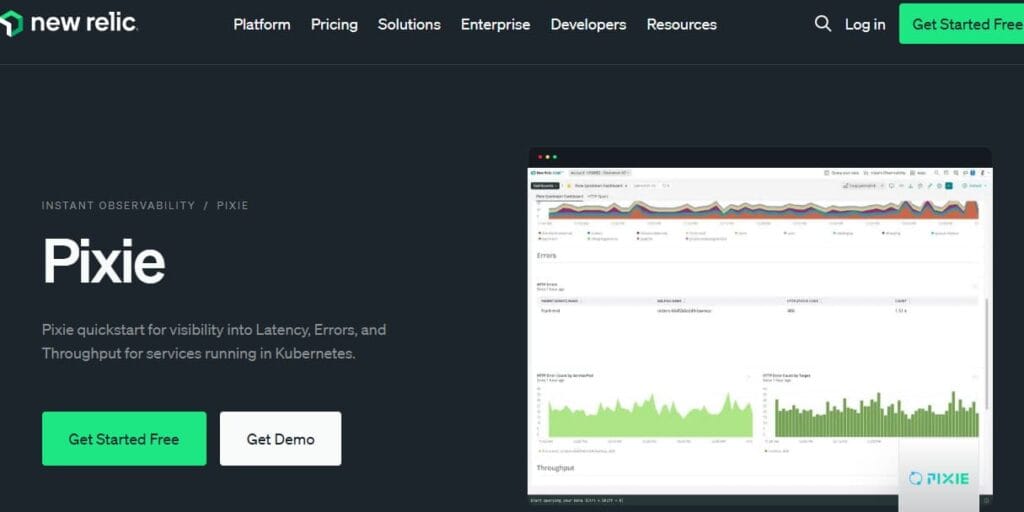
Pixie is an open source observability tool for Kubernetes applications. Its GitHub repository describes it as a Kubernetes-native observability tool that can show service maps, cluster resources, application traffic, pod state, flame graphs, and full-body application requests.
Pixie was originally built by Pixie Labs. New Relic announced its agreement to acquire Pixie Labs on December 10, 2020, describing Pixie as a Kubernetes observability solution that gives developers instant access to telemetry without manually adding instrumentation to code.
Pixie later became a CNCF Sandbox project. CNCF lists Pixie as “open source Kubernetes observability for developers” and says it was accepted into the CNCF Sandbox on June 22, 2021.
What Makes Pixie Different?
Pixie is not a traditional agent-based APM product. Its main value is live Kubernetes visibility through eBPF-based auto-telemetry. The Pixie website says teams can access metrics, events, traces, and logs in seconds without changing code by using dynamic eBPF probes and ingestors.
That makes Pixie strongest for short-term Kubernetes investigation, developer debugging, and incident troubleshooting. It is less suitable as a complete standalone long-term observability platform unless paired with New Relic or another telemetry backend.
Who Uses Pixie?
Pixie is most relevant for teams running applications on Kubernetes. Common users include Kubernetes developers, DevOps engineers, SRE teams, platform teams, cloud-native engineering teams, and teams already using New Relic Kubernetes monitoring.
Pixie is especially useful when developers need to answer live questions such as which service is slow, which pod is consuming CPU, why a request is failing, what traffic is flowing between services, or which database calls are slow.
Key Features of Pixie
Pixie uses eBPF to automatically collect telemetry from Kubernetes applications. This reduces setup friction because teams can inspect application behavior without manually adding tracing libraries or SDKs to every service.
Pixie is built specifically for Kubernetes troubleshooting. It can show cluster resources, service maps, application traffic, pod state, flame graphs, and full-body application requests.
Pixie’s core strength is live debugging. New Relic’s Pixie documentation says Pixie stores the full telemetry set on cluster nodes in short-term storage, while the New Relic plugin persists selected telemetry into New Relic for long-term storage.
Pixie can inspect full-body application requests and responses. This is powerful for debugging, but teams should review privacy and compliance requirements before enabling or broadly exposing that data in production. New Relic’s Pixie data-management docs also describe a restricted data-access option that can redact potentially sensitive columns such as request and response bodies and headers.
Pixie includes PxL, a Python-like query language based on Pandas syntax. Pixie’s open source announcement says Pixie clients, including the CLI, API, and web UI, use PxL scripts to analyze data, and users can write custom PxL scripts for their own workflows.
New Relic’s Pixie integration uses a hybrid storage model. Teams can query recent high-detail Pixie telemetry from short-term in-cluster storage and persist selected telemetry into New Relic for long-term storage, dashboards, alerts, and correlation.
Pixie Pricing in 2026
Pixie pricing is best understood in two layers:
- Pixie open source pricing
- New Relic pricing when Pixie telemetry is persisted into New Relic
Pixie Open Source Pricing
Pixie itself is free to license as an open source project. Pixie’s open source announcement says Pixie was released under the Apache 2.0 license, and CNCF lists Pixie as an open source Kubernetes observability project.
This means there is no standalone Pixie license fee.
However, free software does not mean zero total cost. Teams still need to account for Kubernetes cluster resources, setup time, security review, access control, upgrade management, and any long-term telemetry backend used with Pixie.
New Relic Pixie Pricing
New Relic pricing is not Pixie-only pricing. New Relic charges through its broader platform model, including data ingest, users, synthetics overages, Data Plus, advanced compute, and contract terms. New Relic lists 100 GB of free data ingest per month, $0.40/GB beyond that for Original Data, and $0.60/GB beyond that for Data Plus.
New Relic also lists free basic users, $49/core user/month, Standard full platform users at $10 for the first user and $99 for each additional user up to five users, and Pro full platform users at $349/user/month for annual commitments.
For synthetics, New Relic says included monthly synthetic checks vary by edition: Free includes 500, Standard includes 10K, Pro includes 1M, and Enterprise includes 10M. Additional checks beyond the included amount are listed at $0.005/check.
Pixie Pricing Summary
| Pricing area | Verified status |
| Pixie open source license | Free open source under Apache 2.0 |
| Standalone Pixie license fee | $0 |
| Short-term Pixie storage | In-cluster, less than 24 hours |
| Long-term storage | Persist selected telemetry into New Relic or another backend |
| New Relic data ingest | 100 GB free, then $0.40/GB Original Data or $0.60/GB Data Plus |
Is Pixie Really Free?
Yes, Pixie itself is free as an open source Kubernetes observability project. The pricing question changes when teams need full production observability workflows such as long-term retention, dashboards, alerts, broader APM, user management, and historical analysis.
Pixie is free for live, short-term, in-cluster debugging. New Relic costs can apply when selected Pixie telemetry is persisted into New Relic for long-term storage and broader observability workflows. New Relic’s Pixie documentation explicitly says the hybrid storage model lets teams debug active Kubernetes incidents with recent telemetry while only paying to ingest a selected and configurable amount into long-term storage.
How Pixie Stores Data
Pixie is mainly designed for real-time debugging. New Relic documentation says Pixie stores the full telemetry set on cluster nodes in short-term storage for less than 24 hours, and that Pixie telemetry is stored for up to 24 hours at most before it ages out of memory.
Since this short-term data is stored in the Kubernetes cluster, teams do not pay New Relic to ingest that data unless selected telemetry is exported and persisted into New Relic.
What Pixie Data Can New Relic Persist?
New Relic documentation says the Pixie integration persists selected Pixie telemetry for long-term storage. The default persisted set includes HTTP and HTTP/2 request spans and golden metrics, DNS request spans and latency metrics, MySQL, PostgreSQL, Cassandra, Redis, Kafka, and JVM metrics. Teams can also configure which Pixie telemetry is persisted.
This matters for pricing because more persisted data can increase New Relic ingest costs, while keeping more Pixie data in short-term in-cluster storage can reduce the paid New Relic layer.
What Does Pixie Really Cost?
⚠️ Disclaimer
The scenarios below are directional editorial estimates, not official Pixie or New Relic quotes. Pixie itself is free and open source, so there is no standalone Pixie license fee. The real cost depends on Kubernetes infrastructure resources, engineering time, New Relic ingest, New Relic user type, synthetics usage, Data Plus, advanced compute, retention, enterprise discounts, and contract terms.
Pixie does not have a normal SaaS price table. It is not priced per host, per container, per user, or per GB as a standalone product. Pixie’s short-term telemetry is stored in the Kubernetes cluster and is mainly used for live debugging. New Relic costs appear when selected Pixie data is persisted into New Relic or when the team uses New Relic for broader full-stack observability.
Pricing Assumptions Used in These Scenarios
These scenarios use New Relic Original Data pricing at $0.40/GB beyond the free 100 GB/month allowance. They include New Relic user assumptions and synthetics overages after the included monthly synthetic checks. They do not include Data Plus, Advanced Compute, EU data center charges, enterprise discounts, custom contracts, custom retention, or commitment pricing beyond the listed user assumptions.
| Scenario | Pixie software cost | New Relic pricing assumption | Estimated Pixie + New Relic cost | CubeAPM estimate |
| Small team | $0 | Original Data, 1 Standard full platform user, Standard synthetics allowance | ~$612/month | ~$522/month |
| Growing team | $0 | Original Data, 5 Standard full platform users, Standard synthetics allowance | ~$5,078/month | ~$919/month |
| Mid-market team | $0 | Original Data, 10 Pro full platform users, Pro synthetics allowance | ~$19,660/month | ~$4,594/month |
CubeAPM’s public pricing page lists $0.15/GB ingestion and includes APM, distributed tracing, log management, infrastructure monitoring, RUM, synthetics, error tracking, service graphs, SLOs, RBAC, SSO, MFA, and audit logs.
Scenario 1: Small Kubernetes Team, About 10 Hosts
Scenario
A small Kubernetes team runs around 10 hosts and produces about 1.1 TB/month of telemetry. This includes roughly 720 GB/month of logs, 360 GB/month of traces/APM data, and 1 GB/month of metrics. The team also has about 5,000 RUM sessions, 50,000 API test runs, and 2,000 browser test runs per month.
This team wants live debugging, service maps, request visibility, basic troubleshooting, and short-term Kubernetes observability. Pixie is attractive here because the Pixie software cost is $0 and the team can use it for live in-cluster debugging without a standalone Pixie license fee.
Estimated profile
| Configuration | Detail |
| Infrastructure context | About 10 hosts |
| Total telemetry volume | About 1.1 TB/month |
| RUM sessions | 5,000/month |
| Synthetic activity | 50,000 API test runs + 2,000 browser test runs |
| Pricing basis | Pixie free; New Relic applies if data and checks are persisted or used |
Estimated monthly cost
Disclaimer: The monthly cost estimates below are directional editorial calculations, not official Pixie quotes. Actual costs can vary based on persisted telemetry volume, user type, synthetic check usage, retention, Data Plus, advanced compute, discounts, and contract terms. Buyers should confirm final pricing directly with the vendor.
| Component | Assumption | Monthly cost |
| Pixie license | Open source software | $0 |
| New Relic data ingest | 1,081 GB – 100 GB free = 981 GB × $0.40/GB | ~$392 |
| New Relic users | 1 Standard full platform user | ~$10 |
| Synthetic checks | 52,000 checks – 10,000 Standard included = 42,000 × $0.005 | ~$210 |
| Estimated total | Pixie + New Relic persistence model | ~$612/month |
CubeAPM cost comparison
| Platform | Pricing basis | Estimated monthly cost |
| Pixie + New Relic | Pixie free + New Relic ingest, user, and synthetics | ~$612/month |
| CubeAPM | 1.1 TB/month usage estimate | ~$522/month |
| Estimated savings with CubeAPM | Difference vs Pixie + New Relic estimate | ~$90/month |
| Percentage savings | $90 ÷ $612 | ~15% lower |
What this scenario shows
For a small Kubernetes team, Pixie is cost-effective when used mainly for live debugging. The Pixie license is free, and short-term in-cluster telemetry does not create a Pixie software bill.
The cost changes when the team persists telemetry into New Relic for long-term dashboards, alerts, and historical analysis. Under this full-persistence estimate, the planning cost is about $612/month. CubeAPM is lower in this scenario at about $522/month, but Pixie remains attractive if the main need is live Kubernetes debugging rather than a complete observability platform.
Scenario 2: Growing SaaS Team, About 50 Hosts
Scenario
A growing SaaS team runs around 50 hosts and produces about 5.4 TB/month of telemetry. This includes roughly 3,600 GB/month of logs, 1,800 GB/month of traces/APM data, and 5 GB/month of metrics. The team also has about 50,000 RUM sessions, 500,000 API test runs, and 20,000 browser test runs per month.
At this stage, the team has more services, more production workflows, more customer traffic, and more developers depending on observability data. Pixie can reduce debugging friction, but long-term visibility usually requires New Relic or another backend.
Estimated profile
| Configuration | Detail |
| Infrastructure context | About 50 hosts |
| Total telemetry volume | About 5.4 TB/month |
| RUM sessions | 50,000/month |
| Synthetic activity | 500,000 API test runs + 20,000 browser test runs |
| Pricing basis | Pixie free; New Relic applies for persistence and platform usage |
Estimated monthly cost
Disclaimer: The monthly cost estimates below are directional editorial calculations, not official Pixie quotes. Actual costs can vary based on persisted telemetry volume, user type, synthetic check usage, retention, Data Plus, advanced compute, discounts, and contract terms. Buyers should confirm final pricing directly with the vendor.
| Component | Assumption | Monthly cost |
| Pixie license | Open source software | $0 |
| New Relic data ingest | 5,405 GB – 100 GB free = 5,305 GB × $0.40/GB | ~$2,122 |
| New Relic users | 5 Standard full platform users: $10 + 4 × $99 | ~$406 |
| Synthetic checks | 520,000 checks – 10,000 Standard included = 510,000 × $0.005 | ~$2,550 |
| Estimated total | Pixie + New Relic persistence model | ~$5,078/month |
CubeAPM cost comparison
| Platform | Pricing basis | Estimated monthly cost |
| Pixie + New Relic | Pixie free + New Relic ingest, users, and synthetics | ~$5,078/month |
| CubeAPM | 5.4 TB/month usage estimate | ~$919/month |
| Estimated savings with CubeAPM | Difference vs Pixie + New Relic estimate | ~$4,159/month |
| Percentage savings | $4,159 ÷ $5,078 | ~82% lower |
What this scenario shows
This is where Pixie’s free license no longer tells the full cost story. Pixie remains free, but New Relic can become the main cost driver if the team persists large telemetry volumes and uses synthetic monitoring at scale.
For a growing SaaS team, Pixie is valuable for live Kubernetes debugging and quick investigation. But if the goal is full-stack observability with long-term retention, the buyer should model New Relic ingest, users, synthetics, retention, Data Plus, and advanced compute carefully.
Scenario 3: Mid-Market Kubernetes Platform Team, About 250 Hosts
Scenario
A mid-market Kubernetes platform team runs around 250 hosts and produces about 27 TB/month of telemetry. This includes roughly 18,000 GB/month of logs, 9,000 GB/month of traces/APM data, and 25 GB/month of metrics. The team also has about 200,000 RUM sessions, 2,000,000 API test runs, and 80,000 browser test runs per month.
At this scale, the team may use Pixie for live debugging and New Relic for broader observability, dashboards, alerts, long-term retention, and cross-team workflows.
Estimated profile
| Configuration | Detail |
| Infrastructure context | About 250 hosts |
| Total telemetry volume | About 27 TB/month |
| RUM sessions | 200,000/month |
| Synthetic activity | 2,000,000 API test runs + 80,000 browser test runs |
| Pricing basis | Pixie free; New Relic applies for persistence and platform usage |
Estimated monthly cost
Disclaimer: The monthly cost estimates below are directional editorial calculations, not official Pixie quotes. Actual costs can vary based on persisted telemetry volume, user type, synthetic check usage, retention, Data Plus, advanced compute, discounts, and contract terms. Buyers should confirm final pricing directly with the vendor.
| Component | Assumption | Monthly cost |
| Pixie license | Open source software | $0 |
| New Relic data ingest | 27,025 GB – 100 GB free = 26,925 GB × $0.40/GB | ~$10,770 |
| New Relic users | 10 Pro full platform users × $349/user/month annual | ~$3,490 |
| Synthetic checks | 2,080,000 checks – 1,000,000 Pro included = 1,080,000 × $0.005 | ~$5,400 |
| Estimated total | Pixie + New Relic persistence model | ~$19,660/month |
CubeAPM cost comparison
| Platform | Pricing basis | Estimated monthly cost |
| Pixie + New Relic | Pixie free + New Relic ingest, users, and synthetics | ~$19,660/month |
| CubeAPM | 27 TB/month usage estimate | ~$4,594/month |
| Estimated savings with CubeAPM | Difference vs Pixie + New Relic estimate | ~$15,066/month |
| Percentage savings | $15,066 ÷ $19,660 | ~77% lower |
What this scenario shows
At mid-market scale, Pixie’s free software license is helpful, but it does not eliminate observability cost if the team uses New Relic for long-term storage and full-stack workflows. The main costs shift to New Relic data ingest, full platform users, synthetic checks, retention, Data Plus, and possible add-ons.
Pixie remains a strong choice for live Kubernetes debugging. But for full observability budgeting, teams should not stop at “Pixie is free.” They should model what data is persisted, how many engineers need full platform access, how many synthetic checks are run, and whether Data Plus or extended retention is required.
Summary: Pixie + New Relic vs CubeAPM Estimated Monthly Cost
Disclaimer: These are directional planning estimates, not official Pixie, New Relic, or CubeAPM quotes. Pixie itself remains free. The Pixie + New Relic estimates assume persisted telemetry, New Relic users, and synthetic checks based on the workload assumptions above.
| Team profile | Pixie software cost | Pixie + New Relic estimate | CubeAPM estimate | Estimated savings with CubeAPM |
| Small team | $0 | ~$612/month | ~$522/month | ~$90/month |
| Growing team | $0 | ~$5,078/month | ~$919/month | ~$4,159/month |
| Mid-market team | $0 | ~$19,660/month | ~$4,594/month | ~$15,066/month |
What This Cost Comparison Shows
Pixie is free as an open source Kubernetes observability tool, but Pixie is not the same as free long-term full-stack observability. If a team only needs live debugging, short-term Kubernetes visibility, and in-cluster investigation, Pixie can be very cost-effective.
The cost changes when Pixie is connected to New Relic for persisted telemetry, dashboards, alerts, historical analysis, user access, and synthetic monitoring. In that model, New Relic becomes the paid layer, and the main cost drivers are data ingest, users, synthetics, retention, Data Plus, and add-ons.
For buyers, the safest approach is to separate Pixie-only use from Pixie + New Relic use. Pixie-only use can keep software cost at $0, while Pixie + New Relic should be modeled using expected persisted telemetry volume, user count, synthetics activity, edition, and retention needs.
Pixie Cost Drivers
Pixie alone is free to license. Pixie with New Relic can create New Relic costs when selected telemetry is persisted for long-term use.
The biggest paid cost driver is not Pixie collection itself. It is the amount of Pixie telemetry exported and stored in New Relic. New Relic says teams can configure which Pixie telemetry data is persisted.
New Relic includes 100 GB of free data ingest per month. Beyond that, Original Data is $0.40/GB and Data Plus is $0.60/GB.
New Relic pricing also depends on user type. Basic users are free, core users are listed at $49/user/month, Standard full platform users start at $10 for the first user and $99 for each additional user, and Pro full platform users are listed at $349/user/month for annual commitments.
Pixie stores short-term telemetry inside the Kubernetes cluster. Pixie’s open source announcement says storage and computation happen on the user’s Kubernetes cluster, which can improve data isolation but also means teams should account for CPU, memory, access control, and operational overhead.
Pixie Review: Strengths and Weaknesses
What Pixie Does Well
Pixie gives developers quick visibility into Kubernetes applications without requiring manual instrumentation for many workflows. The official Pixie site describes it as auto-instrumented, scriptable, and Kubernetes-native.
Pixie is open source and was released under Apache 2.0. This makes it easier for teams to test Kubernetes observability without committing to a paid vendor license.
Pixie is built for real-time debugging. New Relic’s Pixie documentation says short-term storage is limited and Pixie telemetry is stored for up to 24 hours at most before it ages out of memory.
Pixie supports CLI workflows and PxL scripts, which helps developers run repeatable debugging workflows instead of relying only on static dashboards.
Pixie becomes more useful for long-term production workflows when paired with New Relic because selected telemetry can be persisted into New Relic for long-term storage, dashboards, alerts, and querying.
Pixie’s Drawbacks
⚠️ Disclaimer
Public standalone review data for the Kubernetes observability project Pixie is limited. This section is based on verified product documentation, CNCF project status, and official New Relic/Pixie sources, not broad G2 or Capterra review ratings.
Pixie alone is not a long-term historical observability platform. Its short-term storage is designed for live debugging and stores telemetry for up to 24 hours at most.
Pixie is built for Kubernetes applications. It is not the best primary tool for teams mainly monitoring traditional VMs, bare metal, serverless workloads, mobile apps, browser RUM, or non-Kubernetes infrastructure.
Pixie is free, but New Relic is not always free at production scale. New Relic pricing depends on data ingest, users, synthetics overages, Data Plus, advanced compute, and other platform usage.
Pixie can expose detailed request and response data. New Relic’s Pixie docs include restricted data-access controls for redacting potentially sensitive request and response fields, which is a sign that teams should review security and privacy policies before broad production rollout.
Pixie does not have the same standalone review footprint as Datadog, New Relic, Dynatrace, or Grafana. For buyer research, official docs, GitHub, CNCF status, and hands-on testing are more reliable than generic review-platform summaries.
Pixie Alternatives: How it Compares to Competitors
Pixie vs CubeAPM
Pixie is an open source Kubernetes live-debugging tool. CubeAPM is a full-stack observability platform with public $0.15/GB ingestion pricing. CubeAPM’s pricing page lists APM, distributed tracing, log management, infrastructure monitoring, RUM, synthetics, error tracking, service graphs, SLOs, RBAC, SSO, MFA, and audit logs.
| Category | Pixie | CubeAPM |
| Best for | Live Kubernetes debugging | Full-stack observability |
| Pricing | Free open source | $0.15/GB ingestion |
| Deployment | Kubernetes-focused | Self-hosted, vendor-managed |
| Retention | Short-term unless exported | Built for long-term observability workflows |
| Best buyer | Developers debugging Kubernetes live | Teams wanting predictable observability pricing |
CubeAPM is a stronger fit when teams want predictable pricing, long-term telemetry storage, logs, traces, metrics, RUM, synthetics, and APM in one platform. Pixie is a stronger fit when teams want free, fast Kubernetes live debugging.
Pixie vs New Relic
Pixie and New Relic are not always competitors. They are often used together. Pixie provides rich in-cluster Kubernetes telemetry, while New Relic provides the broader commercial observability platform, long-term storage, dashboards, alerts, and user workflows.
| Category | Pixie | New Relic |
| Product type | Open source Kubernetes observability | Full-stack observability platform |
| Pricing | Free open source | Data ingest, users, synthetics, and add-ons |
| Main use case | Live Kubernetes debugging | Full-stack observability |
| Retention | Short-term in-cluster | Long-term platform retention |
| Best for | Developers needing instant Kubernetes visibility | Teams needing dashboards, alerts, APM, logs, traces, RUM, and synthetics |
Pixie provides the live debugging layer. New Relic provides the paid long-term observability layer when teams need historical analysis, dashboards, alerting, and platform workflows.
Pixie vs Datadog
Datadog is a broad SaaS observability and security platform. Its pricing is modular, and Datadog’s public pricing list shows Infrastructure Pro at $15 per infra host/month when billed annually.
| Category | Pixie | Datadog |
| Pricing | Free open source | Modular SaaS pricing |
| Kubernetes focus | Very strong | Strong |
| Retention | Short-term unless exported | SaaS retention by product |
| Instrumentation | eBPF auto-telemetry | Agents, integrations, APM libraries, OpenTelemetry |
| Best for | Instant Kubernetes debugging | Broad enterprise observability and security |
Datadog is better for teams that want a fully managed SaaS observability platform with many modules. Pixie is better for teams that want free Kubernetes live debugging.
Pixie vs Dynatrace
Dynatrace is a full-stack enterprise observability platform with usage-based pricing. Its public pricing page lists Kubernetes Platform Monitoring at $0.002 per pod-hour and Log Analytics ingest and process at $0.20/GiB, with additional retention and query pricing depending on the log pricing model.
| Category | Pixie | Dynatrace |
| Pricing | Free open source | Usage-based enterprise pricing |
| Main strength | Kubernetes live debugging | AI-assisted full-stack observability |
| Deployment | Kubernetes-focused | Enterprise SaaS/platform model |
| Automation | Developer-led debugging | Automated discovery and topology mapping |
| Best for | Kubernetes developers | Large enterprises needing automated troubleshooting |
Dynatrace is stronger for enterprise-wide observability and automated root-cause analysis. Pixie is stronger for lightweight Kubernetes-native live debugging.
Pixie vs Grafana
Pixie overlaps with Grafana, Prometheus, and OpenTelemetry, but it does not replace all of them. Grafana Cloud’s pricing page shows separate pricing units for metrics, logs, traces, Kubernetes monitoring, synthetics, and other capabilities, while OpenTelemetry is mainly an instrumentation and collection standard rather than a complete hosted observability product.
| Tool | Main role |
| Pixie | Live Kubernetes debugging with eBPF auto-telemetry |
| Prometheus | Metrics collection and alerting |
| Grafana | Dashboards and visualization |
| OpenTelemetry | Vendor-neutral instrumentation and collection |
| Loki/Tempo | Logs and traces in the Grafana ecosystem |
Pixie is useful when teams want instant Kubernetes visibility without heavy setup. Prometheus and Grafana are better for mature metrics dashboards and alerting. OpenTelemetry is better as a long-term instrumentation standard.
Is Pixie the Right Choice?
Pixie works best for:
Pixie is designed for Kubernetes. If your main workloads run on Kubernetes, Pixie is relevant.
Pixie is useful when engineers need quick answers without waiting for manual instrumentation. New Relic’s acquisition announcement also emphasized instant telemetry access for Kubernetes troubleshooting.
Pixie fits naturally into New Relic’s Kubernetes observability workflow because the New Relic Pixie plugin can persist selected telemetry into New Relic for long-term storage.
Pixie is open source and was released under Apache 2.0.
Pixie’s eBPF-based model helps teams collect telemetry without manually changing code for many common debugging workflows.
Pixie may not be the right fit for:
Pixie is Kubernetes-native, so it should not be the primary observability tool for environments that are mostly VMs, bare metal, serverless, or traditional application servers.
Pixie’s short-term storage is limited to up to 24 hours at most. Long-term retention requires New Relic or another backend.
Pixie is not a complete replacement for full-stack observability platforms. Teams may still need long-term logs, traces, metrics storage, alerting, RUM, synthetics, error tracking, infrastructure monitoring, and incident workflows.
Pixie can expose detailed request and response data. Teams should review whether full-body request visibility is acceptable in production and use restricted access/redaction controls where needed.
Conclusion
Pixie pricing in 2026 is simple at the open source layer: Pixie is free to license and is part of the CNCF Sandbox. It is a strong option for Kubernetes teams that need fast, automatic, in-cluster debugging.
The real pricing question starts when teams need long-term retention, alerting, dashboards, user workflows, and full observability through New Relic. New Relic includes 100 GB of free data ingest per month, then charges for additional ingest, users, synthetics overages, Data Plus, and other platform usage.
Pixie is best for Kubernetes teams that want quick live debugging and eBPF auto-telemetry. Teams should consider CubeAPM, Datadog, Dynatrace, New Relic, or Grafana-based stacks when they need broader monitoring coverage, long-term retention, RUM, synthetics, alerting, and predictable production observability budgeting.
FAQs
1. How much does Pixie cost?
Pixie is free and open source. There is no standalone Pixie license fee.
2. Is Pixie free?
Yes. Pixie itself is free to use as an open source Kubernetes observability project.
3. Does Pixie have paid plans?
Pixie does not publish standalone paid plans. Costs may apply when Pixie data is persisted to New Relic or another backend for long-term storage and broader observability workflows.
4. How does New Relic price Pixie data?
New Relic pricing is based on broader platform usage, not Pixie alone. New Relic lists 100 GB of free data ingest per month, $0.40/GB for Original Data beyond that, and $0.60/GB for Data Plus beyond that.
5. Does Pixie charge per host?
No. Pixie itself does not charge per host. However, Kubernetes cluster resources and any New Relic usage should be considered in total cost.
6. Does Pixie store data long-term?
Pixie is focused on short-term live debugging. New Relic documentation says Pixie telemetry is stored for up to 24 hours at most before it ages out of memory. Long-term storage requires persisting selected telemetry into New Relic or another backend.