










Microsoft SQL Server monitoring has become essential as enterprises scale hybrid and cloud-native systems. SQL Server remains one of the top three relational databases worldwide. Yet many teams still rely on legacy scripts and siloed dashboards that can’t correlate slow queries, CPU bottlenecks, or deadlocks, resulting in delayed root-cause detection, missed SLAs, and costly downtime.
CubeAPM is the best solution for Microsoft SQL Servers, offering unified metrics, logs, and error tracing through its OpenTelemetry-based architecture. It provides complete visibility into query latency, replication lag, and resource utilization while integrating seamlessly with CubeAPM’s APM, infrastructure, and log monitoring modules for full-stack observability.
In this article, we’ll explain what Microsoft SQL Server monitoring is, why it matters, the key metrics to track, and how CubeAPM delivers powerful SQL Server monitoring.
What Is Microsoft SQL Server Monitoring?
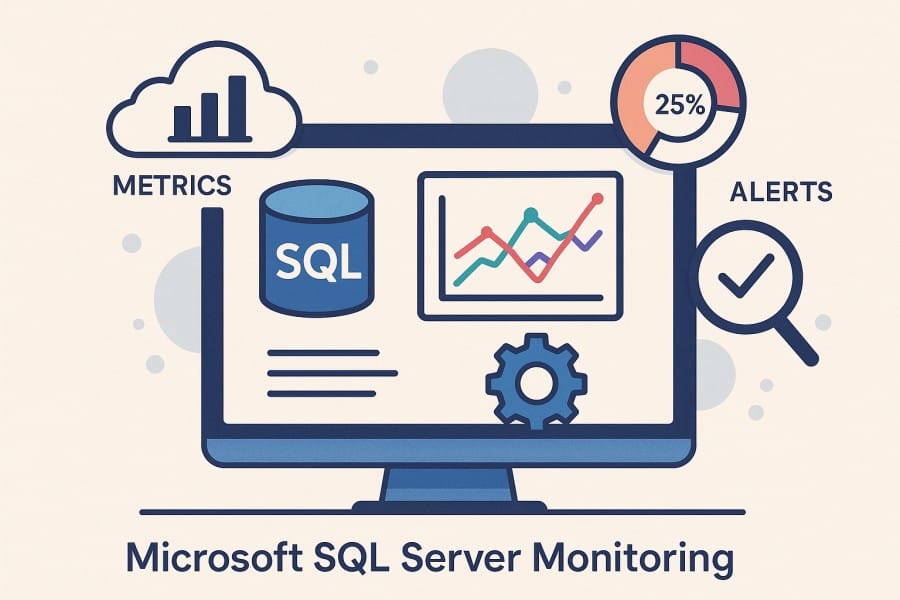
Microsoft SQL Server monitoring is the continuous process of tracking critical performance indicators such as query execution time, CPU utilization, memory consumption, disk I/O, and lock contention. It ensures that database workloads remain healthy, queries run efficiently, and resources are used optimally — whether SQL Server is running on-premises, in Azure SQL Managed Instances, or inside containerized environments.
Modern SQL Server monitoring tools go beyond traditional performance counters. They provide unified visibility into both system-level metrics (CPU, memory, network throughput, disk latency) and database-level metrics (query duration, deadlocks, buffer cache hit ratio, TempDB usage). This dual perspective allows teams to detect performance degradation early and identify whether the root cause lies in infrastructure, application queries, or the database engine itself.
For businesses today, this visibility translates into:
- Faster troubleshooting: Quickly pinpoint bottlenecks before they affect end-users.
- Optimized cost efficiency: Identify overutilized resources or unoptimized queries to reduce cloud spend.
- Improved reliability: Detect replication lag, job failures, or blocking sessions before they cause downtime.
- Stronger compliance and governance: Maintain audit trails of SQL events and performance logs for regulatory reporting.
At a deeper level, this practice evolves into SQL Server observability — the ability to correlate logs, metrics, and traces to get a complete picture of what’s happening across your data pipeline. Observability helps engineers move beyond “what went wrong” to “why it went wrong,” connecting slow SQL queries to specific microservices, hosts, or application transactions in real time.
Example: Monitoring Query Latency in a Healthcare Claims Platform
Consider a healthcare analytics company using Microsoft SQL Server 2022 to process real-time insurance claims and eligibility checks. During peak processing hours, claim validation APIs start timing out, delaying submissions to providers. With SQL Server monitoring in place, the engineering team identifies CPU spikes and increased query latency in the ClaimsProcessing database.
By correlating query traces with infrastructure metrics in CubeAPM, they uncover missing indexes on the ClaimStatus and PatientInfo tables, causing full table scans. After applying proper indexing and tuning execution plans, query latency drops by 65%, enabling faster claims validation, improved SLAs with healthcare partners, and seamless user experience for providers.
Why Microsoft SQL Server Monitoring Matters
Pinpoint SQL-level performance bottlenecks
When SQL Server underperforms, the issue is rarely just a CPU or disk spike. The real bottlenecks often lie deep in query plans, wait statistics, parameter sniffing, or inefficient indexes. Monitoring SQL Server performance helps surface these signals early — allowing DBAs and engineers to identify slow queries, blocking chains, and excessive waits before they cascade into production incidents.
Tracking metrics like query execution time, wait types, buffer cache hit ratio, and memory grants helps teams isolate the true cause rather than reacting blindly to host-level alerts.
Maintain high availability and disaster readiness
Monitoring is crucial for SQL Server environments that use Always On Availability Groups or replication. Tracking replica synchronization health, redo and send queue sizes, and failover readiness ensures business continuity and prevents data loss. Microsoft’s performance guidance highlights these metrics as key to maintaining predictable recovery objectives and avoiding failed failovers. A few minutes of unnoticed replication lag can cause stale reads or transactional inconsistencies in mission-critical workloads.
Prevent TempDB and memory contention issues
Under concurrent workloads, TempDB and buffer cache pressure can silently degrade performance. Without monitoring, latch contention, version store overflow, or runaway TempDB growth can bring query execution to a crawl. Tracking TempDB file utilization, page life expectancy, and buffer cache hit ratios helps identify these symptoms early. Proactive monitoring allows teams to scale TempDB data files, tune autogrowth, or redistribute workloads before issues impact users.
Manage version upgrades and plan regressions
Most enterprises today operate mixed SQL Server estates — often running SQL Server 2016, 2019, and 2022 concurrently. Monitoring helps track compatibility-level changes, forced plans, and plan regressions across versions.
A 2025 Redgate report says that SQL Server 2022 adoption has risen to around 24%, while SQL Server 2019 remains the most common at roughly 45%. Such diversity makes continuous monitoring critical to detect version-specific behavior changes and performance drift during migrations.
Build baselines and spot long-term performance drift
SQL Server monitoring is not only about real-time alerting — it’s also about understanding trends over time. Maintaining historical baselines helps detect slow performance degradation, memory leaks, or I/O growth that might not trigger short-term alerts. Comparing metrics across weeks or months enables predictive capacity planning and helps maintain stable performance under evolving workloads.
Strengthen security, auditing, and compliance
Monitoring provides the visibility needed to track failed logins, privilege escalations, schema changes, and suspicious query activity. This is vital for compliance with GDPR, HIPAA, and other data regulations. According to the same Redgate report, 38% of database professionals listed data security and access control among their top challenges, highlighting the importance of real-time auditing and activity monitoring across SQL Server instances.
Enable true observability across the SQL Server ecosystem
Modern SQL Server environments require more than just monitoring—they need observability. By correlating metrics, logs, and traces, teams gain full visibility from the database engine to the application layer. A latency spike in a stored procedure can be linked to the exact host, query plan, and downstream API responsible for it. This correlation shortens investigation time and enables root-cause diagnosis rather than reactive firefighting.
Key SQL Server Metrics to Monitor
Below are the major categories of metrics you should track under Microsoft SQL Server monitoring. For each category, you’ll see key metrics, what they mean, and suggested threshold guidance.
System and Resource Metrics
These metrics help you understand how the host and instance resources are behaving. They set the baseline for interpreting database-level performance.
- CPU utilization (%): Measures how much CPU the SQL Server instance is consuming. When persistently high, it can indicate overloaded queries or missing indexes.
Suggested threshold: > 85% sustained over 5 minutes - Memory usage/memory grants (MB or %): Reflects how much memory the SQL Server process (and its allocations) is using. Low memory grants or pressure can force spills to disk.
Suggested threshold: memory grants waiting > 10% - Page life expectancy (seconds): Indicates how long data pages stay in the buffer pool. A falling PLE suggests memory pressure.
Suggested threshold: < 300 seconds sustained - Disk I/O and latency (ms): Tracks read and write latency on data/log disks. Slow I/O directly slows queries.
Suggested threshold: read/write latency > 20 ms - Disk queue length: Shows how many I/O requests are waiting. A high queue can mean a storage bottleneck.
Suggested threshold: queue length > number of physical disks
Database-Level Metrics
These metrics give insight into SQL Server’s internal behavior and query performance.
- Query duration/execution time (ms): Average and tail latency of queries. High values signal slow queries or inefficient plans.
Suggested threshold: > 2,000 ms for average; > 10,000 ms for tail - Wait types/wait times (ms): Breaks down where threads are waiting (e.g., I/O waits, lock waits, CPU). Helps isolate root causes.
Suggested threshold: if a single wait type accounts for > 30% of waits - Batch requests per second (throughput): Measures how many batches the server is handling. A drop may indicate blockage or resource saturation.
Suggested threshold: drop > 20% baseline - Lock waits / deadlocks (count or rate): Captures blocked sessions and deadlock occurrences. Frequent deadlocks disrupt transactions.
Suggested threshold: > 1 deadlock per 5 minutes - Connection count/session count: Number of active connections or sessions. Spikes may indicate pooling issues or runaway clients.
Suggested threshold: > 90% of max connections - TempDB usage/contention: Monitors growth, version store size, and latch waits in TempDB. High usage or contention degrades performance.
Suggested threshold: > 80% usage or PFS latch waits > 5%
High Availability & Replication Metrics
These metrics are essential if you’re using Availability Groups, replication, or clustering.
- Replica sync state/role (primary, secondary): Ensures replicas are in expected roles and that failover paths are healthy.
Suggested threshold: any secondary not synchronized - Redo/send queue size: The backlog of changes to apply to the secondary. A large queue indicates lag.
Suggested threshold: queue size > 10,000 log records - Log send rate/throughput (MB/s): How fast transaction logs are sent to replicas. Low rates can delay synchronization.
Suggested threshold: < 1 MB/s when busy - Failover readiness / backup health: Monitors the health of backups, index check jobs, and failover configuration.
Suggested threshold: any missed backup or unavailable replica
Error, Job, & Log Metrics
These metrics surface operational issues or failures in SQL Server’s ecosystem.
- SQL Server error log events (count/severity): Tracks critical errors (e.g., deadlocks, login failures, I/O errors).
Suggested threshold: > 5 critical errors per hour - SQL Agent job failures/executions (count): Keeps tabs on background jobs (backups, maintenance). Failures often precede data issues.
Suggested threshold: failure rate > 5% - Failed login attempts (count): High counts may indicate security brute force or misconfiguration.
Suggested threshold: > 10 failed logins per minute - Blocked session timeout events: Sessions terminated due to lock timeouts. Frequent events point to contention issues.
Suggested threshold: > 3 timeouts per 10 minutes
Common SQL Server Performance Issues
Monitoring often exposes recurring performance bottlenecks in Microsoft SQL Server environments. Here are some of the most frequent issues, their symptoms, and their business impact:
- Slow-running queries or missing indexes: Queries that take longer than expected often stem from missing indexes, poor execution plans, or parameter sniffing. You’ll see high CPU, increased query duration, and long-running sessions in monitoring dashboards. This leads to delayed application responses and frustrated end-users, especially during high-traffic periods.
- TempDB contention or transaction log growth: Heavy use of TempDB for temporary objects or sorting can cause allocation page contention. Similarly, unchecked log growth can fill storage or block transactions. These symptoms appear as increasing wait times, TempDB file growth alerts, or log file size spikes. The business impact is failed transactions, blocked inserts, and degraded system throughput.
- High CPU utilization or excessive parallelism: Overloaded CPUs or inefficient query plans often cause CXPACKET or SOS_SCHEDULER_YIELD waits. Excessive parallelism also creates unnecessary thread switching. This results in slower queries and wasted compute resources, ultimately increasing cloud or licensing costs.
- Blocking and deadlocks: When transactions compete for the same resources, blocking or circular dependencies can arise. Monitoring shows increasing lock waits and deadlock counts. These events freeze transactional workloads, disrupt concurrent operations, and may cause batch jobs or real-time transactions to fail.
- Disk I/O saturation: Poor disk throughput or slow storage subsystems manifest as high PAGEIOLATCH or WRITELOG waits. Backups and query reads take longer, and transaction log flushes lag. This reduces overall responsiveness, affects backup schedules, and increases recovery times during incidents.
- Memory bottlenecks or buffer pool pressure: When SQL Server runs short on memory, frequently accessed data pages are flushed prematurely, increasing physical disk reads. Metrics like low Page Life Expectancy (PLE) and high buffer turnover indicate pressure. This results in inconsistent query performance and slower application response times during peak load.
How to Set Up Microsoft SQL Server Monitoring with CubeAPM
Step 1: Install CubeAPM (server)
Deploy the CubeAPM backend so it can receive and visualize telemetry (metrics, logs, traces). Choose your environment—Bare Metal/VM, Docker, or Kubernetes—and follow the official install path. On Kubernetes, use the Helm chart (helm repo add cubeapm https://charts.cubeapm.com), then override values.yaml and install/upgrade with Helm.
Step 2: Configure CubeAPM (base URL, auth, SMTP)
After installing, set essentials so the instance can authenticate clients and send alerts: token, auth.key.session, and base-url. If you’ll email alert notifications, configure smtp.url and smtp.from. These can be provided via flags, config file, or environment variables (with CUBE_ prefix).
Step 3: Deploy an OpenTelemetry Collector near SQL Server
Run the OpenTelemetry Collector (otelcol-contrib) on the Windows/Linux host that runs SQL Server or as a sidecar/daemon on your platform. This collector will scrape SQL Server metrics and forward them to CubeAPM over OTLP. The SQL Server receiver (“sqlserverreceiver”) is part of the contrib distribution and is the standard way to pull SQL Server metrics with OpenTelemetry.
Step 4: Configure the SQL Server receiver for metrics
Create or edit your collector config to add the SQL Server receiver and point it to your instance (Windows auth or SQL auth). At minimum, set a collection interval and connection info; then wire the receiver into a metrics pipeline that exports to CubeAPM’s OTLP endpoint.
receivers:
  sqlserver:
    collection_interval: 30s
    # Example authentication options:
    # server: "tcp:YOUR_SQL_HOST,1433"
    # username: "otel_reader"
    # password: "${SQLSERVER_PASSWORD}"

exporters:
  otlphttp:
    endpoint: "http://<CUBEAPM_HOST>:4318"

service:
  pipelines:
    metrics:
      receivers: [sqlserver]
exporters: [otlphttp]This receiver collects SQL Server instance/database metrics (e.g., waits, connections, locks) and is the recommended approach in OpenTelemetry-based SQL Server monitoring guides.
Step 5: Add host and OS signals for correlation
Add the hostmetrics receiver (CPU, memory, disk, network) to the same collector so you can correlate SQL waits/latency with host pressure. Send these to the same OTLP exporter as above.
receivers:
  hostmetrics:
    collection_interval: 30s
    scrapers: { cpu: {}, memory: {}, disk: {}, filesystem: {}, network: {} }

service:
  pipelines:
    metrics:
      receivers: [sqlserver, hostmetrics]
exporters: [otlphttp]Step 6: Ingest SQL Server logs for errors, jobs, and security events
Forward the SQL Server error log and Agent job logs into CubeAPM for context around failures (deadlocks, login errors, I/O issues). You can ship logs via OpenTelemetry logs, Fluent Bit, or other supported agents into CubeAPM’s Logs pipeline. Configure parsing and fields as needed for correlation.
Step 7: Instrument your applications for SQL traces
To see query spans in end-to-end traces (e.g., ADO.NET or JDBC calls), instrument your services with OpenTelemetry SDKs/auto-instrumentation and export traces to CubeAPM. This lets you jump from a slow API span to the exact SQL statement and then to SQL Server metrics and logs. Follow CubeAPM’s instrumentation overview and OpenTelemetry guidance.
Step 8: Wire alerting and notifications
Once signals flow, connect alert destinations. In CubeAPM, configure SMTP to enable email notifications (and optionally Slack, PagerDuty, etc.). You’ll use these channels for threshold or anomaly alerts on CPU, waits, deadlocks, and replication lag.
Real-World Example: Microsoft SQL Server Monitoring with CubeAPM
Challenge
A large fintech enterprise running Microsoft SQL Server 2019 and 2022 instances across Azure and on-premises data centers was facing unpredictable slowdowns in its payment authorization APIs. During peak trading hours, query latency on key stored procedures (ProcessTransaction, AuditLedger, and PaymentQueue) spiked from 200 ms to over 3 seconds.
Traditional tools like SQL Profiler and Extended Events provided only snapshots, not continuous visibility. As a result, the SRE team struggled to pinpoint whether the issue stemmed from CPU contention, blocking queries, or I/O bottlenecks, causing delayed transactions and SLA violations.
Solution
The organization deployed CubeAPM to achieve unified observability across its SQL Server infrastructure and application layer. They installed CubeAPM’s backend on Kubernetes using Helm and configured OpenTelemetry Collectors with the SQL Server receiver to pull performance counters and DMVs from each instance. Query traces were captured using the OpenTelemetry .NET auto-instrumentation for ADO.NET. Logs from the SQL Server Agent and error logs were ingested into CubeAPM’s log pipeline, creating a correlated view of queries, system health, and application-level transactions.
Fixes
With CubeAPM dashboards, the team visualized CPU utilization spikes aligning with high PAGEIOLATCH_SH waits and TempDB contention on tempdb.mdf. They increased TempDB file count, added missing nonclustered indexes on TransactionAudit and CustomerLedger tables, and optimized query plans using hints to balance parallelism. Alerts were configured in CubeAPM to trigger when wait times exceeded 200 ms or deadlocks increased beyond 2 per minute.
Result
After two weeks of continuous monitoring and tuning guided by CubeAPM insights, the team achieved a 58% reduction in average query latency and eliminated transaction queue backlogs during high-load periods. Dashboards now show under 70% CPU usage and stable TempDB I/O metrics. Moreover, CubeAPM’s anomaly detection and unified traces shortened incident resolution time from over an hour to just 15 minutes, improving SLA compliance and operational reliability across their SQL Server environment.
Verification Checklist for Microsoft SQL Server Monitoring with CubeAPM
Before going live, confirm these essentials to ensure CubeAPM is accurately collecting SQL Server telemetry and alerting in real time.
- Telemetry ingestion: Confirm that metrics for CPU usage, query duration, waits, and TempDB activity appear in CubeAPM dashboards.
- Log pipeline: Verify SQL Server error and Agent logs are being ingested and timestamped correctly.
- OTLP connection: Check that the OpenTelemetry Collector is successfully sending data to CubeAPM’s OTLP endpoint (no exporter errors in logs).
- Alert delivery: Trigger a sample alert to ensure notifications are reaching your email or Slack channel.
- Trace correlation: Generate a sample query from an instrumented service and confirm traces link to SQL Server spans and logs.
Example Alert Rules for Microsoft SQL Server Monitoring with CubeAPM
Below are example PromQL-style rules for common SQL Server scenarios. Each can be added in CubeAPM’s Alert Rules configuration (via the Alerting tab or YAML).
1. High SQL Server CPU Usage
Triggers when average CPU usage exceeds 85% for more than 5 minutes — useful for spotting resource saturation.
alert: SQLServerHighCPUUsage
  expr: avg_over_time(sql_cpu_usage_percent[5m]) > 85
  for: 5m
  labels:
    severity: warning
  annotations:
    summary: "High CPU usage detected on SQL Server instance"
description: "CPU usage has been above 85% for over 5 minutes. Investigate running queries and missing indexes."2. Slow Query Duration
Alerts when average query execution time crosses the 2-second threshold.
- alert: SQLServerSlowQuery
  expr: avg_over_time(sql_query_duration_seconds[5m]) > 2
  for: 3m
  labels:
    severity: critical
  annotations:
    summary: "Slow SQL queries detected"
description: "Average query duration exceeded 2 seconds. Review Query Store for plan regressions."3. Deadlocks Detected
Triggers when deadlocks occur within the past 5 minutes.
- alert: SQLServerDeadlocks
  expr: increase(sql_deadlocks_total[5m]) > 0
  labels:
    severity: critical
  annotations:
    summary: "SQL Server deadlock detected"
description: "Deadlocks observed in the past 5 minutes. Investigate blocking sessions and transaction isolation levels."These alerts form the foundation for proactive Microsoft SQL Server monitoring with CubeAPM — helping teams detect high resource usage, query slowness, and deadlocks before they escalate into outages.
Conclusion
Proactive Microsoft SQL Server monitoring is essential for maintaining data integrity, uptime, and performance across modern, distributed environments. Without visibility into query performance, CPU usage, and wait statistics, even minor inefficiencies can cascade into major outages or SLA breaches.
CubeAPM delivers complete Microsoft SQL Server observability, combining metrics, logs, and traces to help teams detect bottlenecks, optimize query execution, and correlate issues across infrastructure and applications. With OpenTelemetry-native data ingestion and predictable $0.15/GB pricing, teams gain deep insights without unpredictable costs.
Start monitoring your Microsoft SQL Server environments with CubeAPM today to achieve faster root-cause detection, improved reliability, and smarter capacity planning.
Disclaimer: The information in this article reflects the latest details available at the time of publication and may change as technologies and products evolve.
FAQs
1. What is Microsoft SQL Server monitoring?
It’s the continuous tracking of SQL Server metrics like CPU usage, query latency, waits, deadlocks, and resource utilization to ensure consistent performance and stability.
2. How do I monitor Microsoft SQL Server performance in real time?
Use an observability tool like CubeAPM integrated with OpenTelemetry. It collects SQL metrics, logs, and traces, allowing you to visualize performance trends and alert on anomalies in real time.
3. What are the most important SQL Server metrics to track?
Key metrics include CPU utilization, Page Life Expectancy (PLE), TempDB contention, query duration, lock waits, and disk I/O latency—all crucial for understanding workload health.
4. How can SQL Server monitoring help reduce costs?
Monitoring identifies inefficient queries, resource overprovisioning, and slow plans. Fixing these issues helps optimize compute resources and licensing usage, lowering operational costs.
5. Does CubeAPM support hybrid or cloud SQL Server setups?
Yes. CubeAPM supports monitoring for on-premises, Azure SQL Managed Instances, and hybrid SQL deployments, giving unified visibility across all environments.