










The Kubernetes “Startup Probe Failed” error occurs when a container doesn’t signal successful startup within the configured threshold — often due to slow initialization, dependency delays, or misconfigured probe settings. When this happens, Kubernetes keeps restarting the container until it hits the failure limit, leading to CrashLoopBackOff states, delayed rollouts, and wasted cluster resources.
CubeAPM helps resolve these issues faster by correlating events, metrics, logs, and rollout data in one place. With its OpenTelemetry-native instrumentation and real-time dashboards, CubeAPM identifies the exact cause of startup probe failures—whether configuration errors or dependency bottlenecks—before they impact production environments.
In this guide, we’ll explain what the Startup Probe Failed error means, why it happens, how to fix it, and how to monitor it effectively using CubeAPM.
What is Kubernetes Startup Probe Failed Error
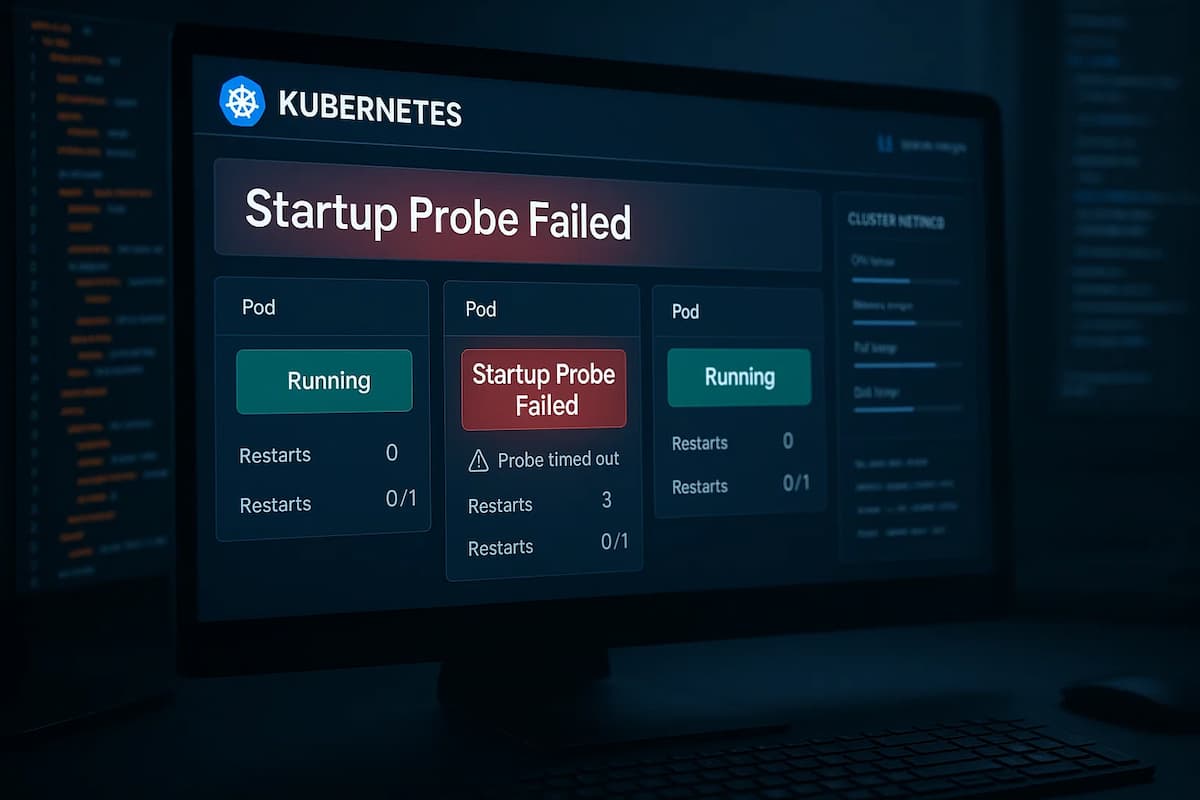
A startup probe in Kubernetes is designed to check whether an application within a container has started successfully. Unlike liveness or readiness probes, the startup probe is used only during container initialization — it gives slow-starting applications extra time before Kubernetes begins performing health checks.
When the Startup Probe Failed error appears, it means the probe did not receive a successful response (such as an HTTP 200 or TCP connection) within the defined number of attempts or timeout period. As a result, Kubernetes assumes the container failed to start and restarts it automatically, potentially creating a restart loop if the issue persists.
This error is common in applications that:
- Require significant initialization time like large Java or Spring Boot apps.
- Depend on external services like databases or message queues before fully starting.
- Use incorrect probe configurations — such as wrong ports, endpoints, or timeouts.
The startup probe acts as a safeguard to prevent Kubernetes from prematurely marking a container as healthy. However, when misconfigured, it can lead to false negatives — causing healthy applications to restart unnecessarily and affecting deployment stability.
Why Kubernetes Startup Probe Failed Error Happens
1. Slow Application Initialization
Some applications require extra time to start due to heavy frameworks or dependency loading. When the startup probe’s timeout is too short, Kubernetes assumes the container failed and restarts it prematurely.
Example: A Spring Boot app initializing large caches or external connections may take 60 seconds to start, but the probe timeout is set to 30 seconds.
Quick check:
kubectl describe pod <pod-name>Look for repeated Startup probe failed messages and restart attempts in the Events section.
2. Incorrect Probe Endpoint or Port
The probe might be pointing to a non-existent path or wrong port inside the container, leading to failed HTTP or TCP checks.
Example: The probe checks /startup on port 8080, but the app only serves /health on port 8081.
Quick check:
kubectl get pod <pod-name> -o yaml | grep startupProbe -A5Confirm that the httpGet or tcpSocket values match your container’s actual configuration.
3. Dependencies Not Yet Available
If the application depends on services like a database, cache, or message broker that aren’t ready when it starts, the probe fails even though the app would succeed once those services are available.
Example: A containerized API failing startup because the MySQL service hasn’t finished initializing.
Quick check:
kubectl logs <pod-name> -c <container-name>Look for connection timeout or “service unavailable” errors during startup.
4. Resource Starvation During Boot
Low CPU or memory limits can delay initialization, especially for resource-heavy apps. The container might start too slowly, causing the probe to time out repeatedly.
Example: A JVM process with 256 MiB memory limit struggling to load dependencies.
Quick check:
kubectl top pod <pod-name>Check for CPU throttling or high memory usage during startup.
5. Failing Entrypoint or Command
If the container’s entrypoint or command points to a non-existent binary or script, the process exits before the probe can succeed.
Example: Entrypoint is set to /app/start.sh but the script isn’t included in the image.
Quick check:
kubectl logs <pod-name> -c <container-name> --previousIf you see exec: not found or similar errors, the startup command is invalid.
How to Fix Kubernetes Startup Probe Failed Error
1. Fix invalid entrypoint or command
If the container’s command/args point to a missing binary or typoed script, the process exits before the probe can pass. Keep commands minimal and verify they exist inside the image.
Quick check
kubectl logs <pod> -c <container> --previous | tail -n 50Fix
kubectl patch deploy <deploy> --type=json -p='[{"op":"remove","path":"/spec/template/spec/containers/0/command"}]'2. Increase the startup probe’s time budget
Slow starters (JVMs, big frameworks, cold caches) may need longer than your current thresholds. Increase failureThreshold, timeoutSeconds, and if needed initialDelaySeconds.
Quick check
kubectl describe pod <pod> | grep -A3 "Startup probe" -nFix
kubectl patch deploy <deploy> --type=merge -p='{"spec":{"template":{"spec":{"containers":[{"name":"<container>","startupProbe":{"httpGet":{"path":"/startup","port":8080},"initialDelaySeconds":10,"periodSeconds":10,"timeoutSeconds":5,"failureThreshold":12}}]}}}}'3. Correct probe path/port
If the probe hits the wrong path or port, Kubernetes never gets a valid response. Align the probe with the actual in-app endpoint.
Quick check
kubectl get pod <pod> -o yaml | grep -A6 startupProbeFix
kubectl patch deploy <deploy> --type=merge -p='{"spec":{"template":{"spec":{"containers":[{"name":"<container>","startupProbe":{"httpGet":{"path":"/health/startup","port":8081},"periodSeconds":10,"timeoutSeconds":3,"failureThreshold":10}}]}}}}'4. Gate on dependencies (DB, cache, broker)
If the app fails until Postgres/Redis/Kafka is reachable, the probe fails even though the app is fine once deps are up. Add an initContainer to wait for deps.
Quick check
kubectl logs <pod> -c <container> | egrep -i "timeout|connection refused|unavailable"Fix
kubectl patch deploy <deploy> --type=merge -p='{"spec":{"template":{"spec":{"initContainers":[{"name":"wait-deps","image":"busybox:1.36","command":["/bin/sh","-c","until nc -zv postgres.default.svc.cluster.local 5432; do sleep 2; done"]}]}}}}'5. Relax resource pressure during boot
Under-provisioned CPU/memory slows cold starts; throttling or OOM kills the process before the probe passes. Temporarily raise requests/limits during startup.
Quick check
kubectl top pod <pod> --containers | awk 'NR==1 || /<container>/'Fix
kubectl patch deploy <deploy> --type=merge -p='{"spec":{"template":{"spec":{"containers":[{"name":"<container>","resources":{"requests":{"cpu":"500m","memory":"512Mi"},"limits":{"cpu":"1","memory":"1Gi"}}}]}}}}'6. Add a dedicated startup endpoint/handler
Generic /health may be “unhealthy” while caches warm or migrations run. Expose a /startup route that returns OK only after critical init completes, then switch the probe to it.
Quick check
kubectl port-forward deploy/<deploy> 18080:8080 >/dev/null 2>&1 & curl -sS http://127.0.0.1:18080/startup; kill %1Fix
kubectl patch deploy <deploy> --type=merge -p='{"spec":{"template":{"spec":{"containers":[{"name":"<container>","startupProbe":{"httpGet":{"path":"/startup","port":8080},"periodSeconds":10,"timeoutSeconds":3,"failureThreshold":10}}]}}}}'7. Temporarily disable the startup probe to debug
If aggressive restarts block investigation, disable the probe briefly to collect logs/attach a shell, then restore with proper thresholds.
Quick check
kubectl describe pod <pod> | grep -n "restarts" -iFix
kubectl patch deploy <deploy> --type=json -p='[{"op":"remove","path":"/spec/template/spec/containers/0/startupProbe"}]'Monitoring Kubernetes Startup Probe Failed Error with CubeAPM
The fastest way to identify why a startup probe failed is to correlate Kubernetes Events, Metrics, Logs, and Rollouts together. CubeAPM collects and links these signals automatically using OpenTelemetry-based collectors. This enables teams to see what failed, why it failed, and which deployment caused it — all in one unified view.
Step 1 — Install CubeAPM (Helm)
Install CubeAPM using Helm and load default configurations into a values.yaml file for easy customization.
helm repo add cubeapm https://charts.cubeapm.com && helm repo update cubeapm && helm show values cubeapm/cubeapm > values.yaml && helm upgrade --install cubeapm cubeapm/cubeapm -f values.yaml --namespace cubeapm --create-namespaceTip: Keep API keys and exporter endpoints inside values.yaml for consistent redeployments.
Step 2 — Deploy the OpenTelemetry Collector (DaemonSet + Deployment)
The DaemonSet collects pod-level telemetry (logs, kubelet stats, and events), while the Deployment acts as a central pipeline for processing and exporting to CubeAPM.
helm repo add open-telemetry https://open-telemetry.github.io/opentelemetry-helm-charts && helm repo update open-telemetry && helm upgrade --install otel-agent open-telemetry/opentelemetry-collector --set mode=daemonset --namespace monitoring --create-namespace && helm upgrade --install otel-gateway open-telemetry/opentelemetry-collector --set mode=deployment --namespace monitoringWhy both: The DaemonSet captures metrics and logs close to the source, while the Deployment enriches and exports them for correlation inside CubeAPM.
Step 3 — Collector Configurations Focused on Startup Probe Failures
3A. DaemonSet (node/pod collectors) — capture Events, Kubelet metrics, and container Logs
receivers:
  k8s_events: {}
  kubeletstats:
    collection_interval: 15s
    auth_type: serviceAccount
    endpoint: https://${KUBE_NODE_NAME}:10250
    k8s_api_config:
      auth_type: serviceAccount
  filelog:
    include: [/var/log/containers/*.log]
    start_at: beginning
    operators:
      - type: regex_parser
        regex: '^(?P<ts>[^ ]+) (?P<stream>stdout|stderr) (?P<flag>[^ ]+) (?P<log>.*)$'
        timestamp:
          parse_from: attributes.ts
          layout: '%Y-%m-%dT%H:%M:%S.%fZ'
processors:
  k8sattributes: {}
  batch: {}
exporters:
  otlphttp:
    endpoint: https://<CUBEAPM_ENDPOINT>/otlp
    headers: { "x-api-key": "<CUBEAPM_API_KEY>" }
service:
  pipelines:
    logs:
      receivers: [filelog, k8s_events]
      processors: [k8sattributes, batch]
      exporters: [otlphttp]
    metrics:
      receivers: [kubeletstats]
      processors: [k8sattributes, batch]
exporters: [otlphttp]- k8s_events: Streams probe failures and restart events.
- kubeletstats: Captures CPU throttling and memory pressure during startup.
- filelog: Reads container logs for entrypoint errors or dependency timeouts.
- k8sattributes: Adds pod and namespace labels for correlation.
- otlphttp: Forwards enriched telemetry securely to CubeAPM.
3B. Deployment (gateway) — correlate and export, track Rollout context via k8sobjects
receivers:
  otlp: { protocols: { http: {}, grpc: {} } }
  k8sobjects:
    objects:
      - name: pods
      - name: deployments
      - name: replicasets
processors:
  resource:
    attributes:
      - key: rollout.resource
        action: upsert
        from_attribute: k8s.deployment.name
  batch: {}
exporters:
  otlphttp:
    endpoint: https://<CUBEAPM_ENDPOINT>/otlp
    headers: { "x-api-key": "<CUBEAPM_API_KEY>" }
service:
  pipelines:
    logs:
      receivers: [otlp, k8sobjects]
      processors: [resource, batch]
      exporters: [otlphttp]
    metrics:
      receivers: [otlp]
      processors: [batch]
      exporters: [otlphttp]
    traces:
      receivers: [otlp]
      processors: [batch]
exporters: [otlphttp]- k8sobjects: Links probe failures to Deployments or ReplicaSets for rollout-level insights.
- resource: Adds rollout metadata to every trace and log.
- otlphttp: Sends unified telemetry to CubeAPM’s ingestion endpoint.
Step 4 — Supporting Components
Add kube-state-metrics to expose workload health and probe states for richer dashboards.
helm upgrade --install kube-state-metrics prometheus-community/kube-state-metrics --namespace monitoringThis adds pod condition metrics (kube_pod_status_ready, kube_pod_container_status_restarts_total) to correlate with startup probe failures.
Step 5 — Verification (What You Should See in CubeAPM)
After setup, verify data flow inside CubeAPM. You should see:
- Events: Startup probe failure logs under Pod events.
- Metrics: Spike in container restart counts and delayed readiness.
- Logs: “exec not found” or connection timeout messages.
- Restarts: Containers restarting repeatedly during rollout.
- Rollout Context: Affected Deployments or ReplicaSets linked to failure events.
Example Alert Rules for Startup Probe Failed Error
1. Suspected Startup Probe Failures (restarts + CrashLoopBackOff)
Use restarts combined with the container waiting reason to flag pods likely failing their startup probe shortly after rollout.
apiVersion: monitoring.coreos.com/v1
kind: PrometheusRule
metadata:
  name: startup-probe-suspected
  namespace: monitoring
spec:
  groups:
  - name: startup-probe.rules
    rules:
    - alert: StartupProbeFailedSuspected
      expr: |
        (increase(kube_pod_container_status_restarts_total[10m]) > 3)
        and on (pod,namespace,container)
        (kube_pod_container_status_waiting_reason{reason="CrashLoopBackOff"} == 1)
      for: 5m
      labels:
        severity: warning
        team: platform
      annotations:
        summary: "Startup probe likely failing for {{ $labels.namespace }}/{{ $labels.pod }} (container={{ $labels.container }})"
        description: "Container is restarting frequently and is in CrashLoopBackOff, which commonly indicates failing startup probes or invalid entrypoints."
2. Slow Initialization (pod not Ready for too long)
Alert when a pod stays unready well beyond expected warm-up time since creation — a classic symptom of too-strict startup probe thresholds.
apiVersion: monitoring.coreos.com/v1
kind: PrometheusRule
metadata:
  name: startup-probe-slow-init
  namespace: monitoring
spec:
  groups:
  - name: startup-probe.rules
    rules:
    - alert: StartupProbeSlowInitialization
      expr: |
        (max by (pod,namespace) (time() - kube_pod_start_time) > 300)
        and on (pod,namespace)
        (kube_pod_status_ready{condition="true"} == 0)
      for: 5m
      labels:
        severity: warning
        team: platform
      annotations:
        summary: "Pod {{ $labels.namespace }}/{{ $labels.pod }} unready for >5m after start"
        description: "Pod remains unready long after creation; consider increasing startupProbe thresholds or verifying dependency availability."
3. Resource Pressure During Startup (CPU/memory)
Detect pods likely failing startup due to throttling or memory pressure while still unready.
apiVersion: monitoring.coreos.com/v1
kind: PrometheusRule
metadata:
  name: startup-probe-resource-pressure
  namespace: monitoring
spec:
  groups:
  - name: startup-probe.rules
    rules:
    - alert: StartupProbeResourcePressure
      expr: |
        (
          rate(container_cpu_cfs_throttled_seconds_total{container!=""}[5m]) > 0.2
          or
          (
            container_memory_working_set_bytes{container!=""}
            /
            kube_pod_container_resource_limits_memory_bytes{container!=""}
          ) > 0.9
        )
        and on (pod,namespace)
        (kube_pod_status_ready{condition="true"} == 0)
      for: 10m
      labels:
        severity: warning
        team: platform
      annotations:
        summary: "Resource pressure during startup for {{ $labels.namespace }}/{{ $labels.pod }}"
        description: "High CPU throttling or memory near limit while pod is still unready; relax resources or tune JVM/runtime flags and startupProbe timing."
Conclusion
Startup probe failures usually boil down to three patterns: slow application initialization, misaligned probe settings, or unavailable dependencies. Left unchecked, they trigger restart loops, delay rollouts, and consume cluster resources.
You can stabilize rollouts by widening the startup time budget, correcting endpoints/ports, gating on dependencies with init containers, and easing resource pressure during cold starts. Treat probe tuning as part of your deployment contract.
CubeAPM closes the loop by correlating Events, Metrics, Logs, and Rollouts so you see exactly which change caused the failure and why. With real-time dashboards and targeted alerts, teams resolve startup issues before they become user-visible incidents.