










The Kubernetes “Node Out of Resources” error occurs when a node runs out of CPU, memory, or storage, blocking new pod scheduling or evicting running workloads. With 91% of organizations using containers in production, this issue poses a major stability risk — leading to Pending pods, evictions, and NotReady nodes that can trigger outages and failed deployments.
CubeAPM pinpoints these failures in real time by tracking node pressure metrics, eviction events, and kubelet logs across clusters. It correlates CPU, memory, and disk usage with pod restarts and deployment changes, helping teams identify which workloads over-consume resources and trigger node exhaustion before outages occur.
In this guide, we’ll define the error, explore its root causes, show how to fix it, integrate CubeAPM for monitoring, and provide alerting best practices.
What is Kubernetes Node Out of Resources Error
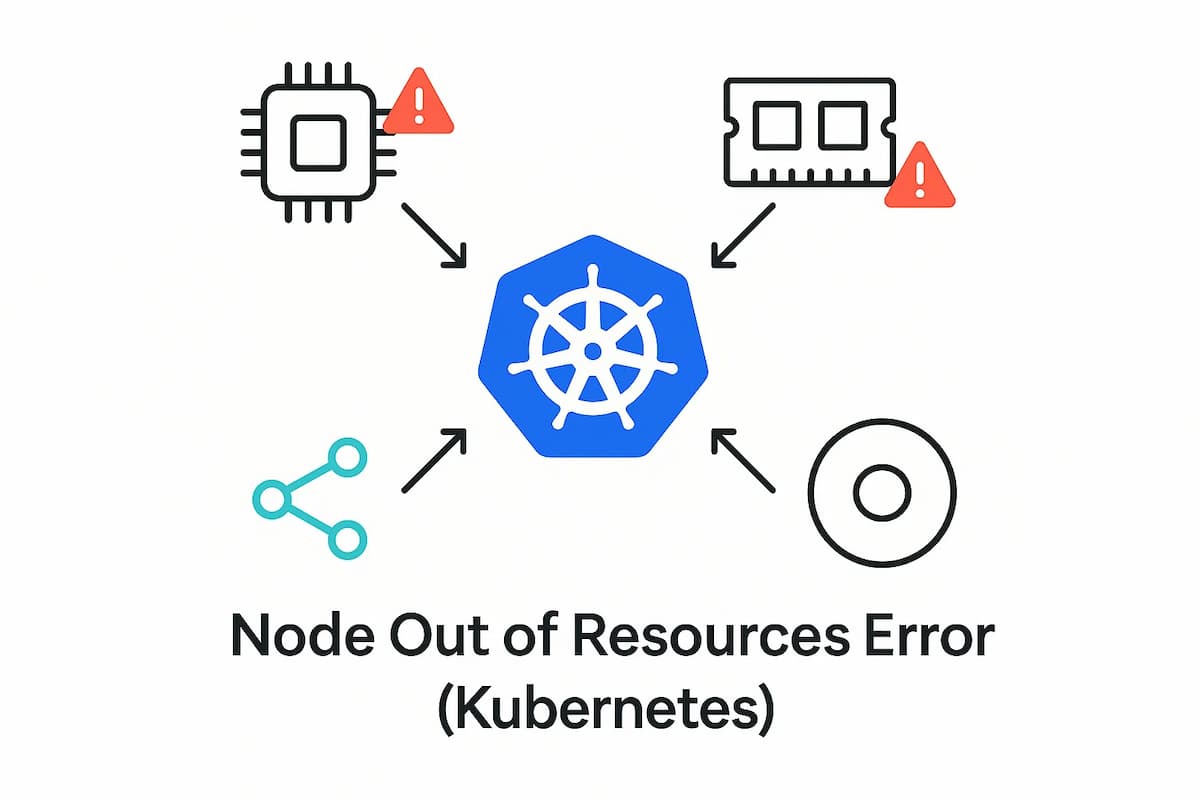
The Node Out of Resources error in Kubernetes occurs when a node exceeds its available CPU, memory, or ephemeral storage. When this happens, the kubelet marks the node as NotReady or Under Pressure, and Kubernetes either evicts pods or blocks new scheduling on that node.
This state is triggered by Kubernetes’ resource pressure detection mechanism. The kubelet constantly tracks node utilization and raises conditions such as MemoryPressure, DiskPressure, or PIDPressure when thresholds are breached. These safety measures help prevent node crashes but can disrupt workloads if resource requests and limits are poorly configured.
You’ll usually see this issue logged as events like:
Node is OutOfMemory, NodeHasDiskPressure, or NodeHasInsufficientCPU.
Key Characteristics
- Node state changes: Node transitions to NotReady or SchedulingDisabled.
- Eviction signals: Pods get terminated or rescheduled under MemoryPressure or DiskPressure.
- Throttled workloads: CPU and memory throttling increase latency and error rates.
- Scheduling failures: New pods remain Pending due to unavailable resources.
- Kubelet logs: Show repeated eviction events and pressure conditions.
Why Kubernetes Node Out of Resources Error Happens
When a node reports “Out of Resources,” it usually means one or more resource pools — CPU, memory, or storage — have reached exhaustion. Below are the most common, Kubernetes-specific reasons this happens.
1. Overcommitted CPU or Memory Requests
When pods request more CPU or memory than the node can physically provide, the scheduler still tries to fit them until the node hits its capacity. Overcommitted nodes cause throttling, higher latency, and may eventually mark the node as NotReady under MemoryPressure.
Quick check:
Look for “Allocatable” vs. “Allocated” resources exceeding 100%.
kubectl describe node <node-name>2. Memory Leaks in Long-Running Pods
Pods that slowly consume more memory over time (due to inefficient code or caching) can drain node memory. The kubelet then evicts lower-priority pods to reclaim space, resulting in cascading failures across workloads.
Quick check:
kubectl top pod --sort-by=memory
Identify pods with steady, unbounded memory growth.
3. Ephemeral Storage Exhaustion
Each pod writes temporary logs, images, and container layers to a node’s ephemeral storage. When /var/lib/kubelet fills up, Kubernetes triggers the DiskPressure condition and starts evicting pods.
Quick check:
kubectl describe node <node-name> | grep DiskPressureIf true, check df -h on that node to confirm low disk space.
4. High Pod Density or Bursty Workloads
Running too many pods per node or hosting workloads with unpredictable spikes (e.g., autoscalers or cron jobs) can lead to short-lived resource depletion. This often results in CPU throttling and pods restarting under pressure.
Quick check:
kubectl get pods -o wide --field-selector spec.nodeName=<node-name>Count pods exceeding normal density for your node type.
5. Insufficient Node Autoscaling or Quota Configuration
If Cluster Autoscaler or resource quotas are misconfigured, nodes can’t scale out fast enough to meet demand. Kubernetes continues scheduling workloads on already saturated nodes, triggering OutOfResource events.
Quick check:
Verify autoscaling settings in:
kubectl get configmap cluster-autoscaler-status -n kube-systemHow to Fix Kubernetes Node Out of Resources Error
Fixing this issue involves freeing up node capacity, optimizing resource allocation, and tightening autoscaling policies. Below are the most effective ways to stabilize your cluster.
1. Identify Resource-Hungry Pods
Start by pinpointing pods consuming excessive CPU or memory. High resource utilization by a few workloads can starve other pods and push the node into MemoryPressure or CPUPressure.
Check:
kubectl top pod --sort-by=memoryIf a few pods dominate usage, review their requests and limits.
Fix:
Adjust the resources.requests and resources.limits in their PodSpec to match realistic usage patterns.
2. Clean Up Ephemeral Storage
Old container logs, unused images, and temp files can fill /var/lib/docker or /var/lib/kubelet, causing DiskPressure.
Check:
kubectl describe node <node-name> | grep DiskPressureFix:
kubectl drain <node-name> --delete-emptydir-data && systemctl restart kubeletYou can also prune unused images with:
docker system prune -af3. Reduce Pod Density per Node
Excess pods overload node CPU and memory, causing throttling and scheduling delays.
Check:
kubectl get pods -o wide --field-selector spec.nodeName=<node-name> | wc -lFix:
Use the PodTopologySpreadConstraints or node taints to balance pods across nodes:
topologySpreadConstraints:

- maxSkew: 1

  topologyKey: kubernetes.io/hostname

  whenUnsatisfiable: ScheduleAnyway
4. Enable or Tune Cluster Autoscaler
If nodes are constantly maxed out, autoscaling may be disabled or misconfigured.
Check:
kubectl get configmap cluster-autoscaler-status -n kube-system -o yamlFix:
Update the minimum and maximum node group sizes to allow scaling during high load:
kubectl edit deployment cluster-autoscaler -n kube-system5. Implement Pod Priority and QoS
Low-priority pods can crowd out critical workloads during resource shortages.
Fix:
Assign priorities in PodSpecs so essential services preempt less important pods:
priorityClassName: system-cluster-criticalThis ensures critical workloads stay active even under pressure.
6. Monitor Node Conditions Continuously
Proactive monitoring prevents outages. Track metrics like CPU saturation, memory pressure, and eviction counts.
Check:
kubectl describe node <node-name> | grep PressureIf any pressure condition is true, it’s time to scale or rebalance workloads.
Monitoring Kubernetes Node Out of Resources Error with CubeAPM
When a node hits CPU, memory, or disk limits, you need full visibility into which workloads triggered it, when it began, and what impact it caused. CubeAPM gives you the fastest path to that root cause by correlating four telemetry signals — Events, Metrics, Logs, and Rollouts — across your entire Kubernetes environment. It automatically detects pressure states (MemoryPressure, DiskPressure, PIDPressure), correlates them with pod evictions, and helps you trace the resource surge back to specific deployments.
Step 1 — Install CubeAPM (Helm)
Use Helm to deploy CubeAPM in your cluster.
helm install cubeapm cubeapm/cubeapm --namespace cubeapm --create-namespaceFor upgrades:
helm upgrade cubeapm cubeapm/cubeapm --namespace cubeapmIf you need custom settings, modify values.yaml to include your OpenTelemetry and log exporter configs before installation.
Step 2 — Deploy the OpenTelemetry Collector (DaemonSet + Deployment)
CubeAPM uses two collector modes:
DaemonSet: Collects node-level and kubelet metrics from every node.
helm install otel-agent open-telemetry/opentelemetry-collector --set mode=daemonsetDeployment: Handles trace, event, and log pipelines centrally.
helm install otel-collector open-telemetry/opentelemetry-collector --set mode=deploymentThis ensures complete data flow from nodes, pods, and namespaces into CubeAPM’s backend.
Step 3 — Collector Configs Focused on Node Out of Resources
Below are minimal configuration snippets for both collectors.
DaemonSet config (otel-agent-config.yaml):
receivers:

  kubeletstats:

    collection_interval: 30s

    auth_type: serviceAccount

    metrics:

      cpu.utilization:

      memory.working_set:

      filesystem.usage:

processors:

  batch:

exporters:

  otlp:

endpoint: cubeapm:4317- kubeletstats: Captures per-node CPU, memory, and disk usage.
- batch: Groups telemetry for optimized export.
- otlp exporter: Sends node metrics to CubeAPM in real time.
Deployment config (otel-collector-config.yaml):
receivers:

  k8s_events:

  filelog:

    include: [ /var/log/kubelet.log ]

processors:

  attributes:

    actions:

      - key: k8s.node.name

        from_attribute: host.name

        action: insert

exporters:

  otlp:

endpoint: cubeapm:4317- k8s_events: Captures node pressure and eviction events.
- filelog: Streams kubelet and container runtime logs.
- attributes: Adds node-level metadata to logs and events.
Step 4 — Supporting Components
To enrich node telemetry, deploy kube-state-metrics:
helm install kube-state-metrics prometheus-community/kube-state-metricsThis provides real-time resource condition metrics like kube_node_status_condition and kube_pod_container_resource_limits.
Step 5 — Verification (What You Should See in CubeAPM)
After successful setup, you should see:
- Events: Node eviction and pressure events (MemoryPressure, DiskPressure).
- Metrics: CPU, memory, and disk utilization visualized per node.
- Logs: Kubelet warnings such as “evicting pods due to disk pressure.”
- Restarts: Sudden spike in pod restarts correlated with node pressure events.
- Rollouts: Deployment timeline showing which workload triggered exhaustion.
These correlated views allow you to see the full sequence — from node overload to eviction — in one dashboard, making CubeAPM ideal for diagnosing and preventing Out of Resources incidents.
Example Alert Rules for Node Out of Resources Error
Proactive alerting helps identify resource saturation long before Kubernetes starts evicting pods or marking nodes as NotReady. With CubeAPM, you can define these PromQL-based rules in your alerts dashboard and route them to Slack, Teams, or PagerDuty for real-time action. Each alert below targets a specific pressure signal — memory, disk, CPU, or eviction rate — commonly seen during node exhaustion.
1. Node Memory Pressure Alert
This alert fires when a node’s memory usage exceeds 90% of total allocatable memory for more than five minutes. Sustained high memory usage often leads to MemoryPressure, triggering evictions or throttling. Detecting it early helps teams rebalance pods or scale out nodes before workloads are terminated.
- alert: NodeMemoryPressure

  expr: (node_memory_MemTotal_bytes - node_memory_MemAvailable_bytes) / node_memory_MemTotal_bytes > 0.9

  for: 5m

  labels:

    severity: warning

  annotations:

    summary: "High memory usage on {{ $labels.instance }}"

    description: "Node memory usage above 90% — potential MemoryPressure condition."
2. Disk Pressure Alert
This rule monitors ephemeral storage utilization across nodes and triggers when disk usage stays above 85% for ten minutes. Disk saturation is one of the most frequent causes of DiskPressure, which can force Kubernetes to evict pods and delay deployments. By alerting early, CubeAPM helps you clean up unused images, logs, and containers before space runs out.
- alert: NodeDiskPressure

  expr: (node_filesystem_size_bytes - node_filesystem_free_bytes) / node_filesystem_size_bytes > 0.85

  for: 10m

  labels:

    severity: critical

  annotations:

    summary: "High disk usage on {{ $labels.instance }}"

    description: "Disk utilization above 85% — may trigger pod evictions."
3. CPU Saturation Alert
This alert fires when the average CPU utilization across a node remains above 90% for more than ten minutes. Prolonged CPU saturation often causes latency spikes, pod throttling, and failed scheduling attempts. With CubeAPM’s correlated metrics view, you can trace which deployments or workloads are consuming excessive CPU before performance degradation spreads.
- alert: NodeCPUSaturation

  expr: avg(rate(node_cpu_seconds_total{mode!="idle"}[5m])) by (instance) > 0.9

  for: 10m

  labels:

    severity: warning

  annotations:

    summary: "High CPU utilization on {{ $labels.instance }}"

    description: "Node CPU usage above 90% — may lead to throttling and NotReady states."
4. Pod Eviction Rate Alert
This alert tracks the frequency of pod evictions across nodes — a strong indicator of resource pressure or imbalance. When evictions exceed normal operational thresholds, it signals that one or more nodes are out of capacity and need immediate attention.
- alert: HighPodEvictionRate

  expr: rate(kube_pod_evict_total[5m]) > 2

  for: 5m

  labels:

    severity: critical

  annotations:

    summary: "High pod eviction rate detected"

    description: "Pods are being evicted frequently due to node resource exhaustion."
Conclusion
The Kubernetes Node Out of Resources error is one of the most disruptive cluster issues, often caused by poor resource planning, overcommitment, or misconfigured autoscaling. When left unchecked, it can lead to widespread pod evictions, NotReady nodes, and application downtime that directly impact reliability and SLAs.
Traditional monitoring tools only show raw metrics but miss the relationships between node pressure, pod evictions, and deployment events. CubeAPM solves this by correlating metrics, logs, events, and rollout data to pinpoint which workloads triggered node exhaustion and when it began. This end-to-end visibility helps teams act before the cluster becomes unstable.
With real-time dashboards, OpenTelemetry-native collection, and smart alerting, CubeAPM empowers DevOps teams to detect resource bottlenecks early, optimize scheduling, and maintain high uptime across all Kubernetes nodes.