










New Relic’s per-user pricing creates a compounding cost problem as engineering teams grow. A 20-person team pays $980/month in user seats alone before a single byte of telemetry is ingested. ClickStack, an open source observability stack built on ClickHouse and HyperDX, offers an alternative: no user seats, no vendor lock-in, and full control over telemetry data inside your infrastructure.
This guide compares ClickStack and New Relic across pricing models, deployment options, OpenTelemetry support, and APM signal depth. We’ve included real cost scenarios for teams at three scales and sourced every limitation from documentation, community threads, and vendor pricing pages.
Quick Comparison: ClickStack vs New Relic
| ClickStack | New Relic | |
|---|---|---|
| Best for | Teams that want open source observability with ClickHouse performance | Enterprise teams that need managed SaaS with broad integrations |
| Pricing model | Free open source, self-hosted (infra cost only) | User-based + ingestion: $49–$99/user/month + $0.30/GB beyond free tier |
| OpenTelemetry | Native OTel collector | Partial support via OTel agent |
| Deployment | Self-hosted only (Docker, Kubernetes) | SaaS only (cloud-hosted) |
| User seats | Unlimited | $49–$99/user/month |
| Data residency | Full control, data stays in your infrastructure | Data stored on New Relic servers outside your region |
| Retention | Unlimited (controlled by storage) | 30 days default, paid extensions available |
| APM signals | Traces, logs, metrics, RUM, Kubernetes | Traces, logs, metrics, RUM, synthetics, browser monitoring |
| Query language | SQL (native ClickHouse) + Lucene-like search | NRQL (proprietary) |
| Support | Community Discord, GitHub | Email support (team plan), account rep (enterprise) |
ClickStack Overview
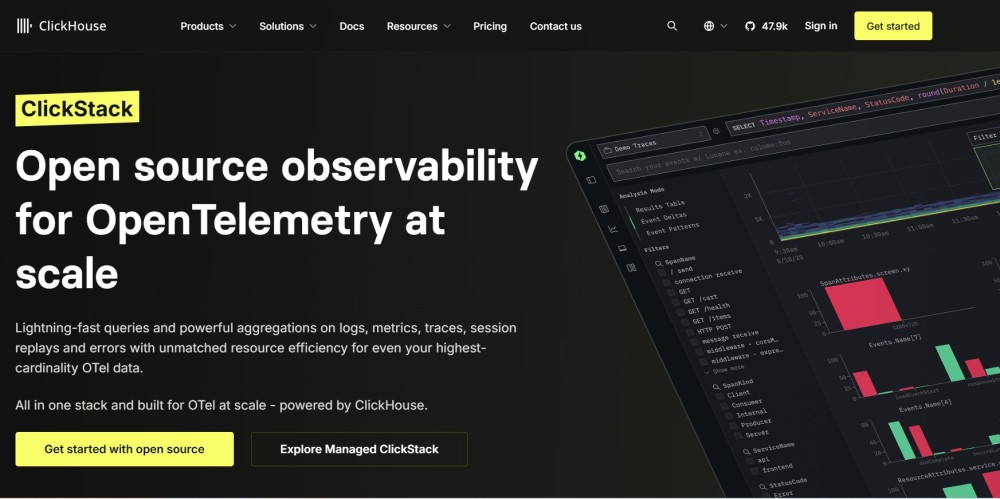
ClickStack is an open source observability platform that combines ClickHouse for high-performance data storage with HyperDX for the visualization and query layer. It provides APM, logs, infrastructure monitoring, Kubernetes monitoring, and RUM in a single stack.
ClickStack runs entirely inside your infrastructure. You deploy it via Docker or Kubernetes, instrument your applications with OpenTelemetry, and send telemetry data directly to ClickStack without any external vendor receiving it. This gives teams full data sovereignty and eliminates public cloud egress fees when sending telemetry to SaaS platforms.
The project is maintained by the HyperDX team and ClickHouse. It launched in early 2026 as a batteries-included way to run ClickHouse-based observability without building a custom stack from scratch.
Key features
- OpenTelemetry-native ingestion pipeline
- ClickHouse storage for high-cardinality queries
- HyperDX visualization layer with Lucene-like search syntax
- SQL query mode for complex analysis
- Kubernetes operator for easy deployment
- Session replay for frontend debugging
- Distributed tracing with span-level detail
- Log aggregation with structured field extraction
Pricing
ClickStack is free and open source. You pay only for the infrastructure it runs on: compute instances, storage, and network. A typical deployment on AWS for a mid-scale team (20-30 hosts, 5TB/month telemetry) costs approximately $400–$600/month in EC2, EBS, and data transfer charges.
Who should use ClickStack
ClickStack fits teams that:
- Want full control over telemetry data and cannot send it to external SaaS platforms
- Already use ClickHouse or are comfortable managing database infrastructure
- Prefer open source tools over vendor lock-in
- Have engineering capacity to deploy and maintain observability infrastructure
- Need high-cardinality queries without sampling or index limits
ClickStack does not fit teams that need managed SaaS, 24/7 vendor support, or minimal operational overhead.
New Relic Overview
New Relic is a managed SaaS observability platform that provides APM, infrastructure monitoring, logs, browser monitoring, synthetics, and mobile monitoring. It launched in 2008 and is one of the most widely adopted commercial APM tools.
New Relic operates as a cloud-hosted service. You instrument your applications using New Relic agents or OpenTelemetry, and telemetry data is sent to New Relic’s platform. All data storage, indexing, and query execution happen on New Relic’s infrastructure.
The platform uses a proprietary query language called NRQL (New Relic Query Language) for dashboards, alerts, and custom queries. NRQL creates vendor lock-in because every dashboard and alert you build in New Relic must be rewritten if you migrate to another tool.
Key features
- Full-stack observability: APM, logs, infrastructure, browser, synthetics, mobile
- 650+ integrations with cloud providers, databases, and third-party services
- NRQL query language for custom analysis
- AI-assisted anomaly detection
- Distributed tracing with code-level visibility
- Infrastructure monitoring with automatic entity discovery
- Synthetic monitoring with scripted browser tests
- Log aggregation with parsing and enrichment
Pricing
New Relic uses a two-part pricing model: user seats plus data ingestion.
User seats:
- Standard plan: $49/user/month (100 GB included data ingest)
- Pro plan: $99/user/month (100 GB included data ingest)
- Enterprise plan: $549/user/month (negotiated data limits)
Data ingestion beyond included limits:
- $0.40/GB for logs, traces, and metrics
Hidden costs:
- AWS/GCP egress fees: $0.09–$0.12/GB when sending telemetry from your cloud to New Relic
- Query limits: queries time out at 2 minutes on Standard, 10 minutes on Pro
- Retention extensions: 30 days default, paid extensions available
A 20-person engineering team ingesting 10TB/month pays approximately $1,980/month in user seats plus $3,000/month in data ingestion fees plus $900–$1,200/month in egress fees for a total of $5,880–$6,180/month.
Source: New Relic pricing page
Who should use New Relic
New Relic fits teams that:
- Want a fully managed SaaS platform with no infrastructure to maintain
- Need broad integration coverage (650+ integrations)
- Require vendor support with SLAs
- Have budget for user-based pricing at scale
- Can accept proprietary query language lock-in
New Relic does not fit teams with strict data residency requirements, cost-sensitive teams at scale, or teams that prefer open source tooling.
Feature-by-Feature Comparison
OpenTelemetry Support
ClickStack:
ClickStack is built on OpenTelemetry from the ground up. It uses the OpenTelemetry Collector as its ingestion pipeline and natively understands OTel trace, metric, and log formats. You instrument your applications with the OpenTelemetry SDK in your language, export telemetry to the OTel Collector, and ClickStack ingests it without transformation.
This makes ClickStack vendor-neutral. If you decide to migrate to another tool, your instrumentation remains unchanged.
New Relic:
New Relic supports OpenTelemetry via a compatibility layer. You can export OTel data to New Relic using the OpenTelemetry Protocol (OTLP), but New Relic’s native agents (Java, .NET, Node.js, Python, Ruby) provide deeper instrumentation and more automatic features than OTel alone.
The gap: New Relic’s OTel support is functional but not first-class. Some features (distributed tracing context propagation, automatic service maps, code-level visibility) work better with New Relic’s proprietary agents. This creates a hybrid lock-in where switching to OTel reduces feature depth.
Source: OpenTelemetry with New Relic documentation
Deployment and Data Residency
ClickStack:
ClickStack runs entirely inside your infrastructure. You deploy it on your own Kubernetes cluster, EC2 instances, or bare metal servers. Telemetry data never leaves your environment.
This matters for:
- GDPR compliance: data never crosses EU borders
- HIPAA compliance: PHI stays inside your healthcare environment
- Data sovereignty: full control over who can access telemetry
- Egress cost avoidance: no public cloud data transfer fees
The trade-off: you manage the infrastructure. This includes scaling ClickHouse storage, monitoring ClickStack itself, handling upgrades, and ensuring high availability.
New Relic:
New Relic is SaaS only. All telemetry data is sent to New Relic’s cloud infrastructure and stored on their servers. New Relic operates data centers in the US and EU, but you cannot run New Relic inside your own VPC.
This matters for:
- Egress fees: sending 10TB/month from AWS US-East to New Relic costs approximately $900–$1,200/month in AWS data transfer charges
- Data residency: telemetry leaves your infrastructure and is stored externally
- Compliance gaps: some regulated industries cannot send telemetry outside their environment
The advantage: zero operational burden. New Relic manages scaling, uptime, and upgrades.
Source: New Relic data privacy documentation
Query Language and Portability
ClickStack:
ClickStack uses two query modes:
- Lucene-like search syntax for fast filtering (similar to what you use in Google)
- Native SQL for complex queries (powered by ClickHouse)
Because ClickStack stores data in ClickHouse, you can query your telemetry using standard SQL. Every dashboard, alert, and saved query you build is portable. If you migrate to another tool that supports SQL, your queries work without modification.
New Relic:
New Relic uses NRQL (New Relic Query Language), a proprietary SQL-like language specific to New Relic. NRQL queries look similar to SQL but use New Relic-specific syntax and data models.
Example NRQL query:
SELECT average(duration) FROM Transaction WHERE appName = 'MyApp' FACET name SINCE 1 day agoThis creates lock-in. Every dashboard, alert, and saved query you build in New Relic must be rewritten from scratch if you migrate to another tool. Teams with hundreds of NRQL queries report migration timelines of 3–6 months just to rebuild dashboards.
Source: NRQL documentation
Alerting and Anomaly Detection
ClickStack:
ClickStack includes basic alerting via the HyperDX layer. You define alert rules based on query results (e.g., error rate exceeds 5% for 5 minutes), and alerts are sent to Slack, PagerDuty, or webhooks.
Alerting is functional but not advanced. ClickStack does not include AI-based anomaly detection or automatic baseline calculation. You define thresholds manually.
New Relic:
New Relic provides advanced alerting with AI-assisted anomaly detection. The platform automatically learns normal behavior baselines for each service and fires alerts when metrics deviate from expected patterns.
New Relic also supports multi-condition alerts, alert aggregation, and sophisticated routing rules. This reduces alert noise and improves signal-to-noise ratio in incident response.
The gap: New Relic’s alerting is more mature and requires less manual tuning. ClickStack’s alerting is simpler and requires more upfront configuration.
Source: New Relic alerts documentation
Kubernetes Monitoring
ClickStack:
ClickStack includes a Kubernetes operator that deploys the observability stack as a set of pods in your cluster. It automatically collects Kubernetes metrics (pod CPU, memory, restarts, node pressure) and correlates them with application traces and logs.
ClickStack surfaces Kubernetes events alongside metrics, so you can see pod evictions, OOMKills, and scaling events in the same timeline as application errors. This correlation is critical for debugging issues where infrastructure instability causes application failures.
New Relic:
New Relic provides Kubernetes monitoring via a DaemonSet that runs on each node. It collects cluster, node, pod, and container metrics and integrates them with APM traces and logs.
New Relic’s Kubernetes monitoring includes automatic service discovery, golden signal dashboards (latency, traffic, errors, saturation), and pre-built alerts for common failure modes (node NotReady, pod CrashLoopBackOff, persistent volume capacity).
The gap: New Relic’s Kubernetes monitoring is more polished and includes more pre-built dashboards. ClickStack’s monitoring is functional but requires more manual dashboard creation.
Source: New Relic Kubernetes monitoring documentation
Real User Monitoring (RUM)
ClickStack:
ClickStack includes browser-based RUM via HyperDX. You embed a JavaScript snippet in your frontend, and ClickStack captures page load times, JavaScript errors, network requests, and user interactions.
ClickStack also supports session replay, which records user sessions as videos. This is useful for debugging frontend issues where error messages alone do not explain what happened.
New Relic:
New Relic provides comprehensive browser monitoring that captures page load times, AJAX requests, JavaScript errors, and Core Web Vitals (LCP, FID, CLS). It also includes session traces that show the sequence of events leading to an error.
New Relic’s RUM integrates with backend APM traces, so you can click on a slow frontend request and see the corresponding backend trace. This end-to-end visibility speeds up debugging.
The gap: Both tools provide RUM, but New Relic’s integration between frontend and backend traces is tighter. ClickStack’s session replay feature is a unique advantage for visual debugging.
Synthetic Monitoring
ClickStack:
ClickStack does not include synthetic monitoring. You would need to integrate an external tool like Playwright or Checkly if you want scripted browser tests or uptime checks.
New Relic:
New Relic includes synthetic monitoring with scripted browser tests, API checks, and uptime monitoring from multiple global locations. You can simulate user journeys (login, checkout, form submission) and get alerts if any step fails.
Synthetic monitoring runs on a schedule (every 1–60 minutes) and helps detect issues before real users are affected.
The gap: New Relic wins here. ClickStack has no built-in synthetic monitoring.
Source: New Relic synthetics documentation
Pricing Comparison: Three Real Scenarios
We modeled costs for three team profiles using public rate cards and actual infrastructure pricing as of April 2026. Figures are directional estimates. Verify current pricing with each vendor before making decisions.
Scenario 1: Small Team (5 engineers, 2TB/month)
| Cost Component | ClickStack | New Relic |
|---|---|---|
| User seats | $0 | $245/month (5 users × $49) |
| Data ingestion | $0 | $570/month (2TB × $0.30/GB, minus 500 GB included) |
| Infrastructure (self-hosted) | $150/month (AWS EC2 + EBS) | $0 |
| Egress fees | $0 | $180/month (2TB × $0.09/GB) |
| Total monthly cost | $150 | $995 |
Savings: ClickStack costs 85% less.
Scenario 2: Mid-Scale Team (25 engineers, 15TB/month)
| Cost Component | ClickStack | New Relic |
|---|---|---|
| User seats | $0 | $1,225/month (25 users × $49) |
| Data ingestion | $0 | $4,470/month (15TB × $0.30/GB, minus 2.5TB included) |
| Infrastructure (self-hosted) | $600/month (AWS EC2 + EBS + RDS) | $0 |
| Egress fees | $0 | $1,350/month (15TB × $0.09/GB) |
| Total monthly cost | $600 | $7,045 |
Savings: ClickStack costs 91% less.
Scenario 3: Large Team (100 engineers, 50TB/month)
| Cost Component | ClickStack | New Relic |
|---|---|---|
| User seats | $0 | $4,900/month (100 users × $49) |
| Data ingestion | $0 | $14,970/month (50TB × $0.30/GB, minus 10TB included) |
| Infrastructure (self-hosted) | $2,200/month (AWS EC2 + EBS + RDS) | $0 |
| Egress fees | $0 | $4,500/month (50TB × $0.09/GB) |
| Total monthly cost | $2,200 | $24,370 |
Savings: ClickStack costs 91% less.
These estimates assume Standard plan pricing for New Relic. Pro and Enterprise plans cost more. Infrastructure costs for ClickStack assume AWS US-East pricing for compute, storage, and network. Your costs will vary based on data volume, retention period, and cloud provider discounts.
Who Should Choose Each Tool
Choose ClickStack if:
- You need full data sovereignty and cannot send telemetry to external SaaS platforms
- You have engineering capacity to deploy and maintain observability infrastructure
- You want to avoid user-based pricing at scale
- You prefer open source tools and SQL-based queries
- You are comfortable managing ClickHouse and Kubernetes
- You need high-cardinality queries without sampling limits
Choose New Relic if:
- You want a fully managed SaaS platform with zero operational burden
- You need 24/7 vendor support with SLAs
- You require broad integration coverage (650+ integrations)
- You have budget for user-based pricing at scale
- You need advanced features like AI-assisted anomaly detection and synthetic monitoring
- You can accept proprietary query language lock-in
CubeAPM: An Alternative That Combines Self-Hosted Control with Managed Simplicity
CubeAPM provides an alternative to both ClickStack and New Relic by combining the data sovereignty of ClickStack with the managed simplicity of New Relic. It runs inside your infrastructure but is managed by CubeAPM’s team, so you get full data control without Day 2 operational burden.
How CubeAPM compares:
| CubeAPM | ClickStack | New Relic | |
|---|---|---|---|
| Deployment | Self-hosted, vendor-managed | Self-hosted, self-managed | SaaS only |
| Pricing model | $0.15/GB, no user seats | Free OSS, infra cost only | $49–$99/user + $0.30/GB |
| OpenTelemetry | Native | Native | Partial |
| Data residency | Full control | Full control | External SaaS |
| Operational burden | Managed by vendor | DIY | Zero (SaaS) |
| Retention | Unlimited | Unlimited (storage-limited) | 30 days default |
| Query language | SQL + UI search | SQL + Lucene search | NRQL (proprietary) |
CubeAPM fits teams that:
- Want data sovereignty but lack the capacity to manage ClickStack or ELK
- Need predictable pricing without user seats or per-host charges
- Prefer OpenTelemetry-native instrumentation over proprietary agents
- Require unlimited retention without tiered storage complexity
CubeAPM costs $0.15/GB for all telemetry (logs, traces, metrics). A 25-engineer team ingesting 15TB/month pays $2,250/month total with unlimited users and unlimited retention. This is 68% less than New Relic and comparable to ClickStack’s infrastructure cost, but with managed upgrades, support, and no DIY burden.
Source: CubeAPM pricing page
Verdict: ClickStack or New Relic?
Choose ClickStack if you need open source observability, full data control, and have engineering capacity to manage infrastructure. ClickStack saves 85–91% compared to New Relic at scale and avoids vendor lock-in entirely.
Choose New Relic if you want a fully managed SaaS platform with broad integrations, advanced AI features, and vendor support. New Relic costs more but removes all operational burden.
Choose CubeAPM if you want the data sovereignty of ClickStack with the managed simplicity of New Relic. CubeAPM runs in your infrastructure but is managed by the vendor, giving you full control without DIY overhead. It costs $0.15/GB with no user seats and works natively with tools like AWS Lambda and AWS RDS.
Disclaimer: The information in this article reflects the latest details available at the time of publication and may change as technologies and products evolve. Features, pricing, and plan limits can change over time. Always verify the latest information directly with the vendor before making purchasing or deployment decisions.
Frequently Asked Questions
What is the main difference between ClickStack and New Relic?
ClickStack is open source and self-hosted, giving you full control over telemetry data and avoiding user-based pricing. New Relic is a managed SaaS platform with broader integrations and advanced AI features but requires sending data to external servers.
Does ClickStack support OpenTelemetry?
Yes, ClickStack is built natively on OpenTelemetry. It uses the OTel Collector as its ingestion pipeline and natively supports OTel trace, metric, and log formats.
Can I run New Relic on-premises?
No, New Relic is SaaS only. All telemetry data is sent to New Relic’s cloud infrastructure.
How much does ClickStack cost?
ClickStack is free and open source. You pay only for the infrastructure it runs on, typically $150–$600/month for small to mid-scale teams on AWS.
Does New Relic charge per user?
Yes, New Relic charges $49–$99 per user per month depending on the plan tier, in addition to data ingestion fees.
Which tool is better for Kubernetes monitoring?
Both tools support Kubernetes monitoring. New Relic provides more pre-built dashboards and automatic service discovery. ClickStack requires more manual configuration but offers full control over what metrics are collected.
Can I migrate from New Relic to ClickStack?
Yes, but you must rewrite all NRQL queries, dashboards, and alerts because ClickStack uses SQL instead of NRQL. Migration typically takes 2–4 weeks for teams with extensive New Relic configurations.