







A 50-node AKS cluster running production workloads costs around $7,200 monthly at standard on-demand rates. That same cluster, with overprovisioned CPU requests and idle replicas during off-peak hours, can push actual monthly spend past $12,000 before logs or monitoring are factored in.
The gap between what teams pay and what workloads actually consume is where Kubernetes cost optimization tools deliver value. The best platforms do not just report waste; they enforce rightsizing, automate scaling decisions, and orchestrate spot instance lifecycles so Reserved Instances and Savings Plans go further.
This guide compares 10 Kubernetes cost optimization tools across cost attribution depth, automation level, production readiness, and verified savings impact. Each tool is assessed with sourced limitations, real cost scenarios for teams at different scales, and clear guidance on which tool fits which operational model.
Quick Comparison: 10 Kubernetes Cost Optimization Tools
| Tool | Best For | Pricing Model | Automation Level | Self-Hosted? |
|---|---|---|---|---|
| CubeAPM | Full-stack observability with built-in cost visibility | $0.20/GB ingestion | Medium (visibility + alerts) | ✓ Yes |
| Kubecost | Open-source cost visibility and chargeback | Free OSS; Enterprise (custom) | Low (visibility only) | ✓ Yes |
| OpenCost | CNCF-governed cost allocation | Free (open source) | Low (visibility only) | ✓ Yes |
| ScaleOps | Autonomous real-time resource optimization | Custom pricing | High (autonomous) | ✓ Yes |
| CAST AI | Multi-cloud autoscaling and spot orchestration | Usage-based (CPU hours) | High (autonomous) | ✗ SaaS only |
| CloudZero | Cloud cost intelligence linked to business outcomes | Tiered by cloud spend | Low (visibility only) | ✗ SaaS only |
| Vantage | Multi-cloud cost reporting and alerting | Free tier; Pro $50/mo+ | Low (visibility only) | ✗ SaaS only |
| Finout | Unified FinOps across cloud and SaaS | ~1% of monthly cloud spend | Low (visibility only) | ✗ SaaS only |
| Goldilocks | VPA-based rightsizing recommendations | Free (open source) | Low (recommendations only) | ✓ Yes |
| SpotKube | Spot instance scheduling automation | Free (open source) | Medium (spot only) | ✓ Yes |
Pricing estimates based on publicly available information as of April 2026. Enterprise discounts, custom contracts, and negotiated rates are not reflected here.
Why Kubernetes Cost Optimization Tools Matter in 2026
Kubernetes gives teams flexibility to scale workloads dynamically across nodes, namespaces, and clusters. That same flexibility creates a visibility problem. Cloud bills show EC2, GCE, or AKS line items, but they do not show which namespace, deployment, or team consumed those resources.
The structural issue is overprovisioning. Kubernetes resource requests, the CPU and memory values pods are scheduled on, are typically set at deploy time and rarely updated. A pod requesting 2 CPU cores but using 0.4 cores in production still reserves and pays for 2 cores. Multiply that across hundreds of deployments and the waste compounds fast.
According to the CAST AI 2026 State of Kubernetes Optimization report, average CPU utilization across thousands of analyzed clusters sits at 8%. That means roughly nine in ten provisioned CPUs sit idle while teams pay for them. GPU utilization, the most expensive resource in AI workloads, averages 5%. Across those same clusters, 69% over-provision CPU by a significant margin.
Kubernetes cost optimization tools close that gap by continuously monitoring real usage patterns, applying rightsizing adjustments, managing replica counts, and optimizing node bin-packing so Reserved Instances and Savings Plans are utilized fully, and Spot instance savings are captured without risk.
The best platforms enforce changes autonomously. Visibility-only tools surface waste and produce ROI estimates, but remediation still requires a human in the loop.
The Kubernetes Cost Optimization Landscape: Three Categories
The market breaks into three distinct categories based on how deeply tools intervene in resource management:
Visibility and cost allocation platforms: These tools attribute Kubernetes spend to teams, namespaces, and workloads. They excel at chargeback, showback, and unit economics dashboards. Kubecost, OpenCost, CloudZero, Vantage, and Finout operate here. They tell you what to fix, not how to fix it.
Autonomous optimization platforms: These platforms continuously enforce rightsizing, autoscaling, and spot orchestration without manual intervention. ScaleOps and CAST AI are the clear leaders. They manage CPU requests, memory limits, replica counts, and node placement in real time.
Specialized utilities: Single-feature tools targeting a narrow problem. Goldilocks provides VPA-based rightsizing recommendations. SpotKube automates spot instance scheduling. These fit alongside other tools but do not deliver full-stack optimization alone.
The key differentiator: only autonomous platforms enforce changes. Visibility tools produce actionable insights, but remediation is manual.
1. CubeAPM
Best for: Teams that want full-stack observability with cost visibility built in
Ideal users: Platform engineering and DevOps teams running Kubernetes on AWS EKS, GKE, AKS, or on-prem who need unified monitoring, logging, APM, and cost tracking in one self-hosted platform
CubeAPM is a full-stack observability platform covering APM, logs, infrastructure monitoring, Kubernetes visibility, and error tracking. It runs inside your cloud or on-prem, so telemetry data stays local, and there are no SaaS egress fees. Cost visibility is built into the platform, surfacing resource consumption by namespace, deployment, and pod alongside performance metrics.
Unlike dedicated cost optimization tools, CubeAPM does not autonomously enforce rightsizing or autoscaling. It provides the visibility layer, real-time metrics, alerts, and dashboards that help teams identify overprovisioned workloads and correlate cost with performance. For teams already using Kubernetes monitoring platforms that want cost context without adding another tool, CubeAPM consolidates both.
Key features:
- Kubernetes metrics at cluster, node, pod, and container level
- Cost visibility by namespace, deployment, and workload
- High-cardinality search across metrics, logs, and traces
- Real-time alerting on resource saturation and cost anomalies
- Self-hosted deployment for full data control
Pricing: $0.20/GB ingestion, unlimited users, no per-host or per-metric fees
Pros:
- Unified observability and cost visibility in one platform
- Self-hosted deployment with no data egress costs
- Predictable pricing with no surprise overages
- Full OpenTelemetry support for vendor-neutral telemetry
Cons:
- No autonomous rightsizing or autoscaling enforcement
- Requires BYOC or on-prem deployment
- Cost features less mature than dedicated FinOps platforms
Best for: Teams that want cost visibility integrated into their existing observability stack without adding standalone FinOps tooling
2. Kubecost
Best for: Open-source cost visibility and chargeback
Ideal users: Platform teams running multi-tenant Kubernetes clusters who need granular cost allocation and chargeback workflows
Kubecost is the most widely adopted open-source Kubernetes cost monitoring tool, often used as the entry point for teams starting with Kubernetes FinOps. It attributes cloud spend to namespaces, deployments, labels, and teams using real-time resource usage data. Kubecost integrates with AWS Cost Explorer, Azure Cost Management, and Google Cloud Billing to reconcile cloud invoices with cluster-level consumption.
The open-source version provides full cost allocation and reporting. The Enterprise tier adds multi-cluster aggregation, SSO, and advanced alerting. Kubecost is a visibility platform; it does not enforce rightsizing or autoscaling. Teams use Kubecost to identify waste, then apply changes manually or via separate automation.
Community feedback on Reddit and GitHub highlights Kubecost’s strong cost attribution accuracy but notes that the UI can feel overwhelming for teams new to FinOps workflows. The Enterprise tier pricing model, per-cluster licensing, can become expensive for teams managing dozens of clusters.
Key features:
- Real-time cost allocation by namespace, pod, deployment, and label
- Cloud billing reconciliation with AWS, Azure, and GCP
- Chargeback and showback reporting
- Idle resource detection and rightsizing recommendations
- Multi-cluster aggregation in Enterprise tier
Pricing: Free (open source); Enterprise is quote-based; verify current rates on the Kubecost pricing page
Pros:
- Strong cost attribution accuracy
- Open-source core with active community
- Integrates with native cloud billing APIs
- Self-hosted deployment option
Cons:
- No autonomous enforcement of rightsizing or autoscaling
- UI complexity reported by new users
- Enterprise licensing adds up fast across many clusters
Best for: Teams that need accurate cost allocation and chargeback without autonomous optimization
3. OpenCost
Best for: CNCF-governed open-source cost allocation
Ideal users: Teams that want vendor-neutral cost visibility with community governance and no licensing fees
OpenCost is a CNCF sandbox project originally built by Kubecost and contributed to the open-source community. It provides Kubernetes cost allocation using the same core cost model as Kubecost but strips out the Enterprise features and UI polish. OpenCost is designed to be embedded into existing observability stacks, Prometheus, Grafana, or custom dashboards, rather than used as a standalone platform.
Because OpenCost is a CNCF project, it benefits from multi-vendor contributions and avoids single-vendor lock-in. The trade-off is that it requires more assembly. Teams need to configure Prometheus scraping, build dashboards in Grafana, and manage the deployment lifecycle themselves.
Community feedback on GitHub shows strong adoption among teams already running Prometheus and Grafana who want cost visibility without adding a new UI or licensing cost. The main limitation is the lack of pre-built reporting; OpenCost surfaces raw cost data but leaves visualization and workflow integration to the user.
Key features:
- Real-time cost allocation by pod, namespace, and label
- Prometheus-compatible metrics export
- Cloud billing reconciliation (AWS, Azure, GCP)
- CNCF governance with multi-vendor contributions
- No licensing fees
Pricing: Free (open source)
Pros:
- Fully open source with no licensing costs
- CNCF governance reduces vendor lock-in risk
- Integrates cleanly with Prometheus and Grafana
- Active community and multi-vendor support
Cons:
- No pre-built UI or dashboards
- Requires manual Prometheus and Grafana setup
- No autonomous optimization or enforcement
- Documentation less polished than commercial tools
Best for: Teams already running Prometheus and Grafana who want cost visibility without adding another SaaS platform or licensing cost
4. ScaleOps
Best for: Autonomous real-time resource optimization
Ideal users: DevOps and platform engineering teams running production Kubernetes on AWS EKS, GKE, AKS, or on-prem who want continuous rightsizing without manual tuning
ScaleOps is a fully autonomous platform that continuously optimizes CPU requests, memory limits, replicas, and node placement in real time based on live usage signals. It runs as a self-hosted component inside the cluster, keeping optimization logic and operational data within your environment. ScaleOps handles bursty traffic, Pod Disruption Budgets, noisy neighbors, and OOM events without impacting reliability.
Unlike visibility-only tools, ScaleOps enforces changes. It adjusts resource requests, scales replicas, and optimizes bin-packing continuously without requiring manual approval or GitOps commits. The platform integrates with HPA, KEDA, Karpenter, and Cluster Autoscaler so existing autoscaling pipelines continue working.
According to the ScaleOps 2026 benchmark, users typically achieve up to 80% cost reduction while improving performance and stability. Independent reviews on G2 highlight the platform’s production-grade safety controls and ease of deployment.
Key features:
- Real-time autonomous rightsizing of CPU and memory requests
- Predictive replica scaling to prevent overprovisioning
- Spot-aware scheduling across AWS, GCP, and Azure
- Node bin-packing optimization for Reserved Instance utilization
- GitOps-native control plane for policy enforcement
Pricing: Custom pricing based on cluster size; free trial available; verify current rates at the ScaleOps pricing page
Pros:
- Fully autonomous with no manual intervention required
- Self-hosted deployment with full data control
- Production-grade handling of PDBs and stateful workloads
- Verified savings up to 80% in real deployments
Cons:
- No publicly listed pricing tiers
- Requires trust in autonomous decision-making
- Less mature ecosystem than Kubecost or OpenCost
Best for: Teams that want continuous autonomous optimization without manual rightsizing or autoscaling workflows
5. CAST AI
Best for: Multi-cloud autoscaling and spot orchestration
Ideal users: Engineering teams managing large Kubernetes environments on EKS, AKS, or GKE with persistent overprovisioning issues
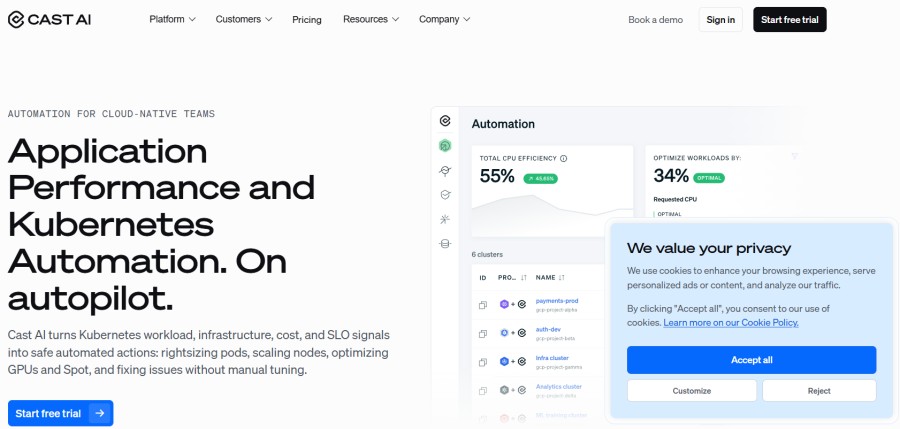
CAST AI is an autonomous platform focused on workload rightsizing, automated node scaling, and spot instance orchestration. It continuously adjusts CPU requests, memory limits, and replica counts while managing spot lifecycle events including interruptions, diversity, and fallback to on-demand nodes when necessary.
The platform operates as a SaaS service that connects to your clusters via API. CAST AI monitors resource usage, applies bin-packing optimizations to consolidate workloads onto fewer nodes, and removes empty nodes to reduce waste. The CAST AI 2026 State of Kubernetes Optimization report found that most Kubernetes spend is capacity that is requested, paid for, and never used.
Community feedback on Reddit notes strong savings results but highlights concerns about SaaS-only deployment and the lack of self-hosted options for teams with data residency requirements.
Key features:
- Autonomous pod rightsizing and replica management
- Spot instance lifecycle management with fallback
- Node bin-packing and autoscaling
- Multi-cluster support across AWS, Azure, GCP
- Cost reporting and savings visibility
Pricing: Usage-based pricing tied to CPU hours consumed; free tier for visibility features; verify current rates at the CAST AI pricing page
Pros:
- Autonomous enforcement with proven savings results
- Strong spot instance orchestration
- Multi-cloud support
- Active development and feature velocity
Cons:
- SaaS-only deployment (no self-hosted option)
- Pricing tied to CPU hours can be difficult to forecast
- Requires trust in external platform managing cluster changes
Best for: Teams that want autonomous optimization and are comfortable with SaaS-only deployment
6. CloudZero
Best for: Cloud cost intelligence linked to business outcomes
Ideal users: Engineering and finance teams managing multi-cloud and Kubernetes spending who need unit economics and cost attribution tied to products or customers
CloudZero is a cloud cost intelligence platform that connects infrastructure spend, including Kubernetes, to business outcomes. Its machine learning engine organizes cloud spend automatically, links costs to the activity generating them, and tracks spending patterns across AWS, GCP, Azure, Kubernetes, and SaaS environments.
Unlike Kubernetes-specific tools, CloudZero provides a unified view of total cloud spend with drill-down into Kubernetes namespaces, pods, and workloads. It excels at answering questions like “what does this feature cost to run?” or “which customer generates the most infrastructure spend?” rather than “which pod is overprovisioned?”
Community feedback on G2 highlights CloudZero’s strong cost attribution and unit economics reporting but notes that it is a visibility platform, not an optimization enforcement tool. Teams use CloudZero to understand cost drivers, then apply changes manually.
Key features:
- Unified cloud cost visibility across AWS, Azure, GCP, Kubernetes, and SaaS
- Unit economics reporting (cost per customer, feature, or product)
- Anomaly detection and budget alerting
- Cost allocation by team, project, or business unit
- Integration with AWS Cost and Usage Reports, Azure Cost Management, and GCP Billing
Pricing: Tiered pricing based on monthly cloud spend; unlimited users included; verify current rates at the CloudZero pricing page
Pros:
- Strong unit economics and business-outcome reporting
- Multi-cloud and SaaS cost visibility in one platform
- Anomaly detection catches unexpected spend spikes
- Unlimited users across all plans
Cons:
- No autonomous optimization or enforcement
- Kubernetes-specific features less mature than Kubecost
- Pricing tied to total cloud spend can escalate for large environments
Best for: Teams that need cloud-wide cost intelligence with Kubernetes visibility as part of a broader FinOps strategy
7. Vantage
Best for: Multi-cloud cost reporting and alerting
Ideal users: FinOps and platform teams managing cloud spend across AWS, Azure, GCP, and Kubernetes who want unified cost visibility without complex setup
Vantage is a multi-cloud cost visibility platform that aggregates spending data from AWS, Azure, GCP, Kubernetes, Snowflake, Datadog, and other services into a single dashboard. It provides cost allocation, budget tracking, anomaly detection, and rightsizing recommendations without requiring deep infrastructure changes.
Vantage positions itself as a lighter-weight alternative to CloudZero and Finout, targeting teams that want cost visibility quickly without extensive configuration or integration overhead. The platform includes Kubernetes cost allocation powered by OpenCost under the hood, surfacing pod, namespace, and workload costs alongside cloud infrastructure spend.
Community feedback on G2 highlights Vantage’s ease of setup and clean UI but notes that it lacks the autonomous optimization features of ScaleOps or CAST AI. Vantage is a reporting tool, not an enforcement platform.
Key features:
- Multi-cloud cost aggregation across AWS, Azure, GCP, and Kubernetes
- Budget tracking and anomaly detection
- Rightsizing recommendations for EC2, RDS, and Kubernetes pods
- Cost allocation by team, tag, or project
- Integration with Slack, email, and PagerDuty for alerts
Pricing: Free tier available; Pro plan starts at $50 per month; verify current rates on the Vantage pricing page
Pros:
- Fast setup with minimal configuration
- Clean UI and intuitive cost reporting
- Free tier supports small teams
- Multi-cloud visibility in one platform
Cons:
- No autonomous optimization or enforcement
- Kubernetes features less mature than Kubecost or OpenCost
- Rightsizing recommendations require manual implementation
Best for: Teams that want multi-cloud cost visibility with minimal setup overhead
8. Finout
Best for: Unified FinOps across cloud and SaaS
Ideal users: Enterprise FinOps teams managing cloud infrastructure, Kubernetes, Snowflake, Datadog, Databricks, and other SaaS costs in one unified cost model
Finout is an enterprise FinOps platform built to give engineering and finance teams a unified view of cloud and software spending. Its MegaBill aggregates billing data from AWS, GCP, Azure, Kubernetes, Snowflake, Datadog, Databricks, and other services into a single cost model, allowing organizations to understand total spend across their entire infrastructure stack.
Finout excels at cost attribution tied to business units, products, or customers. It provides unit economics reporting, anomaly detection, and budget enforcement across cloud and SaaS platforms. Kubernetes cost allocation is powered by OpenCost integration, surfacing pod and namespace costs alongside cloud infrastructure and SaaS spend.
Community feedback on G2 highlights Finout’s strong multi-service cost aggregation and business-focused reporting but notes that Kubernetes-specific optimization features are less mature than dedicated tools like Kubecost or ScaleOps.
Key features:
- Unified cost visibility across cloud, Kubernetes, and SaaS platforms
- MegaBill aggregates AWS, Azure, GCP, Snowflake, Datadog, and more
- Unit economics reporting by product, customer, or business unit
- Anomaly detection and budget enforcement
- Integration with Slack, Jira, and email for alerts
Pricing: Usage-based pricing, typically around 1% of total monthly cloud spend; unlimited users; verify current rates at the Finout pricing page
Pros:
- Unified view of cloud and SaaS spending
- Strong unit economics and business-outcome reporting
- Unlimited users across all plans
- Multi-service cost aggregation in one platform
Cons:
- No autonomous optimization or enforcement
- Kubernetes features less mature than Kubecost
- Pricing tied to total spend can escalate for large environments
Best for: Enterprise teams that need unified FinOps visibility across cloud infrastructure and SaaS platforms
9. Goldilocks
Best for: VPA-based rightsizing recommendations
Ideal users: Platform teams using Vertical Pod Autoscaler (VPA) who want automated rightsizing recommendations without autonomous enforcement
Goldilocks is an open-source utility that generates rightsizing recommendations for Kubernetes workloads based on Vertical Pod Autoscaler (VPA) data. It creates VPA objects for each deployment in a namespace, collects resource usage data, and surfaces recommendations for CPU and memory requests.
Unlike autonomous platforms, Goldilocks does not enforce changes. It produces recommendations that teams review and apply manually, typically via GitOps workflows or direct manifest updates. Goldilocks is often used alongside Kubecost or OpenCost to validate cost allocation data with actual VPA-based rightsizing suggestions.
Community feedback on GitHub highlights Goldilocks’ simplicity and ease of deployment but notes that it only covers rightsizing, not autoscaling, spot orchestration, or node bin-packing. Teams using Goldilocks typically combine it with other tools to build a complete optimization strategy.
Key features:
- VPA-based rightsizing recommendations for CPU and memory
- Namespace-level deployment scanning
- Dashboard showing current vs. recommended resource requests
- Integration with existing VPA deployments
- Lightweight and easy to deploy
Pricing: Free (open source)
Pros:
- Simple to deploy and understand
- VPA-based recommendations are conservative and safe
- No autonomous changes (manual review required)
- Active community and regular updates
Cons:
- Only covers rightsizing (no autoscaling or spot orchestration)
- Requires manual application of recommendations
- VPA data collection can take several days to stabilize
- No cost attribution or chargeback features
Best for: Teams using VPA who want automated rightsizing recommendations without autonomous enforcement
10. SpotKube
Best for: Spot instance scheduling automation
Ideal users: DevOps teams running batch workloads or fault-tolerant services on Kubernetes who want to maximize spot instance usage without manual lifecycle management
SpotKube is an open-source Kubernetes controller that automates spot instance scheduling and lifecycle management. It monitors spot instance interruption notices, drains nodes gracefully, and reschedules workloads onto new spot instances or on-demand nodes as needed.
Unlike full-stack optimization platforms, SpotKube focuses solely on spot orchestration. It does not handle rightsizing, autoscaling, or cost allocation. Teams use SpotKube to reduce compute costs by shifting workloads to spot instances while maintaining availability through automated failover.
Community feedback on GitHub highlights SpotKube’s reliability in handling spot interruptions but notes that it requires separate tooling for rightsizing and cost visibility. SpotKube is typically combined with Kubecost or OpenCost to build a complete cost optimization strategy.
Key features:
- Automated spot instance lifecycle management
- Graceful node draining on interruption notices
- Fallback to on-demand nodes when spot is unavailable
- Multi-cloud support (AWS, GCP, Azure)
- Lightweight controller deployment
Pricing: Free (open source)
Pros:
- Reliable spot interruption handling
- Lightweight and easy to deploy
- No vendor lock-in
- Active community support
Cons:
- Only covers spot orchestration (no rightsizing or autoscaling)
- No cost attribution or reporting features
- Requires separate tooling for complete optimization
Best for: Teams running fault-tolerant workloads who want to maximize spot instance usage without manual lifecycle management
How to Choose the Right Kubernetes Cost Optimization Tool
Choosing the right tool depends on three factors: your team’s operational model, the level of automation you are comfortable with, and whether you prioritize visibility or enforcement.
Start with your operational model:
- Self-hosted or SaaS: If you require data residency, HIPAA compliance, or air-gapped deployments, prioritize self-hosted tools like CubeAPM, Kubecost, OpenCost, or ScaleOps. If you are comfortable with SaaS and want minimal operational overhead, CAST AI, CloudZero, Vantage, or Finout fit better.
- Kubernetes-only or multi-cloud: If your cost problem is Kubernetes-specific, Kubecost, OpenCost, or ScaleOps provide the deepest Kubernetes-native features. If you need unified visibility across cloud infrastructure and SaaS platforms, CloudZero or Finout are stronger choices.
- Single cluster or multi-cluster: Teams managing dozens of clusters should evaluate per-cluster licensing costs carefully. Kubecost Enterprise and ScaleOps charge per cluster, which can compound fast. OpenCost and CubeAPM do not have per-cluster fees.
Decide how much automation you want:
- Visibility only: If your team prefers full control over optimization decisions and wants tools that surface recommendations without enforcing changes, Kubecost, OpenCost, CloudZero, Vantage, or Finout fit this model. You review insights and apply changes manually.
- Autonomous enforcement: If you want continuous optimization without manual intervention, ScaleOps and CAST AI are the only platforms that autonomously adjust CPU requests, memory limits, replicas, and node placement in real time. This requires trust in the platform’s decision-making but delivers the largest savings with the least operational overhead.
- Hybrid approach: Some teams use visibility tools like Kubecost or OpenCost to identify waste, then apply changes via GitOps workflows or custom automation. This balances control with efficiency but requires engineering effort to build and maintain the automation layer.
Evaluate production readiness:
- Stateful workloads and PDBs: If you run databases, message queues, or stateful sets, ensure the tool handles Pod Disruption Budgets safely. ScaleOps and CAST AI explicitly support stateful workloads. Goldilocks and SpotKube do not.
- Spot instance orchestration: If you want to maximize spot usage, CAST AI and SpotKube provide the strongest spot lifecycle management. ScaleOps includes spot-aware scheduling. Visibility-only tools do not manage spot instances.
- Integration with existing autoscalers: If you already use HPA, VPA, Karpenter, or Cluster Autoscaler, ensure the tool integrates cleanly. ScaleOps and CAST AI work alongside native autoscalers. Goldilocks requires VPA to generate recommendations.
Consider total cost of ownership:
- Ingestion-based pricing: CubeAPM charges $0.2/GB for full observability including cost visibility. This model is predictable and scales linearly with data volume.
- Per-cluster licensing: Kubecost Enterprise charges per cluster, which can escalate fast for teams managing many clusters. OpenCost has no licensing fees.
- Usage-based pricing: CAST AI charges based on CPU hours consumed. This ties cost to actual usage but can be difficult to forecast during traffic spikes.
- Percentage of cloud spend: CloudZero and Finout charge a percentage of total cloud spend, typically around 1%. This scales with your cloud bill and can become expensive for large environments.
This estimate models a production-ready setup with high availability. A smaller or simpler deployment may cost significantly less.
Decision framework:
- If you want visibility only with no autonomous changes: Use Kubecost (strong UI and chargeback) or OpenCost (CNCF-governed, free).
- If you want autonomous optimization with production-grade safety: Use ScaleOps (self-hosted) or CAST AI (SaaS).
- If you need multi-cloud cost intelligence beyond Kubernetes: Use CloudZero (business outcomes) or Finout (unified cloud + SaaS).
- If you are already using Prometheus and Grafana: Use OpenCost for free cost allocation.
- If you want cost visibility integrated into full-stack observability: Use CubeAPM for unified monitoring, logging, APM, and cost tracking in one platform.
Kubernetes Cost Optimization in Practice: Real Scenarios
Scenario 1: Overprovisioned production cluster
A 50-node EKS cluster running microservices has CPU requests averaging 2 cores per pod, but actual usage averages 0.4 cores. Memory requests average 4 GB per pod, with usage around 1.2 GB. The cluster runs 24/7 with minimal traffic variation overnight.
Without optimization, the cluster costs $7,200 monthly at standard on-demand rates. Overprovisioning adds roughly $4,000 in waste; pods reserve capacity they never use.
With autonomous rightsizing from ScaleOps or CAST AI, CPU and memory requests adjust continuously based on real usage. Savings typically reach 50–60% by eliminating overprovisioned requests and consolidating workloads onto fewer nodes. The cluster cost drops to $3,000–$3,600 monthly.
With visibility-only tools like Kubecost or OpenCost, the platform identifies the overprovisioned workloads and recommends new request values. Teams apply changes manually via GitOps. Savings depend on how frequently teams review and apply recommendations, but typically reach 30–40% with consistent effort.
Scenario 2: Multi-tenant cluster with chargeback requirements
A platform team runs a shared Kubernetes cluster hosting workloads from five internal product teams. Finance requires accurate cost allocation to each team for internal billing.
Kubecost or OpenCost provides granular cost allocation by namespace, label, and team. The platform reconciles cloud billing data with cluster-level resource usage, surfacing accurate per-team costs, including idle resource waste.
Finance uses this data for monthly chargeback. Engineering teams see their actual infrastructure spend and can optimize their own workloads. The visibility creates accountability and reduces overall cluster waste by 20–30% as teams adjust their resource requests to avoid inflated chargeback bills.
Scenario 3: Batch workloads on spot instances
A data processing pipeline runs nightly batch jobs on Kubernetes. Workloads are fault-tolerant and can handle interruptions. The team wants to maximize spot instance usage to reduce costs but needs automated failover when spot instances are unavailable.
SpotKube or CAST AI manages the spot lifecycle. When a spot interruption notice arrives, the controller drains the node gracefully and reschedules workloads onto new spot instances or on-demand nodes as fallback. The team reduces compute costs by 60–70% compared to on-demand pricing without manual intervention.
Kubecost or OpenCost track cost savings from spot usage and surface which workloads benefit most from spot instances versus which workloads require on-demand reliability.
Scenario 4: AI workloads with GPU waste
A machine learning team runs training jobs on GKE with NVIDIA A100 GPUs. Pods request full GPUs but often use only 40–60% of GPU memory during training. The team pays $2.50/hour per GPU regardless of actual utilization.
ScaleOps’ GPU optimization features manage fractional GPU allocation, allowing multiple pods to share a single GPU when workloads do not require full capacity. This reduces GPU waste from 40% utilization to 80% utilization, cutting GPU costs nearly in half without impacting training performance.
Visibility tools like Kubecost surface GPU utilization metrics but do not enforce fractional allocation. Teams must implement GPU sharing manually via NVIDIA MPS or custom scheduling logic.
Kubernetes Cost Optimization: Common Mistakes to Avoid
Mistake 1: Optimizing cost without monitoring performance
Aggressive rightsizing can degrade application performance if CPU or memory limits are set too low. The best tools, ScaleOps and CAST AI, continuously monitor performance alongside cost and adjust resource requests safely without causing OOM kills or throttling.
Mistake 2: Treating visibility tools as if they enforce anything
Kubecost, OpenCost, CloudZero, Vantage, and Finout are excellent at showing where money goes. None of them change a single resource request on their own. Teams that install a visibility tool and stop there typically see cost awareness improve but actual spend stays flat, because someone still has to open a PR, get it reviewed, and merge it. If the goal is measurable savings within a quarter, pair a visibility tool with a GitOps workflow or an autonomous platform like ScaleOps or CAST AI. Don’t expect the dashboard alone to move the bill.
Mistake 3: Rightsizing once and never revisiting it
Traffic patterns, deploy frequency, and code paths change constantly. A rightsizing pass done in Q1 is stale by Q3. Teams using recommendation-only tools like Goldilocks often apply the suggested values once during a cost-cutting sprint, then let requests drift out of date again as the application evolves. Rightsizing needs to be continuous, either through scheduled reviews or an autonomous platform that reacts to live usage, not a one-time cleanup.
Mistake 4: Ignoring per-cluster and per-seat pricing when scaling
A tool that looks cheap at one or two clusters can become the largest line item in the FinOps budget at twenty. ScaleOps prices by cluster; CAST AI and CloudZero scale with usage or total cloud spend. Kubecost’s paid tiers are quote-based rather than fixed, so get a projected quote at your expected cluster count, not just your current one. Before standardizing on a tool org-wide, model its cost at the cluster count you expect in 12 to 18 months, not just your current footprint.
Mistake 5: Chasing CPU savings while ignoring GPU waste
CPU rightsizing gets the most attention because it’s the most familiar problem, but GPU waste is proportionally far more expensive. A single underutilized A100 running at 45% utilization can cost more per month than a dozen overprovisioned CPU pods combined. Teams running AI or ML workloads should treat GPU utilization as a first-class metric, not an afterthought bolted onto a CPU-focused optimization strategy.
Conclusion
Kubernetes cost optimization tools split into two camps: platforms that show you where the waste is, and platforms that fix it automatically. Visibility tools like Kubecost, OpenCost, CloudZero, Vantage, and Finout give you full control over every change but leave the actual rightsizing work to your team. Autonomous platforms like ScaleOps and CAST AI close that gap by adjusting CPU requests, memory limits, and node placement continuously, typically delivering the largest savings for the least ongoing effort.
The right choice depends on your deployment model, how much autonomous change you’re willing to trust a platform with, and whether your cost problem is Kubernetes-specific or spans your broader cloud footprint. Start by measuring actual utilization before picking a tool: CAST AI’s 2026 data showing 8% average CPU utilization across clusters is a reminder that most teams are optimizing based on assumptions, not data.
Disclaimer: Tool pricing, features, and vendor-claimed savings figures in this article are current as of writing and may change. Verify details directly with each vendor before making a purchasing decision.
FAQs
1. What is Kubernetes cost optimization?
It’s the practice of aligning what a cluster actually consumes with what it’s provisioned and paying for, through rightsizing CPU and memory requests, autoscaling replicas, bin-packing nodes efficiently, and using spot or Reserved Instances where appropriate.
2. What’s the difference between a cost visibility tool and an autonomous optimization tool?
Visibility tools (Kubecost, OpenCost, CloudZero, Vantage, Finout) show you where money is being spent and recommend changes, but a human has to apply them. Autonomous tools (ScaleOps, CAST AI) adjust resource requests, replicas, and node placement continuously without manual approval.
3. Is Kubecost or OpenCost better for a small team just starting out?
OpenCost is the better fit if you already run Prometheus and Grafana and don’t mind assembling dashboards yourself; it’s free with no licensing tier and is now a CNCF Incubating project. Kubecost’s free Foundations tier covers up to 250 cores across unlimited clusters with a ready-made UI, which is usually faster to get running, but its paid tiers are quote-based rather than fixed per-cluster pricing.
4. Can these tools guarantee a specific percentage of savings?
No tool guarantees a fixed number; actual savings depend on how overprovisioned your workloads already are. That said, autonomous rightsizing typically nets 50 to 60% savings on overprovisioned clusters, versus 30 to 40% for visibility-only tools where changes are applied manually and inconsistently.
5. Do I need a dedicated cost tool if I already have Kubernetes monitoring in place?
Not necessarily. If your existing observability platform already surfaces cost by namespace, deployment, or pod, a dedicated FinOps tool mainly adds value once you need autonomous enforcement, multi-cloud chargeback, or unit economics tied to specific customers or features.