










Splunk AppDynamics pricing and review matters for teams comparing enterprise APM tools in 2026. Splunk AppDynamics is an enterprise APM and full-stack observability platform built for teams that need deep visibility into application performance, infrastructure health, business transactions, and hybrid environments. It is a strong fit for large organizations running complex Java, .NET, SAP, Kubernetes, cloud, and on-prem workloads.
Pricing is where teams need to look closely. Splunk lists AppDynamics editions starting at $6 per vCPU/month for Infrastructure, $33 per vCPU/month for Premium, and $50 per vCPU/month for Enterprise, billed annually. Add-ons such as RUM, synthetics, application security, and business analytics can raise the final cost.
This review breaks down Splunk AppDynamics pricing, features, reviews, and key cost factors to know before buying.
What Is Splunk AppDynamics?
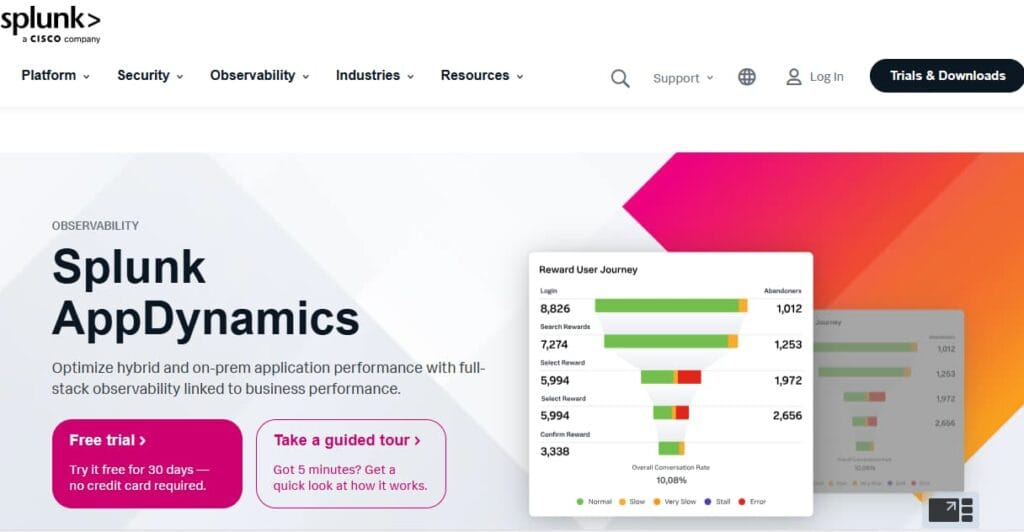
Splunk AppDynamics (formerly AppDynamics) is an Application Performance Monitoring (APM) and full-stack observability platform. It is designed to:
- Monitor hybrid, on-premises, and multi-tier applications
- Provide business transaction monitoring tied to application health and SLA performance
- Deliver code-level diagnostics and root cause analysis
- Track user experience through Digital Experience Monitoring (DEM)
- Integrate network intelligence via Cisco ThousandEyes
- Support application security monitoring
How Splunk AppDynamics Works: Architecture, Deployment, and Scale
Understanding AppDynamics architecture helps teams see whether the platform fits their environment before entering a licensing conversation. Splunk AppDynamics is built around Controller Tenants, application agents, infrastructure agents, and analytics components that collect, process, and present application telemetry.
Core Architecture: Controller, Agents, and Event Service
Splunk AppDynamics works through a few core components:
- Controller / Controller Tenant: The Controller is the central management layer. It receives agent data, runs the AppDynamics UI, stores monitoring configuration, applies baselines, and supports alerting and health rules. In SaaS, Splunk AppDynamics provides Controller Tenants in a multi-tenant environment. In on-premises deployments, the customer hosts and manages the Controller.
- App Server Agents: App Server Agents are installed with supported application runtimes such as Java, .NET, Node.js, PHP, Python, and other supported environments. They monitor business transactions, code execution paths, backend calls, exceptions, errors, and performance metrics, then send that data to the Controller Tenant.
- Machine Agent: The Machine Agent collects host-level infrastructure metrics such as CPU, memory, disk I/O, and network I/O. It can also support extensions, remediation scripts, and JVM Crash Guard. These metrics help teams connect infrastructure issues with application performance problems.
- Analytics Agent and Event Service: For Analytics features, Splunk AppDynamics uses Analytics Agents and the Events Service. The Events Service acts as a high-volume document store for analytics data from Analytics, Database, Network Visibility, and EUM components, and allows the Controller UI to query that data.
How Data Flows Through AppDynamics
The data flow usually moves through four stages:
- Instrumentation: App Server Agents monitor application code, business transactions, backend calls, errors, and performance metrics. Machine Agents collect infrastructure metrics. Log analytics requires Analytics Agent setup.
- Transmission: Agents send data to the Controller or Controller Tenant. In SaaS deployments, telemetry goes to Splunk-hosted infrastructure. In on-premises deployments, data is sent to customer-managed Controller and Events Service components.
- Processing: The Controller processes application and infrastructure data, applies baselines, builds flow maps, evaluates health rules, and triggers alerts. Analytics data is routed through Analytics components and stored in the Events Service for search and reporting.
- Visualization: Teams use the AppDynamics UI to view business transactions, flow maps, transaction snapshots, infrastructure health, baselines, alerts, and analytics dashboards.
Deployment Models
AppDynamics supports three deployment configurations, which affects both how data is stored and how the Controller is managed:
| Deployment Model | Controller Managed By | Data Location | Best Fit |
| SaaS | Splunk/Cisco | Splunk-hosted infrastructure | Teams wanting managed infrastructure with no Controller ops overhead |
| On-Premises | Your team | Your own data centre or private cloud | Enterprises with strict data residency, compliance, or air-gap requirements |
Note: On-premises AppDynamics gives teams more control over data location and internal hosting, but it also adds operational overhead. Your team is responsible for Controller and Events Service setup, upgrades, backups, high availability, scaling, storage, and ongoing maintenance. These requirements can also increase the total cost of ownership because you need infrastructure capacity, admin time, and monitoring effort beyond the AppDynamics license itself.
Scale Considerations
AppDynamics is designed for enterprise-scale deployments. However, scale brings specific considerations that teams should plan for before deployment:
| Scale Factor | What It Means in Practice |
| Controller sizing | On-prem deployments must size the Controller for agents, metrics, transactions, and retention. |
| Agent overhead | Agents are production-ready, but high-throughput services should still be tested in staging. |
| Event Service scaling | Analytics-heavy use cases need enough Event Service capacity for high-volume data. |
| vCPU-based licensing | Costs scale with monitored CPU cores, regardless of how many agents or apps run on each host. |
| Network egress (SaaS) | SaaS sends telemetry to Splunk-hosted infrastructure, so data residency should be checked early. |
Key Features of Splunk AppDynamics
Splunk AppDynamics provides code-level visibility into application performance across web, mobile, and back-end services. It captures business transaction performance, transaction snapshots, slow code paths, backend calls, exceptions, and errors to help teams trace issues back to the application layer.
Business Transaction Monitoring is one of AppDynamics’ strongest capabilities. Teams can monitor critical user and business flows, set health rules, and receive alerts when important transactions slow down or fail. This helps connect technical performance issues with business impact.
Splunk AppDynamics gives teams visibility across applications, infrastructure, databases, user experience, and business transactions. Flow maps help show service dependencies across complex application environments, making it easier to trace where performance issues start.
Splunk AppDynamics monitors end-user experience across browser and mobile applications. Teams can correlate front-end user impact with back-end application performance, helping them understand whether an issue is caused by the app, infrastructure, or network path.
The platform uses dynamic baselines and anomaly detection to identify unusual performance behavior. This helps teams reduce alert noise and focus on issues that differ from normal application patterns.
Splunk AppDynamics integrates with ThousandEyes to connect application performance with network and internet path visibility. This is useful for teams that need to understand whether slow user experience is caused by application code, infrastructure, or network conditions.
Splunk AppDynamics offers Secure Application, an application security add-on that helps detect vulnerabilities and threats in application environments. This strengthens the link between performance monitoring and application security, especially for teams already using Cisco and Splunk security products.
Splunk AppDynamics Editions and Pricing (2026)
Splunk AppDynamics is priced per vCPU per month and is available in three editions. .
| Edition | Monthly Price | Key Capabilities |
|---|---|---|
| Infrastructure Monitoring Edition | $6.00 / vCPU / month | Foundational infrastructure diagnostics |
| Premium Edition | $33.00 / vCPU / month | Complete back-end monitoring + APM + Database Monitoring |
| Enterprise Edition | $50.00 / vCPU / month | Full back-end + business performance monitoring + Transaction Analytics |
Feature availability by edition
| Feature | Infrastructure | Premium | Enterprise |
|---|---|---|---|
| Infrastructure Monitoring | Yes | Yes | Yes |
| Application Performance Monitoring (APM) | No | Yes | Yes |
| Database Monitoring | No | Yes | Yes |
| Transaction Analytics | No | No | Yes |
Add-on pricing
| Add-on | Starting price | What it covers |
| AppDynamics RUM | $0.06 / 1,000 tokens / month | Real-user monitoring for browser and mobile apps |
| AppDynamics Synthetics | $12 / test location billed annually | Synthetic monitoring for browser apps and APIs |
| Secure Application | $13.75 / CPU core / month | Runtime application security and vulnerability detection |
| Enterprise Edition for SAP Monitoring | $95 / CPU core / month | SAP monitoring with ABAP-level visibility and SAP business process dashboards |
What Does Splunk AppDynamics Really Cost?
The cost estimates below are directional editorial estimates based on Splunk AppDynamics public pricing. They are not official Cisco or Splunk quotes. Actual costs depend on vCPU count, module selection, billing terms, and negotiated contract terms. Contact Cisco for a formal quote.
Splunk AppDynamics charges per vCPU monitored, not by data volume. The real total depends on how many hosts you run, how many CPU cores each host has, which modules you enable, and how much RUM and Synthetics traffic your applications generate. The three scenarios below walk through realistic configurations at different team scales, all using the APM Edition at $33/vCPU/month.
| Team Size | Hosts | vCPUs (3 per host) |
| Small Team | 10 hosts | 25 vCPUs |
| Growing Team | 50 hosts | 100 vCPUs |
| Mid-Market Team | 250 hosts | 500 vCPUs |
Assumptions Used in the Cost Scenarios
- vCPU count is assumed at 2 vCPUs per host as a standard baseline for modern application servers.
- We have used Splunk AppDynamics publicly available pricing as of May 2026.
- APM Edition is used throughout at $33.00/vCPU/month.
- RUM is billed at $0.06 per 1,000 sessions per month
- Synthetics is billed at $12 per location per month for browser runs.
- Scenarios do not include negotiated enterprise discounts, volume pricing, or Cisco partner deals.
- Annual billing reduces the per-vCPU cost; contact Cisco for committed-use pricing.
Scenario 1: Small Team, 25 vCPUs
Situation: A small engineering team runs 10 hosts across application services and a database. They need centralized APM, business transaction monitoring, basic alerting, and uptime visibility. They enable RUM for browser monitoring and Synthetics for basic API uptime checks.
Why teams at this stage consider AppDynamics:
- They need code-level diagnostics that go beyond basic infrastructure metrics
- Business transaction monitoring tied to SLA thresholds is a priority
- The team has outgrown basic cloud-native monitoring but is not yet ready for a full enterprise platform negotiation
- APM agent auto-instrumentation reduces manual setup effort for Java or .NET stacks
Estimated usage profile
| Configuration | Detail |
| Hosts / vCPUs | 10 hosts / 25 vCPUs |
| APM Edition | $33.00 / vCPU / month |
| RUM | 833,000 sessions/month |
| Synthetics | 1 location |
Estimated monthly cost
Disclaimer: These are directional editorial estimates based on Splunk AppDynamics publicly available pricing as of May 2026. They are not official Cisco or Splunk quotes. Actual costs depend on vCPU count per host, module selection, RUM session volume, Synthetics test frequency, and negotiated enterprise terms.
| Component | Calculation | Monthly Cost |
| APM (30 vCPUs) | $33.00 x 25 | ~$825.00 |
| RUM (5,000 sessions) | $833,000 sessions ÷ 1,000 × $0.06 | ~$50 |
| Synthetics | $12.00 x 1 | ~$12.00 |
| Total Estimated Cost | ~$887/month |
What this scenario shows
At a small team scale, AppDynamics does not cross $1,000/month. The APM module at $825 is the dominant cost, with RUM and Synthetics adding a modest $62 on top. The key risk at this scale is underestimating vCPU count. Most modern hosts run more than 3 cores, and if the application footprint grows mid-contract, the bill scales immediately at the full monthly rate with no committed-use buffer to absorb it.
Scenario 2: Growing Team, 100 vCPUs
Situation
A growing SaaS company runs about 100 vCPUs across application services, Kubernetes workloads, and databases. They need distributed tracing, business transaction monitoring, alerting, infrastructure dashboards, RUM for customer-facing web apps, and Synthetics for API uptime coverage across multiple endpoints.
Why teams at this stage evaluate AppDynamics more carefully:
- The APM bill scales linearly with host count, making budget predictability harder as the team grows
- RUM and Synthetics costs begin to add meaningfully alongside the core APM module
- Teams start questioning whether vCPU-based pricing aligns with their actual monitoring value
- OpenTelemetry compatibility becomes a concern as engineers push for open instrumentation standards
- The absence of transparent annual pricing makes multi-year planning difficult
Estimated usage profile
| Configuration | Detail |
| Hosts / vCPUs | 100 vCPUs |
| APM Edition | $33.00 / vCPU / month |
| RUM | 1,667,000 sessions |
| Synthetics | 5 locations × $12 |
Estimated monthly cost
Disclaimer: These are directional editorial estimates based on Splunk AppDynamics publicly available pricing as of May 2026. They are not official Cisco or Splunk quotes. Actual costs depend on vCPU count per host, module selection, RUM session volume, Synthetics test frequency, and negotiated enterprise terms.
| Component | Calculation | Monthly Cost |
| APM | $33.00 x 100 | ~$3,300.00 |
| RUM | 1,667,000 sessions ÷ 1,000 × $0.06 | ~$100 |
| Synthetics | 5 locations × $12 | ~$60 |
| Total Estimated Cost | ~$3,460/month |
What this scenario shows
At 100 monitored vCPUs, AppDynamics becomes a real monthly budget line. RUM and Synthetics are still smaller than the core APM cost, but they add up as user traffic and test coverage grow. The main cost driver remains vCPU count, so teams should model host growth before signing a contract.
Scenario 3: Mid-Market Team, 500 vCPUs
Situation:
A mid-market B2B SaaS company runs approximately 500 vCPUs across AWS and on-premises environments, with Kubernetes workloads, multiple database clusters, backend microservices, and customer-facing applications. Multiple on-call rotations are active and the team needs full APM coverage, RUM across all customer-facing properties, and broad Synthetics coverage for API and browser uptime monitoring.
Why teams at this scale scrutinize AppDynamics costs
- Observability spend becomes a significant budget line that finance and engineering leadership both track closely
- RUM and Synthetics volumes grow with the customer base, not just the infrastructure footprint
- Enterprise contract negotiations become necessary but introduce pricing opacity and longer procurement cycles
- Teams seriously evaluate whether OpenTelemetry-native alternatives could deliver comparable visibility at materially lower total cost
Estimated usage profile
| Configuration | Detail |
| Hosts / vCPUs | 500 vCPUs |
| APM Edition | $33.00 / vCPU / month |
| RUM | 3,333,000 sessions/month |
| Synthetics | 10 test locations |
Estimated monthly cost
Disclaimer: These are directional editorial estimates based on Splunk AppDynamics publicly available pricing as of May 2026. They are not official Cisco or Splunk quotes. Actual costs depend on vCPU count per host, module selection, RUM session volume, Synthetics test frequency, and negotiated enterprise terms.
| Component | Calculation | Monthly Cost |
| APM | $33.00 x 500 | ~$16, 500.00 |
| RUM | 3,333,000 sessions ÷ 1,000 × $0.06 | ~$200.00 |
| Synthetics | 10 locations × $12 | ~$120 |
| Total Estimated Cost | $16,820/month |
What this scenario shows
At mid-market scale, AppDynamics becomes a major monthly budget line. The core Premium Edition cost dominates the estimate, while RUM and Synthetics add smaller but still visible costs. The main risk is monitored vCPU growth: larger instances, more Kubernetes nodes, and broader service coverage can quickly push the bill higher.
What Actually Drives Splunk AppDynamics Costs
- vCPU footprint: The primary and dominant cost driver. Every additional monitored host and every additional core on that host adds directly to the bill at the full published rate.
- Module selection: RUM and Synthetics scale with user traffic and test coverage, not just infrastructure size. At mid-market scale, these add over $1,300/month on top of the core APM cost.
- Billing terms: Monthly billing carries no discount. Annual committed-use pricing is available but requires a sales negotiation and is not publicly listed.
- Enterprise add-ons: Secure Application ($13.75/vCPU), SAP Solutions ($95/vCPU), and ThousandEyes network intelligence are all priced separately and can significantly increase the total.
- Implementation overhead: Multiple user reviews note that AppDynamics requires dedicated engineering resources to deploy and maintain, which is a real indirect cost that does not appear in the licensing figures above.
Splunk AppDynamics User Reviews in 2026
Splunk AppDynamics has strong ratings across several B2B software review platforms. Review scores are generally positive, especially for application performance monitoring, transaction visibility, and enterprise reliability.
| Platform | Rating / score | Review count / note |
| TrustRadius | 8.4 / 10 | 270 feature ratings |
| SoftwareReviews | 87 Likeliness to Recommend; 96 Plan to Renew | Info-Tech user review data |
| Capterra | 4.5 / 5 | 41 verified reviews |
| Gartner Peer Insights | 4.5 / 5 for Splunk Observability | Based on 32 reviews as of July 2025 |
Sources: TrustRadius lists the top feature scores from 270 Splunk AppDynamics feature ratings. Capterra lists AppDynamics at 4.5/5 from 41 reviews. SoftwareReviews lists 87 Likeliness to Recommend and 96 Plan to Renew. Splunk’s 2025 Gartner announcement says Splunk Observability, including AppDynamics, had a 4.5/5 Gartner Peer Insights rating based on 32 reviews as of July 15, 2025.
Top-rated features on TrustRadius
| Feature | Score | Category average |
| Application performance management console | 9.3 / 10 | 7.5 |
| Application monitoring | 9.2 / 10 | 7.5 |
| Server availability and performance monitoring | 9.1 / 10 | 7.5 |
| Predictive capabilities | 8.6 / 10 | 6.8 |
TrustRadius lists these as AppDynamics’ top-performing features, with scores above the category average.
What users praise
Users often value AppDynamics for code-level diagnostics, transaction snapshots, backend call visibility, and root-cause analysis.
SoftwareReviews users specifically highlight real-time transaction tracking and the ability to connect application performance with business metrics.
AppDynamics is commonly praised for supporting large, production-critical enterprise applications.
AppDynamics supports common application environments such as Java, .NET, Node.js, PHP, Python, and other enterprise stacks.
What users criticize
These points reflect recurring user feedback from review platforms and practitioner discussions. They are not universal limitations.
AppDynamics is often seen as expensive, especially for large environments. On-premises or complex deployments may also require dedicated DevOps/SRE time for setup, tuning, upgrades, and maintenance.
AppDynamics supports OpenTelemetry, but its traditional instrumentation model still depends heavily on AppDynamics agents. Teams that want fully portable instrumentation may see this as a lock-in concern.
Some users say the UI and workflows feel less modern than newer cloud-native observability platforms. One Capterra review from 2025 says AppDynamics was useful for traditional and on-prem stacks but felt behind newer SaaS and cloud-native platforms.
Large AppDynamics contracts are often negotiated, so the final cost can be hard to predict without a sales quote.
Since Cisco acquired Splunk, some buyers may want to understand how AppDynamics fits into Splunk’s broader observability roadmap before making a long-term commitment.
Splunk AppDynamics Alternatives: How It Compares
Splunk AppDynamics vs. CubeAPM
Splunk AppDynamics and CubeAPM are built for different observability needs. AppDynamics is stronger for enterprise APM, business transaction monitoring, legacy application estates, and teams already invested in the Cisco/Splunk ecosystem. CubeAPM is stronger for OpenTelemetry-native observability, full MELT coverage, predictable ingest-based pricing, and vendor-managed self-hosted deployment where telemetry stays inside the customer’s own infrastructure.
| Category | Splunk AppDynamics | CubeAPM |
| Pricing model | Per vCPU/month; add-ons extra | Flat $0.15/GB ingested |
| Deployment | SaaS or on-premises | Self-hosted (vendor-managed) |
| APM depth | Very deep; transaction-focused | Very Deep APM with smart sampling |
| OpenTelemetry support | Supports OTel; AppD agents still central | OTel-native and portable |
| Data residency | Depends on SaaS vs on-prem setup | Data stays in customer infra |
| Best fit | Enterprise APM and Cisco/Splunk users | Cost control and data sovereignty |
Splunk AppDynamics vs. Dynatrace
Dynatrace is a strong enterprise observability platform known for Davis AI, automatic discovery, dependency mapping, root-cause analysis, and broad digital experience monitoring. Both Dynatrace and Splunk AppDynamics target large enterprises with complex application environments.
Dynatrace is usually stronger for cloud-native automation, Kubernetes, multicloud visibility, and AI-assisted operations. AppDynamics is stronger for traditional enterprise APM, hybrid/on-prem estates, and business transaction monitoring.
| Category | Splunk AppDynamics | Dynatrace |
| Pricing model | Per vCPU/month; add-ons extra | Usage-based platform subscription |
| AI / automation | Baselines and anomaly detection | Davis AI and automated RCA |
| Cloud-native support | Strong, but rooted in enterprise APM | Very strong for cloud-native and hybrid |
| OpenTelemetry | Supports OTel; AppD agents still central | Strong OTel and open integration support |
| Best fit | Hybrid/on-prem enterprise APM | Enterprise cloud-native automation |
Splunk AppDynamics vs. Datadog
Datadog is a broad cloud-native observability platform with APM, infrastructure monitoring, logs, RUM, synthetics, security, and 1,000+ built-in integrations. Its pricing is modular, so costs depend on hosts, data volume, sessions, tests, and the products a team enables.
Compared with AppDynamics, Datadog is usually stronger for Kubernetes, microservices, cloud services, and DevOps teams that want one platform with a large integration ecosystem. AppDynamics is stronger for traditional enterprise APM, hybrid/on-prem applications, and business transaction monitoring.
| Category | Splunk AppDynamics | Datadog |
| Pricing model | Per vCPU/month; add-ons extra | Modular usage-based pricing |
| Integrations | Cisco/Splunk ecosystem | 1,000+ integrations |
| Cloud-native support | Strong, but APM-led | Core strength |
| Log management | Via Splunk integration | Native Datadog Logs |
| Best fit | Hybrid enterprise APM | Cloud-native observability |
Splunk AppDynamics vs. New Relic
New Relic offers full-stack observability across APM, infrastructure monitoring, logs, frontend monitoring, synthetics, and real-time analytics. Its pricing is more transparent than AppDynamics, with 100 GB of free data ingest per month and usage-based charges after that, plus user-based pricing.
Compared with AppDynamics, New Relic is usually easier to start with and stronger for cloud-native teams that want one platform across telemetry types. AppDynamics is stronger for deep business transaction monitoring, hybrid/on-prem enterprise APM, and Cisco/Splunk ecosystem alignment.
| Category | Splunk AppDynamics | New Relic |
| Pricing model | Per vCPU/month; add-ons extra | Data ingest + user pricing |
| Business transaction monitoring | Core differentiator | Available, but not the main focus |
| OpenTelemetry support | Supports OTel; AppD agents still central | Strong OTel support |
| Free tier | Free trial available | 100 GB/month free ingest |
| Best fit | Hybrid enterprise APM | Full-stack cloud observability |
Splunk AppDynamics vs. Grafana Cloud
Grafana Cloud is a managed observability platform built on open standards such as Prometheus and OpenTelemetry. It is strong for teams that want flexible dashboards, metrics, logs, traces, Kubernetes monitoring, and open-source-friendly workflows without managing the full Grafana stack themselves.
AppDynamics is usually stronger for deep enterprise APM and business transaction monitoring. Grafana Cloud is stronger for open observability, customization, and teams that prefer Prometheus, Loki, Tempo, and OpenTelemetry-based workflows.
| Category | Splunk AppDynamics | Grafana Cloud |
| Pricing model | Per vCPU/month; add-ons extra | Usage-based cloud pricing |
| APM depth | Deep enterprise APM | App Observability with OTel |
| Business transactions | Core differentiator | Not a main focus |
| OpenTelemetry | Supported; AppD agents still central | Strong OTel-first fit |
| Operational overhead | Lower with SaaS; higher on-prem | Managed Grafana stack |
| Best fit | Enterprise APM + transactions | Open, flexible observability |
Is Splunk AppDynamics the Right Choice?
When Splunk AppDynamics works best
AppDynamics is a strong fit for complex enterprise environments, especially hybrid, on-premises, and three-tier application estates. Its deep instrumentation and business transaction monitoring help teams connect application performance with business impact.
If your organization already uses Splunk, Cisco networking, or ThousandEyes, AppDynamics fits naturally into that stack. ThousandEyes integration helps teams correlate network issues with application performance, which is useful for large enterprise operations teams.
Business transaction monitoring is one of AppDynamics’ clearest strengths. It helps teams monitor critical flows such as logins, checkouts, payments, and other revenue-impacting transactions, instead of looking only at infrastructure metrics.
AppDynamics works best when the team has the budget and engineering resources to implement, tune, and maintain it properly. This is especially true for larger deployments, on-premises setups, and environments using multiple add-ons.
When Splunk AppDynamics may not be the right fit
AppDynamics supports OpenTelemetry, but its traditional model still relies heavily on AppDynamics agents. Teams that want open, portable instrumentation from the start may prefer OpenTelemetry-first platforms such as CubeAPM, New Relic, Dynatrace, or Grafana Cloud.
AppDynamics can support modern environments, but teams that are primarily Kubernetes-first, serverless-heavy, or cloud-native may find platforms designed around cloud-native telemetry workflows easier to adopt.
Splunk lists AppDynamics pricing by CPU core for its main editions, with separate add-ons for RUM, Synthetics, Secure Application, and SAP Monitoring. That makes the real cost depend on monitored capacity, add-ons, and contract terms.
Splunk AppDynamics is generally better suited to mid-market and enterprise teams. For smaller teams, the cost, setup effort, and operational complexity may be harder to justify compared with lighter OpenTelemetry-native, open-source, or usage-based tools.
Conclusion
Splunk AppDynamics is a proven enterprise APM platform with genuinely strong business transaction monitoring, code-level diagnostics, and deep Cisco ecosystem integration. It earns high renewal rates for a reason, but its vCPU-based pricing, proprietary agents, and on-premises-first architecture make it a harder fit as teams shift toward cloud-native stacks.
Before committing, benchmark it against OpenTelemetry-native alternatives and factor in the full cost: licensing, implementation effort, and the dedicated team it typically requires to run well.
Disclaimer: This is an independent editorial review based on publicly available Splunk AppDynamics documentation, pricing pages, and product materials, supplemented by verified user reviews from TrustRadius, Gartner Peer Insights, Capterra, SoftwareReviews, PeerSpot, and Reddit at the time of writing (May 2026). Pricing, feature availability, and plan terms may change. Readers should verify current details directly with Cisco before making purchasing or implementation decisions.
FAQs
1. What is Splunk AppDynamics used for?
Splunk AppDynamics is used for application performance monitoring, business transaction monitoring, code-level diagnostics, infrastructure visibility, and digital experience monitoring. Splunk positions it mainly for hybrid, on-premises, and three-tier enterprise application environments.
2. How much does Splunk AppDynamics cost?
Published Cisco Store pricing starts at $6 per vCPU/month for Infrastructure Monitoring, $33 per vCPU/month for Premium, and $50 per vCPU/month for Enterprise. These prices are billed annually. Add-ons such as RUM, Synthetics, Secure Application, and SAP Monitoring are priced separately, so final enterprise costs depend on usage, add-ons, and contract terms.
3. Is Splunk AppDynamics the same as AppDynamics?
Yes. Cisco acquired AppDynamics in 2017 for about $3.7 billion. After Cisco completed its acquisition of Splunk, AppDynamics became part of the Splunk Observability portfolio and is now branded as Splunk AppDynamics.
4. Does Splunk AppDynamics offer a free trial?
Yes. Splunk AppDynamics offers a free trial. Splunk’s AppDynamics page currently promotes a 30-day free trial with no credit card required.
5. What is the difference between Splunk AppDynamics and Splunk Observability Cloud?
Splunk AppDynamics is focused on hybrid, on-premises, and three-tier enterprise application monitoring, especially business transaction monitoring. Splunk Observability Cloud is aimed more at cloud-native monitoring across infrastructure, services, logs, traces, and user experience. They are part of Splunk’s broader observability portfolio, but they have different pricing and use-case focus.