










Splunk AppDynamics remains a heavyweight in APM and enterprise observability, known for deep application performance monitoring, full-stack visibility, and robust analytics. While it supports both SaaS and self-hosted deployments, the SaaS model requires sending telemetry to Cisco-managed cloud regions. Organizations with strict data-residency or compliance requirements may need to evaluate how this outbound telemetry flow aligns with their regulatory constraints.
CubeAPM is a next-generation observability platform built to solve these pain points. All data stays entirely within the customer’s cloud, ensuring data localization and eliminating egress exposure. CubeAPM also provides transparent, predictable pricing that delivers 60–80% cost savings compared with many enterprise APM vendors.
In this article, we’ll explore the top seven Splunk AppDynamics alternatives, comparing pricing, features, and customer feedback.
Top 7 Splunk AppDynamics Alternatives
- CubeAPM
- Datadog
- New Relic
- Dynatrace
- Grafana
- Sentry
- Coralogix
| Tool | *Pricing (Small, Mid, Large Teams) | OTEL Native | Support TAT | Self-hosting |
| CubeAPM | Small: $2,080; Mid: $7,200; Large: $15,200 | Yes | Within minutes | Yes |
| Splunk Appdynamics | Small: $2,290; Mid: $8,625; Large: $17,750 | Yes | in hrs | Yes |
| Datadog | Small: $8,185; Mid: $27,475; Large: $59,050 | Yes | <2-48 hrs. | No |
| New Relic | Small: $9,366; Mid: $32,115; Large: $70,220 | Yes | 2 days to 1 hr. | No |
| Dynatrace | Small: $7,740; Mid: $21,850; Large: $46,000 | Yes | days to 4 hrs. | Yes |
| Grafana Cloud | Small: $3,870; Mid: $11,875; Large: $26,750 | Yes | in hrs. | Yes |
| Sentry | Small: $3,560; Mid: $12,100; Large: $32,400 | Yes | days to hrs. | Yes |
| Coralogix | Small: $4,090; Mid: $13,200; Large: $29,000 | Yes | min. to hrs. | No |
*All pricing comparisons are calculated using standardized Small/Medium/Large team profiles defined in our internal benchmarking sheet, based on fixed log, metrics, trace, and retention assumptions. Actual pricing may vary by usage, region, and plan structure. Please confirm current pricing with each vendor.
Why Look for Splunk AppDynamics Alternatives?
Despite the strong capabilities of Splunk AppDynamics, there are reasons why people have started looking for alternative solutions. Look at this Reddit thread to understand the problems users are facing:
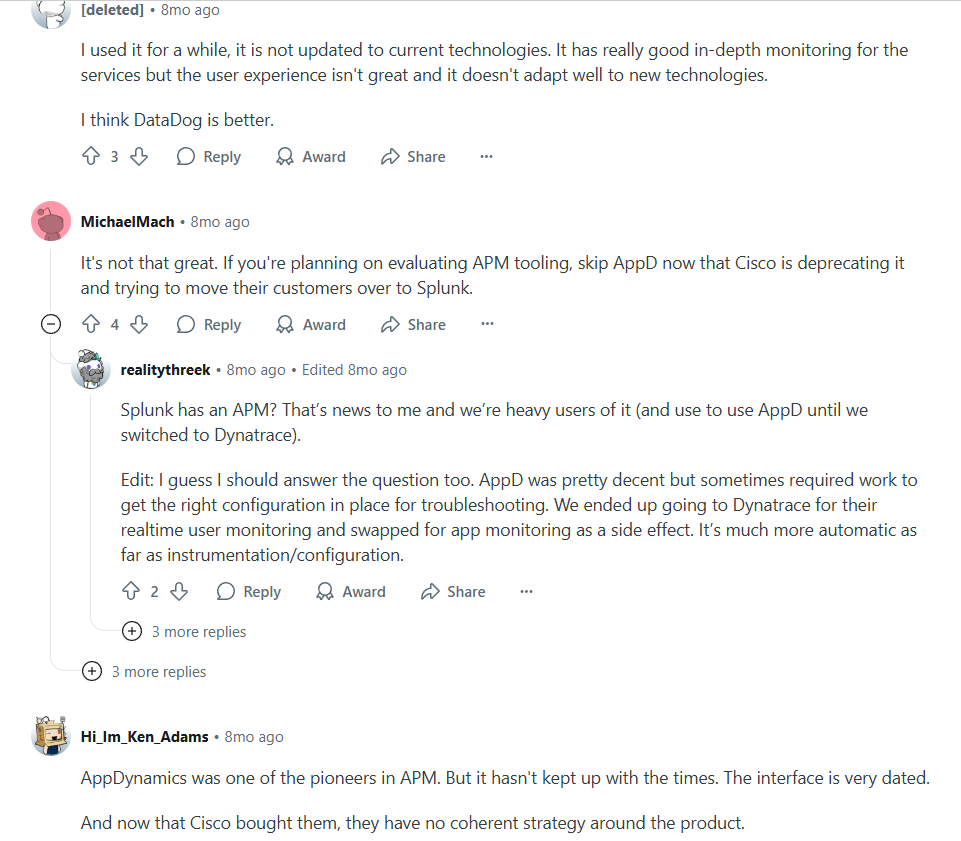
Now, let’s look at the reasons behind all these issues in detail
Opaque Pricing
Splunk AppDynamics often hits teams with unpredictable pricing. Licensing is tied to nodes, infrastructure, and API usage, which makes budgeting difficult, especially at scale.
Their pricing starts with $6 and goes up to $50 per month and beyond with add-ons. The enterprise edition for SAP solutions costs $95 per month. There are separate prices for RUM and synthetics as well. This is confusing and unpredictable, particularly for larger companies with extensive observability needs.
Even with data stored in a customer’s own cloud, telemetry must first flow through AppDynamics, incurring both ingestion fees and public cloud egress charges. For budget-conscious organisations, this double-billing is an overhead.
On the other hand, CubeAPM features a context-based and automated sampling engine that retains high-value traces and reduces data volumes. This is suitable for modern businesses with distributed systems looking for cost-efficient solutions.
Data Residency & Compliance Gaps
Although Splunk AppDynamics allows customers to deploy controllers in their own cloud environments, reducing long-term storage and infrastructure overhead, the SaaS model still requires application agents to transmit telemetry to Cisco-managed cloud regions.
Since this outbound data flow leaves the customer’s infrastructure, organizations governed by GDPR, India’s DPDP Act, or other data-residency regulations may need to evaluate whether a SaaS deployment aligns with their compliance requirements.
Criteria for Suggesting Splunk AppDynamics Alternatives
Choosing the right AppDynamics alternative isn’t just about switching tools—it’s about ensuring your observability strategy is scalable, cost-effective, and future-ready. Here are the key factors we considered when evaluating alternatives to Splunk AppDynamics:
1. Transparent and Predictable Pricing
One of the most common concerns with Splunk AppDynamics is its opaque, quote-based pricing model that varies significantly by feature set, deployment scale, and user roles. Costs are often based on complex metrics like vCPU count, business transactions, or host-based licensing, which can be difficult to forecast, especially in dynamic, cloud-native environments.
Add-on charges for capabilities like database monitoring, synthetic tests, and custom dashboards can further inflate the total cost. In contrast, modern observability platforms like CubeAPM and others offer flat, usage-based pricing that scales linearly with data ingested, making budgeting far more predictable, transparent, and startup-friendly.
2. Smart Sampling That Doesn’t Miss What Matters
Splunk AppDynamics primarily relies on static, rate-based sampling tied to business transactions, which can overlook low-frequency anomalies, tail-latency spikes, or rare but critical errors — especially under high throughput. This limits visibility into outlier performance issues that are often the root cause of major incidents.
3. Data Residency and Compliance Support
With stricter regulations like India’s DPDP Act and GDPR, data localization is no longer optional. AppDynamics’ model—where data briefly leaves your control before being archived—raises red flags for compliance teams. We looked for tools that let you store telemetry in your own cloud or region, ensuring your observability doesn’t violate data laws.
4. OpenTelemetry and Vendor Neutrality
Today’s observability stacks should be built on open standards. That’s why OpenTelemetry support was non-negotiable in our evaluation. You want to avoid vendor lock-in and have the freedom to switch components as your needs evolve. Bonus points for tools that are also compatible with existing agents from AppDynamics or Datadog, making migration easy.
5. Full-Stack Observability (Not Just APM)
Modern teams need more than just traces—they need metrics, logs, synthetics, error tracking, and RUM in one place. We looked for platforms that cover the entire MELT stack (Metrics, Events, Logs, Traces) with correlated dashboards and deep linking, so your team can investigate issues faster without switching tools.
6. Fast, Developer-Friendly Support
Another common complaint with AppDynamics is slow support and overly sales-driven interactions. The best alternatives offer real-time help via Slack, WhatsApp, or in-app chat—no more waiting days for ticket resolutions or getting bounced between departments.
7. Ease of Migration and Support
Switching APM platforms can feel daunting. So we favored tools that make migration simple—whether that’s through AppDynamics agent compatibility, automatic dashboard imports, or dedicated onboarding support. CubeAPM, for example, supports migration from AppDynamics in under an hour.
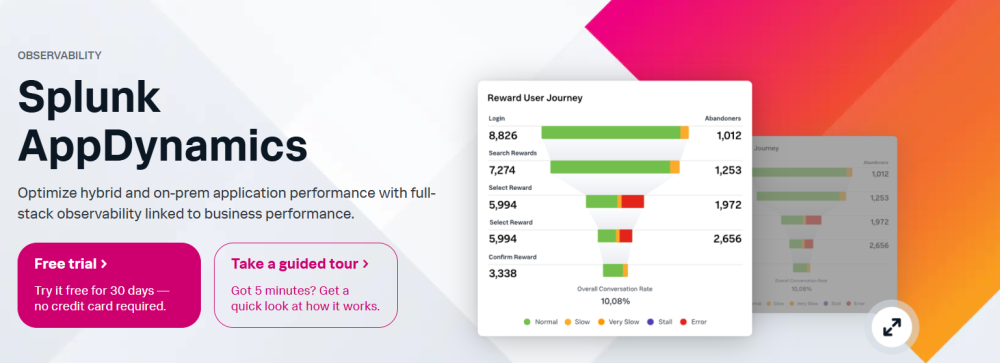
Splunk AppDynamics Overview
Known For
Splunk AppDynamics is an enterprise-grade full-stack observability solution owned by Cisco. Built to monitor business-critical applications in real time, it provides deep insights into application behavior, user experiences, and performance bottlenecks. AppDynamics is especially valued in traditional enterprise IT environments where application context, node-based diagnostics, and business transaction mapping are essential for ensuring uptime and performance.
Standout Features
Business Transaction Monitoring
AppDynamics uniquely tracks end-to-end user transactions across services, databases, APIs, and third-party systems, allowing users to pinpoint delays and breakdowns in specific flows.
Application Flow Maps
Offers live visualizations of application architecture and service dependencies, helping teams understand bottlenecks across distributed systems.
Code-Level Diagnostics
Enables developers to drill into methods and lines of code causing latency or errors, across supported languages like Java, .NET, PHP, and Node.js.
Alerting and Anomaly Detection
AppDynamics uses baseline performance data to generate alerts when applications deviate from their expected behavior, helping reduce alert fatigue and manual noise.
Key Features
- Deep APM support across Java, .NET, PHP, Node.js, and Python
- Real-time application flow mapping and dependency tracking
- Business transaction tagging and SLA violation alerts
- Server and infrastructure monitoring with hybrid and on-prem support
- Integration with Cisco Secure Application for runtime security
- Synthetic monitoring and Real User Monitoring (RUM)
- Anomaly detection using performance baselines
- Integration with CI/CD tools and DevOps workflows
- Agent-based instrumentation with automatic discovery
Pros
- Strong code-level visibility with real-time performance metrics
- Rich transaction-centric diagnostics for SLA-driven environments
- Suited for complex monolith and hybrid-cloud deployments
- Integrates natively with other Cisco tools and security solutions
- Useful for legacy systems where modern OTEL support is limited
Cons
- Data localization and compliance concerns arise as stored data first travels through the AppDynamics infrastructure
- Alert delays may happen
Best For
Large, traditional enterprise environments that require deep business transaction monitoring, detailed diagnostics, and have existing Cisco ecosystems in place. Particularly suited for companies with less sensitivity to pricing or data compliance constraints.
Pricing & Customer Reviews
- Pricing: AppDynamics pricing is based on node count, infrastructure type, and feature tiers (e.g., APM Pro, APM Advanced). Infrastructure monitoring: $6 per vCPU/month, billed annually; Premium Edition: Infra + app monitoring costs $33 per vCPU/month, billed annually; Enterprise Edition: Premium + business analytics costs $50 per vCPU/month, billed annually; RUM: starts at $0.06 per month per 1000 tokens, billed annually; Synthetic monitoring: starts at $12 per location, billed annually
- G2 Rating: 4.3/5 (based on 375+ reviews)
- Praised for: in-depth diagnostics, business transaction mapping, and code-level insights
- Criticized for: complex pricing, less advanced user interface
Top 7 Splunk AppDynamics Alternatives
1. CubeAPM

Known For
CubeAPM is a modern, OpenTelemetry-native observability platform purpose-built for teams that want full-stack visibility without the cost, complexity, and vendor lock-in of legacy APM tools like Splunk AppDynamics.
Designed for high-scale, compliance-driven environments, CubeAPM provides deep insights across applications, infrastructure, logs, and user experiences, while keeping costs and data control fully in the customer’s hands. With support for on-prem or cloud-native deployments, it is especially suited for teams operating in privacy-sensitive or highly regulated industries.
Standout Features
Smart Sampling Engine
CubeAPM uses latency- and error-aware contextual sampling to intelligently capture meaningful traces. This improves visibility while reducing ingestion volume by up to 80%, leading to significant cost savings.
Self-Hosted & Privacy-Compliant
CubeAPM gives teams full control over where and how their telemetry data is stored—cloud, hybrid, or on-premise—ensuring compliance with regulations like GDPR, HIPAA, or India’s DPDP Act. AppDynamics, in contrast, routes data through its infrastructure before archiving, potentially breaching data localization laws.
One-Hour Migration with Agent Compatibility
CubeAPM supports agents and formats from AppDynamics, Prometheus, Datadog, and OpenTelemetry. Migration takes under an hour and requires no major re-instrumentation, making it easy for teams to switch without disrupting production.
Real-Time Developer Support
Instead of long ticket queues, CubeAPM provides Slack or WhatsApp-based direct access to core engineers, ensuring rapid troubleshooting and faster incident response—ideal for high-velocity engineering teams.
Key Features
- Full MELT stack coverage: Supports unified observability across Metrics, Events, Logs, and Traces, along with built-in Synthetics, Real User Monitoring (RUM), and Error Tracking—eliminating the need for multiple tools or bolt-on integrations.
- OpenTelemetry & Prometheus-native ingestion: Natively ingests telemetry in OpenTelemetry and Prometheus formats, allowing drop-in compatibility with existing pipelines and reducing vendor lock-in or re-instrumentation costs.
- Smart, latency/error-aware sampling: Uses contextual sampling to retain traces based on latency spikes, error patterns, and unusual behavior, ensuring high-value data is preserved while reducing overall data volume by up to 80%.
- Transparent costs: Offers clear, ingestion-based pricing ($0.15/GB of data ingestion), so teams can easily forecast and control observability spend without hidden overage charges.
- Slack/webhook alerting with no-code setup: Supports configurable alerting for latency, error rates, or custom thresholds, with direct integrations to Slack, webhooks, or other channels—set up without complex rules or DSLs.
- Kubernetes-native infrastructure monitoring: Provides full visibility into Kubernetes clusters, nodes, workloads, and services, including CPU/memory metrics and container-level performance insights out of the box.
- Real-time dashboards with clean UX: Ships with prebuilt dashboards for common use cases and services (e.g., databases, APIs, containers), with fast loading, high interactivity, and a UI optimized for clarity and speed.
- On-prem deployments: CubeAPM can be deployed in your cloud or your on-prem data center, offering total flexibility based on your compliance, latency, or cost requirements.
- Security: You’ll get security features, such as role-based access controls (RBAC), multi-factor authentication (MFA), single sign-on (SSO), and audit logs.
- Data localization & compliance support: Designed for privacy-sensitive environments—ensures all telemetry stays within your infrastructure. This helps you meet compliance with data laws.
Pros
- Smart sampling delivers higher signal quality at reduced volume
- Saves 60–80% cost compared to AppDynamics or Dynatrace
- Lightweight setup with intuitive, clean UI
- Full control over data with self-hosted or cloud-native options
- Fast migration from AppDynamics agents and dashboards
- Real-time support directly from the engineering team
Cons
- Not suited for teams looking for off-prem solutions
- Strictly an observability platform and offers no support for cloud security management
Best For
Engineering teams at startups, mid-size SaaS companies, fintechs, and enterprises need scalable observability with predictable cost, OpenTelemetry-native integration, and strict data compliance requirements.
Pricing & Customer Reviews
- Pricing: CubeAPM has transparent pricing – $0.15/GB of data ingested. Synthetics and error tracking are included free.
- Score: 4.7/5 based on user feedback and demo quality
- Praised for: Transparent pricing, smart sampling, quick setup, and Slack-based support
Splunk AppDynamics vs CubeAPM
Splunk AppDynamics offers deep business transaction monitoring and legacy application diagnostics, but falls short on cost transparency, OpenTelemetry support, and data compliance. Its reliance on head-based sampling and proprietary agents creates blind spots and operational overhead.
In contrast, CubeAPM provides a modern, open, and privacy-first alternative. With adaptive smart sampling, OpenTelemetry-native ingestion, real-time support, and full-stack coverage, CubeAPM delivers better signal quality and incident resolution speed at a fraction of the cost. Teams gain full control over data residency and avoid double charges like egress or ingestion fees common in AppDynamics’ archive model. For organizations seeking full observability without vendor lock-in or pricing surprises, CubeAPM is a superior choice.
2. Datadog
Known For
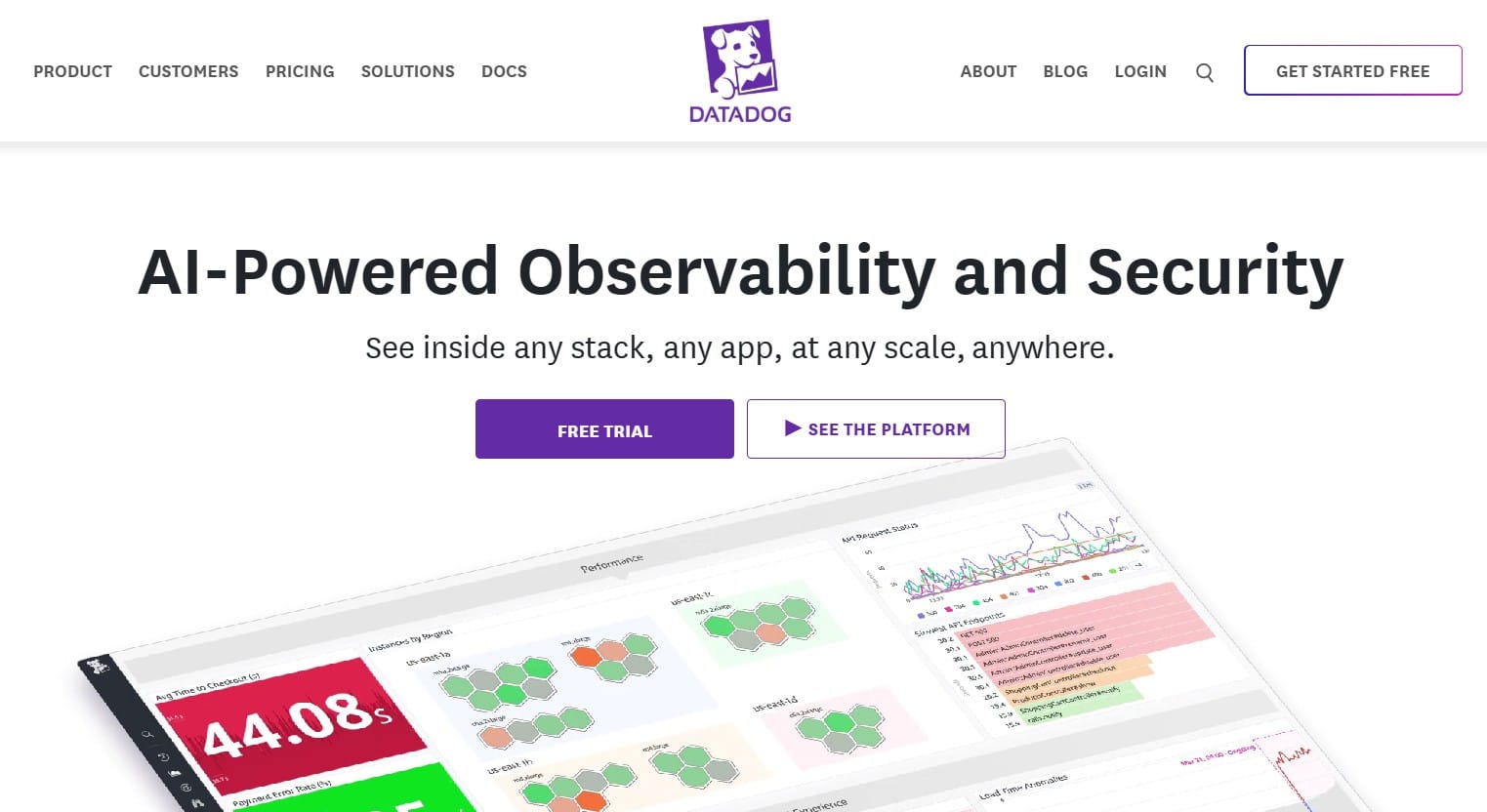
A cloud-native, all-in-one observability and security platform, Datadog is widely adopted by modern engineering and DevOps teams for its powerful integrations, real-time monitoring, and seamless support across infrastructure, logs, APM, and security—all delivered via SaaS.
Standout Features
Extensive Integrations
Datadog integrates with over 900+ technologies, including AWS, Azure, GCP, Kubernetes, Docker, Jenkins, PostgreSQL, Redis, and Kafka. This allows teams to quickly instrument services and unify telemetry from diverse sources without writing custom exporters or bridges.
Notebooks and Live Dashboards
Datadog’s dashboards are highly interactive, with real-time updates and drag-and-drop widgets for building custom views across metrics, logs, and traces. Notebooks combine metrics, logs, traces, and annotations into collaborative documents for faster incident investigation.
Comprehensive Observability and Security
Datadog combines observability (APM, logs, infra metrics, synthetics, RUM) with security modules like Cloud Security Posture Management (CSPM), runtime threat detection, and audit trails.
Key Features
- Full-stack MELT monitoring: Provides visibility into Metrics, Events, Logs, and Traces across infrastructure, Kubernetes, services, and user interactions—all from one interface.
- Security & compliance modules: Includes Cloud Workload Security (CWS), Cloud Security Posture Management (CSPM), threat detection, and audit logs—useful for teams merging observability and security.
- Real User Monitoring & Synthetics: Offers browser session replays, frontend latency analysis, and automated uptime checks for websites and APIs.
- Auto-instrumentation & language support: Supports major languages (Go, Java, Python, PHP, .NET, Node.js) and includes one-click instrumentation for fast setup across environments.
- Cloud-native integration: Deep integrations with AWS, Azure, and GCP, including Lambda, ECS, Kubernetes, and serverless observability.
- Dashboards, Notebooks & analytics: Enables drag-and-drop dashboards, anomaly detection, and collaborative Notebooks that combine logs, traces, and metrics in one workflow.
- Incident collaboration: Native integration with tools like PagerDuty, Jira, and Slack; supports monitors, custom alerts, runbooks, and incident resolution workflows.
Pros
- Broadest integration ecosystem with 900+ supported services
- Unified platform for observability and security
- Excellent dashboarding and real-time visualizations
- Supports complex, multi-cloud, and Kubernetes environments
- Strong CI/CD tracking and deployment insights
Cons
- High and unpredictable cost based on per host, per GB ingested, per dashboard widget, and custom metric.
- No self-hosted option; critical for regulated industries
Best For
Mid-to-large scale DevOps teams, cloud-native orgs, and security-conscious enterprises seeking unified observability and DevSecOps functionality in one platform, provided they can tolerate variable costs and full SaaS dependency.
Pricing & Customer Reviews
Pricing
- Infrastructure Monitoring: Free. Paid plans cost $15/host/month
- APM: $31/host/month (billed annually)
- Log Ingestion: $0.10
- Serverless: $10 per million function invocations
- Security Monitoring: $15/user/month
Customer Sentiment
- G2 Rating: 4.4/5 (630+ reviews)
- Praised for: Seamless integrations, real-time UI, breadth of features
- Criticized for: Cost unpredictability, high log volume charges
Splunk AppDynamics vs Datadog
Both Splunk AppDynamics and Datadog offer enterprise-scale observability with deep APM functionality, but their approaches differ significantly. AppDynamics emphasizes business transaction monitoring, static sampling, and legacy system support, making it well-suited to traditional enterprise stacks. Datadog, on the other hand, is integration-first and cloud-native, with advanced support for containers, serverless, and full DevSecOps pipelines.
However, Datadog’s pricing model is notoriously complex, with usage-based billing across hosts, metrics, and dashboards that can lead to surprise overages. AppDynamics fares no better, with node-based pricing and double billing (e.g., ingest + archive egress), and lacks OpenTelemetry support.
3. New Relic
Known For
A flexible, developer-friendly observability platform offering full-stack monitoring, custom dashboarding, and rich telemetry exploration using its proprietary NRQL language. New Relic is widely adopted for real-time analytics, APM, infrastructure visibility, and frontend monitoring—all from a unified SaaS interface.
Standout Features
New Relic Query Language (NRQL)
New Relic’s SQL-like query language lets teams query and correlate metrics, logs, traces, and events in real-time. It powers advanced dashboards, anomaly alerts, and ad-hoc investigations without needing external tooling.
Explorer View
The Explorer UI provides a real-time, topology-aware view of all monitored entities—apps, services, containers, databases, and hosts—making it easier to debug across microservices, Kubernetes, and hybrid stacks.
Anomaly Detection
Lookout uses machine learning to automatically surface anomalies and performance regressions across your telemetry data, reducing manual configuration and alert fatigue.
Customizable Dashboards
New Relic supports highly customized dashboards using prebuilt widgets, NRQL, and custom visualizations. These are ideal for creating team-specific views of system health, MTTR, and service-level objectives (SLOs).
Key Features
- Full MELT observability: Unifies Metrics, Events, Logs, and Traces into a single UI, providing deep coverage from the application layer down to the infrastructure and user sessions.
- Language & framework: Supports agents for Java, Python, .NET, Node.js, Go, Ruby, and PHP, enabling full distributed tracing, profiling, and application diagnostics.
- Partial OpenTelemetry support: Offers partial support for OpenTelemetry. Supports Prometheus, though ingestion may involve additional cost or parallel agent management.
- RUM and synthetic monitoring: Delivers real user monitoring (RUM) and synthetic browser/API checks to track real-time and simulated user journeys globally.
- Anomaly detection & alerting: Includes baseline-aware anomaly detection, multi-condition alert policies, and integrations with Slack, PagerDuty, ServiceNow, and other incident tools.
- NRQL analytics: Supports advanced telemetry exploration and dashboard creation using NRQL, ideal for data-heavy teams and custom SLO tracking.
- Cloud-native integrations: Native support for AWS, Azure, and GCP services, including Kubernetes observability, Lambda functions, and containerized environments.
Pros
- NRQL enables fine-grained control and telemetry analysis
- Real-time dashboards and flexible custom visualizations
- Strong agent-based instrumentation and language support
- Machine learning for anomaly detection (Lookout)
- Prebuilt dashboards accelerate initial setup
- Explorer view simplifies dependency and entity mapping
- Cloud-only hosting is faster to set up
Cons
- Ingest + user-based pricing can grow quickly at scale
- SaaS-only; no option for on-prem or private cloud deployment
- Data egress and retention costs can be significant for large volumes
- Steep learning curve for NRQL and dashboard programming
Best For
Engineering and DevOps teams that require fine-grained control over observability data, advanced querying capabilities, and are comfortable managing a query-based observability workflow through NRQL.
Pricing & Customer Reviews
Pricing
- Free tier: 100 GB ingest + 1 core user
- Additional ingest: $0.40/GB depending on retention
- Core users: $49/user/month
- Full platform users: $349/user/month for advanced access
Customer Sentiment
- G2 Rating: 4.4/5 (500+ reviews)
- Praised for: Flexible dashboards, strong integrations, powerful query language
- Criticized for: Complex pricing, SaaS-only hosting
Splunk AppDynamics vs New Relic
Splunk AppDynamics emphasizes business transaction monitoring with deep JVM diagnostics and static sampling. It’s tailored for traditional enterprises with strict SLA monitoring requirements, but its architecture limits data flexibility, and costs escalate with ingestion and node count.
New Relic, in contrast, provides more developer-centric flexibility—NRQL makes custom querying and dashboarding intuitive for power users. Its Lookout anomaly detection and Explorer UI offer a more modern, visual approach to observability. However, it’s still SaaS-only, and the combination of data ingest, retention, and per-user licensing makes total cost hard to forecast, similar to AppDynamics’ unpredictable pricing.
4. Dynatrace
Known For
Dynatrace is a premium full-stack observability platform with built-in AI, automated dependency mapping, and advanced application security. It’s widely used in enterprise environments where real-time root cause analysis, infrastructure intelligence, and full lifecycle monitoring are mission-critical. Dynatrace is especially favored by large-scale teams operating across cloud, on-prem, and hybrid environments.
Standout Features
Davis AI for Root Cause Automation
Dynatrace’s Davis AI engine continuously ingests and correlates telemetry across infrastructure, applications, and services to pinpoint the precise root cause of issues, eliminating the need for manual triage during incidents. Davis AI with SmartScape offers advanced sampling, prioritizing high-value traces.
Smartscape Topology Mapping
Automatically constructs real-time service dependency maps that visualize how infrastructure, services, containers, and processes interconnect. This topology-first approach simplifies debugging across complex, distributed architectures.
Runtime Application Protection (RASP)
Combines observability with built-in runtime security by detecting vulnerabilities and blocking suspicious behavior in live production environments, supporting full DevSecOps integration from one unified console.
Digital Experience Monitoring (DEM)
Offers comprehensive user experience tracking through Real User Monitoring (RUM) and synthetic tests, enabling teams to measure frontend performance and correlate it with backend health for faster incident response.
Key Features
- Full MELT: Provides deep observability across all layers—from application traces and logs to infrastructure metrics and user sessions.
- Auto-instrumentation and language support: Supports automatic instrumentation for Kubernetes, containers, VMs, and serverless. Compatible with Java, .NET, PHP, Node.js, Python, and more.
- Runtime code-level insights: Traces application transactions down to specific code methods, helping developers find performance bottlenecks faster.
- Real-time threat detection: Monitors for vulnerabilities and exploits in running applications, with alerts and actions surfaced directly in the observability dashboard.
- AI-powered alert correlation: Reduces alert noise by grouping related incidents, leveraging historical patterns and topology data to prioritize true root causes.
- Cloud-native support: Deep integration with AWS, Azure, GCP, and Kubernetes environments, with contextual telemetry and tagging for resource-level insights.
- Synthetic & RUM coverage: Combines synthetic API/browser testing with real user session tracking to ensure continuous user experience validation.
Pros
- All-in-one observability with built-in application security
- Davis AI enables fast, accurate root cause identification
- Smartscape provides real-time system dependency visualization
- Auto-instrumentation saves engineering effort during setup
- Comprehensive coverage of modern cloud-native environments
Cons
- Expensive and hard to forecast pricing
- Initial setup and Smartscape tuning can be complex
- Not ideal for smaller teams due to platform depth and learning curve
Best For
Large enterprises and platform teams managing complex, high-scale cloud or hybrid infrastructures that require automation, runtime protection, and a tightly integrated observability plus security experience.
Pricing & Customer Reviews
Pricing
Dynatrace’s pricing revolves around Davis Data Units (DDUs)—a metered consumption model based on data ingest, retention, monitoring activity, and API usage. For example, full-stack monitoring starts around $0.08/hour per 8 GB host.
A typical host may consume 10K–50K DDUs/month, depending on telemetry volume and use cases. Additional charges apply for session replay, application security modules, and synthetics
Customer Sentiment
- G2 Rating: 4.5/5 (1,300+ reviews)
- Praised for: AI-assisted problem detection, deep automation, and enterprise-grade security
- Criticized for: Cost complexity, limited OTEL compatibility, and lack of on-premise deployment options
Splunk AppDynamics vs Dynatrace
Both Splunk AppDynamics and Dynatrace offer strong APM capabilities, but serve different use cases and team structures. AppDynamics focuses on business transaction monitoring with detailed code diagnostics and static sampling. It’s commonly used in legacy or SLA-heavy enterprise stacks, but lacks automation, real-time topology awareness, and modern DevSecOps alignment.
Dynatrace, on the other hand, is automation-first, with Davis AI handling anomaly detection, problem correlation, and root cause analysis. Its Smartscape topology mapping and built-in runtime application security make it a better fit for organizations operating large, dynamic, cloud-native infrastructures.
5. Grafana

Known For
Grafana is a flexible, open-source observability platform best known for its powerful real-time dashboards, broad data source compatibility, and strong community ecosystem. It is commonly used alongside Prometheus for metrics, Loki for logs, and Tempo for traces, making it ideal for teams building modular, open-standard observability stacks.
Standout Features
Native OTEL with Customizable Dashboards
Grafana offers native support for OpenTelemetry via Prometheus, Tempo, and Loki. It provides highly extensible dashboards with templating, dynamic variables, and support for native query languages (PromQL, SQL, etc.). It’s ideal for real-time analysis of time-series data from sources like Prometheus, InfluxDB, and Elasticsearch.
Loki and Tempo Integration
Grafana Labs developed Loki and Tempo to natively handle logs and traces, respectively. These tools integrate tightly with Grafana dashboards to deliver end-to-end telemetry visibility, although often requiring some configuration and tuning.
OSS or SaaS Flexibility
Grafana can be self-hosted as a fully open-source stack or used via Grafana Cloud, which provides managed hosting for Prometheus, Loki, and Tempo. This gives teams control over data residency while offering a SaaS fallback.
Grafana Alerting & OnCall
Grafana’s unified alerting system supports multi-channel routing (email, Slack, PagerDuty, etc.), silencing, and escalation policies. Grafana OnCall adds incident management capabilities and is tailored for SRE workflows.
Key Features
- Time-series visualization: Grafana excels in visualizing metrics over time using interactive panels, heatmaps, annotations, and custom variables.
- Prometheus, Loki, Tempo native support: Supports the full MEL (Metrics, Events, Logs) stack using open-source backends, offering traceability without vendor lock-in.
- Self-hosted or managed deployments: Choose between OSS, enterprise self-hosted, or fully managed Grafana Cloud deployments, depending on compliance and infrastructure needs.
- Community plugins and dashboards: Hundreds of prebuilt dashboards and plugins for technologies like MySQL, Kafka, AWS, Kubernetes, Redis, and more.
- Role-based access control (RBAC): Supports user/team permissions, folder access, and dashboard sharing for collaboration at scale.
- Alerting & incident routing: Flexible alert rules with visual builder, deduplication, silences, and alert routing—integrates with major on-call tools.
Pros
- Free and open-source version with wide adoption
- Full MELT and support for open standards like Prometheus, OTEL, and Tempo
- Rich plugin ecosystem and visual customization
- Offers both SaaS and on-premise flexibility
- Excellent for infrastructure-focused observability use cases
Cons
- Requires manual setup and integration for traces and logs
- Scaling backends like Prometheus or Loki may require tuning and expertise
Best For
DevOps and SRE teams with strong internal observability experience who want to build and manage a modular, cost-efficient observability stack using open-source tools and flexible dashboards.
Pricing & Customer Reviews
Pricing
- Grafana OSS: Free and self-managed
- Grafana Cloud:
- Free tier: 10K active series, 50GB logs/month
- Pro: Starts at $19/month
- Advanced tiers are priced by usage (metrics, logs, users)
- Enterprise: Custom pricing for advanced SLAs, support, and RBAC features
Customer Sentiment
- G2 Rating: 4.5/5 (130+ reviews)
- Praised for: Visualization, cost control, open-source ecosystem
- Criticized for: Lack of out-of-the-box APM capabilities, manual scaling, and limited automation
Splunk AppDynamics vs Grafana
Splunk AppDynamics is a traditional enterprise-grade APM platform focused on business transaction monitoring, code-level diagnostics, and SLA tracking. It uses proprietary agents and node-based pricing, often leading to complexity in both deployment and cost forecasting. AppDynamics also lacks strong support for open standards like OpenTelemetry or Prometheus, and is SaaS-only for most customers.
Grafana, in contrast, is built for flexibility, openness, and cost control. It supports self-hosting, open-source observability tools (Prometheus, Loki, Tempo), and a broad plugin ecosystem. While it doesn’t offer built-in APM features like runtime diagnostics or smart sampling, its modular design gives teams freedom to assemble the components they need. However, it requires more effort to maintain and doesn’t provide automation or security observability out of the box.
6. Sentry
Known For
Sentry is a developer-focused observability platform specializing in real-time error tracking, performance monitoring, and release diagnostics. It’s widely used by engineering teams to catch bugs, trace slow transactions, and tie production issues back to code ownership, especially in full-stack JavaScript, Python, and mobile environments.
Standout Features
Error Grouping & Contextual Traceability
Sentry automatically groups similar exceptions together and provides stack traces enriched with context like environment, release, device, and commit SHA. This allows developers to resolve issues faster without digging through noisy logs.
Full-Stack Visibility (Frontend + Backend)
Captures both client-side and server-side issues across JavaScript, React, Vue, Node.js, Python, Go, and more, making it ideal for cross-functional engineering teams working on web and mobile applications.
Git-Based Ownership Mapping
Integrates with GitHub, GitLab, and Bitbucket to automatically assign issues to the developers who last touched the affected code. This GitOps-style ownership model simplifies triage and accelerates response times.
Performance Monitoring with Custom Sampling
Let users define performance budgets and thresholds (e.g., P95, P99 latency) and trace transactions across service boundaries. Bottlenecks are flagged directly in the context of their associated code paths or commits.
Key Features
- Error monitoring & exception capture: Automatically logs exceptions with detailed stack traces, breadcrumbs, and local variables across frontend, backend, and mobile apps.
- Transaction & route-level tracing: Captures slow or high-throughput transactions across APIs, services, and UI interactions to surface latency patterns.
- Session replay (paid tiers): Reconstructs user behavior and screen state leading up to an issue—useful for debugging UI bugs or unexpected frontend errors.
- Release tracking & regression detection: Connects deployments to error rates, performance drops, and issue spikes—tagged with commit IDs and release markers.
- Alerting & workflow automation: Supports custom thresholds, error frequency alerts, and integrates with Slack, Jira, GitHub, PagerDuty, and other tools.
- SDKs for all major platforms: Offers client libraries for JavaScript, Python, Java, PHP, Go, Ruby, Flutter, iOS, Android, React Native, and more.
Pros
- Fast debugging of frontend/backend issues with deep context
- Strong Git integration with automatic developer assignment
- Combines performance, release, and error data in one view
- Lightweight SDKs with minimal setup time
- Optimized UI and workflows for engineering teams
Cons
- Complex configuration
- Error reporting delays
Best For
Frontend/backend engineering teams focused on application health, debugging, and release observability. Ideal for developer-centric organizations needing rapid error resolution without managing complex infrastructure pipelines.
Pricing & Customer Reviews
Pricing
- Free tier: Up to 5,000 events/month
- Team: Starts at $26/month
- Business: Starts around $80/month (usage-based), with additional charges for session replay, performance monitoring, and seats
Customer Sentiment
- G2 Rating: 4.5/5 (100+ reviews)
- Praised for: Debugging efficiency, GitOps integration, real-time alerting
- Criticized for: Limited infra visibility, performance replay costs, and sampling inflexibility
Splunk AppDynamics vs Sentry
AppDynamics is built for enterprise-grade APM with an emphasis on SLA monitoring, business transactions, and JVM-level diagnostics—typically deployed across Java monoliths and large-scale backend systems. It offers limited frontend context and uses static sampling, which may overlook important anomalies.
Sentry, meanwhile, is optimized for developers. It provides rich error context, frontend/backend tracing, release tracking, and code ownership mapping—capabilities that AppDynamics lacks. However, Sentry is not designed for infrastructure monitoring, log management, or full-stack MELT observability.
7. Coralogix
Known For
Coralogix is a log-centric full-stack observability platform designed for teams managing large volumes of telemetry with a focus on cost control, flexible log routing, and real-time stream processing. Known for its modular indexing and customer-managed archival, Coralogix enables granular observability pipelines, especially for log-centric DevOps and security workflows.
Standout Features
Native OTEL, Indexless Querying & Log Pipeline Control
Coralogix offers native support for OpenTelemetry, which is useful for teams of all sizes. It also allows teams to define routing rules that determine whether logs are indexed, stored in low-cost archives, or simply streamed to dashboards. This lets users control storage and indexing at a per-log level, significantly reducing spend without losing visibility.
Streama™ Architecture for Real-Time Processing
Logs and metrics are processed during ingestion—not after indexing—allowing alerts and insights to trigger before data hits long-term storage. This reduces alert latency and supports near-instant detection of anomalies.
Telemetry Archives
Coralogix enables customers to archive telemetry in their own AWS or GCP storage buckets at no additional cost. While this reduces storage fees, data still flows through Coralogix first, so teams with strict data localisation requirements must validate this carefully.
GitOps-Driven Observability Workflows
Coralogix supports Git-integrated observability configuration, making it easier to version-control dashboards, alerts, and pipeline logic. This is ideal for DevOps teams operating in IaC-driven environments.
Key Features
- Log-centric observability: Offers dashboards, alerts, and queries built primarily around logs, with support for metrics and traces as supplementary data sources.
- Smart log routing: Allows classification of telemetry during ingestion. This means high-value data is indexed, while the rest is routed to a low-cost archive or skipped entirely.
- ML-driven anomaly detection: Detects unusual behavior and patterns in log streams automatically, including frequency spikes or value deviations.
- Ingest-time alerting: Alerts can be triggered in real time based on pattern matches or thresholds, even before the data is indexed or stored.
- CI/CD integration & audit logging: Pipeline configuration and deployments can be managed via Git, with support for audit logs and compliance workflows.
- Cloud-agnostic deployment: Supports hosted SaaS as well as customer-VPC setups, though the latter requires more operational overhead and is not turnkey.
- SIEM export compatibility: Telemetry can be exported to external systems like Snowflake, S3, or SIEM platforms for further analysis or compliance.
Pros
- Fine-grained control over data indexing and retention
- Real-time log processing with minimal latency for alerts
- Archive in your own cloud at no Coralogix cost
- Strong support for Git-based workflows and compliance needs
- Ideal for reducing log ingestion and storage costs
Cons
- Learning curve, especially for beginners
- Archived data passes through Coralogix, which can raise data residency and compliance risks
Best For
Organizations with large-scale logging requirements that want fine-tuned control over cost, alerting, and data retention, particularly when compliance requirements allow for temporary third-party data handling.
Pricing & Customer Reviews
Pricing
- Logs: $0.42/GB
- Traces: $0.16/GB
- Metrics: $0.05/GB
- AI: $1.5 per/1M tokens
- Archival: Free if logs are routed to the customer’s own cloud (S3, GCS)
Customer Sentiment
- G2 Rating: 4.6/5 (300+ reviews)
- Praised for: Log pipeline flexibility, cost optimization, real-time alerting
- Criticized for: Unexpected egress fees, data localization concerns
Splunk AppDynamics vs Coralogix
Splunk AppDynamics and Coralogix approach observability from different ends of the stack. AppDynamics focuses on transaction-level APM, SLA monitoring, and JVM-level diagnostics, making it a strong choice for backend-heavy environments. However, its pricing model is rigid, based on nodes and ingestion, and lacks flexibility in log routing or storage strategy.
Coralogix, on the other hand, is optimized for log-heavy workloads. Its Streama™ architecture and indexless pipeline model enable real-time alerting and significant cost control. Coralogix allows users to route logs based on value and store data in their own cloud, but this still involves data passing through Coralogix, raising compliance flags and egress fees.
Conclusion
Modern observability isn’t just about tracking requests or visualizing dashboards—it’s about making smarter trade-offs between visibility, cost, control, and compliance.
Legacy APM platforms like Splunk AppDynamics were built for a different era, with powerful features but often at the cost of predictability and data localization concerns. For many teams, especially fast-growing startups, regulated industries, or lean platform squads, these issues are significant.
That’s where CubeAPM stands apart – it’s cost-efficient and offers self-hosting to meet data localization and compliance laws.
It also comes with smart trace sampling, on-premise or BYOD deployment, and transparent pricing without egress charges. Regain control over your observability with CubeAPM.
Disclaimer: The information in this article reflects the latest details available at the time of publication and may change as technologies and products evolve.
FAQs
1. What are the best alternatives to Splunk AppDynamics?
CubeAPM is one of the best alternatives to Splunk AppDynamics with its cost-efficient pricing, ease of use, and excellent features. It offers fully automated, context-aware smart sampling, full support for OTEL, native MELT, self-hosting option, and more at just $0.15/GB of data ingested.
2. Why are teams switching from Splunk AppDynamics?
Users often cite unpredictable node-based and ingestion-based pricing and compliance issues tied to data egress and localization, driving them to seek modern, cost-effective alternatives.
3. Are there open-source alternatives to Splunk AppDynamics?
Yes. The OpenTelemetry ecosystem—including Prometheus + Grafana + Tempo + Loki—is widely adopted for infrastructure and metrics observability. Open-source tools also offer full-stack visibility while maintaining flexibility and openness.
4. Can I keep my data on-prem or in my own cloud instead of vendor infrastructure?
Absolutely. Solutions such as CubeAPM support self-hosting, giving you full control over telemetry, addressing data localization regulations, and avoiding vendor-related egress fees.
5. How easy is it to migrate from Splunk AppDynamics?
Migration depends on the platform chosen. CubeAPM, for example, supports agent compatibility and dashboard imports from AppDynamics, enabling most teams to switch with minimal downtime—often within an hour. Other tools may require re-instrumentation or custom configuration, making migration slower and more manual.