










The Kubernetes Probe Timeout Error occurs when a readiness, liveness, or startup probe doesn’t respond within the configured timeoutSeconds. This often happens due to slow application startups, network latency, or overloaded nodes, causing Kubernetes to misjudge containers as unhealthy and trigger unnecessary restarts that interrupt deployments and reduce service reliability.
CubeAPM helps detect and analyze probe timeout patterns in real time by correlating probe metrics, container events, node resource usage, and rollout histories. It identifies whether the issue stems from slow responses, configuration drift, or cluster bottlenecks—so teams can fix the root cause instead of reacting to false restarts.
In this guide, we’ll explain what the Kubernetes Probe Timeout Error is, explore its causes and fixes, and show how to monitor it effectively with CubeAPM.
What is Kubernetes Probe Timeout Error
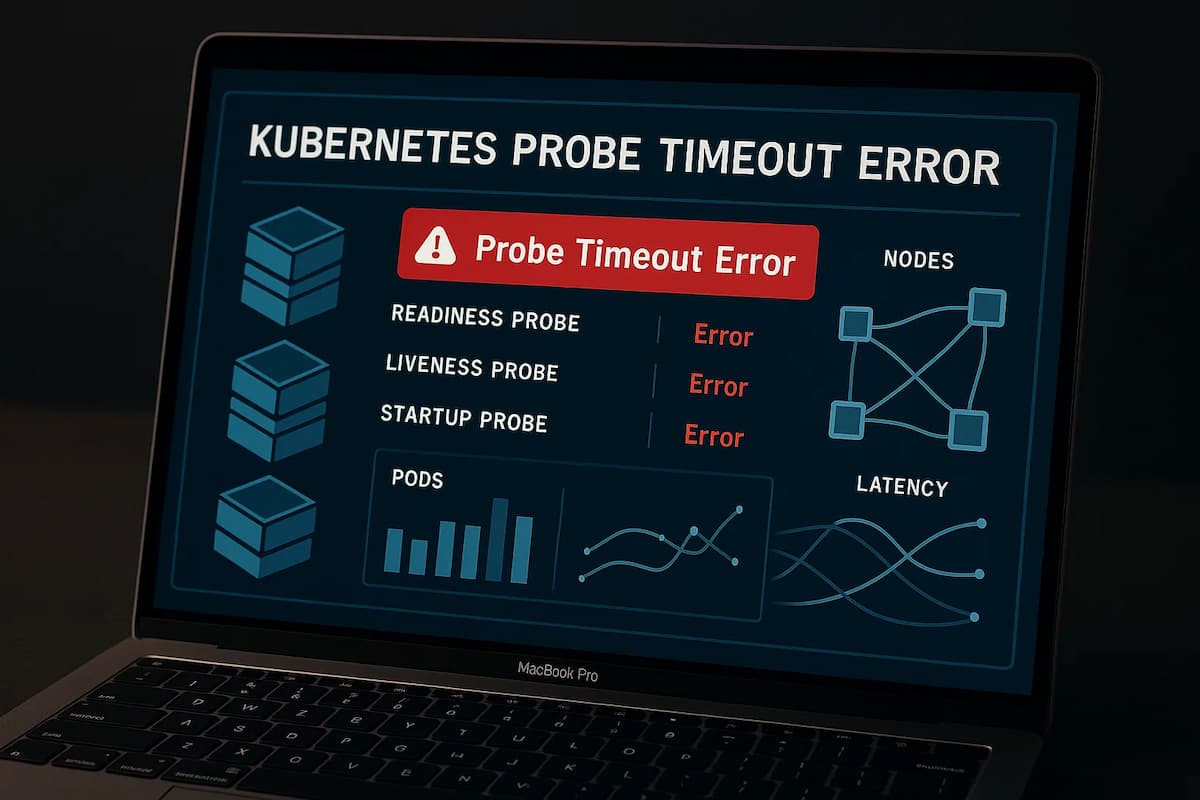
A Kubernetes Probe Timeout Error indicates that the container’s health probe—whether readiness, liveness, or startup—failed to get a response from the container within the set timeoutSeconds limit. When this happens, Kubernetes assumes the container is unresponsive or unhealthy, even if it’s still processing requests or starting up slowly.
Probes are HTTP, TCP, or command checks that Kubernetes uses to decide whether a pod is ready to serve traffic or needs restarting. A timeout means the probe didn’t receive a successful response (usually HTTP 200) before the timer expired. This can lead to unnecessary restarts, delayed rollouts, or services entering a degraded state.
Timeouts are especially common in applications with heavy initialization tasks—such as database migrations, cache warm-ups, or slow dependency calls—where the app takes longer to become responsive than the probe’s allowed time. When misconfigured, even a healthy pod can be marked “unready” or restarted repeatedly, disrupting workloads and causing cascading failures across replicas.
Why Kubernetes Probe Timeout Error Happens
Probe timeout errors typically occur when the container fails to respond within the allowed time frame. These timeouts can stem from configuration mistakes, resource contention, or network delays that prevent Kubernetes from accurately assessing the pod’s health. Below are the most common, error-specific causes.
1. Probe Timeout Configuration Too Low
Setting the timeoutSeconds too low causes the probe to fail before the application can respond, even when it’s healthy. This is especially common in services that need a few seconds to process complex requests or initialize frameworks. Increasing the timeout window allows probes to complete successfully without false negatives.
Quick check:
kubectl describe pod <pod-name> | grep timeoutSeconds -A 2If timeoutSeconds is set below your average response time (for example, 1–2 seconds), increase it to align with actual application latency.
2. Application Startup Delay
Many applications perform time-consuming startup tasks—loading configurations, connecting to external databases, or preloading caches—that exceed the probe’s limit. Kubernetes interprets this as a lack of responsiveness and restarts the pod unnecessarily. This causes longer rollout times and higher restart counts across replicas.
Quick check:
kubectl logs <pod-name> -c <container-name>If normal startup logs continue after probe failures, it’s a sign the app simply needs more time before responding.
3. Network Latency or Node Overload
When the node hosting the pod experiences heavy CPU or memory load, or if the cluster network is congested, probe requests might not complete in time. Kubernetes’ kubelet might delay probe executions or miss responses due to resource pressure. This scenario is common in busy clusters with hundreds of co-located containers.
Quick check:
kubectl top nodeIf the node shows high CPU or memory usage, try rescheduling pods or increasing resource limits.
4. Misconfigured Probe Path or Port
If a probe points to an incorrect path, port, or protocol, it will always timeout even if the application is healthy. For instance, probing /health instead of /healthz or using HTTP on a TLS-only port can trigger repeated failures. These misconfigurations are often overlooked when using templated manifests or CI/CD pipelines.
Quick check:
kubectl get pod <pod-name> -o yaml | grep 'httpGet:' -A 5Verify that the probe’s path, port, and scheme accurately match the application’s configuration.
5. Application Deadlocks or Blocking Operations
When an application thread is stuck in I/O wait, a deadlock, or memory starvation, the container stops responding entirely—even to probe requests. This leads Kubernetes to assume the pod is unhealthy, triggering restarts that further delay recovery. Such conditions typically require deeper debugging of logs or thread dumps.
Quick check:
kubectl exec -it <pod-name> -- ps auxIf the main process is consuming excessive CPU or appears unresponsive, investigate logs or profiling data for blocked threads or GC pauses.
How to Fix Kubernetes Probe Timeout Error
Below are targeted, error-specific fixes. Each item has a quick check and a minimal patch. All commands are one-line; YAML is concise and tailored to probe timeouts.
1) Right-size timeoutSeconds and failureThreshold
Short timeouts + low retries cause false negatives on normal latency spikes.
Quick check:
kubectl get pod <pod> -o yaml | grep -E 'readinessProbe:|livenessProbe:|startupProbe:' -A 8Fix (increase response window & retries):
spec:

  template:

    spec:

      containers:

      - name: app

        readinessProbe: { httpGet: { path: /healthz, port: 8080 }, timeoutSeconds: 5, periodSeconds: 10, failureThreshold: 5 }

livenessProbe: { httpGet: { path: /livez, port: 8080 }, timeoutSeconds: 5, periodSeconds: 10, failureThreshold: 5 }kubectl apply -f deployment-patch.yaml2) Add a startupProbe for slow initialization
Warm-ups (migrations, cache prime) make readiness/liveness time out unless you shield startup.
Quick check:
kubectl get pod <pod> -o yaml | grep -c 'startupProbe'Fix (grant a warm-up window):
spec:

  template:

    spec:

      containers:

      - name: app

        startupProbe:   { httpGet: { path: /startupz, port: 8080 }, periodSeconds: 5, failureThreshold: 30 }

        readinessProbe: { httpGet: { path: /healthz,  port: 8080 }, timeoutSeconds: 5 }

        livenessProbe:  { httpGet: { path: /livez,   port: 8080 }, timeoutSeconds: 5 }
kubectl apply -f deployment-patch.yaml3) Tune initialDelaySeconds / periodSeconds
Avoid probing too early or too frequently on heavy services.
Quick check:
kubectl describe pod <pod> | sed -n '/Readiness:/,/Liveness:/p'Fix (delay first check; relax cadence):
spec:

  template:

    spec:

      containers:

      - name: app

        readinessProbe: { httpGet: { path: /healthz, port: 8080 }, initialDelaySeconds: 20, periodSeconds: 10, timeoutSeconds: 5 }

        livenessProbe:  { httpGet: { path: /livez,  port: 8080 }, initialDelaySeconds: 60, periodSeconds: 10, timeoutSeconds: 5 }
kubectl apply -f deployment-patch.yaml4) Fix wrong path/port/scheme
Misrouted probes (bad path, port, or HTTP vs HTTPS) will always time out.
Quick check:
kubectl get pod <pod> -o yaml | awk '/httpGet:/{f=1} f&&/port:|path:|scheme:/{print} /Probe:/{f=0}'Fix (correct endpoint):
spec:

  template:

    spec:

      containers:

      - name: app

        readinessProbe: { httpGet: { scheme: HTTP, path: /healthz, port: 8080 }, timeoutSeconds: 4 }

        livenessProbe:  { httpGet: { scheme: HTTP, path: /livez,  port: 8080 }, timeoutSeconds: 4 }
kubectl apply -f deployment-patch.yaml5) Reserve resources to prevent probe starvation
CPU throttling or memory pressure delays handlers and kubelet scheduling.
Quick check:
kubectl top pod <pod> -n <ns>; kubectl top nodeFix (requests/limits for stable QoS):
spec:

  template:

    spec:

      containers:

      - name: app

        resources: { requests: { cpu: "250m", memory: "256Mi" }, limits: { cpu: "1", memory: "512Mi" } }
kubectl apply -f deployment-patch.yaml6) Keep readiness handler lightweight
Expensive DB pings or heavy logic exceed timeoutSeconds.
Quick check:
kubectl logs <pod> -c <container> | grep -i health | tail -n 100Fix (O(1) readiness; push deep checks to metrics/background):
spec:

  template:

    spec:

      containers:

      - name: app

        readinessProbe: { httpGet: { path: /healthz, port: 8080 }, timeoutSeconds: 2, failureThreshold: 5 }
kubectl apply -f deployment-patch.yaml7) Use the correct probe type
Use readiness to gate traffic; let liveness act only after the app is stable.
Quick check:
kubectl get pod <pod> -o yaml | grep -E 'readinessProbe|livenessProbe|startupProbe' -A 3Fix (protect startup; delay liveness):
spec:

  template:

    spec:

      containers:

      - name: app

        startupProbe:   { httpGet: { path: /startupz, port: 8080 }, failureThreshold: 30, periodSeconds: 5 }

        readinessProbe: { httpGet: { path: /healthz,  port: 8080 }, initialDelaySeconds: 10 }

        livenessProbe:  { httpGet: { path: /livez,   port: 8080 }, initialDelaySeconds: 60 }
kubectl apply -f deployment-patch.yaml8) Decouple slow dependencies from the probe
If the probe handler waits on DB/cache/external APIs, it will time out during incidents.
Quick check:
kubectl logs <pod> -c <container> | grep -Ei 'timeout|deadline|retry|circuit'Fix (fail fast; report dependencies via metrics, not probe path):
spec:

  template:

    spec:

      containers:

      - name: app

        readinessProbe: { httpGet: { path: /healthz, port: 8080 }, timeoutSeconds: 3 }
kubectl apply -f deployment-patch.yaml9) gRPC/TLS services: probe correctly
HTTP probes against gRPC ports or TLS-only listeners will time out.
Quick check:
kubectl get pod <pod> -o yaml | grep -A2 'httpGet:' | grep -Ei '443|tls|https|grpc'Fix (use exec or dedicated HTTP health on a separate port):
spec:

  template:

    spec:

      containers:

      - name: app

        readinessProbe: { exec: { command: ["/bin/grpc-health-probe","-addr=:50051"] }, timeoutSeconds: 5 }
kubectl apply -f deployment-patch.yaml10) Spread load or reschedule off hot nodes
Probe handlers suffer when colocated with noisy neighbors.
Quick check:
kubectl describe node <node> | grep -E 'Conditions:|Taints:' -A 10; kubectl get pods -A -o wide | grep <node>Fix (anti-affinity to reduce contention):
spec:

  template:

    spec:

      affinity:

        podAntiAffinity:

          preferredDuringSchedulingIgnoredDuringExecution:

          - weight: 100

            podAffinityTerm:

              topologyKey: kubernetes.io/hostname

              labelSelector: { matchLabels: { app: app } }
kubectl apply -f deployment-patch.yamlMonitoring Kubernetes Probe Timeout Error with CubeAPM
Fastest path to root cause: CubeAPM correlates Events (like “Unhealthy: readiness/liveness probe failed”), Metrics (CPU, memory, and throttling data), Logs (from applications and kubelet), and Rollouts (Deployment or ReplicaSet changes). This combined view makes it easy to pinpoint whether timeouts originate from slow startups, probe misconfigurations, or cluster resource pressure — without jumping between dashboards.
Step 1 — Install CubeAPM (Helm)
Install CubeAPM using Helm to automatically collect metrics, events, and logs from your cluster.
helm repo add cubeapm https://charts.cubeapm.com && helm repo update cubeapm && helm show values cubeapm/cubeapm > values.yaml && helm install cubeapm cubeapm/cubeapm -f values.yamlIf it’s already installed, upgrade with:
helm upgrade cubeapm cubeapm/cubeapm -f values.yamlStep 2 — Deploy the OpenTelemetry Collector (DaemonSet + Deployment)
CubeAPM uses the OpenTelemetry Collector to process and forward telemetry data.
- DaemonSet collects node and pod-level signals (like kubelet metrics, logs, and events).
- Deployment manages centralized routing, batching, and export pipelines.
helm repo add open-telemetry https://open-telemetry.github.io/opentelemetry-helm-charts && helm repo update open-telemetry && helm install otel-ds open-telemetry/opentelemetry-collector -f otel-collector-daemonset.yaml --set mode=daemonset && helm install otel-deploy open-telemetry/opentelemetry-collector -f otel-collector-deployment.yaml --set mode=deploymentStep 3 — Collector Configs Focused on Probe Timeouts
- A) DaemonSet (node-local collection)
receivers:

  k8s_events: {}

  kubeletstats:

    collection_interval: 20s

    auth_type: serviceAccount

    endpoint: ${KUBELET_ENDPOINT:-https://${NODE_NAME}:10250}

    insecure_skip_verify: true

    metric_groups: [container, pod, node]

  filelog:

    include: [/var/log/containers/*.log]

    start_at: beginning

processors:

  k8sattributes:

    auth_type: serviceAccount

    extract:

      metadata: [k8s.pod.name, k8s.namespace.name, k8s.node.name, k8s.deployment.name]

  batch: {}

exporters:

  otlphttp:

    endpoint: http://cubeapm:3125/otlp

service:

  pipelines:

    metrics:

      receivers: [kubeletstats]

      processors: [k8sattributes, batch]

      exporters: [otlphttp]

    logs:

      receivers: [filelog, k8s_events]

      processors: [k8sattributes, batch]

      exporters: [otlphttp]
- k8s_events captures warnings like “Probe failed” and rollout events.
- kubeletstats tracks CPU, memory, and throttling at pod/node level.
- filelog collects logs from all containers for correlation.
- k8sattributes enriches data with Kubernetes metadata for precise filtering.
- B) Deployment (central processing and routing)
receivers:

  otlp:

    protocols:

      http: {}

      grpc: {}

processors:

  attributes:

    actions:

      - key: probe.category

        action: insert

        value: timeout_focus

  transform:

    metric_statements:

      - context: datapoint

        statements:

          - set(attributes["restart.flag"], true) where metric.name == "k8s.container.restarts" and value_double > 0

  batch: {}

exporters:

  otlphttp:

    endpoint: http://cubeapm:3125/otlp

service:

  pipelines:

    metrics:

      receivers: [otlp]

      processors: [attributes, transform, batch]

      exporters: [otlphttp]

    logs:

      receivers: [otlp]

      processors: [attributes, batch]

      exporters: [otlphttp]
- Attributes/transform processors tag probe-related signals for faster root cause detection.
- Batch exporter ensures smooth performance even during spikes.
Step 4 — Supporting Components (Optional but Recommended)
To enhance visibility:
- kube-state-metrics — provides pod conditions and deployment metrics for correlation.
- metrics-server — enables resource visibility with kubectl top and supports HPAs.
helm install kube-state-metrics prometheus-community/kube-state-metricshelm install metrics-server metrics-server/metrics-serverStep 5 — Verification (What You Should See in CubeAPM)
Once setup completes, confirm the following signals in CubeAPM dashboards:
- Events: “Warning · Unhealthy · Readiness probe failed” or “Liveness probe failed”.
- Metrics: Spikes in CPU throttling, memory usage, or container restarts.
- Logs: Slow HTTP handler responses or dependency timeout traces.
- Restarts: Incrementing k8s.container.restarts aligned with event timestamps.
- Rollout context: Deployments paused or rolled back following repeated probe failures.
Example Alert Rules for Kubernetes Probe Timeout Error
Alerting helps teams detect probe failures early before they cause cascading restarts or blocked rollouts. Each alert below focuses on a specific scenario — from recurring probe failures to prolonged unready pods and abnormal restart patterns.
1. Spike in Probe Failures Across Deployments
Frequent probe timeouts within a short window usually point to configuration errors, resource saturation, or cluster-wide congestion. This alert highlights when multiple pods in the same deployment begin failing readiness or liveness probes simultaneously.
groups:

- name: probe-timeout

  rules:

  - alert: K8sProbeTimeoutsSpike

    expr: sum by (namespace, deployment) (increase(kube_event_count{reason="Unhealthy",message=~".*probe failed.*"}[5m])) > 10

    for: 10m

    labels:

      severity: warning

    annotations:

      summary: "Spike in probe timeouts detected on {{ $labels.namespace }}/{{ $labels.deployment }}"

      description: "Over 10 probe failures in 5m. Check probe configurations, app latency, and node CPU/memory pressure."
2. Pods Remaining Unready for Extended Durations
Readiness probe timeouts can prevent traffic routing and stall deployments. This rule alerts when pods remain in an “Unready” state for more than a few minutes — a key symptom of readiness probe misconfiguration or slow startup behavior.
groups:

- name: probe-timeout

  rules:

  - alert: K8sPodsUnready

    expr: sum by (namespace, deployment) (kube_pod_status_ready{condition="false"}) > 3

    for: 5m

    labels:

      severity: critical

    annotations:

      summary: "Pods Unready due to probe timeout in {{ $labels.namespace }}/{{ $labels.deployment }}"

      description: "Multiple pods have remained unready for over 5 minutes. Inspect readiness probes, startup delays, or dependency bottlenecks."
3. Excessive Container Restarts Triggered by Probe Failures
When probes fail repeatedly, Kubernetes restarts the affected containers. Continuous restarts within a short period often mean the liveness probe is too strict or overlapping with slow initialization phases.
groups:

- name: probe-timeout

  rules:

  - alert: K8sContainerRestartLoop

    expr: increase(kube_pod_container_status_restarts_total[10m]) > 5

    labels:

      severity: warning

    annotations:

      summary: "Container restart loop detected in {{ $labels.namespace }}/{{ $labels.pod }}"

      description: "Pod restarted more than 5 times in 10m — likely due to probe timeouts or unhealthy startupProbe configuration."
4. Node-Level Saturation Causing Probe Failures
Probe timeouts may not always be caused by app issues — overloaded nodes can delay probe execution or drop packets. This rule detects nodes under sustained CPU pressure that correlate with probe failures.
groups:

- name: probe-timeout

  rules:

  - alert: K8sNodeHighCPU

    expr: avg(node_cpu_utilization{mode!="idle"}) by (instance) > 0.9

    for: 5m

    labels:

      severity: warning

    annotations:

      summary: "Node CPU saturation affecting probe responsiveness"

      description: "CPU utilization > 90% for 5m. Probe checks may timeout due to kubelet scheduling delays or throttled workloads."
5. Prolonged Application Latency Observed in Probes
This alert fires when probe response times consistently approach or exceed their configured timeoutSeconds value. It’s useful for detecting latent slowdowns in services even before actual probe failures begin.
groups:

- name: probe-timeout

  rules:

  - alert: K8sProbeLatencyHigh

    expr: histogram_quantile(0.95, sum(rate(probe_duration_seconds_bucket[5m])) by (le, namespace, pod)) > 4

    for: 10m

    labels:

      severity: info

    annotations:

      summary: "High probe latency observed in {{ $labels.pod }}"

      description: "Probe duration p95 exceeds 4s. Review app performance and increase timeoutSeconds if necessary."
Best practice: Combine these alerts with CubeAPM dashboards to instantly correlate probe failures with CPU throttling, slow application logs, and rollout events — allowing proactive detection and remediation before they escalate.
Conclusion
Probe timeouts are rarely “just a probe issue.” They’re early symptoms of deeper problems—slow startups, heavy handlers, noisy neighbors, or mis-tuned thresholds—that quietly derail rollouts and trigger costly restart loops. Treating them as signals, not noise, is the fastest way to restore stability.
With CubeAPM, you see probe failures in context: Events that say what happened, Metrics that show where the cluster was under stress, Logs that reveal why handlers were slow, and Rollouts that capture when deployments drifted. That correlation turns guesswork into clear next actions—right-size timeouts, add a startupProbe, adjust resources, or fix endpoints.
Ready to stop firefighting probe timeouts and ship reliably? Instrument your cluster, apply the fixes above, and use CubeAPM’s correlated views and alerts to keep readiness, liveness, and startup probes green—before they impact customers.