










Kong Gateway sits at the edge of your infrastructure, where every latency spike, 4xx error, or throttle event here affects every downstream service. Most teams realize too late that Kong’s default metrics are too coarse to diagnose real problems. This guide covers what to monitor in Kong, how to expose metrics, and which tools can actually turn that telemetry into actionable insights.
What Is Kong API Gateway Monitoring?
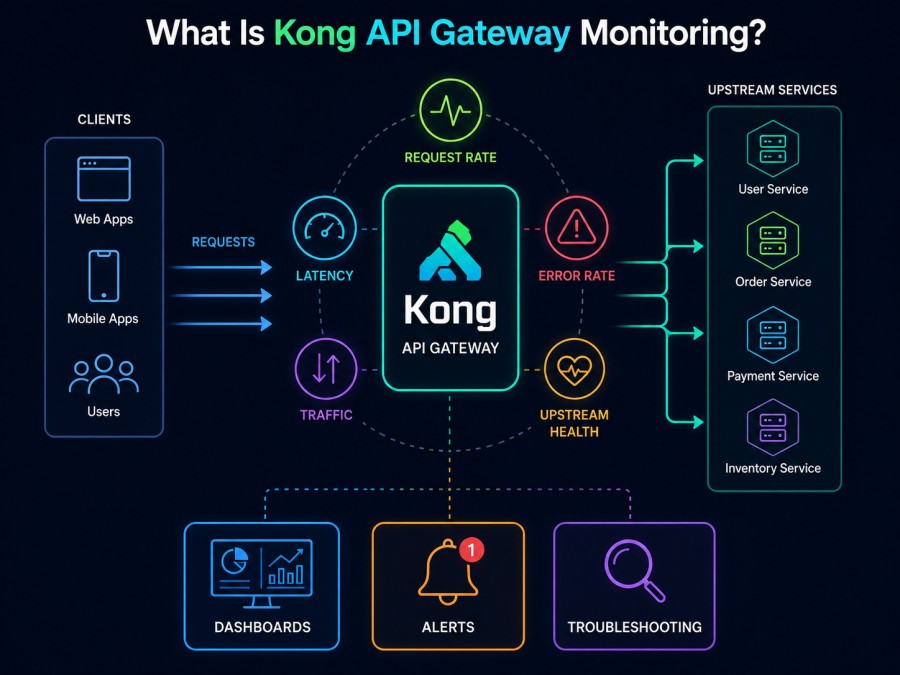
Kong API Gateway monitoring is the practice of collecting, analyzing, and alerting on performance and health metrics from Kong’s proxy layer to ensure APIs remain fast, available, and secure. It covers request throughput, latency, error rates, upstream health, plugin behavior, and control plane stability.
Kong itself is a lightweight, high-performance API gateway built on OpenResty and nginx. It handles authentication, rate limiting, logging, and routing for API traffic at scale. But without proper monitoring, issues like backend latency, failing health checks, or misconfigured plugins can degrade API performance for hours before anyone notices.
Monitoring Kong means instrumenting three layers: the data plane (proxy workers handling live traffic), the control plane (Admin API and configuration sync), and upstream services behind the gateway. Each layer exposes different signals, and each requires different instrumentation.
According to the CNCF Annual Survey 2024, 78% of production Kubernetes environments use API gateways, with Kong frequently cited for its plugin ecosystem and performance. But the same survey found that monitoring API gateway health remains a top operational challenge for platform teams.
How Kong Gateway Monitoring Works
Kong exposes metrics through two mechanisms: the Status API and the Admin API. The Status API is designed specifically for monitoring and must be enabled explicitly via the status_listen configuration parameter. The Admin API is always available and provides metrics at the /metrics endpoint by default for on-premises installations.
When you enable Kong’s Prometheus plugin or OpenTelemetry plugin, Kong begins recording additional dimensions across Gateway Service, Route, and Upstream. This adds cardinality; you can now break down request latency by specific route, upstream target, or consumer group.
Kong’s monitoring flow works like this: client requests hit the proxy layer, Kong processes them through configured plugins (auth, rate limiting, logging), forwards to the upstream service, receives the response, and logs metrics about the entire transaction. These metrics include request count, latency distribution, HTTP status codes, bandwidth consumed, and plugin execution time.
The key challenge is connecting Kong metrics to the rest of your observability stack. Kong itself does not store metrics long-term or provide dashboards; it only exposes them. You need a separate system to scrape, store, query, and visualize that data. This is where tools like infrastructure monitoring platforms come in; they collect Kong metrics alongside host, container, and application signals.
What Metrics to Monitor in Kong API Gateway
Kong exposes hundreds of metrics across system performance, API traffic, plugin behavior, and upstream health. Not all of them matter equally. The metrics below are the ones that break first when something goes wrong.
Request Latency (Per Route and Upstream)
Request latency measures the time Kong takes to proxy a request from the client to the upstream service and back. High latency can come from slow upstream services, inefficient plugins, or network delays. Track the 50th, 90th, and 99th percentile latencies not just the average. A spike in p99 latency means some requests are getting stuck even if the median looks fine.
Kong’s Prometheus plugin exposes this as kong_latency_ms and upstream_latency_ms. The first measures Kong’s own processing time. The second measures how long the upstream took to respond. If upstream latency is high but Kong latency is low, the bottleneck is in your backend services, not the gateway.
Request Throughput and Error Rates
Request throughput is the number of requests per second Kong is handling. Error rates break down by HTTP status code of 4xx errors usually mean client mistakes (bad auth, missing parameters), while 5xx errors mean something is broken upstream or in Kong itself.
Track these metrics per route and per upstream. If one route suddenly shows a spike in 502 or 503 errors, it means the upstream service for that route is failing health checks or timing out. Kong will return a 502 Bad Gateway when it cannot reach the upstream, and a 503 Service Unavailable when the upstream is marked unhealthy.
Upstream Health and Active Health Checks
Kong can perform active health checks on upstream targets. It sends periodic HTTP requests to each backend server and marks it healthy or unhealthy based on the response. If all targets in an upstream pool fail health checks, Kong returns 503 for all requests to that service.
Monitor the number of healthy vs. unhealthy targets for each upstream. A drop to zero healthy targets is a production outage. Kong’s Admin API exposes upstream health at /upstreams/{upstream_name}/health, and the Prometheus plugin surfaces it as kong_upstream_target_health.
Plugin Execution Time
Every plugin Kong runs adds processing time to each request. Some plugins are cheap (header transformation), others are expensive (rate limiting with Redis lookups, authentication with external services). If a plugin is misconfigured or pointing to a slow external service, it can add hundreds of milliseconds to every request.
Kong’s Prometheus plugin exposes kong_plugin_latency_ms broken down by plugin name. If you see spikes here, check the plugin configuration and the health of any external dependencies it relies on.
Data Plane and Control Plane Sync Lag
In a distributed Kong deployment, the control plane pushes configuration changes to data plane nodes. If sync lag grows, data plane nodes serve stale routes, plugins, or upstreams. This can cause routing failures or authorization issues that are hard to debug.
Monitor kong_dataplane_config_hash and kong_dataplane_last_seen to detect nodes that have fallen behind. If a data plane node has not checked in for several minutes, it may be disconnected or crashed.
Database Connection Pool Utilization
If Kong uses a database backend (PostgreSQL or Cassandra), connection pool exhaustion can cause request failures or slow responses. Monitor kong_db_connections_available and kong_db_connections_in_use. If available connections drop to zero, Kong will start rejecting new requests until a connection is freed.
This is less relevant in DB-less mode, where Kong stores config in memory and syncs via declarative files. But for database-backed deployments, this metric is critical.
Tools for Monitoring Kong API Gateway
Kong itself is instrumentation; it does not store or visualize metrics. You need a separate observability platform to collect, retain, and query Kong metrics. The tools below are the ones most commonly used with Kong in production environments.
CubeAPM
CubeAPM is a self-hosted, OpenTelemetry-native observability platform covering APM, logs, infrastructure, and Kubernetes monitoring. It runs inside your cloud or on premises, so there is no data egress and no external dependency during incidents.
CubeAPM collects Kong metrics via the OpenTelemetry plugin or Prometheus plugin, correlates them with traces from upstream services, and surfaces everything in unified dashboards. You can track Kong request latency alongside database query times, service errors, and pod restarts; all in one view.
Pricing is simple: $0.15/GB of data ingested, with unlimited users and unlimited retention. No per-host fees, no seat taxes, no surprise overages. For a 50-node Kong cluster generating 10TB of telemetry monthly, CubeAPM costs approximately $1,500/month, compared to $8,000+ on SaaS platforms that charge per host and per feature.
CubeAPM is best for teams that want full observability inside their own cloud without SaaS data egress, pricing sprawl, or DIY self-hosting overhead. It supports distributed tracing, log correlation, and intelligent alerting out of the box.
Prometheus and Grafana
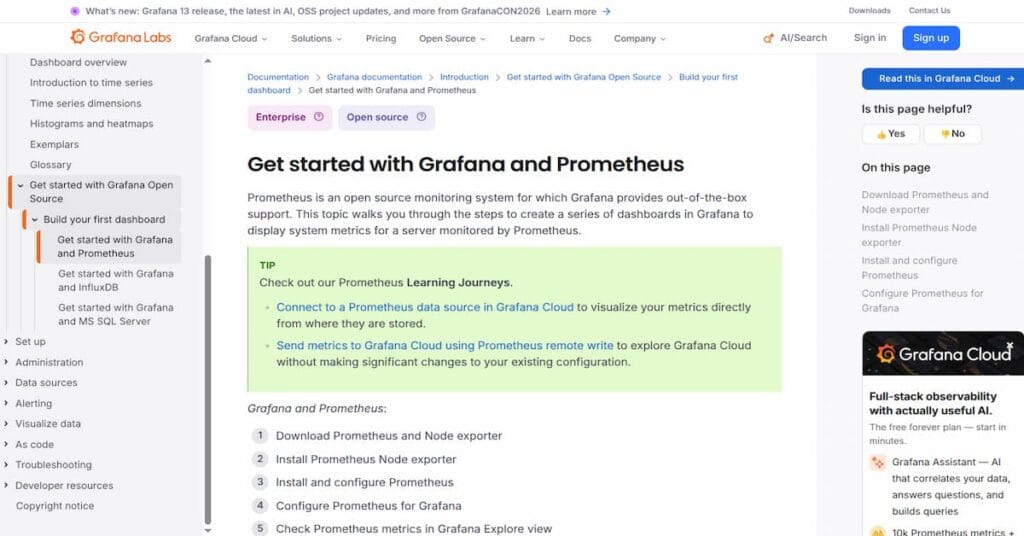
Prometheus is an open source metrics collection and alerting system. Grafana is a visualization platform. Together they form the most common self-hosted monitoring stack for Kong. Kong’s Prometheus plugin exposes metrics at /metrics in Prometheus format, which Prometheus scrapes every 15 seconds.
Grafana dashboards for Kong are available in the community; you can import them and start visualizing request rates, latencies, and upstream health immediately. But setting up high-availability Prometheus, managing retention, and tuning queries for high-cardinality data (per-route, per-consumer metrics) requires Prometheus expertise.
Prometheus is free and powerful. But it is DIY; you manage the infrastructure, storage, and alerting yourself. For teams already running Prometheus for other services, adding Kong metrics is straightforward. For teams new to Prometheus, the operational burden can outweigh the cost savings.
Datadog
Datadog is a SaaS observability platform with broad integration support. It collects Kong metrics via the Datadog Agent, which scrapes Kong’s Prometheus endpoint and forwards metrics to Datadog’s cloud.
Datadog provides pre-built Kong dashboards and monitors out of the box. You can set up alerts for latency spikes, error rate increases, or upstream health changes in minutes. But pricing scales with the number of hosts running Kong and the volume of metrics ingested.
For a 50-node Kong cluster, Datadog APM costs approximately $2,100/month ($42/host/month) before logs, custom metrics, or trace ingestion. Add logs and traces, and the bill often exceeds $5,000/month. Datadog is powerful but expensive at scale, especially for API gateway telemetry which generates high-cardinality metrics (many routes, many consumers, many upstreams).
Datadog is best for teams that want managed observability with minimal setup and can budget for per-host pricing that grows with infrastructure.
Dynatrace
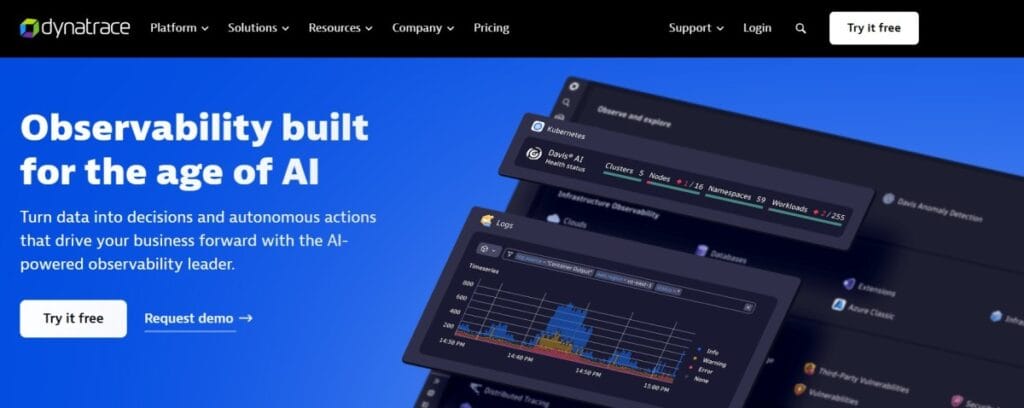
Dynatrace is an enterprise observability platform with AI-powered anomaly detection and automated root cause analysis. It monitors Kong via its OneAgent, which instruments Kong processes and collects metrics, traces, and logs automatically.
Dynatrace’s AI engine analyzes Kong metrics in the context of your entire stack and can surface issues like “Kong latency increased because PostgreSQL queries slowed down due to lock contention.” This level of automated correlation is valuable for large enterprises with complex environments.
Pricing starts high: $0.08/GB for metrics ingestion plus infrastructure monitoring fees. For a 50-node Kong cluster, expect approximately $4,000-$6,000/month before traces or logs. Dynatrace is best for enterprises that need AI-assisted triage and can absorb the cost.
New Relic
New Relic offers a managed observability platform with Kong monitoring via the New Relic Infrastructure agent. It collects Kong metrics and correlates them with APM traces, logs, and infrastructure signals in one unified interface.
New Relic pricing is usage-based: $0.35/GB for data ingestion beyond the free tier. For a 50-node Kong cluster generating 10TB of telemetry monthly, that translates to approximately $3,500/month for ingestion alone; before additional costs for user seats or synthetic monitoring.
New Relic is best for teams already using New Relic for other services and willing to accept its proprietary NRQL query language and cloud-only deployment model.
Best Practices for Kong API Gateway Monitoring
Monitoring Kong effectively requires more than just enabling the Prometheus plugin. The practices below are what separate teams that catch issues early from teams that discover problems only after users complain.
Enable the Status API and Health Checks
Always enable Kong’s status_listen parameter and configure a health check endpoint. Load balancers and orchestration systems (Kubernetes liveness probes, AWS target group health checks) should hit this endpoint to determine if a Kong instance is ready to serve traffic.
Do not rely on the Kong process being alive; the process can run but be unable to proxy requests if configuration is broken or database connections are failing. The readiness probe should verify that Kong can actually route traffic.
Monitor Both Kong Latency and Upstream Latency Separately
Do not lump these together. If upstream latency is high but Kong latency is low, the problem is in your backend services. If Kong latency is high but upstream latency is normal, the problem is in Kong’s plugin chain, rate limiting lookups, or the network between Kong and the upstream.
Breaking latency into these two components makes root cause analysis faster. Without this separation, you waste time investigating the wrong layer.
Track Metrics Per Route and Per Upstream
Aggregate metrics are useful for overall health, but they hide route-specific problems. A single slow route can degrade the experience for a subset of users while the aggregate latency looks fine. Monitor p99 latency, error rate, and throughput broken down by route and upstream.
This requires high-cardinality metric storage. Not all tools handle this well; Prometheus can struggle with high cardinality unless carefully tuned. CubeAPM and Datadog handle high-cardinality metrics natively.
Set Up Alerts for Upstream Health Drops
If an upstream pool drops to zero healthy targets, Kong returns 503 for every request to that service. This is a production outage. Set up an alert that fires immediately when the number of healthy targets for any upstream drops below a threshold (e.g., less than 2 healthy targets).
Do not wait for user complaints to discover this. The metric is available; use it.
Correlate Kong Metrics with Upstream Service Traces
Kong metrics tell you what happened at the gateway layer. APM traces from upstream services tell you why it happened. If Kong shows a latency spike, correlating with traces from the upstream service can reveal whether the slowdown was caused by a database query, an external API call, or a cache miss.
What is infrastructure monitoring explains how to connect infrastructure signals with application performance data. The same principle applies here. Kong is infrastructure for your APIs. Monitoring it in isolation misses the full picture.
Use Synthetic Monitoring to Test Critical API Flows
Synthetic monitoring simulates user requests to your APIs at regular intervals and alerts you if response times degrade or errors occur. This catches issues before real users are affected. Tools like Synthetic monitoring platforms can run scripted API checks through Kong every 1-5 minutes and alert you to failures.
Without synthetic monitoring, you only discover problems after real traffic hits them. With it, you catch issues during low-traffic periods or immediately after a bad deployment.
How to Instrument Kong for Full Observability
Instrumenting Kong requires three steps: enabling metric exposure, configuring collection, and correlating Kong metrics with upstream traces and logs.
Step 1: Enable Kong’s Prometheus or OpenTelemetry Plugin
Kong’s Prometheus plugin exposes metrics at the /metrics endpoint in Prometheus format. The OpenTelemetry plugin sends metrics, traces, and logs to an OpenTelemetry collector. Choose based on your existing stack.
For Prometheus, enable the plugin globally:
curl -X POST http://localhost:8001/plugins \
--data "name=prometheus"Metrics are now available at http://localhost:8001/metrics (Admin API) or via the Status API if enabled.
For OpenTelemetry, configure the plugin to send telemetry to your OTel collector:
plugins:
  - name: opentelemetry
    config:
      endpoint: http://otel-collector:4318
      resource_attributes:
service.name: kong-gatewayStep 2: Configure Your Observability Platform to Scrape or Receive Kong Metrics
If using Prometheus, add a scrape job to prometheus.yml:
scrape_configs:
  - job_name: 'kong'
    static_configs:
- targets: ['kong-node-1:8001', 'kong-node-2:8001']If using OpenTelemetry, configure your collector to receive and forward Kong telemetry to your observability backend (CubeAPM, Datadog, Grafana Cloud, etc.).
Step 3: Correlate Kong Metrics with Upstream Traces
Enable distributed tracing in Kong using the OpenTelemetry plugin. This adds trace context headers (traceparent, tracestate) to every proxied request. If your upstream services also emit OpenTelemetry traces, the entire request flow, from client to Kong to upstream service to database, becomes visible in a single trace.
This correlation is what makes monitoring actionable. Without it, you know Kong is slow. With it, you know Kong is slow because the upstream PostgreSQL query took 800ms.
Disclaimer: The information in this article reflects the latest details available at the time of publication and may change as technologies and products evolve. Features, pricing, and plan limits can change over time. Always verify the latest information directly with the vendor before making purchasing or deployment decisions.
Frequently Asked Questions
What is the difference between Kong’s Admin API and Status API for monitoring?
The Admin API is designed for configuration management and exposes metrics at `/metrics` by default for on-premises installations. The Status API is purpose-built for monitoring and must be enabled via `status_listen` — it is the recommended endpoint for health checks and production monitoring.
Can I monitor Kong Gateway without using Prometheus?
Yes — Kong also supports OpenTelemetry for metrics, traces, and logs. You can send telemetry to any OpenTelemetry-compatible backend like CubeAPM, Grafana Cloud, or Honeycomb. StatsD is also supported via the StatsD plugin.
What metrics should I alert on for Kong Gateway?
Alert on upstream health drops (number of healthy targets falls below threshold), p99 request latency exceeds SLA, error rate (5xx responses) exceeds baseline, and data plane sync lag exceeds 5 minutes. These catch the most common production issues.
How do I monitor Kong Gateway running on Kubernetes?
Deploy Kong via the official Helm chart, enable the Prometheus or OpenTelemetry plugin, and configure your observability platform to scrape metrics from Kong pods. Use Kubernetes service monitors if running Prometheus Operator. For deeper Kubernetes visibility, see our guide on Kubernetes monitoring platforms.
What is the cost of monitoring Kong at scale?
Cost depends on the tool. Self-hosted Prometheus is free but requires infrastructure and operational effort. SaaS platforms like Datadog charge per host ($42/host/month for APM) plus data ingestion fees. CubeAPM charges $0.15/GB of telemetry ingested with no per-host fees — for a 50-node Kong cluster generating 10TB monthly, that is approximately $1,500/month.
How do I monitor Kong Gateway performance in a multi-region deployment?
Instrument each regional Kong cluster separately and aggregate metrics in a central observability platform. Use synthetic monitoring to test API availability and latency from each region. Track region-specific upstream health to detect issues localized to one data center.
Does CubeAPM support Kong API Gateway monitoring?
Yes — CubeAPM collects Kong metrics via the Prometheus or OpenTelemetry plugin and correlates them with APM traces, logs, and infrastructure signals. It runs inside your cloud with predictable $0.15/GB pricing and unlimited retention.