










Komodor is a Kubernetes-native AI SRE and operations platform built for teams that need faster troubleshooting, better cluster visibility, safer remediation, drift detection, Kubernetes cost optimization, and stronger day-two operations. Komodor positions the platform around visualizing, troubleshooting, and optimizing cloud-native infrastructure with Klaudia, its agentic AI technology.
Komodor pricing and review matters because Kubernetes is now a mainstream production platform. CNCF’s 2025 Annual Cloud Native Survey found that 82% of container users run Kubernetes in production, which means more teams now need better ways to manage cluster health, workloads, changes, access, cost, and reliability.
In this guide, we verify Komodor pricing, plans, features, review themes, cost drivers, and estimated monthly costs. We also compare Komodor with alternatives such as CubeAPM, Groundcover, Datadog, Dynatrace, and New Relic.
What Is Komodor?
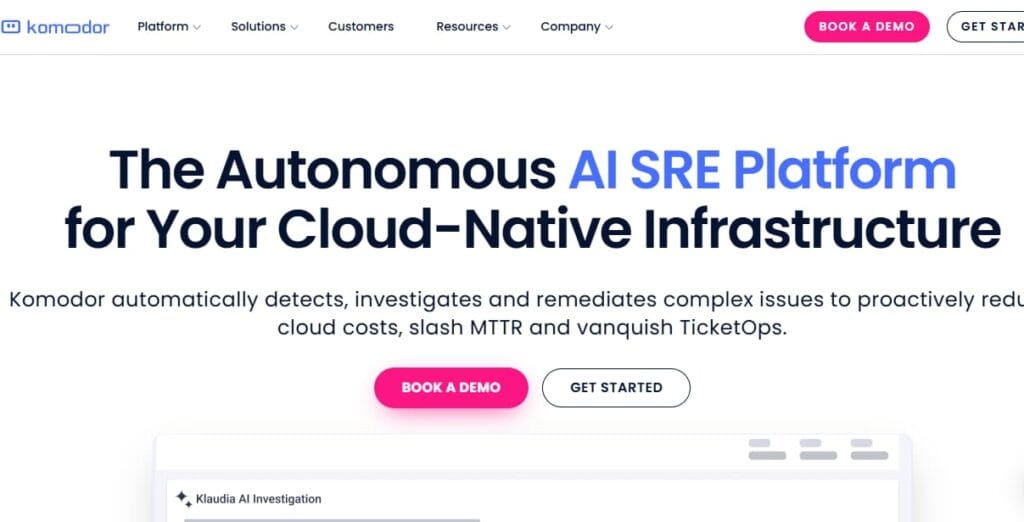
Komodor is an AI SRE platform for Kubernetes and cloud-native infrastructure. It helps SRE, DevOps, platform engineering, and developer teams visualize clusters, troubleshoot incidents, investigate changes, manage Kubernetes resources, and optimize Kubernetes costs.
ts core focus is Kubernetes operations: what changed, what broke, which workload is affected, and what action can safely resolve the issue. The platform is strongest when teams already run Kubernetes in production and need more context than they can get from raw kubectl commands, alerts, logs, or dashboards alone.
Komodor is powered by Klaudia, which Komodor describes as agentic AI for cloud-native infrastructure. Komodor says Klaudia helps resolve issues involving failed containers, cascading errors, faulty add-ons, CRDs, and workload breakdowns.
Who Uses Komodor?
Komodor is mainly used by teams that run Kubernetes in production.
Common users include:
- SRE teams
- DevOps teams
- Platform engineering teams
- Kubernetes administrators
- Cloud operations teams
- Developers who own production workloads
- Enterprises with many clusters
- Teams running private cloud, edge, or AI infrastructure
- Teams trying to reduce Kubernetes troubleshooting time
- Teams that want AI-assisted root cause analysis
Komodor is especially relevant when incidents require engineers to move between deployment history, cluster events, workload state, logs, metrics, YAML changes, ownership context, and alerting tools.
Supported Platforms, Integrations, and Data Sources
Komodor supports Kubernetes across public cloud, private cloud, on-prem, and edge environments. Its pricing FAQ says Komodor works with public and private clouds, on-prem or edge Kubernetes installations, and any Kubernetes flavor.
Komodor also says its agent listens to changes and collects metadata for change tracking. The company says it blocks secrets automatically, does not look at underlying data, and lets customers control what data is uploaded.
| Area | Komodor support |
| Core environment | Kubernetes clusters and workloads |
| Deployment model | SaaS platform with Kubernetes agent |
| Kubernetes support | Public cloud, private cloud, on-prem, edge, any Kubernetes flavor |
| Main users | SRE, DevOps, platform engineering, developers |
| Main use case | Kubernetes troubleshooting, operations, governance, and optimization |
Key Features of Komodor
Komodor helps teams detect, investigate, and remediate Kubernetes issues. Its homepage describes the platform as able to automatically detect, investigate, and remediate complex issues across cloud-native environments.
Klaudia is Komodor’s agentic AI layer. Komodor positions Klaudia as a way to troubleshoot cloud-native issues such as failed containers, cascading errors, faulty add-ons, CRDs, and workload breakdowns.
Komodor includes an enhanced observability timeline and visual change tracking. These features help teams connect incidents to recent deployments, configuration changes, workload updates, policy changes, and cluster events.
Komodor’s pricing page lists real-time resource visibility for events, logs, and metrics. This helps teams inspect workload health and operational signals from a Kubernetes-focused view.
Komodor supports direct resource management actions such as pod shell, port forwarding, and cordon workflows. This is useful for teams that want to investigate and act from one Kubernetes operations platform.
Komodor includes drift detection and analysis. This helps teams spot when runtime environments move away from expected configuration, which can reduce hidden reliability and governance risk.
Komodor includes automated remediation playbooks. These help teams standardize responses to common Kubernetes problems and reduce repetitive troubleshooting.
Komodor’s Enterprise plan includes cost features such as dynamic pod right sizing, cost allocation visibility, Optimization Autopilot, and cost impact analysis. These features are listed for Enterprise, not Teams.
Komodor supports out-of-the-box and customized policies and monitors, configurable notifications and alerts, Kubernetes add-on monitors on Enterprise, and data correlation from third-party resources.
Komodor lists RBAC, temporary and JIT access, comprehensive audit logs, centralized kubeconfig management, and SSO. SSO is listed under Enterprise, while RBAC and several access controls are available across plans.
Komodor’s pricing page lists 9-to-5 SLA for Teams and 24×7 SLA for Enterprise. It also lists enhanced support response time, dedicated customer success, SSO, custom Kubernetes add-ons, SOC 2 Type II, and GDPR compliance.
Komodor Pricing in 2026
Komodor pricing in 2026 is custom. Its official pricing page shows two main plan categories: Teams and Enterprise. Teams is listed with custom pricing, 50 nodes, and 25 users. Enterprise is listed with custom pricing, custom node count, and unlimited users.
| Plan | Public pricing status | Scale signal | Best fit |
| Teams | Custom pricing | 50 nodes, 25 users | Growing Kubernetes teams |
| Enterprise | Custom pricing | Custom nodes, unlimited users | Larger enterprises and platform teams |
Komodor’s pricing FAQ says pricing is calculated based on the average number of nodes in a customer’s clusters per year. It also says Komodor prices by node count because the company found that model works best for most users.
Is There a Free Tier in Komodor?
Komodor’s official pricing page provides a Start Trial option for the Teams plan and also says users can start a 14-day free trial.
Capterra also lists a free trial as available. However, Capterra lists Komodor as having no free version, and Komodor’s official pricing page does not clearly show a permanent free production tier.
Buyers should confirm:
- Trial duration
- Node limits
- User limits
- Included AI features
- Included cost optimization features
- Whether production clusters are allowed
- What happens after the trial ends
How Komodor Measures Pricing
Komodor’s official pricing FAQ says pricing is based on the average number of nodes in the customer’s clusters per year.
That matters because Kubernetes environments are dynamic. Teams may scale nodes up and down because of traffic, autoscaling, cluster upgrades, batch jobs, development environments, AI workloads, or seasonal demand.
For pricing, teams should track:
- Average production nodes
- Development and staging nodes
- Ephemeral nodes
- Multi-cluster usage
- On-prem nodes
- Edge nodes
- Autoscaling behavior
- Annual node growth
- Support and SLA needs
- Enterprise controls such as SSO and audit logs
Komodor pricing is not mainly based on logs, traces, metrics, RUM sessions, or telemetry ingestion volume. It is closer to a Kubernetes node-based operations platform model.
What Drives Komodor Costs?
Node count is the main public pricing driver for Komodor. The official pricing FAQ says pricing is based on the average number of nodes in the customer’s clusters per year.
Komodor has Teams and Enterprise packaging. Teams is listed with 50 nodes and 25 users, while Enterprise is custom and supports unlimited users.
The Teams plan lists 25 users, while Enterprise lists unlimited users. Teams should model how many developers, SREs, DevOps engineers, platform engineers, and managers need access.
Komodor lists 9-to-5 SLA for Teams and 24×7 SLA for Enterprise. Enhanced support response time and dedicated customer success are Enterprise-level signals.
Komodor’s Enterprise plan lists cost-related features such as dynamic pod right sizing, cost allocation visibility, Optimization Autopilot, and cost impact analysis.
SSO, JIT access, centralized kubeconfig management, RBAC, audit logs, SOC 2 Type II, GDPR compliance, and IP whitelisting can matter for enterprise buyers. SSO and custom Kubernetes add-ons are listed under Enterprise.
Komodor supports public cloud, private cloud, on-prem, and edge Kubernetes environments. Complex environments may affect onboarding, support, and contract scope.
Buying directly, through AWS Marketplace, or through a private marketplace can change pricing, terms, discounts, and contract structure. AWS Marketplace lists a separate Komodor Enterprise contract structure based on vCPUs.
Komodor User Reviews
Komodor has visible review coverage across G2, PeerSpot, AWS Marketplace, Gartner Peer Insights, and Capterra. Capterra lists pricing information but shows 0 user reviews.
| Review source | Public rating | Review count |
| G2 | 4.4/5 | 36 reviews |
| PeerSpot | 4.3/5 | 8 reviews |
| AWS Marketplace | 4.4/5 | 42 ratings |
| Gartner Peer Insights | 5.0/5 | 1 review |
What Users Like
Users praise Komodor for speeding up Kubernetes troubleshooting and root cause analysis. A G2 review says Komodor accelerated RCA for Kubernetes-related issues and helped the team troubleshoot applications faster.
Users value that Komodor is purpose-built for Kubernetes rather than being a generic APM tool. Komodor’s own G2-hosted review excerpt says the platform is purpose-built for Kubernetes management and provides deep insights with minimal overhead.
G2 review content highlights smooth onboarding and responsive support. AWS Marketplace review content also mentions strong customer support.
Users mention Komodor’s AI capabilities as useful for debugging, incident understanding, and helping engineers who may not be Kubernetes experts. Komodor also highlights Klaudia as part of its AI SRE platform.
G2 review snippets praise the timeline and the ability to see what changed before an issue. This is one of Komodor’s strongest user-facing themes because Kubernetes failures often involve recent changes.
What Users Criticize
⚠️ Disclaimer
These points reflect public review themes and buyer concerns. They may not apply to every Komodor customer.
Pricing Can Be a Concern at Scale
PeerSpot feedback says Komodor’s licensing model is per node and that pricing can become a concern as usage scales. This does not mean Komodor is always overpriced, but buyers should model node growth carefully.
UI Can Have a Learning Curve
G2’s review summary says users praise visibility and troubleshooting, but some users note that the UI can feel cluttered and may require a learning curve for users new to Kubernetes.
Komodor Alternatives: How It Compares to Competitors
Komodor vs CubeAPM
Komodor is a Kubernetes AI SRE and operations platform. CubeAPM is a full-stack observability platform with APM, distributed tracing, logs, infrastructure monitoring, RUM, synthetics, error tracking, SLOs, dashboards, RBAC, SSO, MFA, and audit logs. Komodor prices custom based mainly on Kubernetes nodes, while CubeAPM lists Pro pricing at $0.15/GB.
| Category | Komodor | CubeAPM |
| Best for | Kubernetes troubleshooting and operations | Full-stack observability |
| Pricing model | Custom, node-based | Public per-GB ingestion pricing |
| Main users | SRE, DevOps, platform teams | DevOps, SRE, engineering teams |
| Core strength | Kubernetes AI SRE workflows | Logs, traces, metrics, APM, RUM, synthetics |
| Best fit | Teams with Kubernetes operational pain | Teams needing predictable observability pricing |
Choose Komodor if the main issue is Kubernetes operations, root cause analysis, remediation, access, drift, and cost optimization. Choose CubeAPM if the team needs broader observability with predictable usage-based pricing.
Komodor vs Datadog
Datadog is a broad observability and security platform. Its official pricing is modular across infrastructure, APM, logs, RUM, synthetics, and other products. Datadog’s pricing list shows infrastructure monitoring starting at $15 per host/month annually for Infrastructure Pro and $23 per host/month annually for Infrastructure Enterprise.
| Category | Komodor | Datadog |
| Best for | Kubernetes AI SRE and operations | Broad observability and security |
| Pricing model | Custom node-based pricing | Modular pricing by host, logs, APM, RUM, synthetics, and more |
| Kubernetes troubleshooting | Deep Kubernetes context | Strong, but part of a broader platform |
| APM and logs | Not the main product category | Core products |
| Best buyer | Kubernetes platform teams | Teams wanting one broad SaaS observability platform |
Datadog may be better if the team wants a full observability suite. Komodor may be better if the pain is specifically Kubernetes troubleshooting and day-two operations.
Komodor vs Dynatrace
Dynatrace is an enterprise observability platform with application and infrastructure observability, log analytics, digital experience monitoring, code monitoring, and application security. Its pricing page lists usage-based pricing details, including infrastructure and full-stack observability options.
| Category | Komodor | Dynatrace |
| Best for | Kubernetes management and AI SRE workflows | Full-stack enterprise observability |
| Pricing model | Custom node-based pricing | Usage-based pricing |
| Automation | Kubernetes-focused remediation | Broad AI-assisted observability |
| Kubernetes focus | Purpose-built | Strong but broader |
| Best buyer | Platform and SRE teams focused on Kubernetes | Enterprises needing full-stack observability |
Dynatrace is stronger for full-stack enterprise observability. Komodor is stronger when the team wants Kubernetes-specific visibility, remediation, drift, access, and cost controls.
Komodor vs New Relic
New Relic is a full-stack observability platform with data-ingest and user-based pricing. Its official pricing page says plans include 100 GB of free data ingest per month, with $0.40/GB beyond the free limit for standard data ingest.
| Category | Komodor | New Relic |
| Best for | Kubernetes AI SRE | Full-stack observability |
| Pricing model | Custom node-based pricing | Data ingest plus users |
| Kubernetes troubleshooting | Deep operations focus | Good monitoring and observability |
| Logs and APM | Not core pricing model | Core platform |
| Best buyer | Kubernetes-heavy platform teams | Teams wanting broad observability and dashboards |
New Relic may be easier to start with for general observability. Komodor is more specialized for Kubernetes operations.
Komodor vs groundcover
groundcover is an eBPF-based Kubernetes observability platform. Its official pricing page says pricing is based on the monthly average number of Kubernetes nodes actively monitored by the groundcover eBPF sensor.
| Category | Komodor | groundcover |
| Best for | Kubernetes operations and AI SRE | Kubernetes observability with eBPF |
| Pricing model | Custom node-based pricing | Node-based pricing |
| Main strength | Troubleshooting, remediation, governance | Logs, metrics, traces, eBPF visibility |
| Kubernetes focus | Very strong | Very strong |
| Best buyer | SRE and platform teams needing operations control | Teams wanting Kubernetes observability and data control |
groundcover is closer to Kubernetes observability. Komodor is closer to Kubernetes operations and AI SRE workflows.
Is Komodor the Right Choice?
When Komodor Works Best
Komodor is a strong fit for Kubernetes-heavy teams that already run production clusters and need better visibility, root cause analysis, remediation, access governance, and cost optimization.
It is also a strong fit for SRE and platform engineering teams that want to reduce repetitive troubleshooting, provide developer self-service, standardize remediation, and reduce escalation load.
Komodor becomes more valuable as cluster count, node count, team count, and production complexity grow. Multi-cluster visibility, policy monitoring, RBAC, SSO, audit logs, and 24×7 support matter more at this stage.
When Komodor May Not Be the Right Fit
Komodor may not be the right primary tool for teams without Kubernetes. It is purpose-built for Kubernetes and cloud-native operations.
It may also be too expensive or too specialized for teams looking for cheap basic monitoring. Capterra’s public starting-price signal is $1,000/month, while Komodor’s official pricing page uses custom pricing rather than transparent self-serve pricing.
Komodor may also fall short for teams that want full observability in one platform. Teams may still need logs, traces, metrics, APM, RUM, synthetics, dashboards, and long-term observability storage alongside Komodor.
Conclusion
Komodor pricing and review in 2026 should be understood through its Kubernetes-specific positioning. It is not priced like a traditional observability platform based on logs, traces, metrics, or RUM sessions. Komodor pricing is custom and mainly tied to average Kubernetes node count, users, support level, enterprise features, and procurement terms.
The platform is best for teams running Kubernetes at production scale. Its strongest features include AI-powered troubleshooting, Klaudia AI agents, enhanced timelines, drift detection, real-time resource visibility, automated remediation playbooks, cost optimization, RBAC, JIT access, audit logs, and enterprise support.
The safest buying approach is to use the public $1,000/month Capterra starting signal only as a rough lower anchor, then request a Komodor quote based on average annual nodes, users, AI features, cost optimization, support, SSO, and procurement route. Buyers should not rely on fixed monthly estimates unless Komodor confirms them directly.
Disclaimer: Pricing, packaging, included features, trial terms, support levels, node-count rules, and enterprise contract terms can change. The pricing examples in this article are editorial estimates based on publicly available information as of June 2026. Always confirm final pricing, discounts, limits, and contract terms directly with Komodor before purchase.
FAQs
1. How much does Komodor cost?
Komodor uses custom pricing. Its official page lists Teams and Enterprise as custom pricing, while Capterra lists a third-party starting price of $1,000/month, usage-based.
2. Is Komodor priced per node?
Yes. Komodor’s pricing FAQ says pricing is calculated based on the average number of nodes in the customer’s clusters per year.
3. Does Komodor have a free plan?
Komodor’s official page shows a Start Trial option and mentions a 14-day free trial. Capterra lists a free trial as available but no free version.
4. What is included in the Komodor Teams plan?
Komodor Teams is listed with custom pricing, 50 nodes, and 25 users. It includes Kubernetes troubleshooting and operations features such as playbooks, monitors, drift detection, remediation playbooks, real-time resource visibility, direct resource management, AI troubleshooting, RBAC, integrations, and more.
5. What is included in Komodor Enterprise?
Komodor Enterprise is custom and lists unlimited users. It adds enterprise-oriented capabilities such as cost optimization, 24×7 SLA, enhanced support response time, dedicated customer success, SSO, custom Kubernetes add-ons, and broader enterprise controls.
6. What drives Komodor pricing?
The main cost drivers are average annual Kubernetes node count, plan type, user count, support level, SSO, cost optimization features, AI features, enterprise controls, and procurement terms.
7. Is Komodor an observability platform?
Komodor has observability-related features, but it is better described as a Kubernetes operations and AI SRE platform. It focuses on troubleshooting, remediation, timelines, cluster visibility, policies, access, and cost optimization.
8. Does Komodor replace Datadog or New Relic?
Not fully. Komodor can improve Kubernetes troubleshooting, but teams may still need Datadog, New Relic, CubeAPM, or another observability platform for logs, traces, metrics, APM, RUM, synthetics, and broader dashboards.
9. Is Komodor good for small teams?
Komodor can help small teams with Kubernetes troubleshooting, but Capterra’s $1,000/month starting-price signal may be high for small teams unless Kubernetes incidents are already costly.
10. Is Komodor good for enterprises?
Yes, Komodor is strongest for enterprises and mid-market teams running many Kubernetes clusters, nodes, teams, and production workloads. Its Enterprise plan includes custom nodes, unlimited users, 24×7 SLA, SSO, dedicated customer success, and cost optimization features.