










Google Cloud Spanner is a globally distributed, horizontally scalable relational database that powers mission-critical applications at companies like Snapchat, Target, and Spotify. But its distributed architecture and TrueTime-based consistency model introduce monitoring complexity that traditional database tooling was not built to handle. A query that takes 15ms in one region can take 200ms in another if cross-region reads are triggered. CPU spikes that look like normal load can actually signal node saturation, and lock wait times that are invisible in single-instance databases become critical bottlenecks in distributed transactions.
This guide covers what Google Cloud Spanner monitoring actually requires, which metrics matter for performance and cost control, how to set up effective alerts, and how to choose the right monitoring approach for your team.
What Is Google Cloud Spanner Monitoring?
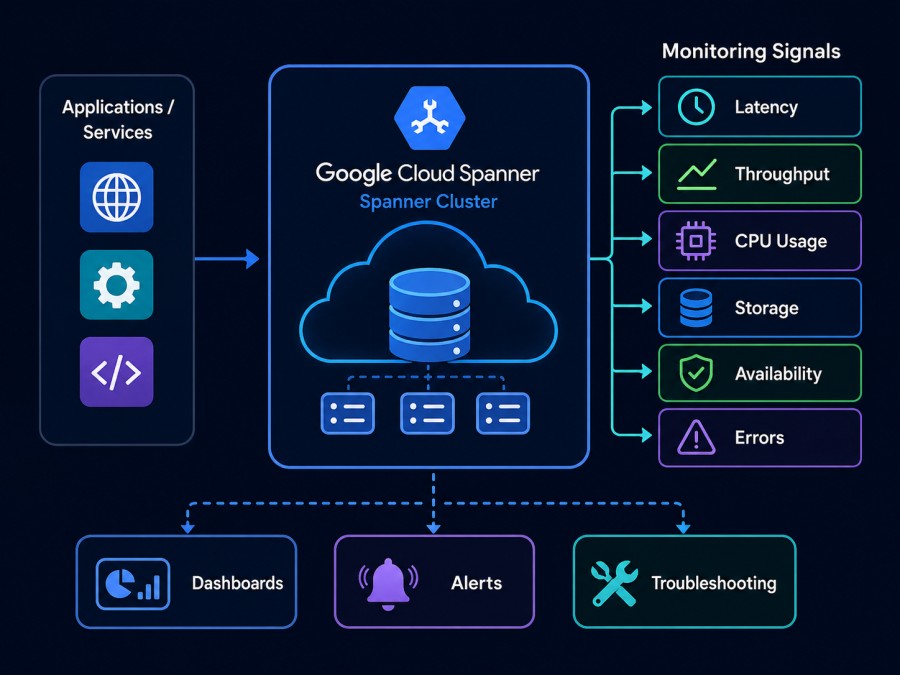
Google Cloud Spanner monitoring is the practice of continuously tracking the performance, health, availability, and cost of Spanner instances and databases using metrics, logs, traces, and alerts. The goal is to detect issues before they impact users, understand query performance patterns, optimize compute capacity, and ensure applications meet their latency and availability SLAs.
Spanner monitoring differs from traditional relational database monitoring in three key ways. First, Spanner is distributed across multiple regions and zones, so monitoring must account for cross-region latency, replication lag, and geographic query routing. Second, Spanner uses compute capacity measured in Processing Units (PUs) or nodes, where a single node equals 1,000 PUs, and capacity directly affects throughput limits and latency. Third, Spanner bills based on compute capacity (nodes or PUs) and storage separately, meaning cost monitoring requires tracking both dimensions and understanding how query patterns drive compute utilization.
Google Cloud Monitoring (formerly Stackdriver) provides native integration with Spanner through predefined metrics, a curated Spanner dashboard, and built-in alerting. But native tooling alone often misses critical signals like query-level latency breakdowns, lock contention patterns, and the correlation between application traces and database performance. This is why most production teams layer additional monitoring tools on top of Cloud Monitoring.
How Google Cloud Spanner Monitoring Works
Spanner exposes telemetry through three primary channels: metrics via Cloud Monitoring, query insights through the Spanner console, and audit logs via Cloud Logging. Each provides a different lens into how Spanner is behaving.
Cloud Monitoring collects metrics automatically from every Spanner instance at one-minute intervals. These metrics include CPU utilization by priority (high, medium, low), API request counts and latencies, storage utilization, replication lag, and leader election events. Metrics are tagged by instance ID, database name, region, and sometimes by operation type (read, write, query). This metadata enables filtering and aggregation across specific databases, regions, or workload types.
Query Insights is a Spanner-specific feature that surfaces the top queries by execution count, latency, CPU consumption, and lock wait time. It aggregates query execution statistics over configurable time windows (one hour, 24 hours, seven days) and shows which queries are consuming the most resources. Query Insights does not require external tooling, but it only provides query-level data, not correlation with application traces or infrastructure context.
Audit logs capture API calls, schema changes, IAM policy updates, and administrative actions. These logs flow into Cloud Logging and can be routed to BigQuery, Pub/Sub, or external log aggregators. Audit logs are essential for compliance, security investigations, and understanding who changed what and when, but they do not provide performance metrics.
Distributed tracing using OpenTelemetry or proprietary APM agents connects application requests to Spanner query executions. A trace that starts from a user HTTP request can show the exact Spanner queries triggered, their latencies, and whether they caused the overall request to slow down. This correlation is what separates effective Spanner monitoring from basic metric dashboards. Tools that support distributed tracing alongside infrastructure monitoring platforms give the full picture of how application behavior translates into database load.
Key Metrics for Google Cloud Spanner Monitoring
Monitoring Spanner effectively requires tracking metrics across four categories: CPU utilization, API request latency, storage and replication, and lock contention. Each category reveals different failure modes and optimization opportunities.
CPU Utilization by Priority
Spanner assigns every operation a priority: high, medium, or low. User-initiated reads and writes typically run at high priority. Background tasks like schema changes and data exports run at low priority. Spanner throttles low-priority operations when CPU utilization is high, so tracking CPU by priority reveals whether user traffic or background jobs are consuming capacity.
The recommended maximum for high priority CPU utilization is 65% in a single region configuration and 45% in a multi-region configuration. Exceeding these thresholds risks request latency spikes and throttling. If high priority CPU consistently exceeds 50%, the instance needs more compute capacity (add nodes or PUs) or query optimization to reduce per request cost.
Medium and low priority CPU can approach 100% without immediate user impact, but sustained saturation indicates that background operations are competing for resources. A common production issue: a schema migration or bulk data load triggers low priority CPU saturation, which delays replication and increases cross-region read latency.
API Request Latency
Spanner exposes latency metrics at multiple percentiles: 50th, 95th, and 99th. Most teams alert on 99th percentile latency because it reflects the worst user experience. Latency is broken down by operation type: reads, writes, queries, and commits.
For single-region instances, 50th percentile read latency should be under 10ms and 99th percentile under 50ms. For multi-region instances, cross-region reads add 100–300ms depending on geographic distance. If 99th percentile read latency exceeds 100ms in a single region setup, it typically signals either CPU saturation, hot spotting (uneven data distribution), or inefficient query plans.
Write latency is higher than read latency because Spanner replicates every write to multiple zones for durability. Single-region writes typically complete in 5–15ms at the 50th percentile. Multi-region writes require consensus across regions, adding 50–200ms. A sudden spike in write latency often indicates either lock contention, a schema change in progress, or a network partition affecting replication.
Query latency depends on query complexity and data volume scanned. A query that scans millions of rows will always be slower than a point lookup. The key metric is consistency: if a query’s 99th percentile latency suddenly doubles, it usually means the query plan changed due to stale statistics, an index was dropped, or the data distribution shifted.
Storage Utilization and Replication Lag
Spanner bills storage separately from compute, but storage utilization affects performance. Each Spanner node supports up to 4 TB of storage. Exceeding this limit forces data to spill across more nodes, increasing query latency and cross-node coordination overhead.
Replication lag measures how far behind a replica is compared to the leader. In a healthy multi-region Spanner instance, replication lag should stay under 10 seconds. Lag exceeding 60 seconds indicates either insufficient compute capacity, network congestion, or a large batch write overwhelming the replication pipeline. High replication lag breaks stale read guarantees and can cause user-visible inconsistency if applications read from lagging replicas.
Lock Contention and Transaction Aborts
Spanner uses two-phase locking for transaction isolation. Lock wait time measures how long a transaction spent waiting to acquire locks held by other transactions. High lock wait time signals contention on specific rows or ranges, often caused by concurrent updates to the same records or unoptimized transaction patterns like long-running read-write transactions.
Transaction abort rate tracks how often transactions fail due to conflicts or deadlocks. A spike in aborts typically follows a deployment that introduced new transaction patterns or concurrent workload changes. Applications must handle aborts with retry logic, but excessive aborts (above 1% of total transactions) indicate schema or query design problems.
Best Practices for Google Cloud Spanner Monitoring
Effective Spanner monitoring is not just about collecting metrics. It requires understanding which signals predict problems, setting alert thresholds that catch issues early without causing noise, and designing dashboards that show the right context during incidents.
Set Multi Threshold Alerts on High Priority CPU
Do not wait until high priority CPU hits 65% to get alerted. Set a warning threshold at 50% and a critical threshold at 60%. The warning gives time to plan capacity increases or investigate query patterns before users experience latency. The critical threshold triggers immediate action: add nodes or PUs, kill expensive queries, or temporarily throttle background jobs.
Alert on CPU by region in multi-region instances. A single region can hit saturation while others remain idle if data access patterns are geographically uneven. Regional alerting prevents global false negatives.
Alert on 99th Percentile Latency, Not Averages
Average latency hides outliers. A 10ms average can coexist with 500ms 99th percentile latency if 1% of queries are pathologically slow. Alert when 99th percentile read latency exceeds 100ms for a single region or 300ms for a multi-region. Alert when 99th percentile write latency exceeds 50ms for a single region or 500ms for a multi-region.
Set different thresholds for different query types if possible. A report query that scans large datasets can tolerate higher latency than a user-facing point lookup.
Monitor Query Insights Weekly for Expensive Queries
Query Insights surfaces the top resource consumers, but it is not real-time. Schedule a weekly review of the top 10 queries by CPU time, execution count, and lock wait time. Look for queries that can be optimized with indexes, query rewrites, or caching. A single inefficient query running thousands of times per minute can consume 20–30% of total CPU.
Production example: one engineering team discovered a query missing an index that ran 50,000 times per hour. Adding the index reduced CPU utilization by 18% and cut 99th percentile latency in half.
Track Storage Growth Weekly to Avoid Overage Surprises
Spanner storage costs $0.30/GB/month for regional instances and $0.50/GB/month for multi-region. A database growing 10 TB per month adds $3,000–$5,000 in monthly costs. Monitor storage utilization weekly and forecast when the instance will exceed the 4 TB per node limit. Exceeding this limit forces node additions purely for storage capacity, not compute.
Use Cloud Monitoring’s storage utilization metric with a 30-day rolling average to detect unexpected growth trends. A sudden jump in storage growth often indicates either a data retention policy failure (old data not being purged) or an ETL pipeline dumping more data than expected.
Correlate Spanner Metrics with Application Traces
Metrics alone do not show causality. A CPU spike could be caused by a new deployment, a batch job, or a sudden traffic increase. Distributed tracing links application requests to the Spanner queries they trigger, showing which code paths generate expensive queries and whether application logic or database performance is the bottleneck.
OpenTelemetry provides native support for Spanner tracing through its Google Cloud instrumentation libraries. Tracing tools like CubeAPM correlate application traces with infrastructure metrics, making it possible to see exactly which HTTP requests caused a CPU spike and which Spanner queries those requests executed.
Tools and Implementation: Monitoring Google Cloud Spanner
Monitoring Spanner requires a combination of Google’s native tooling and third-party observability platforms. The right mix depends on your team’s existing stack, whether you need distributed tracing, and whether data residency or cost constraints favor self-hosted tools.
Google Cloud Monitoring (Native)
Google Cloud Monitoring provides a curated Spanner dashboard that aggregates instance-level metrics, database counts, throughput, and storage utilization. The dashboard is useful for high-level health checks and comparing multiple instances side by side. Cloud Monitoring also supports custom dashboards and alerts based on any Spanner metric.
The biggest limitation of Cloud Monitoring alone is context. It shows that CPU is high or latency spiked, but it does not show which queries caused it, what application code triggered those queries, or how the problem correlates with infrastructure events. Cloud Monitoring also lacks long-term metric retention by default (metrics are stored for six weeks), making historical trend analysis difficult.
Datadog
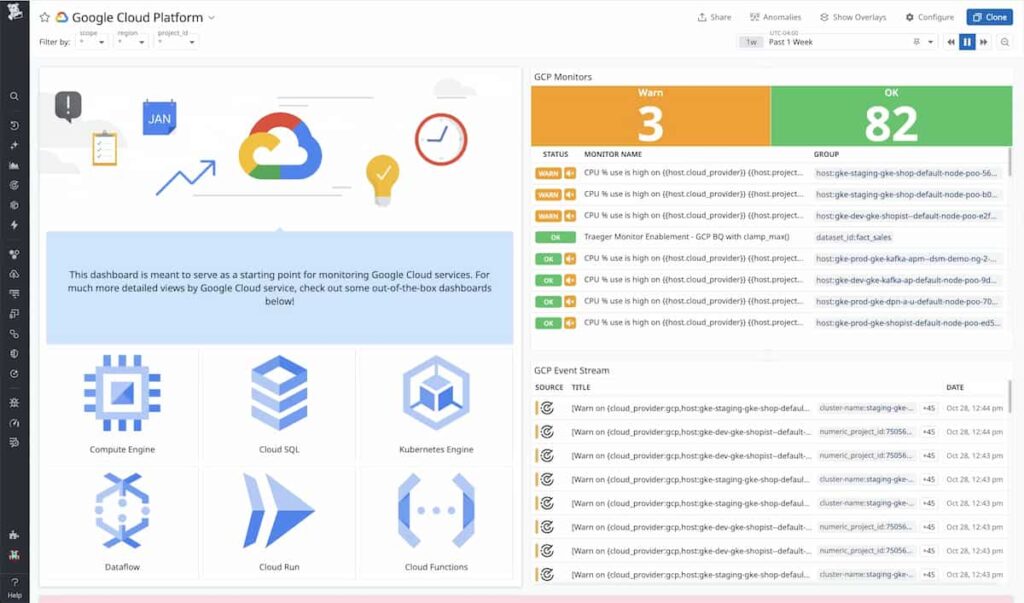
Datadog supports Google Cloud Spanner monitoring through its GCP integration, which pulls metrics from Cloud Monitoring and displays them alongside application traces, logs, and infrastructure data. Datadog’s strength is breadth: it can monitor Spanner, Kubernetes, application services, and frontend performance in one unified platform.
Datadog pricing for Spanner monitoring is based on its infrastructure monitoring SKU, which starts at $15/host/month for the Pro plan, with APM adding $31/host/month. For teams running dozens of services beyond Spanner, the combined cost can exceed $5,000/month for a mid-sized deployment. Datadog does not offer on-premises deployment, so all telemetry data leaves your infrastructure.
New Relic
New Relic’s Google Cloud Spanner integration provides metrics collection, anomaly detection, and alerting. New Relic’s distributed tracing links Spanner queries to application transactions, showing latency breakdowns at the query level. The platform is SaaS only, meaning all telemetry data is sent to New Relic’s cloud.
New Relic pricing is based on data ingestion ($0.40/GB after the 100 GB free tier) and full platform user seats ($99/user/month). A team ingesting 5 TB/month of telemetry with 10 full platform users pays approximately $18,000/month. For organizations with data residency requirements or cost constraints, this model is often prohibitive.
Dynatrace
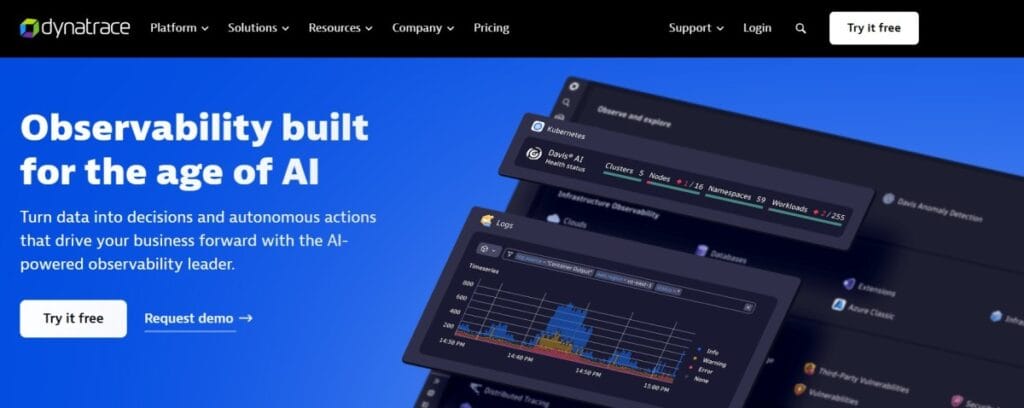
Dynatrace provides Google Cloud Spanner monitoring with AI-driven root cause analysis, automatic baseline detection, and anomaly alerting. Dynatrace automatically discovers Spanner dependencies and correlates database performance with application health. The platform supports both SaaS and managed on-premises deployment.
Dynatrace pricing is host-based and not publicly listed. Based on industry benchmarks, small to mid-sized deployments typically cost $3,000–$7,000/month. Dynatrace is best suited for large enterprises that need AI-driven automation and can absorb the cost.
CubeAPM

CubeAPM is a self-hosted, OpenTelemetry native observability platform that monitors Google Cloud Spanner alongside application traces, logs, and infrastructure metrics in a unified view. CubeAPM runs inside your cloud or on premises, so Spanner telemetry never leaves your infrastructure. This deployment model eliminates data egress costs, ensures compliance with data residency requirements, and keeps monitoring operational even during internet outages.
CubeAPM collects Spanner metrics via OpenTelemetry or Prometheus exporters and correlates them with distributed traces to show which application requests triggered specific queries. Alerts can be set on any Spanner metric with contextual trace data attached, so when an alert fires, you see not just that CPU spiked but which queries and application code paths caused it.
Pricing is $0.15/GB of ingested telemetry with unlimited retention and no per-seat fees. For a deployment ingesting 10 TB/month (covering APM, logs, infrastructure, and Spanner metrics), CubeAPM costs $1,500/month compared to $8,000–$18,000/month for equivalent SaaS platforms.
Disclaimer: The information in this article reflects the latest details available at the time of publication and may change as technologies and products evolve. Features, pricing, and plan limits can change over time. Always verify the latest information directly with the vendor before making purchasing or deployment decisions.
Frequently Asked Questions
What are the most important Google Cloud Spanner metrics to monitor?
Track high priority CPU utilization (alert at 50%), 99th percentile API request latency (read and write), storage utilization per node (4 TB max per node), replication lag (should stay under 10 seconds), and lock wait time (high values indicate contention). These five metrics catch 90% of Spanner performance issues before they impact users.
How much does Google Cloud Spanner monitoring cost?
Google Cloud Monitoring is free for the first 150 MB/month of metric data and $0.2580 per MB after that. Spanner generates approximately 1–2 MB of metric data per instance per day, so a small deployment stays within the free tier. Third party tools like Datadog, New Relic, and Dynatrace add $3,000–$18,000/month depending on data volume and user seats. Self hosted tools like CubeAPM cost $0.15/GB of ingested data.
How do I set up alerts for Google Cloud Spanner in Cloud Monitoring?
Navigate to Cloud Monitoring, create a new alerting policy, select Spanner Instance as the resource type, choose a metric like CPU utilization by priority, set a filter for high priority, and configure a threshold (example: alert when CPU exceeds 50% for five minutes). Add notification channels like email, Slack, or PagerDuty to receive alerts.
Can I monitor Google Cloud Spanner with OpenTelemetry?
Yes. OpenTelemetry provides instrumentation libraries for Google Cloud that export Spanner metrics to any OpenTelemetry compatible backend. This allows you to monitor Spanner alongside application traces and infrastructure metrics in a unified observability platform without relying on proprietary agents or SaaS only tooling.
What causes high CPU utilization in Google Cloud Spanner?
High CPU is usually caused by inefficient queries that scan large datasets without indexes, high transaction volume that exceeds compute capacity, background operations like schema changes or data exports running at the same time as user traffic, or cross region queries in multi region instances that require coordination across distant replicas.
How do I reduce Google Cloud Spanner monitoring costs?
Use Cloud Monitoring for basic alerting and metrics dashboards instead of sending all telemetry to expensive SaaS platforms. Implement metric filtering to only export high value signals. Use self hosted observability tools that charge per GB instead of per host or per seat. Archive low priority telemetry data to Cloud Storage after 30 days instead of keeping it in a high cost monitoring backend.
What is the difference between monitoring Spanner in single region vs. multi region?
Single region Spanner has lower latency (reads under 10ms, writes under 15ms) but no cross region redundancy. Multi region Spanner replicates data across geographies, adding 100–500ms to write latency and requiring lower CPU thresholds (45% instead of 65%) to maintain performance. Monitoring multi region Spanner requires tracking replication lag, cross region query latency, and regional CPU utilization separately.