










Chronosphere is a cloud-native observability platform built for teams dealing with high-cardinality metrics, Kubernetes complexity, telemetry growth, alerting scale, and observability cost control.
This Chronosphere pricing and review guide explains how Chronosphere pricing works, what buyers should verify before signing a contract, what users like and dislike, and how it compares with alternatives such as CubeAPM, Datadog, Dynatrace, and New Relic.
What Is Chronosphere?
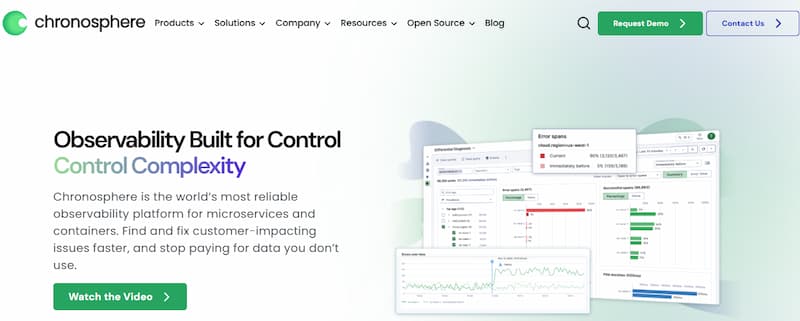
Chronosphere is an observability platform designed for cloud-native engineering, DevOps, SRE, platform engineering, and enterprise IT teams.
It helps teams collect, store, analyze, control, and troubleshoot telemetry data across modern infrastructure and applications. Chronosphere is especially relevant for teams that have outgrown basic Prometheus, Grafana, cloud monitoring, or traditional APM tooling.
Chronosphere is now part of Palo Alto Networks. Palo Alto Networks completed its acquisition of Chronosphere on January 29, 2026, positioning Chronosphere as part of its wider strategy to combine observability, security, AI operations, and real-time visibility across large data volumes.
Chronosphere is not only a dashboarding tool. Its bigger value proposition is control over telemetry volume, cost, complexity, and reliability.
Who Uses Chronosphere?
Chronosphere is usually a better fit for larger or fast-scaling engineering teams than for very small teams.
Common buyers include:
- SRE teams managing large Kubernetes environments
- Platform engineering teams standardizing observability
- DevOps teams trying to reduce alert fatigue
- Engineering organizations with high-cardinality Prometheus metrics
- Enterprises trying to control telemetry growth
- Teams migrating from self-managed Prometheus or Grafana setups
- Security and observability teams using telemetry pipelines
- Companies that need better control over logs, metrics, traces, and events
Chronosphere can also support teams that already use open standards such as Prometheus, OpenTelemetry, Fluent Bit, FluentD, Grafana dashboards, and Alertmanager-style workflows. Chronosphere’s FAQ says the platform supports PromQL and OpenTelemetry, including ingestion of metrics, logs, and traces through the OpenTelemetry Collector.
Supported Data Sources, Integrations, and Standards
Chronosphere is built around open-source compatibility and open telemetry standards.
Its official FAQ says Chronosphere supports PromQL, OpenTelemetry, and ingestion of metrics, logs, and traces through the OpenTelemetry Collector. The same FAQ says Chronosphere Telemetry Pipeline supports more than 70 out-of-the-box integrations across agents, observability platforms, SIEM platforms, and cloud services.
| Area | Chronosphere support |
| Metrics | Prometheus, OpenTelemetry metrics, PromQL, high-cardinality metric management |
| Traces | OpenTelemetry traces, distributed tracing, trace workflows |
| Logs | Chronosphere Logs, OpenTelemetry logs, Telemetry Pipeline |
| Pipelines | Collection, transformation, enrichment, filtering, routing, and reduction |
| Routing | Observability, SIEM, and cloud destinations such as Datadog, Splunk, CrowdStrike, Amazon S3, Azure Event Grid, and other supported integrations |
Key Features of Chronosphere
Chronosphere Control Plane helps teams reduce, shape, and retain observability data based on value. Instead of storing every raw metric, trace, or log, teams can reduce noisy telemetry, remove low-value labels, apply sampling, and keep the data needed for dashboards, alerts, and troubleshooting.
Chronosphere Metrics is built for high-volume and high-cardinality metric data in Kubernetes, microservices, and cloud-native environments.
It supports PromQL and Prometheus-style workflows, which makes it useful for teams that want Prometheus-style monitoring without managing Prometheus at large scale. Chronosphere’s FAQ also says the backend is based on M3DB and is designed for very large active time-series volumes.
Chronosphere Logs helps teams analyze processed log data with better cost control. It works alongside Chronosphere Telemetry Pipeline, where logs can be collected, filtered, routed, and reduced before analysis.
This is useful because logs are often noisy and expensive, especially in large application and infrastructure environments.
Chronosphere Telemetry Pipeline helps teams collect, transform, enrich, reduce, and route telemetry before it reaches an observability platform, SIEM, or storage destination.
Chronosphere says Telemetry Pipeline can reduce log data costs by at least 30% and requires 20x less infrastructure resources than other leading pipelines. AWS Marketplace repeats the same claim in the Chronosphere Telemetry Pipeline listing, so it should still be treated as a vendor claim rather than an independently guaranteed result.
Chronosphere supports OpenTelemetry ingestion for logs, metrics, and traces. Its FAQ says users can ingest telemetry through the OpenTelemetry Collector and aggregate MELT data across multiple sources.
This helps teams reduce vendor lock-in and standardize observability across services.
Chronosphere supports distributed tracing through OpenTelemetry. This helps teams follow requests across services, APIs, queues, databases, and other dependencies.
This is useful in microservices environments where one user action may touch many systems.
Chronosphere supports alerting workflows for cloud-native systems. Its FAQ mentions support for Slack, PagerDuty, OpsGenie, VictorOps, email, and general-purpose webhooks for alerting integrations.
Teams can use these workflows to reduce alert noise and focus on issues that affect users.
Chronosphere Lens and DDx help teams troubleshoot incidents faster. DDx is positioned as a queryless troubleshooting workflow that helps teams move from anomalies toward likely root causes.
These features are useful for teams that want more guided investigation instead of relying only on senior engineers or manual PromQL work.
Chronosphere Pricing in 2026
Chronosphere does not publish a simple public price list like Datadog, Dynatrace, New Relic, or CubeAPM.
Its pricing is quote-based.
That is the most important point for buyers searching for Chronosphere pricing and review.
Chronosphere’s official FAQ says its Observability Platform pricing is different from host-based or VM-based pricing. Instead, Chronosphere charges for the useful data customers choose to retain in the platform. The same FAQ says Chronosphere Telemetry Pipeline has a pricing model based on raw data throughput, meaning the volume of raw data transmitted through the pipeline.
Chronosphere Pricing Summary
| Pricing item | Publicly verified status |
| Public price list | No standard public rate card found |
| Main platform pricing model | Quote-based, tied to useful retained observability data |
| Host-based pricing | Chronosphere says pricing is not based on host or VM count |
| Telemetry Pipeline pricing | Based on raw data throughput |
| Free tier | No standard public self-serve free tier verified |
| Pilot | Chronosphere says it works with organizations to stand up pilots |
| AWS Marketplace signal | Chronosphere SaaS is listed at $180,000 for a 12-month contract |
| Best pricing action | Request a quote and model retained data, raw throughput, retention, cardinality, support, and pilot scope |
Does Chronosphere Have a Free Tier?
Chronosphere does not appear to offer a standard public self-serve free tier.
Chronosphere’s own FAQ says it works with prospective customers to stand up a pilot because each organization’s observability aggregation and rollup needs are highly customized. It also says pilots are typically free unless the buyer is running a large-scale or long-term pilot.
That means buyers should not assume there is a swipe-card free plan. The practical next step is usually a demo, discovery call, or pilot.
How Chronosphere Pricing Works
Chronosphere pricing is best understood in two parts.
1. Observability Platform Pricing
Chronosphere Observability Platform pricing is based on useful retained observability data.
This means the bill is shaped by the amount and type of data the team chooses to keep after applying controls such as aggregation, filtering, sampling, rollups, retention policies, and resolution rules. Chronosphere says customers do not have to store all data in raw form because its Control Plane helps shape observability data for dashboard and alerting needs.
2. Telemetry Pipeline Pricing
Chronosphere Telemetry Pipeline pricing is based on raw data throughput.
This means the cost is tied to the volume of telemetry transmitted through the pipeline. Telemetry Pipeline may be used to route data to Chronosphere, Datadog, Splunk, CrowdStrike, object storage, or other destinations. Chronosphere says Telemetry Pipeline supports logs, metrics, events, and traces, although its processing rules are more mature for log data.
What Drives Chronosphere Costs?
Chronosphere costs are mainly driven by the amount of useful observability data a team chooses to retain. Chronosphere says its platform pricing is based on useful retained data rather than host or VM count.
This means the cost depends less on how many servers a company runs and more on what telemetry remains after shaping, aggregation, sampling, filtering, and retention policies are applied.
Raw throughput is another important cost factor, especially for Chronosphere Telemetry Pipeline.
Telemetry Pipeline pricing is based on the volume of raw data that flows through the pipeline. If a company routes large volumes of logs, metrics, traces, or events through the pipeline, throughput can become a major part of the overall cost.
Metric cardinality can also have a major impact on Chronosphere pricing and performance. High-cardinality labels increase the number of unique metric series a platform needs to store and query. Common examples include pod, container, namespace, region, customer ID, endpoint, service, deployment, instance, and status code.
Retention and resolution settings also affect total cost. Keeping high-resolution metrics, traces, and logs for longer periods usually increases storage and query requirements. Teams should ask Chronosphere how pricing changes across different retention periods, rollup rules, and resolution tiers.
Trace volume is another area buyers should review carefully. In microservices environments, trace data can grow quickly because a single user request may pass through many services, APIs, databases, and queues. Buyers should ask how trace ingestion, sampling, trace metrics, and retained trace data affect the final quote.
Log volume can also increase observability spend because logs are often high-volume, text-heavy, and noisy. Chronosphere Logs and Chronosphere Telemetry Pipeline are designed to help teams reduce log noise, filter low-value data, and route telemetry more efficiently. This can help control cost, but teams still need to understand how much log data is processed, retained, and queried.
Query and dashboard usage may also influence platform requirements. Heavy query activity, high dashboard load, and many teams accessing observability data can increase the resources needed to support the environment. Buyers should ask whether their Chronosphere quote includes query limits, dashboard usage assumptions, user access assumptions, or usage-based expansion terms.
Support and onboarding should also be considered during procurement. Chronosphere’s FAQ says customers can receive support through Slack, Zendesk, email, office hours, ad hoc calls, shared Slack channels, customer success architects, solution architects, and account executives.
This can be valuable for enterprise teams, especially during migration and rollout, but buyers should confirm what level of support is included and whether premium onboarding or success services affect the final contract price.
Chronosphere User Reviews
Chronosphere has public review visibility on Gartner Peer Insights, G2, AWS Marketplace, and PeerSpot.
Gartner Peer Insights lists Chronosphere Platform at 4.6/5 from 93 ratings. AWS Marketplace lists Chronosphere SaaS at 4.5/5 21 ratings, with external reviews coming from G2 and PeerSpot.
Review Ratings Snapshot
| Review source | Public rating | Review count |
| Gartner Peer Insights | 4.6/5 | 93 ratings |
| AWS Marketplace | 4.5/5 | 21 ratings |
| G2 / external review signal | 4.6/5 | 20 |
What Users Like About Chronosphere
Public reviews repeatedly mention support as a strength. AWS Marketplace includes a G2 review that describes Chronosphere support as knowledgeable and friendly from day one, with continued support after purchase.
Chronosphere is often praised by teams already using Prometheus. Chronosphere’s FAQ says it supports PromQL and that users can copy Prometheus configuration into the Chronocollector configuration.
A major review theme is cost control. AWS Marketplace includes a G2 review saying Chronosphere provides tools to identify and tame anomalous or low-value data, helping reduce costs without sacrificing signal.
Chronosphere is valued for metrics at scale. Its FAQ says Chronosphere is designed to handle very large data volumes, including billions of data points per second and billions of active time series.
Users mention dashboards, alerting, and real-time monitoring as useful capabilities.
AWS Marketplace includes public review excerpts mentioning alerting, dashboards, custom thresholds, Slack/email alerts, and monitoring pipelines.
What Users Criticize About Chronosphere
⚠️ Disclaimer
These points reflect public user-review themes. They are not universal limitations for every customer.
The biggest buyer challenge is that Chronosphere does not publish a simple public pricing page.
Chronosphere’s pricing requires a vendor conversation because its model depends on retained useful data, throughput, retention, and customer-specific needs.
Some users say PromQL can be difficult for new users. AWS Marketplace includes a G2 review excerpt saying learning PromQL was “a little painful,” although the reviewer still praised the platform overall.
Some public reviews mention that the UI can take time to get used to. AWS Marketplace includes a G2 review excerpt saying the UI takes some time getting used to.
Chronosphere’s quote-based pricing and pilot-led sales motion may not be ideal for smaller teams that want to swipe a card and start immediately.
Chronosphere says pilots are customized based on each organization’s observability aggregation and rollup needs.
Chronosphere Alternatives: How it Compares to Alternatives
Chronosphere vs CubeAPM
Chronosphere is a managed SaaS observability platform focused on telemetry control, high-cardinality metrics, Prometheus compatibility, and enterprise observability scale. CubeAPM is a self-hosted, vendor-managed observability platform with transparent usage-based pricing. CubeAPM publicly lists data ingestion at $0.15/GB, data transfer at $0.01/GB, and infrastructure compute/storage at $0.02/GB.
| Category | Chronosphere | CubeAPM |
| Deployment | SaaS | Self-hosted, vendor-managed |
| Pricing model | Quote-based, useful retained data | Public usage-based pricing |
| Public price | No standard public rate card | $0.15/GB ingestion |
| Best for | Enterprise telemetry control and Prometheus scale | Teams wanting predictable observability pricing |
| Data control | Vendor-hosted SaaS model | Runs in customer environment |
CubeAPM is worth evaluating when pricing transparency, self-hosting, and predictable per-GB billing matter. Chronosphere is worth evaluating when telemetry governance, Prometheus scale, and enterprise cost control are the main problems.
Chronosphere vs Datadog
Datadog is one of Chronosphere’s closest commercial competitors because it offers infrastructure monitoring, APM, logs, RUM, synthetics, alerting, cloud monitoring, security products, and many integrations. Datadog publishes detailed public pricing. Its public pricing list shows Infrastructure Pro at $15 per infra host/month when billed annually.
| Category | Chronosphere | Datadog |
| Pricing transparency | Quote-based | Public product-by-product rate card |
| Main pricing model | Retained useful data and throughput | Modular pricing by host, session, test run, events, logs, and other units |
| Strength | Telemetry control and high-cardinality cost management | Broad SaaS observability and security product coverage |
| Logs | Chronosphere Logs and Telemetry Pipeline | Native Datadog logs |
| Best for | Teams controlling telemetry scale | Teams wanting broad SaaS observability modules |
Datadog may be easier to start with because pricing is public and product coverage is broad. Chronosphere may be stronger for teams whose biggest issue is observability data growth and Prometheus scale.
Chronosphere vs Dynatrace
Dynatrace is an enterprise observability platform known for automation, root-cause analysis, OneAgent, Davis AI, and full-stack monitoring. Dynatrace’s public pricing page lists Full-Stack Monitoring at $58/month per 8 GiB host.
| Category | Chronosphere | Dynatrace |
| Pricing model | Quote-based | Usage-based host and memory model |
| Strength | Telemetry cost control and Prometheus compatibility | Automated root-cause analysis and full-stack observability |
| Kubernetes | Strong cloud-native focus | Strong enterprise and Kubernetes support |
| Best for | High-cardinality telemetry control | Deep automation and AI-assisted enterprise troubleshooting |
| Pricing visibility | Requires quote | Public pricing page |
Dynatrace is a strong fit when automation and root-cause analysis are top priorities. Chronosphere is a strong fit when telemetry reduction, Prometheus migration, and cost governance are top priorities.
Chronosphere vs New Relic
New Relic uses a data-ingest and user-based pricing model. New Relic’s public pricing page lists 100 GB/month free and $0.40/GB beyond the free 100 GB limit for Original Data on Standard and Pro. It also lists Data Plus at $0.60/GB beyond the free limit.
| Category | Chronosphere | New Relic |
| Pricing model | Quote-based | Data ingest plus users |
| Free tier | No standard public self-serve free tier verified | 100 GB/month free |
| Strength | Telemetry control and Prometheus scale | Easy start, broad full-stack observability |
| Best for | Enterprise observability governance | Teams wanting ingest-based SaaS pricing |
| Cost visibility | Requires quote | Public pricing page |
New Relic may be easier for smaller teams to trial and estimate. Chronosphere may fit better when the team needs enterprise-grade control over telemetry value and cost.
Is Chronosphere the Right Choice?
Chronosphere Works Best For
Chronosphere is built for teams operating large-scale Kubernetes, microservices, Prometheus, and high-cardinality metric environments.
If telemetry costs are rising because of noisy metrics, logs, traces, labels, or retention policies, Chronosphere’s Control Plane is directly relevant.
Chronosphere is a natural fit for teams already using Prometheus, PromQL, Grafana dashboards, and Alertmanager workflows.
Chronosphere’s support model can be valuable during migration, onboarding, optimization, and long-term operation.
Chronosphere May Not Be the Right Fit For
Chronosphere does not publish a simple public rate card.
Small teams may prefer tools with public pricing and self-serve onboarding.
CubeAPM or New Relic may be easier to estimate if the buyer wants a public per-GB pricing model.
Chronosphere can be powerful, but teams unfamiliar with Prometheus, PromQL, telemetry pipelines, SLOs, or high-cardinality data may need more onboarding.
Because Chronosphere pricing is quote-based, buyers must talk to the vendor to get accurate cost.
Conclusion
Chronosphere pricing in 2026 is best described as custom, quote-based, and designed around useful retained observability data rather than host or VM count. Its Telemetry Pipeline pricing is separate and based on raw data throughput.
The platform is most compelling for engineering organizations with high telemetry volume, high-cardinality metrics, Prometheus scale challenges, Kubernetes complexity, and a real need to reduce observability waste. Its Control Plane, Logs, Telemetry Pipeline, OpenTelemetry support, Prometheus compatibility, alerting workflows, and troubleshooting tools make it a serious enterprise observability option.
The main buyer caution is that exact cost is not publicly available. Teams should request a quote, run a pilot, measure data reduction, confirm throughput and retention assumptions, and compare Chronosphere against transparent alternatives before committing.
FAQs
1. How much does Chronosphere cost?
Chronosphere does not publish standard public pricing. Its official FAQ says Chronosphere Observability Platform pricing is based on useful retained observability data, not host or VM count. Telemetry Pipeline pricing is based on raw data throughput.
2. Is Chronosphere priced per host?
No. Chronosphere’s official FAQ says its Observability Platform pricing is not based on host or VM count.
3. Is Chronosphere priced per GB?
Chronosphere does not publish a simple per-GB public price for the Observability Platform. It says customers are charged for useful retained data. Telemetry Pipeline pricing is based on raw data throughput.
4. Does Chronosphere have a free tier?
No standard public self-serve free tier was verified. Chronosphere says it works with organizations to stand up pilots, and pilots are typically free unless they are large-scale or long-term.
5. Does Chronosphere offer a free trial?
No standard public self-serve free trial was verified. Chronosphere’s FAQ says it works with organizations to stand up a pilot using their actual production data.
6. What is the public AWS Marketplace price for Chronosphere?
AWS Marketplace lists a 12-month Chronosphere SaaS contract dimension at $180,000. However, the same page says pricing depends on contract duration and vendor terms, so this should not be treated as universal pricing.
7. What drives Chronosphere cost?
The main cost drivers are useful retained telemetry data, raw pipeline throughput, metric cardinality, trace volume, log volume, retention, resolution, sampling rules, query needs, support, and contract terms.
8. What is Chronosphere best for?
Chronosphere is best for large cloud-native teams, Prometheus-heavy environments, Kubernetes platforms, high-cardinality metrics, telemetry cost control, and enterprise observability governance.