






Feature flags are no longer just toggle switches. A 2025 CNCF survey found that 63% of organizations using feature flags now tie them directly to observability pipelines to track rollout health in real time. That reflects a structural shift: teams expect flag platforms to monitor impact, not just control visibility.
This guide compares 10 feature flag monitoring tools across pricing transparency, OpenTelemetry compatibility, and deployment model. Each tool is assessed on total cost of ownership, observability depth, and how well it surfaces the downstream effects of flag changes on latency, error rates, and user experience.
Quick Comparison: 10 Feature Flag Tools at a Glance
| Tool | Best For | Pricing Model | OTel-Native? | Self-Hosted? |
|---|---|---|---|---|
| CubeAPM | Teams needing flags + APM + observability in one on-prem platform | $0.2/GB unified telemetry | ✓ Native | ✓ Yes |
| LaunchDarkly | Enterprise teams, mature SDK ecosystem | $8.33/seat/mo (10 seats min) | Partial | ✗ SaaS only |
| Split | Product-led teams, experimentation-first | $33/seat/mo (5 seats min) | Partial | ✗ SaaS only |
| Flagsmith | Open source, self-hosted control | Free OSS; $45/mo hosted | ✓ Native | ✓ Yes |
| Unleash | Developer-first, self-hosted or cloud | Free OSS; Pro $80/mo | ✓ Native | ✓ Yes |
| PostHog | All-in-one product analytics + flags | Free tier; $0.0001/event above 1M | ✓ Native | ✓ Yes |
| DevCycle | Developer UX, fast rollouts | Free tier; Team $20/seat/mo | ✓ Native | ✗ SaaS only |
| Statsig | Product analytics + experimentation | Free tier; Pro $150/mo | Partial | ✗ SaaS only |
| GrowthBook | Open source, warehouse-native | Free OSS; Cloud $20/seat/mo | ✓ Native | ✓ Yes |
| Optimizely | Marketing + engineering hybrid | Custom pricing (starts $50K+/yr) | Partial | ✗ SaaS only |
Pricing estimates based on publicly available rate cards as of early 2026. Enterprise discounts, custom contracts, and negotiated rates are not reflected here.
1. CubeAPM
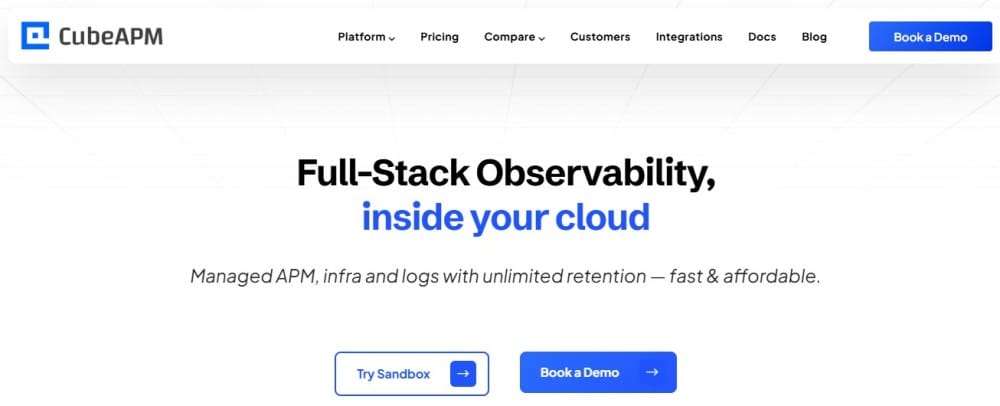
CubeAPM is a self-hosted, OpenTelemetry-native observability platform that includes feature flag monitoring as part of its unified APM, logs, infrastructure, and real user monitoring stack. It runs inside your cloud or on-premises, so flag telemetry stays within your infrastructure with no data egress.
Key Features:
- Native OpenTelemetry support for flag telemetry and application traces
- Correlate flag rollouts with latency spikes, error rates, and user experience metrics
- Self-hosted deployment with full data control and compliance
- Unlimited retention with predictable $0.15/GB pricing
- Real-time alerting when flag changes impact performance
Pricing: $0.20/GB for unified telemetry ingestion (flags, traces, logs, metrics). No per-seat fees. Self-hosted deployment means your team manages infrastructure, but CubeAPM handles upgrades and support.
Pros:
- Single platform for flags, APM, logs, and infrastructure monitoring
- Full data sovereignty with on-premises or VPC deployment
- Predictable pricing with no per-seat or per-flag costs
- Fast correlation between flag state changes and downstream performance
Cons:
- Requires BYOC or on-prem deployment
- Feature flag management less mature than pure flag-first platforms
- Smaller ecosystem compared to LaunchDarkly or Split
Best for: DevOps and platform teams that want feature flag monitoring unified with full stack observability inside their own cloud, especially in regulated industries with data residency requirements.
2. LaunchDarkly
LaunchDarkly is one of the most established feature flag platforms on the market. It offers mature SDKs for most major languages, robust targeting rules, and a large ecosystem of integrations. The platform is built flag-first, meaning every capability revolves around flag management and progressive delivery.
Key Features:
- Mature SDKs for 25+ languages and frameworks
- Advanced targeting rules and percentage-based rollouts
- Experimentation and A/B testing built in
- Audit logs and role-based access control
- Workflow approvals for regulated environments
Pricing: Starter plan at $8.33/seat/month (minimum 10 seats), Professional at custom pricing. Experimentation add-on costs extra. Monthly Active Users (MAU) billing applies at scale.
This estimate models a specific workload profile. Your actual costs will vary based on seat count, MAU volume, and experimentation usage.
Pros:
- Deep SDK maturity and broad language support
- Strong governance features for enterprise teams
- Large integration ecosystem
- Active community and extensive documentation
Cons:
- Per-seat pricing compounds as teams grow
- Experimentation requires add-on purchase
- Cloud-only architecture rules it out for on-prem teams
- Limited native observability without third-party integrations
Best for: Enterprise teams with budget flexibility that prioritize SDK maturity and governance over cost predictability.
3. Split
Split combines feature flags with built-in experimentation and product analytics. It positions itself as a platform for product-led growth teams that want to measure feature impact without bolting on separate analytics tools.
Key Features:
- Native A/B testing with statistical significance calculation
- Impact analysis tied to business metrics
- Progressive delivery with automated rollback
- Segment targeting by user attributes
- Real time metrics dashboard
Pricing: Team plan at $33/seat/month (minimum 5 seats). Enterprise pricing custom. MAU-based billing at scale.
This estimate models a specific workload profile. Your actual costs will vary based on seat count, MAU volume, and experimentation scope.
Pros:
- Experimentation and flags in one platform
- Strong statistical methods for A/B tests
- Good product analytics integration
- Clear impact measurement
Cons:
- Higher per-seat cost than most competitors
- SaaS-only deployment
- Smaller SDK ecosystem than LaunchDarkly
- Limited free tier
Best for: Product-led growth teams that want flags and experimentation unified without separate analytics tooling.
4. Flagsmith
Flagsmith is an open source feature flag platform with both self-hosted and cloud deployment options. It provides strong flag management fundamentals with a focus on developer control and data sovereignty.
Key Features:
- Open source core with MIT license
- Self-hosted or cloud deployment
- REST and WebSocket APIs
- Segment targeting and percentage rollouts
- Audit logs and RBAC in hosted version
Pricing: Free for self-hosted. Cloud version starts at $45/month for up to 1 million API requests, then usage-based pricing. Enterprise plans available.
Pros:
- True open source with no vendor lock-in
- Self-hosted option for data control
- Simple pricing for cloud version
- Active development and community
Cons:
- Smaller SDK ecosystem than commercial platforms
- Limited experimentation capabilities
- Self-hosted version requires operational overhead
- Fewer enterprise governance features
Best for: Teams that want open source flag management with the option to self-host or use managed cloud.
5. Unleash
Unleash is a developer-first feature flag platform with both open source and enterprise versions. It emphasizes simplicity, performance, and deployment flexibility with strong self-hosted support.
Key Features:
- Open source core with Apache 2.0 license
- Client-side and server-side SDKs
- Strategy-based targeting and constraints
- Metrics dashboard for flag usage
- Webhook support for integrations
Pricing: Free for self-hosted open source. Pro plan at $80/month for hosted version. Enterprise custom pricing.
Pros:
- Clean developer-focused UI
- Strong self-hosted support
- Good SDK coverage
- Active open source community
Cons:
- Limited experimentation features
- Hosted version less feature-rich than enterprise
- Smaller ecosystem than LaunchDarkly
- Metrics dashboard basic compared to observability platforms
Best for: Developer teams that want a clean, simple flag platform with strong self-hosted or cloud options.
6. PostHog
PostHog is an all-in-one product analytics platform that includes feature flags, session replay, and experimentation. It positions itself as a privacy-first alternative to tools like Amplitude and Mixpanel, with feature flags as one component of a broader product suite.
Key Features:
- Feature flags integrated with product analytics
- Session replay tied to flag rollouts
- A/B testing with statistical analysis
- Self-hosted or cloud deployment
- Event-based pricing with generous free tier
Pricing: Free up to 1 million events/month. Beyond that, $0.0001 per event. Self-hosted version free with no limits.
Pros:
- Unified platform for analytics, flags, and session replay
- Generous free tier for small teams
- Self-hosted option available
- Strong privacy and data control
Cons:
- Feature flags less mature than pure flag platforms
- Event-based pricing can scale unpredictably
- Smaller flag-specific feature set
- Learning curve for full platform
Best for: Product teams that want flags bundled with analytics and session replay in one platform.
7. DevCycle
DevCycle is a newer feature flag platform focused on developer experience and fast rollout speed. It emphasizes clean UI, fast SDK performance, and simple workflows for modern development teams.
Key Features:
- Fast SDK performance with edge caching
- Clean, intuitive UI
- Percentage and segment-based targeting
- Real time flag evaluation
- Audit logs and approvals
Pricing: Free tier for small teams. Team plan at $20/seat/month. Enterprise custom pricing.
Pros:
- Fast flag evaluation with low latency
- Simple, developer-friendly interface
- Good SDK performance
- Competitive pricing for small teams
Cons:
- Newer platform with smaller ecosystem
- Limited experimentation features
- SaaS-only deployment
- Fewer enterprise governance features
Best for: Startups and small engineering teams that prioritize developer UX and fast rollouts over enterprise features.
8. Statsig
Statsig is a feature flag and experimentation platform built by ex-Facebook engineers. It focuses on product analytics, A/B testing, and warehouse-native experimentation where analysis runs directly on your data infrastructure.
Key Features:
- Feature flags with built-in experimentation
- Warehouse-native mode for BigQuery, Snowflake, Databricks
- Sequential testing and significance analysis
- Product analytics integrated
- Free tier with generous limits
Pricing: Free for up to 1 million events/month. Pro at $150/month. Enterprise custom pricing.
Ownership note: Statsig announced in September 2025 that it would join OpenAI. OpenAI stated that Statsig would continue operating independently and serving current customers, so buyers should watch how the roadmap evolves under new ownership.
Pros:
- Strong statistical methods for experimentation
- Warehouse-native mode for enterprise teams
- Generous free tier
- Product analytics included
Cons:
- Future roadmap uncertain under OpenAI ownership
- Smaller SDK ecosystem than LaunchDarkly
- SaaS-only deployment
- RBAC less mature than enterprise platforms
Best for: Product-led growth teams that want flags, experiments, and analytics in one system, especially those with warehouse-native requirements.
9. GrowthBook
GrowthBook is an open source feature flag and experimentation platform designed to run experiments using your existing data warehouse. It connects directly to BigQuery, Snowflake, Postgres, and other data sources for analysis.
Key Features:
- Open source core with MIT license
- Warehouse-native experimentation
- Bayesian and Frequentist statistical methods
- Visual editor for experiments
- Self-hosted or cloud deployment
Pricing: Free for self-hosted. Cloud version at $20/seat/month. Enterprise custom pricing.
Pros:
- True open source with no vendor lock-in
- Warehouse-native analysis on your own data
- Strong statistical methods
- Self-hosted option available
Cons:
- Requires data warehouse for full experimentation
- Smaller SDK ecosystem
- Less mature than commercial platforms
- Self-hosted version needs operational effort
Best for: Data teams that want open source flags and experimentation running on their existing data warehouse.
10. Optimizely
Optimizely started as a web experimentation platform and expanded into feature flags and full-stack experimentation. It targets marketing and engineering hybrid teams, especially in e-commerce and enterprise SaaS.
Key Features:
- Full-stack experimentation and flags
- A/B testing with visual editor
- Audience targeting and personalization
- Enterprise governance and approvals
- Integration with marketing tools
Pricing: Custom pricing, typically starting at $50,000+ per year for enterprise plans. Pricing based on publicly available information as of April 2026. Enterprise discounts, custom contracts, and negotiated rates are not reflected here.
Pros:
- Mature experimentation platform
- Strong marketing and product integration
- Enterprise-grade governance
- Large customer base and ecosystem
Cons:
- Very high cost, especially for smaller teams
- Web-focused heritage shows in backend use cases
- SaaS-only deployment
- Complexity overkill for pure flag management
Best for: Large enterprises with significant budgets that want marketing and engineering experimentation unified in one platform.
How Feature Flag Monitoring Differs from Feature Flag Management
Feature flag management is about controlling which users see which features. Feature flag monitoring is about understanding the downstream effects of flag changes on application performance, user experience, and business metrics.
Most pure flag platforms focus heavily on management and less on monitoring. They tell you the flag state but not whether enabling it caused latency to spike, error rates to climb, or conversion to drop. Observability platforms like CubeAPM and analytics platforms like PostHog bridge this gap by correlating flag changes with telemetry data in real time.
What to Monitor When Rolling Out Feature Flags
When you enable a feature flag, these are the signals that matter most:
Application performance metrics:
- API response time before and after flag activation
- Database query latency tied to new code paths
- Memory and CPU usage changes
- Cache hit rates and external dependency calls
Error rates and exceptions:
- New error types introduced by flagged code
- Exception stack traces tied to feature paths
- HTTP status code distribution shifts
User experience signals:
- Page load time and Core Web Vitals
- Frontend JavaScript errors
- Session duration and bounce rate changes
Business metrics:
- Conversion rate impact
- Revenue per session before and after rollout
- User engagement with new feature
Platforms that natively correlate flag state changes with these signals reduce the time between “flag turned on” and “we know it broke something” from hours to minutes.
How to Choose the Right Feature Flag Tool for Your Team
Choosing a feature flag tool depends on five factors: team size and growth trajectory, deployment model requirements, budget and pricing predictability, experimentation needs, and observability depth.
Team Size and Growth
Small teams (under 20 engineers): Look for tools with generous free tiers or low minimum seat counts. DevCycle, Flagsmith, and PostHog work well here. Avoid platforms with 10-seat minimums or high per-seat costs.
Mid-size teams (20 to 100 engineers): Focus on pricing predictability as you scale. Per-seat pricing can compound fast. Consider usage-based models or self-hosted options like Unleash or GrowthBook if you have operational capacity.
Large teams (100+ engineers): Governance, RBAC, approval workflows, and audit logs become critical. LaunchDarkly, Split, and Optimizely excel here, but expect high costs. CubeAPM fits if you want unified observability and on-prem deployment.
Deployment Model Requirements
SaaS-only teams: Most tools are SaaS-first. LaunchDarkly, Split, DevCycle, and Statsig all operate cloud-only. This works if you have no data residency or compliance constraints.
Teams with data residency or compliance requirements: HIPAA, GDPR, data localization laws, or PII handling rules may require on-premises deployment. Flagsmith, Unleash, PostHog, GrowthBook, and CubeAPM all support self-hosted deployment.
Hybrid teams: If you need cloud convenience but occasional on-prem deployment for specific regions or customers, look for platforms that offer both. Flagsmith and Unleash provide this flexibility.
Budget and Pricing Predictability
Per-seat pricing: Works well for small teams but compounds as headcount grows. A 50-person engineering team on LaunchDarkly’s Starter plan pays $4,165/month in seat fees alone before flag evaluations, experimentation, or integrations.
Usage-based pricing: Ties cost to flag evaluations, API requests, or events. This scales with actual usage but can be unpredictable during traffic spikes. PostHog and Statsig use this model.
Flat ingestion-based pricing: CubeAPM charges $0.15/GB for all telemetry, including flag state and performance data. This model is predictable and scales linearly with data volume, not team size.
Experimentation Needs
Basic rollouts only: If you just need to toggle features on and off with percentage or segment targeting, simpler tools like Unleash or Flagsmith work well.
A/B testing and impact measurement: If you want to run statistically valid experiments and measure feature impact, Split, Statsig, GrowthBook, or PostHog provide native experimentation.
Marketing and product hybrid: If marketing teams run landing page tests while engineering teams ship backend flags, Optimizely bridges both workflows.
Observability Depth
Flags alone: Most pure flag platforms provide basic metrics on flag usage and evaluation counts but don’t correlate with application performance.
Flags + observability: If you want to see how flag changes affect latency, errors, and user experience in real time, look for platforms with native observability or strong integrations. CubeAPM unifies flags with APM, logs, and infrastructure monitoring. PostHog ties flags to session replay and product analytics.
Warehouse-native analysis: Teams with data warehouses can run deep analysis using GrowthBook or Statsig’s warehouse-native mode, pulling flag state and business metrics together in BigQuery or Snowflake.
Feature Flag Best Practices for Production Teams
Feature flags reduce deployment risk, but they introduce complexity if not managed well. These practices help teams avoid common pitfalls.
Use Descriptive Flag Names and Documentation
Flags should have clear, human-readable names that describe what they control. Avoid generic names like new_feature_v2 or experiment_123. Instead use checkout_flow_redesign or enable_realtime_inventory_sync.
Document the purpose, expected behavior, and rollback plan in the flag management UI. Future team members should understand what a flag does without reading the code.
Set Expiration Dates and Sunset Old Flags
Stale flags are technical debt. Most flags should have a defined lifecycle: created, rolled out, validated, and removed. Set expiration reminders and delete flags after features are fully deployed or experiments are concluded.
Some platforms like LaunchDarkly and Unleash provide flag age dashboards and automated cleanup reminders.
Tie Flags to Alerts and Observability
When enabling a flag, set up alerts for key metrics that could break: API latency, error rates, memory usage, or business KPIs. Tools like CubeAPM correlate flag state changes with telemetry data automatically, surfacing issues in minutes instead of hours.
If you are using a pure flag platform, integrate it with your APM tool via webhooks or APIs to track flag impact on application performance.
Use Targeting Rules Carefully
Percentage rollouts and segment targeting are powerful, but complex rules can create unexpected behavior. Test targeting logic in staging environments before production. Avoid deeply nested conditions that are hard to reason about.
For high-risk features, start with internal users or a small cohort before expanding.
Monitor Flag Evaluation Latency
Flag evaluation happens on every request, so latency matters. Most SDKs cache flag states locally to minimize network calls, but misconfigured SDKs can add milliseconds to every request. Monitor evaluation time and ensure caching is enabled.
Edge-cached platforms like DevCycle and LaunchDarkly optimize for low latency at scale.
Disclaimer: The information in this article reflects the latest details available at the time of publication and may change as technologies and products evolve. Features, pricing, and plan limits can change over time. Always verify the latest information directly with the vendor before making purchasing or deployment decisions.
Frequently Asked Questions
What is the difference between feature flags and feature toggles?
Feature flags and feature toggles refer to the same concept. Both terms describe a mechanism to enable or disable features in production without redeploying code. The terms are used interchangeably across the industry.
Can feature flags slow down my application?
Flag evaluation adds minimal latency if implemented correctly. Most SDKs cache flag states locally and evaluate them in memory without making network calls on every request. Misconfigured SDKs or server-side evaluation without caching can add latency.
Do I need a paid feature flag tool or can I build my own?
Small teams can build basic flag systems using configuration files or environment variables. As complexity grows, managing targeting rules, audit logs, rollback workflows, and observability integration becomes difficult. Most teams outgrow homegrown systems and adopt platforms once they hit 10 to 20 flags.
How do feature flags integrate with CI/CD pipelines?
Most feature flag platforms provide APIs and CLI tools that integrate with CI/CD workflows. You can create flags during deployment, enable them automatically after health checks pass, or trigger rollbacks if metrics degrade. Tools like LaunchDarkly, Unleash, and CubeAPM support webhook-based integrations with Jenkins, GitLab, and GitHub Actions.
What happens if the feature flag service goes down?
Most SDKs cache flag states locally and continue serving the last known configuration if the flag service becomes unavailable. This prevents application downtime but means flag changes will not propagate until connectivity is restored. Self-hosted platforms like CubeAPM eliminate external dependencies entirely.
Can I use feature flags for A/B testing?
Yes. Many feature flag platforms include built-in experimentation capabilities that calculate statistical significance and measure feature impact. Tools like Split, Statsig, GrowthBook, and PostHog are designed specifically for this use case.
How do I prevent feature flag technical debt?
Set expiration dates on flags, document their purpose clearly, and remove them after features are fully rolled out or experiments are concluded. Platforms like LaunchDarkly and Unleash provide dashboards showing flag age and usage, making it easier to identify candidates for cleanup.