






Container adoption has exploded, but so have the attack surfaces. In 2023, 85% of organizations using containers experienced cybersecurity incidents, with 32% occurring during runtime when containers interact with networks, system resources, and each other. A single unpatched dependency, exposed secret, or misconfigured Kubernetes role can cascade across clusters and pipelines in minutes.
This guide compares 10 container security monitoring tools across image scanning, runtime protection, Kubernetes visibility, compliance automation, and total cost of ownership. Each is evaluated on where it fits in the container lifecycle from build time scans to runtime threat detection and what it actually costs at scale.
Quick Comparison: 10 Container Security Tools at a Glance
| Tool | Best For | Pricing | Open Source? | Runtime Protection? |
|---|---|---|---|---|
| Trivy | Fast vulnerability scanning in CI/CD | Free open source | ✓ Yes | Limited |
| Falco | Runtime threat detection, anomaly alerts | Free open source | ✓ Yes | ✓ Native |
| Sysdig | Enterprise runtime security + compliance | Custom pricing | Partial | ✓ Native |
| Aqua Security | Full lifecycle container security | Custom pricing | ✗ SaaS | ✓ Native |
| Anchore | Policy based image scanning, SBOM generation | Free OSS · Enterprise custom | ✓ Yes | Limited |
| Snyk | Developer first security, fast CI/CD scanning | Free tier · Team $98/mo+ | ✗ SaaS | ✗ No |
| Wiz | Cloud native security posture, broad coverage | Custom pricing | ✗ SaaS | ✓ Via CNAPP |
| Prisma Cloud | Multi cloud enterprise security platform | Custom pricing | ✗ SaaS | ✓ Native |
| CubeAPM | Unified observability + security monitoring | $0.2/GB · self hosted | ✗ No | ✓ Via correlation |
| Docker Scout | Native Docker image scanning, quick setup | Free tier · Team $9/mo per user | ✗ SaaS | ✗ No |
Pricing based on publicly available information as of April 2026. Enterprise discounts, custom contracts, and negotiated rates are not reflected here.
1. Trivy
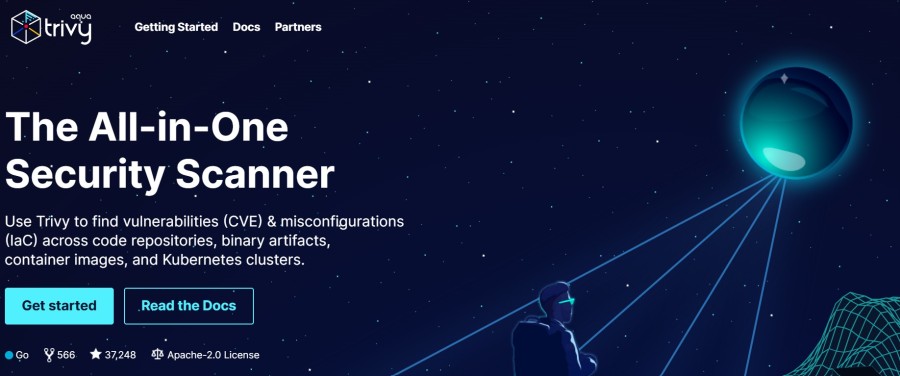
Trivy is a fast, open-source vulnerability scanner built by Aqua Security. It scans container images, file systems, Git repositories, and Kubernetes clusters for known CVEs, misconfigurations, and exposed secrets.
Key Features:
- Scans Docker images, Kubernetes manifests, Terraform files, and file systems
- Detects vulnerabilities in OS packages and application dependencies
- Identifies misconfigurations using built-in policy checks
- Generates Software Bill of Materials (SBOM) in CycloneDX and SPDX formats
- Integrates into CI/CD pipelines with fast scan times (typically under 30 seconds)
Pricing: Free and open source.
Pros:
- Zero cost, widely adopted in CI/CD workflows
- Fast scan performance suitable for pre-commit and pipeline gates
- Supports multiple artifact types beyond just container images
Cons:
- No native runtime protection, focused on static scanning only
- Limited policy customization compared to enterprise tools
- No built-in alerting or dashboard, typically paired with other tools for visibility
Best for: Teams that need fast, free vulnerability scanning in CI/CD pipelines and are comfortable integrating scan results into existing workflows.
2. Falco
Falco is a Cloud Native Computing Foundation (CNCF) graduated project focused on runtime threat detection for containers and Kubernetes. It monitors system calls at the kernel level to detect abnormal behavior and policy violations in real time.
Key Features:
- Monitors system calls via eBPF or kernel modules to detect threats
- Detects privilege escalation, container escapes, unauthorized file access
- Native Kubernetes support with pod, namespace, and service context
- Customizable rules engine for policy enforcement
- Integrates with alerting platforms like Slack, PagerDuty, and SIEM tools
Pricing: Free and open source.
Pros:
- Deep runtime visibility into container and host behavior
- Community driven rule library covering common attack patterns
- Low resource overhead with eBPF probe option
Cons:
- Requires operational expertise to configure and tune rules effectively
- No image scanning — must be combined with tools like Trivy or Anchore
- Alert noise can be high without tuning for specific workloads
Best for: Security focused teams that need runtime threat detection and are prepared to invest time tuning rules and integrating alerts.
3. Sysdig
Sysdig offers a commercial container security platform with runtime protection, vulnerability management, compliance automation, and cloud native application protection (CNAPP) capabilities. It is built on the same kernel level instrumentation as Falco but adds enterprise features, automation, and support.
Key Features:
- Runtime threat detection with AI driven anomaly detection
- Image scanning integrated with CI/CD and registries
- Kubernetes security posture management (KSPM) with compliance benchmarks
- Incident response workflows with forensic capture and replay
- Integration with cloud providers (AWS, Azure, GCP) for multi cloud visibility
Pricing: Custom pricing based on workload scale and feature set. Public pricing not disclosed.
Pros:
- Combines image scanning, runtime protection, and compliance in one platform
- Strong Kubernetes integration with pod and namespace level visibility
- Forensic capture enables post incident analysis
Cons:
- Pricing can be expensive at scale, comparable to Datadog or Prisma Cloud
- Complexity may be overkill for smaller teams or simpler workloads
- Some features require vendor support to configure effectively
Best for: Enterprise teams managing large Kubernetes environments that need runtime protection, compliance reporting, and centralized security workflows.
4. Aqua Security
Aqua Security provides a full lifecycle container security platform covering image scanning, runtime protection, and Kubernetes security. It includes policy enforcement, secrets management, and compliance automation for regulated industries.
Key Features:
- Image scanning with vulnerability detection, malware analysis, and SBOM generation
- Runtime protection with drift detection and behavioral monitoring
- Kubernetes admission control to block non compliant deployments
- Secrets scanning across images, code repositories, and configuration files
- Compliance templates for PCI DSS, HIPAA, CIS Benchmarks, and NIST
Pricing: Custom pricing based on deployment size and product modules. No public rate card available.
Pros:
- Comprehensive coverage across build, deploy, and runtime phases
- Strong compliance features for regulated industries
- Integrates with CI/CD, registries, Kubernetes, and cloud platforms
Cons:
- High cost compared to open source or developer focused tools
- Complexity requires dedicated security team to manage and tune
- Less flexible for teams already using open source tooling like Trivy or Falco
Best for: Enterprises in regulated industries that need end to end container security with compliance automation and policy enforcement.
5. Anchore
Anchore is an open source container security platform focused on policy based image scanning and SBOM generation. It enables teams to define and enforce security policies before images are deployed to production.
Key Features:
- Deep image inspection with vulnerability scanning and package analysis
- Policy engine for custom security and compliance rules
- SBOM generation in CycloneDX and SPDX formats
- Integration with CI/CD tools, Kubernetes admission controllers, and registries
- Anchore Enterprise adds UI, analytics, and reporting features
Pricing: Free open source (Anchore Engine). Enterprise version pricing is custom based on deployment scale.
Pros:
- Flexible policy engine allows fine grained control over what gets deployed
- Strong SBOM support for software supply chain transparency
- Open source version provides core features at no cost
Cons:
- Open source version lacks a UI — requires CLI or API integration
- Runtime protection not included — focused on pre deployment scanning
- Enterprise pricing not publicly disclosed, making cost comparison difficult
Best for: Teams that need policy driven image scanning with SBOM generation and are comfortable with CLI based workflows or integrating into existing pipelines.
6. Snyk
Snyk is a developer first security platform that scans code, dependencies, containers, and infrastructure as code for vulnerabilities. Its container security offering integrates into CI/CD pipelines and provides fix recommendations directly in developer workflows.
Key Features:
- Scans container images for vulnerabilities in OS packages and application dependencies
- Fix recommendations with base image upgrade suggestions
- Integration with GitHub, GitLab, Bitbucket, Jenkins, and other CI/CD tools
- Developer friendly UI with prioritization based on exploit maturity and reachability
- Kubernetes integration for deployed workload scanning
Pricing: Free tier for limited scans. Team plan starts at $98/month per developer. Enterprise pricing is custom.
This estimate models a developer security platform usage profile. Your actual costs will vary based on developer count, scan volume, and deployment integrations.
Pros:
- Fast onboarding with minimal configuration
- Developer focused UI reduces friction in adopting security scanning
- Fix guidance helps developers remediate issues without security expertise
Cons:
- No runtime threat detection — scanning only
- Pricing scales with developer count, which can become expensive for large teams
- Limited Kubernetes visibility compared to runtime focused tools like Falco or Sysdig
Best for: Development teams that want fast, low friction vulnerability scanning integrated into their existing CI/CD workflows.
7. Wiz
Wiz is a cloud native application protection platform (CNAPP) that combines container security, Kubernetes security posture management, cloud security posture management (CSPM), and vulnerability management in one platform. It provides agentless scanning and runtime visibility across multi cloud environments.
Key Features:
- Agentless scanning of container images, running workloads, and cloud resources
- Kubernetes security posture management with misconfiguration detection
- Cloud infrastructure entitlement management (CIEM) for identity and access risks
- Attack path analysis to identify exploitable risk chains across workloads
- Integration with AWS, Azure, GCP, and Kubernetes for unified visibility
Pricing: Custom pricing based on cloud workload count and feature modules. No public rate card.
Pros:
- Unified platform reduces tool sprawl across container and cloud security
- Agentless architecture simplifies deployment and reduces operational overhead
- Strong attack path analysis helps prioritize risks with real business impact
Cons:
- Pricing can be high for large cloud environments
- Focused on cloud native environments — less suited for on premises or hybrid setups
- Some features overlap with tools teams may already use, creating redundancy
Best for: Cloud native teams managing multi cloud Kubernetes environments that want unified container and cloud security in one platform.
8. Prisma Cloud
Prisma Cloud by Palo Alto Networks is an enterprise CNAPP covering container security, Kubernetes security, cloud security posture, and workload protection. It provides vulnerability management, runtime defense, and compliance automation across multi cloud and hybrid environments.
Key Features:
- Container image scanning with vulnerability and malware detection
- Runtime protection with behavioral anomaly detection and blocking
- Kubernetes admission control to prevent non compliant deployments
- Compliance automation for CIS, PCI DSS, HIPAA, SOC 2, and GDPR
- Integration with AWS, Azure, GCP, and on premises Kubernetes clusters
Pricing: Custom pricing based on workload count, cloud accounts, and modules activated. No public pricing available.
Pros:
- Comprehensive platform covering containers, Kubernetes, and cloud infrastructure
- Strong compliance features for regulated industries
- Deep integration with Palo Alto’s broader security ecosystem
Cons:
- High cost compared to point solutions or open source tools
- Complexity requires dedicated security operations team
- Overlap with existing tools can create redundancy and integration challenges
Best for: Large enterprises with mature security operations teams that need unified container and cloud security with compliance automation.
9. CubeAPM
CubeAPM is a self hosted observability platform that combines APM, logs, infrastructure monitoring, and Kubernetes monitoring in one unified system. While not a dedicated container security tool, it provides runtime visibility into container behavior, resource usage, and anomalies that can indicate security issues when correlated with other signals.
Key Features:
- Monitors container metrics, logs, and traces in one platform
- Kubernetes monitoring at cluster, node, and pod level with event correlation
- Correlates application errors, resource anomalies, and security events
- Self hosted deployment ensures telemetry data stays within your infrastructure
- OpenTelemetry native ingestion supports existing instrumentation
Pricing: $0.15/GB for data ingestion. No per seat or per host fees. Self hosted with vendor managed updates.
Pros:
- Unified observability reduces tool sprawl across monitoring and security workflows
- Self hosted model keeps container telemetry and security data inside your VPC
- Predictable pricing with no surprise overages from host scaling or user growth
Cons:
- Not a dedicated security tool — lacks image scanning and runtime threat detection
- Requires correlation with other tools for full container security coverage
- Security insights depend on manual alert configuration and log analysis
Best for: Teams that want unified observability and security monitoring in one self hosted platform and are willing to supplement with dedicated scanning tools like Trivy or Falco.
10. Docker Scout
Docker Scout is a native container image scanning tool built into Docker Desktop and Docker Hub. It scans images for vulnerabilities, provides fix recommendations, and integrates directly into Docker based workflows.
Key Features:
- Scans Docker images for CVEs in OS packages and application dependencies
- Fix recommendations with suggested base image upgrades
- Integration with Docker Hub, Docker Desktop, and CI/CD pipelines
- Policy enforcement to block vulnerable images from being pushed
- SBOM generation for software supply chain transparency
Pricing: Free tier for limited scans. Team plan starts at $9/month per user. Business plan pricing is custom.
This estimate models a small team usage profile. Your actual costs will vary based on user count, scan frequency, and integration requirements.
Pros:
- Native integration with Docker workflows reduces setup time
- Simple UI suitable for teams new to container security
- Low cost for small teams with basic scanning needs
Cons:
- Limited to Docker images — does not scan Kubernetes manifests or other artifacts
- No runtime protection or behavioral monitoring
- Pricing scales with user count, which can become expensive for larger teams
Best for: Small teams using Docker that need fast, low cost image scanning integrated into existing Docker workflows.
How to Choose the Right Container Security Monitoring Tool
Choosing a container security tool depends on five key factors: where in the container lifecycle you need coverage, whether you need runtime protection or just static scanning, your deployment model (cloud vs. on premises vs. hybrid), your team size and security maturity, and budget constraints.
Consider these questions:
Do you need image scanning only, or also runtime threat detection? If your containers are ephemeral and you trust your CI/CD gates, static scanning with Trivy or Anchore may be enough. If you run long lived containers or have compliance requirements, runtime tools like Falco or Sysdig are essential.
Are you primarily on Kubernetes, Docker, or both? Kubernetes focused environments benefit from tools with Kubernetes monitoring like Falco, Sysdig, or Wiz. Docker heavy teams may find Docker Scout or Snyk easier to adopt.
Do you have a dedicated security team, or are developers handling security? Developer focused tools like Snyk and Docker Scout reduce friction for teams without security expertise. Enterprise platforms like Aqua, Prisma Cloud, and Sysdig require dedicated security operations.
What is your compliance and audit requirement? Regulated industries need tools with built in compliance templates and audit logging like Aqua, Prisma Cloud, or Sysdig. Startups and smaller teams can often rely on open source tools combined with CI/CD gates.
What is your budget and pricing model preference? Open source tools like Trivy and Falco are free but require operational investment. SaaS tools like Snyk and Wiz offer fast onboarding but scale costs with usage. Self hosted platforms like CubeAPM provide predictable pricing with full data control.
Decision framework:
| Your priority | Best tool type | Consider |
|---|---|---|
| Fast CI/CD scanning, minimal cost | Open source static scanner | Trivy, Anchore |
| Runtime threat detection, Kubernetes | Open source runtime tool | Falco |
| Enterprise compliance, full lifecycle | Commercial CNAPP | Aqua, Prisma Cloud, Sysdig |
| Developer adoption, low friction | Developer first SaaS | Snyk, Docker Scout |
| Unified observability + security | Self hosted observability platform | CubeAPM + Trivy/Falco |
Frequently Asked Questions
What is the difference between image scanning and runtime protection?
Image scanning checks container images for vulnerabilities before deployment by analyzing OS packages, dependencies, and configuration. Runtime protection monitors running containers for abnormal behavior like privilege escalation, container escapes, or unauthorized file access using system call monitoring or eBPF probes.
Do I need both an image scanner and a runtime security tool?
Yes, for production environments. Image scanning catches known vulnerabilities before deployment, but runtime tools detect zero day exploits, misconfigurations, and malicious behavior that only appear when containers interact with systems and networks. Most mature teams use both.
Can open source tools like Trivy and Falco replace commercial platforms?
For many teams, yes. Trivy handles image scanning, Falco provides runtime detection, and tools like Anchore add policy enforcement. The tradeoff is operational overhead — you must integrate, configure, and maintain these tools yourself. Commercial platforms offer unified dashboards, support, and compliance automation at higher cost.
How do container security tools handle secrets scanning?
Most tools scan images and code repositories for hardcoded secrets like API keys, passwords, and tokens. Trivy, Aqua, and Wiz include secrets detection. Runtime tools like Falco can detect unauthorized access to secret stores. For production, use dedicated secrets management like HashiCorp Vault or AWS Secrets Manager.
What are the 4 C’s of Kubernetes security?
The 4 C’s are Cloud, Cluster, Container, and Code. Cloud refers to securing the underlying infrastructure. Cluster covers Kubernetes control plane and node security. Container includes image scanning and runtime protection. Code focuses on application security and secure development practices.
How much do enterprise container security platforms cost?
Enterprise tools like Aqua, Prisma Cloud, and Sysdig typically charge based on workload count, cluster size, or cloud accounts monitored. Pricing is custom and not publicly disclosed, but commonly ranges from $50,000 to $500,000+ annually depending on scale. Request quotes from vendors to model costs for your environment.
Can I use CubeAPM for container security monitoring?
CubeAPM provides runtime observability for containers including metrics, logs, and distributed traces. It surfaces anomalies, resource issues, and errors that may indicate security problems when correlated with application behavior. However, it is not a dedicated security tool and should be paired with image scanners like Trivy or runtime tools like Falco for full coverage.
Disclaimer: The information in this article reflects the latest details available at the time of publication and may change as technologies and products evolve. Features, pricing, and plan limits can change over time. Always verify the latest information directly with the vendor before making purchasing or deployment decisions.