





Cloud cost monitoring has become critical as infrastructure spending grows unpredictably. According to the CNCF FinOps Survey 2025, 68% of organizations cite cloud cost management as their top infrastructure challenge, with untagged resources and lack of visibility into shared costs driving most of the pain. Without proper cost monitoring, teams discover budget overruns only after the bill arrives, often months after the spending decisions that caused it.
This guide compares 10 cloud cost monitoring tools across AWS, Azure, GCP, and Kubernetes environments. Each is assessed on pricing transparency, multi-cloud coverage, automated optimization capabilities, and whether it surfaces cost data engineers can actually use during development.
| Tool | Best For | Pricing | Free Plan |
|---|---|---|---|
| CubeAPM | Self-hosted observability with built-in cost visibility | $0.20/GB data ingestion | Yes (Free Trial) |
| Vantage | Multi-cloud cost visibility and optimization | Free tier + usage-based | Yes (limited) |
| Kubecost | Kubernetes cost allocation and rightsizing | Free OSS + Enterprise from $500/mo | Yes |
| CloudZero | Cost intelligence for engineering teams | Custom pricing | No |
| Flexera | Enterprise multi-cloud cost governance | Custom pricing | No |
| Cast AI | Kubernetes cost automation and autoscaling | Free tier + usage-based optimization | Yes |
| Datadog Cloud Cost Management | Unified observability and cost tracking | Included in Datadog plans | 14-day trial |
| AWS Cost Explorer | AWS native cost analysis | Free with AWS account | Yes |
| Azure Cost Management | Azure native cost tracking | Free with Azure subscription | Yes |
| GCP Cost Management | GCP native cost visibility | Free with GCP project | Yes |
1. CubeAPM
CubeAPM is a self-hosted observability platform that includes infrastructure monitoring with native cost visibility for cloud resources, Kubernetes clusters, and application workloads. It runs inside your VPC or on-premises, so there is no data egress cost for telemetry sent to an external SaaS provider.
Key Features:
- Infrastructure metrics for AWS, Azure, and GCP resources with cost correlation
- Kubernetes cost allocation by namespace, pod, and service
- Resource utilization tracking to identify idle or overprovisioned instances
- Built-in alerting for cost anomalies and budget thresholds
- Self-hosted deployment keeps telemetry data inside your cloud
Pricing: $0.20/GB data ingestion. No per-host or per-user fees. Infrastructure runs in your own cloud.
Pros:
- Unified observability and cost visibility in one platform
- No data egress fees for monitoring telemetry
- OpenTelemetry native for vendor-neutral cost tracking
- Self-hosted deployment for data residency compliance
Cons:
- Requires managing infrastructure (though CubeAPM provides managed self-hosted support)
- Does not automate cloud purchasing decisions (reserved instances, savings plans)
- Limited direct integration with cloud billing APIs compared to FinOps-specific tools
Best for: Engineering teams that want unified observability and cost visibility in a self-hosted platform without vendor lock-in or unpredictable SaaS pricing.
2. Vantage
Vantage is a multi-cloud cost visibility platform that aggregates AWS, Azure, GCP, Kubernetes, and SaaS spend into a single dashboard. It focuses on cost transparency and report automation for FinOps teams.
Key Features:
- Unified cost dashboard across AWS, Azure, GCP, and Kubernetes
- Cost allocation by team, project, or service with tagging rules
- Budget alerts and forecasting based on historical usage trends
- Automated cost anomaly detection
- Integration with Slack, email, and PagerDuty for cost alerts
Pricing: Free tier for basic cost visibility. Paid plans start at $300/month for advanced features and multi-cloud support. Verify current rates.
Pros:
- Simple multi-cloud cost aggregation in one UI
- No engineering overhead; fully managed SaaS
- Strong budget and forecasting features
- Free tier covers basic cost tracking for smaller teams
Cons:
- Does not automate resource optimization or purchasing decisions
- Limited depth for Kubernetes cost allocation compared to Kubecost
- No direct integration with APM or log data for cost-to-performance correlation
Best for: FinOps teams that need multi-cloud cost visibility and budget tracking without building custom dashboards.
3. Kubecost
Kubecost provides Kubernetes cost allocation and rightsizing recommendations. It breaks down cluster spending by namespace, deployment, pod, and container to help teams understand what is driving Kubernetes infrastructure cost.
Key Features:
- Real-time Kubernetes cost allocation by namespace, label, and annotation
- Idle resource detection and rightsizing recommendations
- Cost optimization alerts for overprovisioned workloads
- Multi-cluster cost aggregation for enterprise Kubernetes environments
- Works with AWS, Azure, GCP, and on-premises Kubernetes clusters
Pricing: Free open source version available. Enterprise starts at $500/month per cluster. Verify current rates.
Pros:
- Deep Kubernetes cost visibility with pod-level granularity
- Open source core; can be self-hosted without vendor lock-in
- Actionable rightsizing recommendations based on actual usage
- Supports multi-cloud and on-premises Kubernetes
Cons:
- Kubernetes only; does not track non-containerized cloud resources
- Enterprise features require paid tier
- No direct integration with APM or observability platforms for unified cost and performance analysis
Best for: Teams running Kubernetes at scale that need pod-level cost allocation and actionable rightsizing recommendations.
4. CloudZero
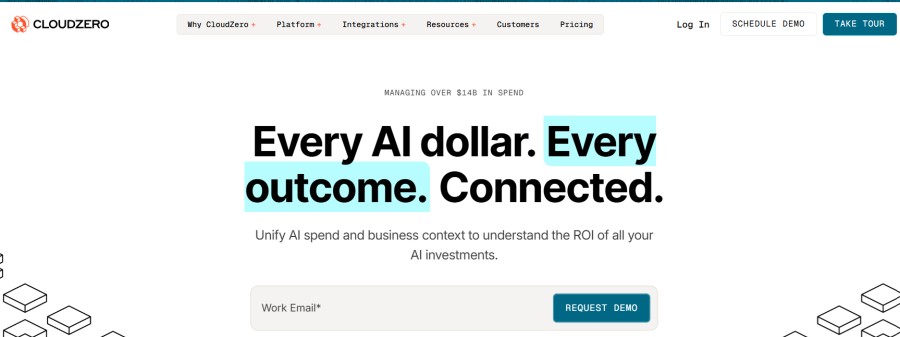
CloudZero is a cost intelligence platform that connects cloud spend to engineering decisions. It focuses on helping engineering teams understand the unit economics of their applications — cost per customer, cost per feature, or cost per API call.
Key Features:
- Cost allocation by customer, feature, or product dimension
- Real-time cost anomaly detection
- Integration with AWS, Azure, GCP, Kubernetes, and Snowflake
- Cost-to-revenue correlation for SaaS businesses
- Automated tagging and cost grouping rules
Pricing: Custom pricing based on cloud spend volume. Contact CloudZero for a quote.
Pros:
- Connects cloud cost to business metrics (cost per customer, cost per feature)
- Strong anomaly detection for unexpected cost spikes
- Multi-cloud support with deep AWS integration
- Designed for engineering teams, not just FinOps
Cons:
- Custom pricing makes it hard to estimate cost upfront
- Requires integration effort to connect cost data with application context
- No automated resource optimization; surfaces insights but does not act on them
Best for: SaaS companies that need to track cloud cost per customer or per feature to understand unit economics.
5. Flexera
Flexera is an enterprise cloud cost governance platform that covers multi-cloud cost optimization, license management, and IT asset tracking. It is designed for large organizations with complex cloud estates and compliance requirements.
Key Features:
- Multi-cloud cost visibility across AWS, Azure, GCP, and private clouds
- Automated policy enforcement for cost governance
- Reserved instance and savings plan recommendations
- Software license optimization and compliance tracking
- Integration with ITSM tools like ServiceNow
Pricing: Custom pricing based on cloud spend and feature set. Contact Flexera for a quote.
Pros:
- Comprehensive multi-cloud cost governance for enterprises
- Strong compliance and policy enforcement capabilities
- Automated reserved instance and savings plan recommendations
- Combines cloud cost with software license optimization
Cons:
- Enterprise-focused; overkill for small to midsize teams
- Custom pricing requires sales engagement
- Complex setup and long onboarding timeline
- Heavy UI designed for central IT, not engineering teams
Best for: Large enterprises with multi-cloud estates that need centralized cost governance and compliance enforcement.
6. Cast AI
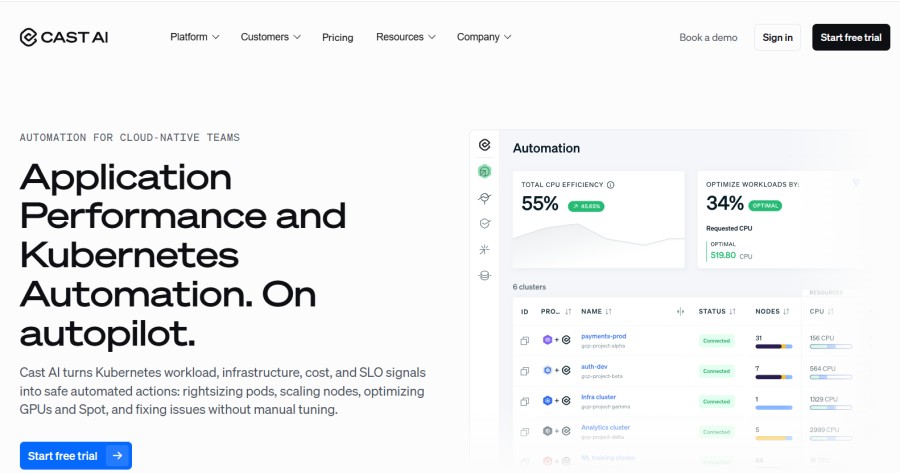
Cast AI is a Kubernetes cost optimization platform that automates resource provisioning, autoscaling, and instance selection to reduce cloud spending without manual intervention.
Key Features:
- Automated Kubernetes node rightsizing and instance selection
- Spot instance automation with fallback to on-demand instances
- Real-time cluster autoscaling based on workload demand
- Cost visibility by cluster, namespace, and workload
- Works with AWS, Azure, and GCP managed Kubernetes services
Pricing: Free tier available. Paid plans based on savings achieved; typically 15% to 30% of savings generated. Verify current rates.
Pros:
- Automates Kubernetes cost optimization without manual effort
- Pay-for-performance pricing model aligns incentives with savings
- Reduces cloud cost through intelligent instance selection and autoscaling
- Free tier covers basic optimization for smaller clusters
Cons:
- Kubernetes only. Does not optimize non-containerized workloads
- Requires trust in automated scaling decisions
- Limited cost visibility for non-Kubernetes cloud resources
Best for: Teams running Kubernetes on AWS, Azure, or GCP that want automated cost optimization without manual rightsizing or instance selection.
7. Datadog Cloud Cost Management
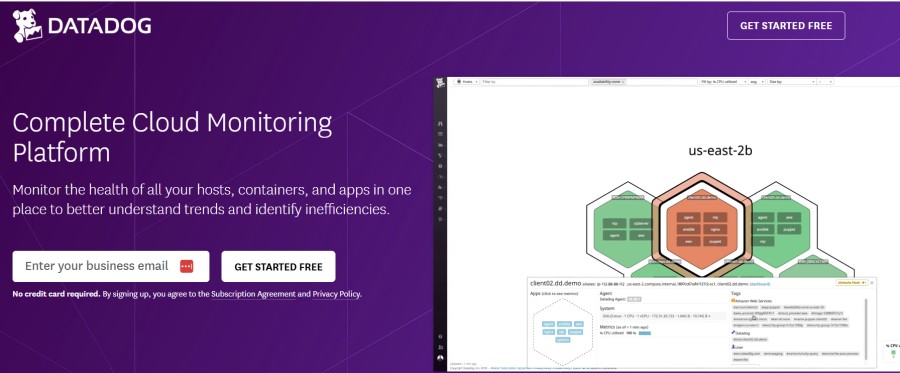
Datadog Cloud Cost Management unifies cost visibility with APM, infrastructure monitoring, logs, and RUM in a single platform. It is designed for teams that want to correlate cost with performance and usage metrics.
Key Features:
- Multi-cloud cost visibility for AWS, Azure, GCP, and Kubernetes
- Cost allocation by service, team, or environment
- Integration with Datadog APM and infrastructure metrics
- Budget alerts and cost anomaly detection
- Cost recommendations for rightsizing and reserved instances
Pricing: Included in Datadog plans. Data ingestion charged at standard Datadog rates. Verify current rates.
Pros:
- Unified cost and observability in one platform
- Correlates cost with APM traces and infrastructure metrics
- Strong multi-cloud support
- No separate tool or integration required if already using Datadog
Cons:
- Datadog pricing compounds at scale; see Datadog pricing calculator for cost modeling
- Cloud-only SaaS deployment; no self-hosted option
- Cost visibility is secondary to observability features
- No automated resource optimization
Best for: Teams already using Datadog for observability that want to add cost visibility without adopting a separate FinOps tool.
8. AWS Cost Explorer
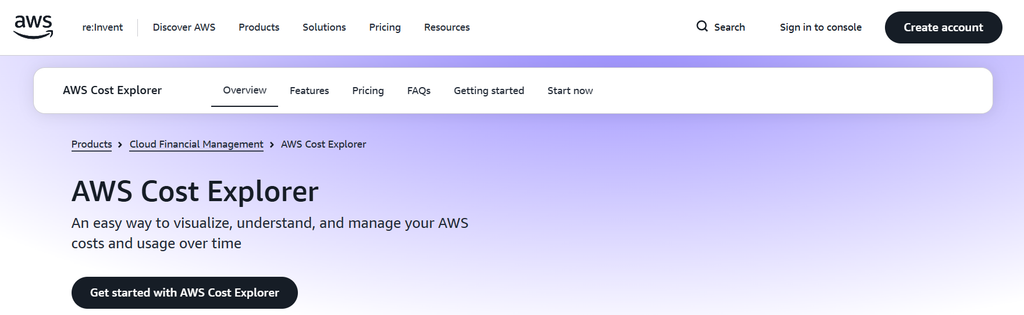
AWS Cost Explorer is Amazon’s native cost analysis tool. It provides visibility into AWS spending with filtering, grouping, and forecasting capabilities.
Key Features:
- Detailed AWS cost and usage reports
- Cost breakdown by service, region, tag, or account
- Reserved instance and savings plan recommendations
- Monthly cost forecasting based on historical usage
- Integration with AWS Budgets for alerting
Pricing: Free with an AWS account. No additional charge for basic cost visibility.
Pros:
- Native AWS tool; no integration setup required
- Comprehensive AWS cost data with no third-party dependency
- Free for all AWS customers
- Recommendations for reserved instances and savings plans
Cons:
- AWS only — does not track Azure, GCP, or multi-cloud spend
- UI is functional but not optimized for fast exploration
- No correlation with application performance or infrastructure metrics
- Limited cost allocation for Kubernetes workloads
Best for: Teams running AWS-only infrastructure that want native cost visibility without adopting a third-party tool.
9. Azure Cost Management
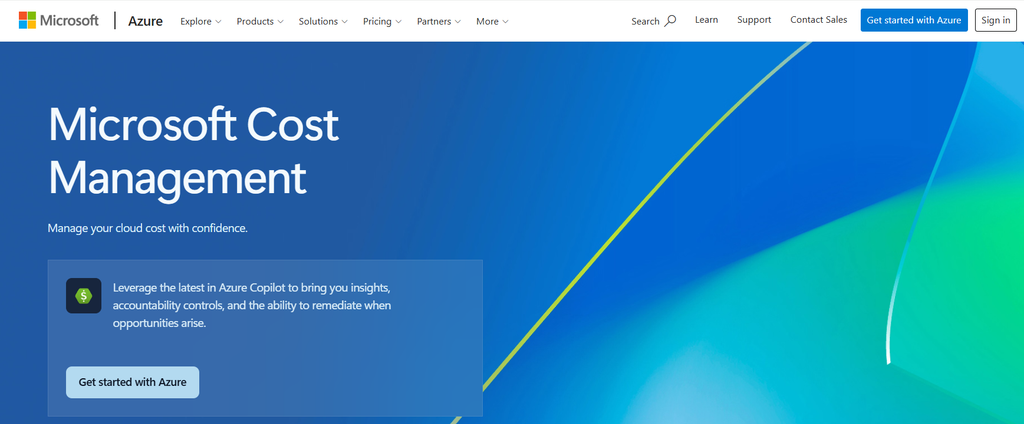
Azure Cost Management is Microsoft’s native cost tracking platform for Azure resources. It provides cost analysis, budgets, and recommendations directly in the Azure portal.
Key Features:
- Azure cost breakdown by resource, subscription, or tag
- Budget alerts and spending forecasts
- Reserved instance and savings plan recommendations
- Integration with Azure Advisor for optimization guidance
- Cost allocation across departments or business units
Pricing: Free with Azure subscription. No additional charge for cost tracking.
Pros:
- Native Azure tool; no setup required
- Free for all Azure customers
- Budget and forecast features built in
- Recommendations for cost optimization
Cons:
- Azure only; does not track AWS, GCP, or multi-cloud spend
- Limited granularity for Kubernetes cost allocation
- No integration with observability data (APM, logs, metrics)
- UI designed for financial analysts, not engineering teams
Best for: Teams running Azure-only infrastructure that want native cost visibility without third-party tools.
10. GCP Cost Management
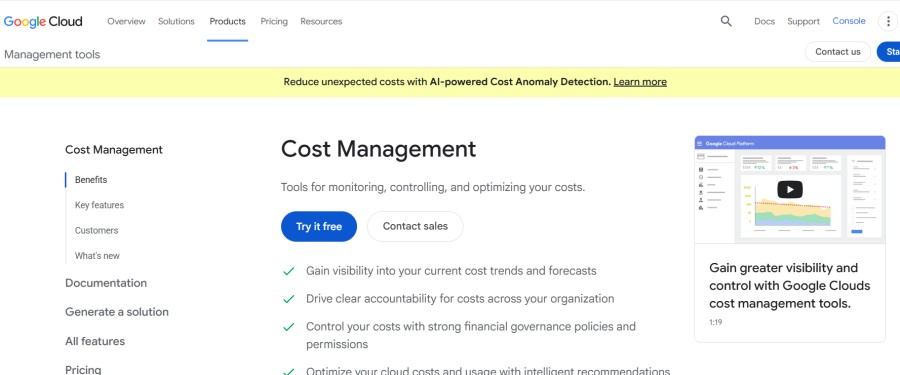
GCP Cost Management (formerly Billing Reports) is Google’s native cost tracking tool for Google Cloud resources. It provides cost visibility, budgets, and recommendations directly in the GCP console.
Key Features:
- GCP cost breakdown by project, service, or label
- Budget alerts and spending forecasts
- Committed use discount recommendations
- Cost allocation across teams or products
- BigQuery export for custom cost analysis
Pricing: Free with a GCP project. No additional charge for cost tracking.
Pros:
- Native GCP tool; no integration required
- Free for all GCP customers
- Budget and alert features built in
- BigQuery export enables custom cost analysis
Cons:
- GCP only; does not track AWS, Azure, or multi-cloud spend
- Limited Kubernetes cost allocation compared to Kubecost
- No correlation with observability metrics or application performance
- UI not optimized for engineering workflows
Best for: Teams running GCP-only infrastructure that want native cost visibility without adopting a third-party platform.
How to Choose the Right Cloud Cost Monitoring Tool
Selecting a cloud cost monitoring tool depends on three main factors: your cloud architecture, team structure, and whether you need cost visibility alone or automated optimization.
Single cloud vs. multi-cloud: If you run AWS only, Azure only, or GCP only infrastructure, the native cloud provider tools (AWS Cost Explorer, Azure Cost Management, GCP Cost Management) provide cost visibility with no setup or additional cost. If you run multi-cloud or hybrid environments, tools like Kubernetes monitoring platforms that aggregate spend across clouds become necessary.
Observability integration: If your team already uses an observability platform, unifying cost and performance data in one tool reduces context switching. CubeAPM and Datadog both surface cost data alongside APM traces and infrastructure metrics, making it easier to correlate spending with application behavior. Standalone FinOps tools like Vantage and CloudZero require separate dashboards.
Cost visibility vs. automated optimization: Tools like Kubecost and CloudZero surface cost insights and recommendations but require manual action to implement changes. Cast AI and similar platforms automate resource rightsizing and purchasing decisions. The trade-off is control; automated tools reduce cloud spend faster but require trust in their scaling logic.
Self-hosted vs. SaaS: Self-hosted tools like CubeAPM and open-source Kubecost keep cost telemetry inside your infrastructure, avoiding data egress fees and meeting data residency requirements. SaaS tools like Vantage and CloudZero offload operational overhead but introduce recurring subscription costs and external dependencies.
Team size and budget: Smaller teams often start with native cloud tools (AWS Cost Explorer, Azure Cost Management) or free tiers (Kubecost OSS, Vantage free plan). As infrastructure scales, the gap between headline pricing and real cost becomes harder to track manually. Larger teams typically adopt dedicated FinOps platforms or unified observability tools with cost visibility built in.
Conclusion
Cloud cost monitoring tools have evolved from basic billing dashboards to platforms that connect spending with engineering decisions, automate optimization, and surface cost data engineers can act on during development. The right tool depends on whether you need multi-cloud aggregation, Kubernetes cost allocation, automated rightsizing, or unified observability with cost visibility in one platform.
Teams running single cloud environments can start with native tools (AWS Cost Explorer, Azure Cost Management, GCP Cost Management) and graduate to dedicated FinOps platforms as spending scales. Teams with multi-cloud or Kubernetes-heavy architectures benefit from tools that allocate cost by namespace, service, or workload. And teams that already invest in observability platforms should evaluate whether their existing tool (like CubeAPM or Datadog) can surface cost data alongside performance metrics to reduce the number of dashboards engineers need to check.
Disclaimer: The information in this article reflects the latest details available at the time of publication and may change as technologies and products evolve. Features, pricing, and plan limits can change over time. Always verify the latest information directly with the vendor before making purchasing or deployment decisions.
Frequently Asked Questions
What is cloud cost monitoring?
Cloud cost monitoring is the practice of tracking and analyzing spending on cloud infrastructure resources in real time to identify waste, optimize resource allocation, and prevent budget overruns.
How do cloud cost monitoring tools work?
Cloud cost monitoring tools connect to cloud provider billing APIs to aggregate spending data, allocate costs by tag or resource type, detect anomalies, and surface optimization recommendations based on usage patterns.
What is the difference between cloud cost monitoring and cloud cost optimization?
Cloud cost monitoring provides visibility into spending patterns and surfaces insights. Cloud cost optimization takes action to reduce spending through automated resource rightsizing, purchasing decisions, or workload scheduling.
Can cloud cost monitoring tools work across AWS, Azure, and GCP?
Yes, multi-cloud cost monitoring tools like Vantage, CloudZero, and Flexera aggregate spending data across AWS, Azure, GCP, and Kubernetes environments into a single dashboard for unified cost visibility.
What are the hidden costs of cloud monitoring?
Hidden costs include data egress fees for telemetry sent to external SaaS platforms (around $0.10/GB on AWS), per host or per-user licensing fees that compound as teams grow, and infrastructure costs for self-hosted tools.
How much does cloud cost monitoring cost?
Cloud cost monitoring pricing varies widely. Native cloud tools (AWS Cost Explorer, Azure Cost Management, GCP Cost Management) are free. SaaS platforms range from $300/month (Vantage) to custom enterprise pricing (Flexera, CloudZero). Self-hosted tools like CubeAPM charge $0.20/GB for data ingestion.
Do I need a separate tool for Kubernetes cost monitoring?
If you run Kubernetes at scale, dedicated tools like Kubecost or Cast AI provide pod-level cost allocation and rightsizing recommendations that generic cloud cost tools miss. Unified observability platforms like CubeAPM also surface Kubernetes cost data alongside performance metrics.