








E-commerce stores operate in an environment where a single hour of downtime during peak traffic costs thousands in lost revenue, competitor price changes happen multiple times per day, and a slow checkout page can quietly drain conversion rates without triggering a single alert. Manual monitoring across product listings, server uptime, page speed, and competitor pricing stops being realistic once you are tracking more than a handful of SKUs or serving traffic across multiple regions.
E-commerce monitoring tools automate tracking across four domains: uptime and availability, application and infrastructure performance, user experience and conversion funnels, and competitor price intelligence. The right tool depends on what layer of your stack needs visibility. A Shopify store owner tracking product availability across suppliers has different needs than a platform engineering team debugging API latency on a headless commerce backend serving 10,000 requests per second.
This guide compares 9 tools across SaaS uptime monitors, full-stack observability platforms, price tracking services, and open-source infrastructure monitoring. Each is assessed on deployment model, signal depth, pricing transparency, and what they genuinely do well versus where competitors lead.
Quick Comparison: 9 E-commerce Monitoring Tools at a Glance
| Tool | Best For | Pricing | Free Plan | Deployment |
|---|---|---|---|---|
| CubeAPM | Full stack monitoring with on-prem data control | $0.20/GB ingestion | No free tier | Self-hosted (managed) |
| Datadog | Multi-cloud observability with broad integrations | $15/host/month base | 14-day trial | SaaS only |
| New Relic | Unified platform for APM, logs, infrastructure, RUM | Per-user or CCU model | 100 GB/month free | SaaS only |
| Pingdom | Website uptime and performance monitoring | $10/month starter | 14-day trial | SaaS only |
| UptimeRobot | Basic uptime monitoring for small stores | Free for 50 monitors | 50 monitors free | SaaS only |
| Better Stack | Developer-friendly uptime and incident management | $18/month starter | 14-day trial | SaaS only |
| Elastic APM | APM for teams already using ELK stack | Free OSS, $99/month hosted | Open source | Self-hosted or SaaS |
| Prisync | Competitor price tracking and MAP monitoring | $99/month for 100 products | 14-day trial | SaaS only |
| PageCrawl | Website change detection and price monitoring | $8/month for 100 monitors | Free plan available | SaaS only |
Pricing based on publicly available information as of April 2026. Enterprise discounts and negotiated rates are not reflected here.
1. CubeAPM
Best for: Teams running headless commerce, custom platforms, or regulated e-commerce requiring data residency and full-stack visibility from frontend to database.
CubeAPM is a self-hosted observability platform covering APM, infrastructure monitoring, log management, Real User Monitoring, and synthetic checks. It runs inside your VPC or on-premises, ensuring telemetry data never leaves your infrastructure. For e-commerce platforms, this means monitoring checkout flows, API gateways, payment service latency, database query performance, and Kubernetes pod health without sending transaction data to a third-party SaaS provider.
The platform is OpenTelemetry native and compatible with existing Datadog, New Relic, Prometheus, and Elastic agents, enabling incremental migration without ripping out instrumentation. CubeAPM’s pricing model is $0.20 per GB of data ingested with unlimited retention and no per-user seat fees. For a mid-sized e-commerce platform ingesting 30 TB per month across logs, traces, and metrics, that translates to $6,000 monthly compared to $8,000 to $15,000 on Datadog or New Relic for equivalent coverage.
Key Features:
- Distributed tracing across microservices with full context correlation to logs and metrics
- Real User Monitoring tracking page load times, Core Web Vitals, and user journeys through checkout
- Synthetic monitoring simulating transactions from multiple global locations
- Infrastructure monitoring for Kubernetes clusters, database connections, Redis cache hit rates
- Native alerting on any metric, trace, or log pattern with routing to Slack, PagerDuty, email
Pricing: $0.20/GB ingestion, unlimited users, unlimited retention
Pros:
- Full data sovereignty with SOC 2 and ISO 27001 compliance built in
- Single pricing dimension eliminates surprise overages from metrics explosion or user seat sprawl
- Direct engineering support via Slack and WhatsApp during incidents
- Compatible with 800+ integrations including payment gateways, CDN providers, and CI/CD tools
Cons:
- Requires infrastructure commitment (runs in your VPC or data center)
- No autonomous anomaly detection like Dynatrace’s AI engine
- SSO and RBAC less mature than enterprise SaaS platforms
Best for: E-commerce teams on Kubernetes or custom platforms who need visibility into application performance, user experience, and infrastructure health without exporting transaction data to third-party clouds. Ideal for regulated industries (healthcare, finance) and platforms with data residency requirements.
2. Datadog
Best for: Multi-cloud e-commerce platforms needing broad integration coverage across AWS, Shopify, payment processors, and third-party APIs.
Datadog provides full-stack observability covering infrastructure, APM, logs, RUM, and synthetic monitoring through a unified SaaS platform. Its strength for e-commerce is breadth of integrations: native support for Shopify, Magento, WooCommerce, Stripe, AWS Lambda, CloudFront CDN, and 700+ other services. Teams can visualize how a CloudFront cache miss impacts page load time, correlate that with an API Gateway throttle event, and trace the resulting error back to a specific Lambda function timeout.
Datadog’s per-host pricing starts at $15 per host per month for infrastructure monitoring. APM adds $31 per host per month. For a 50-host e-commerce platform auto-scaling to 150 hosts during Black Friday traffic, the monitoring bill scales with infrastructure cost at exactly the moment revenue is spiking but margins are compressed by discounting.
Key Features:
- Real User Monitoring with session replay showing exact user interactions during checkout failures
- Synthetic monitoring from 30+ global locations testing checkout flows every 5 minutes
- Log management with pattern detection surfacing common error clusters
- Infrastructure monitoring with live process tracking and container resource usage
- APM with distributed tracing across frontend, API gateway, microservices, and databases
Pricing: Infrastructure $15/host/month, APM $31/host/month, logs $0.10/GB ingest plus $1.70 per million events indexed, RUM $1.50 per 10,000 sessions
Pros:
- Deep integration ecosystem covering e-commerce platforms, payment gateways, CDNs, cloud services
- Unified platform eliminates context switching between separate tools
- Strong anomaly detection with machine learning baseline models
- Session replay provides visual context for debugging checkout issues
Cons:
- Pricing compounds across dimensions (hosts, indexed logs, APM spans, RUM sessions, custom metrics)
- Per-host billing means costs triple during traffic spikes when you auto-scale infrastructure
- Cloud-only architecture with no on-premises deployment option
- Enterprise contracts required for SSO, SAML, audit logs
Best for: E-commerce platforms on AWS, GCP, or Azure using managed services and third-party integrations where breadth of coverage justifies higher cost at scale.
3. New Relic
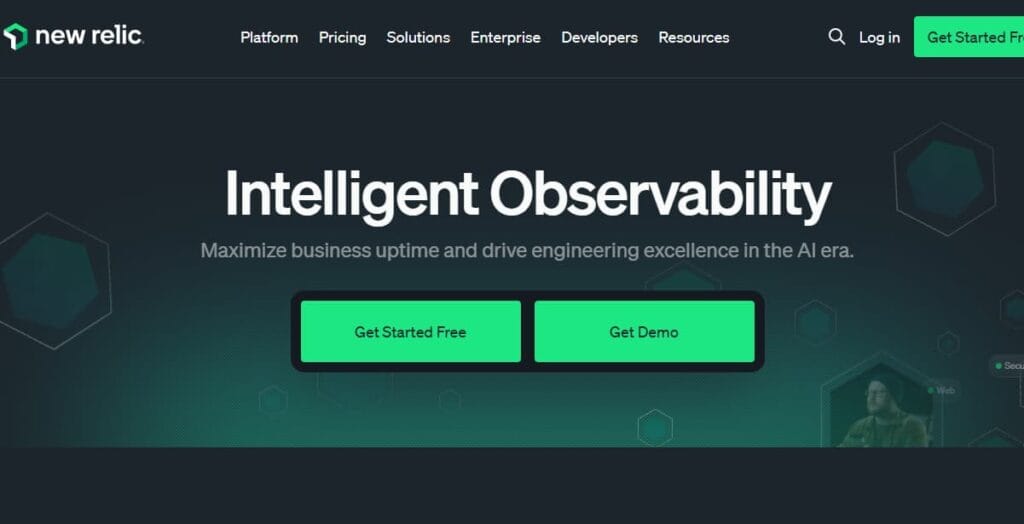
Best for: E-commerce teams consolidating multiple monitoring tools into one platform with centralized alerting and dashboards.
New Relic offers full-stack observability including APM, infrastructure monitoring, logs, browser monitoring (RUM), synthetics, and mobile app monitoring. For e-commerce, this means tracking web performance, mobile app checkout flows, backend API latency, database query times, and infrastructure health in one interface. New Relic’s unified query language (NRQL) allows building dashboards that correlate metrics from multiple layers, for example, visualizing how Redis cache evictions correlate with increased database load and slower API response times.
New Relic’s pricing shifted to a consumption model based on data ingestion and user seats. The free tier includes 100 GB of data ingestion per month and one full platform user. Beyond that, standard pricing is $0.40 per GB ingested plus $99 per month per full platform user. For teams ingesting 1 TB per month with 10 engineers needing full access, monthly cost is approximately $1,390 before adding synthetic checks or extended retention.
Key Features:
- Browser monitoring tracking page load times, AJAX calls, and JavaScript errors
- Synthetic monitoring simulating multi-step checkout transactions from global locations
- APM with distributed tracing and code-level diagnostics
- Infrastructure monitoring with EC2, container, Kubernetes, and database visibility
- Mobile app monitoring for iOS and Android checkout experiences
Pricing: 100 GB/month free, then $0.40/GB plus $99/month per full platform user
Pros:
- Unified platform consolidates APM, logs, RUM, infrastructure, synthetics
- NRQL enables powerful cross-domain queries and custom dashboards
- Applied intelligence automatically groups related alerts to reduce noise
- Strong mobile app monitoring for iOS and Android checkout flows
Cons:
- Per-user pricing creates a rationing dynamic where only senior engineers get full access
- NRQL query language is proprietary, creating lock-in for dashboards and alerts
- Cloud-only with no on-premises or self-hosted deployment option
- Ingestion pricing at $0.40/GB is higher than competitors like CubeAPM at $0.20/GB
Best for: E-commerce platforms with both web and mobile checkout flows needing consolidated monitoring across application, infrastructure, and user experience layers.
4. Pingdom
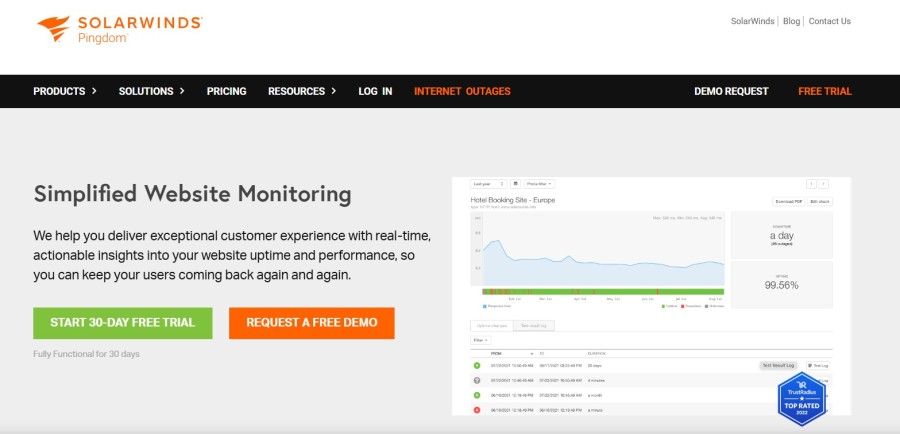
Best for: Small to mid-sized e-commerce stores prioritizing website uptime monitoring and page speed tracking over full stack observability.
Pingdom specializes in uptime monitoring, page speed analysis, and transaction checks. For e-commerce, this means monitoring whether your store homepage, product pages, and checkout flow are accessible from multiple global locations, measuring page load times, and alerting when response times exceed thresholds or when uptime drops below SLA targets. Pingdom’s synthetic transaction monitoring can simulate a full checkout flow, adding items to cart, entering shipping details, and submitting payment, to verify the entire funnel works end to end.
Pingdom does not provide APM, infrastructure monitoring, or log management. It operates at the HTTP layer, making GET and POST requests to defined URLs and measuring response codes, response times, and page rendering metrics. For stores running on Shopify, WooCommerce, or Magento where the platform handles infrastructure, Pingdom covers the most common monitoring need: knowing when the site goes down or slows down.
Key Features:
- Uptime monitoring from 100+ global locations with 1-minute check intervals
- Page speed monitoring tracking load times, page size, DNS resolution, SSL handshake
- Transaction monitoring simulating multi-step user flows like checkout
- Real User Monitoring collecting actual visitor page load times
- Alert routing to SMS, email, Slack, PagerDuty, webhooks
Pricing: Starter plan $10/month (10 uptime checks, 1 transaction check), Growth plan $42/month (50 uptime checks, 10 transaction checks), Business plan $109/month (250 uptime checks, 50 transaction checks)
Pros:
- Simple setup with no agent installation required
- Effective for catching site downtime and page speed regressions
- Transaction monitoring validates full checkout flows work from buyer perspective
- Affordable for small stores needing basic uptime and performance visibility
Cons:
- No visibility into application code, infrastructure, or backend services
- Cannot diagnose root cause of slowdowns beyond HTTP layer
- Limited to external black box monitoring with no internal telemetry
- Real User Monitoring adds high cost at higher traffic volumes
Best for: E-commerce stores on managed platforms (Shopify, BigCommerce, WooCommerce) where infrastructure is abstracted and primary need is validating site availability and page speed.
5. UptimeRobot
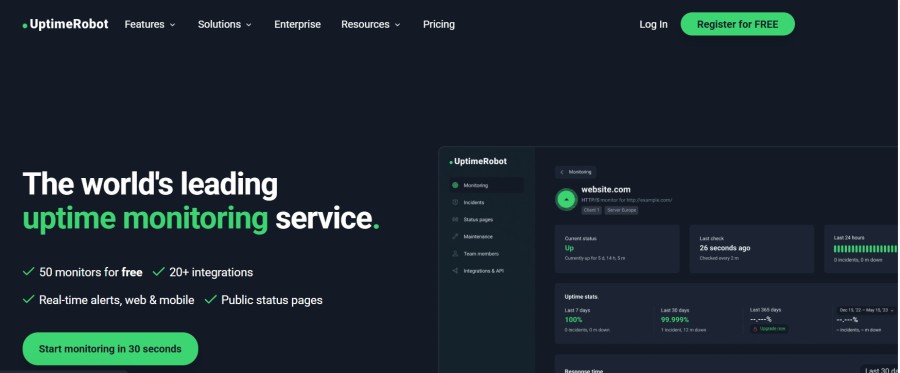
Best for: Bootstrapped or early-stage e-commerce stores needing free basic uptime monitoring with no budget for paid tools.
UptimeRobot monitors website uptime by sending HTTP/HTTPS requests to specified URLs at regular intervals and alerting when a site becomes unreachable or returns error status codes. The free plan includes 50 monitors with 5-minute check intervals, covering uptime monitoring for the homepage, key product pages, the checkout page, and API endpoints at no cost. Paid plans reduce check intervals to 1 minute and add features like status pages, advanced alerting, and multi-location checks.
UptimeRobot operates purely at the HTTP layer with no visibility into application performance, infrastructure health, or user experience metrics. It answers one question: is this URL reachable right now? For stores in early growth phases where downtime is the primary risk and budget is constrained, UptimeRobot provides baseline protection without requiring infrastructure changes or instrumentation.
Key Features:
- HTTP, HTTPS, ping, port, and keyword monitoring
- 5-minute check intervals on the free plan, 1-minute on paid plans
- Email and webhook alerts (SMS and voice calls on paid plans)
- Public status pages showing uptime history
- Multi-location monitoring on paid plans
Pricing: Free for 50 monitors with 5-minute checks, Pro plan $7/month for 1-minute checks and 50 monitors, Enterprise plan $14/month for 200 monitors
Pros:
- Free tier sufficient for most small stores
- Zero setup complexity (add URL, set alert email, done)
- Effective at catching outages and returning 500 errors
- Public status page builds trust with customers during incidents
Cons:
- No application performance, infrastructure, or user experience monitoring
- Cannot diagnose why a site is down beyond “server returned 500”
- 5-minute check interval on free tier means 5 minutes of undetected downtime per incident
- No transaction monitoring to test checkout flows
Best for: Bootstrapped stores, side projects, or MVPs needing free uptime alerts without performance or diagnostic capabilities.
6. Better Stack
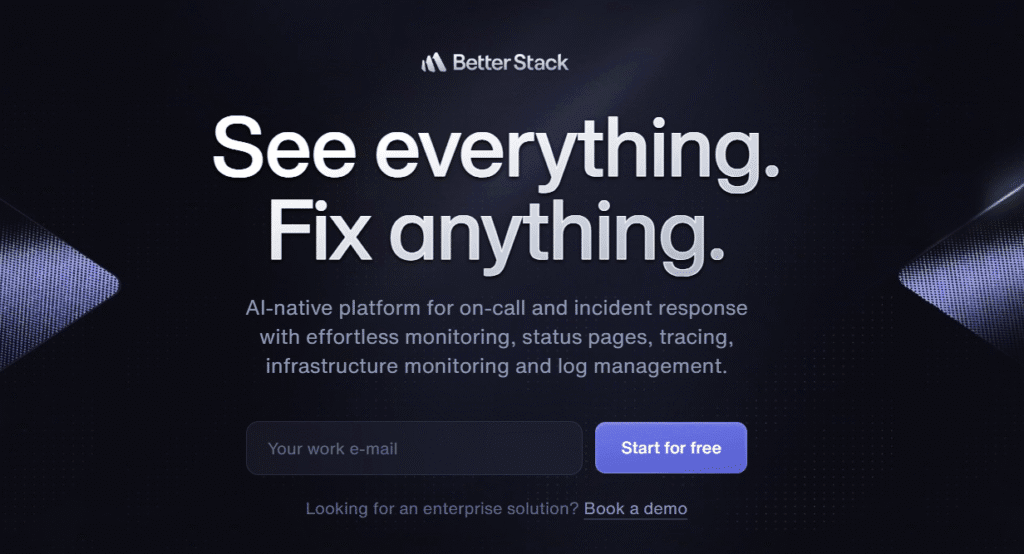
Best for: Developer-focused e-commerce teams valuing incident management workflow and fast time-to-resolution over breadth of integrations.
Better Stack combines uptime monitoring, incident management, and on-call scheduling in one platform with a developer-friendly interface. For e-commerce, this means monitoring site availability, API endpoints, and scheduled jobs, while routing alerts to the right engineer based on on-call schedules and escalation policies. Better Stack’s incident timeline view consolidates all related alerts, logs, and status page updates into one thread, reducing context switching during Black Friday outages.
Better Stack’s monitoring includes HTTP checks, SSL certificate expiration, DNS resolution, and custom heartbeat checks for background jobs. It does not provide APM, infrastructure metrics, or Real User Monitoring. Its strength is incident workflow: when an alert fires, Better Stack creates an incident, pages the on-call engineer, posts to a Slack channel, updates a public status page, and tracks time to acknowledge and time to resolve.
Key Features:
- Uptime monitoring with 30-second check intervals from global locations
- Incident management with timeline view consolidating all related events
- On-call scheduling with escalation policies and rotation management
- Status pages with subscriber notifications and incident history
- Log management with fast search and filtering (separate product)
Pricing: Monitoring starts at $18/month for 10 monitors, scales to $54/month for 50 monitors. Incident management included. Log management has separate pricing.
Pros:
- Clean interface reduces cognitive load during incidents
- Strong incident workflow features (timeline, escalation, status pages)
- Fast setup with intuitive configuration
- Log management product integrates well for teams needing both
Cons:
- No APM, infrastructure monitoring, or RUM capabilities
- Limited to external HTTP-layer monitoring with no internal telemetry
- Monitoring and log management sold separately, increasing total cost
- Fewer integrations compared to Datadog or New Relic
Best for: E-commerce engineering teams prioritizing incident response workflow and on-call management over breadth of monitoring signals.
7. Elastic APM
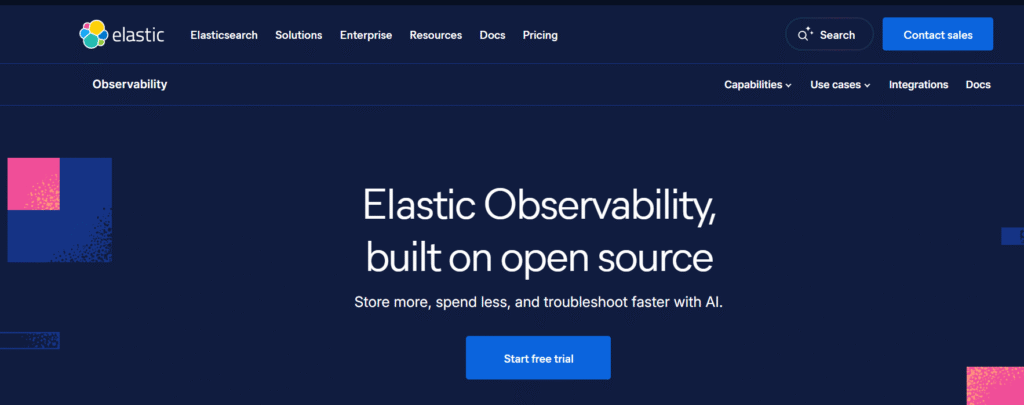
Best for: E-commerce platforms already using the ELK stack (Elasticsearch, Logstash, Kibana) for log aggregation who want to add distributed tracing and APM without adopting a separate platform.
Elastic APM extends the ELK stack with application performance monitoring, distributed tracing, and Real User Monitoring. For teams already shipping logs to Elasticsearch, adding APM means instrumenting application code with Elastic APM agents, which send trace data to the same Elasticsearch cluster. This unified data store enables correlating application traces with logs and infrastructure metrics in Kibana dashboards.
Elastic APM is open source and free to self-host. Elastic Cloud, the managed SaaS offering, starts at $99 per month for a standard tier deployment. For e-commerce platforms with engineering teams experienced in operating Elasticsearch, self-hosting Elastic APM provides full control over data and cost. For teams without that expertise, the operational overhead of managing Elasticsearch clusters, retention policies, and index optimization can outweigh the licensing cost of a managed APM tool.
Key Features:
- Distributed tracing with service maps showing dependencies between microservices
- Real User Monitoring capturing page load times and user interactions
- Infrastructure monitoring via Metricbeat collecting system and container metrics
- Log correlation linking traces to related log entries
- Machine learning anomaly detection (available on Elastic Cloud with subscription)
Pricing: Open source (free, self-hosted), Elastic Cloud starts at $99/month standard tier
Pros:
- Unified data store for logs, traces, and metrics simplifies correlation
- Open source option provides full control and no licensing cost
- Strong query capabilities via Elasticsearch DSL
- Scales to high data volumes with proper cluster tuning
Cons:
- Self-hosting requires Elasticsearch expertise and operational burden
- Query performance degrades without careful index management and shard sizing
- Elastic Cloud costs scale with data volume and cluster size
- Kibana learning curve steeper than purpose-built APM UIs
Best for: E-commerce teams with existing ELK stack investment and Elasticsearch expertise who want to add distributed tracing without introducing another data platform.
8. Prisync
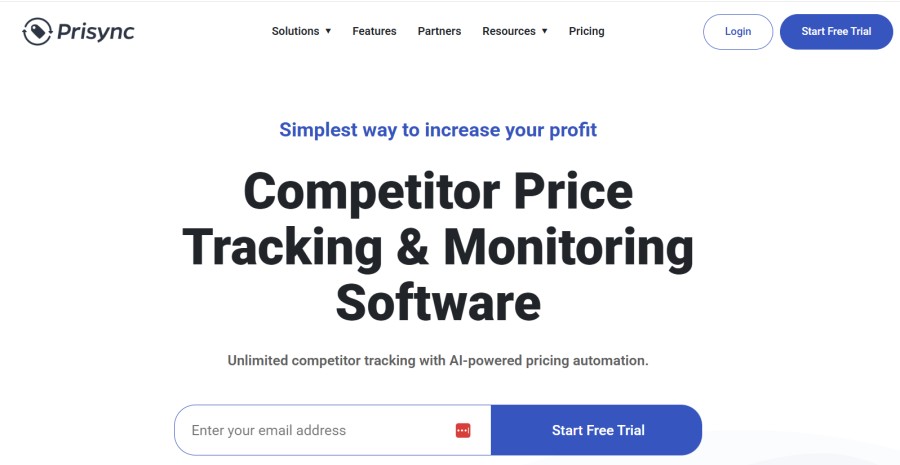
Best for: E-commerce brands monitoring competitor pricing across multiple retailers and marketplaces to maintain price competitiveness and MAP compliance.
Prisync is a competitor price monitoring tool that tracks product prices across Amazon, Walmart, eBay, Shopify stores, and custom e-commerce sites. For brand owners and retailers, this means automated alerts when competitors change prices, historical price trend analysis, and dynamic pricing recommendations based on competitor behavior. Prisync can monitor your own products across authorized resellers to detect MAP (Minimum Advertised Price) violations.
Prisync does not monitor website uptime, application performance, or infrastructure. It operates by scraping product pages at scheduled intervals, extracting price data, and storing historical records. The platform focuses exclusively on pricing intelligence, making it complementary to rather than a replacement for performance monitoring tools.
Key Features:
- Automatic price tracking across thousands of competitor websites
- MAP violation detection and reporting for authorized dealer networks
- Historical price data and trend analysis
- Dynamic pricing suggestions based on competitor positions
- Email alerts when competitor prices change beyond defined thresholds
Pricing: Basic plan $24/month for 50 products, Growth plan $99/month for 250 products, Premium plan $249/month for 1,000 products
Pros:
- Effective at detecting competitor price changes within hours
- MAP monitoring helps brands enforce pricing policies
- Historical data supports pricing strategy decisions
- Works across marketplaces and independent e-commerce sites
Cons:
- Does not monitor site performance, uptime, or user experience
- Cannot detect price changes more frequently than scrape interval (typically daily)
- Scraping can break when competitor sites change HTML structure
- Higher product counts require expensive plans
Best for: E-commerce brands and retailers competing on price who need competitor intelligence and MAP compliance monitoring separate from technical performance monitoring.
9. PageCrawl
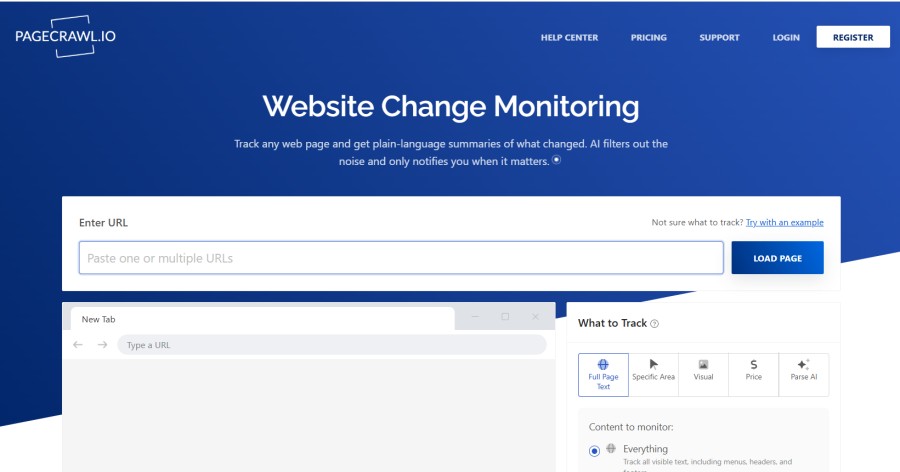
Best for: E-commerce teams monitoring specific page elements like product availability, pricing, or content changes across competitor sites or their own product listings.
PageCrawl monitors websites for changes by taking screenshots, comparing page text, and tracking specific HTML elements via CSS selectors. For e-commerce, this enables monitoring product stock status (in stock vs. out of stock), detecting when competitors change product descriptions, tracking changes to your own product listings for unauthorized modifications, and getting alerts when specific keywords appear or disappear from pages.
PageCrawl’s cross-retailer product comparison feature groups product pages from different retailers (Amazon, Walmart, Target) and alerts when price gaps exceed thresholds or when a specific retailer becomes cheapest. This is a custom capability available on request. Unlike dedicated price monitoring tools, PageCrawl provides more flexibility to monitor any page element using CSS selectors, making it adaptable to monitoring scenarios beyond pricing.
Key Features:
- Visual change detection with side-by-side screenshot comparison
- CSS selector-based monitoring of specific page elements
- Cross-retailer product comparison (custom capability)
- Email, Slack, Discord, webhook, Telegram alerts
- Custom check frequencies from every 2 minutes to weekly
Pricing: Free plan available, paid plans start at $8/month for 100 monitors
Pros:
- Flexible monitoring of any page element via CSS selectors
- Works with any website, including custom e-commerce platforms
- Visual screenshots provide context for changes
- Affordable compared to enterprise price monitoring tools
Cons:
- Focused on change detection rather than aggregated analytics
- Not a replacement for performance monitoring or uptime checks
- Setup requires CSS selector knowledge for element-level monitoring
- Cross-retailer comparison requires custom configuration
Best for: E-commerce teams needing flexible monitoring of specific page elements across their own sites or competitor sites without the cost of enterprise pricing intelligence platforms.
How to Choose the Right E-commerce Monitoring Tool
Choosing a monitoring tool starts with identifying what layer of your stack needs visibility. E-commerce monitoring breaks into four categories, and most teams need coverage across at least two.
Uptime and availability monitoring: Validates your site is reachable and responding. Covers homepage, product pages, checkout flow, API endpoints. Minimum viable monitoring for any store.
Tools in this category: UptimeRobot, Pingdom, Better Stack
When you need this: Every e-commerce store needs uptime monitoring from day one. The question is whether you need only uptime or also performance diagnostics.
Application performance monitoring (APM): Tracks backend service response times, database query latency, API endpoint performance, error rates, distributed tracing across microservices.
Tools in this category: CubeAPM, Datadog, New Relic, Elastic APM
When you need this: When you are running custom code (headless commerce, custom checkout flows, payment integrations) and need to diagnose why checkout is slow or why payment processing fails intermittently.
Real User Monitoring (RUM) and synthetic monitoring: Measures actual user page load times, Core Web Vitals, JavaScript errors, and simulates checkout flows from multiple locations.
Tools in this category: Datadog, New Relic, CubeAPM, Pingdom
When you need this: When page speed impacts conversion, and you need to understand frontend performance from a user perspective across devices and geographies.
Competitor and price intelligence: Tracks competitor product prices, availability, MAP compliance, content changes.
Tools in this category: Prisync, PageCrawl
When you need this: When you compete on price, need to enforce MAP policies across resellers, or track competitor product availability for demand forecasting.
Decision framework for e-commerce teams
Early-stage store on Shopify/WooCommerce (less than $50K/month revenue): Start with UptimeRobot (free) or Pingdom ($10/month) for uptime monitoring. Add Google Analytics for user behavior. Competitor price monitoring is not critical yet.
Growing store with custom code or API integrations ($50K to $500K/month): Add APM layer. CubeAPM if you need data residency or want predictable costs. Datadog if you need broad integrations and cloud-only is acceptable. Better Stack if incident management workflow is priority.
High-volume platform ($500K+/month or custom headless architecture): Full stack observability required. Infrastructure monitoring platforms like CubeAPM, Datadog, or New Relic covering APM, RUM, infrastructure, synthetics. Add Prisync or PageCrawl if price competition is strategic.
Regulated industry (healthcare, finance, government e-commerce): Data residency requirements rule out cloud-only SaaS. CubeAPM or self-hosted Elastic APM. Compliance (SOC 2, ISO 27001, HIPAA) drives architecture.
Conclusion
E-commerce monitoring is not one category but four: uptime, application performance, user experience, and competitive intelligence. Teams at different scales need different combinations. A Shopify store with $20K monthly revenue needs uptime monitoring and page speed tracking. A headless commerce platform processing $2M monthly needs distributed tracing, RUM, infrastructure monitoring, and incident management. Most teams start with uptime monitoring and add performance visibility as traffic and complexity grow.
The monitoring tool that fits depends on your platform architecture, team expertise, budget, and data control requirements. Managed SaaS platforms like Datadog and New Relic provide breadth of coverage and fast setup at the cost of higher pricing at scale and no control over where telemetry data is stored. Self-hosted platforms like CubeAPM and Elastic APM provide data sovereignty and predictable costs at the cost of infrastructure commitment. Uptime-focused tools like Pingdom and UptimeRobot cover baseline monitoring needs without performance diagnostics. Price monitoring tools like Prisync solve a separate problem entirely.
For teams prioritizing cost predictability, data residency, and full stack coverage, CubeAPM provides APM, logs, infrastructure monitoring, RUM, and synthetics at $0.15 per GB with unlimited retention and no per-user fees. For teams needing the broadest integration ecosystem and willing to accept cloud-only deployment, Datadog leads on breadth at the expense of higher cost at scale. For teams on managed platforms needing only uptime and page speed monitoring, Pingdom or Better Stack covers the core use case at lower complexity.
Disclaimer: The information in this article reflects the latest details available at the time of publication and
may change as technologies and products evolve. Features, pricing, and plan limits can change over time.
Always verify the latest information directly with the vendor before making purchasing or deployment decisions.
This review is based on Munsit’s independent research and analysis and does not constitute an official audit or endorsement.
This article is intended for informational purposes only and is not meant to disparage any individual, company, or product.
We encourage readers to verify current details directly with the relevant providers before making any decisions.
Frequently Asked Questions
What is the best reporting tool for e-commerce?
The best reporting tool depends on what you need to report. For business metrics like revenue, conversion rate, and customer behavior, Google Analytics is standard. For technical performance metrics like API latency, error rates, and infrastructure health, APM tools like CubeAPM, Datadog, or New Relic provide the depth needed. For competitor pricing intelligence, Prisync offers dedicated price tracking and MAP compliance reporting. Most e-commerce teams use a combination: Google Analytics for business metrics, an APM platform for technical performance, and a price monitoring tool if competing on price.
What are the most used monitoring tools in e-commerce?
Google Analytics dominates for traffic and conversion tracking. For uptime monitoring, Pingdom and UptimeRobot are widely adopted by small to mid-sized stores. For full-stack observability on larger platforms, Datadog and New Relic have the largest market share among cloud-based SaaS tools. Self-hosted platforms like Elastic APM and CubeAPM are common among teams with data residency requirements or Kubernetes-native architectures. Shopify and BigCommerce include basic built-in analytics, reducing the need for third-party tools for stores on those platforms.
How do I monitor competitor prices for my e-commerce store?
Competitor price monitoring requires a tool that scrapes competitor product pages at regular intervals and alerts you when prices change. Prisync specializes in this, tracking prices across marketplaces and independent stores with historical trend data. PageCrawl provides a more flexible alternative, using CSS selectors to monitor specific page elements, including price, and can group products across retailers for comparison. Both tools operate independently of your e-commerce platform and simply require providing URLs of competitor products to monitor.
What is Real User Monitoring and why does it matter for e-commerce?
Real User Monitoring (RUM) collects performance data from actual visitor browsers rather than synthetic tests. For e-commerce, RUM measures how fast pages load for real users across different devices, browsers, and network conditions. It captures Core Web Vitals (Largest Contentful Paint, First Input Delay, Cumulative Layout Shift), which impact both conversion rates and Google search rankings. RUM also tracks JavaScript errors, failed API calls, and slow checkout flows from the user perspective. Tools like Datadog, New Relic, and CubeAPM include RUM as part of their platform.
Do I need separate tools for uptime monitoring and performance monitoring?
It depends on your architecture and budget. Uptime monitoring (is the site reachable) and performance monitoring (why is it slow) solve different problems. Small stores on managed platforms like Shopify often start with uptime-only tools like UptimeRobot or Pingdom because the platform handles infrastructure. Custom platforms and headless commerce architectures need both: uptime monitoring validates external reachability while APM provides internal visibility into code performance, database queries, and service dependencies. Full stack observability platforms like CubeAPM, Datadog, and New Relic include both in one tool, eliminating the need for separate uptime and performance products.
How much does e-commerce monitoring cost?
Cost varies widely by tool category and scale. Uptime monitoring ranges from free (UptimeRobot) to $10 to $100 per month (Pingdom, Better Stack) depending on check frequency and number of monitors. Full stack APM costs scale with data volume: CubeAPM charges $0.20 per GB ingested, Datadog charges per host plus add-ons, New Relic charges per GB plus per-user fees. A mid-sized platform ingesting 30 TB per month typically pays $6,000 to $15,000 monthly for full-stack monitoring depending on vendor and feature set. Price monitoring tools like Prisync start at $24 per month for 50 products and scale with product count.
Can I use CubeAPM for e-commerce monitoring?
Yes. CubeAPM provides full stack observability including APM, infrastructure monitoring, Real User Monitoring, synthetic monitoring, and log management. For e-commerce platforms, this covers tracking checkout flow performance, API latency, database query times, Kubernetes pod health, page load times, and user journey visibility. CubeAPM runs on-premises or in your VPC, ensuring transaction data and user telemetry remain within your infrastructure. Pricing is $0.20 per GB of data ingested with unlimited retention and no per-user fees. CubeAPM is best suited for teams running custom platforms, headless commerce, or requiring data residency compliance rather than managed platforms like Shopify, where infrastructure is abstracted.