










SELECT.dev is a data cloud cost observability and optimization platform built mainly for teams trying to control Snowflake spend. Its current public positioning covers Snowflake, Databricks, and BigQuery, with query-level attribution, alerting, usage visibility, and automated savings.
Pricing matters because Snowflake and other data cloud platforms are usage-based. Snowflake describes its own pricing as consumption-based, meaning cost depends on how teams use compute, storage, data transfer, and related platform services.
In this SELECT.dev pricing and review guide, we’ll cover what SELECT.dev does, how pricing works in 2026, what buyers may realistically pay, what users appear to like, and how SELECT.dev compares with alternatives such as CubeAPM, Datadog, Chaos Genius, New Relic, and Dynatrace.
What Is SELECT.dev?
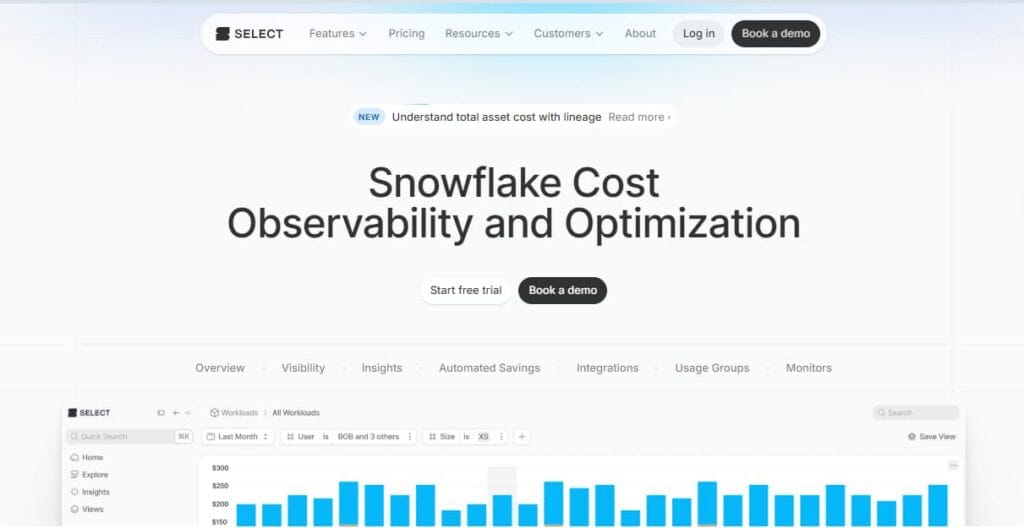
SELECT.dev, often branded as SELECT, is a data cloud cost observability and optimization platform. It is best known for Snowflake cost management, but its current homepage also says it supports Snowflake, Databricks, and BigQuery cost observability and optimization.
In simple terms, SELECT.dev helps teams answer questions like:
- Where is our Snowflake spend going?
- Which warehouses, queries, users, dbt jobs, or BI tools are driving cost?
- Which workloads are inefficient?
- Where can we reduce spend without breaking analytics workflows?
- Which savings opportunities can be automated safely?
SELECT.dev is not a general APM, infrastructure monitoring, or full-stack observability platform. It is a specialized data cloud cost optimization tool, especially relevant for companies with meaningful Snowflake usage.
What SELECT.dev Covers
| Area | What it means |
| Cost visibility | Helps teams explore Snowflake spend across compute, storage, serverless usage, LLM costs, and related usage areas. |
| Query-level analysis | Helps teams connect cost and performance issues to specific queries and workloads. |
| Warehouse optimization | Helps teams identify inefficient warehouse usage and reduce compute waste. |
| Automated savings | SELECT says its Automated Savings feature can reduce compute spend by 10–20%. |
| Usage groups | Helps organize spend by team, department, workload, or business unit. |
| Monitors and alerts | Helps teams detect cost, usage, or workload changes. |
| Integrations | Public materials mention integrations with tools such as dbt, Looker, and Sigma. |
| Security controls | SELECT documents role-based access control and announced SOC 2 Type II certification in January 2024. |
| Platform direction | Public positioning includes Snowflake, Databricks, and BigQuery. |
Key Features of SELECT.dev
SELECT.dev’s core value is visibility into Snowflake spend. Its documentation says SELECT helps teams explore compute, storage, serverless usage, LLM costs, and more inside Snowflake.
This matters because native billing views can show spend, but data teams often need more practical attribution. They need to know which warehouse, query, dbt model, Looker dashboard, team, or workload is responsible for the bill.
SELECT.dev provides query-level attribution and cost analysis. Its homepage describes query-level attribution as a core part of the platform, and SELECT’s public comparison materials say the platform provides deeper Snowflake usage visibility than native cost monitoring alone.
This makes SELECT useful for both finance reporting and technical optimization. Instead of only asking “why did the bill increase?”, teams can investigate which queries or workloads caused the increase.
Snowflake virtual warehouses are a major cost driver because compute is billed based on consumption. Snowflake’s pricing page describes its model as consumption-based, and SELECT’s own Snowflake pricing guide explains that Snowflake tracks usage across compute, storage, and data transfer.
SELECT.dev helps teams inspect warehouse usage patterns, identify waste, and improve utilization. This can include idle warehouse time, inefficient sizing, repeated workloads, and warehouse settings that do not match actual usage.
Automated Savings is one of SELECT.dev’s strongest public differentiators. SELECT says the feature can “instantly save 10–20%” of compute spend, and its comparison against Snowflake native cost monitoring says SELECT can automatically lower Snowflake compute spend by 10–20% by adjusting warehouse configurations.
This claim should be presented carefully. The 10–20% range is SELECT’s own public claim, not a guaranteed result for every customer. Actual savings will depend on workload patterns, current warehouse configuration, idle time, query behavior, and how much waste already exists.
SELECT.dev surfaces optimization opportunities so teams can prioritize fixes. Its public positioning includes “Insights” as a product feature, and SELECT’s homepage lists visibility, insights, automated savings, usage groups, notifications, and integrations as core capabilities.
This is useful because Snowflake optimization can quickly become a backlog. Data teams need to know which actions are worth doing first and which changes may create the most savings.
SELECT.dev includes alerting and monitoring around usage and cost behavior. Its homepage lists alerting and notifications among the platform’s capabilities.
This helps teams catch spend spikes, runaway queries, unusual workload changes, inefficient scheduled jobs, or changes in warehouse behavior before they become large bills.
Usage Groups help teams organize spend by business unit, department, product, workload, or team. SELECT’s Usage Groups page describes resource allocation and workload grouping, and customer-facing material also references usage visibility by resource and workload.
For larger companies, this matters because cost visibility alone is not enough. Teams also need ownership, accountability, chargeback, showback, and internal reporting.
SELECT’s public comparison materials say it integrates with common tools used on top of Snowflake, including dbt, Looker, and Sigma, and surfaces their costs and optimization opportunities.
This is important because dbt transformations and BI dashboards are common sources of repeated Snowflake compute consumption.
SELECT supports role-based access control. Its documentation says permissions are granted by assigning roles to users, and users can also be assigned to teams so permissions can be managed at the team level.
This matters for companies where data engineering, analytics, finance, and business teams need different levels of access to cost and usage data.
SELECT announced SOC 2 Type II certification on January 25, 2024. The company said it partnered with Drata for continuous monitoring and that the audit was conducted by AssuranceLab.
For enterprise buyers, this is relevant because cost management tools may access metadata about workloads, users, warehouses, queries, and usage patterns.
SELECT.dev Pricing in 2026
SELECT.dev does not publish a simple public tier table with Free, Pro, Business, and Enterprise plans. Its official pricing page says pricing starts at $1,499/month and depends on factors specific to the customer environment, so buyers need to contact SELECT for accurate pricing.
SELECT’s comparison page against Snowflake native cost monitoring provides another pricing reference. It says SELECT offers flat-rate pricing tailored to Snowflake usage at 3% of annual Snowflake spend, can be paid with existing Snowflake credits, and guarantees that it saves more than it charges.
Because both statements are public, the safest verified summary is:
- SELECT.dev pricing is custom.
- Public pricing starts at $1,499/month.
- SELECT publicly references a 3% of annual Snowflake spend pricing model in its comparison documentation.
- SELECT says buyers can pay with existing Snowflake credits.
- Final pricing should be confirmed directly with SELECT.
SELECT.dev Pricing Summary, 2026
| Pricing item | Verified detail |
| Public entry price | Starts at $1,499/month. |
| Pricing model | Custom quote based on customer environment. |
| Usage basis | SELECT references pricing tailored to Snowflake usage. |
| Percentage reference | SELECT comparison docs mention 3% of annual Snowflake spend. |
| Payment option | SELECT says buyers can pay with existing Snowflake credits. |
| Savings guarantee | SELECT says it ensures customers save more than they charge. |
| Public self-service tiers | No standard Free/Pro/Business tier table is published. |
| Platforms listed | Snowflake, Databricks, and BigQuery are listed in current positioning/pricing flow. |
| Best pricing action | Request a quote based on actual data cloud spend and platform scope. |
SELECT.dev Plan and Feature Coverage
Because SELECT.dev uses custom pricing rather than a simple public plan table, buyers should evaluate coverage by capability.
| Feature area | SELECT.dev coverage |
| Snowflake cost visibility | Yes |
| Query-level attribution | Yes |
| Warehouse optimization | Yes |
| Insights and recommendations | Yes |
| Automated Savings | Yes |
| Monitors and alerts | Yes |
| Usage groups | Yes |
| dbt visibility | Public materials mention dbt-related cost visibility |
| Looker visibility | Public materials mention Looker-related cost visibility |
| RBAC | Yes |
| SOC 2 Type II | Yes |
| Databricks and BigQuery | Listed in current public positioning |
| Public fixed tiers | No standard public tier table |
| Enterprise pricing | Custom quote |
What Does SELECT.dev Really Cost?
⚠️ Disclaimer
The scenarios below are directional editorial models, not official SELECT.dev quotes. SELECT.dev publicly says pricing starts at $1,499/month and that pricing depends on customer-specific environment factors. SELECT’s comparison documentation also references flat-rate pricing tailored to Snowflake usage at 3% of annual Snowflake spend. Buyers should confirm final pricing directly with SELECT.
SELECT.dev is not priced by hosts, logs, traces, RUM sessions, API tests, or browser tests. Its pricing is tied to the customer’s data cloud environment and, based on SELECT’s public comparison documentation, Snowflake spend is an important pricing reference.
| Scenario | Example annual Snowflake spend | Pricing logic | Estimated SELECT.dev cost |
| Smaller Snowflake account | $50K–$250K/year | 3% would be below the public starting price, so the $1,499/month floor matters most | ~$1,499/month |
| Growing Snowflake account | $500K–$1M/year | 3% equals ~$1,250–$2,500/month, but public pricing starts at $1,499/month | ~$1,499–$2,500/month |
| Larger Snowflake account | $2M–$5M/year | 3% equals ~$5,000–$12,500/month | ~$5,000–$12,500/month |
Scenario 1: Small Team, Around $1,499/Month
Situation
A small team may have early Snowflake usage for analytics, reporting, dbt jobs, BI dashboards, and scheduled data pipelines. A reasonable Snowflake spend assumption for this profile is around $50K–$250K per year.
At this level, 3% of annual Snowflake spend would be only $1,500–$7,500/year, or about $125–$625/month. However, SELECT’s public pricing page says pricing starts at $1,499/month, so the starting price is the better planning estimate for this scenario.
Estimated profile
| Configuration | Detail |
| Company-size anchor | Small team |
| Snowflake spend assumption | ~$50K–$250K/year |
| Warehouses | A few shared analytics and transformation warehouses |
| Workloads | dbt, BI dashboards, ad hoc SQL, scheduled pipelines |
| Main problem | Understanding where Snowflake cost is going |
| Pricing basis | Public starting price |
Estimated monthly cost
| Component | Assumption | Monthly cost |
| SELECT.dev base price | Public starting price | ~$1,499 |
| Extra platform complexity | Not assumed for a small team | $0 |
| Enterprise support | Not assumed | $0 |
| Total estimated cost | Small team setup | ~$1,499/month |
What this scenario shows
For small teams, SELECT.dev may be valuable but harder to justify if Snowflake spend is low. If annual Snowflake spend is only around $50K, SELECT.dev would represent a large share of the Snowflake bill. If spend is closer to $250K and the team has obvious warehouse waste, repeated expensive queries, or unmanaged dbt and BI workloads, the value case becomes stronger.
Scenario 2: Growing Team, Around $1,499–$2,500/Month
Situation
A growing team may use Snowflake across analytics engineering, BI, product analytics, finance reporting, reverse ETL, customer reporting, and operational dashboards. A reasonable Snowflake spend assumption for this profile is around $500K–$1M per year.
Using SELECT’s 3% annual spend reference, $500K/year in Snowflake spend would imply about $15,000/year, or $1,250/month. Because SELECT’s public starting price is $1,499/month, the estimate starts around $1,499/month. At $1M/year in Snowflake spend, 3% implies $30,000/year, or $2,500/month.
Estimated profile
| Configuration | Detail |
| Company-size anchor | Growing team |
| Snowflake spend assumption | ~$500K–$1M/year |
| Warehouses | Multiple warehouses across analytics, BI, and pipelines |
| Workloads | dbt, Looker, reverse ETL, ad hoc SQL, scheduled jobs |
| Main problem | Cost attribution, runaway spend, inefficient warehouses |
| Pricing basis | Starting price plus Snowflake-usage-based quote |
Estimated monthly cost
| Component | Assumption | Monthly cost |
| SELECT.dev floor | Public starting price | ~$1,499 |
| Usage/scope adjustment | Based on Snowflake spend, accounts, and optimization scope | ~$0–$1,000 |
| Total estimated cost | Growing team setup | ~$1,499–$2,500/month |
What this scenario shows
For growing teams, SELECT.dev pricing becomes easier to justify if the platform identifies recurring waste. On a $500K–$1M annual Snowflake bill, a 10% savings opportunity would represent $50K–$100K/year before considering engineering time saved. SELECT publicly claims Automated Savings can reduce compute spend by 10–20%, but buyers should validate that against their own workloads.
Scenario 3: Mid-Market Team, Around $5,000–$12,500/Month
Situation
A mid-market team may have a larger Snowflake environment supporting many teams, products, customer analytics, finance reporting, product analytics, ML/AI workloads, BI dashboards, and production data pipelines. A reasonable Snowflake spend assumption for this profile is around $2M–$5M per year.
Using SELECT’s 3% annual Snowflake spend reference, a company spending $2M/year on Snowflake could estimate SELECT.dev at about $60K/year, or $5,000/month. A company spending $5M/year could estimate about $150K/year, or $12,500/month.
Estimated profile
| Configuration | Detail |
| Company-size anchor | Mid-market team |
| Snowflake spend assumption | ~$2M–$5M/year |
| Warehouses | Many warehouses across teams, departments, and environments |
| Workloads | dbt, BI, customer analytics, product analytics, finance, ML/AI workloads |
| Main problem | Cost ownership, optimization backlog, surprise bills |
| Pricing basis | 3% annual Snowflake spend reference |
Estimated monthly cost
| Component | Assumption | Monthly cost |
| 3% of $2M annual Snowflake spend | $60K/year | ~$5,000/month |
| 3% of $5M annual Snowflake spend | $150K/year | ~$12,500/month |
| Total estimated range | Mid-market setup | ~$5,000–$12,500/month |
What this scenario shows
At mid-market scale, SELECT.dev is less about buying another dashboard and more about controlling a major data cloud cost line. If the platform reduces compute waste, improves accountability, and cuts manual cost investigation time, the value case can be strong. Buyers should still validate the savings estimate using their own Snowflake account data before committing.
What Actually Drives SELECT.dev Costs?
| Cost driver | Why it matters |
| Annual Snowflake spend | SELECT documentation references pricing tied to annual Snowflake spend. |
| Number of Snowflake accounts | More accounts usually mean more setup, analysis, and governance scope. |
| Number of warehouses | More warehouses create more optimization and monitoring work. |
| Query volume | Higher query volume increases analysis complexity. |
| dbt and BI usage | dbt jobs and BI dashboards can be major cost drivers. |
| Number of teams | More teams increase usage grouping, chargeback, and showback needs. |
| Automated savings scope | More automated optimization can increase value and commercial discussion. |
| Enterprise governance | Security review, RBAC, procurement, and compliance can affect contract terms. |
| Multi-platform coverage | Databricks and BigQuery support may affect scope and quote. |
Additional Costs and Operational Overhead Buyers Should Plan For
SELECT needs access to Snowflake metadata and usage data. Teams should plan time for security review, service user setup, permissions, and internal approval.
Even if SELECT surfaces recommendations, teams still need someone to review, prioritize, and implement changes unless they use automated savings for approved areas.
Warehouse optimization can affect performance, concurrency, and user experience. Teams should define who can approve changes and how to roll back if needed.
SELECT can show where costs are going, but organizations still need internal owners for business units, data products, dashboards, pipelines, and workloads.
Larger buyers may need vendor review, security documentation, legal approval, procurement, invoicing, and possibly Snowflake credit payment setup.
SELECT.dev focuses on data cloud cost optimization. It does not replace full application observability, infrastructure monitoring, APM, logs, metrics, traces, Kubernetes monitoring, or incident response.
CubeAPM, for example, is positioned as an OpenTelemetry-native observability and APM platform for application performance, infrastructure monitoring, logs, metrics, traces, dashboards, and managed self-hosted deployments. CubeAPM’s public pricing page lists $0.15/GB for data ingestion.
SELECT.dev User Reviews and Public Signals in 2026
SELECT.dev does not appear to have the same independent public review volume as larger observability vendors. The strongest public signals are vendor-published customer testimonials, SELECT documentation, Snowflake community discussions, and third-party Snowflake cost management comparisons.
SELECT’s reviews page includes customer quotes about Snowflake cost monitoring, query-level anomaly detection, dbt and Looker visibility, and Automated Savings. Because these are vendor-published testimonials, buyers should treat them as useful signals, not as a substitute for independent review-platform validation.
What Users Appear to Like
Customer quotes on SELECT’s reviews page emphasize visibility into Snowflake cost and usage, including drill-downs by warehouse, integration, and query-level cost anomalies.
SELECT’s public materials emphasize query-level attribution, which is useful because teams often need to identify specific workloads causing cost increases rather than only viewing account-level spend.
SELECT’s Automated Savings feature is a major public differentiator. SELECT says it can reduce compute spend by 10–20%, and vendor-published testimonials also mention automated savings benefits.
SELECT’s public materials mention dbt, Looker, and Sigma integrations, and its reviews page includes a customer quote calling dbt and Looker integrations helpful for identifying performance bottlenecks.
SELECT’s homepage says teams can connect Snowflake, Databricks, or BigQuery and get up and running in less than 15 minutes.
SELECT documents RBAC support and announced SOC 2 Type II certification in January 2024, which helps enterprise buyers evaluate access control and security posture.
What Buyers Should Watch
⚠️ Disclaimer
The following points are editorial buying cautions based on public pricing, product scope, and market comparison. They should not be treated as universal product weaknesses.
SELECT.dev does not publish a normal Free/Pro/Business pricing table. Buyers need to request a quote for final pricing.
The public starting price of $1,499/month may be difficult to justify for very small Snowflake users.
SELECT’s public savings claims are tied to compute optimization, but actual savings will depend on the customer’s current Snowflake setup, query patterns, warehouse configuration, and existing inefficiencies.
SELECT.dev Alternatives: How It Compares to Competitors
SELECT.dev vs CubeAPM
SELECT.dev and CubeAPM solve different observability problems. SELECT.dev focuses on Snowflake and data cloud cost observability. CubeAPM focuses on full-stack observability and APM, including applications, infrastructure, logs, metrics, traces, and dashboards. CubeAPM’s public pricing lists $0.15/GB for data ingestion.
| Category | SELECT.dev | CubeAPM |
| Primary role | Data cloud cost optimization | Full-stack observability and APM |
| Pricing model | Custom, starts at $1,499/month; docs reference 3% of annual Snowflake spend | $0.15/GB data ingestion |
| Snowflake cost optimization | Core focus | Not primary positioning |
| Logs, metrics, traces | Not general observability focus | Core platform coverage |
| Best fit | Data teams reducing Snowflake/data cloud spend | Engineering teams needing application and infrastructure visibility |
CubeAPM is more relevant when buyers need full-stack observability beyond Snowflake. SELECT.dev is more relevant when Snowflake cost optimization is the main problem.
SELECT.dev vs Snowflake Native Cost Monitoring
Snowflake includes native cost monitoring and consumption controls, and Snowflake says its pricing is consumption-based. SELECT.dev goes further by adding productized cost attribution, query-level analysis, automated savings, integrations, and workflow-oriented monitoring.
| Category | SELECT.dev | Snowflake native tools |
| Cost visibility | Purpose-built cost observability | Native billing and usage visibility |
| Query-level attribution | Productized workflow | Available through system views, but more manual |
| Automated savings | Yes, according to SELECT | Not the same workflow |
| Cost | Paid custom platform | Included with Snowflake usage |
| Best fit | Teams needing faster cost optimization | Teams with strong internal Snowflake expertise |
Snowflake native tools are the lowest-cost starting point. SELECT.dev is more useful when teams need faster insight, better attribution, and automated optimization.
SELECT.dev vs Datadog
Datadog is a broad observability and security platform covering infrastructure monitoring, APM, logs, RUM, synthetics, cloud cost management, security, and many other product areas. Its public pricing is modular, with different billing units for infrastructure hosts, APM hosts, logs, synthetics, RUM, and other products. SELECT.dev is much narrower: it focuses on data cloud cost optimization, especially Snowflake warehouse usage, query-level attribution, usage groups, and automated savings.
| Category | SELECT.dev | Datadog |
| Primary role | Data cloud cost optimization | Full-stack observability and security |
| Snowflake cost optimization | Core focus | Broader cloud cost and observability context |
| Logs, metrics, traces | Not the main use case | Core platform coverage |
| Pricing model | Custom; starts at $1,499/month; docs reference 3% of annual Snowflake spend | Modular usage-based pricing by product |
| Best fit | Data teams reducing Snowflake/data cloud spend | Engineering teams needing broad monitoring, APM, logs, and security |
Datadog is better when the main problem is application, infrastructure, and security observability across a large engineering environment. SELECT.dev is better when the main problem is Snowflake or data cloud cost optimization.
SELECT.dev vs New Relic
New Relic is an all-in-one observability platform for APM, infrastructure monitoring, logs, metrics, traces, browser monitoring, synthetics, mobile monitoring, and related telemetry workflows. New Relic says its pricing is based mainly on users and data ingest, or compute and data ingest, and its documentation says customers get 100 GB of ingested data per month for free. SELECT.dev is not built for general observability; it is designed for Snowflake and data cloud cost visibility, attribution, and optimization.
| Category | SELECT.dev | New Relic |
| Primary role | Data cloud cost optimization | Full-stack observability |
| Snowflake cost optimization | Core focus | Not the primary product focus |
| Logs, metrics, traces | Not the main use case | Core platform coverage |
| Pricing model | Custom; starts at $1,499/month; docs reference 3% of annual Snowflake spend | Usage-based pricing around users/data ingest or compute/data ingest |
| Best fit | Data teams optimizing Snowflake spend | Engineering teams needing broad telemetry visibility |
New Relic is stronger when teams need one observability platform for software performance, infrastructure, logs, and traces. SELECT.dev is stronger when the priority is reducing and explaining Snowflake/data cloud spend.
SELECT.dev vs Dynatrace
Dynatrace is an enterprise observability, security, and automation platform. Its public pricing page lists usage-based pricing across capabilities such as application and infrastructure observability, digital experience monitoring, logs, traces, events, and security. Dynatrace is built for complex application and infrastructure environments, while SELECT.dev is built for data cloud cost optimization, especially Snowflake cost visibility, warehouse optimization, query analysis, and automated savings.
| Category | SELECT.dev | Dynatrace |
| Primary role | Data cloud cost optimization | Enterprise observability, security, and automation |
| Snowflake cost optimization | Core focus | Not the main product focus |
| Logs, metrics, traces | Not the main use case | Core platform coverage |
| Pricing model | Custom; starts at $1,499/month; docs reference 3% of annual Snowflake spend | Usage-based platform pricing by capability |
| Best fit | Data teams reducing Snowflake/data cloud spend | Enterprises needing AI-assisted full-stack observability |
Dynatrace is better for large engineering organizations that need end-to-end observability, automation, and enterprise monitoring. SELECT.dev is better for teams whose main issue is Snowflake or data cloud cost control.
SELECT.dev vs Chaos Genius / Flexera
Chaos Genius is now part of Flexera. Flexera announced in January 2026 that it acquired Chaos Genius to help organizations optimize Snowflake and Databricks costs with agentic AI as part of its FinOps expansion.
| Category | SELECT.dev | Chaos Genius / Flexera |
| Primary role | Data cloud cost optimization | Data cloud cost optimization within Flexera’s broader FinOps platform |
| Pricing transparency | Starts at $1,499/month; custom quote | Sales-led/custom after acquisition |
| Automation | Strong public positioning | Strong optimization positioning |
| Enterprise fit | Strong for Snowflake-focused teams | Stronger for Flexera/FinOps ecosystem buyers |
| Best fit | Data teams wanting Snowflake-specific workflows | Enterprises already evaluating Flexera or broader FinOps tooling |
Both tools are relevant for Snowflake optimization. Buyers should compare automation depth, integration fit, reporting needs, and commercial terms.
Is SELECT.dev the Right Choice?
When SELECT.dev Works Best
SELECT.dev is a strong fit for:
- Teams with meaningful Snowflake spend.
- Companies struggling to explain Snowflake cost increases.
- Data teams using dbt, Looker, BI tools, and scheduled pipelines.
- Organizations needing query-level cost visibility.
- Teams wanting automated warehouse savings.
- Companies needing showback or chargeback by team or department.
- Data platform teams that do not want to build cost tooling internally.
- Mid-market and enterprise teams with large Snowflake workloads.
When SELECT.dev May Not Be the Right Fit
SELECT.dev may not be ideal for:
- Very small Snowflake accounts.
- Teams spending too little to justify a $1,499/month starting point.
- Companies that only need native Snowflake budget alerts.
- Organizations looking for general APM or infrastructure observability.
- Teams needing logs, metrics, traces, and application monitoring.
- Buyers that require a fully public self-service pricing table.
- Companies already using a broader FinOps platform that handles Snowflake well enough.
Conclusion
SELECT.dev is best understood as a Snowflake and data cloud FinOps platform, not a general observability tool. It helps teams see where spend is going, connect cost to workloads, find inefficient queries and warehouses, monitor anomalies, and automate parts of the savings workflow.
The biggest pricing consideration is scale. SELECT.dev starts at $1,499/month, so very small Snowflake users may be better served by native Snowflake tools or lightweight internal dashboards. Companies spending hundreds of thousands or millions of dollars per year on Snowflake should evaluate SELECT more seriously because even modest percentage savings can outweigh the software cost.
Buyers should request a quote, validate the savings model using their own Snowflake usage, compare SELECT with native Snowflake tools and broader FinOps platforms, and decide whether they need specialized data cloud optimization or broader observability from tools like CubeAPM.
FAQs
1. What is SELECT.dev?
SELECT.dev is a data cloud cost observability and optimization platform best known for Snowflake cost management. Its current public positioning also includes Databricks and BigQuery.
2. How much does SELECT.dev cost?
SELECT.dev’s pricing page says pricing starts at $1,499/month and requires a custom quote based on the customer environment.
3. Does SELECT.dev have public pricing?
Yes, but only partially. SELECT publishes a starting price of $1,499/month. Final pricing is custom.
4. What does SELECT.dev optimize?
SELECT.dev helps optimize Snowflake and data cloud costs by analyzing warehouses, queries, workloads, usage patterns, dbt and BI usage, and savings opportunities.
5. Does SELECT.dev support automated savings?
Yes. SELECT’s Automated Savings feature is publicly positioned as reducing compute spend by 10–20%. Actual savings depend on each customer’s workloads.
6. Is SELECT.dev only for Snowflake?
SELECT.dev is best known for Snowflake, but its current homepage and pricing page also reference Databricks and BigQuery.
7. Does SELECT.dev replace APM or infrastructure monitoring?
No. SELECT.dev is focused on data cloud cost optimization. Teams that need APM, infrastructure monitoring, logs, metrics, traces, dashboards, and incident visibility still need a separate observability platform.