









Modern IT teams need visibility across websites, applications, servers, containers, cloud services, APIs, networks, logs, and real user experience. Site24x7 helps bring these areas into one SaaS monitoring platform instead of forcing teams to manage separate tools for every layer.
Site24x7, from Zoho Corp., covers website monitoring, APM, infrastructure monitoring, cloud monitoring, network monitoring, log management, synthetic monitoring, RUM, status pages, and MSP monitoring.
However, Site24x7 pricing needs careful review because costs depend on packages, servers, applications, websites, synthetic transactions, RUM pageviews, log volume, retention, and MSP needs. This Site24x7 Pricing & Review guide breaks down the verified plans, real cost drivers, user feedback, limitations, and alternatives for 2026.
What Is Site24x7?
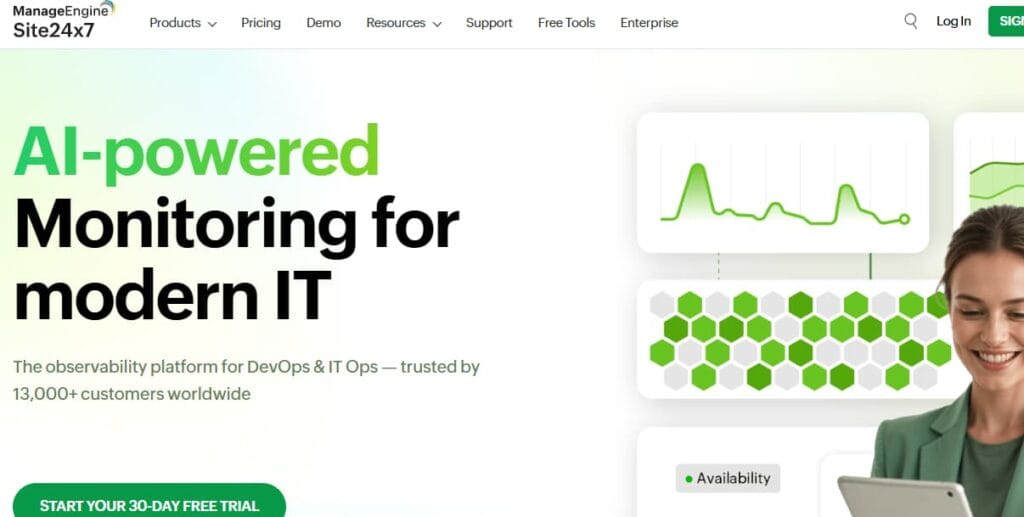
Site24x7 is a SaaS monitoring platform used by IT operations, DevOps, SRE, network, cloud, and MSP teams. It helps monitor websites, servers, applications, cloud services, network devices, logs, synthetic transactions, and real user experience from one platform.
It is best suited for teams that want broad monitoring coverage in one tool. This includes SMBs that need affordable monitoring, MSPs that manage multiple customers, and mid-market teams that want infrastructure, application, website, network, and log visibility without buying many separate tools.
Site24x7 can be a good fit when the buyer wants one SaaS platform for many monitoring jobs. It may be less ideal when a team wants strict self-hosting, a fully OpenTelemetry-native stack, or very deep custom observability workflows.
Key Features
Site24x7 helps teams monitor server and infrastructure health from one place. It can be used to track availability, CPU pressure, memory usage, disk issues, process failures, and other system signals that often cause downtime or slow applications.
Site24x7’s application monitoring helps teams see how deployed applications are performing. It is useful for finding slow transactions, failed requests, backend errors, and performance issues that may not be visible from basic uptime checks alone.
Website monitoring checks whether important websites are available and responding properly. It helps teams catch downtime, slow pages, DNS issues, SSL problems, and customer-facing availability failures before they create bigger business impact.
Log management gives teams a way to collect, search, and investigate logs during incidents. This is useful when metrics show that something is wrong, but engineers need exact error messages, failed requests, or system events to understand the root cause.
Real User Monitoring shows how actual users experience a website or application. It helps teams understand page load times, browser issues, geography-based slowdowns, and frontend performance problems that synthetic tests may not fully capture.
Synthetic monitoring runs planned tests against important user journeys such as login, checkout, search, forms, or API flows. This helps teams catch broken workflows before real users report them.
Network monitoring helps teams track routers, switches, firewalls, interfaces, and other network components. It is useful for finding device outages, bandwidth problems, packet loss, interface errors, and network bottlenecks.
Site24x7 supports MSPs that need to monitor multiple customer environments from one platform. This is useful for service providers that need customer separation, centralized alerts, reports, and scalable monitoring across many accounts.
Site24x7 Pricing Options
For this review, the safest pricing view is the All-in-one Monitoring tab because it combines application, server, website, log, network, and RUM coverage.
All-in-one Monitoring Plans
| Plan | Visible monthly price | Included usage shown |
| Lite | $9/month paid annually | 2 servers, 5 websites |
| Professional | $42/month paid annually | 1 app, 5 servers, 20 websites |
| Enterprise | Starts at $625/month paid annually | Professional features plus enterprise features |
MSP Pricing
Site24x7 also has MSP pricing for managed service providers. MSP Pro is listed at $54/month paid annually. It includes 9 customers, 3 applications, 5 servers, 15 websites, 1-minute polling, 8 monitoring locations, 10 network components, 5GB logs collected, 100K pageviews, integrations, multiple users, and Classic support.
This plan is relevant for service providers that need to monitor multiple customer environments from one account.
Site24x7 Add-on Pricing
Site24x7’s pricing page says teams can expand monitoring coverage with add-ons. The visible add-on rows include basic monitors, host monitors, advanced monitors, network components, RUM pageviews, logs, synthetic runs, and hourly pricing.
Lite Plan Add-ons
| Add-on | Visible pricing |
| Basic monitors | 10 monitors: $10 |
| Host monitors | 10 monitors: $25 |
| Advanced monitors | 2 monitors: $15 |
| Network components | 10 components: $11 |
| Logs | 10GB: $3, $6, or $12 by index period |
The Lite row also shows 500K RUM pageviews at $25. Site24x7 notes that Lite has a fixed set of add-ons and recommends upgrading to Professional for additional usage.
Professional Plan Add-ons
| Add-on | Visible pricing |
| Basic monitors | 10 monitors $10500 monitors: $450 |
| Host monitors | 10 monitors: $110 500 monitors: $1,100 |
| Advanced monitors | 25 monitors: $160100 monitors: $600 |
| Network components | 10 monitors: $11500 monitors: $468 |
| RUM pageviews | 500K: $25 10M: $300 |
Professional add-ons are the cleanest pricing basis for most growing-team scenarios because they are clearly visible under the plan.
Professional Logs and Synthetic Add-ons
| Add-on | Visible pricing |
| Logs, 7-day index | 10GB: $3; 1TB: $195 |
| Logs, 15-day index | 10GB: $6; 1TB: $450 |
| Logs, 30-day index | 10GB: $12; 1TB: $900 |
| Synthetic runs | 10,000: $8; 1M: $680 |
| Hourly pricing | Cloud server: $0.006/hr; app instance: $0.028/hr |
Logs are a major cost driver because the price rises with both volume and index period.
Enterprise Add-ons
| Add-on | Visible pricing |
| Basic monitors | 10: $16; 500: $720 |
| Host monitors | 10: $40; 500: $1,800 |
| Advanced monitors | 25: $315; 100: $1,190 |
| Network components | 10: $15; 500: $491 |
| RUM pageviews | 500K: $30; 10M: $360 |
Enterprise add-ons are not always cheaper than Professional add-ons. That matters because larger buyers should request a quote instead of assuming public add-on rows will match a negotiated contract.
Enterprise Logs and Synthetic Add-ons
| Add-on | Visible pricing |
| Logs, 7-day index | 10GB: $4; 1TB: $270 |
| Logs, 15-day index | 10GB: $8; 1TB: $540 |
| Logs, 30-day index | 10GB: $16; 1TB: $1,080 |
| Synthetic runs | 10,000: $10; 1M: $1,105 |
| Hourly pricing | Cloud server: $0.008/hr; app instance: $0.037/hr |
These numbers show why Enterprise buyers should model log volume, synthetic runs, and monitor counts before committing.
What Does Site24x7 Really Cost?
The scenarios below are directional editorial estimates based only on visible numbers from Site24x7’s public pricing page. They are not official Site24x7 quotes. Actual pricing can change based on selected plan, add-ons, discounts, contract terms, monitor types, log indexing period, synthetic usage, RUM pageviews, and custom enterprise agreements.
Site24x7 does not price everything as ingested telemetry GB. The visible All-in-one pricing page shows base plans, included usage, and add-ons for logs, synthetic runs, RUM pageviews, monitor types, network components, and hourly usage. Because of that, these scenarios only convert the workload estimates into Site24x7-relevant units: log volume and synthetic runs. RUM sessions are not priced here because Site24x7’s visible pricing uses RUM pageviews, not
Pricing Assumptions Used in These Scenarios
For logs, we use the visible indexed-log add-ons. On Professional, 1TB logs cost $195 for 7-day indexing, $450 for 15-day indexing, and $900 for 30-day indexing. On Enterprise, 1TB logs cost $270 for 7-day indexing, $540 for 15-day indexing, and $1,080 for 30-day indexing.
For synthetic monitoring, we combine API test runs and browser test runs into total synthetic runs. On Professional, 10,000 synthetic runs cost $8 and 1M runs cost $680. On Enterprise, 10,000 synthetic runs cost $10 and 1M runs cost $1,105.
Workload Assumptions Used for Site24x7 Estimates
| Team size | Log volume used | Synthetic runs used |
| Small team | ~720GB/month | ~52K runs/month |
| Growing team | ~3.6TB/month | ~520K runs/month |
| Mid-market team | ~18TB/month | ~2.08M runs/month |
We use 7-day log indexing as the base estimate because it is the lowest visible indexed-log tier on Site24x7’s pricing page. If a team needs 15-day or 30-day indexing, the log cost increases sharply.
Scenario 1: Small Team, ~720GB Logs/Month + ~52K Synthetic Runs/Month
Situation
A small engineering team runs a few production services and needs website checks, application visibility, log search, synthetic checks, and alerting. The team generates around 720GB of logs per month and runs about 52K synthetic checks across API and browser tests.
Why teams at this stage consider Site24x7
Teams at this stage may consider Site24x7 because the Professional plan bundles several monitoring areas into one SaaS package. It includes application, server, website, log, network, pageview, integration, multi-user, and support coverage at a low public starting price.
Estimated profile
| Configuration | Detail |
| Logs | ~720GB/month |
| API test runs | ~50K/month |
| Browser test runs | ~2K/month |
| Pricing plan | Professional |
Estimated monthly cost
Disclaimer: This is a directional editorial estimate. Actual cost may vary based on the exact pricing selector result, contract terms, billing cycle, and add-ons.
| Component | Calculation | Monthly cost |
| Professional plan | Annual price shown | $42 |
| Logs | Nearest visible 1TB, 7-day index | $195 |
| Synthetic runs | 6 × 10K run blocks | $48 |
| RUM | Not priced; sessions ≠ pageviews | $0 |
| Total estimated cost | $42 + $195 + $48 | ~$285/month |
What this scenario shows
At small-team scale, Site24x7 can stay affordable if log indexing is short and synthetic usage is modest. Logs are already the largest part of the estimate. RUM is excluded because the provided usage is in sessions, while Site24x7 prices visible RUM add-ons by pageviews.
Scenario 2: Growing Team, ~3.6TB Logs/Month + ~520K Synthetic Runs/Month
Situation
A growing SaaS team has more production services, more API checks, more browser tests, and higher log volume. The team generates around 3.6TB of logs per month and runs about 520K synthetic checks per month.
Why teams at this stage consider Site24x7
Teams at this stage may evaluate Site24x7 because it still gives them broad monitoring in one platform instead of forcing separate tools for websites, logs, synthetics, infrastructure, applications, and network visibility. But at this scale, log volume and synthetic runs start becoming visible budget items.
Estimated profile
| Configuration | Detail |
| Logs | ~3.6TB/month |
| API test runs | ~500K/month |
| Browser test runs | ~20K/month |
| Pricing plan | Professional |
Estimated monthly cost
Disclaimer: This is a directional editorial estimate. Actual cost may vary based on the exact pricing selector result, contract terms, billing cycle, and add-ons.
| Component | Calculation | Monthly cost |
| Professional plan | Annual price shown | $42 |
| Logs | 4 × 1TB, 7-day index | $780 |
| Synthetic runs | 52 × 10K run blocks | $416 |
| RUM | Not priced; sessions ≠ pageviews | $0 |
| Total estimated cost | $42 + $780 + $416 | ~$1,238/month |
What this scenario shows
At growing-team scale, logs remain the main cost driver, but synthetic monitoring also becomes meaningful. If this team needs 30-day log indexing instead of 7-day indexing, the Professional log estimate rises from $780 to $3,600/month before synthetic runs are added.
Scenario 3: Mid-Market Team, ~18TB Logs/Month + ~2.08M Synthetic Runs/Month
Situation
A mid-market team runs a larger production environment with heavier log volume and more synthetic testing. The team generates around 18TB of logs per month and runs about 2.08M synthetic checks per month across API and browser tests.
Why teams at this stage consider Site24x7
Teams at this scale may still consider Site24x7 because it offers broad SaaS monitoring in one platform. But the buyer should not focus only on the low entry price. At this level, indexed logs, synthetic runs, RUM pageviews, monitor add-ons, and custom contract terms can significantly change the final bill.
Estimated profile
| Configuration | Detail |
| Logs | ~18TB/month |
| API test runs | ~2M/month |
| Browser test runs | ~80K/month |
| Pricing plan | Enterprise |
Estimated monthly cost
Disclaimer: This is a directional editorial estimate. Actual cost may vary based on the exact pricing selector result, contract terms, billing cycle, and add-ons.
| Component | Calculation | Monthly cost |
| Enterprise plan | Starting annual price shown | $625 |
| Logs | 18 × 1TB, 7-day index | $4,860 |
| Synthetic runs | 208 × 10K run blocks | $2,080 |
| RUM | Not priced; sessions ≠ pageviews | $0 |
| Total estimated cost | $625 + $4,860 + $2,080 | ~$7,565/month |
What this scenario shows
At mid-market scale, Site24x7’s cost is shaped mainly by indexed logs and synthetic runs. With 7-day indexing, logs alone are estimated at $4,860/month. If the same 18TB uses 30-day indexing, Enterprise log pricing rises to 18 × $1,080, or $19,440/month for logs alone. That is why larger buyers should confirm retention, add-on blocks, and custom pricing with Site24x7 before purchase.
What Actually Drives Site24x7 Costs?
The first cost driver is the selected plan. On the All-in-one tab, Lite is $9/month paid annually, Professional is $42/month paid annually, and Enterprise starts at $625/month paid annually.
The pricing page separates monitor expansion into basic monitors, host monitors, advanced monitors, and network components. On Professional, visible examples include 500 basic monitors at $450, 500 host monitors at $1,100, 100 advanced monitors at $600, and 500 network components at $468.
Logs can become one of the largest cost drivers. On Professional, 1TB costs $195 for 7-day indexing, $450 for 15-day indexing, and $900 for 30-day indexing. On Enterprise, 1TB costs $270, $540, or $1,080 depending on index period.
RUM grows with frontend traffic. The visible Professional add-on row lists 500K pageviews at $25 and 10M pageviews at $300. Site24x7’s RUM docs also confirm that additional RUM pageview add-ons can be purchased.
Synthetic monitoring becomes a separate cost when teams add many test runs. Professional shows 10,000 runs at $8 and 1M runs at $680, while Enterprise shows 10,000 runs at $10 and 1M runs at $1,105.
Site24x7 User Reviews
Site24x7 has generally strong public reviews. Capterra lists Site24x7 at 4.7/5 from 336 user reviews, with high scores for ease of use, features, customer service, and likelihood to recommend.
G2’ review summary says users often praise Site24x7 for ease of use, reliable alerts, comprehensive monitoring, quick setup, and integrations. The same G2 summary notes that some users feel the interface can be cluttered, which can make navigation harder for new users.
Gartner Peer Insights lists ManageEngine Site24x7 at 4.6 from 352 ratings, which supports the view that the product is well-rated across major review platforms.
What Users Praise
| Theme | Review-backed summary |
| Alerting | Users praise reliable notifications and incident visibility. |
| Broad coverage | Reviews highlight website, server, cloud, and app monitoring. |
| Ease of setup | Users often mention quick setup and onboarding. |
| Value | Capterra shows strong value-related review sentiment. |
| Integrations | G2 notes integrations as a repeated positive theme. |
What Users Criticize
Disclaimer: These points summarize public review patterns. They do not apply to every Site24x7 customer.
| Theme | Review-backed summary |
| UI clutter | G2 says some users find the interface cluttered. |
| Learning curve | Advanced setup can take time. |
| Billing complexity | Increases with growth |
| Pricing clarity | especially when adding monitors and navigating various parameters for Site24x7 |
Site24x7 Alternatives
Site24x7 vs CubeAPM
Site24x7 is better suited for teams that want a ready-made SaaS monitoring suite with website, infrastructure, network, log, RUM, and synthetic monitoring in one platform. CubeAPM is a better fit for teams that want OpenTelemetry-native observability, stronger data control, and pricing based on telemetry ingestion instead of many separate add-ons. This makes CubeAPM especially relevant for teams that want to avoid vendor-hosted data pipelines and keep observability closer to their own infrastructure.
| Category | Site24x7 | CubeAPM |
| Deployment | SaaS | Self-hosted / managed deployment |
| Pricing style | Plans plus add-ons | Ingestion-based |
| Public price signal | $42 Professional plan | $0.15/GB ingestion |
| Best for | Broad IT monitoring | OpenTelemetry-native observability |
| Data control | Vendor-hosted SaaS | Stronger customer-side control |
Site24x7 vs Datadog
Site24x7 and Datadog both cover infrastructure, applications, logs, synthetics, RUM, and cloud monitoring, but they serve different buyer profiles. Site24x7 is usually easier for SMBs, MSPs, and cost-conscious IT teams to start with because the public entry price is lower and the packaging is simpler. Datadog has a deeper enterprise ecosystem, but the total bill can grow quickly when teams enable multiple modules together.
| Category | Site24x7 | Datadog |
| Pricing style | Plan plus add-ons | Product-by-product pricing |
| Entry point | $42 Professional plan | Infra Pro $15/host/month |
| Strength | Affordable all-in-one monitoring | Large observability ecosystem |
| Cost risk | Logs, RUM, synthetics, add-ons | Many modules can stack |
| Best for | SMBs, MSPs, mid-market IT | Larger cloud-native teams |
Site24x7 vs Dynatrace
Site24x7 focuses more on broad monitoring at an accessible price point, while Dynatrace is built for large enterprise environments that need automation, topology mapping, AI-assisted root cause analysis, and deeper full-stack observability. Site24x7 may be easier for smaller teams to buy and manage, but Dynatrace is stronger when the environment is highly complex and automation matters more than low entry pricing.
| Category | Site24x7 | Dynatrace |
| Pricing style | Plans plus add-ons | Usage-based rate card |
| Entry point | $42 Professional plan | Full-stack at $0.01/memory-GiB-hour |
| Strength | Broad IT monitoring | Enterprise automation and AI |
| Best for | SMBs and MSPs | Large enterprises |
| Cost risk | Add-on growth | Memory-based usage growth |
Site24x7 vs New Relic
Site24x7 is a stronger fit for teams that want packaged IT monitoring with websites, infrastructure, logs, RUM, synthetics, and network visibility in one SaaS platform. New Relic is more focused on telemetry analytics and engineering-led observability, especially for teams that want to send many data types into one platform. The main difference is pricing behavior: Site24x7 depends on plans and add-ons, while New Relic depends heavily on data ingest and user seats.
| Category | Site24x7 | New Relic |
| Pricing style | Plans plus add-ons | Data ingest plus users |
| Entry point | $42 Professional plan | 100GB free ingest |
| Data pricing | Logs by volume and index period | $0.40/GB beyond free 100GB |
| Strength | Broad IT monitoring | Telemetry analytics |
| Cost risk | Add-ons and logs | Ingest and user seats |
Site24x7 vs ManageEngine Applications Manager
Site24x7 and ManageEngine Applications Manager are both part of the wider Zoho/ManageEngine ecosystem, but they fit different deployment needs. Site24x7 is SaaS-first and easier for teams that want cloud-hosted monitoring without managing the monitoring server themselves. ManageEngine Applications Manager is often considered by teams that prefer a more traditional self-managed monitoring setup or already use ManageEngine tools internally.
| Category | Site24x7 | ManageEngine Applications Manager |
| Deployment | SaaS | Commonly self-managed |
| Main focus | All-in-one monitoring | App and infra monitoring |
| Best for | SaaS monitoring and MSPs | ManageEngine-heavy teams |
| Pricing style | Monthly plans plus add-ons | License-based model |
| Setup | SaaS-first | More deployment work |
Is Site24x7 the Right Choice?
Site24x7 Works Best For
- SMBs that need broad monitoring without a high starting price
- MSPs that need customer management, multiple users, monitoring locations, logs, pageviews, and scalable add-ons
- Mid-market IT teams that want website monitoring, infrastructure monitoring, APM, logs, RUM, synthetic monitoring, and network visibility in one SaaS platform
- Teams that prefer SaaS monitoring instead of managing their own monitoring infrastructure
- Organizations that want to consolidate several monitoring tools into one platform
Site24x7 May Not Be the Right Fit For
- Teams that need strict self-hosting or full control over where observability data is stored
- Engineering teams building around a fully OpenTelemetry-native observability architecture
- Organizations that need very deep distributed tracing and advanced telemetry analytics
- Very large enterprises that require stronger automation, deeper AI-assisted root cause analysis, and highly custom observability workflows
- Buyers that want a simpler pricing model without many add-ons for logs, RUM, synthetics, monitors, and network components
Conclusion
Site24x7 is a strong all-in-one monitoring platform for SMBs, MSPs, and mid-market IT teams. Its main strengths are broad monitoring coverage, low public entry pricing, website monitoring, server monitoring, APM, network monitoring, logs, RUM, synthetic monitoring, and MSP support.
The most important pricing point is that Site24x7 does not have one simple cost model. The visible All-in-one page shows base plans, included usage, and add-ons for monitors, network components, RUM pageviews, logs, synthetic runs, and hourly usage.
For small teams, Site24x7 can stay affordable. For growing and mid-market teams, the real cost depends on add-ons, especially host monitors, advanced monitors, logs, synthetic runs, RUM pageviews, and network components.
Disclaimer: Features, pricing, and plan limits can change over time. Always verify the latest information directly with the vendor before making purchasing or deployment decisions.
FAQs
1. What does Site24x7 cost?
On the visible All-in-one pricing tab, Lite is listed at $10/month or $9/month paid annually. Professional is listed at $49/month or $42/month paid annually. Enterprise starts at $625/month paid annually.
2. What does the Site24x7 Professional plan include?
The visible Professional plan includes 1 application, 5 servers, 20 websites, 4GB log ingestion, 10 network components, 100K pageviews, integrations, multiple users, and Classic support.
3. How much do Site24x7 logs cost?
On the Professional add-on row, 1TB of logs costs $195 for 7-day indexing, $450 for 15-day indexing, and $900 for 30-day indexing. On Enterprise, 1TB costs $270, $540, or $1,080 depending on index period.
4. How does Site24x7 RUM pricing work?
Site24x7 RUM is based on pageviews. The visible Professional add-on row lists 500K pageviews at $25 and 10M pageviews at $300. Site24x7’s RUM docs also confirm that additional RUM pageview add-ons can be purchased.
5. What are the biggest Site24x7 limitations?
The biggest cautions are pricing complexity from add-ons, possible UI clutter, alert tuning needs, and setup effort for advanced workflows. G2’s review summary specifically notes that some users find the interface cluttered.