










Lumigo is a cloud-native observability platform that provides distributed tracing, centralized logs, and service maps to help teams visualize request flows and troubleshoot modern applications. While it offers fast onboarding and strong trace-log correlation, users often report higher costs at scale and a learning curve when expanding beyond core use cases.
CubeAPM is the best alternative to Lumigo, offering full-stack, OpenTelemetry-native observability across metrics, logs, and traces with predictable ingestion-based pricing. Unlike Lumigo’s narrower scope, CubeAPM provides broader visibility, flexible retention, and deployment options that scale without steep cost increases.
In this article, we will explore the Top 7 Lumigo alternatives, highlight the specific pain points with Lumigo, and introduce tools like CubeAPM and Datadog that offer better performance, cost-efficiency, and data control.
Top 8 Lumigo Alternatives
- CubeAPM
- SolarWinds
- Dynatrace
- Datadog
- Uptrace
- Splunk AppDynamics
- New Relic
- Better Stack
Why Look for Lumigo Alternatives?
Lumigo is highly regarded for its capabilities in monitoring serverless applications, providing distributed tracing, logging, and error tracking. However, users frequently report several pain points that make them seek alternatives. Let’s dive into these pain points in detail.
1. High Costs
Lumigo’s pricing structure, particularly for serverless monitoring, can be expensive. For example, the standard pricing starts at $99/month for serverless monitoring can quickly add up, especially for businesses with large-scale applications. High cost can deter smaller teams or startups with limited budgets, especially if they don’t leverage Lumigo’s cost optimization tools effectively.
This user clearly notes how the cost of Lumigo can be high:
“The largest downside is the pricing model, which is based on tiers and tracing. The point about lambdas is that they’re bursty but the Lumigo tiering is not, so there’s no easy way to specify how to cope when somone decides to…”(G2)
2. Steep Learning Curve
The platform’s serverless-focused design and lack of intuitive onboarding tools further complicate navigation for new users, requiring significant time to master its features like distributed tracing and custom dashboards, especially for teams transitioning from other observability tools.
The serveless architecture can be complex, as this user notes:
“The initial setup process can be a bit complex, especially for those new to serverless architectures. Some additional documentation or tutorials aimed at beginners could help streamline the onboarding process”(G2).
3. Documentation and Onboarding Gaps
Lumigo’s documentation issues contribute to user frustration, as it lacks clarity and comprehensive guidance, particularly for complex setups like OpenTelemetry integration. Users frequently report that the available resources are insufficient to troubleshoot problems or onboard new team members effectively, leading to prolonged configuration times and a reliance on external support, which hampers productivity for teams adopting the platform.
This is a major issue among users, and has been raised several times as noted here:
“documentation is sometime lacking behind new features” (G2)
“Documentation lacks more Python examples” (G2)
“I would say that improved documentation and other resources could help the users to speed up more quickly. I would also say that better pricing plans could be beneficial for users.”(G2)
4. Overwhelming UI
The suboptimal UI and UX of Lumigo, as noted in user reviews, pose notable challenges for effective utilization. The interface is often described as clunky, which can impede navigation and slow down critical debugging tasks. Additionally, the color scheme presents issues, such as poor contrast or unintuitive design, potentially complicating data visualization and analysis on dashboards. This lack of polish may extend the onboarding process for new users, necessitating additional training and support, ultimately impacting team efficiency and productivity in demanding operational environments.
As one user notes:
“The UI is not intuitive, and the color scheme is a mess—hard to navigate during urgent debugging sessions. onboarding new team members takes longer than it should.”(G2)
Criteria for Selecting Lumigo Alternatives
1. Native OpenTelemetry (OTEL) Support
We prioritized alternatives that provide Native OTEL support for vendor-agnostic instrumentation, enabling seamless integration and flexibility across diverse environments. Lumigo’s OTEL support, while present, requires setup efforts. Other alternatives provide deeper alignment with OTEL semantic conventions, pre-built dashboards, automatic instrumentation, and full-fidelity retention pipelines. These capabilities accelerate adoption and eliminate vendor lock-in, especially for teams building long-term, open observability architectures.
2. Full-Stack Observability
Modern DevOps teams need more than backend traces—they require full visibility across the MELT stack (Metrics, Events, Logs, Traces), along with frontend monitoring and synthetic testing. Alternatives must offer built-in RUM and synthetic monitoring, so teams can simulate user flows and detect regressions before they affect production. Lightstep’s lack of these features creates major blind spots across the user journey.
3. Smart Sampling & Signal Optimization
Efficient observability isn’t about collecting everything—it’s about capturing the right data. We prioritized tools with intelligent, context-aware sampling that adjusts based on anomalies, latency, or error spikes. Static sampling, like the kind used in Lightstep, can result in either excessive ingestion (and cost) or missed signals during incidents.
4. Scalability and Performance at High Volumes
The alternative must efficiently handle large data ingestion volumes without compromising performance or incurring unexpected costs. Lumigo users have reported slow load times and stability issues at scale, indicating a need for platforms that can scale seamlessly, process real-time data, and maintain reliability under heavy workloads, critical for mid-to-large enterprises with 10-20 engineers.
5. Transparent and Predictable Pricing
We prioritized alternatives that provide clear, predictable pricing models rather than Lumigo’s opaque Custom pricing, which requires contact and risks budget overruns. Transparent pricing enables better financial planning, avoiding the cost unpredictability reported by Lumigo users.
6. User-Friendly Interface and Customization
The platform should feature an intuitive UI, customizable dashboards, and flexible alerting options to overcome Lumigo’s clunky interface and limited customization. This is essential for teams of 10-20 engineers, ensuring efficient debugging, onboarding, and tailored workflows without the usability issues highlighted in user feedback.
Lumigo Overview

Known For
Lumigo is a cloud-native observability platform designed to simplify monitoring and troubleshooting for serverless and microservices architectures, with a strong focus on AWS environments. It has gained traction among developers and DevOps teams for its ability to provide end-to-end visibility into distributed systems.
Standout Features
- Streaming Telemetry Architecture: Unlike traditional batch systems, Lumigo processes telemetry in real-time, offering immediate insights into system health and enabling rapid response to issues.
- Service Diagrams with Dependency Mapping: This feature provides visual representations of service interactions, helping teams quickly identify bottlenecks and optimize performance across distributed systems.
- Change Intelligence: Lumigo automatically correlates performance issues with deployments or configuration changes, streamlining the identification of root causes in dynamic environments.
- Native OpenTelemetry Integration: With pre-configured OTEL distributions, Lumigo supports seamless ingestion, offering flexibility and reducing dependency on proprietary tools.
- Time Travel Analysis: This allows engineers to replay historical performance snapshots, facilitating retroactive investigation of anomalies and enhancing troubleshooting capabilities.
Key Features
- End-to-End Distributed Tracing: Lumigo enables tracing of requests across microservices, correlating logs and metrics with individual spans, which is essential for debugging complex production issues.
- Service-Level Root Cause Analysis: The platform identifies latency or error sources within upstream or downstream services, minimizing mean time to resolution (MTTR) effectively.
- Dynamic Service Maps: Continuously updated dependency visualizations reduce the need for manual instrumentation, providing an up-to-date view of application architecture.
Pros
- Rapid setup (under 5 minutes) with no code changes required.
- Cost-effective logging compared to competitors, with tiered pricing starting at $99/month.
- Strong support from serverless experts, including AWS Serverless Hero Yan Cui.
Cons
- High costs as usage grows
- Steep learning curve
- Overwhelming UI for new users
Best For
Lumigo is best suited for small to medium-sized teams focused on AWS Lambda-based serverless applications, where quick deployment and serverless-specific observability are priorities.
Pricing & Customer Reviews
- Fee Basic plan ($0/month with 150K traces, 5GB/mo logs)
- Standard plan ($99/month with 1M traces, 40GB/mo logs)
- Plus plan ($299/month with 5M traces, 100GB/mo logs)
- Rating:4.8/5 (G2)
Top 8 Lumigo Alternatives
1. CubeAPM

Known For
CubeAPM is an OpenTelemetry-native observability platform designed for teams seeking full-stack observability with cost-efficient pricing. It supports end-to-end visibility across the MELT stack — Metrics, Events, Logs, and Traces — while offering dramatically lower costs compared to legacy APM tools like SolarWinds.
Standout Features
- Smart Sampling Engine: CubeAPM’s smart sampling dynamically prioritizes important telemetry such as errors, latency spikes, and 5xx events, reducing ingestion volume and costs while retaining high-value data.
- Full MELT Stack Support: CubeAPM offers comprehensive MELT stack support with RUM, synthetic checks, logs, infrastructure metrics, and traces. This gives teams full observability from the backend to the frontend.
- OpenTelemetry & Prometheus Native: CubeAPM integrates seamlessly with OpenTelemetry and Prometheus, offering flexibility without vendor lock-in. It supports OTEL-native ingestion of data, making it a vendor-agnostic solution.
- Compliance-Ready Hosting: CubeAPM provides self-hosted and private cloud deployment options, ensuring compliance with data residency requirements and helping teams avoid costly public cloud egress fees.
Key Features
- Real-Time Ingestion: CubeAPM ingests data in real-time with low latency, ensuring that teams can get insights from their data without delay.
- Unlimited User Pricing Model: Unlike SolarWinds, CubeAPM uses a flat pricing model based on data volume, eliminating per-user licensing fees and providing greater flexibility for scaling.
- Compliance-Friendly Deployment: CubeAPM offers both self-hosted and hybrid deployment options to meet compliance requirements, making it ideal for organizations with strict data residency needs.
Pros
- Large integration ecosystem, +800 integrations
- No cloud egress costs
- OpenTelemetry-native, with no vendor lock-in.
- Smart sampling drastically reduces costs.
- Real-time ingestion and correlation across MELT.
- Enterprise-grade performance at startup-friendly pricing.
Cons
- Not suited for teams looking for cloud-only solutions.
- Focused strictly on observability and does not include security monitoring or SIEM capabilities.
Best For
- DevOps, SRE, and platform engineering teams seeking to scale beyond legacy APM tools.
- Teams wanting compliance-ready observability without high costs and user-based pricing.
Pricing & Customer Reviews
- $0.15/GB for ingestion.
- G2 Rating: 5/5 (based on Slack feedback and pilot programs).
Users highlight CubeAPM’s blazing-fast dashboards, unbeatable pricing, and support from core engineers.
CubeAPM vs Lumigo
CubeAPM provides full-stack observability across logs, metrics, traces, RUM, and synthetic monitoring with OpenTelemetry-native ingestion and smart sampling for cost control. Lumigo offers full-stack monitoring and distributed tracing for cloud-native applications, with strong visibility into service dependencies and request flows. With broader signal coverage, predictable pricing, and flexible deployment options, CubeAPM is better suited for teams seeking a scalable, end-to-end observability platform.
2. SolarWinds
Known For
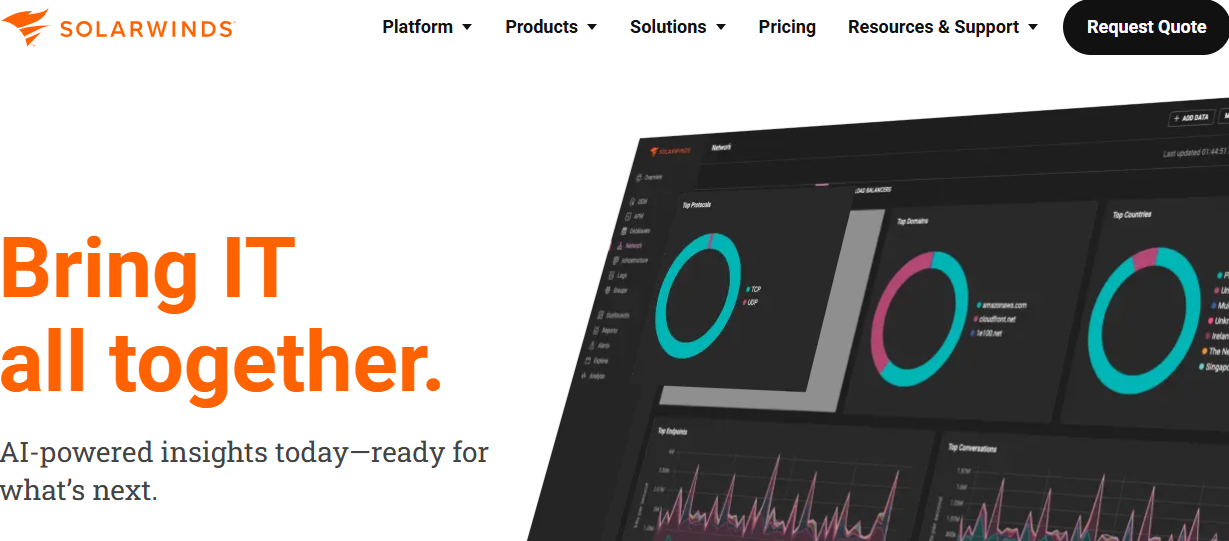
SolarWinds is a long-established vendor best known for its IT infrastructure monitoring, network performance analysis, and on-premise observability tooling. Used widely by enterprises and public sector organizations, SolarWinds provides solutions to monitor servers, applications, databases, and IT operations. The key products include Network Performance Monitor (NPM), Server & Application Monitor (SAM), and the SolarWinds Observability suite.
Standout Features
- Modular Product Suite: SolarWinds offers a range of specialized tools across monitoring, database management, service desk, and incident response. The modularity allows users to pick and choose the tools they need, but can lead to fragmented integration across the ecosystem.
- Network-Centric Monitoring: SolarWinds has strong capabilities in SNMP-based network monitoring, bandwidth usage tracking, and topology mapping. It excels in providing detailed insights into network health and performance, making it ideal for traditional IT setups.
- ITSM Integration: SolarWinds includes service desk modules that support asset management, ticketing, and technician workflows, streamlining incident response and IT service management within the same ecosystem.
- Hybrid Environment Support: SolarWinds can monitor both cloud and on-premise assets, making it suitable for organizations with distributed infrastructures across multiple environments.
- Custom Alerts & Reports: The platform provides customizable dashboards, performance baselines, and alert rules based on user-defined thresholds, ensuring teams can identify issues early and manage performance efficiently.
Key Features
- Infrastructure & Network Monitoring: SolarWinds provides tools like NPM and SAM, allowing organizations to monitor server health, bandwidth usage, hardware faults, and uptime.
- Database Performance Analyser: SolarWinds offers SQL execution insights, query performance analysis, and database load monitoring, especially for MSSQL and Oracle databases, helping teams optimize database performance.
- Service Management: Includes ticketing, technician assignments, SLAs, and email support workflows to manage IT issues efficiently.
- Incident Response & Alerting: SolarWinds provides a centralized alerting engine with role-based notifications integrated with collaboration tools like Slack and Teams.
- On-Premise Deployment: SolarWinds supports self-hosting, making it suitable for compliance-sensitive organizations that need control over their data residency.
Pros
- Strong in traditional IT infrastructure and network monitoring.
- Offers an array of specialized tools in one platform.
- On-premise deployment is perfect for regulated industries.
- Mature SNMP monitoring and NetFlow analysis for networks.
Cons
- Expensive, especially for smaller teams
- Steep learning curve, making full utlization difficult
- Complex initial setup
Best For
- Enterprises with large on-premise networks and traditional IT operations.
- Government agencies or regulated sectors requiring self-hosting.
- Teams focusing on server health, asset discovery, and infrastructure alerting.
Pricing & Customer Reviews
- Monitoring & Observability: $7/node/month
- Database Monitoring: $142/database/month
- ITSM: $39/technician/month
- Incident Response: $9/user/month
- G2 Rating: 4.4/5
Users praise SolarWinds’ breadth but cite issues like poor support, UI complexity, and lack of OpenTelemetry-native support.
SolarWinds vs Lumigo
SolarWinds Observability provides broad, full-stack monitoring across infrastructure, networks, applications, logs, and databases, making it well-suited for hybrid and traditional IT environments. Lumigo, in comparison, focuses more on cloud-native application monitoring with strong distributed tracing and service-level visibility. Teams evaluating Lumigo alternatives may consider SolarWinds when they need wider infrastructure coverage and more established monitoring.
3. Dynatrace
Known For
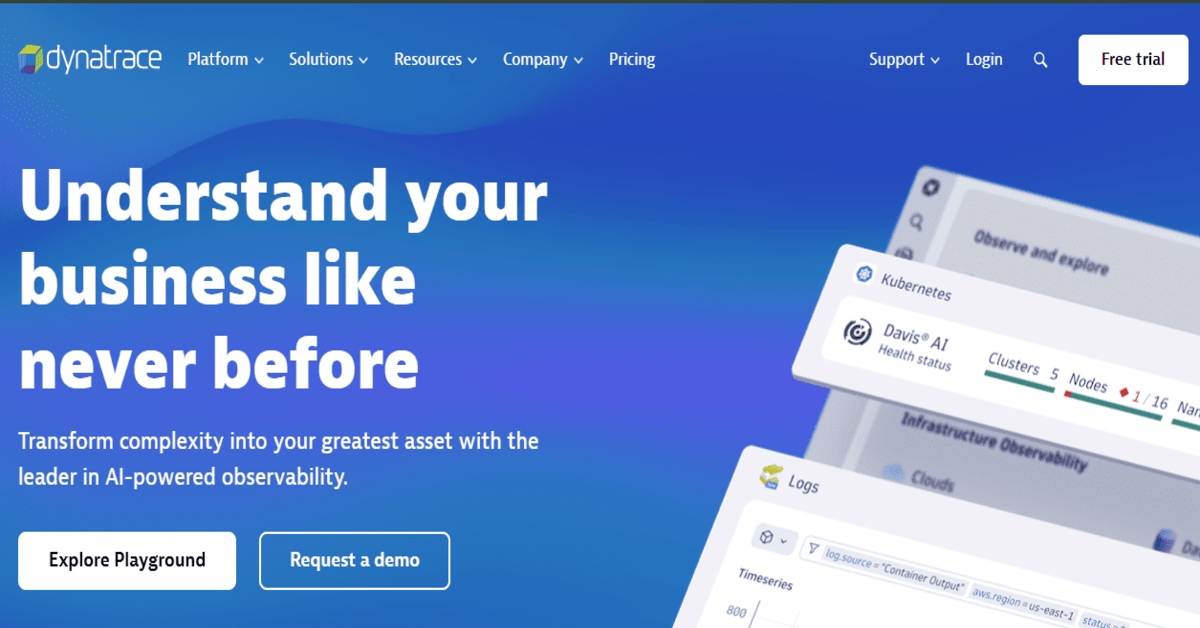
Dynatrace is an AI-powered observability platform designed for large-scale, enterprise-grade environments. It is best recognized for its Davis AI engine, which automates anomaly detection, correlates data across logs, metrics, and traces, and provides deep code-level diagnostics. Dynatrace is often chosen by organizations that want advanced automation and service intelligence without the need for heavy manual configuration.
Standout Features
- Davis AI Engine: The Davis AI engine automatically detects anomalies and correlates data from logs, metrics, and traces using machine learning. This provides real-time insights and helps teams identify issues before they affect users, ensuring predictive diagnostics.
- Full-Stack Monitoring: Dynatrace offers unified observability that spans infrastructure, applications, frontend performance (RUM and synthetics), and logs, providing complete visibility into all aspects of a system’s performance.
- Code-Level Tracing: Dynatrace provides deep code-level insights for languages such as Java, .NET, Node.js, and more, allowing teams to trace issues down to the method and class level for optimal performance optimization.
- Automatic Dependency Mapping: Dynatrace automatically discovers services, APIs, and databases in your environment, eliminating the need for manual configuration. This automatic service mapping simplifies complex infrastructure setups and provides real-time insights into system dependencies.
Key Features
- Cloud-Native & Hybrid Support: Dynatrace supports integrations for Kubernetes, serverless, and multi-cloud environments, making it a great choice for organizations with dynamic, hybrid infrastructure needs.
- Business Workflow Monitoring: Dynatrace ties application performance to business KPIs and SLAs, offering business-centric observability and ensuring that performance aligns with organizational goals.
- Predictive Incident Detection: Using machine learning, Dynatrace predicts performance regressions and outages before they impact users, making it easier for teams to proactively resolve issues.
- Automatic Service Discovery: Dynatrace offers automatic service discovery and dependency mapping, ensuring that the infrastructure is always up to date without requiring manual input or configuration.
Pros
- Built for scale with minimal configuration required.
- AI-powered anomaly detection for faster issue resolution.
- Seamless integration with hybrid infrastructure and multi-cloud environments.
- Automated service discovery and dependency mapping.
Cons
- High pricing — costs increase significantly due to the compute time, log ingestion, and cloud modules.
- The UI can feel overwhelming for beginners
- Complex initial setup
Best For
- Enterprises and large teams that need full-stack visibility and predictive diagnostics.
- Teams operating in multi-cloud, Kubernetes, and serverless environments.
- Organizations with the budget to invest in advanced automation and service intelligence.
Pricing & Customer Reviews
- Infrastructure Monitoring: $29 / mo per host
- Full-Stack Monitoring: $58 / mo per 8 GiB host
- G2 Rating: 4.4/5
Users praise the Davis AI engine and automated setup, but mention the high costs and learning curve as drawbacks.
Dynatrace vs Lumigo
Dynatrace delivers comprehensive observability across infrastructure, applications, digital experience, and cloud environments with AI-driven insights and automated root cause analysis. Lumigo emphasizes distributed tracing, service maps, and correlated logs to help teams troubleshoot complex systems and microservices. While Lumigo provides strong tracing and operational context, Dynatrace offers broader coverage with advanced automation, AI insights, and deeper infrastructure analytics, making it a strong alternative for organizations needing enterprise-grade, end-to-end observability.
4. Datadog
Known For
Datadog is a cloud-native, SaaS-based observability platform offering integrated monitoring across infrastructure, APM, log analytics, security, and user experience monitoring. It is widely adopted by DevOps teams for its extensive integrations, mature dashboards, and ability to provide real-time visibility into distributed systems.
Standout Features
- 900+ Native Integrations: Datadog supports over 900 integrations, covering a wide range of services and platforms such as AWS, Kubernetes, Docker, GitHub, and Jenkins. This extensive ecosystem support makes it a comprehensive solution for diverse monitoring needs.
- Unified Observability Platform: Datadog combines APM, metrics, logs, RUM, synthetics, and cloud security in one unified interface, streamlining workflows and reducing the need for multiple monitoring tools.
- Watchdog AI Engine: Datadog uses machine learning to detect anomalies and unusual behavior in real-time with its Watchdog AI engine. This automated anomaly detection helps teams identify potential incidents before they escalate.
- Scalable Multi-Region Support: Datadog supports real-time telemetry ingestion and visualization for global infrastructures across multiple regions. This is especially useful for teams managing multi-cloud or hybrid environments.
Key Features
- Infrastructure Monitoring: Datadog collects host-level metrics and provides prebuilt dashboards for popular cloud platforms such as AWS, Azure, and Kubernetes.
- Application Performance Monitoring (APM): Datadog provides deep tracing and performance analysis for services, APIs, and databases, helping teams optimize application performance and quickly detect issues.
- Synthetic Monitoring & RUM: Datadog offers synthetic tests to simulate user journeys and monitor frontend performance with RUM, giving teams a complete view of the user experience.
- Security Monitoring: Datadog integrates security monitoring, providing real-time alerts and insights into potential vulnerabilities and compliance issues across cloud workloads.
Pros
- Comprehensive observability features.
- Excellent support for containerized and serverless environments.
- Rich documentation and quick onboarding.
- Seamless integrations with CI/CD tools and cloud services.
Cons
- High cost at scale due to per-GB, per-host, and per-feature pricing.
- Steep learning curve
- Users find the complexity of Datadog challenging
Best For
- Enterprises and cloud-native organizations needing centralized observability.
- Teams with multi-cloud or hybrid infrastructure.
- Organizations prioritizing integrations and fast onboarding.
Pricing & Customer Reviews
- APM (Pro Plan): $35/host/month
- Infra (Pro Plan): $15/host/month
- Ingested Logs: $0.10 per ingested or scanned GB per month
- G2 Rating: 4.4/5
Datadog is praised for its depth of integrations and AI-based alerting, but users frequently cite the high costs and complexity in setup and usage as drawbacks.
Datadog vs Lumigo
Datadog provides broad observability across infrastructure, applications, logs, metrics, traces, RUM, and synthetic monitoring within a single platform. Lumigo delivers comprehensive observability across cloud infrastructure and applications, with strong distributed tracing, service maps, and correlated telemetry for faster troubleshooting. Datadog is a strong alternative for teams that need additional digital experience monitoring and a wider set of integrated observability capabilities.
5. Uptrace

Known For
Uptrace is a lightweight observability solution built around OpenTelemetry-native tracing and metrics. It is designed for small teams and developers who need vendor-neutral tracing capabilities without the overhead of full-stack APM tools. Uptrace is built on top of ClickHouse, offering fast query performance for distributed tracing and basic metrics monitoring.
Standout Features
- OTEL-Native Tracing: Uptrace collects OpenTelemetry spans directly without needing vendor-specific SDKs or translation layers. This vendor-agnostic approach provides flexibility and reduces lock-in.
- ClickHouse Backend: The backend leverages ClickHouse, which allows SQL-based querying of high-cardinality trace data. This feature ensures fast and efficient performance when handling large volumes of trace data.
- Basic Metrics Support: Uptrace can ingest Prometheus-compatible metrics, enabling visibility into infrastructure and application monitoring.
- Self-Hosted Deployment: Uptrace can be deployed entirely on-premise or with Docker, giving teams full control over their data and avoiding cloud-related dependencies.
Key Features
- Simple Dashboards & Alerts: Uptrace offers basic dashboards and anomaly alerts for trace data, simplifying the process of monitoring distributed systems.
- SQL-Based Trace Queries: The use of ClickHouse allows for advanced SQL-based querying of traces, giving developers flexibility to perform deep troubleshooting.
- Prometheus Integration: Uptrace integrates with Prometheus for system metrics collection, making it a useful tool for teams that are already using Prometheus for metrics.
- Free Community Edition: Uptrace offers a free community edition that is highly cost-effective for early-stage teams and startups, enabling them to get started with distributed tracing without a hefty investment.
Pros
- Fully OTEL-native and vendor-agnostic.
- Free community edition is ideal for small teams and open-source users.
- Can be self-hosted for complete data ownership.
- Fast local dashboards with minimal resource consumption.
Cons
- Some advanced features require setup efforts, especially when self-hosted
- Operational overhead, especially when self-hosted
- High operational overhead to manage ClickHouse, OTEL Collector, and configs.
Best For
- Some advanced features require setup efforts, especially when self-hosted
- Operational overhead, especially when self-hosted
- High operational overhead to manage ClickHouse, OTEL Collector, and configs.
Pricing & Customer Reviews
- Traces and Logs: starts at $0.08 per GB
- Metrics: starts at $0.001 per series
- G2 Rating: Not listed on G2
Users appreciate the speed and simplicity, but cite limited enterprise features, advanced visualization, and the overhead of managing multiple backend services.
Uptrace vs Lumigo
Uptrace is an OpenTelemetry-native observability platform that unifies traces, metrics, and logs with customizable dashboards and alerting, and can be self-hosted using ClickHouse and PostgreSQL. Lumigo provides comprehensive observability with distributed tracing, correlated logs, and service dependency visualization to help teams troubleshoot complex systems. While Lumigo emphasizes seamless troubleshooting workflows, Uptrace appeals to teams that prefer open-source flexibility and control over their observability stack.
6. Splunk AppDynamics
Known For
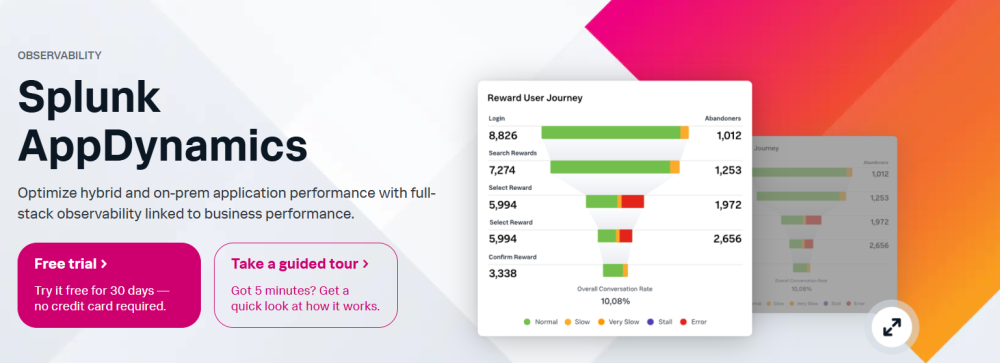
Splunk AppDynamics, originally developed by Cisco and now integrated into Splunk’s observability suite, focuses on deep application diagnostics and business transaction monitoring. It is widely used in enterprise environments where tying backend performance to business KPIs is critical.
Standout Features
- Business Transaction Monitoring: AppDynamics tracks end-to-end user transactions across microservices, APIs, and infrastructure components, helping organizations tie application performance to business objectives.
- APM & Code-Level Insights: The platform offers detailed diagnostics at the method and class level for Java, .NET, PHP, and Node.js applications. This helps teams troubleshoot performance issues at a granular level.
- Infrastructure Correlation: AppDynamics connects application behavior with underlying host and container health, providing deeper context for performance optimization.
- Synthetic Monitoring: It simulates user interactions to proactively detect frontend performance issues before they impact users.
Key Features
- Custom Dashboards & Health Rules: AppDynamics provides KPI-driven alerting, SLA tracking, and business-centric observability, ensuring that performance aligns with business goals.
- Code-Level Debugging: AppDynamics enables method-level tracing, offering detailed breakdowns of code execution paths and performance bottlenecks.
- Health Rules & Performance Baselining: The platform allows teams to set health rules based on business KPIs, ensuring that performance meets predefined targets.
- Integration with Splunk: AppDynamics integrates seamlessly with Splunk’s log analytics and SIEM capabilities, providing full observability across performance and security layers.
Pros
- Strong business-to-application correlation.
- Highly granular APM and root-cause diagnostics.
- Ideal for legacy monoliths and enterprise applications.
- Extends Splunk’s log analytics into performance monitoring.
Cons
- High total cost of ownership, especially with APM, logs, synthetics, and infra modules.
- UI overhead reported by users.
- Self-hosting options exist but require significant configuration and overhead.
Best For
- Enterprises with Java/.NET monoliths needing precise performance breakdowns.
- Teams already using Splunk for logging or security analytics.
- IT departments managing business-critical SLAs and transaction-heavy workloads.
Pricing & Customer Reviews
- AppDynamics APM: starts at $33/month/CPU core
- Infra Monitoring: starts at $6/month/CPU core
- G2 Rating: 4.3/5
Users appreciate the detailed APM features but often cite cost, complexity, and the aging UI as drawbacks—especially for modern cloud-native teams.
Splunk AppDynamics vs Lumigo
Splunk AppDynamics provides enterprise-grade observability across applications, infrastructure, and business performance with deep diagnostics and AI-driven insights. Lumigo delivers comprehensive observability with distributed tracing, correlated logs, and service maps to help teams troubleshoot complex systems. While Lumigo emphasizes developer-focused trace and service-level visibility, Splunk AppDynamics offers broader enterprise analytics and performance monitoring, making it a strong alternative for organizations that need deep, full-stack visibility and advanced diagnostics.
7. New Relic
Known For
New Relic is a full-stack observability platform that provides unified telemetry through a single interface, combining APM, infrastructure monitoring, logs, RUM, synthetics, and mobile telemetry. Its Telemetry Data Platform (TDP) and powerful NRQL query language enable teams to analyze large volumes of telemetry data in real-time. New Relic is popular among teams seeking a fast and out-of-the-box observability experience with flexible integrations.
Standout Features
- Full MELT Observability: New Relic collects metrics, events, logs, traces, RUM, synthetics, and errors—all aggregated in one unified interface. This comprehensive visibility helps teams quickly identify performance bottlenecks and issues across the entire stack.
- Telemetry Data Platform (TDP): The TDP is a centralized ingestion and analysis engine that allows New Relic to ingest data from OpenTelemetry, Prometheus, and its own agents. It helps teams unify their observability efforts and get deeper insights into system performance.
- NRQL Dashboards: The New Relic Query Language (NRQL) enables real-time querying and custom visualizations of telemetry data, making it highly flexible and suitable for dynamic infrastructure monitoring.
- Frontend & Mobile Monitoring: New Relic includes session-level RUM, uptime checks, and mobile performance tracking, providing front-end and user journey visibility alongside backend telemetry.
Key Features
- Integrations & Auto-Instrumentation: New Relic provides extensive integrations with AWS, Azure, Kubernetes, and supports auto-instrumentation for several backend languages, making it easy to get started and integrate with existing systems.
- Unified MELT View: The single-pane-of-glass interface aggregates metrics, events, logs, and traces, which makes it easier for teams to monitor their systems and resolve issues faster.
- Real-Time Analytics: The NRQL-powered dashboards and real-time analytics make it easy to drill into data, build customized views, and track performance and reliability metrics.
- Synthetic Monitoring & RUM: New Relic offers synthetic monitoring to simulate user journeys and track real-world behavior across web and mobile applications.
Pros
- Comprehensive observability across the entire stack (MELT).
- Strong auto-instrumentation and integration capabilities.
- Real-time analytics and customizable dashboards via NRQL.
- Excellent for frontend and mobile monitoring.
Cons
- Pricing complexity — can be expensive and complicated, especially for small teams and startups
- Users find the steep learning curve challenging
- Initial setup is complex, requiring significant knowledge
Best For
- Mid-to-large DevOps and SRE teams who need full-stack visibility from day one.
- Teams with mixed workloads (web, mobile, infrastructure) looking for unified visibility.
- Organizations that prioritize dashboarding, ease of onboarding, and real-time querying.
Pricing & Customer Reviews
- Free Tier: 100GB/month ingested
- Pro plan: $0.40/GB ingested beyond the free 100GB limit
- Pro Plan: $349/user for full platform user
- G2 Rating: 4.4/5
Customers appreciate the unified UI and fast setup, but they frequently express frustration with user license costs, surprise bills, and vendor lock-in.
New Relic vs Lumigo
New Relic offers broad observability across infrastructure, applications, logs, metrics, traces, RUM, and synthetics with unified analytics and AI-assisted insights. Lumigo provides comprehensive observability with distributed tracing, correlated logs, and service maps to support fast troubleshooting. While Lumigo emphasizes streamlined service-level visibility, New Relic delivers wider signal coverage and integrated analytics, making it a strong alternative for teams that want full-stack observability in a single platform.
8. Better Stack

Known For
BetterStack (formerly Better Uptime) is a developer-friendly observability tool that emphasizes uptime monitoring, incident management, and log aggregation. Its simple, clean UI and fast onboarding make it ideal for startups and small teams that prioritize external service reliability and lightweight observability.
Standout Features
- Uptime Monitoring: BetterStack provides HTTP, SSL, port, and ping checks with integrated on-call schedules and status pages. This ensures that teams can quickly detect service downtime and act accordingly.
- Log Management: It includes a built-in logging system with SQL-style search, alerts, and basic retention controls, allowing users to aggregate and query logs with minimal setup.
- Incident Management: BetterStack supports on-call scheduling, incident logging, and multi-channel alerting (Slack, Teams, email), making it easy for teams to manage and respond to incidents efficiently.
- Team Collaboration: Features like alert routing, escalation policies, and public-facing status dashboards help teams improve communication and collaboration during incidents.
Key Features
- Custom Dashboards: BetterStack’s minimalist UI supports markdown, status widgets, and project-specific views, making it easy for teams to create their own personalized monitoring setup.
- Git-Based Configuration: BetterStack allows YAML-based alert definitions and GitOps-style configuration, providing flexibility for DevOps teams that prefer code-driven workflows over GUI setups.
- Free Tier: It offers a generous free tier, which includes 10 monitors, 500MB logs/day, and basic alerting, making it suitable for small teams with limited budgets.
Pros
- Extremely user-friendly with minimal setup required.
- Great for frontend, APIs, and external service monitoring.
- Real-time alerting and fast log search for small teams.
- Beautiful public status dashboards for transparency.
Cons
- Users feel it is expensive for small teams and startups
- Users highlight missing features like outgoing webhooks
- Initial setup is complex, especially for those unfamiliar with monitoring
Best For
- Indie developers and small teams needing simple uptime and log monitoring.
- Startups looking for fast incident alerting with a polished dashboard.
- Teams focused on frontend monitoring and quick public status updates.
Pricing & Customer Reviews
- Free tier: Includes 10 monitors, 1 static page, 3 GB logs (3-day), 2B metrics points (30-day), 1 or more responders using Slack/phone/SMS.
- Paid plans: Start at $29/user/month, including one responder license and unlimited users, with bundles for telemetry and incident capabilities.
- G2 Rating: 4.6/5
Users love the UX and onboarding, but have concerns about limited features and high costs when data volumes grow.
Better Stack vs Lumigo
Better Stack offers unified observability with logs, metrics, alerts, uptime monitoring, and incident management designed for simplicity and reliability. Lumigo provides comprehensive observability with distributed tracing, correlated logs, and service maps to aid troubleshooting and dependency visibility. While Lumigo emphasizes trace-centric operational context, Better Stack delivers an easy-to-use, all-in-one monitoring and reliability solution, making it a strong alternative for teams that prioritize simplicity and integrated alerting.
Conclusion: Choosing Lumigo Alternatives
As organizations evolve their observability needs, Lumigo’s limitations—such as high costs as data volumes grow, inadequate UI/UX—highlight the need for robust alternatives. Teams require platforms that offer comprehensive MELT coverage, native OpenTelemetry support, and compliance-ready deployment to address modern cloud-native challenges effectively. Among the alternatives,
CubeAPM emerges as the best choice due to its OpenTelemetry-native architecture, smart sampling that reduces costs with $0.15/GB flat pricing, and self-hosting options for data sovereignty. Its blazing-fast ingestion, customizable dashboards, and inclusion of RUM and synthetics address Lumigo’s gaps, making CubeAPM ideal for startups, scale-ups, and regulated enterprises seeking scalable, cost-effective, and future-proof observability.
Disclaimer: The information in this article reflects the latest details available at the time of publication and may change as technologies and products evolve.