









Observability decisions are no longer just about collecting traces. Teams now care more about platform breadth, cost control, and OpenTelemetry portability as telemetry grows.
Uptrace is an OpenTelemetry-native observability platform built on ClickHouse for traces, metrics, and logs. It can be a practical choice for backend-focused teams, but retention varies by edition, and self-hosted deployments require managing the ClickHouse backend. Those trade-offs are part of why teams start comparing alternatives.
This article covers the 9 best alternatives to Uptrace in 2026, evaluated honestly on full-stack observability coverage, OpenTelemetry compatibility, deployment flexibility, total cost of ownership, and real-world production readiness.
9 Best Uptrace Alternatives
- CubeAPM
- SigNoz
- Grafana
- Jaeger
- Datadog
- Dynatrace
- New Relic
- BetterStack
- Coralogix
Quick Comparison Table: Uptrace Alternatives at a Glance
Disclaimer: The estimated monthly costs in this table are directional figures based on our internal pricing sheet and scenario assumptions. Actual costs will vary by usage, retention, deployment, contract terms, and add-ons. Pricing predictability ratings are editorial assessments of each vendor’s pricing structure and should be treated as comparative guidance, not fixed benchmarks.
*Jaeger itself is free and open source. These are directional estimates for self-hosted production infrastructure only, not license fees.
| Tool | Pricing (Small / Mid / Large) | OTel Native | Self-Hosted | Data Retention | Pricing Model |
| CubeAPM | $2,080 / $7,200 / $15,200 | ✅ | Yes (vendor-managed) | Unlimited | A flat rate of $0.15/GB |
| Uptrace | $1,695 / $5,600 / $12,500 | ✅ | Yes (requires managing ClickHouse) | Limited (14 days) | ingestion-based |
| SigNoz | $4,600 / $16,000 / $34,000 | ✅ | Yes (requires managing ClickHouse) | Limited (15d logs/traces, 30d metrics default) | Usage-based + ingestion-based |
| Grafana | $3,870 / $11,875 / $26,750 | ✅ | Yes(OSS, requires managing LGTM stack) | Limited (14d free; 30d logs/traces, 13mo metrics on Pro) | Usage-based + ingestion-based |
| Jaeger | ~$800 / ~$3,000 / ~$9,000 | ✅ | ✅ | Backend-dependent | Free (OSS) |
| Datadog | $8,185 / $27,475 / $59,050 | Strong | ❌ | Limited (15–30d indexed spans; logs vary) | Per-host + usage |
| Dynatrace | $7,740 / $21,850 / $46,000 | Strong | ✅ | Limited (10d traces default; extendable) | Host / usage |
| New Relic | $7,896 / $25,990 / $57,970 | Strong | ❌ | Limited (varies by plan/data type) | Per-GB + user |
| Better Stack | $5,723 / $20,550 / $43,350 | Stong | ❌ | Limited (30d logs) | Tiered + usage |
| Coralogix | $4,090 / $13,200 / $29,000 | ✅ | ❌ | Infinite retention, stored in your bucket | ingestion-based |
Why Teams Switch Away from Uptrace: Sourced Limitations With Real Numbers
Uptrace is genuinely good at what it was built for. But the limitations below aren’t abstract concerns; they show up as real operational costs, compliance blockers, and visibility gaps once teams scale beyond a handful of services. Each one is sourced and quantifiable.
Limitation 1: Self-Hosting ClickHouse Adds Real Engineering Overhead, And That Has a Cost
Uptrace’s self-hosted deployment requires teams to run and maintain ClickHouse for telemetry storage, and its docs also support using self-managed OpenTelemetry Collector instances. That means self-hosting Uptrace is not just a one-time setup. Teams are responsible for operating the storage layer and maintaining the telemetry pipeline over time. This is one reason self-hosted Uptrace can create real operational overhead as production demands grow.
Disclaimer: Illustrative estimates only. Actual effort depends on telemetry volume, retention, storage design, and team experience.
| Task | Frequency | Engineering time (est.) |
| ClickHouse disk space tuning and retention cleanup | Weekly at production volume | 1–2 hrs/week |
| Merge backlog investigation during ingestion spikes | Per incident | 1–3 hrs/event |
| ClickHouse version upgrades and schema migrations | Quarterly | 4–8 hrs/quarter |
| HA / failover configuration for production SLA | One-time + ongoing | 20–40 hrs setup, 2 hrs/month |
| OTEL Collector config updates and debug | Per service change | 0.5–1 hr/change |
At a conservative $80/hour engineering cost, 10 hours/month of ClickHouse management = $800/month in hidden cost before paying Uptrace a dollar.
Here is an example of the kind of operational overhead teams may take on with self-hosted Uptrace.
Self-hosted Uptrace can add real operational overhead over time. Uptrace’s self-hosted troubleshooting docs show ongoing work around ClickHouse, PostgreSQL, and system health, while its Collector guidesays that running your own Collector instances comes with maintenance responsibility. Dash0 also notes that Uptrace is more focused on engineering workflows than enterprise governance, which reinforces the trade-off for teams running it in production.
The “self-hosted is cheaper” assumption breaks down when you count the engineering hours. A team spending 10 hours/month on ClickHouse maintenance is spending $9,600/year in labor that a managed platform eliminates entirely.
Limitation 2: The Metrics Time Series Pricing Problem Costs That Compound Silently
Uptrace’s pricing is competitive, but metrics are priced differently from traces and logs. Spans and logs are billed by ingested volume, while metrics are priced by active time series. For teams running Kubernetes or Prometheus-heavy environments, that makes metric cardinality an important part of cost planning as usage grows.
Disclaimer: Illustrative example only in Kubernetes and Prometheus-heavy environments, active time series can grow quickly as services, pods, and labels increase, so teams should model metric cardinality separately from log and trace volume.
| Environment | Typical active time series | Uptrace metrics cost/month |
| 10 services, no Kubernetes | ~15,000–50,000 | $15–$50/month |
| 30 services, 1 Kubernetes cluster | ~200,000–500,000 | $200–$500/month |
| 50+ services, 3 Kubernetes clusters | ~800,000–1,500,000 | $800–$1,500/month |
| 80+ services, multi-cluster, Prometheus scraping | ~1,000,000–2,000,000 | $1,000–$2,000/month |
In a Kubernetes environment with standard Prometheus scraping, each pod generates dozens of time series. Each node generates hundreds. A 50-node cluster with 20 pods per node and 30 metrics per pod = 30,000 time series from infrastructure alone, before a single application metric is counted.
Full cost at mid-scale (10 TB/month, 1.3M active time series)
Disclaimer: Figures are directional estimates based on public pricing and engineering cost assumptions. Verify ingestion and time series volumes with your own data before committing.
| Cost component | Calculation | Monthly cost |
| Trace + log ingestion | 10,240 GB × $0.08/GB | $819 |
| Metrics time series | 1,300,000 × $0.001 | $1,300 |
| Self-hosted ClickHouse infra | Compute + storage (3-node cluster) | ~$400–$800 |
| Engineering time (ClickHouse ops) | 10 hrs × $80/hr | $800 |
| Total estimated real cost | ~$3,319–$3,719/month |
How We Evaluated Uptrace Alternatives
We looked at whether each tool only covers backend traces, metrics, and logs, or also includes broader observability features like infrastructure monitoring, RUM, and synthetic monitoring. This matters because teams often move beyond Uptrace when they need more than backend visibility.
We compared whether each platform is available as self-hosted, cloud, on-prem, or some combination of these. For many teams, deployment model matters just as much as features because it affects control, compliance, and operational ownership.
We looked beyond headline pricing and compared how each vendor charges as usage grows. That includes whether pricing is based on hosts, users, ingestion, active time series, or multiple billing dimensions.
We considered how long each platform keeps observability data and whether retention is limited by plan, product tier, or deployment type. This is important for teams that need longer lookback periods for troubleshooting, audits, or trend analysis.
We evaluated how well each tool supports OpenTelemetry-based environments. Since Uptrace is built around OpenTelemetry, this is one of the most important factors for teams that want portability and less vendor lock-in.
We looked at how much day-to-day operational work each platform creates. Open-source and self-hosted tools can reduce software cost, but they often require more effort to manage infrastructure, storage, upgrades, and scaling over time.
Real-World Scenarios: Which Uptrace Alternative Fits Best?
Instead of listing features in the abstract, we modeled three scenarios that reflect the most common situations where teams outgrow Uptrace or start evaluating alternatives. Each scenario defines the team profile, the key decision drivers, and which platforms perform best with a full cost comparison to support it.
How to Find Your Scenario
| Question | Your answer | Strong option |
| What is your primary reason for evaluating alternatives? | ClickHouse ops overhead is consuming engineering time | CubeAPM |
| Metrics pricing is becoming harder to model | CubeAPM or Grafana Cloud (Scenario 1 or 2) | |
| Need broader enterprise controls and governance | CubeAPM or Dynatrace | |
| What is your deployment preference? | Must stay self-hosted / on-prem | CubeAPM, Grafana OSS, SigNoz OSS |
| Prefer fully managed SaaS | SigNoz Cloud, Grafana Cloud, New Relic | |
| Need VPC / private cloud | CubeAPM, Grafana Enterprise | |
| How large is your team? | 1–20 engineers, cost-sensitive | SigNoz OSS, CubeAPM |
| 20–100 engineers, scaling fast | CubeAPM, Grafana Cloud, New Relic | |
| 100+ engineers, compliance requirements | CubeAPM, Dynatrace, Datadog |
Scenario 1: A growing team starting to outgrow self-hosted Uptrace
The situation: Your team has grown quickly and now runs more services, more containers, and more telemetry than when you first adopted Uptrace. At the beginning, Uptrace was a practical fit because it gave you OpenTelemetry-native traces, metrics, and logs with flexible deployment options. But as the environment grows, self-hosted operational work and broader observability needs start to matter more.
Reference profile:
- Data ingested: ~13 TB/month (6 TB logs, 4 TB traces, 3 TB metrics)
- Infrastructure: 60 hosts
- Users: 4 core observability users
- Retention: 30 days
- Scope: Core observability only (no security or synthetics)
Approximate monthly costs Growing startup (13 TB/month, 60 hosts)
Disclaimer: The estimated monthly costs shown here are based on our internal pricing sheet and scenario-based modeling. They are directional estimates, not official vendor quotes. Actual costs will vary by contract, deployment model, retention, infrastructure, and telemetry usage.
| Tool | Est. monthly cost | vs Uptrace* | Self-hosted? | Ops overhead |
| CubeAPM | ~$2,080 | +23% | Yes (vendor-managed) | Very low |
| Uptrace | ~$1,695 | — | Yes (self-managed) | High |
| SigNoz | ~$4,600 | +171% | Yes (self-managed) | High |
| Grafana | ~$3,870 | +128% | Yes (self-managed) | Moderate |
| Jaeger | ~$800 | –53% | Yes | High |
| Datadog | ~$8,185 | +383% | No | Low |
| Dynatrace | ~$7,740 | +357% | Limited (Managed) | Moderate |
| New Relic | ~$7,896 | +366% | No | Low |
| Better Stack | ~$5,723 | +238% | No | Low |
| Coralogix | ~$4,090 | +141% | No | Low |
Best fits for growing startups:
- CubeAPM is a strong fit for teams that want to reduce self-managed operational work without shifting to a host-based pricing model. In this scenario, the main issue is the growing burden of running and scaling the observability stack itself. CubeAPM fits that need while keeping pricing tied to ingestion, which is easier to compare with an Uptrace-style model.
- Datadog is a strong fit for teams that want a mature managed platform and are willing to pay more to reduce operational overhead. It works well here because it removes the need to run your own storage layer and supporting telemetry infrastructure. The trade-off is a much higher host- and product-based pricing model.
- Dynatrace fits growing teams that want a more automated platform as their environment becomes harder to manage manually. It reduces day-to-day operational burden and offers a more managed experience, but the pricing is still much higher than lighter or more open-source-oriented alternatives.
- Coralogix is a reasonable fit for teams that want a managed observability platform with less infrastructure work, especially if logs make up a large share of their data mix. It works well in this scenario because it lowers the operational burden of a self-hosted setup, though teams still need to model usage carefully as volume grows.
Scenario 2: Mid-market team needing more predictable observability at scale
The situation: Your company has outgrown the small-team phase. You now run a larger production environment, support more internal teams, and generate much more telemetry every month than you did when you first adopted Uptrace. Uptrace may still be affordable on paper, but at this stage the main question is no longer whether it works for backend visibility. The bigger question is whether it remains the right fit as scale, pricing complexity, and operational demands increase.
Reference profile
- Data ingested: ~45 TB/month (20 TB logs, 15 TB traces, 10 TB metrics)
- Infrastructure: 200 hosts
- Users: 10 platform users
- Retention: 30 days
- Scope: Core observability only
Approximate monthly costs Growing startup (~45 TB/month, 200 hosts)
Disclaimer: The estimated monthly costs shown here are based on our internal pricing sheet and scenario-based modeling. They are directional estimates, not official vendor quotes. Actual costs will vary by contract, deployment model, retention, infrastructure, and telemetry usage.
| Tool | Est. monthly cost | vs Uptrace* | Self-hosted? | Ops overhead |
| CubeAPM | ~$7,200 | +29% | Yes (vendor-managed) | Very low |
| Uptrace | ~$5,600 | — | Yes (self-managed) | High |
| SigNoz | ~$16,000 | +186% | Yes (self-hosted available) | High |
| Grafana | ~$11,875 | +112% | Yes (optional / OSS available) | Moderate |
| Jaeger | ~$3,000 | –46% | Yes | High |
| Datadog | ~$27,475 | +391% | No | Low |
| Dynatrace | ~$21,850 | +290% | Limited | Low |
| New Relic | ~$25,990 | +364% | No | Low |
| Better Stack | ~$20,550 | +267% | No | Low |
| Coralogix | ~$13,200 | +136% | No | Low |
- CubeAPM fits mid-market teams that want to keep pricing tied to ingestion instead of hosts or seats. That matters here because the environment is large enough for host-based pricing to become expensive, but the scope is still core observability only. CubeAPM’s pricing is $0.15/GB, so it fits teams that want broader platform capabilities without moving to a more complex host-based model.
- Dynatrace fits teams that want a more automated and more mature managed platform as infrastructure scale increases. It makes sense here because 200 hosts is the point where reducing manual operational work starts to matter more, and Dynatrace is built around that managed, automated model.
- Coralogix fits teams with a log-heavy data mix that want SaaS delivery and low day-to-day infrastructure burden. That fits this scenario because logs are the largest single data category at 20 TB/month. Coralogix prices logs, traces, and metrics separately by GB, includes unlimited users and hosts, and positions retention as infinite with data stored in the customer’s bucket. That makes it a strong option for teams that want managed observability without per-user or per-host growth pressure.
Scenario 3: Enterprise team needing stronger data control and privacy for regulatory requirements
The situation: Your environment is now large enough that observability is no longer just an engineering tool. It has become a shared internal platform used across multiple teams, with stricter expectations around access control, data handling, and day-to-day operations. Uptrace may still look cost-effective, but at this stage the decision is less about raw pricing and more about whether the platform fits the governance, privacy, and operating model the business now needs.
Best fits for this scenario:
- CubeAPM fits enterprise teams that want stronger deployment control and predictable ingestion-based pricing. It is a strong fit for teams that want to scale observability while keeping more control over data location and platform operations.
- SigNoz fits teams that want to keep data in their own environment while staying close to the open-source model. It is a good fit here because SigNoz offers self-hosting, self-hosting with support, and Bring Your Own Cloud managed in the customer’s cloud.
- Grafana fits teams that want self-managed deployment with a strong open-source ecosystem, or a managed model that still runs in their own cloud account. That makes it relevant for organizations where privacy, deployment flexibility, and internal platform control are more important than using a standard public SaaS setup.
Scenario takeaway
Scenario 1 takeaway: For growing teams, the main trade-off is between keeping costs low and avoiding the growing operational burden of running observability in-house.
Scenario 2 takeaway: For mid-market teams, the focus shifts to predictable pricing, lower operational overhead, and choosing a platform that can scale cleanly with telemetry growth.
Scenario 3 takeaway: For enterprise teams, observability decisions are shaped more by data control, privacy requirements, and governance than by feature lists alone.
9 Best Uptrace Alternatives
1. CubeAPM
Best for: DevOps and platform teams that want full-stack observability inside their own cloud without SaaS data egress, pricing sprawl, or DIY self-hosting overhead.
Known for
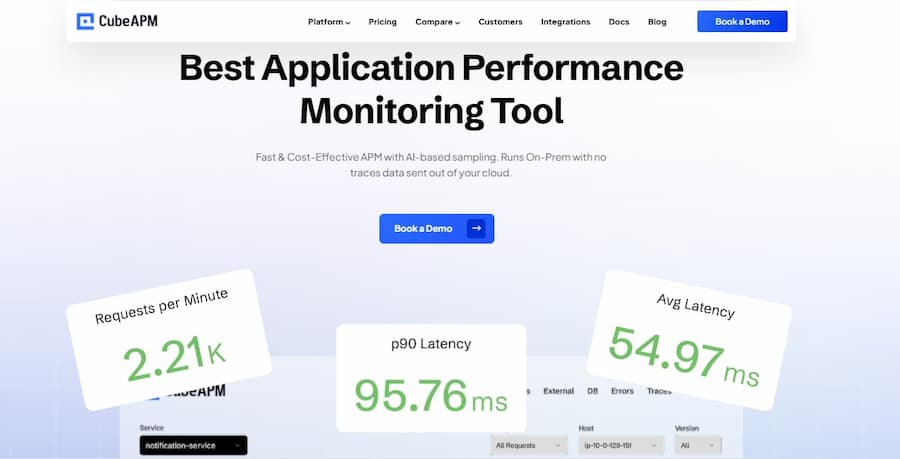
CubeAPM is a self-hosted, OpenTelemetry-native observability platform for APM, logs, infrastructure, Kubernetes, RUM, synthetic monitoring, Kafka monitoring, and error tracking. It runs inside your cloud or on-prem, which means no data egress and no external dependency during incidents. Your monitoring stays available even when internet connectivity does not.
CubeAPM was recognized as a High Performer in G2’s Spring 2026 APM Grid Report and ranked #4 among the easiest-to-use APM tools on G2. It is used by brands such as redBus, part of NASDAQ-listed MakeMyTrip and the world’s largest bus aggregator, along with Delhivery, Mamaearth, Policybazaar, Practo, Ola, and others.
Key Features
- Full MELT stack: Metrics, Events, Logs, and Traces in a unified platform with correlated views
- Smart (tail-based) sampling: Context-aware sampling that evaluates completed traces and retains those with errors, high latency, or anomaly patterns, discarding routine traces to control costs
- On-prem and self-hosted deployment: Compliance-ready architecture for data residency requirements; runs inside your VPC or on your own hardware
- Infrastructure monitoring: Host-level and container-level metrics alongside application traces and logs
- Real User Monitoring (RUM): Frontend performance visibility, including Core Web Vitals, page load times, and JavaScript errors
- Synthetic monitoring: Proactive user journey simulation to detect regressions before real users are affected
- OpenTelemetry-native ingestion: Full OTLP support with no feature loss compared to proprietary agents
- Unlimited users : No per-seat fees regardless of team size
Pros
- 60–80% lower TCO compared to Datadog, New Relic,
- No per-user fees: unlimited team access at a flat ingestion rate
- Smart sampling reduces data costs without losing critical signals
- Data residency via self-hosted or on-prem deployment
- Fast setup full deployment and configuration in under one hour
- Slack-based support with response times under 5 minutes
Cons
- Primarily an observability platform no integrated cloud security or SIEM module
- Best results come with on-prem/self-hosted setup; teams preferring fully managed SaaS should evaluate alternatives too
Pricing
- Flat $0.15/GB for ingestion. No per-user fees. All features (RUM, synthetics, smart sampling, and infra monitoring) are included at that rate.
CubeAPM vs Uptrace
CubeAPM and Uptrace differ most in retention and operational ownership. Uptrace can be self-hosted, but that means the team is responsible for running and maintaining the backend over time, including the storage layer that supports observability data. CubeAPM is also self-hosted, but it is vendor-managed, so teams keep control of their infrastructure and data without taking on the same DIY backend burden. That makes the trade-off clear: Uptrace gives teams a lower-cost self-managed path, while CubeAPM gives them the control of self-hosting with more of the convenience teams usually expect from a managed platform.
2. SigNoz
Best for: Teams that want OpenTelemetry-native observability with both self-hosted and managed deployment options.
Known for
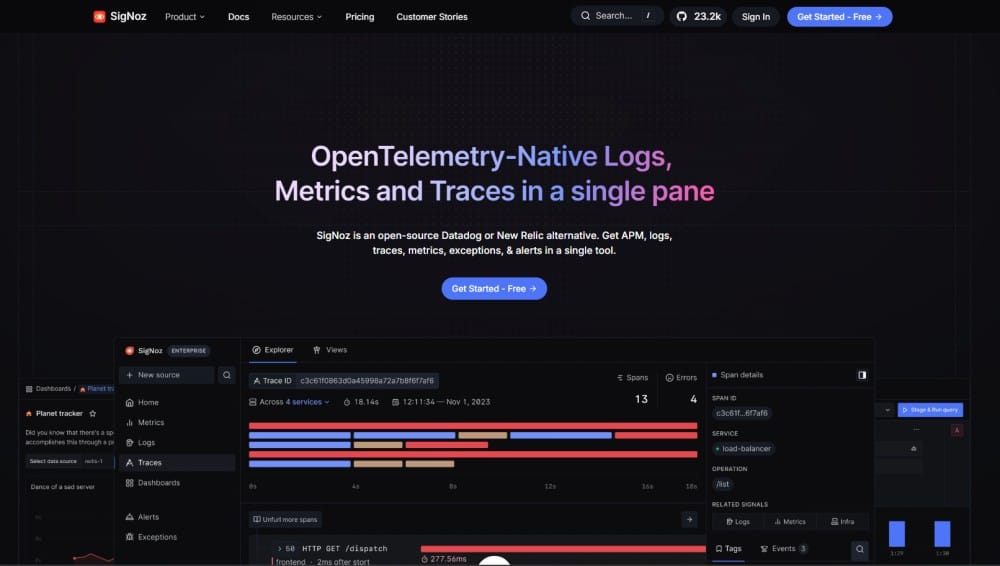
SigNoz is one of the closest alternatives to Uptrace. Both are OpenTelemetry-native and support self-hosted deployment, but Signoz is positioned more clearly around a broader packaged observability offering with cloud and enterprise-managed options.
Key features
- Traces, logs, and metrics in one platform
- OpenTelemetry-native ingestion
- Exception monitoring
- Service dependency visualization
- Dashboards and alerts
- Community Edition, Cloud, and Enterprise options
Pros
- Flexible deployment paths, including self-hosted, cloud, and managed enterprise options
- Predictable usage-based cloud pricing with no per-user or per-host fees
- Broader packaged feature set on the pricing page, including frontend and mobile monitoring, cloud monitoring, and anomaly detection
Cons
- Self-hosted deployment still brings real backend operational overhead
- Retention on cloud pricing is limited by default; extending the limits adds cost
- SigNoz cloud gets expensive as data volumes grow
Pricing
- Community Edition: Self-hosted
- Teams Cloud: starts at $49/month
- Logs: $0.30/GB
- Traces: $0.30/GB
- Metrics: $0.10 per million samples
- Enterprise: starts at $4,000/month
SigNoz vs Uptrace
The real trade-off is not basic capability, because both cover core OpenTelemetry observability. The bigger difference is the operating model. Uptrace is the lighter option with simpler positioning around core observability, while SigNoz offers a broader packaged feature set and more commercial deployment paths. At the same time, self-hosting SigNoz still comes with real operational overhead, so the advantage is stronger when teams choose its cloud or managed enterprise options rather than running it fully on their own.
3. Grafana
Best for: Teams that want managed observability with a strong open-source ecosystem and flexible deployment options.
Known for
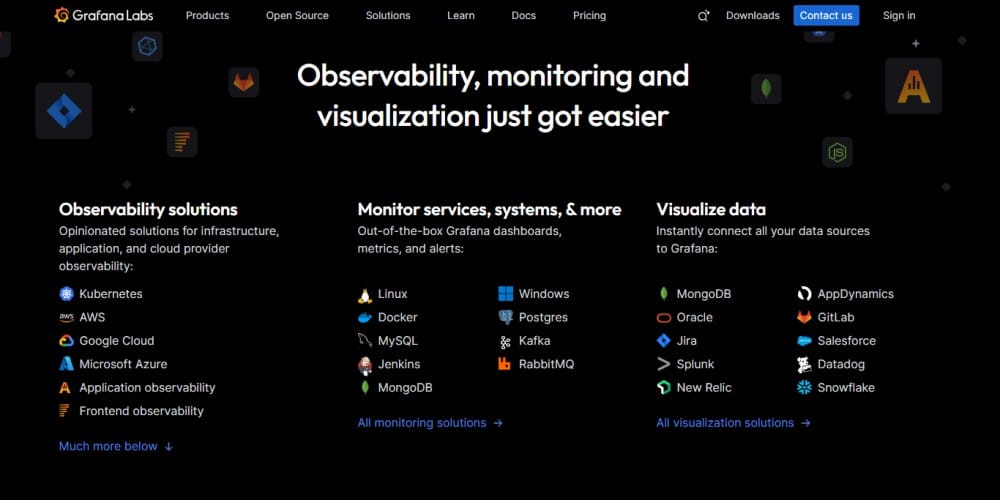
Grafana Cloud is a managed observability platform built around the wider Grafana stack. It combines metrics, logs, traces, and profiles, while also keeping a strong open-source path through self-managed Grafana, Loki, Tempo, and Mimir.
Key features
- Metrics, logs, traces, and profiles in one platform
- OpenTelemetry support with no extra OTLP metrics cost beyond standard active-series pricing
- Synthetic monitoring and k6 performance testing in Grafana Cloud plans
- Enterprise deployment flexibility, including Bring Your Own Cloud
Pros
- Strong open-source ecosystem and flexible deployment paths
- Broad signal coverage across metrics, logs, traces, and profiles
- Managed cloud option with enterprise upgrade path
Cons
- Users have reported complex initial setup and dashboard configuration
- Retention differs by plan and by signal, so teams need to watch those limits closely
- Steep learning curve
Pricing
- Free: $0
- Pro: from $19/month plus usage
- Enterprise: starts at $25,000/year commit
- Metrics: $6.50 per 1k active series on Pro
- Logs: $0.50/GB ingested on Pro
- Traces: $0.50/GB ingested on Pro, or process/write/retain pricing on the traces product page
Grafana Cloud vs Uptrace
The real difference is operating model and pricing complexity. Uptrace is the simpler option for core observability, while Grafana Cloud fits teams that want a larger ecosystem and managed flexibility. The trade-off is that Grafana Cloud pricing and retention are split across more components, which can make it harder to model than Uptrace’s simpler core setup.
4. Jaeger
Best for: Teams that want a dedicated open-source tracing backend and are comfortable building the rest of the observability stack around it.
Known for
Jaeger is an open-source distributed tracing platform originally released by Uber. It is focused on tracing, service dependency analysis, adaptive sampling, and service performance monitoring, rather than being a full unified observability platform for logs, metrics, traces, and frontend monitoring in one product.
Key features
- OpenTelemetry-compatible tracing
- Adaptive sampling
- Service dependency graphs
- Service Performance Monitoring (SPM)
- Multiple storage backends, including Cassandra, Elasticsearch, Badger, Kafka, memory, and remote storage APIs
Pros
- Free and open source
- Strong fit for teams that want tracing without buying a broader observability suite
- Flexible storage backend choices for self-managed deployments
Cons
- Self-hosted deployment brings real operational overhead because teams must run Jaeger components and a storage backend themselves
Pricing
- Free and open source
Jaeger vs Uptrace
The real difference is scope. Jaeger is a tracing-first backend, while Uptrace is built as a broader OpenTelemetry-native observability platform for traces, metrics, and logs. Jaeger fits teams that mainly want tracing and are comfortable assembling the rest of the stack themselves, while Uptrace is the more complete option for teams that want core observability in one product.
5. Datadog
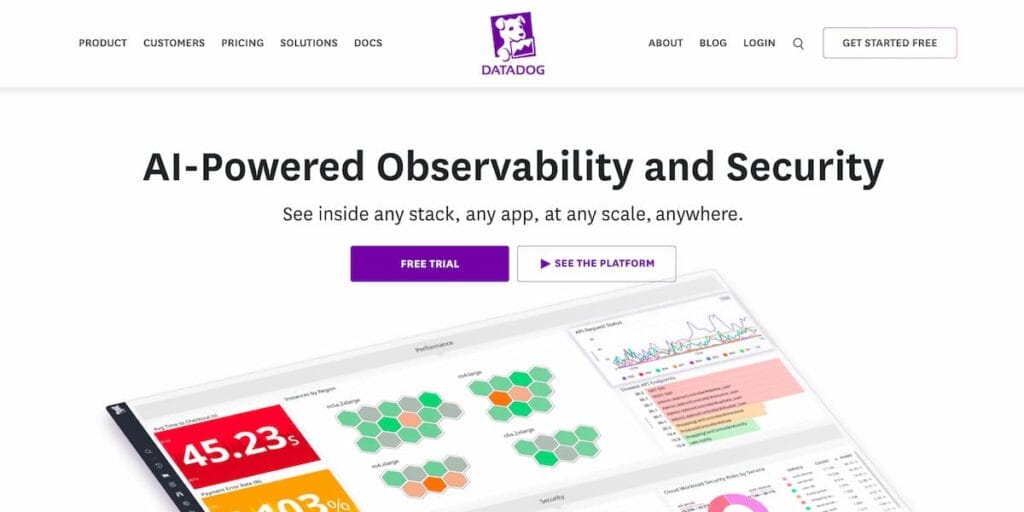
Best for: Teams that want a mature managed observability platform with broad product coverage and are comfortable with a higher-cost, host-based pricing model.
Known for
Datadog is known for broad observability coverage across infrastructure, APM, logs, RUM, synthetics, security, and related platform services in one SaaS product family.
Key features
- Infrastructure monitoring
- APM and distributed tracing
- Log management
- Browser and mobile RUM
- Synthetic monitoring
- Security and compliance products
- Large integration ecosystem
Pros
- Very broad managed platform coverage across observability and adjacent products.
- Strong correlation across logs, traces, metrics, RUM, and other telemetry.
- Clear enterprise SaaS operating model with low self-managed infrastructure burden.
Cons
- Pricing is multi-part and can become expensive as hosts and products grow.
- Steep learning curve
- Not suited for teams that want self-hosted option
Pricing
- Infrastructure Pro: $15/host/month billed annually
- Infrastructure Enterprise: $23/host/month billed annually
- APM Pro: $35/APM host/month billed annually
- APM Enterprise: $40/APM host/month billed annually
- Standalone APM: $36 to $47/host/month billed annually depending on tier
- Logs ingest: from $0.10/GB
- Standard log indexing: $1.70 per million log events for 15-day retention
Datadog vs Uptrace
The main trade-off is operating model and pricing structure. Uptrace is the simpler and cheaper option for core observability, especially for teams comfortable with self-hosting or tighter cost control. Datadog fits teams that want a much broader managed platform, but that comes with a more layered pricing model and much higher cost exposure as usage grows.
6. Dynatrace
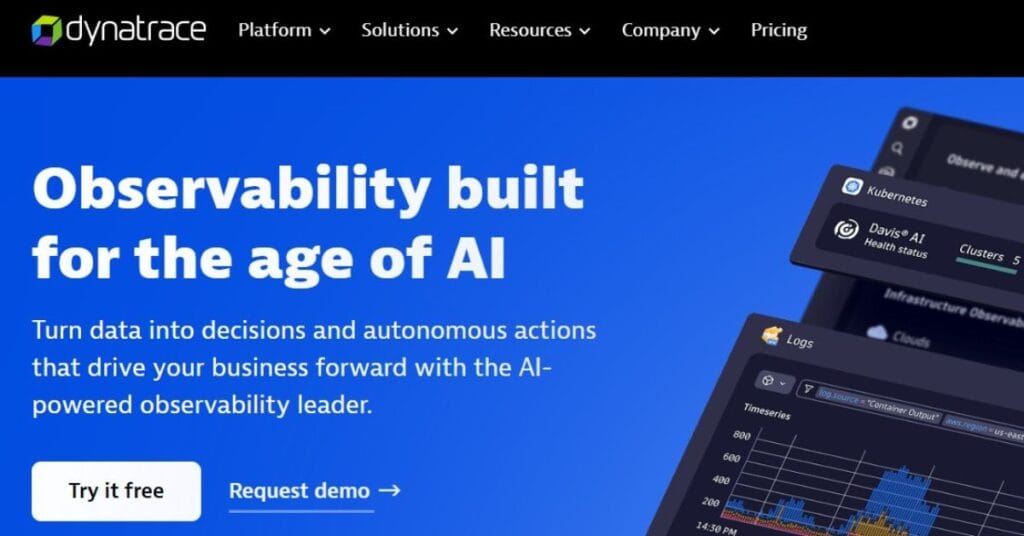
Best for: Teams that want a more automated managed observability platform and are comfortable with a higher-cost pricing model.
Known for
Dynatrace is known for automated full-stack observability built around OneAgent, infrastructure monitoring, application observability, and Davis AI. It also supports OpenTelemetry ingestion, but much of its platform identity is still tied to the managed Dynatrace operating model.
Key features
- Infrastructure monitoring
- Full-stack application observability
- OpenTelemetry metrics and traces support
- Kubernetes platform monitoring
- Davis AI and automated root cause analysis
- Dynatrace Managed deployment option
Pros
- Strong automation and platform maturity for larger environments.
- Supports both SaaS and Dynatrace Managed deployment models.
- Includes OpenTelemetry support alongside its native monitoring model.
Cons
- Pricing is much higher than lighter ingestion-based tools.
- Steep learning curve
- Users have reported complexity of instrumentation
- UI to be cluttered and overwhelming
Pricing
- Foundation & Discovery: $7/host/month
- Infrastructure Monitoring: $29/host/month
- Full-Stack Monitoring: $58 per 8 GiB host/month
- Kubernetes Platform Monitoring: $1.40/pod/month
- Metrics ingest/process: $0.15 per 100k points
- Traces ingest/process: $0.20/GB
Dynatrace vs Uptrace
The main trade-off is automation versus cost and operating model. Uptrace is the lighter and cheaper option for core observability, especially for teams that want a more OpenTelemetry-first, lower-cost setup. Dynatrace fits teams that want a more automated managed platform, but that comes with a more layered pricing model and a much higher cost profile as infrastructure grows.
7. New Relic
Best for: Teams that want a managed observability platform with broad product coverage and a usage-based model that does not charge by host.
Known for
New Relic is known for combining APM, infrastructure monitoring, logs, browser and mobile monitoring, synthetic monitoring, and related observability capabilities in one SaaS platform. Its pricing is built around data ingest plus user or compute-based access rather than host-based billing.
Key features
- APM and distributed tracing
- Infrastructure monitoring
- Log management
- Browser and mobile monitoring
- Synthetic monitoring
- Usage-based pricing with unlimited hosts
- Multiple user and compute-based billing options
Pros
- Broad managed platform coverage across core observability workflows.
- No host-based pricing, which can help in larger environments with many hosts or containers.
- Free tier includes 100 GB/month of ingest and one full-platform user.
Cons
- Users express concerns about the expensive pricing structure
- Users often struggle with the complexity of setup and navigation
- Users experience a steep learning curve with New Relic
Pricing
- Free: 100 GB/month included
- Standard and Pro: $0.40/GB beyond the free 100 GB
- Data Plus: $0.60/GB beyond the free 100 GB
- Core users start at $49/user
- Full platform users start at $349/user, depending on edition
New Relic vs Uptrace
The main trade-off is managed breadth versus simpler ownership. Uptrace is the lighter option for core observability and self-hosted control, while New Relic fits teams that want a broader managed platform and do not want host-based pricing. The trade-off is that New Relic pricing is still split across ingest and access models, which can be harder to predict than a simpler core observability setup.
8. Better Stack
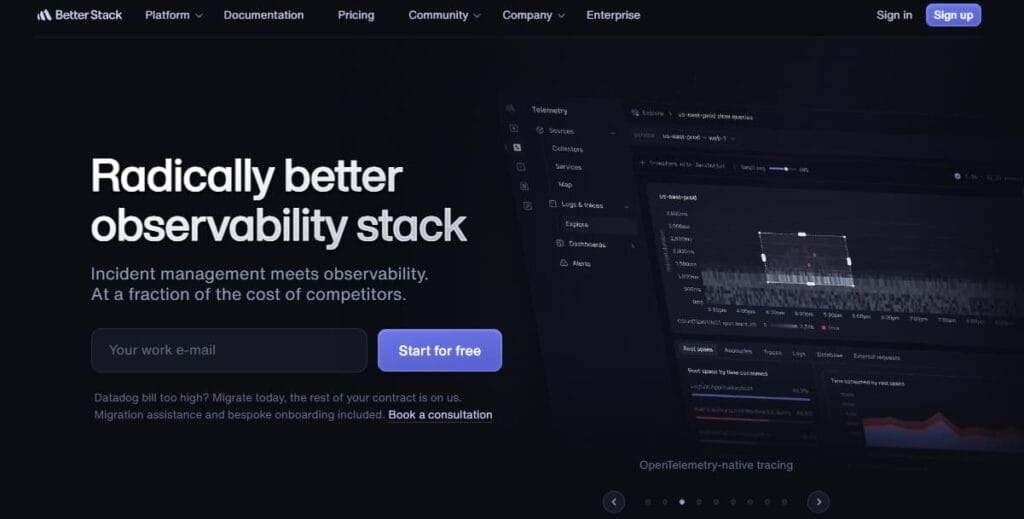
Best for: Teams that want a managed platform centered on logs, traces, uptime monitoring, incident response, and related operational workflows.
Known for
Better Stack is known for combining telemetry, uptime monitoring, incident management, status pages, error tracking, session replay, and web events in one SaaS platform. Its pricing is bundle-based for telemetry and also includes separate operational products like on-call, status pages, and external monitoring.
Key features
- Logs and traces
- Metrics
- Uptime and transaction monitoring
- Incident management and status pages
- Error tracking
- Session replay
- Web events and product analytics
- SSO, audit logs, and RBAC options
Pros
- Broad managed platform coverage across telemetry and operational workflows.
- Bundle-based telemetry pricing can be easier to understand than deeply modular pricing.
- Includes retention, incident tooling, and uptime monitoring in the wider platform.
Cons
- Users find the pricing to be expensive after exhausting the free tier
- Telemetry retention is limited by default in bundled plans
- It is a SaaS platform, and not suited for teams looking for on-prem option
Pricing:
- Telemetry bundles start at $25/month billed yearly
- Logs and traces ingestion: $0.10/GB
- Logs and traces retention: $0.05/GB/month
- Metrics retention: $0.50/GB/month
- Responder license: $34/month or $29/month billed yearly
Better Stack vs Uptrace
The main trade-off is platform shape. Uptrace is the simpler option for core OpenTelemetry-based observability with self-hosted control, while Better Stack is a broader managed SaaS platform that combines telemetry with uptime, incident response, and status workflows. The trade-off is less infrastructure burden, but also less self-hosted control and more product-level pricing layers as usage grows.
9. Coralogix
Best for: Teams with a log-heavy workload that want managed observability, low infrastructure burden, and strong control over long-term data retention.
Known for
Coralogix is known for a managed observability platform built around logs, traces, metrics, and long-term retention in the customer’s own cloud bucket. Its platform is positioned around SaaS delivery, usage-based pricing, unlimited users and hosts, and index-free querying across stored data.
Key features
- Logs, traces, and metrics in one platform
- Data stored in your own cloud bucket
- Infinite retention
- Unlimited users and hosts
- In-stream analysis and alerting
- Open standards support including OTel and Prometheus
Pros
- Strong fit for log-heavy environments because pricing is clearly listed by GB for logs, traces, and metrics.
- Infinite retention and customer-bucket storage are built into the platform story.
- Unlimited users, hosts, enterprise features, and support are included in every account.
Cons
- Pricing still needs careful modeling because usage is split across logs, traces, metrics, and units.
- It is a SaaS platform, so it does not offer the same self-hosted control model as Uptrace.
- Fast indexed retention for frequent searches is still something teams choose separately, even though long-term archive retention is effectively unlimited.
Pricing
- Logs: $0.42/GB
- Traces: $0.16/GB
- Metrics: $0.05/GB
- AI: $1.50 per 1M tokens
- Unlimited users and hosts included
- Infinite retention with data stored in your bucket
Coralogix vs Uptrace
The main trade-off is the retention model and operating model. Uptrace is the simpler option for core observability with self-hosted control, while Coralogix fits teams that want managed observability with long-term retention and their data stored in their own cloud bucket. The trade-off is less infrastructure burden but also less direct self-hosted control than Uptrace.
Which Uptrace alternative is best for your use case?
- CubeAPM: CubeAPM fits teams that like the control of self-hosting but do not want to keep running the backend themselves. It is a strong Uptrace alternative here because it removes much of the operational burden while still keeping observability inside your own cloud or on-prem.
- Datadog: Datadog fits teams that want to move fully away from self-managed observability infrastructure. Compared with Uptrace, it removes the storage and backend operations burden, but the trade-off is a much more expensive host- and product-based pricing model.
- Dynatrace: Fits teams that want a more automated platform as environments become harder to manage manually. It is relevant for teams moving away from Uptrace because the value is less about lower cost and more about reducing platform effort at scale.
- CubeAPM: It is a strong fit for teams that want long-term retention without having to keep sizing and managing the backend themselves. That makes it attractive for Uptrace users who want more predictable retention without taking on more storage planning work.
- Coralogix: Fits teams that care a lot about retention because it positions long-term data storage in the customer’s own cloud bucket. For Uptrace users, that makes it attractive where retention and storage control matter more than self-hosting the full stack.
- Grafana Cloud: Fits teams that want a managed platform with clear plan-based retention across signals. It is a reasonable Uptrace alternative for teams that want less backend work, though retention and pricing still need careful planning across products.
- CubeAPM: Fits well here because its pricing stays tied to ingestion instead of hosts or seats. That makes it easier for Uptrace users to compare and plan as telemetry volume grows.
- Coralogix: It is a good fit for teams that want usage-based pricing without per-user or per-host growth pressure. It works especially well when the data mix is heavy on logs and teams want pricing that follows usage more directly.
- New Relic: Fits teams that want a managed platform without host-based pricing. It can make sense for Uptrace users who want broader SaaS coverage, but costs still need to be modeled carefully because pricing is split across ingest and access model.
- Coralogix: It is one of the strongest fits for log-heavy workloads. That makes it especially relevant for Uptrace users whose telemetry mix is dominated by logs and who want managed delivery with strong retention options.
- CubeAPM: Also fits log-heavy environments because pricing stays ingestion-based and the platform is positioned as a unified observability stack. It is a good fit where teams want to handle large log volumes without moving to host-based pricing.
- Grafana Cloud: Fits teams that already lean toward the Grafana ecosystem and want a managed platform for logs, metrics, and traces. It is a good Uptrace alternative here, though pricing and retention still need careful planning across services.
- CubeAPM: It is the strongest fit here because it runs inside the customer’s own cloud or on-prem environment. That makes it attractive for teams leaving Uptrace because they want tighter control over data location without taking on the same backend burden.
- Coralogix: It is also relevant because it positions storage in the customer’s own cloud bucket. It fits teams that care about privacy, retention, and data control but still want SaaS delivery for the platform layer.
- Dynatrace Managed: Fits larger organizations that want more control over deployment and governance than pure SaaS. It is not the cheapest path, but it can make sense where privacy, internal governance, and operating model matter more than cost alone.
Migrating from Uptrace: What to expect
Migration is usually easier when your telemetry is already based on OpenTelemetry. In that case, much of the hard work, especially instrumentation, is already in place, and the move is often more about changing exporters, endpoints, and pipeline configuration than rewriting application code. Uptrace’s own docs position the OpenTelemetry Collector as a vendor-neutral proxy, and its exporter guide notes that the same OTLP patterns work with other OTLP-compatible backends.
If your apps already send telemetry through OpenTelemetry SDKs or the OpenTelemetry Collector, migration is usually straightforward. In most cases, you keep the instrumentation in place and update the OTLP exporter endpoint, headers, or pipeline destination to the new backend. Uptrace’s collector docs explicitly show OTLP-based export patterns, and its exporter guide says those patterns work across OTLP-compatible platforms.
This is usually the cleanest migration path. Instead of touching every service, teams can update the collector config and point traces, metrics, and logs to a new destination. Uptrace’s docs describe the collector as the layer that receives, processes, and exports telemetry, which is why backend changes are often easier when the collector already sits in the middle.
Changing the backend does not mean everything carries over one to one. Teams should still expect to recreate or adjust dashboards, alerts, retention settings, and any backend-specific queries or saved views. The telemetry data path can stay portable with OpenTelemetry, but the product-layer setup usually needs review during migration. This is also consistent with Uptrace’s vendor-neutral OTLP guidance, which focuses on pipeline portability rather than UI-level asset portability.
In Kubernetes environments, migration is often easier when telemetry already flows through a central collector, agent, or gateway. That lets teams replace the backend destination in one place instead of changing exporters service by service. Uptrace’s collector docs describe this centralized pipeline model and show OTLP export configuration for traces, metrics, and logs.
Conclusion
Uptrace is a solid option for teams that want OpenTelemetry-native core observability at a low cost. But as teams grow, the trade-offs become harder to ignore, especially around self-hosted operational overhead, retention planning, and platform scope.
The good news is that teams now have more choices. Some alternatives are better for lowering backend burden, some are better for longer retention or stronger data control, and others are better for broader managed observability. The right choice depends on which Uptrace limitations your team is actually trying to solve.
FAQs
1. What is the best alternative to Uptrace in 2026?
The best alternative depends on what your team is trying to fix. CubeAPM is the strongest fit for teams that want lower self-hosted operational overhead while keeping control of infrastructure and data. SigNoz is a strong option for teams that want to stay close to the open-source model. Grafana Cloud fits teams that want a managed platform with a large ecosystem, while Datadog and Dynatrace are stronger fits for teams that want broader enterprise SaaS coverage and are comfortable with a much higher cost profile.
2. Why do teams switch away from Uptrace?
The main reasons are usually operational overhead from self-hosting, retention planning as data grows, and the need for a broader or more managed platform. Uptrace is built around core observability with traces, metrics, and logs, but teams evaluating alternatives often want less backend maintenance, easier retention management, or a different deployment model as they scale. Uptrace’s own docs also position the OpenTelemetry Collector as the portability layer, which makes backend changes easier once teams decide to move.
3. Is there a free open-source alternative to Uptrace?
Yes. Jaeger is free and open source, and SigNoz also has a self-hosted Community Edition. Grafana also offers open-source, self-managed components through the wider Grafana stack. The trade-off is that self-hosted OSS tools still bring operational overhead, especially once storage, scaling, and retention start to matter.
4. Can I migrate from Uptrace without re-instrumenting my code?
Often, yes. If your telemetry is already based on OpenTelemetry, migration is usually more about changing exporters, endpoints, and collector configuration than rewriting application code. Uptrace’s exporter guide explicitly notes that OpenTelemetry is vendor-neutral and that the same configuration patterns work with other OTLP-compatible backends.
5. How does Uptrace pricing compare with alternatives at scale?
Uptrace is still one of the cheaper options for core observability, especially for teams comfortable with self-hosting. But teams should model both ingest and operational ownership carefully, because self-managed deployments can shift storage, retention, and maintenance work back to the team. In comparison, tools like SigNoz Cloud, Grafana Cloud, Datadog, and Dynatrace trade lower backend burden for more layered or higher pricing.
6. What is the difference between Uptrace and SigNoz?
Both are OpenTelemetry-native and support self-hosted deployment, but SigNoz is packaged more clearly as a broader commercial platform with Community, Cloud, and Enterprise options. Its pricing page also lists exception monitoring, frontend and mobile monitoring, cloud monitoring, and anomaly detection, while Uptrace stays more focused on lighter core observability.
7. Does Uptrace support long retention well?
Uptrace can support longer retention, but in self-hosted deployments retention planning is tied to how teams size and manage the backend over time. That is why retention becomes part of the platform decision for larger teams. By contrast, some alternatives make retention more explicit in their pricing or managed plans, such as Grafana Cloud’s 14-day free retention and longer paid-plan retention, or SigNoz Cloud’s default retention on logs, traces, and metrics.