










Choosing between Zabbix and PRTG comes down to trade-offs between power and simplicity. Zabbix is open source and offers extensive flexibility, but requires deep technical expertise to configure and maintain. PRTG provides a polished interface and fast setup, but its per-sensor licensing model can become expensive as infrastructure scales.
This guide compares Zabbix and PRTG across setup complexity, pricing models, alerting capabilities, scalability, and real production use cases. Each claim is sourced from official documentation, community forums, or vendor pricing pages. CubeAPM is included as a third option for teams seeking unified observability without DIY backend burden or per-sensor pricing sprawl.
Quick Comparison: Zabbix vs PRTG
| Zabbix | PRTG | |
|---|---|---|
| Pricing model | Open source (free), enterprise support optional | Per sensor: free up to 100, paid from $1,750/year |
| Setup complexity | High — requires Apache, PHP, MySQL, manual config | Low — Windows installer, auto-discovery included |
| Best for | Teams with Linux expertise, customization needs | Teams wanting fast setup, Windows-heavy environments |
| Agent requirement | Optional — uses agents, SNMP, IPMI, SSH | Agentless for basic checks, agents for deeper metrics |
| Scalability | Enterprise scale with distributed monitoring | Up to tens of thousands of sensors per core server |
| Alerting | Highly customizable, manual configuration | Built-in with visual editor, less flexible |
| Learning curve | Steep — requires SNMP, database, and scripting knowledge | Gentle — GUI-driven, templates included |
| Support model | Community forums, paid enterprise support available | Included with license, email-based |
| Deployment | Linux-based, requires dedicated server setup | Windows-based, single installer |
Zabbix Overview
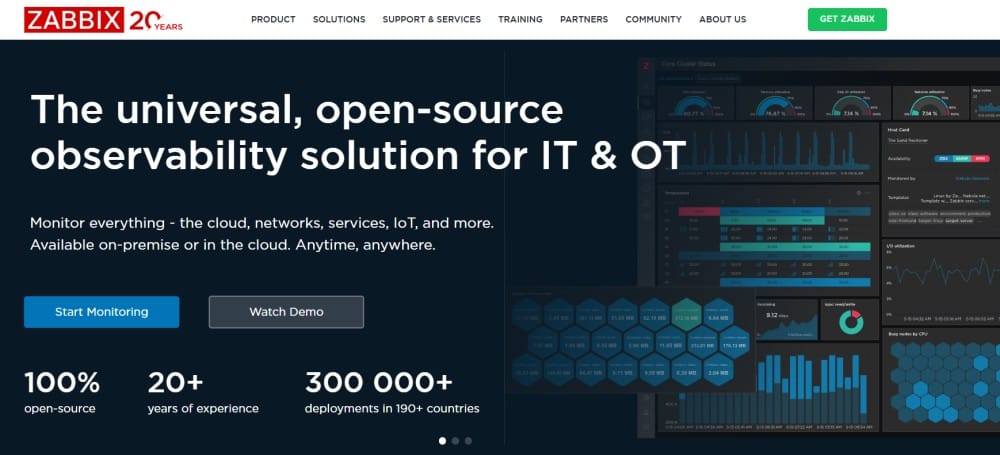
Zabbix is an open source monitoring platform released in 2001, designed for enterprise-scale network and infrastructure monitoring. It supports distributed monitoring across thousands of devices and services using agents, SNMP, IPMI, SSH, and custom scripts. Zabbix runs on Linux and requires a dedicated server with Apache, PHP, and MySQL or PostgreSQL.
Pricing: Free open source. Enterprise support contracts available starting from $5,000/year depending on node count and SLA requirements. Pricing details at Zabbix official pricing.
Pros:
- No licensing cost for core platform
- Highly customizable templates and discovery rules
- Scales to tens of thousands of monitored devices
- Strong community and extensive documentation
- Native distributed monitoring for multi-site deployments
Cons:
- Steep learning curve — r/sysadmin users report “takes weeks to fully configure” compared to PRTG’s hours
- Requires manual setup of Apache, PHP, MySQL before installation
- Web interface less intuitive than modern SaaS tools
- Alert configuration involves multiple dependency layers
- No native support for packet sniffing without additional plugins
Best for: Engineering teams with Linux expertise, large distributed infrastructures, and customization requirements that justify setup investment.
PRTG Overview

PRTG Network Monitor is a commercial monitoring tool from Paessler, released in 2003. It runs on Windows and uses a sensor-based licensing model where each monitored metric, device, or check counts as one sensor. PRTG includes auto-discovery, pre-built templates, and a visual dashboard builder designed for fast deployment.
Pricing: Free up to 100 sensors. Paid licenses start at $1,750/year for 500 sensors, scaling to $15,500/year for 5,000 sensors. Enterprise unlimited sensor licenses available via custom quote.
Pros:
- Fast installation; single Windows installer, auto-discovery built in
- Intuitive web interface with drag-and-drop dashboard creation
- Agentless monitoring for most common protocols (SNMP, WMI, HTTP)
- Responsive support included with all paid licenses
- Pre-configured templates for common devices and services
Cons:
- Per-sensor pricing scales quickly; users on Reddit document “sensor count doubles when monitoring both bandwidth in/out as separate metrics”
- Windows-only server; requires Windows Server license and infrastructure
- Limited customization compared to open source tools
- Less suited for large distributed environments (10,000+ devices)
- Advanced features like distributed monitoring require an Enterprise license
Best for: Small to midsize teams, Windows-centric infrastructure, organizations prioritizing ease of use over customization depth.
Feature-by-Feature Comparison
Setup and Installation
Zabbix: Requires manual installation of a web server (Apache), PHP runtime, and database (MySQL or PostgreSQL) before installing Zabbix server components. After installation, you must configure discovery rules, host groups, templates, and alerting chains manually. Official documentation estimates 4–8 hours for basic setup by experienced Linux administrators.
PRTG: Single Windows installer completes in under 30 minutes. Auto-discovery scans the network and creates sensors automatically for detected devices. Pre-configured templates apply monitoring immediately. Reddit users consistently report PRTG setup takes “hours versus weeks” compared to Zabbix.
Verdict: PRTG wins decisively on setup speed. Zabbix requires dedicated engineering time upfront.
Monitoring Capabilities
Zabbix: Monitors infrastructure via SNMP, IPMI, SSH, JMX, and custom scripts. Supports application monitoring, log file parsing, and web scenario checks. Distributed monitoring built in for multi-site deployments. No native packet sniffing — requires third-party plugins.
PRTG: Monitors via SNMP, WMI, NetFlow, packet sniffing, SSH, and HTTP. Includes pre-built sensors for common services (Exchange, SQL Server, Active Directory). Distributed monitoring available in Enterprise edition. Strong support for Windows-specific technologies.
Verdict: Zabbix offers deeper customization for complex environments. PRTG excels at Windows ecosystem monitoring out of the box.
Alerting and Notifications
Zabbix: Alerting requires configuring triggers, actions, and escalation rules across multiple screens. Supports email, SMS, custom scripts, and webhooks. Dependency-based alerting prevents alert storms. Configuration complexity is high — users report “requires understanding trigger expressions and multiple linked objects.”
PRTG: Visual alert editor with point-and-click configuration. Supports email, SMS, push notifications, and custom scripts. Alert dependencies configurable per sensor. Less flexible than Zabbix but covers most common use cases without scripting.
Verdict: PRTG simplifies alerting for standard scenarios. Zabbix provides more control for complex dependencies and custom escalation logic.
Scalability
Zabbix: Designed for enterprise scale. Supports distributed monitoring architecture with proxy servers. Production deployments documented at 100,000+ monitored devices with partitioned databases and load-balanced frontend servers.
PRTG: Core server handles up to 10,000 sensors comfortably. Beyond that, performance degrades unless you deploy remote probes and the Enterprise edition. PRTG documentation recommends splitting large environments across multiple PRTG instances.
Verdict: Zabbix scales further with a single control plane. PRTG requires architectural changes for very large deployments.
User Interface and Dashboards
Zabbix: Functional web interface with customizable dashboards, graphs, and screens. Learning curve is steep — users describe it as “powerful but not intuitive.” Recent versions improved UI but still lag modern SaaS tools.
PRTG: Clean, modern web interface with drag-and-drop dashboard builder. Mobile apps for iOS and Android. Maps visualize network topology. Interface praised consistently as PRTG’s strongest advantage over Zabbix.
Verdict: PRTG offers significantly better user experience and visual design.
Pricing Comparison
Both tools use fundamentally different pricing models, making direct comparison difficult. The scenarios below model a growing infrastructure team.
Small team scenario (50 devices, 500 metrics):
- Zabbix: $0 for software. Estimate $2,000–$3,000/year in Linux server costs (cloud VM or on-prem hardware). Optional enterprise support adds $5,000/year.
- PRTG: $1,750/year for 500 sensors. Requires Windows Server license (~$1,000–$6,000 depending on edition). Total: $2,750–$7,750/year.
- CubeAPM: Approximately $450/month ($5,400/year) for 3TB ingestion with unlimited users and retention. Runs on your infrastructure (Linux or Kubernetes). Includes APM, logs, and infrastructure monitoring.
Midsize team scenario (200 devices, 2,000 metrics):
- Zabbix: $0 for software. Infrastructure costs scale to $4,000–$6,000/year for more powerful servers or distributed proxies. Enterprise support: $8,000–$12,000/year if needed.
- PRTG: $6,750/year for 2,500 sensors. Windows infrastructure costs: $3,000–$8,000/year. Total: $9,750–$14,750/year.
- CubeAPM: Approximately $1,950/month ($23,400/year) for 13TB ingestion, covering logs, traces, and infrastructure metrics unified. Self-hosted with vendor-managed upgrades.
Large team scenario (1,000 devices, 10,000 metrics):
- Zabbix: $0 for software. Infrastructure and operational costs: $15,000–$25,000/year including database optimization and staffing. Enterprise support: $15,000–$30,000/year.
- PRTG: $15,500/year for 5,000 sensors (likely need two instances for 10,000 total). Windows infrastructure: $8,000–$15,000/year. Total: $31,000–$46,000/year.
- CubeAPM: Approximately $10,800/month ($129,600/year) for 72TB ingestion across full observability stack. Includes managed hosting and support via Slack/WhatsApp.
Pricing based on publicly available information as of early 2026. Zabbix infrastructure costs vary by hosting environment. PRTG sensor count grows with metric granularity. CubeAPM pricing assumes a consolidated observability stack (logs, traces, infrastructure) at $0.20/GB.
Hidden Costs
Zabbix: Engineering time for setup, template creation, and ongoing maintenance. Database tuning required at scale. No built-in support; forums are primary resource unless you purchase enterprise support.
PRTG: Sensor count inflation; monitoring both inbound and outbound bandwidth counts as two sensors. Monitoring a single server with CPU, memory, disk, and network can consume 10–20 sensors. Users report “initial sensor estimate doubles in production.”
CubeAPM: Infrastructure costs for self-hosted deployment. No per-sensor or per-user multipliers.
CubeAPM as an Alternative to Both
CubeAPM offers a middle path between Zabbix’s DIY complexity and PRTG’s per-sensor pricing. It runs inside your cloud or on-prem (like Zabbix) but is managed by the CubeAPM team (like PRTG), eliminating backend operations burden.
Key differences:
- CubeAPM vs Zabbix: No manual setup of web server, database, or agents. Native OpenTelemetry support. Unified logs, traces, and infrastructure in one platform.
- CubeAPM vs PRTG: No per-sensor licensing. Ingestion-based pricing ($0.20/GB) scales predictably. Runs on Linux/Kubernetes, not Windows.
Pricing: $0.20/GB for all telemetry (metrics, logs, traces). No user seat fees. Unlimited retention. Infrastructure costs depend on your hosting environment but are typically $0.02/GB equivalent. For the midsize scenario above (13TB/month), CubeAPM costs approximately $2,600/month all-in.
Best for: Teams wanting observability depth without Zabbix’s setup burden or PRTG’s Windows dependency and sensor pricing sprawl. Strong fit for Kubernetes monitoring and cloud native stacks.
Who Should Choose Each Tool
Choose Zabbix if:
- You have strong Linux and database administration expertise in-house
- You need extensive customization and scripting flexibility
- You are monitoring 1,000+ devices across distributed locations
- Licensing cost is a primary concern, and you can absorb setup/maintenance time
- You require full control over monitoring infrastructure
Choose PRTG if:
- You need monitoring running in under a day
- Your infrastructure is Windows-heavy (Active Directory, Exchange, SQL Server)
- Team size is small and technical depth in monitoring tools is limited
- Monitoring requirements fit within 2,500 sensors
- You value vendor support and polished user interface over customization
Choose CubeAPM if:
- You want unified logs, traces, and infrastructure monitoring in one platform
- Data sovereignty or compliance requires self-hosted deployment
- Per-sensor or per-user pricing does not fit your cost model
- You run Kubernetes, microservices, or cloud native workloads
- You need PRTG-like ease of deployment without Windows dependency
Verdict
Zabbix and PRTG serve different audiences. Zabbix is the right choice for large, technically sophisticated teams willing to invest engineering time upfront for flexibility and zero licensing cost at scale. PRTG fits teams that prioritize speed, simplicity, and vendor support, especially in Windows-centric environments where sensor-based pricing remains predictable.
Neither tool is ideal for teams running cloud native infrastructure with dynamic workloads and distributed traces. Zabbix lacks native application performance monitoring and trace correlation. PRTG’s sensor model penalizes high-cardinality environments where metric counts fluctuate with auto-scaling. For Kubernetes, microservices, and modern observability stacks, platforms like CubeAPM, Datadog, or self-hosted alternatives provide better signal depth and cost predictability.
The final decision depends on your team’s technical depth, infrastructure type, and whether you optimize for upfront simplicity or long-term flexibility.
Disclaimer: The information in this article reflects the latest details available at the time of publication and may change as technologies and products evolve. Features, pricing, and plan limits can change over time. Always verify the latest information directly with the vendor before making purchasing or deployment decisions.
Frequently Asked Questions
Is Zabbix outdated?
No, Zabbix remains actively developed with regular releases. The web interface has improved significantly in recent versions, though it still lags modern SaaS tools in user experience. Zabbix is widely used in enterprise environments and scales well for large distributed infrastructures.
What are the cons of Zabbix?
Zabbix has a steep learning curve requiring Linux, database, and SNMP expertise. Setup involves manual configuration of web server, PHP, and database components. The web interface is less intuitive than commercial tools. Alert configuration is complex with multiple dependency layers. No native packet sniffing without plugins.
Does PRTG work on Linux?
No, PRTG server requires Windows Server. Remote probes can run on Linux to collect data, but the core PRTG server must run on Windows. This creates licensing and infrastructure requirements for teams without existing Windows infrastructure.
How does sensor count work in PRTG?
Each metric, check, or monitored element counts as one sensor. Monitoring a server’s CPU, memory, disk, and network interface counts as four sensors. Monitoring inbound and outbound bandwidth separately counts as two sensors. Sensor count grows quickly with monitoring depth.
Can Zabbix monitor cloud infrastructure?
Yes, Zabbix supports AWS, Azure, and GCP monitoring via APIs and agents. It requires manual template configuration for cloud-specific metrics. Native cloud monitoring is less mature than purpose-built cloud observability tools.
Which is better for small teams, Zabbix or PRTG?
PRTG is better for small teams due to faster setup, lower operational burden, and included support. Zabbix requires dedicated engineering time for setup and maintenance that small teams often cannot spare.
Does PRTG support distributed monitoring?
Yes, PRTG Enterprise edition supports remote probes for distributed monitoring across multiple sites. Core edition supports remote probes but with limited failover and load balancing compared to Zabbix’s native distributed architecture.