










Uptime.com is a website monitoring and incident visibility platform for teams that need to monitor websites, APIs, transactions, page speed, status pages, alerts, and real user experience. Its strongest fit is external reliability monitoring for DevOps, SRE, IT operations, SaaS, ecommerce, hosting, and managed service teams.
A pricing and review guide matters because Uptime.com is not only a basic uptime checker. Real cost can change once teams add advanced checks, transaction monitoring, Real User Monitoring, status pages, SMS or phone alerts, private monitoring, and enterprise controls. Looking at pricing and user feedback together helps buyers understand both the published starting point and the practical cost drivers.
In this guide, we’ll verify Uptime.com pricing, explain what actually drives cost, summarize user-review themes, and compare Uptime.com with alternatives such as CubeAPM, Better Stack, Pingdom, and Site24x7.
What Is Uptime.com?
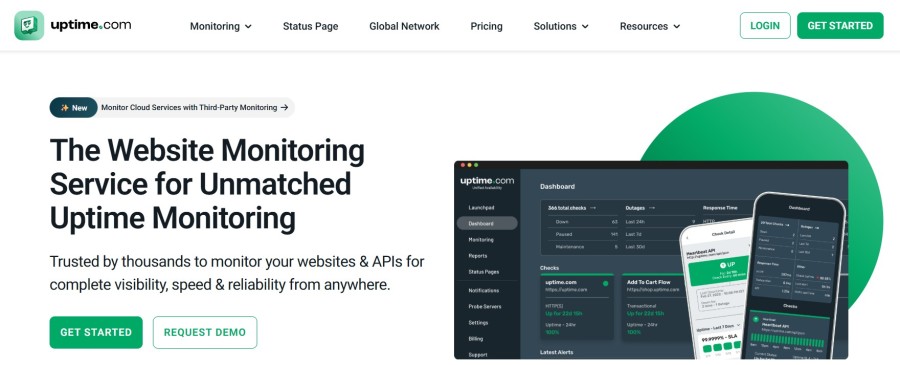
Uptime.com is a monitoring platform for tracking the availability, performance, and reliability of websites, APIs, transactions, status pages, and digital services. Its official pricing and support pages describe monitoring around basic checks, advanced checks, alerting, reporting, Real User Monitoring, status pages, and global/private probe locations.
The platform is strongest for outside-in monitoring. It helps teams detect outages, failed endpoints, synthetic transaction problems, page speed issues, and customer-facing reliability incidents before users or customers escalate them.
Uptime.com is not a full-stack observability platform by itself. It can monitor availability, API behavior, transactions, RUM, alerts, and status communication, but it does not replace deep log analytics, distributed tracing, infrastructure metrics, Kubernetes observability, or OpenTelemetry-native APM workflows.
Supported Checks, Integrations, and Data Sources
| Area | Verified Uptime.com support |
| Basic checks | HTTP/S, SSL certificate, TCP port, NTP, domain blacklist, SSH, UDP, malware/virus, SMTP, IMAP, WHOIS/domain, DNS, POP, ping, FTPS |
| Advanced checks | API monitoring, transaction monitoring, micro-transaction checks, page speed, extended transactions, webhook monitoring, group checks, heartbeat monitoring, cloud status |
| Real User Monitoring | Load times, errors, performance baselines, filtering, shareable reports, email/SMS alerting, 13-month data retention |
| Status pages | Public/private status pages, email/SMS subscribers, custom subdomain, subscriptions, embeddable notices, design customization, password protection |
| Alerting and probes | Worldwide SMS alerts, phone alerts, escalations, 20+ integrations, 100+ probe servers, IPv4/IPv6, private location monitoring |
These capabilities are listed on Uptime.com’s official pricing page and support documentation.
Key Features of Uptime.com
Uptime.com supports common external monitoring checks such as HTTP/S, SSL, DNS, ping, TCP, SMTP, IMAP, POP, NTP, UDP, SSH, malware, domain blacklist, WHOIS/domain, and FTP/S checks. This is the foundation for teams that need to know when public services or network endpoints are unavailable.
Uptime.com lists API monitoring, transaction monitoring, micro-transaction checks, page speed monitoring, extended transaction checks, webhook monitoring, heartbeat monitoring, and cloud status as advanced checks. These are useful for validating customer journeys such as login, checkout, signup, billing, search, and API workflows.
Real User Monitoring helps teams understand frontend performance from real visitor sessions. Uptime.com lists unlimited sites, unlimited users, comprehensive metrics, error identification, performance baselines, shareable reports, performance filtering, email/SMS alerting, and 13-month data retention for RUM.
Uptime.com supports public and private status pages, email/SMS subscribers, external users, custom subdomains, public status subscriptions, embeddable system status notices, customizable design, and password-protected status pages. This makes it useful when incident communication needs to sit close to monitoring.
Uptime.com supports worldwide SMS alerts, phone alerts, maintenance windows, escalations, and 20+ integrations. This matters because uptime monitoring only creates value when the right person receives the alert quickly.
Uptime.com lists unlimited dashboards and reports, SLA reporting, real-time analysis, root cause analysis, alert logs, check analysis, shareable reports, exportable reports, and scheduled reports. These features help teams communicate reliability to internal stakeholders and customers.
Uptime.com lists unlimited users, 24-month check history retention, API access, increased API rate limits available, 2FA, SSO, audit logs, subaccounts, SOC 2 compliance, GDPR compliance, and email support.
Uptime.com Pricing in 2026
Uptime.com’s official pricing page lists Website Monitoring starting at $9/month on yearly billing. The same pricing page shows $84/year as the yearly total for the starting configuration.
The starting configuration includes uptime monitoring, transaction monitoring, API monitoring, page speed monitoring, email/SMS alerting, 20+ integrations, maintenance windows, customizable reporting, unlimited group checks, and unlimited users.
| Pricing area | Verified public signal | Buyer note |
| Website Monitoring | Starts at $9/month on yearly billing | Official Uptime.com pricing-page starting point |
| Yearly total | $84/year shown for starting configuration | Official calculator output for the starting setup |
| Money-back guarantee | 30-day money-back guarantee for new users | Refunds after 30 days are not provided for unused billing-cycle portions |
| Enterprise/custom needs | Demo and sales path available | Needed for higher-volume or custom configurations |
Uptime.com’s pricing page also states that new users get a 30-day money-back guarantee.
What Drives Uptime.com Costs?
Basic checks are the foundation of Uptime.com monitoring. More websites, certificates, DNS records, ports, domains, and network endpoints can move a buyer beyond the starting configuration. Uptime.com’s support docs describe checks as the platform’s basic monitoring service.
API monitoring, transaction monitoring, page speed, webhook monitoring, heartbeat monitoring, and cloud status checks validate deeper user journeys and service behavior. These are more advanced than basic uptime checks and should be modeled carefully.
Status pages matter for SaaS, hosting, ecommerce, and customer-facing platforms. Uptime.com supports public and private status pages, subscriptions, custom subdomains, embeddable notices, password protection, and customizable design.
RUM adds frontend performance visibility and user-experience monitoring. Uptime.com lists unlimited sites, unlimited users, comprehensive metrics, performance baselines, filtering, error identification, and 13-month data retention for RUM.
SMS and phone alerts can affect both cost and operations. Uptime.com lists worldwide SMS alerts, phone alerts, escalations, and maintenance windows, so teams should estimate alert volume before buying.
Private location monitoring, SSO, audit logs, API access, increased API rate limits, subaccounts, SOC 2, GDPR, and support needs become more important for larger teams and regulated environments.
Uptime.com User Reviews
Uptime.com has strong public review visibility. G2 lists Uptime.com at 4.6/5 from 365 reviews, and its AI-generated review summary says users praise ease of use, reliable monitoring, quick setup, alerts, and an intuitive interface. G2 also lists common review themes such as ease of use, easy setup, notifications, monitoring services, complex configuration, expensive pricing, notification issues, and learning curve.
Capterra lists Uptime.com at 4.7/5 overall based on public review snippets and highlights positive feedback around ease of use, features, support, and value. Capterra review snippets also mention notification accuracy and documentation clarity as possible improvement areas.
| Review source | Public review signal |
| G2 | 4.6/5 from 365 reviews |
| Capterra | 4.7/5 overall rating in public snippets |
| Common praise | Ease of use, setup, reliable monitoring, dashboards, support |
| Common criticism | Pricing at scale, advanced documentation, notification issues |
| Best use of reviews | Treat as buyer feedback, not universal platform truth |
What Users Like
G2 review summaries say users consistently praise Uptime.com for ease of use, quick setup, and straightforward monitoring creation. This matters because uptime monitoring should be fast to deploy before incidents happen.
Users value Uptime.com for reliable monitoring and alerts. G2’s review summary specifically highlights reliable monitoring and quick alert setup.
G2 and Capterra snippets describe Uptime.com as intuitive and easy to navigate. This is useful for teams where both technical and non-technical stakeholders need monitoring visibility.
Uptime.com is not limited to basic ping checks. Its official docs list basic checks and advanced checks across websites, APIs, page speed, RUM, transactions, webhooks, heartbeat monitoring, and cloud status.
Capterra public snippets mention responsive support and positive customer support experiences. This matters because monitoring tools are often used during urgent production incidents.
What Users Criticize
⚠️ Disclaimer
These points reflect public user-review themes from review platforms. They should be treated as user feedback, not universal limitations of Uptime.com.
G2’s review summary says some users feel pricing can be high for smaller teams needing advanced features. This becomes more relevant when teams add advanced checks, alerting, RUM, status pages, and private locations.
Capterra snippets mention that advanced features could benefit from clearer documentation and tutorials. Buyers should test transaction checks, API checks, alert routing, and reporting before purchase.
Capterra snippets mention notification accuracy and false-alert reduction as possible improvement areas. Teams should tune checks carefully to reduce alert fatigue.
G2 lists “complex configuration” and “learning curve” among review themes. This is not unusual for monitoring platforms once teams move beyond basic checks into advanced workflows.
Uptime.com Alternatives: How it Compares to Competitors
Uptime.com vs CubeAPM
Uptime.com is strongest for external website monitoring, API checks, synthetic transactions, RUM, alerting, and status pages. CubeAPM is a broader full-stack observability platform for teams that need APM, distributed tracing, logs, infrastructure monitoring, RUM, synthetics, error tracking, SLOs, RBAC, SSO, MFA, and audit logs. CubeAPM lists Pro pricing at $0.15/GB.
| Category | Uptime.com | CubeAPM |
| Primary use case | Website, API, synthetic, RUM, alerting, status pages | Full-stack observability |
| Pricing model | Calculator-based monitoring configuration | $0.15/GB ingestion |
| Best for | External reliability and incident communication | MELT, APM, tracing, logs, infrastructure |
| Data model | Checks, alerts, RUM, status pages | Telemetry ingestion |
| Tradeoff | Not full observability by itself | Overkill for a few uptime checks |
Uptime.com vs Better Stack
Better Stack is a common alternative for teams that want uptime monitoring, incident management, status pages, log management, infrastructure monitoring, error tracking, RUM, and OpenTelemetry tracing in one workflow. Uptime.com is more focused on dedicated website, API, synthetic, RUM, status-page, and alerting workflows.
| Category | Uptime.com | Better Stack |
| Monitoring focus | Website, API, transactions, page speed, RUM, status pages | Uptime, incidents, logs, tracing, RUM, error tracking |
| Best for | Dedicated external monitoring | Unified incident and observability workflow |
| Status pages | Yes | Yes |
| Logs | Not core positioning | Included in Better Stack platform |
| Buying question | How many checks and advanced workflows? | Do you also need logs and incident response? |
Uptime.com vs Pingdom
Pingdom is one of the best-known website monitoring tools. Its official pricing page uses a subscription calculator with synthetic monitoring and RUM options; the visible default shows synthetic monitoring and RUM modules, with annual pricing tied to selected quantities. Pingdom lists uptime monitoring, page speed monitoring, transaction monitoring, alerting, public status pages, reports, and unlimited users for synthetic monitoring.
| Category | Uptime.com | Pingdom |
| Primary use case | Website, API, synthetic, RUM, status pages | Synthetic monitoring and RUM |
| Synthetic monitoring | Yes | Yes |
| RUM | Yes | Yes |
| Status pages | Public/private status pages | Public status pages and reports |
| Buying question | Need broader check types and status workflows? | Need familiar synthetic/RUM monitoring? |
Uptime.com vs Datadog
Datadog is a much broader observability and security platform than Uptime.com. Uptime.com is mainly for website monitoring, API checks, synthetic transactions, RUM, alerts, and status pages, while Datadog covers infrastructure monitoring, APM, logs, RUM, synthetics, cloud security, network monitoring, database monitoring, and many other modules. Datadog’s official pricing is modular, with Infrastructure Pro listed at $15 per host per month on annual billing, while other products such as APM, logs, synthetics, RUM, and security are priced separately.
| Category | Uptime.com | Datadog |
| Primary use case | Website, API, synthetic, RUM, alerts, status pages | Full-stack observability and security |
| Pricing model | Calculator-based monitoring configuration | Modular pricing by product and usage |
| Best for | External uptime and customer-facing monitoring | Teams needing deep infrastructure, APM, logs, and security visibility |
| Strength | Focused website and status-page monitoring | Broad platform depth across many telemetry types |
| Tradeoff | Not full-stack observability by itself | Can become expensive and complex as modules grow |
Uptime.com vs Dynatrace
Dynatrace is an enterprise observability platform built for application, infrastructure, digital experience, logs, security, and AI-assisted root-cause analysis. Uptime.com is more focused on external monitoring and incident communication. Dynatrace’s official pricing page lists Foundation & Discovery from $7/month per host, Infrastructure Monitoring at $0.04/hour per host, and Full-Stack Monitoring at $0.01 per memory-GiB-hour on the rate card.
| Category | Uptime.com | Dynatrace |
| Primary use case | Website, API, transaction, RUM, status pages | Enterprise full-stack observability |
| Pricing model | Monitoring calculator | Host-hour and memory-GiB-hour pricing |
| Best for | Teams focused on external reliability checks | Large teams with complex cloud-native systems |
| Strength | Simpler external monitoring workflow | AI-assisted dependency mapping and root-cause analysis |
| Tradeoff | Limited for deep backend observability | Can be more than needed for simple uptime monitoring |
Uptime.com vs New Relic
New Relic is a full-stack observability platform for logs, metrics, traces, APM, infrastructure, browser monitoring, synthetics, mobile monitoring, and AI-assisted observability. Uptime.com is narrower and better suited for website monitoring, API checks, status pages, RUM, and alerting. New Relic’s official pricing page lists 100 GB of free data ingest per month, then $0.40/GB for original data ingest beyond the free limit on Standard and Pro plans, with user pricing based on basic, core, and full platform users.
| Category | Uptime.com | New Relic |
| Primary use case | External monitoring and incident communication | Full-stack observability |
| Pricing model | Calculator-based checks and monitoring configuration | Data ingest plus user-based pricing |
| Best for | Website, API, synthetic, RUM, status-page monitoring | APM, logs, traces, infrastructure, browser, synthetics |
| Strength | Focused reliability monitoring | Broad observability with 100 GB free ingest |
| Tradeoff | Not a deep APM/logs/traces platform | Pricing depends on ingest and user mix |
Uptime.com vs Grafana Cloud
Grafana Cloud is a managed observability platform built around Grafana, Prometheus, Loki, Tempo, Pyroscope, OpenTelemetry, dashboards, metrics, logs, traces, profiles, Kubernetes monitoring, synthetics, and frontend observability. Uptime.com is more focused on external website/API monitoring, transaction checks, RUM, alerts, and status pages. Grafana Cloud’s official pricing page shows a free tier with 10k active series and 14-day retention, plus Pro pricing such as $6.50 per 1k metrics series above the free tier and a $19/month platform fee.
| Category | Uptime.com | Grafana Cloud |
| Primary use case | Website, API, synthetic, RUM, status pages | Metrics, logs, traces, dashboards, Kubernetes, synthetics |
| Pricing model | Monitoring calculator | Usage-based cloud observability pricing |
| Best for | External reliability and status communication | Teams using Grafana, Prometheus, Loki, Tempo, OpenTelemetry |
| Strength | Easier fit for uptime/status workflows | Flexible open-source-aligned observability stack |
| Tradeoff | Less complete for backend telemetry | Can require more setup and telemetry planning |
Uptime.com vs Site24x7
Site24x7 is broader than many uptime tools because it includes website monitoring, infrastructure monitoring, APM, cloud monitoring, logs, RUM, synthetic transactions, server monitoring, Kubernetes monitoring, and network monitoring. Its official pricing page shows All-in-one Professional at $42/month paid annually and Enterprise starting at $625/month paid annually, with add-on pricing for multiple modules.
| Category | Uptime.com | Site24x7 |
| Scope | External website/API/synthetic/RUM/status monitoring | Broader IT and observability suite |
| Infrastructure monitoring | Not core positioning | Included in broader platform |
| APM | Not core positioning | Available |
| Logs | Not core positioning | Available with log ingestion pricing |
| Best for | Focused external monitoring | Broader IT monitoring suite |
Is Uptime.com the Right Choice?
Uptime.com Works Best For
- Website and SaaS teams that need reliable monitoring across public websites, APIs, user journeys, and customer-facing endpoints.
- Teams that need status pages connected closely to monitoring and incident communication.
- Teams that need synthetic checks for login flows, checkout flows, API workflows, page speed, and heartbeat monitoring.
- Teams that want unlimited users in the starting Website Monitoring configuration.
- Teams that need outside-in reliability monitoring before buying a broader observability platform.
Uptime.com May Not Be the Right Fit For
- Teams that only need a few free uptime checks and do not need advanced monitoring.
- Teams that need full-stack observability across logs, metrics, traces, APM, Kubernetes, infrastructure, RUM, synthetics, and error tracking.
- Teams that require predictable public pricing for every module before talking to sales or using a calculator.
- Teams that want OpenTelemetry-native application observability as the central workflow.
- Teams that need deep backend debugging, trace search, log analytics, and infrastructure correlation in the same platform.
Conclusion
Uptime.com is a strong option for teams that need website monitoring, API monitoring, transaction checks, page speed checks, RUM, alerting, reporting, global probes, and status pages. Its biggest strengths are broad check coverage, straightforward setup, user-friendly dashboards, and incident communication workflows.
The main pricing takeaway is that the public starting price is only the starting point. Uptime.com’s official pricing page shows Website Monitoring starting at $9/month on yearly billing and $108/year for the starting configuration, but real cost depends on selected checks, advanced monitoring, RUM, status pages, alerts, private locations, and support needs.
For teams that only need external uptime monitoring, Uptime.com can be focused and practical. For teams that also need logs, metrics, traces, APM, Kubernetes visibility, RUM, synthetics, and error tracking in one OpenTelemetry-native platform, CubeAPM, Site24x7, Datadog, or New Relic may be more relevant comparisons.
Disclaimer: Pricing, packaging, included entitlements, support terms, and product limits can change. The cost examples in this article are editorial estimates based on publicly available pricing and review information as of June 2026. Always confirm final pricing, usage limits, discounts, and contract terms directly with Uptime.com before purchase.
FAQs
1. How much does Uptime.com cost?
Uptime.com’s official pricing page lists Website Monitoring starting at $9/month on yearly billing, with $108/year shown for the starting configuration. Final cost depends on selected quantities, advanced checks, RUM, status pages, alerts, private locations, and support needs.
2. Is Uptime.com priced by host?
No. Uptime.com is not mainly host-based. Its pricing is centered on monitoring configuration, including checks, advanced checks, RUM, status pages, alerting, global probe locations, and private monitoring.
3. Does Uptime.com include status pages?
Yes. Uptime.com lists public and private status pages, subscriptions, custom subdomains, embeddable notices, design customization, and password protection. Buyers should confirm whether their needed status-page configuration is included in their selected calculator output.
4. Does Uptime.com offer Real User Monitoring?
Yes. Uptime.com lists Real User Monitoring with unlimited sites, unlimited users, comprehensive metrics, error identification, performance baselines, shareable reports, filtering, email/SMS alerting, and 13-month retention.
5. What are the best Uptime.com alternatives?
Strong alternatives include CubeAPM, Better Stack, Pingdom, and Site24x7. CubeAPM is better for full-stack observability, Better Stack is useful for uptime plus incident and log workflows, Pingdom is a common synthetic/RUM alternative, and Site24x7 is broader IT monitoring with website, infrastructure, APM, RUM, synthetics, and logs.