









The Domain Name System (DNS) quietly powers the internet by converting domain names into IP addresses. Studies show that roughly 13.5 % of DNS queries fail, and two-thirds of IPv6 (AAAA) queries fail, often due to infrastructure issues. Yet legacy monitoring tools often exclude DNS from their visibility stack, making it hard to catch propagation delays, misrouted queries, or abuse in real time as networks become more global and complex.
This is where CubeAPM stands out. CubeAPM brings DNS monitoring into sharp clarity. You can pull DNS telemetry—such as resolution latency and error rates—into the same dashboards where you monitor app performance and infrastructure health.
In this guide, we’ll explore the top DNS monitoring tools, their features, pros and cons, and how they compare—so you can choose the best solution for your organization.
Best DNS Monitoring Tools
- CubeAPM
- Site24x7
- Dynatrace
- Uptrends
- Nagios XI
- Datadog
- Instatus
- New Relic
- Paessler PRTG Network Monitor
What is a DNS Monitoring Tool?
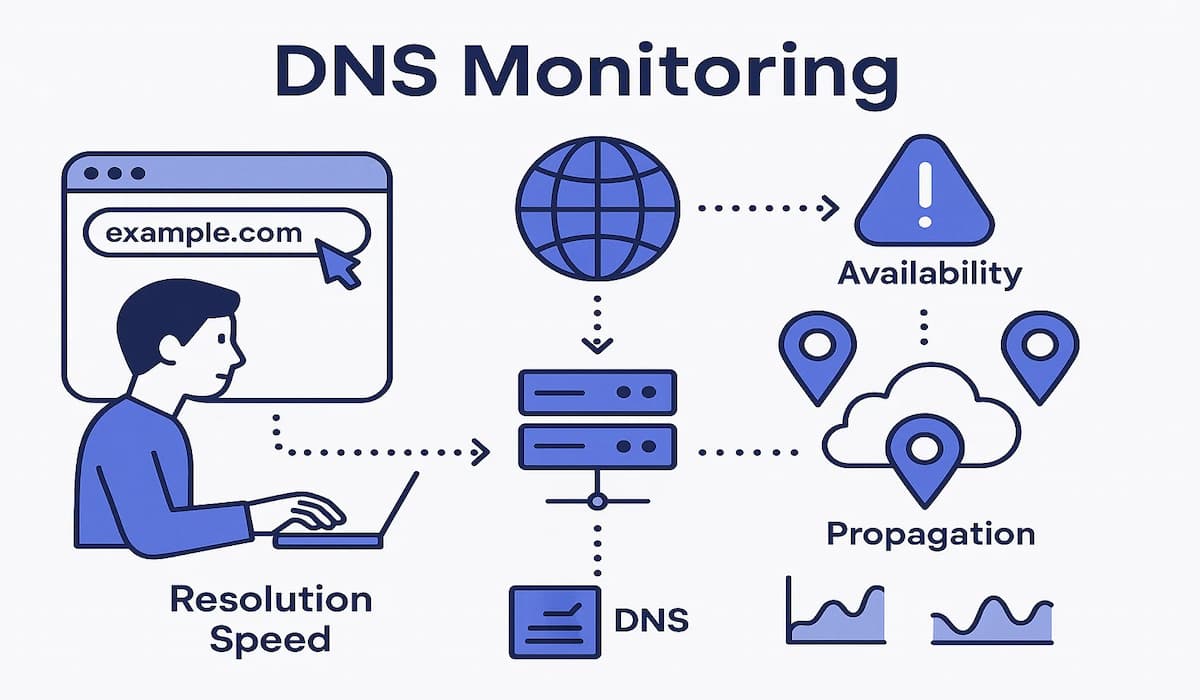
A DNS monitoring tool is specialized software that continuously tracks the health, availability, and performance of the Domain Name System (DNS)—the backbone service that translates human-readable domain names (like example.com) into IP addresses that computers and applications use to communicate.
Instead of waiting for users to report issues, DNS monitoring tools proactively run synthetic checks and real-time queries against DNS servers from multiple geographic locations. This helps ensure that domains resolve correctly, quickly, and securely across the globe.
Key aspects of DNS monitoring include:
- Resolution speed: Measuring how long it takes for a domain to resolve to an IP address.
- Availability: Checking whether authoritative and recursive DNS servers respond consistently without timeouts.
- Propagation monitoring: Tracking how DNS record changes (like A, CNAME, or MX updates) spread across the internet.
- Record accuracy: Validating that DNS records return the expected IPs or targets to avoid misconfigurations.
- Security assurance: Detecting anomalies like DNS hijacking, spoofing, or cache poisoning that could redirect traffic or compromise data.
Modern DNS monitoring tools also integrate with full-stack observability platforms, allowing teams to correlate DNS issues with application traces, logs, and infrastructure metrics. This reduces mean-time-to-resolution (MTTR) by connecting a failing DNS lookup directly to the impacted service, API, or user journey.
Ultimately, DNS monitoring tools serve as a first line of defense against downtime and security risks, helping organizations protect revenue, maintain compliance, and deliver seamless digital experiences.
Example: How CubeAPM Handles DNS Monitoring
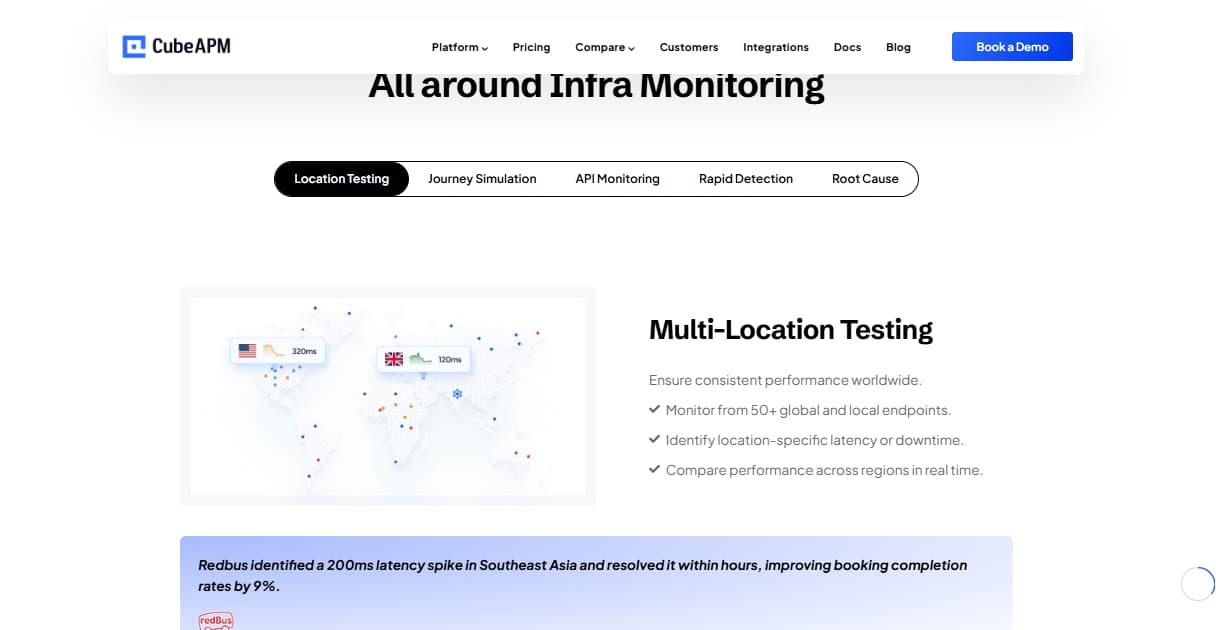
CubeAPM brings DNS visibility into the same observability pipeline that powers logs, metrics, and traces. Instead of treating DNS as an isolated uptime check, CubeAPM ingests DNS telemetry directly via OpenTelemetry (OTLP), giving teams real-time insight into resolution speed, error rates, and record propagation. This data is then visualized in dashboards alongside infrastructure and application metrics, making it easy to trace DNS anomalies back to their root cause.
Because CubeAPM runs on your own infrastructure, all DNS data is processed locally—avoiding egress charges and a long round-trip to third-party servers. Its smart sampling engine reduces noise by retaining only high-value events (such as failed lookups or latency spikes), cutting costs while preserving the signals that matter most. Alerts can be configured to fire when thresholds are breached—like resolution time exceeding 200 ms—so engineers are notified in Slack, PagerDuty, or email before users notice outages.
Key Capabilities in CubeAPM’s DNS Monitoring
- OpenTelemetry-native ingestion: Collect DNS metrics like resolution latency, error rates, and propagation delays using standard OTLP.
- Unified dashboards: Visualize DNS data next to logs, traces, and infrastructure metrics for contextual troubleshooting.
- Smart sampling: Retain only critical DNS events, reducing costs while keeping high signal fidelity.
- Local data processing: Run CubeAPM on your own infrastructure to ensure compliance and avoid egress charges.
- Rich alerting: Configure alerts for latency spikes, failures, or anomalies, with delivery via Slack, Email, PagerDuty, or webhooks.
- Playground access: Test-drive DNS monitoring dashboards and workflows in CubeAPM’s interactive demo environment.
Why Teams Choose Different DNS Monitoring Tools
Choosing the right DNS monitoring solution depends on several strategic factors. Different organizations prioritize different features based on scale, security, workflows, and budgets.
1. Global Coverage & Resolution Accuracy
Teams serving a global audience need tools with extensive geographic probe networks to assess DNS performance worldwide. Some tools focus heavily on worldwide checkpoints, while others cover more localized environments.
2. Alerting Precision & Real-Time Response
Effective tools like CubeAPM offer real-time alerts across channels (email, SMS, webhooks) with customizable thresholds and escalation logic—helping teams respond swiftly and confidently.
3. Deep Analytics vs Status Communication
Enterprise teams need advanced dashboards, historical data, and correlation with logs or infrastructure metrics—capabilities found in platforms like CubeAPM. Other teams may prefer tools like Instatus that streamline DNS monitoring with incident transparency via status pages.
4. Integration & Ecosystem Fit
Observability-focused teams favor tools that plug into existing platforms—APM, SIEM, automation, and incident systems. Full-stack platforms like CubeAPM, Datadog, or New Relic offer broad integrations, while simpler tools suit leaner stack scenarios.
5. Security & Compliance
Organizations handling sensitive data or facing regulatory scrutiny need DNS tools with robust defenses—like detection of spoofing, DDoS mitigation, DNSSEC support, and encrypted queries via DoH/DoT. Security-centric platforms often lead in these use cases.
6. Scalability & Cost Transparency
Dynamic scaling is key for growth or fluctuating traffic (e.g., Black Friday surges)—making tools with usage-based or flat-rate pricing, such as CubeAPM’s $0.15/GB model, highly valuable. Traditional licensed or sensor-based tools can become restrictive or costly as scale increases.
7. Ease of Use & Deployment
Smaller teams or startups often choose tools that minimize setup friction and learning curve. CubeAPM, Instatus, or Site24x7 deliver quick deployment and intuitive interfaces—great for rapid iteration or limited engineering bandwidth.
Top 9 DNS Monitoring Tools
1. CubeAPM
Known for
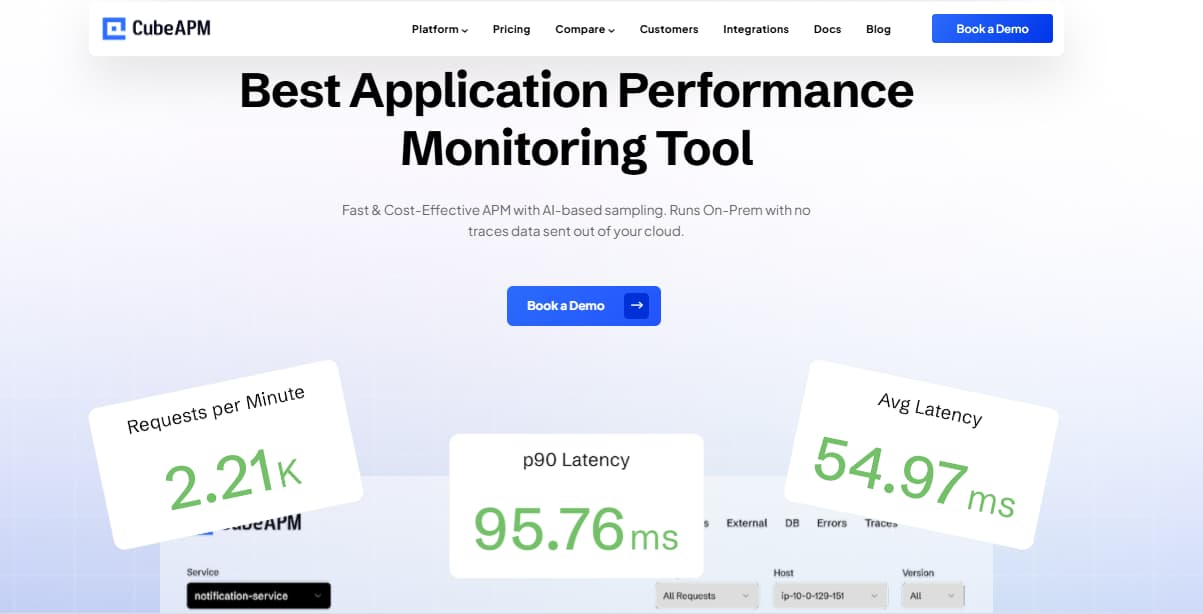
CubeAPM is known for being a full-stack observability and APM platform that integrates DNS monitoring into the same workflow as application performance, infrastructure health, and log analysis. Built on OpenTelemetry, it supports easy instrumentation across modern cloud-native stacks while maintaining compatibility with tools like Datadog, New Relic, and Prometheus. Unlike legacy vendors, CubeAPM offers transparent flat $0.15/GB pricing, removing host-based and per-check billing that often drives up monitoring costs.
DNS Monitoring Features
- Monitors resolution latency, error rates, and record propagation.
- Detects misconfigurations, failed lookups, and hijacks in real time.
- Correlates DNS data with application and infrastructure metrics.
- Provides proactive DNS outage alerts with contextual insights.
Key Features
- Full MELT coverage (Metrics, Events, Logs, Traces, RUM, Synthetics).
- Smart sampling reduces ingestion volumes by 60–80%.
- On-prem/self-host options for data residency.
- 800+ integrations (Datadog, New Relic, Prometheus, Elastic).
- Multi-channel alerting: Slack, WhatsApp, PagerDuty, Email, Webhooks.
Pros
- Transparent $0.15/GB pricing.
- Zero egress costs, no hidden fees.
- Compliance-ready deployment.
- Real-time Slack/WhatsApp support with engineers.
Cons
- Not suited for teams looking for off-prem solutions
- Strictly an observability platform and does not support cloud security management
Pricing
Flat pricing of $0.15/GB ingestion with no per-host or per-check billing.
CubeAPM DNS Monitoring Pricing at Scale
*All pricing comparisons are calculated using standardized Small/Medium/Large team profiles defined in our internal benchmarking sheet, based on fixed log, metrics, trace, and retention assumptions. Actual pricing may vary by usage, region, and plan structure. Please confirm current pricing with each vendor.
For a mid-sized SaaS company ingesting 45TB(~45,000) total monthly data ingestion and 45,000TB of observability data outcharged by the cloud provider, the total cost will be about ~$7200/month.
Techfit
CubeAPM is a great fit for enterprises and compliance-heavy industries that need DNS visibility alongside full-stack observability. Its pricing model makes it ideal for teams ingesting high DNS traffic volumes where per-check fees quickly become unsustainable. With on-prem deployment options and OpenTelemetry support, CubeAPM suits both regulated sectors and modern cloud-native environments that demand scalable and cost-efficient DNS monitoring.
2. Site24x7
Known for
Site24x7 is known for being a cloud-based monitoring solution from Zoho that combines DNS monitoring with website uptime, application performance, and infrastructure checks. It is widely adopted by SMBs and digital-first companies because of its ease of deployment and affordable pricing. With global checkpoint coverage, Site24x7 ensures DNS queries and record updates are resolving correctly across multiple regions, making it a reliable choice for teams that need basic DNS visibility alongside other monitoring capabilities.
DNS Monitoring Features
- Global resolution checks from multiple regions.
- DNS record propagation and accuracy monitoring.
- Alerts for resolution failures or delays.
- Integration with status pages for incident visibility.
Key Features
- Website uptime monitoring and server health tracking.
- Application performance monitoring across stacks.
- Network and infrastructure monitoring.
- AI-powered anomaly detection.
- Custom dashboards and reporting.
Pros
- Easy to set up with minimal learning curve.
- Affordable entry-level plans.
- Strong multi-location DNS coverage.
- Good for SMBs and digital-first teams.
Cons
- Costs can scale quickly as usage grows
- Steep learning curve for new users
Pricing
Enterprise Plan: Starts at $625/month (To cover 75 servers + 4GB of logs)
Site24x7 DNS Monitoring Pricing at Scale
For a mid-sized company running about 125 hosts and ingesting 10 TB/month of DNS and log data, Site24x7 costs roughly $10,000 per month.
Techfit
Site24x7 is best suited for SMBs, startups, and online-first companies that need affordable DNS monitoring with global coverage. It works well for teams that want quick setup, bundled uptime checks, and simple dashboards without the complexity of enterprise observability platforms. However, organizations with advanced compliance needs or very high DNS traffic volumes may find it less scalable compared to enterprise-grade tools.
3. Dynatrace
Known for
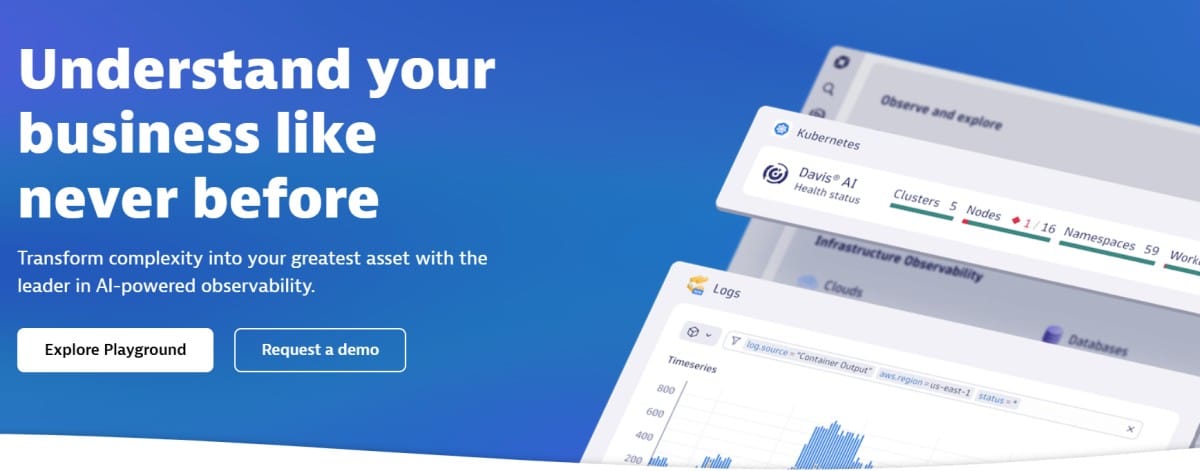
Dynatrace is known for being an AI-driven enterprise observability platform that delivers deep visibility across infrastructure, applications, and user experience. It integrates DNS monitoring into its synthetic monitoring suite, enabling teams to identify resolution issues before they impact end-users. Powered by the Davis AI engine, Dynatrace automatically correlates DNS anomalies with system-wide telemetry, making it a preferred choice for large, complex organizations with hybrid and multi-cloud environments.
DNS Monitoring Features
- Synthetic DNS checks to verify resolution accuracy.
- AI-driven anomaly detection for DNS latency or failures.
- Global coverage for multi-region DNS propagation monitoring.
- Root cause analysis linking DNS issues with application performance.
Key Features
- Full-stack observability with distributed tracing and infrastructure monitoring.
- AI-based automatic anomaly detection and causal analysis.
- Cloud-native monitoring with Kubernetes and container support.
- Real user monitoring (RUM) and digital experience analytics.
- Automated discovery and topology mapping.
Pros
- Strong AI-driven insights with automated root cause analysis.
- Scales effectively for large and complex deployments.
- Wide integration ecosystem for enterprise systems.
- Deep multi-cloud and container monitoring.
Cons
- High enterprise licensing costs.
- Steep learning curve for new teams.
- Overly complex for smaller organizations.
Pricing
- Infrastructure Monitoring: $29/month per host
- Full-Stack Monitoring: $58/month per 8 GiB host
Dynatrace DNS Monitoring Pricing at Scale
For a mid-sized SaaS company operating 125 APM hosts, 200 infrastructure hosts, ingesting approximately 10 TB (≈10,000 GB) of logs, generating 300,000 custom metrics, consuming 1.5 million container hours, and producing around 45,000 GB of observability data egress (charged by the cloud provider) would incur an estimated monthly cost of approximately $21,850.
Techfit
Dynatrace is best suited for large enterprises and global organizations that need AI-assisted DNS and full-stack monitoring. It’s ideal for companies running hybrid or multi-cloud infrastructure where proactive detection of DNS issues is mission critical. With its automation and Davis AI engine, Dynatrace reduces manual troubleshooting but comes at a premium, making it less suited for SMBs or budget-conscious teams.
4. Uptrends
 Known for
Uptrends is known for being a specialized website and DNS monitoring platform with a strong focus on global coverage and user-friendly dashboards. It allows teams to run DNS checks from 233 checkpoint locations worldwide, making it easy to detect resolution issues, propagation delays, or tampered records across different regions. With its simplicity and clear reporting, Uptrends is popular among organizations that prioritize granular DNS visibility and reliability for global end-users.
DNS Monitoring Features
- DNS resolution and response time checks.
- 233 worldwide checkpoints for global accuracy.
- DNS record validation and propagation tracking.
- Alerts for failed lookups, delays, or incorrect records.
Key Features
- Website uptime and performance monitoring.
- Transaction and API monitoring.
- Real user monitoring (RUM) for end-user insights.
- Custom dashboards and scheduled reporting.
- SLA monitoring and compliance reporting.
Pros
- Extensive global checkpoint network.
- Easy-to-use dashboards and reporting.
- Strong focus on DNS and uptime monitoring.
- Flexible alerting options.
Cons
- Pricing is per-check, which grows costly at scale.
- Overwhelming UI that can limit usability
- Steep learning curve for new users
Pricing
Uptime and Availability Monitoring: starts at $5.10 per credit/month, includes a Large collection of pre-configured tests, HTTP(S), SSL, DNS, SMTP,
Uptrends DNS Monitoring Pricing At Scale
For a mid-sized company running 125 hosts, DNS costs scale with monitoring credits. Using Uptime and Availability Monitoring at $5.10 per credit, a realistic setup would need around 600–700 credits per month to cover frequent DNS checks across 200+ global locations, the cost could be around ~$8,000.
Techfit
Uptrends is a great fit for SaaS providers, e-commerce platforms, and global businesses that need granular DNS visibility across regions. Its worldwide checkpoints make it particularly valuable for teams ensuring that customers experience fast and accurate DNS resolution, regardless of location. However, organizations seeking deep application or infrastructure observability may need to pair it with a broader monitoring solution.
5. Nagios XI
Known for
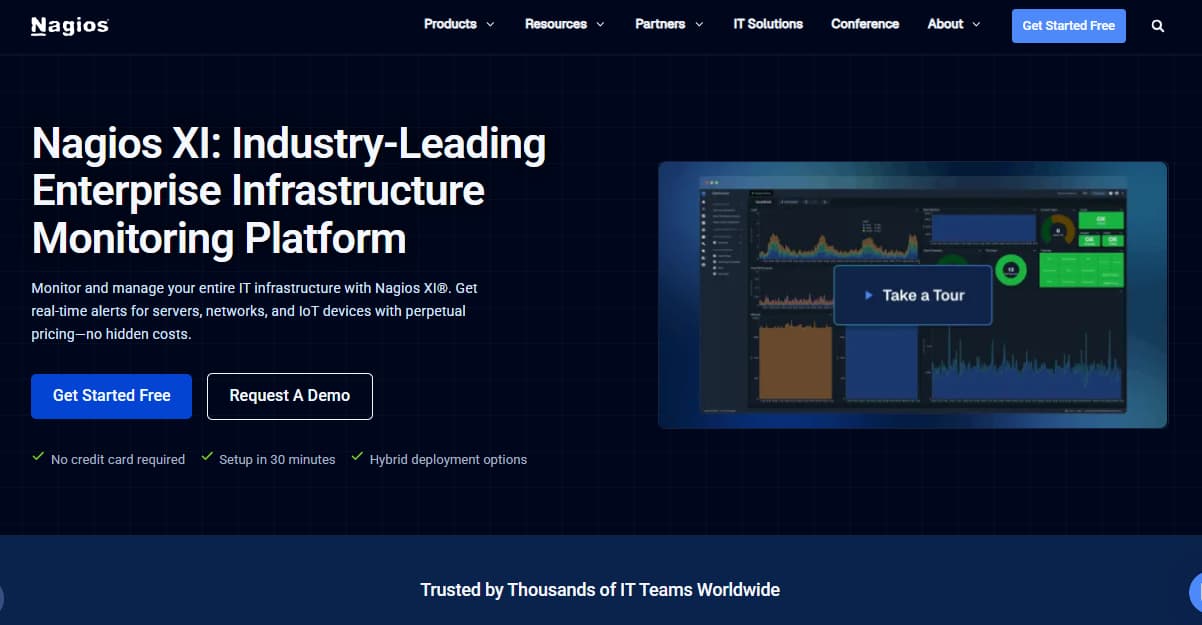
Nagios XI is known for being a long-standing, open-source-based monitoring platform with a rich plugin ecosystem and strong community support. It includes DNS monitoring through plugins and checks that allow teams to track resolution times, server availability, and query accuracy. Because of its flexibility, Nagios XI is widely used by IT teams that need customizable, self-hosted monitoring tailored to their infrastructure.
DNS Monitoring Features
- DNS check plugins for uptime and resolution accuracy.
- Monitors response times and query errors.
- Supports alerts for failed or slow DNS lookups.
- Customizable thresholds for DNS availability.
Key Features
- Network and server monitoring across hybrid environments.
- Highly customizable through plugins and add-ons.
- Performance graphing and reporting tools.
- User-specific dashboards and role-based access control.
- Integration with third-party alerting systems.
Pros
- Extremely flexible and customizable.
- Strong community and plugin support.
- Cost-effective compared to enterprise SaaS tools.
- On-prem hosting for data control.
Cons
- Steep learning curve for new users
- Overwhelming UI that might limit usability
Pricing
- 100-node license = $4,490
- 200-node license = $6,190
- 300-node license = $7,190
- 500-node license = $9,990
- 1,000-node license = $16,490
Nagios XI DNS Monitoring Pricing At Scale
For a mid-sized company running 200 monitored nodes (servers, services, and DNS checks), Nagios XI Enterprise costs around ~$6,190 upfront for the license (200-node tier).
Techfit
Nagios XI is a great fit for IT teams with in-house expertise who want granular DNS and infrastructure monitoring under their control. It’s particularly suitable for on-premise or hybrid environments where data residency and flexibility matter. However, it requires more hands-on management, so it’s best for organizations with the resources to maintain and customize their monitoring stack.
6. Datadog
Known for
Datadog is known for being a leading SaaS-based observability platform that combines infrastructure monitoring, APM, logs, and security into one ecosystem. DNS monitoring is offered as part of its synthetic monitoring suite, allowing teams to test resolution times, track failures, and analyze DNS queries alongside application and network data. With its wide integration ecosystem and polished dashboards, Datadog is popular among cloud-native organizations and SaaS providers that want unified visibility.
DNS Monitoring Features
- Synthetic DNS resolution checks with customizable frequency.
- Query-level metrics for performance and availability.
- Alerts for failed lookups, slow responses, or propagation delays.
- Global test coverage to validate DNS records across regions.
Key Features
- Full-stack observability: APM, infrastructure, logs, and RUM.
- 900+ pre-built integrations across cloud and DevOps tools.
- Dashboards for real-time performance and alerting.
- Security and compliance monitoring add-ons.
- API monitoring and synthetic tests for uptime.
Pros
- Strong ecosystem of integrations.
- Polished, user-friendly dashboards.
- Scales well for cloud-native applications.
- Provides DNS insights as part of full observability.
Cons
- High costs, especially for DNS checks at scale.
- Complex UI can be overwhelming for new users.
Pricing
- APM (Pro Plan): $35/host/month
- Infra (Pro Plan): $15/host/month
- Ingested Logs: $0.10 per ingested or scanned GB per month
Datadog DNS Monitoring Pricing At Scale
For a mid-sized SaaS company operating 125 APM hosts, 40 profiled hosts, 100 profiled container hosts, 200 infrastructure hosts, 1.5 million container hours, 300,000 custom metrics, 500 million indexed spans, and 3,500 indexed logs, while ingesting approximately 10 TB (≈10,000 GB) of logs per month, the estimated monthly cost would be around $27,475.
Techfit
Datadog is best suited for cloud-native teams and SaaS companies that want DNS monitoring tightly integrated with infrastructure and application observability. It works well for organizations that value polished dashboards and broad integrations, but its pricing model makes it more practical for teams with larger budgets. For high DNS traffic workloads, costs may escalate significantly compared to flat-rate alternatives.
7. Instatus

Known for
Instatus is known for being a lightweight status page and uptime monitoring platform designed for simplicity and transparency. It includes DNS monitoring capabilities to check domain resolution and availability, making it easy for teams to communicate outages and performance issues directly to customers. Because of its ease of use and customer-facing focus, Instatus is popular with startups and small SaaS teams that prioritize quick setup and clear incident communication.
DNS Monitoring Features
- Basic DNS resolution and availability checks.
- Monitors domain response times and propagation.
- Triggers alerts when DNS failures occur.
- Integrates results directly with public or private status pages.
Key Features
- Hosted status pages with custom branding.
- Uptime and incident reporting tools.
- Simple integrations with alerting platforms.
- API access for automation and reporting.
- Fast deployment with minimal configuration.
Pros
- Very simple and easy to use.
- Affordable for small teams.
- Built-in public-facing incident communication.
- Quick setup with minimal technical effort.
Cons
- Cost can scale as usage grows
- Complex initial setup
Pricing
- Free: $0/month (basic status page, limited monitors).
- Starter: $20/month (more monitors, simple branding).
- Pro: $100/month (custom domains, more subscribers, API access).
- Business: $225/month (billed annually; includes 1,000 monitors, 30-second checks, SMS & call alerts, unlimited team members, and 25,000 subscribers).
Instatus DNS Monitoring Pricing At Scale
For a mid-sized company running 1,000 monitors with frequent DNS checks and customer-facing incident communication, the Business plan at $225/month is the most practical choice. This covers 30-second global monitoring intervals, team-wide alerting, and automated updates to 25,000 subscribers, all at a flat monthly price.
Techfit
Instatus is best suited for startups, small SaaS companies, and customer-facing platforms that want simple DNS monitoring paired with status pages. It’s ideal for teams that value transparent incident communication over deep technical insights. While it won’t replace enterprise-grade observability, it works well as a lightweight solution for teams that need basic DNS uptime checks and easy reporting to end users.
8. New Relic

Known for
New Relic is known for being a developer-focused observability platform that provides deep visibility into applications, infrastructure, and end-user experiences. DNS monitoring is offered as part of its synthetic monitoring suite, enabling teams to validate resolution, propagation, and availability. With its strong ecosystem and dev-centric approach, New Relic is widely adopted by engineering teams that want DNS checks integrated with performance monitoring and error tracking.
DNS Monitoring Features
- Synthetic DNS checks for resolution and availability.
- DNS record propagation validation across locations.
- Alerts for failed lookups or slow response times.
- Correlation of DNS issues with app and infra metrics.
Key Features
- Full observability suite: APM, logs, metrics, infrastructure, RUM.
- Extensive integrations with cloud and DevOps tools.
- Customizable dashboards and flexible queries (NRQL).
- Error tracking and distributed tracing.
- User-friendly instrumentation for developers.
Pros
- Strong developer-centric ecosystem.
- DNS monitoring tied directly to application performance.
- Good free tier to get started.
- Flexible and customizable dashboards.
Cons
- Ingestion-based pricing grows expensive quickly.
- Requires engineering expertise for advanced queries.
Pricing
- Free Tier: 100GB/month ingested
- Pro plan: $0.40/GB ingested beyond the free 100GB limit
- Pro Plan: $349/user for full platform user
New Relic DNS Monitoring Pricing At Scale
A mid-sized SaaS company ingesting 45TB (~45,000 GB) of telemetry data per month and with 10 full users, the cost would come around ~$25,990/month.
Techfit
New Relic is best suited for developer and DevOps teams that want DNS monitoring embedded into a broader performance monitoring workflow. It works well for organizations already using New Relic for APM or RUM, since DNS checks fit seamlessly into that ecosystem. However, for teams with large DNS traffic volumes or strict compliance needs, costs and data residency limitations may be challenging.
9. Paessler PRTG Network Monitor
Known for
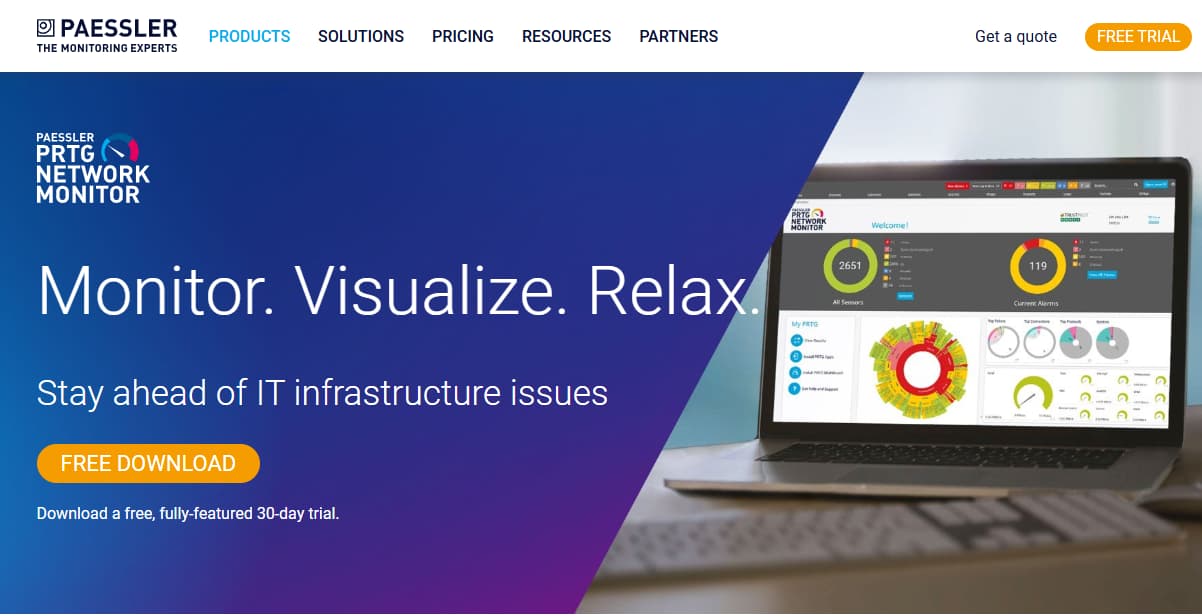
Paessler PRTG Network Monitor is known for being a sensor-based monitoring solution that covers networks, servers, applications, and services, including DNS. It’s a popular choice for on-premises and hybrid IT environments, offering flexible monitoring with prebuilt and custom sensors. With its straightforward licensing and strong internal network focus, PRTG is widely used by IT teams that want DNS monitoring as part of a larger infrastructure monitoring stack.
DNS Monitoring Features
- Dedicated DNS sensors to check resolution time and accuracy.
- Monitors DNS server availability and query performance.
- Alerts for failed lookups or delayed responses.
- Custom thresholds for DNS latency and failures.
Key Features
- Sensor-based monitoring for networks, servers, and apps.
- SNMP, NetFlow, and packet sniffing support.
- Customizable dashboards and reports.
- Mobile apps for remote monitoring.
- Flexible alerting via email, SMS, and push notifications.
Pros
- Strong out-of-the-box DNS sensors.
- Flexible for on-prem and hybrid setups.
- Simple licensing model with perpetual options.
- Good value for internal IT teams.
Cons
- UI can feel overwhelming for new users.
- Setup can be complex for very large environments.
Pricing
- PRTG 500: $179/month → up to 500 aspects (~50 devices).
- PRTG 1000: $325/month → up to 1,000 aspects (~100 devices).
- PRTG 2500: $675/month → up to 2,500 aspects (~250 devices).
- PRTG 5000: $1,183/month → up to 5,000 aspects (~500 devices).
- PRTG 10000: $1,492/month → up to 10,000 aspects (~1,000 devices).
- PRTG Enterprise: $1,671/month → scales beyond 10,000 aspects, distributed & multi-location monitoring.
Paessler PRTG Network Monitor DNS Monitoring Pricing At Scale
For a mid-sized company that needs to monitor beyond 10,000 aspects across servers, DNS checks, and distributed environments, the PRTG Enterprise plan at $1,671/month is the most practical choice. This subscription includes coverage for 1,000+ devices, multi-location monitoring, and full network observability. While predictable in cost, the sensor-based model means DNS checks still count against the 10,000+ aspect limit, requiring upgrades if usage grows.
Techfit
PRTG is best suited for mid-sized businesses and enterprise IT departments that run on-prem or hybrid infrastructure and want DNS checks integrated into network monitoring. It’s ideal for teams that prefer perpetual licensing over SaaS billing and need flexible sensor-based monitoring. However, it’s less suited for cloud-native or high-scale DNS workloads, where SaaS tools provide more agility.
Conclusion
DNS disruptions are a leading cause of service outages, making continuous monitoring a necessity rather than an option. The tools highlighted in this list address varying organizational needs—from simple uptime validation and customer-facing status pages to advanced synthetic checks and full-stack observability. Choosing the right platform depends on scale, compliance requirements, and the depth of insight required.
For organizations seeking a modern, cost-predictable, and OpenTelemetry-native solution, CubeAPM delivers DNS monitoring as part of its unified observability suite. With flat $0.15/GB pricing, on-premise deployment options, and DNS metrics integrated alongside logs, traces, and infrastructure health, it ensures both compliance and efficiency. Book a free demo with CubeAPM today to see how it can simplify DNS monitoring at scale.
Disclaimer: The information in this article reflects the latest details available at the time of publication and may change as technologies and products evolve.