










Kubernetes now powers over 5.6 million developers worldwide according to the CNCF 2023 Annual Survey, making it the backbone of modern infrastructure. One common issue kubectl couldn’t get current server api group list error: couldn’t get current server API group list, which appears when the client fails to fetch API groups from the cluster due to connectivity, authentication, or endpoint misconfigurations.
CubeAPM, enables teams to pinpoint these issues faster by tracking API server availability, kubeconfig expiration, and authentication failures in real time. Instead of waiting until developers are locked out of their clusters, CubeAPM surfaces early warning signals and reduces troubleshooting from hours to minutes—all with predictable flat-rate pricing.
In this guide, we’ll cover what the kubectl-error-couldnt-get-current-server -api-group-list error means, why it occurs, how to fix it step-by-step, and how CubeAPM helps teams monitor and prevent it from disrupting production systems.
What is the kubectl couldn’t get current server API group list Error?
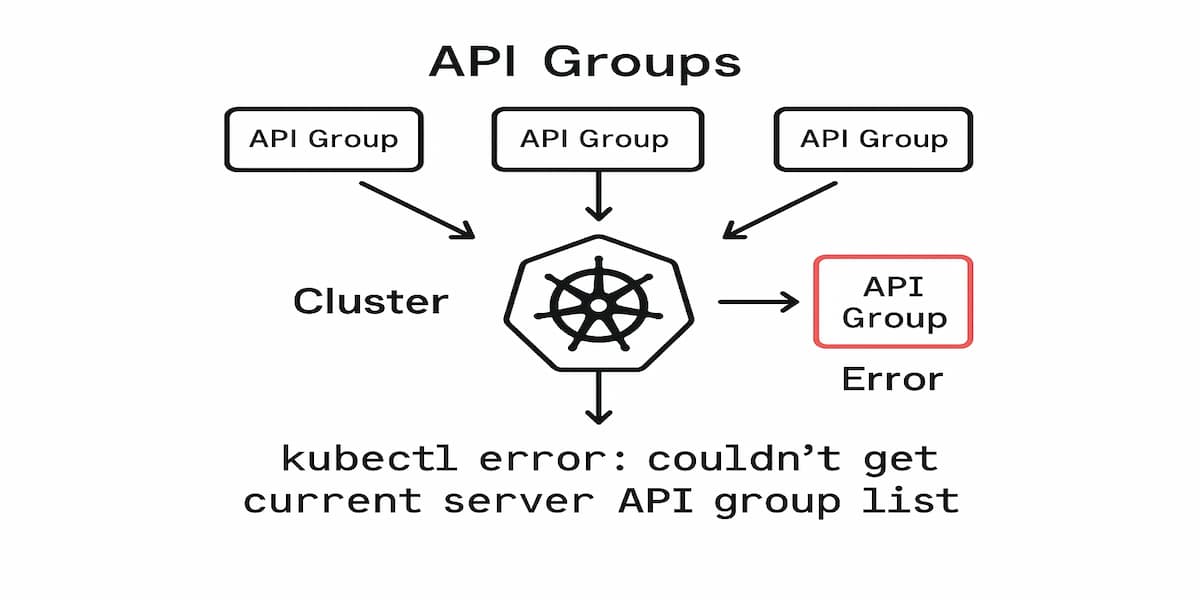
The kubectl couldn’t get current server API group list error occurs when the client fails to fetch the list of API groups exposed by the Kubernetes API server. In simple terms, it means that kubectl is unable to reach or authenticate with the control plane to discover available resources.
Kubernetes organizes its resources into API groups such as apps, batch, and rbac.authorization.k8s.io. When this error occurs, the discovery process is interrupted, leaving users unable to execute commands like kubectl get pods, kubectl apply, or kubectl describe.
This error usually surfaces when there are kubeconfig misconfigurations, expired credentials, broken network paths, or API server outages. Because the API group list is required for nearly all cluster operations, this failure immediately blocks both developers and automation pipelines from managing workloads.
Characteristics of the Error
- Command failure: Almost every kubectl command returns the same error before execution.
- Immediate impact: Users cannot query, apply, or modify resources.
- Cluster-wide effect: The error is not limited to one namespace; it affects the entire cluster interaction.
- Discovery failure: The API group list cannot be fetched, preventing resource type resolution.
- Authentication-sensitive: Often triggered by expired or invalid credentials in the kubeconfig file.
Why Does the kubectl couldn’t get current server API group list Error Happen?
When this error occurs, the kubectl couldn’t get current server api group list error usually signals a deeper problem with API server connectivity or invalid kubeconfig tokens. The error can stem from multiple failure points in the communication between kubectl and the API server. Below are the most common causes:
1. Expired or Invalid Kubeconfig
If the authentication tokens or certificates in the kubeconfig file have expired, kubectl can no longer authenticate to the API server. This leads to discovery failures and prevents fetching the API group list.
2. Misconfigured Cluster Endpoint
When the cluster’s API server address in the kubeconfig file is outdated, misspelled, or pointing to the wrong endpoint, kubectl cannot establish a connection. This is common after cluster migrations or endpoint changes.
3. DNS or Network Connectivity Failures
If DNS resolution fails or the network path to the control plane is blocked, the client cannot reach the API server. This often occurs in environments with strict firewall rules or broken internal DNS.
4. API Server Downtime or Crash
When the Kubernetes API server Pod is down, overloaded, or unresponsive, kubectl cannot query available resources. In high-availability clusters, this may also indicate issues with the control plane load balancer.
5. Authentication and RBAC Issues
Even if the API server is reachable, incorrect RBAC policies or misconfigured authentication providers (OIDC, LDAP, etc.) can block access. This results in kubectl being denied permission to fetch the API group list.
How to Fix the kubectl couldn’t get current server API group list Error
Fixing the kubectl couldn’t get current server api group list error involves validating kubeconfig, endpoints, DNS, and RBAC permissions sequentially.
1. Expired or Invalid Kubeconfig
If your kubeconfig tokens or certificates are expired, kubectl cannot authenticate and the API group list cannot be fetched.
Quick check
kubectl config current-context && kubectl config view --minify --raw | grep -Ei 'client-certificate-data|client-key-data|token' && kubectl get --raw /apis || echo "auth invalid or unreachable"Fix
aws eks update-kubeconfig --name <cluster> || gcloud container clusters get-credentials <cluster> --zone <zone> --project <project>2. Misconfigured API Server Endpoint
A wrong or outdated API server address in the kubeconfig prevents kubectl from reaching the cluster.
Quick check
API=$(kubectl config view --minify -o jsonpath='{.clusters[0].cluster.server}'); echo "$API" && curl -kI "$API" || echo "bad endpoint"Fix
kubectl config set-cluster $(kubectl config view -o jsonpath='{.contexts[?(@.name=="'$(kubectl config current-context)'")].context.cluster}') --server=https://<correct-host>:4433. DNS or Network Connectivity Failures
If DNS resolution or routing to the control plane is broken, kubectl cannot connect and discovery fails.
Quick check
API=$(kubectl config view --minify -o jsonpath='{.clusters[0].cluster.server}'); HOST=$(echo $API | sed 's#https\?://##;s#:.*##'); nslookup $HOST || dig +short $HOST || echo "dns fail"; ping -c 3 $HOST || echo "icmp blocked"; curl -kI $API || echo "tcp fail"Fix
sudo iptables -L || echo "check firewall"; sudo sysctl -w net.ipv4.ip_forward=1 || echo "route check"; echo "ensure egress to $HOST:443 allowed and re-run curl -kI $API"4. API Server Downtime or Crash
When the API server Pod is down or overloaded, kubectl cannot load API groups.
Quick check
kubectl get --raw /healthz || echo "api unhealthy"; kubectl -n kube-system get pods -o wide | grep kube-apiserver || echo "external/control-plane static pod"Fix
kubectl -n kube-system rollout restart deploy/kube-apiserver || echo "restore control-plane via provider and recheck: kubectl get --raw /apis"5. Authentication / RBAC Denied
If RBAC or auth tokens block access, kubectl will be denied even if the API server is reachable.
Quick check
kubectl auth can-i get apiservices.apiregistration.k8s.io --all-namespaces && kubectl get --raw /apis || echo "rbac deny"Fix
kubectl create clusterrolebinding api-discovery-admin --clusterrole=cluster-admin --user <user-or-sa>Monitoring the kubectl couldn’t get current server API group list Error with CubeAPM
Fixing the kubectl couldn’t get current server api group list error involves validating kubeconfig, endpoints, DNS, and RBAC permissions sequentially.
The fastest way to troubleshoot the kubectl couldn’t get current server API group list error is by observing the signals that reveal API server health, authentication validity, and network reachability in real time. CubeAPM ingests and correlates Events, Metrics, Logs, and Rollouts, making it possible to see whether the issue was caused by expired kubeconfig tokens, API server downtime, or broken control-plane DNS—without switching between multiple tools.
Step 1 — Install CubeAPM (Helm)
Install CubeAPM’s agent using Helm. Use values.yaml if you need to override credentials or endpoints.
helm repo add cubeapm https://charts.cubeapm.com && helm repo update && helm install cubeapm-agent cubeapm/cubeapm-agent --namespace cubeapm --create-namespaceTo upgrade with custom values:
helm upgrade --install cubeapm-agent cubeapm/cubeapm-agent --namespace cubeapm -f values.yamlStep 2 — Deploy the OpenTelemetry Collector (DaemonSet + Deployment)
- DaemonSet: Captures node/pod-level logs and metrics from kubelet.
- Deployment: Central pipeline for API server metrics, events, and enrichment.
helm upgrade --install otel-ds open-telemetry/opentelemetry-collector --namespace cubeapm --set mode=daemonsethelm upgrade --install otel-gw open-telemetry/opentelemetry-collector --namespace cubeapm --set mode=deploymentStep 3 — Collector Configs Focused on this Error
DaemonSet Config (node-local)
receivers:

  kubeletstats:

    collection_interval: 30s

    auth_type: serviceAccount

  filelog:

    include: [/var/log/kubelet/kubelet.log]

processors:

  batch: {}

exporters:

  otlp:

    endpoint: ${CUBEAPM_OTLP_ENDPOINT}

    headers: { "Authorization": "Bearer ${CUBEAPM_TOKEN}" }

service:

  pipelines:

    metrics:

      receivers: [kubeletstats]

      processors: [batch]

      exporters: [otlp]

    logs:

      receivers: [filelog]

      processors: [batch]

exporters: [otlp]- kubeletstats: Surfaces node readiness issues that block API connections.
- filelog: Captures kubelet errors (connection refused, unauthorized, no such host).
- otlp exporter: Sends enriched signals securely to CubeAPM.
Deployment Config (gateway)
receivers:

  prometheus:

    config:

      scrape_configs:

        - job_name: kube-apiserver

          scheme: https

          kubernetes_sd_configs: [{ role: endpoints }]

          relabel_configs:

            - source_labels: [__meta_kubernetes_endpoints_name]

              regex: kube-apiserver

              action: keep

  k8s_events: {}

processors:

  filter:

    logs:

      include:

        match_type: regexp

        expressions: ["(certificate.*expired|unauthorized|forbidden|i/o timeout|no such host)"]

  batch: {}

exporters:

  otlp:

    endpoint: ${CUBEAPM_OTLP_ENDPOINT}

    headers: { "Authorization": "Bearer ${CUBEAPM_TOKEN}" }

service:

  pipelines:

    metrics:

      receivers: [prometheus]

      processors: [batch]

      exporters: [otlp]

    logs:

      receivers: [k8s_events]

      processors: [filter, batch]

      exporters: [otlp]
- prometheus scrape: Captures API server latency, 5xx, and request totals.
- k8s_events: Streams events like “certificate expired” or “connection refused.”
- filter processor: Keeps only log lines tied to this error type.
Step 4 — Supporting Components (Optional)
Deploy kube-state-metrics if you want rollout context alongside error detection.
helm upgrade --install kube-state-metrics prometheus-community/kube-state-metrics --namespace kube-systemStep 5 — Verification (What You Should See in CubeAPM)
- Events: API server unavailability or cert rotation warnings around the error.
- Metrics: Spikes in apiserver_request_total errors or rising request latencies.
- Logs: Lines containing unauthorized, forbidden, or i/o timeout.
- Restarts: API server Pod restarts or failing liveness probes.
- Rollouts: Recent cluster changes aligned with the time the error appeared.
Example Alert Rules for kubectl couldn’t get current server API group list Error
These alerts help detect early symptoms of the kubectl couldn’t get current server api group list error before it escalates to cluster-wide discovery failures.
1. API server unreachable (hard failure)
If the API server goes down or can’t be scraped, kubectl can’t fetch the API group list at all. Alert as soon as the scrape target is down.
- alert: KubeAPIServerDown

  expr: up{job="kube-apiserver"} == 0

  for: 1m

  labels: {severity: critical, category: kubectl_api_group_error}

  annotations: {summary: "API server unreachable", description: "The kube-apiserver target is down; kubectl cannot discover API groups."}
2. Surge in 5xx responses (server-side errors)
A rising share of 5xx responses from the API server indicates overload or internal errors that often precede the error.
- alert: KubeAPIServerHighErrorRate

  expr: (sum(rate(apiserver_request_total{code=~"5.."}[5m])) by (cluster)) / (sum(rate(apiserver_request_total[5m])) by (cluster)) > 0.05

  for: 5m

  labels: {severity: warning, category: kubectl_api_group_error}

  annotations: {summary: "High API server 5xx rate", description: "5xx responses >5% over 5m; discovery may fail for kubectl."}
3. Authentication/authorization denials spike
Frequent 401/403s mean tokens expired, OIDC drifted, or RBAC broke—common triggers for the error.
- alert: KubeAPIServerAuthFailures

  expr: sum(rate(apiserver_request_total{code=~"401|403"}[5m])) by (cluster) > 5

  for: 10m

  labels: {severity: warning, category: kubectl_api_group_error}

  annotations: {summary: "Auth failures against API server", description: "401/403 responses spiking; check kubeconfig expiry and RBAC bindings."}
4. P99 API request latency too high
If API discovery endpoints are slow, kubectl may time out fetching the API group list.
- alert: KubeAPIServerHighLatencyP99

  expr: histogram_quantile(0.99, sum by (le) (rate(apiserver_request_duration_seconds_bucket[5m]))) > 1

  for: 10m

  labels: {severity: warning, category: kubectl_api_group_error}

  annotations: {summary: "API server P99 latency >1s", description: "Control plane latency is elevated; kubectl discovery may time out."}
5. Certificate expiry approaching (client/server)
Expiring client or server certs are classic causes—alert before they invalidate requests.
- alert: KubeAPIServerCertExpirySoon

  expr: min(apiserver_client_certificate_expiration_seconds) < 604800

  for: 5m

  labels: {severity: warning, category: kubectl_api_group_error}

  annotations: {summary: "API client cert expires in <7 days", description: "Rotate credentials before discovery fails and kubectl errors surface."}
6. Control-plane DNS errors (CoreDNS)
If DNS can’t resolve the API endpoint, kubectl discovery fails even when components are up.
- alert: CoreDNSHighErrorRate

  expr: (sum(rate(coredns_dns_responses_total{rcode!="NOERROR"}[5m])) by (cluster)) / (sum(rate(coredns_dns_responses_total[5m])) by (cluster)) > 0.02

  for: 10m

  labels: {severity: warning, category: kubectl_api_group_error}

  annotations: {summary: "CoreDNS error responses >2%", description: "DNS errors may block resolving the API server; kubectl discovery can fail."}
Conclusion
The kubectl couldn’t get current server API group list error blocks nearly every cluster operation because discovery fails before commands execute. The fastest way to restore control is to verify credentials, endpoints, network/DNS, control-plane health, and RBAC in that order. For ongoing resilience, monitor API server availability, auth denials, and latency so you catch issues before developers are locked out.
CubeAPM makes this easy: you’ll see API server health, kubeconfig/auth warnings, and change events in one place, so you can correlate root cause quickly and prevent repeats. Start capturing these signals now and keep rollouts moving without firefights.