










Hyperping is built for teams that want uptime monitoring, status pages, on-call scheduling, incident communication, browser checks, server monitoring, and multi-channel alerts in one product. It gives SaaS teams, startups, agencies, and DevOps teams a focused way to detect availability issues and communicate incidents.
This Hyperping pricing and review guide explains what Hyperping does, how its pricing works in 2026, what buyers should expect to pay, where the platform is strong, where it has limits, and how it compares with alternatives such as CubeAPM, Better Stack, Dynatrace, New Relic, UptimeRobot, Pingdom, Instatus, Site24x7, and Datadog.
What Is Hyperping?
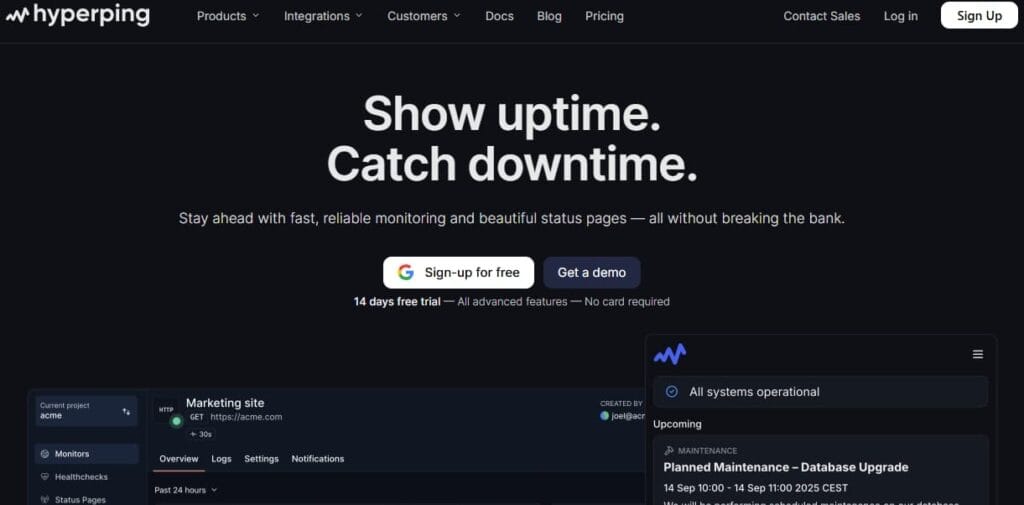
Hyperping is an uptime monitoring, status page, on-call, and incident management platform. Its website describes the product as a platform that combines monitoring from global locations with built-in status pages and on-call scheduling.
In simple terms, Hyperping helps teams answer three operational questions:
- Is the website, API, endpoint, cron job, or service available?
- Who should be alerted when something breaks?
- How should customers be updated during an incident?
Hyperping supports HTTP/HTTPS monitoring, API monitoring, SSL monitoring, cron job and heartbeat monitoring, Playwright-based browser checks, TCP port monitoring, ICMP ping monitoring, DNS monitoring, keyword monitoring, multi-region execution, and alerting through tools such as Slack, Microsoft Teams, PagerDuty, OpsGenie, Discord, Telegram, email, SMS, phone calls, and webhooks.
What Hyperping Covers
| Area | What it means |
| Uptime monitoring | Monitors websites, APIs, ports, ping checks, and keyword checks |
| Status pages | Hosted pages for public or internal incident communication |
| Incident management | Manual incidents, maintenance updates, acknowledgement, and escalation workflows |
| On-call scheduling | Paid plans include on-call and escalation policies |
| Alerts | Email, Slack, Teams, PagerDuty, OpsGenie, SMS, phone calls, and webhooks depending on setup and plan |
| Browser checks | Playwright-based browser checks for user-flow monitoring |
| Server monitoring | Server agents for CPU, memory, disk, network, and server alerting |
| DNS and SSL monitoring | Helps catch DNS failures and certificate issues |
| Reporting | Weekly reports, SLA reporting, reporting dashboards, CSV export, and MTTA/MTTR reporting on higher tiers |
Key Features of Hyperping
Hyperping monitors websites, APIs, ports, ping checks, and keyword checks. Its pricing page lists HTTP, port, ping, and keyword monitoring on the Free plan, while the homepage adds API, SSL, cron job/heartbeat, TCP port, ICMP ping, DNS, and keyword monitoring as supported check types.
This is the core reason teams use Hyperping. Instead of discovering downtime through customer complaints, teams can receive alerts when important services fail, become slow, or return unexpected content.
Hyperping supports basic availability checks for websites, APIs, TCP ports, ping reachability, and keyword verification. This makes it useful for SaaS products, ecommerce sites, agencies, hosting providers, API businesses, and smaller infrastructure teams that need external availability monitoring.
Hyperping includes browser checks on paid plans. The current pricing page lists 3 browser checks on Essentials, 10 on Pro, and 25 on Business.
Browser checks are useful when a simple HTTP check is not enough. They help teams verify that a user journey, page, or workflow behaves more like it would for a real user.
Hyperping includes server monitoring agents. The Free plan includes 1 server monitoring agent, Essentials includes 5, Pro includes 20, and Business includes 100. The pricing page also lists CPU, memory, disk, network, and server alerting under server monitoring coverage.
This does not make Hyperping a complete infrastructure observability platform, but it gives teams basic server-level visibility alongside uptime checks.
Status pages are a major part of Hyperping’s value. Hyperping’s pricing page lists hosted status pages, custom domains, embedded charts and metrics, subscribers, incident and maintenance updates, protected/private pages, Google Analytics, auto refresh/TV mode, multi-language support, white labeling, and custom domain emails across the plan comparison.
The Free plan includes 1 basic status page. Essentials includes 1 status page, Pro includes 3, and Business includes 10 based on the official plan cards.
Hyperping includes incident and maintenance workflows. Its pricing page lists on-call schedules, escalation policies, manual incidents, acknowledgement, and escalation under incident management.
This makes Hyperping more than a basic ping-checking tool. It is closer to a lightweight monitoring, on-call, and incident communication platform.
Paid Hyperping plans include on-call and escalation policies. Essentials includes on-call and escalation policies, and Pro and Business build on that with higher limits and additional alerting/security features.
This is useful for teams that want responder workflows without buying a separate on-call product.
Hyperping supports alerting through email, Slack, Microsoft Teams, OpsGenie, PagerDuty, SMS credits, phone calls, webhooks, Discord, and Telegram. Phone call alerts start on Pro according to the official pricing page.
Hyperping lists DNS monitoring on paid plans and SSL monitoring in the pricing-page comparison. Its homepage also lists SSL certificate monitoring and DNS monitoring among supported monitoring types.
This matters because outages are not always caused by application code. SSL expiry, DNS failures, misconfigured records, and port-level failures can also take services offline.
Hyperping’s pricing page lists weekly reports, uptime SLA reporting, reporting dashboards, CSV export, and MTTA/MTTR reporting in the plan comparison.
These features matter for teams that need to report reliability internally or communicate uptime performance to clients.
Hyperping Pricing in 2026
Hyperping uses plan-based pricing with limits around monitors, seats, server monitoring agents, browser checks, status pages, subscribers, alerting, security, and support.
The official pricing page lists five tiers: Free, Essentials, Pro, Business, and Enterprise. Paid prices below are annual-billing prices; Hyperping says annual billing gives two months free.
| Plan | Price | Best for |
| Free | $0/month | Personal use and testing |
| Essentials | $24/month, billed yearly | Young startups with advanced uptime needs |
| Pro | $74/month, billed yearly | Growing teams monitoring multiple services |
| Business | $249/month, billed yearly | Scaling teams needing security and higher limits |
| Enterprise | Custom | Large organizations with custom requirements |
Hyperping Plan Limits and Feature Coverage
| Feature | Free | Essentials | Pro | Business | Enterprise |
| Price | $0 | $24/mo (annual) | $74/mo (annual) | $249/mo (annual) | Custom |
| Seats | 1 | 2 | 5 | 15 | Custom |
| Monitors | 20 | 50 | 100 | 1,000 | Custom |
| Check interval | 5 min | 30 sec | 30 sec | 20 sec | Custom |
| Server agents | 1 | 5 | 20 | 100 | Custom |
| Browser checks | — | 3 | 10 | 25 | Custom |
| Status pages | 1 | 1 | 3 | 10 | Custom |
| Integrations & alerts | Basic | Full | Full + phone | Full + phone | Full |
| Enterprise features | — | — | — | SSO, audit logs, white labeling | Full enterprise controls |
What Does Hyperping Really Cost?
⚠️ Disclaimer
The scenarios below are directional editorial estimates, not official Hyperping quotes. Actual costs depend on monitor count, check interval, browser checks, server monitoring agents, status pages, subscribers, alerting channels, seats, SSO requirements, white labeling, and whether the team needs Enterprise support.
Hyperping pricing is not based on hosts, logs, metrics, traces, RUM sessions, API test runs, browser test runs, or data ingestion. A 50-host environment does not automatically require 50 Hyperping monitors. Hyperping monitors usually represent customer-facing URLs, APIs, services, ports, keyword checks, cron jobs, DNS checks, SSL checks, browser flows, or critical workflows.
That means the real cost depends less on infrastructure size and more on how many important services and workflows the team wants to monitor.
Pricing Assumptions Used in These Scenarios
These estimates use Hyperping’s public pricing as the main anchor:
- Free: $0/month with 20 monitors, 5-minute checks, 1 server monitoring agent, and 1 basic status page.
- Essentials: $24/month billed yearly with 50 monitors, 30-second checks, 5 server agents, 3 browser checks, 1 status page, 100 subscribers, custom domain, on-call, escalation policies, DNS monitoring, and all integrations.
- Pro: $74/month billed yearly with 100 monitors, 20 server agents, 10 browser checks, 3 status pages, 1,000 subscribers, and phone call alerts.
- Business: $249/month billed yearly with 1,000 monitors, 20-second checks, 100 server agents, 25 browser checks, 10 status pages, 15 seats, $12/month per additional user, priority support, audit logs, white labeling, custom email domain, SAML SSO, and IP allowlisting.
- Enterprise: custom pricing for custom monitors, custom teammates, custom server agents, custom status pages, custom contracts, migration service, and dedicated support.
The scenarios below also use broader company-size anchors from the pricing-review series:
| Scenario | Workload anchor | Hyperping pricing logic | Editorial estimate |
| Small team | 10 hosts, 1.1 TB/month telemetry, 5,000 RUM sessions | Usually needs 20–50 monitors, 1 status page, 1–3 browser checks, and basic on-call | ~$24–$74/month |
| Growing team | 50 hosts, 5.4 TB/month telemetry, 50,000 RUM sessions | Usually needs 50–100 monitors, 1–3 status pages, up to 10 browser checks, phone alerts | ~$74–$249/month |
| Mid-market team | 250 hosts, 27 TB/month telemetry, 200,000 RUM sessions | Usually needs 100–1,000 monitors, 3–10 status pages, SSO, audit logs, and more server agents | ~$249–$1,000+/month |
Important: those workload inputs are not direct Hyperping billing units. They only indicate team size and operational complexity. Hyperping’s bill is driven by monitor count, check frequency, browser checks, server agents, status pages, subscribers, seats, and security requirements.
Scenario 1: Small Team, Around $24–$74/Month
Situation
A small team has around 10 hosts, roughly 1.1 TB/month of telemetry volume, 5,000 RUM sessions/month, 50,000 API test runs/month, and 2,000 browser test runs/month in the broader observability pricing model.
For Hyperping, these numbers do not directly determine the bill. They describe a smaller production environment. The relevant Hyperping usage is more likely to be around 20–50 monitors, 1 status page, 1–3 browser checks, and 1–5 server monitoring agents.
A team at this stage may monitor its main website, app, API, auth flow, billing flow, dashboard, admin panel, background jobs, SSL certificates, DNS records, and a few important ports or keyword checks.
Why teams at this stage consider Hyperping
Hyperping is attractive here because Essentials includes 50 monitors, 30-second checks, 5 server agents, 3 browser checks, 1 status page, 100 subscribers, custom domain, on-call, escalation policies, DNS monitoring, and all integrations for $24/month when billed yearly.
Some small teams may start on Free, but Essentials is the more realistic production baseline because it includes faster checks, a custom-domain status page, browser checks, on-call workflows, and DNS monitoring.
Estimated profile
| Configuration | Detail |
| Company-size anchor | Small team |
| Infrastructure reference | 10 hosts |
| Observability reference | 1.1 TB/month telemetry volume |
| Monitor assumption | 20–50 monitors |
| Status pages | 1 |
| Browser checks | 1–3 |
| Server agents | 1–5 |
| Check interval | 30 seconds on Essentials |
| Alerting need | Email, Slack, Teams, PagerDuty/OpsGenie integrations |
| Pricing basis | Essentials or Pro |
Estimated monthly cost
| Component | Assumption | Monthly cost |
| Base plan | Essentials for 50 monitors and production-ready checks | ~$24 |
| Upgrade buffer | Pro if the team needs 100 monitors, 3 status pages, 10 browser checks, or phone call alerts | +~$50 |
| Total estimated cost | Small team setup | ~$24–$74/month |
What this scenario shows
For small teams, Hyperping can be very cost-effective. The Free plan is useful for testing, but Essentials is usually the better production starting point. The main reason to move from Essentials to Pro is not host count. It is needing more monitors, more browser checks, more status pages, more subscribers, or phone call alerts.
Scenario 2: Growing Team, Around $74–$249/Month
Situation
A growing team has around 50 hosts, roughly 5.4 TB/month of telemetry volume, 50,000 RUM sessions/month, 500,000 API test runs/month, and 20,000 browser test runs/month in the broader observability pricing model.
For Hyperping, this maps to a larger SaaS environment with more customer-facing endpoints and more operational workflows. A reasonable Hyperping usage assumption is around 50–100 monitors, 1–3 status pages, 3–10 browser checks, and 5–20 server monitoring agents.
The team may monitor product APIs, login, billing, file uploads, search, webhooks, admin systems, SSL certificates, DNS, cron jobs, background workers, regional endpoints, and key browser flows.
Why teams at this stage consider Hyperping
Hyperping Pro is often enough for this stage because it includes 100 monitors, 20 server agents, 10 browser checks, 3 status pages, 1,000 subscribers, and phone call alerts for $74/month when billed yearly.
Business becomes relevant if the team needs 1,000 monitors, 20-second checks, 100 server agents, 25 browser checks, 10 status pages, SAML SSO, audit logs, white labeling, custom email domain, IP allowlisting, or priority support.
Estimated profile
| Configuration | Detail |
| Company-size anchor | Growing team |
| Infrastructure reference | 50 hosts |
| Observability reference | 5.4 TB/month telemetry volume |
| Monitor assumption | 50–100 monitors |
| Status pages | 1–3 |
| Browser checks | 3–10 |
| Server agents | 5–20 |
| Check interval | 30 seconds on Pro |
| Alerting need | Phone calls, Slack, Teams, PagerDuty, OpsGenie |
| Pricing basis | Pro or Business |
Estimated monthly cost
| Component | Assumption | Monthly cost |
| Base plan | Pro for 100 monitors, 10 browser checks, 3 status pages, and phone alerts | ~$74 |
| Scale/security upgrade | Business if 1,000 monitors, SSO, audit logs, white labeling, 10 status pages, or 20-second checks are needed | +~$175 |
| Total estimated cost | Growing team setup | ~$74–$249/month |
What this scenario shows
For growing SaaS teams, Hyperping’s biggest decision point is whether Pro is enough or Business is required. Pro is strong for monitoring coverage and phone alerts. Business is more about scale, security, compliance, and brand control. The move to Business should usually be justified by SSO, audit logs, white labeling, 1,000 monitors, 10 status pages, or faster 20-second checks.
Scenario 3: Mid-Market Team, Around $249–$1,000+/Month
Situation
A mid-market team has around 250 hosts, roughly 27 TB/month of telemetry volume, 200,000 RUM sessions/month, 2,000,000 API test runs/month, and 80,000 browser test runs/month in the broader observability pricing model.
For Hyperping, this indicates a larger operational environment with many products, services, regions, APIs, and internal platforms. The Hyperping-specific usage may be around 100–1,000 monitors, 3–10 status pages, 10–25 browser checks, and 20–100 server monitoring agents.
The team may also need stricter access control, audit history, white-labeled status pages, customer-specific communication workflows, priority support, and enterprise procurement.
Why teams at this stage consider Hyperping
Hyperping Business is the first serious mid-market tier. It includes 1,000 monitors, 20-second checks, 100 server agents, 25 browser checks, 10 status pages, 15 seats, priority support, audit logs, white labeling, custom email domain, SAML SSO, and IP allowlisting for $249/month when billed yearly.
Enterprise becomes relevant if the team needs custom monitor limits, custom teammate limits, custom server agents, custom status pages, custom contracts, white-glove migration, or dedicated support.
Estimated profile
| Configuration | Detail |
| Company-size anchor | Mid-market team |
| Infrastructure reference | 250 hosts |
| Observability reference | 27 TB/month telemetry volume |
| Monitor assumption | 100–1,000 monitors |
| Status pages | 3–10+ |
| Browser checks | 10–25+ |
| Server agents | 20–100+ |
| Check interval | 20 seconds on Business |
| Governance | SAML SSO, audit logs, IP allowlisting |
| Brand controls | White labeling and custom email domain |
| Pricing basis | Business or Enterprise |
Estimated monthly cost
| Component | Assumption | Monthly cost |
| Base plan | Business for 1,000 monitors, SSO, audit logs, white labeling, and 20-second checks | ~$249 |
| Extra users | Business includes 15 seats; extra users are $12/month each | Variable |
| Enterprise buffer | Custom monitors, teammates, status pages, contracts, migration, dedicated support | Custom |
| Total estimated cost | Mid-market setup | ~$249–$1,000+/month |
What this scenario shows
At mid-market scale, Hyperping remains easier to estimate than usage-based observability tools because its public plans define the major limits clearly. The main unknown is whether Business is enough or whether the team needs Enterprise for custom monitors, custom teammates, custom status pages, migration support, dedicated support, or procurement terms.
What Actually Drives Hyperping Costs?
| Cost driver | Why it matters |
| Monitor count | More URLs, APIs, ports, cron jobs, DNS checks, SSL checks, and workflows require more monitors |
| Check interval | Faster checks are available on paid tiers, with Business going down to 20 seconds |
| Browser checks | Browser checks are limited by plan: 3 on Essentials, 10 on Pro, and 25 on Business |
| Server agents | Server agents increase by plan: 1 on Free, 5 on Essentials, 20 on Pro, and 100 on Business |
| Status pages | Teams with multiple products, regions, brands, or customer groups may need more pages |
| Subscribers | Essentials includes 100 subscribers, Pro includes 1,000, and Business lists unlimited subscribers |
| Phone and SMS alerts | Phone alerts begin on Pro; SMS credits vary by plan and should be validated for heavy alerting |
| Seats | Business includes 15 seats, with additional users at $12/month each |
| SSO and audit logs | SAML SSO, audit logs, and IP allowlisting are Business-tier features |
| White labeling | White labeling and custom email domains are Business-tier features |
| Enterprise support | Custom contracts, migration, and dedicated support require Enterprise |
The Important Pricing Context
Hyperping sits between low-cost uptime tools and heavier observability platforms.
It is broader than a simple uptime checker because it includes status pages, incident management, on-call scheduling, server monitoring, browser checks, and multi-channel alerts.
But it is not a full observability platform. Hyperping does not replace deep APM, distributed tracing, log analytics, Kubernetes monitoring, database monitoring, OpenTelemetry-native telemetry pipelines, service maps, or root-cause analysis across logs, metrics, traces, and infrastructure.
That distinction matters. Hyperping is strongest when the goal is availability monitoring and incident communication. If the team needs root-cause analysis across applications, infrastructure, logs, metrics, and traces, it should compare tools such as CubeAPM, Datadog, New Relic, Grafana, or Dynatrace.
CubeAPM, for example, positions itself as an OpenTelemetry-native observability and APM platform with APM, distributed tracing, log management, infrastructure monitoring, RUM, synthetic monitoring, dashboards, SLOs, RBAC, SSO, MFA, and audit logs. Its public pricing page lists $0.15/GB of ingested data.
Related Pricing Stat: Hyperping’s Own Stack Comparison
Hyperping’s pricing page includes a “Legacy Stack vs. Hyperping” comparison. It models a legacy stack with Pingdom, Statuspage.io, and PagerDuty at $653/month, compared with Hyperping Business at $249/month. The pricing page says this saves approximately $5,000/year.
This is a vendor-provided comparison, so buyers should treat it as directional rather than universal. Still, it reflects Hyperping’s core positioning: replacing separate uptime monitoring, status page, and on-call tools with one bundled platform.
Additional Costs and Operational Overhead Buyers Should Plan For
The biggest public pricing jump is from Pro at $74/month to Business at $249/month when billed yearly.
That jump can be justified if the team needs 1,000 monitors, 20-second checks, 100 server agents, 25 browser checks, 10 status pages, SAML SSO, audit logs, white labeling, custom email domain, IP allowlisting, or priority support. If the team only needs one Business feature, the upgrade may feel expensive.
Business includes 15 seats, then charges $12/month per additional user. Teams with many engineers, support agents, SREs, or customer success users should include this in their estimate.
Hyperping includes SMS credits and phone call alerts depending on the plan. Phone call alerts begin on Pro. Teams that rely heavily on SMS and calls should validate credit limits, regional coverage, and any overage pricing before rollout.
Browser checks are useful but limited by plan. Essentials includes 3, Pro includes 10, and Business includes 25. Teams that want to monitor many login, checkout, search, admin, or billing flows may need Business or custom Enterprise pricing.
A single SaaS product may only need one status page. But agencies, hosting providers, multi-product companies, or customer-segmented teams may need several. Essentials includes 1 status page, Pro includes 3, and Business includes 10 on the official plan cards.
Hyperping tells teams when services are down, helps alert responders, and helps communicate incidents. It does not fully explain every root cause. Teams that need deeper troubleshooting across applications, infrastructure, logs, metrics, and traces may still need a platform such as CubeAPM, Datadog, New Relic, Grafana, or Dynatrace alongside Hyperping.
Larger companies may need custom contracts, invoices, security reviews, SAML SSO, IP allowlisting, audit logs, priority support, and dedicated support. These requirements can push the buying process into Business or Enterprise.
Hyperping User Reviews in 2026
Hyperping has positive public review signals, but the review volume is small compared with larger monitoring vendors.
G2 lists Hyperping at 4.9/5 stars from 4 verified reviews, under the Website Monitoring category.
Capterra lists Hyperping at 5.0/5 based on 1 review, with 5.0 scores for ease of use, features, customer service, and value for money. Because this is only one Capterra review, buyers should not treat the rating as broad market proof.
What Users Like
Hyperping is designed to be quick to start. Its homepage says teams can set up monitoring, status pages, on-call, and alerts in minutes, and the product focuses on practical uptime workflows rather than heavy observability configuration.
Many teams do not want to stitch together separate tools for uptime monitoring, status pages, and on-call alerts. Hyperping’s bundled model is one of its biggest strengths.
Capterra’s single public review praises Hyperping’s status pages, alerts, and multiple regions, while Hyperping’s own status-page product includes custom domains, incident and maintenance updates, subscribers, embedded charts, and branding controls.
Essentials and Pro include 30-second checks, while Business includes 20-second checks. This is stronger than basic uptime tools that use 1-minute or 5-minute intervals on lower tiers.
Hyperping pricing is easier to estimate than platforms that charge separately by logs, traces, metrics, hosts, browser sessions, synthetic test executions, or full-access users.
What Users May Criticize
⚠️ Disclaimer
The following points are editorial buying cautions based on public pricing, feature scope, and market comparison. They should not be treated as universal product weaknesses.
Although Hyperping is positioned as simple, teams new to monitoring tools may still face a learning curve when configuring monitors, alert routing, and escalation policies across multiple services.
The interface can feel dense at the beginning due to the number of features (monitors, status pages, incidents, on-call, browser checks, server agents), which may be slightly overwhelming for non-DevOps users.
Basic uptime checks are easy to configure, but setting up full incident workflows (on-call schedules, escalation rules, multi-channel alerts, and status page automation) can take time and careful configuration.
Browser checks are valuable, but the limits may matter for teams that want to monitor many user journeys. Essentials includes 3, Pro includes 10, and Business includes 25.
Large companies needing custom monitors, custom teammates, migration support, or dedicated support must contact sales. That is normal for enterprise software, but it reduces public pricing transparency.
Hyperping Alternatives: How It Compares to Competitors
Hyperping vs CubeAPM
Hyperping and CubeAPM solve different parts of the reliability stack.
Hyperping focuses on uptime monitoring, status pages, on-call scheduling, browser checks, server monitoring, and incident communication. CubeAPM is a full-stack observability and APM platform for application monitoring, infrastructure monitoring, logs, metrics, traces, RUM, synthetics, dashboards, and deeper root-cause analysis. CubeAPM’s public pricing lists $0.15/GB of ingested data.
CubeAPM is a good complementary or alternative consideration when the buyer wants deeper observability rather than only uptime monitoring and customer-facing incident communication.
| Category | Hyperping | CubeAPM |
| Primary role | Uptime monitoring, status pages, on-call | Full-stack observability and APM |
| Pricing model | Plan-based monitor/status-page limits | Ingestion-based pricing |
| Status pages | Core feature | Available |
| Incident communication | Core feature | Available |
| Best fit | Teams needing uptime and incident communication | Teams needing application and infrastructure root-cause analysis |
Hyperping vs Better Stack
Better Stack is one of Hyperping’s closest competitors because it combines uptime monitoring, incident management, on-call, status pages, and broader telemetry workflows. Better Stack’s public pricing page lists a Responder license at $29/month when billed yearly and says it includes Uptime access with incident management, on-call, monitoring, status pages, and unlimited phone and SMS alerts.
| Category | Hyperping | Better Stack |
| Primary strength | Bundled uptime, status pages, on-call, browser checks | Uptime, incident management, on-call, status pages, telemetry |
| Pricing style | Plan-based limits | Responder-based pricing plus telemetry components |
| Status pages | Included by plan | Included |
| On-call | Included in paid plans | Strong on-call and incident workflow |
| Telemetry/logs | Limited compared with observability platforms | Broader telemetry options |
| Best fit | Teams wanting predictable bundled monitoring | Teams wanting monitoring plus incident and telemetry workflows |
Hyperping may be simpler for teams that want flat plan limits. Better Stack may be stronger for teams that want incident response and telemetry in one broader workflow.
Hyperping vs UptimeRobot
UptimeRobot is one of the most popular low-cost uptime monitoring tools. Its public site emphasizes 50 free monitors, and its knowledge hub says the Free plan has 5-minute checks, Solo and Team support 60-second checks, and Enterprise supports 30-second checks.
| Category | Hyperping | UptimeRobot |
| Primary role | Monitoring, status pages, on-call, incident management | Affordable uptime monitoring |
| Free plan | 20 monitors, 5-minute checks | 50 monitors, 5-minute checks |
| Paid check interval | 30 seconds on Essentials/Pro, 20 seconds on Business | 60 seconds on Solo/Team, 30 seconds on Enterprise |
| Status pages | Stronger built-in workflow | Available, but less central |
| On-call | Built into paid plans | Less central |
| Best fit | SaaS teams needing monitoring plus incident communication | Budget-conscious users needing basic uptime checks |
UptimeRobot is often cheaper for simple monitoring. Hyperping is stronger when the team wants status pages, on-call, browser checks, and incident workflows in one product.
Hyperping vs Pingdom
Pingdom is a more established monitoring product owned by SolarWinds. Its pricing pages separate Synthetic Monitoring and Real User Monitoring, with synthetic pricing starting at $16.50/month and RUM available through a separate pricing calculator.
Pingdom is stronger for page speed and RUM. Hyperping is stronger for bundled status pages, on-call, and incident communication.
| Category | Hyperping | Pingdom |
| Primary role | Uptime monitoring, status pages, on-call | Synthetic monitoring, page speed, RUM |
| Status pages | Core product feature | Not the same bundled positioning |
| RUM | No full RUM product | Yes |
| Transaction monitoring | Browser checks, but not Pingdom-style transaction/RUM depth | Stronger transaction and RUM focus |
| Pricing style | Plan-based bundles | Synthetic and RUM pricing |
| Best fit | Teams wanting monitoring plus status and on-call | Teams needing page speed, transaction checks, and RUM |
Hyperping vs Instatus
Instatus is primarily known as a status page and incident communication platform with built-in monitoring. Public third-party comparisons and Instatus content position it around status pages, monitoring, and incident communication.
Choose Hyperping when uptime monitoring and alert response are just as important as the public status page. Choose Instatus when the primary need is polished customer-facing incident communication.
| Category | Hyperping | Instatus |
| Primary strength | Monitoring plus status pages and on-call | Status pages and incident communication |
| Monitoring depth | Stronger monitor and server-agent focus | Built-in monitoring, but status-page-first positioning |
| Status page design | Strong | Strong |
| On-call | Included in paid plans | Available, but product emphasis differs |
| Best fit | Teams needing monitoring and response | Teams prioritizing customer communication |
Hyperping vs Site24x7
Site24x7 is broader than Hyperping. Its pricing page describes Site24x7 as an all-in-one monitoring and observability platform, with plans covering websites, servers, integrations, applications, log ingestion, and network monitoring add-ons.
Site24x7 is better for teams needing a broader IT monitoring suite. Hyperping is simpler for uptime, status pages, and incident communication.
| Category | Hyperping | Site24x7 |
| Primary role | Uptime, status pages, on-call | Broad IT monitoring platform |
| APM | No full APM | Available |
| Infrastructure monitoring | Basic server agents | Broader infrastructure coverage |
| Status pages | Strong bundled feature | Available |
| Best fit | SaaS/startup monitoring and communication | IT teams needing wider monitoring coverage |
Hyperping vs Datadog
Datadog is a full observability and monitoring platform covering infrastructure monitoring, APM, logs, synthetics, RUM, network monitoring, database monitoring, security, and many other product areas. Datadog’s billing documentation lists pricing models across Infrastructure Monitoring, APM, Logs, Synthetic Tests, RUM, Network Monitoring, Database Monitoring, and more.
| Category | Hyperping | Datadog |
| Primary role | Uptime monitoring, status pages, on-call | Full-stack cloud observability |
| Logs, metrics, traces | Limited | Core product areas |
| RUM | No full RUM product | Yes |
| Synthetics | Browser checks | Advanced synthetics |
| Pricing style | Plan-based | Modular usage-based pricing |
| Best fit | Teams needing availability monitoring and communication | Larger teams needing deep observability |
Datadog is stronger for engineering root-cause analysis. Hyperping is better when the team wants a focused uptime and incident communication platform.
Is Hyperping the Right Choice?
When Hyperping works best
Hyperping is a strong fit for:
- SaaS teams needing uptime monitoring and status pages.
- Startups that want monitoring, on-call, and incident communication in one product.
- Agencies managing multiple client websites or services.
- Teams that want 30-second checks without enterprise complexity.
- Companies that need branded status pages with custom domains.
- Teams that want phone alerts without buying a separate on-call tool.
- Small and growing teams that want predictable pricing.
- Teams that do not need full observability, APM, logs, and traces in the same product.
When Hyperping may not be the right fit
Hyperping may not be enough for:
- Teams needing full-stack observability.
- Companies requiring deep APM, logs, metrics, and traces.
- Teams needing Kubernetes, database, network, or cloud infrastructure monitoring in depth.
- Teams that need advanced RUM and transaction monitoring.
- Buyers who only need basic uptime checks at the lowest possible cost.
- Teams that need extensive public review validation before purchase.
- Organizations already standardized on Datadog, New Relic, PagerDuty, or Atlassian.
- Large enterprises with complex incident command workflows beyond lightweight on-call and status communication.
Conclusion
Hyperping pricing is relatively transparent in 2026. The Free plan works for testing, Essentials at $24/month is the realistic entry point for production teams, Pro at $74/month adds more scale and phone alerts, and Business at $249/month adds security, compliance, white labeling, SSO, audit logs, 1,000 monitors, and 20-second checks.
The platform is strongest for teams that want monitoring, status pages, on-call scheduling, and incident updates in one place. It is especially relevant for SaaS teams, agencies, and startups that want a professional incident communication workflow without buying separate monitoring, status page, and pager tools.
Buyers should compare Hyperping carefully against Better Stack, UptimeRobot, Pingdom, Instatus, Statuspage, StatusCake, Site24x7, Datadog, and CubeAPM depending on whether they need simple uptime checks, customer-facing status communication, on-call workflows, synthetic monitoring, or deeper observability.
FAQs
1. What is Hyperping?
Hyperping is an uptime monitoring, status page, on-call, and incident management platform. It monitors websites, APIs, ports, keywords, SSL, DNS, cron jobs, servers, and browser checks.
2. How much does Hyperping cost?
Hyperping has a Free plan, Essentials at $24/month billed yearly, Pro at $74/month billed yearly, Business at $249/month billed yearly, and Enterprise custom pricing.
3. Does Hyperping have a free plan?
Yes. Hyperping’s Free plan includes 1 seat, 20 monitors, 5-minute checks, 1 server monitoring agent, 1 basic status page, and HTTP, port, ping, and keyword monitoring.
4. What is included in Hyperping Essentials?
Essentials includes 2 seats, 50 monitors, 30-second checks, 5 server monitoring agents, 3 browser checks, 1 status page, 100 subscribers, custom domain, on-call, escalation policies, DNS monitoring, and all integrations.
5. What is included in Hyperping Pro?
Pro includes 5 seats, 100 monitors, 20 server monitoring agents, 10 browser checks, 3 status pages, 1,000 subscribers, and phone call alerts.
6. What is included in Hyperping Business?
Business includes 15 seats, 1,000 monitors, 20-second checks, 100 server monitoring agents, 25 browser checks, 10 status pages, priority support, audit logs, white labeling, custom email domain, SAML SSO, and IP allowlisting. Extra Business users cost $12/month each.
7. Does Hyperping charge per user?
Hyperping includes a set number of seats by plan. Business includes 15 seats and charges $12/month per additional user. Enterprise has custom teammate limits.
8. Does Hyperping support status pages?
Yes. Hyperping supports status pages, custom domains, subscribers, incident and maintenance updates, embedded charts, manual components, and status communication workflows.