










Blue Matador is an automated cloud infrastructure monitoring and alerting tool for teams that want fewer manual thresholds and faster production alerts. It focuses on AWS, Azure, Kubernetes, serverless environments, and Linux or Windows servers.
In this guide, we’ll review Blue Matador pricing, what each plan includes, what affects real-world cost, what users like and dislike, and how it compares with alternatives such as CubeAPM, Datadog, Dynatrace, and Azure Monitor.
What Is Blue Matador?
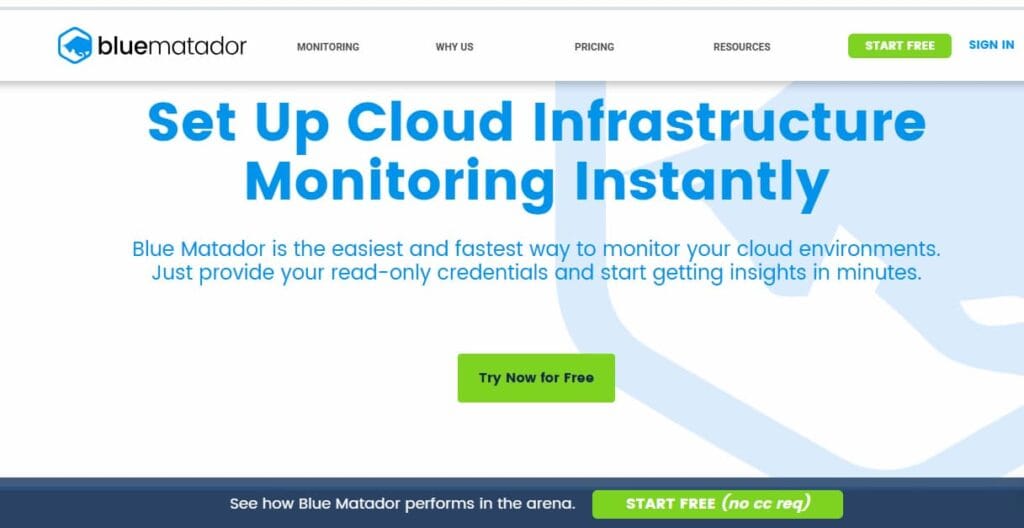
Blue Matador is a cloud infrastructure monitoring platform built for DevOps and engineering teams that want to reduce manual alert setup.
The product automatically discovers cloud resources, applies monitoring logic, and alerts teams about production issues. AWS Marketplace describes Blue Matador as a tool that discovers resources, creates hundreds of out-of-the-box alerts, and proactively notifies teams about critical production issues.
Blue Matador is best understood as automated infrastructure monitoring, not a full code-level APM platform. It is useful when the main problem is cloud resource visibility, alert automation, and faster infrastructure triage.
Supported Integrations and Data Sources
Blue Matador’s public materials focus on cloud infrastructure, Kubernetes, serverless, Azure, and server monitoring.
| Area | Blue Matador support |
| AWS infrastructure | EC2, ECS, EKS, Lambda, RDS, S3, SQS, SNS, DynamoDB, CloudFront, API Gateway, Route53, and other AWS services listed on AWS Marketplace. |
| Kubernetes | OOM containers, unhealthy deployments, failing nodes, cluster health, and Metrics Explorer workflows. |
| Serverless | Lambda errors, timeouts, throttles, and ECS Fargate health signals. |
| Azure | Azure App Service, Azure Kubernetes Service, Azure SQL Database, Virtual Machines, VPN Gateway, Web Apps, Blob Storage, Cosmos DB, and more. |
| Servers | Linux and Windows server monitoring through an agent, including CPU, memory, disk, network, process, time drift, and agent health events. |
Key Features of Blue Matador
Blue Matador is designed to reduce setup work. Its official site says teams can provide read-only credentials and start getting AWS cloud infrastructure insights quickly.
The main value proposition is alert automation. AWS Marketplace says Blue Matador eliminates the need to manually configure alerts by discovering resources and creating out-of-the-box alerts.
Blue Matador supports a broad list of AWS services, including EC2, ECS, EKS, Lambda, RDS, S3, SQS, SNS, DynamoDB, CloudFront, API Gateway, Route53, Kinesis, and ELB.
Blue Matador monitors Kubernetes cluster components and surfaces events such as OOM containers, unhealthy deployments, and failing nodes. Its Kubernetes page also mentions cluster health views and drill-down through Metrics Explorer.
For serverless environments, Blue Matador monitors Lambda errors, timeouts, and throttles. It also describes support for ECS environments on Fargate.
Blue Matador monitors Linux and Windows servers through an agent. Public server-monitoring documentation mentions metrics and events such as memory utilization, high load, agent unresponsiveness, CPU-related events, and process health.
Blue Matador includes dashboards and Metrics Explorer so teams can inspect AWS and Kubernetes metrics when they need more detail. Its AWS monitoring page says users can use a default dashboard or dig into metrics through Metrics Explorer.
Blue Matador’s Azure monitoring page mentions notification workflows through Slack, OpsGenie, email, and other tools. PagerDuty also lists Blue Matador as an alert automation tool for cloud and Kubernetes environments.
Blue Matador Pricing in 2026
Blue Matador publishes pricing on its official pricing page. The official page should be treated as the primary source of truth because third-party listings may show older or inconsistent numbers.
| Plan | Starting price | Billing unit | Best fit |
| Free | $0 | Up to 5 hosts | Trials, small tests, and very small environments |
| Monthly | $14/host/month | Per host, billed monthly | Teams that want monthly flexibility |
| Yearly | $12/host/month | Per host, billed annually | Production teams that can commit annually |
Is There a Free Tier in Blue Matador?
Yes. Blue Matador’s official pricing page lists a Free plan at $0 for up to 5 hosts. The page also says no credit card is required.
This free plan is useful for small evaluations or very small environments. Production teams should still confirm support expectations, AWS Marketplace terms, and any limits before relying on it for operational monitoring.
How Blue Matador Measures Hosts
Blue Matador pricing is host-based. The Free plan covers up to 5 hosts, while the paid Monthly and Yearly plans are priced per host/month.
This matters because Blue Matador is not priced like a telemetry-ingestion platform. Log GB, trace GB, RUM sessions, and synthetic test runs are not the visible public billing unit.
A team may pay Blue Matador by host count and still need another platform for log management, distributed tracing, RUM, synthetics, error tracking, or code-level APM.
What Does Blue Matador Really Cost?
⚠️ Disclaimer
The scenarios below are directional editorial estimates, not official Blue Matador quotes. They use Blue Matador’s official yearly rate of $12 per host/month as the planning anchor. Final cost can change based on host count, billing cycle, procurement route, support needs, discounts, and whether the team also needs separate tools for logs, traces, RUM, synthetics, or full APM.
Blue Matador is not priced by telemetry ingestion. A team producing several terabytes of logs, traces, or metrics each month does not automatically pay by that telemetry volume inside Blue Matador. The main public cost driver is host count.
Pricing Assumptions Used in These Scenarios
| Scenario | Host assumption | Pricing anchor | Calculation | Estimated monthly cost |
| Small team | 10 hosts | $12/host/month yearly | 10 × $12 | ~$120/month |
| Growing team | 50 hosts | $12/host/month yearly | 50 × $12 | ~$600/month |
| Mid-market team | 250 hosts | $12/host/month yearly | 250 × $12 | ~$3,000/month |
These estimates model Blue Matador infrastructure monitoring only. They do not include separate tools for log management, distributed tracing, RUM, synthetics, error tracking, or code-level APM.
Scenario 1: Small Team, 10 Hosts
A small engineering team runs around 10 hosts across a small production environment. The team wants automated cloud infrastructure monitoring, faster alerts, and fewer manually configured thresholds.
For this scenario, Blue Matador cost is based on host count, not telemetry volume. The estimate uses the yearly public rate of $12 per host/month.
Estimated Profile
| Configuration | Detail |
| Infrastructure context | 10 hosts |
| Monitoring need | Cloud and server alert automation |
| Pricing basis | Host-based Blue Matador monitoring |
| Billing assumption | Yearly pricing |
| Estimated cost | ~$120/month |
Estimated Monthly Cost
| Component | Assumption | Monthly cost |
| Blue Matador | 10 hosts × $12/host/month | ~$120/month |
| RUM | Not included in Blue Matador estimate | $0 in this line item |
| Synthetic monitoring | Not included in Blue Matador estimate | $0 in this line item |
| Logs/traces/APM | Not included in Blue Matador estimate | $0 in this line item |
| Estimated total | Infrastructure alert automation only | ~$120/month |
What this scenario shows
For a small team, Blue Matador is inexpensive because the bill is tied to monitored hosts. The trade-off is scope. Blue Matador can reduce infrastructure alerting work, but teams that need logs, traces, RUM, synthetics, error tracking, or code-level APM should model those costs separately.
Scenario 2: Growing Team, 50 Hosts
A growing SaaS team runs around 50 hosts across more services and production environments. The team has more cloud resources, more deployment activity, and more alerting surfaces to manage.
Blue Matador is attractive here because manual monitoring setup becomes harder to maintain as infrastructure grows. Automatic discovery and preconfigured alerts can reduce the work required to keep monitoring useful.
Estimated Profile
| Configuration | Detail |
| Infrastructure context | 50 hosts |
| Monitoring need | Automated alerting across more production services |
| Pricing basis | Host-based Blue Matador monitoring |
| Billing assumption | Yearly pricing |
| Estimated cost | ~$600/month |
Estimated Monthly Cost
| Component | Assumption | Monthly cost |
| Blue Matador | 50 hosts × $12/host/month | ~$600/month |
| RUM | Not included in Blue Matador estimate | $0 in this line item |
| Synthetic monitoring | Not included in Blue Matador estimate | $0 in this line item |
| Logs/traces/APM | Not included in Blue Matador estimate | $0 in this line item |
| Estimated total | Growing production host estate | ~$600/month |
What this scenario shows
At 50 hosts, Blue Matador remains easy to estimate because pricing is based on host count. The main buyer question is whether infrastructure alert automation is enough, or whether the team also needs a broader observability stack for application traces, logs, frontend monitoring, and synthetic checks.
Scenario 3: Mid-Market Team, 250 Hosts
A mid-market team runs around 250 hosts across multiple production environments. The environment may include AWS accounts, Kubernetes clusters, serverless workloads, Linux or Windows servers, and many production services.
At this size, alert maintenance can become expensive in engineering time. Blue Matador may help teams reduce manual alert configuration and surface infrastructure issues earlier.
Estimated Profile
| Configuration | Detail |
| Infrastructure context | 250 hosts |
| Monitoring need | Large host estate with automated infrastructure alerting |
| Pricing basis | Host-based Blue Matador monitoring |
| Billing assumption | Yearly pricing |
| Estimated cost | ~$3,000/month |
Estimated Monthly Cost
| Component | Assumption | Monthly cost |
| Blue Matador | 250 hosts × $12/host/month | ~$3,000/month |
| RUM | Not included in Blue Matador estimate | $0 in this line item |
| Synthetic monitoring | Not included in Blue Matador estimate | $0 in this line item |
| Logs/traces/APM | Not included in Blue Matador estimate | $0 in this line item |
| Estimated total | Mid-market infrastructure alerting setup | ~$3,000/month |
What this scenario shows
At 250 hosts, Blue Matador cost rises with host count, but the model is still straightforward. The important caveat is coverage. Blue Matador can support infrastructure alert automation, but teams should separately budget for logs, traces, RUM, synthetics, error tracking, and application performance monitoring if those are required.
Summary: Blue Matador Estimated Monthly Cost
Disclaimer: These are directional planning estimates, not official quotes. They use Blue Matador’s official yearly host pricing as the planning anchor. Final cost may vary depending on billing terms, support requirements, discounts, procurement route, and the number of monitored hosts.
| Team profile | Host assumption | Calculation | Estimated monthly cost | Scope note |
| Small team | 10 hosts | 10 × $12 | ~$120/month | Infrastructure monitoring only |
| Growing team | 50 hosts | 50 × $12 | ~$600/month | More production hosts and alert automation |
| Mid-market team | 250 hosts | 250 × $12 | ~$3,000/month | Larger infrastructure monitoring footprint |
These estimates show why Blue Matador can be simple to budget for infrastructure monitoring. The main thing to remember is that the cost scenario covers Blue Matador’s host-based monitoring only. It does not include separate observability tools that may be needed for logs, traces, RUM, synthetics, error tracking, or full APM.
What Drives Blue Matador Costs?
Host count is the main visible pricing driver. Blue Matador publishes per-host pricing for monthly and yearly billing, and the Free plan covers up to 5 hosts.
The official page lists $14 per host/month on monthly billing and $12 per host/month on yearly billing. Annual billing is cheaper but requires a longer commitment.
Teams should define whether they are monitoring AWS, Azure, Kubernetes, serverless workloads, Linux servers, Windows servers, or a mix of environments. Blue Matador has public pages for AWS, Azure, Kubernetes, serverless, and server monitoring.
Blue Matador can reduce manual alert setup, but teams still need escalation paths, ownership rules, incident workflows, and notification routing.
Blue Matador does not publicly position itself as a complete replacement for log management, distributed tracing, RUM, browser synthetics, or code-level APM. Those needs may create additional tool costs.
AWS Marketplace lists Blue Matador with a free trial and AWS Free Tier label. Buyers using AWS Marketplace should still confirm trial terms, billing details, and procurement requirements before purchase.
Blue Matador User Reviews
Blue Matador has positive review signals, but the public review volume is smaller than major observability platforms. AWS Marketplace lists Blue Matador at 4.4/5 from 10 ratings, while G2 lists Blue Matador at 4.4/5 from 10 reviews.
| Review source | Rating shown publicly | Notes |
| AWS Marketplace | 4.4 from 10 ratings | Useful because Blue Matador can be procured through AWS Marketplace. |
| G2 | 4.4/5 from 10 reviews | Reviews mention setup, configuration, automation, and infrastructure monitoring. |
What Users Praise
G2 review snippets highlight easy setup, easy configuration, and fast time to value. This matches Blue Matador’s positioning around automated setup and reduced manual monitoring work.
Users value that Blue Matador automatically detects and monitors AWS resources. G2’s Blue Matador page describes the product as removing complicated setup by automatically detecting and monitoring AWS resources.
Public review snippets and AWS Marketplace materials point to Blue Matador’s ability to surface production issues and unknown infrastructure problems. AWS Marketplace says the platform proactively notifies teams about critical production issues.
Some public G2 snippets mention responsive support and team communication. This is useful for smaller teams that need help during setup and tuning.
Blue Matador is praised most for reducing manual infrastructure monitoring effort, not for replacing every observability category. That makes the tool attractive when the main goal is automated alerting across cloud infrastructure.
What Users Criticize
⚠️ Disclaimer
These points reflect public user-review themes, product scope, and buyer considerations. They should be treated as evaluation notes, not universal limitations of Blue Matador.
One G2 review, also surfaced on AWS Marketplace, says Blue Matador’s pricing structure was confusing and that the reviewer found it difficult to determine the cost. This is worth noting even though Blue Matador’s current official pricing page now lists clear host-based pricing.
A G2 reviewer said Blue Matador’s insights and reports were not comprehensive enough, making troubleshooting harder. This suggests buyers should test whether Blue Matador gives enough detail for their incident response and debugging workflows.
G2 reviews mention limited customization as a drawback. One reviewer said the platform lacked customization options, while another said more flexibility in adjusting alert thresholds would improve the product.
One G2 review says Blue Matador integrates well with many systems, but that expanding integrations with additional tools or platforms would improve its versatility. Teams with complex incident workflows should confirm whether Blue Matador supports their required tools before committing.
Blue Matador Alternatives: How It Compares to Competitors
Blue Matador vs CubeAPM
Blue Matador is a host-based infrastructure monitoring and alert automation tool. CubeAPM is a broader observability platform with ingestion-based pricing. CubeAPM’s official pricing page lists data ingestion at $0.15/GB, while Blue Matador’s official page lists host-based pricing.
| Category | Blue Matador | CubeAPM |
| Pricing model | Per host/month | Per GB ingested |
| Starting price | Free up to 5 hosts; paid from $12–$14/host/month | $0.15/GB ingestion |
| Main strength | Automated cloud infrastructure alerts | Full-stack observability |
| Scope | Infrastructure, cloud, Kubernetes, serverless, servers | Logs, metrics, traces, APM, RUM, synthetics, error tracking |
| Best for | Teams reducing manual alert setup | Teams wanting broader observability in one platform |
Blue Matador vs Datadog
Datadog is a broader SaaS observability platform with infrastructure monitoring, logs, APM, RUM, synthetics, security, and many other modules. Datadog’s pricing list shows Infrastructure Pro at $15 per host/month when billed annually, with separate pricing for other products.
| Category | Blue Matador | Datadog |
| Pricing model | Per host/month | Modular pricing by product and usage |
| Infrastructure monitoring | Automated cloud and server alerts | Broad infrastructure monitoring |
| Logs/APM/RUM/synthetics | Not the main public product scope | Native modules available |
| Setup style | Opinionated automation | Highly configurable SaaS platform |
| Best for | Teams wanting less manual alert setup | Teams wanting broad SaaS observability |
Blue Matador vs Dynatrace
Dynatrace is an enterprise observability platform with infrastructure monitoring, full-stack monitoring, automation, and AI-assisted analysis. Dynatrace’s current pricing rate card lists Infrastructure Monitoring at $0.04 per hour for any size host and Full-Stack Monitoring at $0.01 per memory-GiB-hour.
| Category | Blue Matador | Dynatrace |
| Pricing model | Per host/month | Usage-based host-hour and memory-GiB-hour pricing |
| Automation | Automated alerts and resource discovery | Enterprise-grade automation and dependency analysis |
| Scope | Cloud infrastructure and alert automation | Full-stack observability |
| Complexity | Simpler infrastructure monitoring focus | Broader enterprise platform |
| Best for | Small and mid-sized cloud teams | Larger teams needing deep observability automation |
Blue Matador vs Azure Monitor
Azure Monitor is Microsoft’s native monitoring service for Azure resources, logs, metrics, alerts, and Application Insights. Microsoft says the most significant Azure Monitor charges are typically ingestion and retention in Log Analytics workspaces.
| Category | Blue Matador | Azure Monitor |
| Pricing model | Per host/month | Usage-based across logs, metrics, alerts, and related services |
| Best ecosystem fit | AWS, Azure, Kubernetes, and hybrid teams wanting automated alerting | Azure-first teams |
| Setup style | Opinionated alert automation | Native Azure monitoring with configuration choices |
| Scope | Infrastructure alerts and monitoring | Azure-native monitoring, logs, metrics, alerts |
| Best for | Teams wanting reduced alert setup toil | Teams standardized on Microsoft Azure |
Blue Matador vs New Relic
New Relic is a broader observability platform than Blue Matador. Blue Matador focuses on automated cloud infrastructure monitoring and alerting, while New Relic covers APM, distributed tracing, infrastructure monitoring, logs, browser monitoring, mobile monitoring, synthetics, AIOps, and other observability capabilities. New Relic’s official pricing page says pricing is based mainly on data ingest and users, or compute and data ingest, rather than host count alone. New Relic also says users get 100 GB of data ingest per month for free.
| Category | Blue Matador | New Relic |
| Pricing model | Per host/month | Data ingest plus users, or compute plus data ingest |
| Free tier | Free up to 5 hosts | 100 GB/month free ingest |
| Main strength | Automated cloud infrastructure alerts | Broad full-stack observability |
| Product scope | Cloud, Kubernetes, serverless, servers | APM, infrastructure, logs, RUM, synthetics, distributed tracing |
| Best for | Teams reducing manual alert setup | Teams wanting one broader observability platform |
Blue Matador vs Sentry
Sentry is more developer-focused than Blue Matador. Blue Matador is built for cloud infrastructure alert automation, while Sentry focuses on application error monitoring, performance monitoring, session replay, logs, cron monitoring, uptime monitoring, and developer debugging workflows. Sentry’s official pricing page describes event-based pricing across errors, traces, replays, and logs, with a free Developer plan and paid plans for growing teams.
| Category | Blue Matador | Sentry |
| Pricing model | Per host/month | Event-based pricing across errors, traces, replays, and logs |
| Main strength | Automated infrastructure monitoring | Error tracking and developer-focused debugging |
| Infrastructure monitoring | Core product focus | Not the main focus |
| APM/error tracking | Not a full APM/error platform | Strong error and performance monitoring |
| Best for | Cloud teams wanting automated infrastructure alerts | Developers debugging application errors and performance issues |
Is Blue Matador the Right Choice?
Blue Matador Works Best For
Blue Matador is especially strong when the main environment is AWS and the team wants fast infrastructure monitoring without creating every alert manually.
Teams without dedicated monitoring staff may benefit from automated discovery, preconfigured alerts, and simple host-based pricing.
Blue Matador is built for teams that do not want to spend time designing every threshold, alert, and dashboard from scratch.
Blue Matador can sit alongside a broader APM or log platform when the specific gap is cloud alert automation.
The free plan and per-host pricing make early cost modeling easier than tools with many modules and usage dimensions.
Blue Matador May Not Be the Right Fit For
If the priority is logs, traces, RUM, synthetics, error tracking, and code-level APM in one platform, Blue Matador may not be broad enough.
Blue Matador pricing is host-based. Teams that prefer per-GB observability pricing may want to compare ingestion-based tools.
If the main requirement is endpoint monitoring, non-cloud business monitoring, or deep application tracing, Blue Matador may be less suitable.
Conclusion
Blue Matador is a strong option for teams that want automated cloud infrastructure monitoring without the manual work of creating and tuning every alert. Its main strengths are fast setup, automatic resource discovery, AWS monitoring, Kubernetes monitoring, serverless monitoring, Azure monitoring, Linux and Windows server monitoring, and host-based pricing.
The pricing is relatively transparent. The official page lists a Free plan for up to 5 hosts, $14 per host/month on monthly billing, and $12 per host/month on yearly billing.
The main trade-off is scope. Blue Matador is not a full replacement for broad observability platforms that include logs, traces, APM, RUM, synthetics, and error tracking. It is best evaluated as an automated infrastructure monitoring and alerting layer.
Disclaimer: Pricing, packaging, support terms, included entitlements, and product limits can change. The cost examples in this article are editorial estimates based on publicly available pricing and review data. Always confirm final pricing, trial terms, usage limits, discounts, and contract terms directly with Blue Matador before purchase.
FAQs
1. How much does Blue Matador cost?
Blue Matador lists a Free plan for up to 5 hosts, a Monthly plan at $14 per host/month, and a Yearly plan at $12 per host/month billed annually.
2. Is Blue Matador priced per host?
Yes. Blue Matador’s public pricing is host-based. The Free plan covers up to 5 hosts, while paid plans are priced per host/month.
3. Does Blue Matador include log management?
Blue Matador is primarily an automated cloud infrastructure monitoring and alerting tool. It does not publicly position itself as a full log management, distributed tracing, RUM, synthetics, and code-level APM platform.
4. What drives Blue Matador cost?
The main public cost driver is host count. Billing cycle, support requirements, procurement route, discounts, and the number of monitored environments can also affect final cost.
5. What are the best Blue Matador alternatives?
Common alternatives include CubeAPM, Datadog, Dynatrace, and Azure Monitor. CubeAPM is stronger for broad full-stack observability, Datadog for modular SaaS observability, Dynatrace for enterprise automation, and Azure Monitor for Azure-native monitoring.