










BugSnag, now officially SmartBear Insight Hub, is an application stability, error monitoring, performance monitoring, and distributed tracing platform. It helps engineering teams capture crashes, group errors by root cause, prioritize issues by user impact, and track release stability across mobile, web, desktop, and server applications.
BugSnag pricing and review matter because it is not priced like a host-based APM tool or a per-GB log management platform. The main public pricing units are monthly error events and performance spans. The Free plan includes 7,500 events and 1 million spans per month, while paid plans scale by event and span volume.
This review explains BugSnag pricing, what each plan includes, what drives real-world cost, what users like and criticize, and how it compares with alternatives such as Sentry, Rollbar, Datadog, and CubeAPM.
What Is BugSnag?
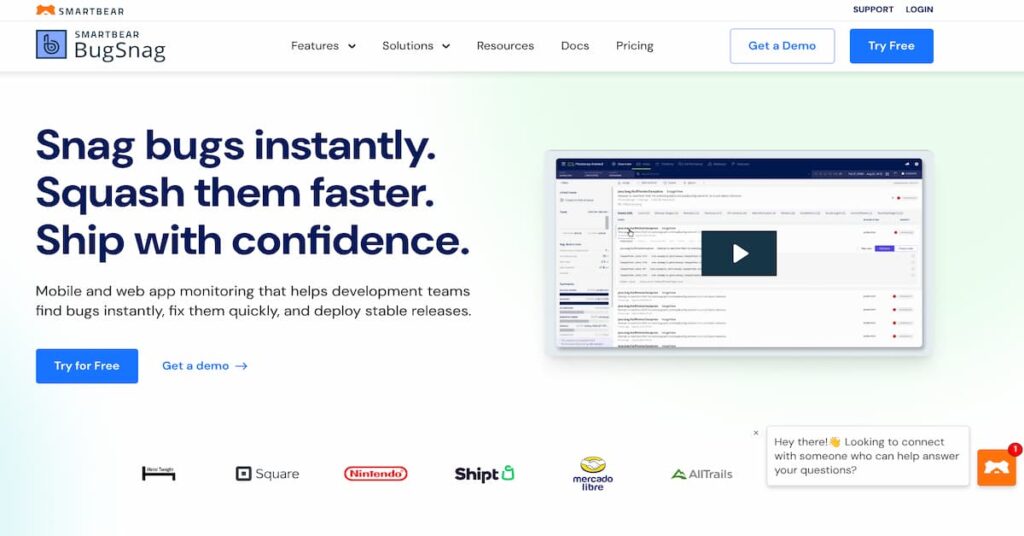
BugSnag is an application health, error tracking, and performance monitoring platform owned by SmartBear. It automatically captures unhandled exceptions and crashes, lets developers report handled exceptions, and gives teams debugging context such as stack traces, breadcrumbs, device details, user data, and release information.
BugSnag was acquired by SmartBear in April 2021. SmartBear later rebranded BugSnag as SmartBear Insight Hub in January 2025 to reflect the product’s broader move into full-stack observability, real user monitoring, backend performance monitoring, and OpenTelemetry-native distributed tracing.
The BugSnag name is still widely used. The bugsnag.com domain, pricing page, docs, SDKs, and review listings remain active, so this article uses “BugSnag” because that is still how most buyers search for the product.
Supported Platforms, Integrations, and Data Sources
BugSnag supports 50+ platforms and 30+ third-party integrations, according to its public pricing page. It covers mobile, web, desktop, backend, and server-side applications.
| Area | BugSnag support |
| Mobile | iOS, Android, React Native, Flutter, Unity, Unreal |
| Web and frontend | JavaScript, React, Vue, Angular, browser apps |
| Backend | Node.js, Python, Java, Ruby, PHP, Go, .NET, server frameworks |
| Desktop | macOS, Windows, Electron, Unity, Unreal |
| Issue tracking | Jira, GitHub, GitLab, Azure DevOps |
| Chat and alerts | Slack, Microsoft Teams, PagerDuty-style workflows, email |
| Observability integrations | Datadog, Splunk, Amazon SQS, webhooks |
| SSO | SAML SSO with providers such as Okta and OneLogin |
Key Features of BugSnag
BugSnag captures unhandled exceptions and crashes automatically. Teams can also send handled exceptions when they want to track known failure paths. Each error report can include stack traces, breadcrumbs, device data, user context, app version, release stage, and custom metadata.
This is BugSnag’s core strength. It helps engineering teams move from “something broke” to “which error affected which users, on which version, and where in the code.”
BugSnag groups errors by root cause so teams are not flooded with duplicate crash reports. It also supports source maps, dSYMs, and ProGuard mapping files, which help teams deobfuscate stack traces for JavaScript, iOS, Android, and other environments.
This is especially useful for mobile and frontend teams, where production stack traces can be hard to read without proper symbolication or mapping.
BugSnag includes stability scoring, release health views, release tracking, stability targets, and release adoption insights. These features help teams decide whether a release is healthy enough to keep shipping or whether it needs to be rolled back.
This is one of BugSnag’s biggest differentiators compared with simpler error tracking tools. It does not only show errors; it helps teams understand whether an app version is stable enough for real users.
BugSnag has expanded into performance monitoring and distributed tracing. SmartBear says Insight Hub now includes real user monitoring, backend performance monitoring, and distributed tracing. BugSnag’s pricing page also lists spans for performance monitoring, including metrics such as App Start, Screen Loads, and Web Vitals.
This makes BugSnag more than a classic crash reporting tool, although it is still not positioned like a full log, infrastructure, and metrics observability suite.
BugSnag supports notifications, custom notifications, error prioritization, issue tracker sync, and assignment workflows. Select includes basic notifications, Preferred adds custom notifications and automatic error prioritization, and Enterprise adds automatic error assignment.
This helps teams reduce manual triage and move important issues into tools like Jira, GitHub, GitLab, or Azure DevOps.
BugSnag includes security controls such as two-factor authentication, user roles, SAML SSO on Preferred, and more advanced enterprise controls on Enterprise. Enterprise includes automatic user provisioning through SSO, sensitive data management, premium support, a dedicated customer success manager, and on-premises deployment.
BugSnag Pricing in 2026
BugSnag uses event-based and span-based pricing. Error monitoring is priced around monthly events, while performance monitoring is priced around monthly spans.
An event is an error, crash, unhandled exception, or handled exception reported to BugSnag. A span is a unit of performance monitoring or tracing data used for App Start, Screen Loads, Web Vitals, and related performance workflows.
| Plan | Starting price | Main use case |
| Free | $0/month | Solo developer, side project, early testing |
| Select | From $20/month | Small teams needing unlimited users and basic notifications |
| Preferred | From $33/month | Teams needing prioritization, SSO, segmentation, and stability features |
| Enterprise | Custom | High-volume, compliance-heavy, or on-premises deployments |
BugSnag Plan Breakdown
| Plan | Users | Events / month | Spans / month | Retention |
| Free | 1 | 7,500 | 1M | 7 days |
| Select | Unlimited | 50K–3M | 1M–150M | 60 days |
| Preferred | Unlimited | 100K–3M | 1M–300M | 60 days |
| Enterprise | Unlimited | Custom | Custom | Custom |
What Each BugSnag Plan Includes
Free
The Free plan includes one user, error and performance monitoring, 7,500 events per month, 1 million spans per month, 50+ platforms, and 30+ third-party integrations.
This is useful for individual developers, side projects, early testing, and small applications with low error volume. Most production teams will outgrow it because of the single-user limit and low event ceiling.
Select
Select starts at $20/month according to G2’s pricing listing and includes 50K to 3M monthly events, 1M to 150M monthly spans, unlimited users, end-to-end diagnostics, and basic notifications.
This is the most relevant plan for small teams that need production error monitoring but do not need advanced prioritization, SSO, or enterprise workflow controls.
Preferred
Preferred starts at $33/month according to G2’s pricing listing and includes 100K to 3M monthly events, 1M to 300M monthly spans, unlimited users, automatic error prioritization, stability benchmarks, advanced segmentation, custom notifications, SAML SSO, and system metrics.
This is the stronger paid plan for growing teams because it adds the features that help teams prioritize errors by impact and manage application stability more seriously.
Enterprise
Enterprise is custom-priced. It adds automatic error assignment, premium support, a dedicated customer success manager, automatic user provisioning through SSO, feature flags and experiments, on-premises or SaaS deployment, and sensitive data management.
This is the best fit for large teams, regulated environments, high-volume applications, or organizations that need on-premises deployment.
How BugSnag Measures Events and Spans
BugSnag pricing is mainly controlled by events and spans.
| Billing unit | What it means |
| Event | An error, crash, unhandled exception, or handled exception reported to BugSnag |
| Span | A unit of performance monitoring or tracing data |
| Event quota | The number of monthly events included in the plan |
| Span quota | The number of monthly spans included in the plan |
| Retention | How long BugSnag keeps error and performance data |
BugSnag’s docs also say plans have a daily event quota. Teams can choose between “capture every event” and “rate limiting” as the event overage strategy.
What Does BugSnag Really Cost?
⚠️ Disclaimer
The scenarios below are directional editorial estimates, not official BugSnag quotes. BugSnag pricing is based mainly on monthly error events and performance spans, not hosts or GB ingested. Final cost can change based on selected event tier, selected span tier, billing term, overage settings, Enterprise needs, AWS Marketplace packaging, and negotiated contract terms. Always confirm current pricing directly with BugSnag or SmartBear before purchase.
BugSnag is priced differently from host-based APM tools and ingestion-based observability platforms. A team with 10 servers and a team with 100 servers could pay similar BugSnag fees if their error and span volume is similar. The better way to estimate BugSnag cost is to model how many errors, crashes, handled exceptions, and performance spans the application sends each month.
BugSnag’s public pricing structure shows a Free plan, Select, Preferred, and Enterprise. G2 lists Select from $20/month and Preferred from $33/month, while BugSnag’s public page confirms the plan structure, event bands, span bands, and retention rules. AWS Marketplace also lists annual BugSnag packages, including 100,000 error events/day for $12,719/year and 150M performance spans/month for $12,829/year.
Pricing Assumptions Used in These Scenarios
| Scenario | BugSnag pricing anchor | Estimated monthly cost |
| Solo developer / side project | Free plan | $0/month |
| Small production team | Select or low Preferred tier | ~$20–$100/month |
| Growing engineering team | Preferred with higher event/span usage | ~$100–$500/month |
| High-volume team | Large Preferred usage or AWS Marketplace-style package | ~$1,000–$2,200/month |
| Enterprise buyer | Custom Enterprise contract | Custom; can reach five figures annually |
These estimates are based on BugSnag’s event/span pricing model, public plan limits, G2-listed starting prices, AWS Marketplace annual packages, and Vendr’s procurement data. Vendr reports BugSnag median annual spend at $52,342/year across 66 purchases, so larger contracts can be far above the entry pricing shown on review-platform listings.
Workload Assumptions Used for BugSnag Estimates
| Team profile | Event volume | Span volume | Likely plan | Estimated monthly cost |
| Solo developer | Up to 7,500 events | Up to 1M spans | Free | $0 |
| Small team | Around 50K–100K events | Around 1M–5M spans | Select / Preferred | ~$20–$100 |
| Growing team | Around 100K–500K events | Around 5M–50M spans | Preferred | ~$100–$500 |
| High-volume team | Around 3M events/month or more | Up to 150M spans/month | Preferred / AWS Marketplace | ~$1,000–$2,200 |
| Enterprise | Custom volume | Custom volume | Enterprise | Custom |
Scenario 1: Solo Developer or Side Project
Situation
A solo developer or small side project needs basic error monitoring for one application. The app has low traffic, a small user base, and limited production error volume.
This type of team mainly needs crash capture, stack traces, breadcrumbs, and basic performance visibility. It does not need unlimited users, SAML SSO, advanced segmentation, or enterprise support.
Why teams at this stage consider BugSnag
BugSnag is useful at this stage because the Free plan includes error and performance monitoring, 7,500 monthly events, 1 million monthly spans, 50+ platforms, and 30+ third-party integrations. That is enough for testing, prototypes, side projects, and low-volume apps.
Estimated profile
| Configuration | Detail |
| Application type | Side project or very small production app |
| Monthly events | Up to 7,500 |
| Monthly spans | Up to 1M |
| Users | 1 |
| Likely plan | Free |
| Retention | 7 days |
Estimated monthly cost
| Component | Assumption | Monthly cost |
| BugSnag Free | 7,500 events + 1M spans | $0 |
| Paid add-ons | Not assumed | $0 |
| Enterprise features | Not needed | $0 |
| Estimated total | Free-tier usage | $0/month |
What this scenario shows
BugSnag is genuinely useful as a free starting point. The limitation is that the Free plan is capped at one user, 7,500 monthly events, 1 million monthly spans, and 7-day retention. A real production team will likely outgrow it once more developers, more traffic, or more error volume enter the picture.
Scenario 2: Small Production Team
Situation
A small engineering team runs one or two production applications. The team needs unlimited users, production error monitoring, end-to-end diagnostics, and basic notifications. Error volume is still moderate, but the team has outgrown the Free plan.
This is where BugSnag’s Select or low Preferred tier becomes relevant.
Why teams at this stage consider BugSnag
Teams at this stage usually want a simple way to catch crashes, group errors, see stack traces, and understand which users and releases are affected. BugSnag is attractive because it is focused, developer-friendly, and does not require buying a full observability platform just to monitor application errors.
Estimated profile
| Configuration | Detail |
| Application type | Small production app or small service set |
| Monthly events | Around 50K–100K |
| Monthly spans | Around 1M–5M |
| Likely plan | Select or low Preferred |
| Main need | Error monitoring, diagnostics, basic notifications |
| Retention | 60 days on paid plans |
Estimated monthly cost
| Component | Assumption | Monthly cost |
| Select | Entry paid tier from G2 listing | From ~$20 |
| Preferred | If prioritization or SSO is needed | From ~$33 |
| Higher usage buffer | More events/spans above entry usage | ~$50–$100 directionally |
| Estimated total | Small production setup | ~$20–$100/month |
What this scenario shows
For a small team, BugSnag can stay inexpensive if monthly error events and spans remain low. The main buying decision is whether Select is enough or whether Preferred is needed for prioritization, SAML SSO, advanced segmentation, stability benchmarks, and system metrics.
Scenario 3: Growing Engineering Team
Situation
A growing SaaS team runs several services or applications. It has more users, more releases, more handled exceptions, and more frontend/backend performance data. The team needs better prioritization because not every error deserves the same engineering attention.
This is where Preferred becomes the more realistic plan.
Why teams at this stage consider BugSnag
BugSnag becomes more valuable when error volume grows because it helps teams understand which issues affect the most users, which releases are unstable, and which errors should be fixed first. Features such as stability benchmarks, advanced segmentation, custom notifications, SAML SSO, and system metrics become more important.
Estimated profile
| Configuration | Detail |
| Application type | Growing SaaS product or multi-service app |
| Monthly events | Around 100K–500K |
| Monthly spans | Around 5M–50M |
| Likely plan | Preferred |
| Main need | Prioritization, segmentation, stability, SSO |
| Retention | 60 days |
Estimated monthly cost
| Component | Assumption | Monthly cost |
| Preferred base | Starts from ~$33/month | ~$33 |
| Higher event tier | 100K–500K monthly events | Additional usage-based cost |
| Higher span tier | 5M–50M monthly spans | Additional usage-based cost |
| Estimated total | Growing production setup | ~$100–$500/month |
What this scenario shows
For growing teams, BugSnag cost is still usually manageable, but it becomes more sensitive to event and span volume. Teams should estimate normal production traffic, release spikes, noisy handled exceptions, and performance span volume before choosing a tier.
Scenario 4: High-Volume Product Team
Situation
A high-volume product team runs multiple production applications, mobile clients, APIs, and backend services. Error events and performance spans are now large enough that entry pricing is no longer a useful planning number.
This type of team may generate millions of monthly events or tens to hundreds of millions of monthly spans, especially if BugSnag is used across frontend, mobile, backend, and performance monitoring.
Why teams at this stage consider BugSnag
High-volume teams consider BugSnag because application stability becomes a business-level concern. They need to know which app versions are unstable, which errors affect the most customers, and whether performance problems are hurting real users.
Estimated profile
| Configuration | Detail |
| Application type | High-traffic product or multi-app environment |
| Monthly events | Hundreds of thousands to several million |
| Monthly spans | Tens of millions to 150M+ |
| Likely plan | High Preferred tier, AWS Marketplace package, or Enterprise |
| Main need | High-volume error and performance monitoring |
| Retention | 60 days or custom |
Estimated monthly cost
| Component | Assumption | Monthly cost |
| Error monitoring | AWS package: 100,000 events/day at $12,719/year | ~$1,060/month |
| Performance monitoring | AWS package: 150M spans/month at $12,829/year | ~$1,069/month |
| Enterprise controls | Not included unless contracted separately | Custom |
| Estimated total | Error + performance package | ~$1,000–$2,200/month |
What this scenario shows
At high volume, BugSnag can move from a low-cost developer tool into a meaningful annual software line item. AWS Marketplace packaging gives a useful public reference point: a team buying both 100,000 error events/day and 150M spans/month would be looking at roughly $25,548/year before any custom enterprise terms.
Scenario 5: Enterprise Buyer
Situation
An enterprise buyer needs high event volume, high span volume, custom retention, premium support, a dedicated customer success manager, SSO provisioning, sensitive data management, feature flags and experiments, and possibly on-premises deployment.
This is no longer a simple self-serve pricing case.
Why teams at this stage consider BugSnag
Enterprise teams consider BugSnag because they need mature crash monitoring, stability management, compliance controls, production support, and release visibility across many applications or business units.
Estimated profile
| Configuration | Detail |
| Application type | Large enterprise application portfolio |
| Monthly events | Custom |
| Monthly spans | Custom |
| Likely plan | Enterprise |
| Main need | Custom scale, support, governance, compliance |
| Deployment | SaaS or on-premises |
Estimated monthly cost
| Component | Assumption | Monthly cost |
| Enterprise plan | Custom events and spans | Custom |
| Premium support / CSM | Enterprise package | Custom |
| On-premises deployment | If required | Custom |
| Estimated total | Negotiated contract | Custom |
What this scenario shows
For enterprise buyers, public entry pricing is not enough. Vendr reports BugSnag median annual spend at $52,342/year across 66 purchases, which suggests larger contracts can move well beyond the $20/month or $33/month entry plans. This figure should be treated as a procurement benchmark, not an official BugSnag quote.
What Drives BugSnag Costs?
Events are the biggest pricing driver. A stable app with low error volume can stay on a lower tier. A noisy app, broken release, or high-volume frontend issue can push the team into a higher tier quickly.
Performance monitoring adds another usage dimension. Teams using BugSnag for App Start, Screen Loads, Web Vitals, custom spans, or backend tracing should model span volume carefully. BugSnag docs say span quota can include managed and unmanaged spans, and teams can adjust unmanaged span quota settings.
Select is enough for smaller teams that need unlimited users and basic diagnostics. Preferred becomes more important when teams need automatic error prioritization, SAML SSO, stability benchmarks, advanced segmentation, custom notifications, and system metrics. Enterprise is required for on-premises deployment and deeper enterprise controls.
BugSnag’s docs say teams can choose between capturing every event and rate limiting. This matters because capturing every event protects visibility during spikes, while rate limiting protects spend and quota. Teams should decide this before production rollout.
Free keeps data for 7 days, while Select and Preferred keep data for 60 days. Enterprise retention is custom. Teams with longer debugging windows, compliance requirements, or audit needs should confirm retention terms before buying.
Premium support, a dedicated customer success manager, automatic user provisioning, on-premises deployment, sensitive data management, and custom retention can move buyers into Enterprise pricing.
BugSnag User Reviews
BugSnag has positive review visibility, but the review sample is smaller than larger observability platforms. G2 lists BugSnag at 4.3/5 from 38 reviews, Capterra lists 4.7/5 from 16 reviews, TrustRadius lists BugSnag at 7/10, and AWS Marketplace lists BugSnag for AWS at 4.3/5 from 37 ratings.
| Review source | Rating shown publicly | Review count |
| G2 | 4.3/5 | 38 |
| Capterra | 4.7/5 | 16 |
| TrustRadius | 7/10 | 7 |
| AWS Marketplace | 4.3/5 | 37 |
What Users Like
G2 review snippets praise BugSnag’s intuitive dashboard and ability to find errors by platform, device model, user, app version, and custom filters. This matches BugSnag’s positioning around fast error visibility and developer-focused diagnostics.
Capterra review snippets describe BugSnag as easy to integrate and useful for bug and event tracking. This is one reason BugSnag remains popular with smaller development teams and mobile/web teams that want fast production error visibility.
Users like that BugSnag gives developers stack traces, metadata, user impact, app version, and platform context in one place. TrustRadius describes BugSnag as an application health and error tracking product for monitoring web application stability and alerting developers to issues in real time.
BugSnag’s stability score, release tracking, and error prioritization help teams connect bugs to release quality. This is especially valuable for mobile teams and teams that need to decide whether a release is stable enough to keep rolling out.
What Users Criticize
⚠️ Disclaimer
The following points reflect public user-review themes from review platforms and billing documentation. They should be treated as user feedback and buying considerations, not universal limitations of BugSnag.
G2 review themes mention that the dashboard is useful, but the amount of error data, filters, and grouped issues can become harder to navigate as usage grows. This is common with error monitoring tools when teams have many services, releases, and unresolved issues.
Some Capterra/GetApp-style review snippets praise the simple setup, while others suggest integration and configuration can take time depending on the application stack. Teams using mobile symbolication, source maps, custom metadata, and advanced grouping should test setup during the trial.
Because BugSnag pricing is tied to events and spans, costs can increase when applications generate more errors or performance data. This is especially important during incidents, noisy releases, or high-traffic periods.
BugSnag’s docs confirm that teams need to choose how to handle event quota overages. “Capture every event” keeps visibility but can affect plan usage, while rate limiting protects quota but may drop some events. Teams should configure this deliberately.
BugSnag Alternatives: How It Compares to Competitors
BugSnag’s closest alternatives include Sentry and Rollbar for error monitoring. It also overlaps with Datadog and CubeAPM when teams want error tracking alongside broader observability.
BugSnag vs CubeAPM
CubeAPM is a self-hosted, vendor-managed observability platform with ingestion-based pricing. It includes APM, distributed tracing, log management, infrastructure monitoring, RUM, synthetics, error tracking, SLOs, dashboards, RBAC, SSO, MFA, and audit logs. CubeAPM pricing is based on $0.15/GB ingested.
| Category | BugSnag | CubeAPM |
| Deployment | SaaS, with on-prem on Enterprise | Self-hosted, vendor-managed |
| Pricing model | Events + spans | $0.15/GB ingested |
| Error tracking | Core product | Included |
| Logs | Not a full log platform | Native log ingestion |
| Infrastructure monitoring | Not the main product | Included |
| Best for | Teams needing mature crash and stability workflows | Teams wanting full-stack observability in their own cloud |
BugSnag is a better fit for teams that want mature error monitoring, crash diagnostics, and stability scoring. CubeAPM is a better fit for teams that want error tracking bundled with logs, traces, metrics, infrastructure monitoring, RUM, synthetics, and dashboards under one ingestion-based model.
BugSnag vs Sentry
Sentry is one of BugSnag’s closest competitors. It offers error monitoring, tracing, session replay, logs, uptime monitoring, and cron monitoring. Sentry’s public pricing page lists a free Developer plan and paid Team and Business plans.
| Category | BugSnag | Sentry |
| Core focus | Error monitoring, stability, performance, tracing | Error monitoring, tracing, replay, logs |
| Pricing model | Events + spans | Event-based usage across several signal types |
| Free tier | 7,500 events, 1M spans, 1 user | Free developer plan |
| Strength | Stability score and release health | Broad developer observability |
| Best for | Teams focused on crash quality and stability | Teams wanting errors, tracing, replay, and logs |
Sentry is often stronger for teams that want a broader developer observability suite. BugSnag is strong for teams that care deeply about application stability, crash diagnostics, and release health.
BugSnag vs Rollbar
Rollbar is a developer-first error monitoring platform. Rollbar’s pricing page says it has a free tier with 5K occurrences and 1K replays per month, and it emphasizes no surprise bills, limits, on-demand coverage, and overage budgets.
| Category | BugSnag | Rollbar |
| Core focus | Error monitoring and stability | Error monitoring and session replay |
| Pricing model | Events + spans | Occurrences, replays, credits/add-ons |
| Free tier | 7,500 events, 1M spans | 5K occurrences, 1K replays |
| Strength | Release stability workflows | Spend controls and error tracking |
| Best for | Teams needing release health and crash diagnostics | Teams wanting simple error monitoring with budget controls |
Rollbar is worth comparing if budget control and straightforward error tracking matter most. BugSnag is stronger when stability scoring and release workflows matter more.
BugSnag vs Datadog
Datadog is a broader full-stack observability platform. It covers infrastructure monitoring, APM, logs, RUM, synthetics, security monitoring, dashboards, alerts, and many integrations. Datadog’s BugSnag integration page describes BugSnag as a crash detection platform that can send error notifications into Datadog.
| Category | BugSnag | Datadog |
| Core focus | Error monitoring and application stability | Full-stack observability |
| Pricing model | Events + spans | Modular SaaS pricing |
| Logs | Not native full log management | Native log management |
| Infrastructure monitoring | Not the main product | Native infrastructure monitoring |
| Best for | Teams focused on app errors and stability | Teams needing one broad SaaS observability platform |
Datadog is stronger when teams want logs, infrastructure metrics, APM, RUM, synthetics, dashboards, and alerts in one SaaS platform. BugSnag is simpler and more focused when the main need is error monitoring and release stability.
BugSnag vs New Relic
New Relic is a broader observability platform than BugSnag. It includes APM, infrastructure monitoring, logs, browser monitoring, mobile monitoring, synthetics, dashboards, alerts, and error tracking. New Relic’s public pricing model is based on data ingest and users, with 100 GB/month free and Original Data priced at $0.40/GB beyond the free allowance on Standard, Pro, and Enterprise plans.
| Category | BugSnag | New Relic |
| Core focus | Error monitoring, app stability, performance spans | Full-stack observability |
| Pricing model | Events + spans | Data ingest + users |
| Free tier | 7,500 events, 1M spans, 1 user | 100 GB/month free |
| Logs | Not a full log platform | Native log ingestion |
| Best for | Teams focused on crashes and release stability | Teams wanting APM, logs, infra, browser, mobile, and synthetics |
New Relic is a better fit when teams want one SaaS platform for APM, logs, infrastructure monitoring, browser monitoring, mobile monitoring, synthetics, and dashboards. BugSnag is stronger when the main need is focused error monitoring, crash diagnostics, release stability, and user-impact analysis.
BugSnag vs Dynatrace
Dynatrace is an enterprise observability and application security platform with strong automation, AI-assisted root-cause analysis, infrastructure monitoring, APM, Kubernetes visibility, logs, RUM, synthetics, and digital experience monitoring. Dynatrace’s public pricing is usage-based; its rate card lists Full-Stack Monitoring at $0.01 per memory-GiB-hour and Infrastructure Monitoring at $0.04 per hour for any size host.
| Category | BugSnag | Dynatrace |
| Core focus | Error monitoring and app stability | Enterprise full-stack observability |
| Pricing model | Events + spans | Usage-based, including memory-GiB-hour and host-hour units |
| Automation | Error grouping, prioritization, stability workflows | Davis AI, automated discovery, root-cause analysis |
| Logs / infra | Not the main product | Native infrastructure and broader observability coverage |
| Best for | Teams needing crash diagnostics and release health | Large teams needing automated full-stack observability |
Dynatrace is stronger for large, complex environments that need deep automation, service topology, infrastructure monitoring, AI-assisted root-cause analysis, and enterprise observability. BugSnag is usually simpler and more focused for teams that mainly want application stability, error diagnostics, and crash reporting.
BugSnag vs SigNoz
SigNoz is an OpenTelemetry-native observability platform available as both self-hosted open source and fully managed SigNoz Cloud. It combines logs, metrics, traces, dashboards, exceptions, alerts, and service monitoring in one platform. SigNoz Cloud starts at $49/month, and that base fee includes usage worth $49, such as about 163 GB of logs/traces or 490 million metric samples.
| Category | BugSnag | SigNoz |
| Core focus | Error monitoring, app stability, performance spans | OpenTelemetry-native observability |
| Deployment | SaaS, with on-prem on Enterprise | Cloud or self-hosted open source |
| Pricing model | Events + spans | Usage-based by logs, traces, and metrics |
| Logs / metrics | Not a full logs/metrics platform | Native logs, metrics, and traces |
| Best for | Teams focused on app crashes and stability | Teams wanting OTel-native observability with self-hosting option |
SigNoz is a stronger fit when teams want OpenTelemetry-native logs, metrics, traces, dashboards, and self-hosting flexibility. BugSnag is a better fit when the priority is mature error monitoring, crash grouping, stability scoring, release tracking, and application health workflows.
Is BugSnag the Right Choice?
BugSnag Works Best For
BugSnag works well for teams that need crash reporting, source maps, mobile symbolication, user impact analysis, release health, and app stability scoring.
BugSnag is useful when developers need clean stack traces, grouped errors, user impact, breadcrumbs, device context, and release data without building an internal error monitoring pipeline.
BugSnag is a strong choice when the team needs to decide whether a release is stable enough to promote, pause, or roll back.
Since BugSnag is now SmartBear Insight Hub, it may be a good fit for teams already using SmartBear tools across testing, API workflows, and software quality.
BugSnag Enterprise supports on-premises deployment, making it relevant for teams with strict privacy, security, PCI, PHI, or compliance requirements.
BugSnag May Not Be the Right Fit For
⚠️ Disclaimer
The following points are based on public user-review themes and BugSnag’s own pricing/usage documentation. They should be read as buyer-fit considerations, not universal limitations of BugSnag.
BugSnag users often praise the dashboard, searchability, and debugging context, but review themes also suggest that larger error volumes can make navigation more demanding. This is not unusual for error monitoring tools: once teams have many applications, releases, filters, and grouped issues, they need disciplined triage workflows to keep the dashboard useful.
Many users describe BugSnag as easy to integrate, but setup effort can still vary depending on the platform, SDK, source maps, mobile symbolication, custom metadata, and error-grouping rules. Teams using BugSnag across mobile, frontend, backend, and multiple frameworks should test the setup process during the trial instead of assuming every environment will take the same amount of effort.
BugSnag pricing is tied to events and spans, so teams with unpredictable error spikes should model usage carefully. BugSnag’s own docs say teams can choose between capturing every event and rate limiting, which means buyers should decide in advance whether they want maximum visibility during spikes or tighter quota control.
BugSnag is strong for error monitoring, stack traces, breadcrumbs, app stability, and performance data. However, teams that specifically need log ingestion, log retention, log querying, log dashboards, and log-based alerts may still need a dedicated logging or broader observability platform alongside BugSnag. This is more of a scope consideration than a weakness, because BugSnag is primarily built around application stability and error workflows.
BugSnag’s event and span pricing is clear for error monitoring and performance data, but teams standardizing observability across logs, metrics, traces, infrastructure monitoring, RUM, and synthetics may prefer a platform with one consolidated pricing model across all signals. For BugSnag buyers, the key is to decide whether they need a focused application stability tool or a broader observability platform.
Conclusion
BugSnag, now SmartBear Insight Hub, remains a strong application stability and error monitoring platform. Its biggest strengths are crash diagnostics, error grouping, release stability, user impact analysis, and developer-friendly debugging context.
The pricing is affordable at entry level, with Free, Select, and Preferred tiers based on events and spans. Public third-party listings show Select from $20/month and Preferred from $33/month, while larger buyers can move into higher usage tiers, AWS Marketplace packages, or custom Enterprise contracts.
The main trade-off is scope. BugSnag is excellent for application stability, but teams that also need logs, infrastructure monitoring, metrics, RUM, synthetics, and full-stack dashboards may need to compare it with broader platforms such as Datadog, Sentry, or CubeAPM.
Disclaimer: Pricing, packaging, included entitlements, usage limits, overage behavior, support terms, and review counts can change. The cost examples in this article are editorial estimates based on publicly available information as of July 2026. Always confirm final pricing, plan limits, contract terms, and overage rules directly with BugSnag or SmartBear before purchase.
FAQs
1. How much does BugSnag cost?
BugSnag has a Free plan at $0/month. G2 lists Select starting at $20/month and Preferred starting at $33/month. Enterprise pricing is custom. Exact pricing should be confirmed directly on BugSnag’s live pricing page because cost can vary by selected event and span tier.
2. Is BugSnag the same as SmartBear Insight Hub?
Yes. SmartBear announced in January 2025 that BugSnag is now officially SmartBear Insight Hub. The rebrand reflects the product’s expansion into real user monitoring, backend performance monitoring, and distributed tracing.
3. What is BugSnag used for?
BugSnag is used for error monitoring, crash reporting, application stability management, performance monitoring, and distributed tracing across mobile, web, desktop, and server applications.
4. Does BugSnag charge by host?
No. BugSnag is not primarily priced by host. Its main public pricing units are monthly events and monthly spans.
5. Does BugSnag include log management?
No, not as a full log management platform. BugSnag focuses on errors, crashes, stability, performance monitoring, and tracing. Teams that need log ingestion, querying, retention, and log-based dashboards may need another observability or logging tool.
6. What happens if BugSnag exceeds the event quota?
BugSnag’s docs say teams can choose between capturing every event and rate limiting. Capturing every event preserves visibility during spikes, while rate limiting controls quota usage by limiting events after the daily quota is exceeded.
7. What are the best BugSnag alternatives?
The strongest alternatives are Sentry, Rollbar, Datadog, and CubeAPM. Sentry is strong for developer observability, Rollbar is strong for error monitoring with budget controls, Datadog is strong for broad SaaS observability, and CubeAPM is strong for self-hosted, ingestion-based full-stack observability.