










LogRocket is a frontend monitoring and digital experience analytics platform that combines session replay, product analytics, error tracking, frontend performance monitoring, and AI-assisted issue discovery. Its core value is helping product, engineering, and UX teams see what users experienced, connect that behavior to frontend errors or performance issues, and prioritize fixes by user impact.
A LogRocket pricing and review matters because the platform is not priced like a traditional APM or full-stack observability tool. Its cost is mainly tied to sessions, plan tier, retention, add-ons, and advanced features such as product analytics and Galileo AI. That makes it important to look beyond the headline starting price and understand what the real cost may look like as usage grows.
This LogRocket pricing and review guide verifies the official plans, billing mechanics, feature differences, user review signals, cost drivers, and alternatives. We also compare LogRocket with tools such as CubeAPM, Datadog, Dynatrace, New Relic, Dash0, Sentry, Fullstory, and Hotjar so buyers can decide which platform fits their frontend monitoring or broader observability needs.
What Is LogRocket?
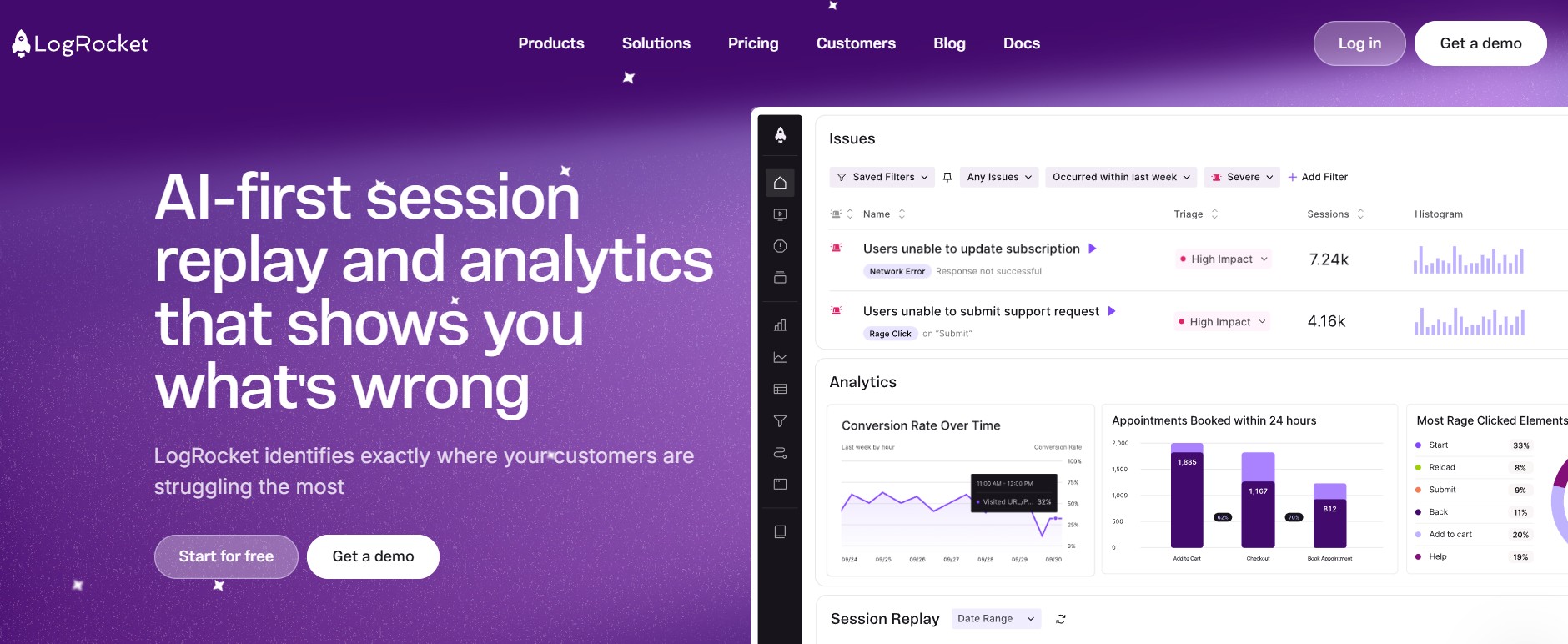
LogRocket is a SaaS product experience and frontend monitoring platform. It combines session replay, product analytics, technical issue management, frontend performance data, and Galileo AI so teams can understand both what users did and why a user-facing issue happened. LogRocket describes the product as combining session replay with product analytics and technical/usability issues to help teams improve digital experiences.
The platform is strongest for teams that own the frontend user experience. Product engineers can debug JavaScript errors, network failures, and performance problems using replay context. Product managers can analyze funnels, paths, retention, and user behavior. UX teams can review heatmaps, scrollmaps, clickmaps, rage clicks, and dead clicks to identify friction.
LogRocket is also recognized in the session replay and product analytics category. Its homepage says it is trusted by 3,000+ customers, and public customer references on the LogRocket site include Cox Automotive, 7-Eleven, thredUP, and Blue Cross Blue Shield.
Key Features of LogRocket
Session replay is LogRocket’s foundation. The official pricing page lists web replays, native mobile replays, filters and search, iFrame capture, Go Live, console logs, warnings, errors, exceptions, stack traces, source maps, network requests, headers, bodies, blocklisting, allowlisting, inspect tools, and performance data under the Session Replay feature set.
This is why LogRocket is useful for debugging frontend issues. Instead of relying only on a user complaint or an error stack trace, teams can see the replay, console activity, network call, and error context in one timeline.
Product and UX Analytics is where LogRocket moves beyond debugging into behavioral analysis. The official plan comparison lists dashboards, templates, tables, time series, conversion funnels, path analysis, heatmaps, scrollmaps, clickmaps, cohort analysis, retention charts, alerting, definitions, surveys, and streaming data export as part of this feature family.
This matters for product teams because replay alone explains individual sessions, while funnels, paths, cohorts, retention, and heatmaps help teams understand patterns across many users.
LogRocket includes issue triaging, issue frequency analysis, JavaScript errors, mobile exceptions, network errors, error states, rage clicks, dead clicks, alerting, and issue digests.
This makes LogRocket more technical than lightweight heatmap tools. It is not just for watching recordings; it is also designed to help engineering teams prioritize the frontend issues that affect users.
Galileo AI is LogRocket’s AI layer. LogRocket says Galileo watches sessions to surface user struggle and behavioral patterns, and its homepage says Galileo can surface issues, analyze severity across real sessions, and provide reproduction steps.
On the pricing page, Professional includes AI Features and MCP, while the plan comparison lists Ask Galileo, severity scores, issue descriptions, recommended issues, highlights, API and MCP access, and included monthly API/MCP calls in higher tiers.
Conditional Recording is LogRocket’s cost-control feature for high-volume teams. The pricing page says it helps teams stop trading off between capturing more sessions and increasing costs, and it specifically points teams with 1M+ sessions/month toward Conditional Recording.
This is important because LogRocket bills primarily around sessions. High-traffic products should model recording strategy before committing to a large plan.
LogRocket’s platform and security features include data erasure, integrations, autocapture, GDPR and CCPA controls, blocklisting and allowlisting, PII audit, SOC II compliance, SSO, role-based access controls, audit logs, feedback, Conditional Recording, and self-hosted availability on higher-tier plans.
The safest way to phrase compliance is that LogRocket provides tools and plan features that support security and privacy workflows. Buyers with regulated data should still confirm current certifications, subprocessors, DPA terms, BAA availability, retention, and deployment model directly with LogRocket.
LogRocket Pricing in 2026
LogRocket publishes four plan categories: Free, Core, Professional, and Enterprise. The official pricing page is the best source for current pricing because third-party listings may lag behind current plan names or rates.
| Plan | Starting price | Sessions | Commitment |
| Free | $0/month | 1,000/month | Free forever |
| Core | $69/month for 10k sessions; $139/month for 25k sessions | 10k–20k/month | Monthly |
| Professional | From $295/month | Any volume | Annual, billed monthly or annually |
| Enterprise | Custom | Any volume; 1M+ sessions/month supported | Annual |
What Is Included in Each Plan?
📝 Note
The exact plan grid should be checked at purchase time because SaaS vendors can change packaging. However, the published pricing page clearly shows that Core is the entry paid tier, Professional is the analytics/AI tier, and Enterprise is the custom-volume/security/deployment tier.
| Feature | Free | Core | Professional | Enterprise |
| Sessions | 1k/month | 10k–50k/month | Any volume | Any volume |
| Seats | 3 | 5–10 | Custom | Unlimited |
| Data retention | 1 month | Starts at 1 month | Custom | Custom |
| Web session replay | Yes | Yes | Yes | Yes |
| JavaScript error reporting | Basic/limited | Yes | Yes | Yes |
| Product analytics | No | Limited/not Core focus | Yes | Yes |
| Funnels, paths, heatmaps, cohorts | No | No or limited | Yes | Yes |
| Galileo AI | No | No | Yes | Yes |
| Streaming data export | No | No | Add-on | Available/custom |
| Conditional Recording | No | Add-on | Add-on | Available/custom |
| SSO, RBAC, audit logs | No | No/limited | Some/custom | Yes |
| Self-hosted | No | No | No | Available |
What Does LogRocket Really Cost?
⚠️ Disclaimer
The scenarios below are directional editorial estimates, not official LogRocket quotes. LogRocket publicly lists Core from $69/month for 10,000 sessions, Professional from $295/month, and Enterprise as custom pricing. Final pricing can change based on session volume, plan tier, retention, mobile usage, add-ons, overages, discounts, contract terms, and Enterprise requirements. Buyers should confirm final pricing directly with LogRocket.
LogRocket is not priced like a traditional infrastructure monitoring or full-stack observability platform. It does not bill primarily by hosts, logs, traces, metrics, or telemetry GB. Its pricing is mainly tied to monthly sessions and feature tier, especially whether the team needs only session replay and error reporting or also product analytics, Galileo AI, extended retention, Conditional Recording, and Enterprise controls.
A team with 50,000 monthly sessions may still fit an upper Core or entry Professional use case, while a team with 1 million monthly sessions will likely need a higher-volume Professional or Enterprise-style package. That is why session volume, retention, add-ons, and negotiated terms matter more than infrastructure size when estimating LogRocket cost.
Pricing Assumptions Used in These Scenarios
| Scenario | LogRocket pricing anchor | Estimated LogRocket cost |
| Small team | 50,000 frontend sessions/month | ~$300/month |
| Growing team | 150,000 frontend sessions/month | ~$800/month |
| Mid-market team | 1,000,000 frontend sessions/month | ~$3,500/month |
These estimates do not include custom discounts, mobile-session pricing, additional retention, Conditional Recording, streaming data export, Enterprise security terms, or contract-specific overage rates.
Workload Assumptions Used for LogRocket Estimates
| Team size | Frontend usage context | LogRocket usage assumption | Estimated LogRocket cost |
| Small team | One production web app with meaningful customer traffic | 50,000 sessions/month | ~$300/month |
| Growing team | Larger SaaS app with more users, more replay volume, and product analytics needs | 150,000 sessions/month | ~$800/month |
| Mid-market team | High-traffic product with broad frontend monitoring and analytics needs | 1,000,000 sessions/month | ~$3,500/month |
Scenario 1: Small Team, ~50,000 Sessions
Situation
A small product team runs a customer-facing web application with about 50,000 frontend sessions per month. The team needs session replay, JavaScript error reporting, console logs, network request visibility, and enough replay history to debug user-reported issues.
Why teams at this stage consider LogRocket
At this stage, LogRocket is attractive because it gives product and engineering teams a clear view of what users experienced before an issue happened. The team can review replays, inspect console and network activity, and connect frontend errors to real user behavior without building a custom debugging workflow.
Estimated profile
| Configuration | Detail |
| Monthly sessions | ~50,000 |
| Likely plan | Core upper band or entry Professional |
| Main need | Session replay and frontend error debugging |
| Product analytics | Limited or early-stage |
| Estimated monthly cost | ~$300/month |
What this scenario shows
For a small team, LogRocket can still be a manageable frontend monitoring cost if the team mainly needs replay and error debugging. The main risk is feature expansion. If the team needs deeper product analytics, Galileo AI, longer retention, or more advanced controls, the cost can move beyond the entry plan quickly.
Scenario 2: Growing Team, ~150,000 Sessions
Situation
A growing SaaS company runs a larger customer-facing application with about 150,000 frontend sessions per month. The team has more users, more support tickets, more frontend issues, and a stronger need to understand where users struggle inside the product.
Why teams at this stage consider LogRocket
Teams at this stage usually need more than basic replay. They may want funnels, path analysis, heatmaps, cohorts, retention charts, issue prioritization, and AI-assisted triage. LogRocket becomes useful because it connects user behavior, frontend errors, and product analytics in one place.
Estimated profile
| Configuration | Detail |
| Monthly sessions | ~150,000 |
| Likely plan | Professional |
| Main need | Replay, product analytics, issue management |
| AI features | Likely needed |
| Estimated monthly cost | ~$800/month |
What this scenario shows
For a growing team, LogRocket’s cost becomes more dependent on feature tier and session volume. The headline starting price is no longer enough for planning because the team may need Professional features, higher session limits, longer retention, or add-ons. This is where buyers should model expected session growth before signing an annual plan.
Scenario 3: Mid-Market Team, ~1,000,000 Sessions
Situation
A mid-market product team runs a high-traffic application with about 1 million frontend sessions per month. The environment likely includes multiple user journeys, larger support volume, more frontend performance issues, and broader product analytics requirements.
Why teams at this stage consider LogRocket
At this scale, LogRocket is attractive because it can help teams prioritize the user-facing issues that affect conversion, retention, onboarding, and support load. Session replay alone is not enough; the team likely needs analytics, AI-assisted issue ranking, retention analysis, funnels, and Enterprise-style controls.
Estimated profile
| Configuration | Detail |
| Monthly sessions | ~1,000,000 |
| Likely plan | Professional or Enterprise |
| Main need | High-volume replay, analytics, AI, governance |
| Add-ons | Conditional Recording, retention, export, or Enterprise controls may apply |
| Estimated monthly cost | ~$3,500/month |
What this scenario shows
At mid-market scale, LogRocket should be treated as a strategic frontend experience platform, not a lightweight replay tool. The cost can rise because high-volume usage often requires sales-quoted pricing, retention planning, Conditional Recording, security controls, and contract-specific terms. Buyers should confirm what is included before comparing LogRocket with broader monitoring or observability platforms.
Summary: Estimated LogRocket Monthly Cost
| Team profile | Monthly sessions | Likely plan | Estimated monthly cost |
| Small team | ~50,000 | Core upper band or entry Professional | ~$300/month |
| Growing team | ~150,000 | Professional | ~$800/month |
| Mid-market team | ~1,000,000 | Professional or Enterprise | ~$3,500/month |
🔑 Key Takeaway
LogRocket is mainly a frontend monitoring, session replay, and product analytics platform. Its pricing is driven by monthly sessions and the feature tier needed for replay, analytics, AI, retention, and Enterprise controls.
That makes LogRocket a strong fit when the main goal is to understand frontend user experience and debug user-facing issues. However, it is not priced or packaged like a full-stack observability platform for logs, metrics, traces, infrastructure monitoring, APM, RUM, synthetics, and Kubernetes.
Teams should evaluate LogRocket based on frontend session volume and product analytics needs, then compare it with broader observability platforms only if they also need production-wide monitoring beyond the browser.
What Drives LogRocket Costs?
Session volume is the main billing lever. Free includes 1,000 sessions/month, Core covers 10k–50k sessions/month, and Professional/Enterprise support any volume through sales-quoted terms.
The biggest functional jump is from Core to Professional. Core covers replay and JavaScript error reporting, while Professional adds AI features and product analytics.
Teams that need conversion funnels, path analysis, cohorts, retention charts, heatmaps, or Galileo AI should expect Professional or Enterprise packaging, not the entry Core plan.
Free includes 1 month of retention, Core starts at 1 month, and Professional/Enterprise retention is custom. Longer retention can materially affect contract terms.
Streaming Data Export, Feedback, and Conditional Recording are shown as add-ons in the plan comparison. These can change the effective cost beyond the base plan.
SSO, RBAC, audit logs, custom legal/security/BAA terms, uptime SLA, and self-hosted availability are higher-tier or Enterprise-oriented features.
Additional Costs Buyers Should Plan For
| Cost area | Why it matters |
| Sessions above plan limits | Overages or upgrades may apply; exact rates should be confirmed with LogRocket |
| Professional upgrade | Analytics and AI require a higher starting price and annual commitment |
| Extended retention | Core starts at 1 month; longer retention is custom |
| Conditional Recording | Useful for high volume, but shown as add-on/custom packaging |
| Streaming Data Export | Listed as an add-on |
| Enterprise security terms | SSO, RBAC, audit logs, SLA, BAA, and self-hosting may require Enterprise |
LogRocket User Reviews
LogRocket has strong public review scores. G2 shows LogRocket at 4.6/5 with roughly 2,300+ verified reviews, while Capterra lists 4.9/5 from 28 reviews. Gartner Peer Insights shows 57 reviews in its visible listing and includes several positive enterprise-style reviews focused on session replay, request logging, user behavior visibility, and debugging context.
| Review source | Public rating signal |
| G2 | 4.6/5, about 2,300+ reviews |
| Capterra | 4.9/5, 28 reviews |
| Gartner Peer Insights | 57 visible reviews/ratings in listing |
What Users Like
G2’s AI-generated review summary says users consistently praise LogRocket’s session replay for providing clear user-behavior insight and making debugging easier. G2’s pros-and-cons page also lists Session Replay as the top positive theme with hundreds of mentions.
Capterra reviews highlight the ability to record screen activity along with network and location information, while Gartner reviewers mention session replay, request logging, user events, Jira/Slack-style workflows, and JavaScript error tracking as useful parts of the product.
G2 lists Ease of Use as a major positive theme, and Capterra shows a 4.9 ease-of-use score.
G2 lists Insights, User Insights, and User Behavior Tracking as major positive themes, which aligns with LogRocket’s positioning around replay plus analytics.
What Users Dislike
⚠️ Disclaimer
The points below reflect recurring themes from public user reviews. They should be read as reported user concerns, not as universal limitations of LogRocket.
G2 lists “Expensive” as one of the recurring negative themes, with users especially concerned about pricing for smaller companies and startups. Capterra also includes a review saying the user liked the tool but might need an alternative because of price.
G2 lists Filtering Issues and Search Difficulty among the most common negative themes. This matters because high-session-volume teams depend heavily on filters to find the right replay quickly.
A Capterra reviewer describes LogRocket as powerful and detailed but “a bit complicated” at first, and says the interface could be smoother. This is a fair way to frame the learning curve without overstating it.
G2 lists Session Management as the top negative theme, which suggests some users have friction around finding, managing, or relying on session data.
LogRocket Alternatives: How it Compares to Competitors
LogRocket vs CubeAPM
CubeAPM is an OpenTelemetry-native observability and APM platform for application performance monitoring, logs, infrastructure monitoring, RUM, synthetics, error tracking, and Kubernetes monitoring. Its pricing page lists $0.15/GB data ingestion on Pro, with APM, distributed tracing, log management, infrastructure monitoring, RUM, synthetics, error tracking, dashboards, RBAC, SSO, MFA, audit logs, and three months of data retention on the Pro plan; Enterprise is custom.
| Category | LogRocket | CubeAPM |
| Primary focus | Frontend session replay and product analytics | Full-stack observability and APM |
| Deployment | SaaS; self-hosted available on higher tiers | Self-hosted/managed observability model |
| Pricing model | Session-based | Per-GB ingestion, from $0.15/GB |
| OpenTelemetry | Not positioned as OTel-native | OpenTelemetry-native/compatible positioning |
| Best for | Understanding user sessions and frontend UX | Monitoring applications, infrastructure, logs, metrics, traces, RUM, synthetics |
LogRocket vs Datadog
Datadog is a broader observability platform that covers infrastructure monitoring, APM, logs, RUM, session replay, synthetics, security, and many other modules. Datadog RUM collects user-session telemetry such as pages visited, resources loaded, frontend errors, crash reports, and long tasks, and its Session Replay creates DOM snapshots for replay analysis. Datadog bills RUM by 1,000 ingested sessions.
Datadog is a stronger alternative when the buyer needs full-stack monitoring beyond frontend replay. LogRocket remains the better fit when the main goal is product experience analysis, frontend debugging, and session replay depth without adopting a large modular observability platform.
| Category | LogRocket | Datadog |
| Core focus | Frontend session replay and product analytics | Full-stack observability and monitoring |
| Session replay | Core product strength | Available through RUM Session Replay |
| Backend observability | Limited | Strong APM, logs, infra, synthetics |
| Pricing model | Session-based LogRocket plans | Modular product-based pricing |
| Best for | Product and frontend engineering teams | SRE, DevOps, platform, and enterprise teams |
LogRocket vs Dynatrace
Dynatrace is an enterprise observability platform with application monitoring, infrastructure monitoring, digital experience monitoring, AIOps, RUM, and Session Replay.
Dynatrace is not a lightweight LogRocket replacement. It is a stronger fit for enterprises that need end-to-end observability, AIOps, backend monitoring, infrastructure context, and digital experience monitoring in one platform. LogRocket is simpler and more focused when the buying need is frontend user-session analysis
| Category | LogRocket | Dynatrace |
| Core focus | Frontend replay, product analytics, issue management | Enterprise full-stack observability |
| RUM | Yes, through session replay/product analytics | Yes |
| Session replay | Core feature | Available with RUM Session Replay |
| AI | Galileo AI | Davis AI |
| Pricing model | Session-based plans | Usage-based observability pricing |
| Best for | Product-led frontend analysis | Large enterprises needing automated root-cause analysis |
LogRocket vs New Relic
New Relic is a full-stack observability platform that includes APM, infrastructure monitoring, logs, browser monitoring, mobile monitoring, synthetic monitoring, OpenTelemetry support, and Session Replay.
New Relic is a good alternative when teams need observability across frontend, backend, infrastructure, logs, synthetics, and telemetry in one platform. LogRocket is stronger when the main requirement is detailed frontend replay, product behavior analysis, and user-session debugging.
| Category | LogRocket | New Relic |
| Core focus | Frontend replay and product analytics | Full-stack observability |
| Session replay | Core product capability | Available for web and mobile |
| Product analytics | Stronger LogRocket focus | Not the main focus |
| Backend APM | Limited | Strong |
| Pricing model | Session-based | Data ingest plus user/platform pricing |
| Best for | Frontend/product teams | Engineering and observability teams |
LogRocket vs Fullstory
Fullstory is one of the closest LogRocket alternatives for digital experience analytics. Fullstory offers session replay, heatmaps, scroll maps, click maps, conversion maps, product analytics, funnels, page flow analysis, segmentation, and AI summaries. Its Free plan includes 30,000 monthly sessions, 12 months of analytics retention, and core capabilities such as session replay, basic analytics, and debugging tools for up to 10 users.
| Category | LogRocket | Fullstory |
| Core focus | Frontend replay, errors, product analytics, Galileo AI | Digital experience analytics, replay, product analytics, AI summaries |
| Pricing | Published starting tiers plus custom high-volume pricing | Free plan available; paid plans require demo/custom terms |
| Developer context | Strong console, network, stack traces, source maps | Developer tools available |
| Best for | Engineering-led debugging plus product analytics | Broader digital experience analytics teams |
Fullstory is a strong fit when product analytics and experience analytics are the primary need. LogRocket is stronger when the team wants replay tightly connected to frontend errors, network data, and issue debugging.
LogRocket vs Sentry
Sentry is a developer-first error monitoring, tracing, logs, session replay, and application monitoring platform. Its pricing is event/data-based rather than primarily session-based, with Developer at $0, Team at $26/month, Business at $80/month when billed annually with default prepaid data, and Enterprise custom.
| Category | LogRocket | Sentry |
| Core focus | Session replay plus product analytics and frontend issues | Error monitoring, tracing, logs, replays, developer debugging |
| Pricing model | Session-based | Event/data-based |
| Product analytics | Strong on Professional+ | Not the main focus |
| Session replay | Core product capability | Available, tied to errors/traces/logs |
| Best for | Product + engineering teams analyzing user experience | Engineering teams debugging errors and performance |
Sentry is usually better for developer-first error tracking and distributed debugging. LogRocket is usually better when replay and product experience analysis are central.
LogRocket vs Dash0
Dash0 is an OpenTelemetry-native observability platform for metrics, logs, traces, and resources, with built-in alerting, dashboards, website monitoring, synthetic monitoring, and Agent0, an AI-native troubleshooting copilot. Its documentation says it is built on open standards such as OpenTelemetry, PromQL, and Perses. Dash0 pricing is consumption-based, with public rates of $0.20 per 1 million metric data points, $0.60 per 1 million spans and span events, and $0.60 per 1 million log records.
| Category | LogRocket | Dash0 |
| Core focus | Frontend session replay and product analytics | OpenTelemetry-native observability |
| Main telemetry | Sessions and frontend UX data | Metrics, logs, traces, resources |
| Session replay | Core strength | Not the main product focus |
| OpenTelemetry | Not positioned as OTel-native | OTel-native |
| Pricing model | Session-based | Telemetry event/count-based |
| Best for | Product and frontend teams | Platform and engineering teams using OTel |
Dash0 is not a direct LogRocket replacement for product analytics or pixel-perfect session replay. It is a strong alternative when the team’s real need is OpenTelemetry-native observability, traces, logs, metrics, dashboards, alerting, website monitoring, and synthetics.
Is LogRocket the Right Choice?
When LogRocket Works Best
LogRocket is a strong fit when:
- Your priority is understanding the frontend user experience.
- You need session replay tied to console logs, network requests, errors, stack traces, and source maps.
- Product and engineering teams want one workflow for replay, frontend debugging, and product analytics.
- You need funnels, path analysis, heatmaps, cohorts, retention charts, and user behavior analysis.
- You want AI-assisted issue triage through Galileo AI.
- You can forecast monthly session volume and manage session-based pricing.
- You are comfortable with SaaS deployment, or you qualify for higher-tier self-hosted availability.
When LogRocket May Not Be the Right Fit
LogRocket may not be the best fit when:
- Cost is the primary constraint. G2 lists “Expensive” as a recurring negative theme, and public pricing jumps from Core to Professional once analytics and AI become necessary.
- Backend observability is the main requirement. LogRocket is built around frontend experience analytics, not full-stack infrastructure, logs, metrics, and distributed tracing at backend scale.
- You only need lightweight heatmaps and recordings. A simpler UX analytics product such as Hotjar may be enough for teams that do not need developer debugging context.
- Your team struggles with complex filtering or session search. G2 lists filtering issues and search difficulty among recurring negative themes.
Conclusion
LogRocket is a mature and highly rated frontend monitoring and digital experience analytics platform. Its biggest strengths are detailed session replay, frontend debugging context, product analytics, issue management, and Galileo AI.
The main pricing takeaway is simple: LogRocket is affordable at the Core entry tier, but costs become harder to predict as session volume, analytics needs, retention, add-ons, and Enterprise requirements grow. Treat $295/month Professional pricing as a starting floor, not a final quote.
For frontend experience analytics, LogRocket is a credible top choice. For full-stack observability, OpenTelemetry-native telemetry, backend monitoring, logs, metrics, traces, and predictable per-GB pricing, CubeAPM is worth evaluating alongside LogRocket.
FAQs
1. What is LogRocket’s starting price?
LogRocket has a Free plan with 1,000 sessions/month. The paid Core plan starts at $69/month for 10,000 sessions and $139/month for 25,000 sessions. Professional starts at $295/month, and Enterprise is custom-priced.
2. Does LogRocket have a free plan?
Yes. LogRocket’s pricing page lists a Free plan with 1,000 sessions/month, 3 seats, and 1 month of data retention.
3. How does LogRocket billing work?
LogRocket pricing is primarily session-based. Core covers 10k–50k sessions/month, Professional supports any volume, and Enterprise supports custom volumes. Higher-volume pricing should be confirmed directly with LogRocket.
4. What features require Professional?
Professional is the starting tier for AI Features and MCP, Product Analytics, and annual commitment. The plan comparison also shows analytics capabilities such as funnels, path analysis, heatmaps, cohorts, retention charts, and Galileo AI in the higher feature set.
5. Does LogRocket support mobile apps?
Yes. LogRocket’s mobile page says it runs on Android, iOS, React Native, Flutter, Ionic, and Expo, with mobile replay alongside network requests, exceptions, and performance telemetry.
6. Is LogRocket self-hosted?
LogRocket’s pricing page says SaaS and self-hosted deployment are available, and the plan comparison shows self-hosted availability under higher-tier packaging. Buyers should confirm deployment requirements directly with LogRocket sales.