




Cloud environments are difficult to secure because they change constantly. New workloads, IAM roles, containers, APIs, databases, and cloud services can appear faster than security teams can manually review them.
That is why cloud security monitoring tools have become essential. They help teams detect misconfigurations, risky identities, vulnerable workloads, suspicious behavior, compliance drift, and active threats across AWS, Azure, Google Cloud, Kubernetes, and hybrid environments.
This guide compares the best cloud security monitoring tools in 2026, including CNAPP, CSPM, CWPP, SIEM, and observability-led platforms. It covers what each tool does, where it fits, pricing, cloud monitoring security features, and verified user-review pros and cons.
🔑 Key Takeaways
- Cloud security monitoring tools are not all the same. CSPM, CWPP, CIEM, CNAPP, SIEM, and observability platforms each cover a different part of cloud security.
- CNAPP tools such as Wiz, Prisma Cloud, Orca Security, CrowdStrike Falcon Cloud Security, and Sysdig Secure offer the broadest cloud security coverage.
- Microsoft Defender for Cloud is a strong fit for Azure-heavy teams because of its native integration with Azure, Microsoft 365, and Entra ID.
- Splunk is best suited for SIEM, log correlation, threat hunting, and SOC workflows, not cloud posture management on its own.
- Datadog, New Relic, and Dynatrace are useful when teams need cloud security context inside observability and engineering workflows.
- Pricing varies widely. Some vendors publish usage-based pricing, while many CNAPP vendors require custom quotes based on workloads, cloud accounts, and modules.
- No single tool covers every layer. Most cloud security programs combine posture monitoring, runtime protection, identity risk detection, log analytics, and observability.
- CubeAPM is not a CSPM or CNAPP replacement, but it can provide the self-hosted observability layer behind cloud security investigations.
What Are Cloud Security Monitoring Tools?
Cloud security monitoring tools continuously track the security state of cloud environments. They help teams identify misconfigurations, vulnerable workloads, excessive permissions, suspicious activity, compliance drift, and active threats.
The category includes several tool types:
- CSPM tools monitor cloud configurations, compliance controls, exposed resources, and risky settings.
- CWPP tools protect running workloads, containers, Kubernetes clusters, and cloud hosts.
- CIEM tools analyze cloud identities, permissions, privilege escalation paths, and unused access.
- SIEM tools collect and correlate security logs for detection, investigation, and threat hunting.
- CNAPP tools combine several of these capabilities into a single cloud-native security platform.
- Observability platforms help connect security events with application, infrastructure, log, metric, and trace data.
The right tool depends on the layer you need to monitor. A team struggling with cloud misconfigurations may need CSPM. A Kubernetes-heavy team may need runtime workload protection. A mature SOC may need SIEM. A DevOps-led team may need cloud security signals inside its observability workflow.
Why Cloud Security Monitoring Is Essential
Cloud resources are created, modified, and deleted constantly. Without continuous monitoring, risky changes can remain unnoticed until an audit, outage, or incident exposes them.
Cloud access is often controlled by IAM users, roles, service accounts, API keys, and workload identities. If those permissions are excessive or stale, attackers may not need to break through a network perimeter. They can simply abuse access that already exists.
AWS, Azure, and Google Cloud each provide native security services, but they do not automatically create one unified view across all providers. Multi-cloud teams usually need a tool that normalizes findings across cloud accounts, services, identities, and workloads.
Frameworks such as SOC 2, PCI DSS, HIPAA, GDPR, and ISO 27001 all include controls that touch cloud access, logging, encryption, data protection, and incident detection. Cloud security monitoring tools help teams detect drift and prepare audit evidence more consistently.
Best Cloud Security Monitoring Tools in 2026
1. CubeAPM
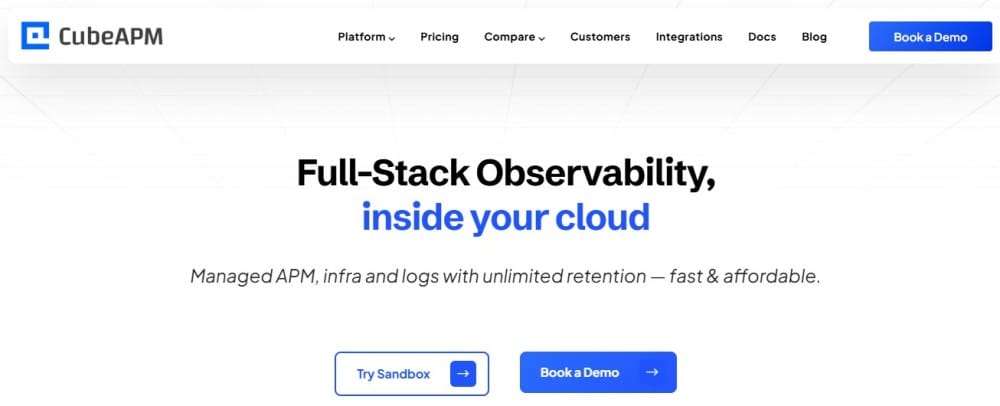
Best for: Engineering and DevOps teams that need self-hosted cloud observability, logs, metrics, traces, infrastructure monitoring, and application visibility to support cloud security investigations.
CubeAPM is not a dedicated CSPM, CNAPP, or SIEM platform. It does not scan cloud accounts for misconfigurations, perform attack-path analysis, or manage cloud identity entitlements.
Its value is in the observability layer behind cloud security monitoring. When a security tool raises an alert, teams still need telemetry to understand which service was affected, which deployment changed, which API behaved unusually, and whether the issue affected users. CubeAPM helps provide that context through OpenTelemetry-native logs, metrics, traces, dashboards, and infrastructure monitoring.
Cloud security monitoring features
| Feature | What it covers |
| Log monitoring | Centralized logs for investigation and audit context |
| Infrastructure monitoring | Cloud hosts, containers, services, and resource health |
| Distributed tracing | Service-level visibility across cloud-native applications |
| Alerting and dashboards | Operational signals that support incident investigation |
Pricing
CubeAPM is priced at $0.15/GB with no per-host, per-user, or per-series fees. This makes it useful for teams that want predictable observability costs while keeping telemetry data in their own infrastructure.
Pros and cons
| Pros | Cons |
| Predictable ingestion pricing | Not suitable for teams looking for off-prem solutions |
| Self-hosted telemetry control | |
| Strong OTEL-native observability |
2. Wiz
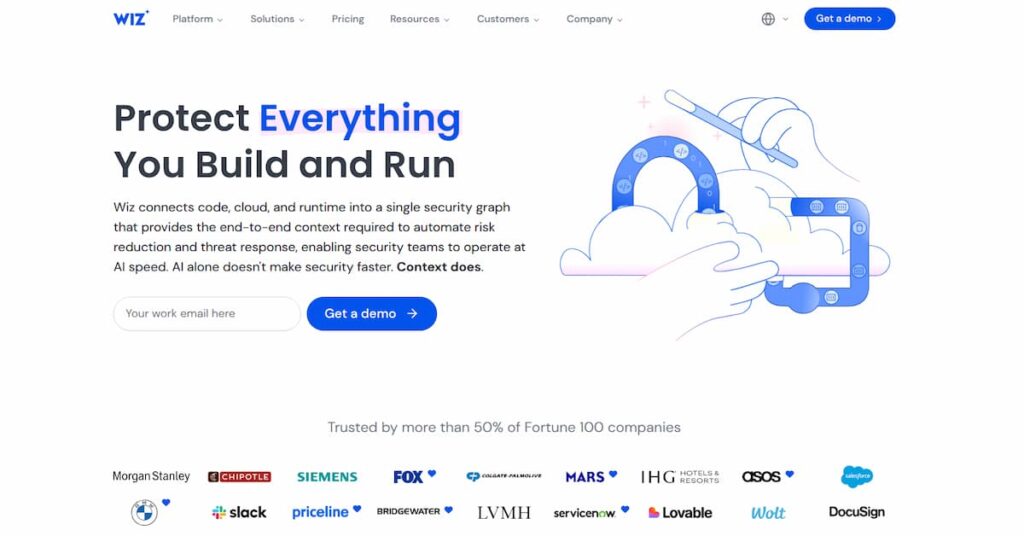
Best for: Cloud-first organizations that need agentless CNAPP, CSPM, vulnerability, identity, data, and attack-path visibility across AWS, Azure, Google Cloud, and Kubernetes.
Wiz is one of the strongest cloud-native security platforms for teams that want broad visibility without deploying agents everywhere. It uses an agentless model to scan cloud environments and connects findings through its security graph.
Wiz is especially useful when teams need to understand which risks are actually exploitable. Instead of showing isolated vulnerabilities or misconfigurations, Wiz connects cloud resources, identities, network exposure, workloads, and sensitive data into attack paths.
Cloud security monitoring features
| Feature | What it covers |
| CSPM | Cloud misconfigurations, exposed resources, and compliance drift |
| CIEM | Excessive permissions, identity risk, and privilege paths |
| Attack path analysis | Connected risks across identities, workloads, networks, and data |
| Vulnerability management | Vulnerable workloads, containers, and cloud assets |
Pricing
Wiz does not publish fixed public pricing. Its official pricing page asks buyers to request a custom quote based on cloud usage and environment size.
Pros and cons
| Pros | Cons |
| Strong multi-cloud visibility | Pricing is custom |
| Fast agentless deployment | Findings need tuning |
| Good attack-path context | Best for cloud-first teams |
3. Prisma Cloud by Palo Alto Networks

Best for: Large enterprises that need a mature CNAPP platform across cloud posture, workload protection, identity, vulnerability, data, and application security.
Prisma Cloud is one of the broadest enterprise cloud security platforms. It is designed for organizations that need posture management, workload protection, runtime security, vulnerability management, compliance, identity risk, and code-to-cloud visibility.
It fits best where there is dedicated cloud security ownership. Smaller teams may find it powerful but heavy compared with simpler agentless platforms.
Cloud security monitoring features
| Feature | What it covers |
| CNAPP | Cloud security across code, workloads, identities, and runtime |
| CSPM | Configuration risk, compliance drift, and cloud posture |
| CWPP | Runtime workload and container protection |
| Cloud detection and response | Threat detection, investigation, and response workflows |
Pricing
Prisma Cloud does not publish simple fixed monthly pricing. Palo Alto Networks provides pricing and edition guides, but most buyers need to work with Palo Alto Networks or a partner for final pricing.
Pros and cons
| Pros | Cons |
| Broad CNAPP coverage | Heavy setup effort |
| Strong enterprise depth | Needs skilled admins |
| Good multi-cloud visibility | Pricing is not simple |
4. CrowdStrike Falcon Cloud Security
Best for: Organizations already using CrowdStrike that want cloud posture, cloud detection, identity risk, and endpoint-to-cloud correlation.
CrowdStrike Falcon Cloud Security brings cloud security into the broader Falcon platform. It is strongest when a team already uses CrowdStrike for endpoint protection, threat detection, identity security, or XDR.
The main advantage is correlation. Cloud workload events, endpoint signals, identity activity, and threat intelligence can be viewed inside one security operations workflow.
Cloud security monitoring features
| Feature | What it covers |
| CSPM | Cloud posture, compliance, and misconfiguration checks |
| CIEM | Identity and entitlement risk |
| Cloud detection and response | Cloud runtime detection and investigation |
| IaC scanning | Infrastructure-as-code security checks |
Pricing
CrowdStrike Falcon Cloud Security uses custom pricing. Its official pricing page asks buyers to request a custom quote and lists cloud security modules such as Proactive Security and Cloud Detection and Response.
Pros and cons
| Pros | Cons |
| Strong threat visibility | Best with Falcon stack |
| Good investigation workflow | Pricing is custom |
| Endpoint-cloud context | Less ideal standalone |
5. Datadog Cloud Security
Best for: Engineering-led teams already using Datadog that want cloud security findings inside the same observability platform.
Datadog Cloud Security is a good fit when the people fixing cloud security issues are the same engineers already using Datadog for logs, metrics, traces, infrastructure, Kubernetes, and application monitoring.
Its strength is workflow context. Security findings can be tied to services, deployments, logs, owners, and runtime behavior inside the same platform developers already use.
Cloud security monitoring features
| Feature | What it covers |
| CSPM | Continuous configuration and compliance checks |
| Vulnerability management | Host, container, and Kubernetes vulnerability context |
| Threat detection | Cloud and workload security signals |
| DevOps remediation | Ownership, service context, and engineering workflows |
Pricing
Datadog publishes product-level pricing. Infrastructure Pro starts at $15 per host per month on annual billing. Datadog pricing is modular, so final cost depends on products used, data volume, events, logs, hosts, containers, and security features enabled.
Pros and cons
| Pros | Cons |
| Strong DevOps workflow | Costs can scale fast |
| Good dashboard experience | Modular pricing complexity |
| Broad observability context | Not deepest CNAPP |
6. Sysdig Secure
Best for: Kubernetes and container-heavy teams that need runtime cloud security, vulnerability management, and Falco-based threat detection.
Sysdig Secure is strongest in containerized and Kubernetes-heavy environments. It is built around runtime security, workload visibility, vulnerability management, posture management, and identity risk.
Sysdig is a better fit for teams that care deeply about what workloads are doing at runtime, not only how cloud resources are configured.
Cloud security monitoring features
| Feature | What it covers |
| Runtime threat detection | Container, Kubernetes, and workload behavior |
| Vulnerability management | Image, container, and workload vulnerabilities |
| CSPM | Cloud posture and configuration findings |
| CIEM | Identity and entitlement monitoring |
Pricing
Sysdig does not publish fixed public rates for Sysdig Secure. Its pricing page directs buyers to request a quote.
Pros and cons
| Pros | Cons |
| Strong runtime security | Initial setup can be complex |
| Good Kubernetes visibility | Some feature limits noted |
| Falco-based heritage | Less agentless than Wiz/Orca |
7. Orca Security
Best for: Teams that want agentless multi-cloud security coverage across workloads, cloud posture, identities, vulnerabilities, containers, and Kubernetes.
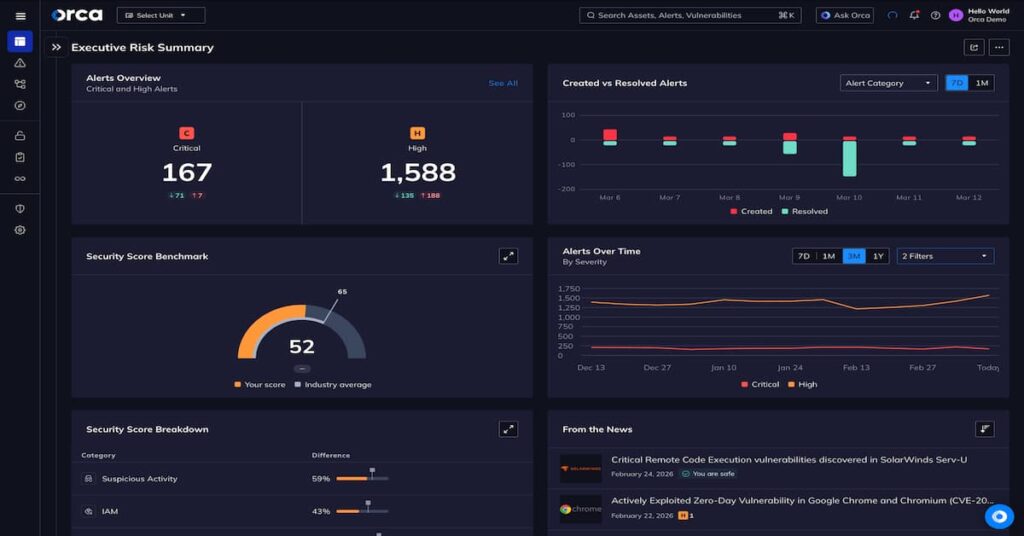
Orca Security is an agentless CNAPP platform that uses its SideScanning technology to inspect cloud workloads and cloud configurations without requiring traditional agent deployment everywhere.
It is often attractive to teams that want fast coverage across AWS, Azure, Google Cloud, Oracle Cloud, Alibaba Cloud, Kubernetes, and containerized workloads.
Cloud security monitoring features
| Feature | What it covers |
| Agentless CNAPP | Cloud risk visibility without mandatory agents |
| CSPM | Configuration and compliance monitoring |
| CIEM | Identity and permission risk |
| Container and Kubernetes security | Workload and container security findings |
Pricing
Orca Security says it uses simple, all-inclusive pricing with one SKU, based on the number of cloud workloads protected. Public fixed rates are not listed on Orca’s main pricing material, though AWS Marketplace listings may show package-based pricing.
Pros and cons
| Pros | Cons |
| Fast agentless setup | UI can overwhelm new users |
| Strong cloud visibility | Reporting issues noted |
| Good dashboards | Runtime depth varies |
8. Splunk Cloud / Splunk Enterprise Security
Best for: Mature SOC teams that need SIEM, log correlation, threat hunting, compliance monitoring, and investigation workflows across cloud and hybrid environments.
Splunk is not a CSPM or CNAPP replacement. It is better understood as a SIEM and security analytics platform. It helps teams collect, search, correlate, and investigate logs and security events across cloud, application, infrastructure, identity, and network sources.
Splunk fits best in organizations with dedicated security analysts or SOC teams that need flexible search, custom detections, dashboards, and incident investigation.
Cloud security monitoring features
| Feature | What it covers |
| SIEM | Security event correlation and investigation |
| Threat hunting | Search-based investigation across logs |
| Cloud log analytics | Cloud, application, and infrastructure log analysis |
| SOC workflows | Alerts, dashboards, detections, and investigation processes |
Pricing
Splunk uses flexible pricing based on the products and deployment model selected. Final cost depends on data volume, workload, security use case, retention, and contract structure.
Pros and cons
| Pros | Cons |
| Powerful search | Expensive at scale |
| Strong SOC workflows | Steep learning curve |
| Flexible integrations | Needs tuning effort |
9. New Relic
Best for: Engineering and DevOps teams that want cloud observability, vulnerability context, infrastructure monitoring, dashboards, alerts, and application-level security visibility.
New Relic is not a full CNAPP or CSPM replacement, but it belongs in this list when buyers want observability-led cloud security monitoring. It helps teams monitor cloud infrastructure, services, applications, logs, alerts, incidents, and vulnerabilities in one platform.
New Relic is especially useful when engineering teams need to connect security signals with application performance, infrastructure telemetry, deployments, and service ownership.
Cloud security monitoring features
| Feature | What it covers |
| Vulnerability management | Identifies and prioritizes vulnerable software components |
| Cloud monitoring | AWS, Azure, and Google Cloud observability |
| Infrastructure monitoring | Hosts, containers, services, and hybrid resources |
| AIOps and alerting | Incident detection, alerting, and telemetry correlation |
Pricing
New Relic publishes usage-based pricing. Its pricing page lists 100 GB per month of free original data ingest, then $0.40/GB beyond the free limit on Standard and Pro. Data Plus is listed at $0.60/GB beyond the free 100 GB limit.
Pros and cons
| Pros | Cons |
| Strong real-time monitoring | Pricing can rise with data |
| Good dashboards and alerts | UI can feel busy |
| Broad observability coverage | Not a full CNAPP |
10. Dynatrace
Best for: Enterprises that want AI-assisted observability, application security context, infrastructure monitoring, runtime visibility, and automated root-cause analysis.
Dynatrace is also not a direct CSPM replacement, but it is relevant for cloud security monitoring where security investigations depend on application, infrastructure, dependency, and runtime context.
It is strongest for larger environments that need deep full-stack monitoring, AI-assisted analysis, service dependency mapping, and application security visibility.
Cloud security monitoring features
| Feature | What it covers |
| Application Security | Runtime vulnerability and attack detection |
| Security posture context | Application and cloud-native risk visibility |
| Full-stack monitoring | Applications, infrastructure, hosts, services, and dependencies |
| AI-assisted analysis | Risk prioritization and root-cause context |
Pricing
Dynatrace publishes usage-based pricing. Its rate card lists Full-Stack Monitoring at $0.01 per memory-GiB-hour and Infrastructure Monitoring at $0.04 per hour for any size host. Dynatrace’s pricing page also shows Full-Stack Monitoring at about $58 per month per 8 GiB host.
Pros and cons
| Pros | Cons |
| Strong full-stack monitoring | Expensive for smaller teams |
| Useful AI insights | Learning curve reported |
| Good root-cause analysis | Can feel complex |
How to Choose the Right Cloud Security Monitoring Tool
If your biggest problem is cloud misconfiguration, start with CSPM or CNAPP. If runtime workload behavior is the priority, look at CWPP or Kubernetes security tools. If your SOC needs investigation and correlation, SIEM is more important. If engineers need to connect security issues with services and deployments, observability platforms are useful.
Azure-heavy teams should evaluate Microsoft Defender for Cloud first. Multi-cloud teams should compare Wiz, Orca Security, Prisma Cloud, and CrowdStrike Falcon Cloud Security. Kubernetes-heavy teams should include Sysdig Secure.
Agentless platforms are usually faster to deploy. Agent-based tools can provide deeper runtime visibility, but they require more rollout and maintenance. SIEM platforms are powerful, but they usually require tuning, detection engineering, and SOC maturity.
Many cloud security vendors do not publish fixed public prices. Cost may depend on protected workloads, cloud accounts, identities, containers, hosts, data volume, retention, modules, and support level. Always confirm pricing directly with the vendor before budgeting.
Datadog, New Relic, and Dynatrace can add valuable security context, especially for engineering teams. But they should not be treated as direct replacements for Wiz, Prisma Cloud, Orca Security, Microsoft Defender for Cloud, or CrowdStrike Falcon Cloud Security when the requirement is CSPM, CIEM, or attack-path analysis.
Open-Source Cloud Security Monitoring Tools
Open-source tools can be useful for teams that need lower-cost visibility or want more control over their security stack.
Wazuh is a strong open-source SIEM and XDR option for endpoint, workload, log, and compliance monitoring. It is better positioned as an open-source security operations layer than as a full CNAPP replacement.
Falco is widely used for runtime threat detection in containers and Kubernetes. It is especially useful for detecting suspicious workload behavior through system-call activity.
Prowler is commonly used for AWS security assessments, compliance checks, and cloud configuration reviews.
CloudSploit by Aqua Security can help scan cloud accounts for configuration risks across providers.
Open-source tools reduce licensing cost, but they shift deployment, tuning, scaling, upgrades, and maintenance back to your team.
Conclusion
The best cloud security monitoring tool depends on what you need to monitor.
Wiz and Orca Security are strong choices for agentless multi-cloud CNAPP coverage. Microsoft Defender for Cloud is the natural fit for Azure-heavy teams. Prisma Cloud is a mature enterprise CNAPP for large security organizations. CrowdStrike Falcon Cloud Security makes the most sense for teams already invested in the CrowdStrike platform. Sysdig Secure is strongest for Kubernetes and container runtime security.
Splunk is better for SIEM, log correlation, and threat hunting than posture scanning. Datadog, New Relic, and Dynatrace are valuable when cloud security needs to connect with observability, application performance, infrastructure telemetry, and engineering workflows.
No single tool covers every layer. Most strong cloud security programs combine posture monitoring, runtime protection, identity risk detection, log analytics, and observability. The right stack is the one that closes your actual visibility gaps without creating unnecessary cost or operational overhead.
Disclaimer: Pricing and product capabilities change frequently. The pricing notes in this article are based on publicly available vendor pricing pages and documentation at the time of writing. Where vendors do not publish fixed prices, this article uses “custom quote” instead of estimating unsupported numbers. Review-based pros and cons are summarized from public user-review patterns and may not apply to every deployment.
FAQs
1. What is the best cloud security monitoring tool?
The best tool depends on your environment. Wiz and Orca Security are strong for agentless multi-cloud security. Microsoft Defender for Cloud is best for Azure-heavy teams. Prisma Cloud is strong for large enterprises. Sysdig Secure is strong for Kubernetes runtime security. Splunk is better for SIEM and threat hunting.
2. What is the difference between CSPM and CNAPP?
CSPM focuses on cloud configuration, posture, and compliance monitoring. CNAPP is broader. It usually combines CSPM, CWPP, CIEM, vulnerability management, runtime protection, and sometimes code or application security in one platform.
3. Is Datadog a cloud security monitoring tool?
Datadog has cloud security features, including posture management, vulnerability management, and threat detection. However, it is primarily an observability and monitoring platform. It is best for teams that want security context inside engineering workflows, not as a complete replacement for a dedicated CNAPP.
4. Is New Relic a CNAPP tool?
No. New Relic is not a CNAPP platform. It is an observability platform with cloud monitoring, infrastructure monitoring, alerting, vulnerability context, and application visibility. It can support cloud security investigations, but it does not replace CSPM, CIEM, or attack-path analysis tools.
5. Is Dynatrace good for cloud security monitoring?
Dynatrace is useful for cloud security monitoring when teams need application security context, full-stack monitoring, runtime visibility, and AI-assisted root-cause analysis. It is not a full CSPM or CNAPP replacement, but it can complement dedicated cloud security platforms.
6. What is the most cost-effective cloud security monitoring approach?
For small teams, a mix of native cloud security tools, open-source tools, and observability may be enough. For multi-cloud or regulated environments, a dedicated CNAPP is usually more practical. Cost depends heavily on workloads, cloud accounts, identities, data volume, and required security modules.
7. cloud security monitoring tools require agents?
Some do and some do not. Wiz and Orca Security are known for agentless scanning. Sysdig and CrowdStrike use agents for deeper runtime protection. Many enterprise platforms support both agentless scanning and optional agents for deeper workload visibility.
8. Where does CubeAPM fit in cloud security monitoring?
CubeAPM fits as the observability layer. It provides logs, metrics, traces, infrastructure monitoring, dashboards, and application performance visibility. It does not replace CNAPP or CSPM tools, but it helps teams investigate incidents with self-hosted telemetry.