










Ruby applications are CPU-intensive by nature. On average, Ruby apps spend 82% of their CPU time in library code, meaning the gems you choose and how you use them have more impact on performance than almost any other factor. Without monitoring that surfaces library-level bottlenecks, slow queries, and memory bloat, teams operate blind until users complain or revenue drops.
Ruby performance monitoring tracks application behavior in production, the response times, error rates, database queries, memory allocation, and background job performance. It surfaces the exact code path, gem, or query causing slowdowns, so teams can fix issues before they cascade into outages or poor user experience. This guide covers how Ruby performance monitoring works, what metrics matter most, and how to evaluate tools for Rails, Sinatra, or other Ruby frameworks.
What Is Ruby Performance Monitoring?
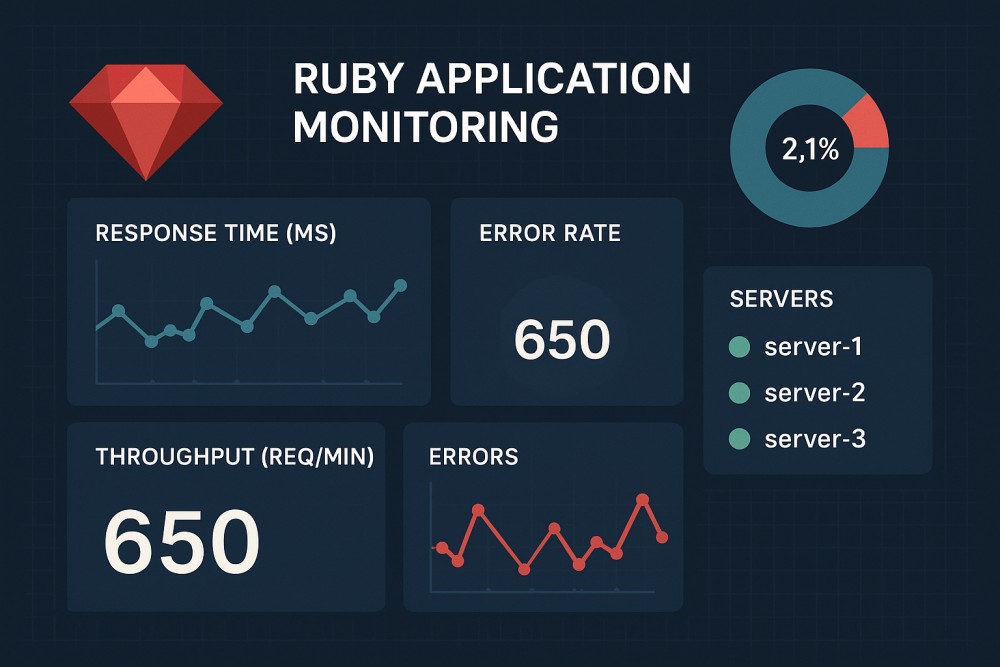
Ruby performance monitoring is the practice of tracking how Ruby applications behave in production environments. It collects runtime telemetry, request traces, error events, database query latencies, memory usage, garbage collection metrics, and background job performance and surfaces actionable insights for debugging and optimization.
The goal is not just to know that something is slow. The goal is to know which controller action, ActiveRecord query, or Sidekiq job is responsible, and why.
Without performance monitoring, teams rely on user reports or manual log searching to find problems. With it, teams get real-time alerts when latency spikes, automated N+1 detection in ActiveRecord queries, and direct links to the code causing issues.
Ruby performance monitoring tools typically instrument web frameworks like Rails, Sinatra, and Grape, background job libraries like Sidekiq, Resque, and DelayedJob, and database adapters like ActiveRecord, Mongoid, and Redis. They track how requests flow through your stack, from the web server through middleware, controllers, view rendering, database queries, and external HTTP calls, and present that data in dashboards that make root cause analysis faster.
How Ruby Performance Monitoring Works
Ruby performance monitoring works by instrumenting the runtime environment at multiple layers. Most tools use a combination of agent-based instrumentation, library hooks, and trace collection to capture telemetry without requiring manual code changes.
Instrumentation and data collection
Ruby performance monitoring agents automatically instrument common libraries and frameworks. When a Rails controller action executes, the agent wraps the request lifecycle, which is tracking time spent in routing, controller logic, view rendering, ActiveRecord queries, Redis calls, and HTTP requests to external APIs. The same applies to background jobs: Sidekiq, Resque, and DelayedJob jobs are traced from enqueue to completion.
The agent collects spans, which are discrete units of work within a request. A single Rails request might generate 15 spans: one for the controller action, one for each database query, one for view rendering, and one for each external HTTP call. Each span records duration, metadata, and context, as the SQL query executed or the HTTP endpoint called.
Trace aggregation and correlation
Traces are aggregated in a backend system where they are indexed and correlated across services. In a microservices architecture, a single user request might touch five services. Ruby performance monitoring tools stitch these distributed traces together using trace context propagation, showing the full end-to-end latency and where each service contributed to the delay.
Metric extraction and alerting
From the trace data, tools extract key performance metrics: request rate, error rate, and duration (the RED metrics). They calculate percentiles (p50, p95, p99) to surface tail latency, and they detect anomalies like sudden spikes in response time or error rate. When thresholds are breached, alerts fire via Slack, PagerDuty, or email, often including a direct link to the trace that triggered the alert.
Code-level visibility
Advanced Ruby performance monitoring tools provide code-level visibility using AutoInstruments or method-level tracing. This means you see not just that a controller action is slow, but which specific method inside that action is responsible. For example, a Rails controller might spend 80% of its time in a single method call to an external API, and the tool surfaces that exact line of code.
What Ruby Performance Monitoring Measures: Key Metrics to Track
Effective Ruby performance monitoring requires tracking metrics across application code, database queries, background jobs, infrastructure, and memory usage. Each category reveals different performance bottlenecks.
Application metrics
Request throughput: Requests per second handled by the application. Tracks load and helps identify traffic spikes.
Response time percentiles: p50 (median), p95, and p99 response times. The p99 latency reveals how slow requests are for the unluckiest users.
Error rate: Percentage of requests that raise exceptions or return 4xx/5xx status codes. A sudden spike often indicates a deployment gone wrong or a dependency failure.
Apdex score: A user satisfaction metric that classifies response times as satisfying, tolerating, or frustrating based on a threshold you define.
Database query metrics
Query duration: Time spent executing each SQL query. Slow queries often dominate total request latency.
N+1 query detection: Automated identification of repeated query patterns. A Rails controller that loads 50 users and then makes 50 individual queries for each user’s profile photo is a classic N+1 that kills performance.
Query frequency: How often each query runs. A fast query executed 10,000 times per minute can still bottleneck the database.
Database connection pool saturation: Tracks when the pool is exhausted, causing requests to wait for available connections.
Background job metrics
Job execution time: Duration of each background job. Jobs that run longer than expected often indicate processing inefficiencies or external API delays.
Job queue depth: Number of jobs waiting to be processed. A growing queue suggests workers cannot keep up with demand.
Job failure rate: Percentage of jobs that fail. Persistent failures indicate code bugs or infrastructure problems.
Job retry count: How many times each job has been retried. Excessive retries can amplify the impact of a single bug.
Infrastructure and runtime metrics
Memory usage: Current and peak memory consumption per process. Ruby processes that accumulate memory over time often suffer from memory bloat.
Garbage collection metrics: Time spent in garbage collection, GC frequency, and memory freed per GC cycle. High GC overhead slows request processing.
CPU usage: Percentage of CPU consumed by the Ruby process. Sustained high CPU can indicate inefficient code or library overhead.
Thread count: Number of active threads. Useful for diagnosing concurrency issues in Puma or other multithreaded servers.
External dependency metrics
HTTP client latency: Time spent waiting for external API responses. Slow third party APIs often cause user facing latency.
Redis latency: Time spent executing Redis commands. Slow Redis operations can indicate network issues or large data structures being transferred.
ElasticSearch query time: Duration of search queries. Complex queries or large result sets can slow down search features.
Core Features of Ruby Performance Monitoring Tools
Choosing a Ruby performance monitoring tool means evaluating feature depth, instrumentation coverage, and how well the tool integrates with your existing stack. The features below are the baseline for effective monitoring.
Automatic instrumentation
The best tools automatically instrument Rails, Sinatra, Grape, and Rack without requiring manual code changes. They detect ActiveRecord queries, view rendering, HTTP clients like Net::HTTP and Typhoeus, and background job frameworks like Sidekiq and Resque. Manual instrumentation is available for custom code paths, but auto instrumentation should cover 80% of your stack out of the box.
Distributed tracing
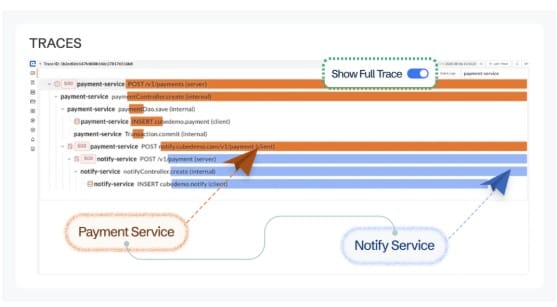
In microservices architectures, a single user request spans multiple services. Distributed tracing propagates trace context across service boundaries, showing the full request path and where each service contributed latency. Without it, debugging slow requests in distributed systems becomes guesswork.
Error tracking and exception capture
Tools should automatically capture exceptions raised in Rails controllers, Sinatra routes, and background jobs. Each error should include a full stack trace, request context (URL, HTTP method, headers), and correlation to the transaction trace. Errors grouped by root cause help prioritize fixes by impact.
N+1 query detection
N+1 queries are one of the most common performance killers in Rails applications. Monitoring tools should automatically detect repeated query patterns and surface the controller action or background job responsible. The best tools show the exact line of code causing the N+1 and estimate the performance impact.
Memory bloat detection
Ruby processes can accumulate memory over time, especially in long running Rails applications and Sidekiq workers. Tools should detect memory bloat at the transaction level, showing which controller actions, background jobs, and code paths are responsible for memory growth. This requires Ruby 2.1+ and goes beyond host level metrics by telling you what is causing the increase, not just that it is happening.
Custom dashboards and alerting
Every team has different performance thresholds and critical endpoints. Tools should support custom dashboards that track your most important metrics, and alerting that fires when response times, error rates, or queue depths exceed defined thresholds. Alerts should include trace context so teams can jump directly to the root cause.
Integration with OpenTelemetry
OpenTelemetry is the vendor neutral standard for instrumentation. Tools that support OpenTelemetry natively allow teams to avoid vendor lock in and reuse existing instrumentation if they switch monitoring platforms. Compatibility with OpenTelemetry agents, Prometheus, and other standards reduces switching costs.
Ruby Performance Monitoring vs. Infrastructure Monitoring
Ruby performance monitoring and infrastructure monitoring serve different purposes and are often used together.
Infrastructure monitoring tracks host level metrics: CPU, memory, disk I/O, network throughput, and container resource usage. It answers the question, “Is the server healthy?” Tools like Prometheus, Nagios, and CloudWatch excel at infrastructure monitoring.
Ruby performance monitoring tracks application level behavior: request latency, error rates, database queries, and background job performance. It answers the question, “Is the application fast and error free?” Tools like Scout, AppSignal, and CubeAPM specialize in application performance.
The gap between the two is significant. A host can show normal CPU and memory usage while the Ruby application running on it is experiencing slow database queries, memory bloat in specific controller actions, or N+1 query patterns that degrade user experience. Infrastructure monitoring alone cannot surface these problems because they are not visible at the host level.
The most effective monitoring strategy uses both. Infrastructure monitoring detects resource exhaustion and hardware failures. Ruby performance monitoring detects code level inefficiencies, slow queries, and exceptions. Together, they provide full stack visibility.
Tools and Platforms for Ruby Performance Monitoring
Ruby performance monitoring tools vary widely in pricing model, deployment options, feature depth, and instrumentation coverage. Below is an overview of eight tools evaluated on their ability to monitor Rails, Sinatra, and other Ruby frameworks.
1. CubeAPM

CubeAPM provides full stack observability with APM, logs, infrastructure monitoring, and error tracking in a single platform. It runs inside your own cloud or on premises, so telemetry data never leaves your infrastructure. This matters for teams with data residency requirements or HIPAA/GDPR compliance needs.
Ruby support: Native instrumentation for Rails 2.2+, Sinatra, Grape, and Rack. Supports ActiveRecord, Mongoid, Redis, Sidekiq, Resque, DelayedJob, and GoodJob out of the box. Memory bloat detection and N+1 query detection included.
Pricing: $0.15/GB ingested. No per-host or per-user fees. Unlimited retention at that rate.
Deployment: Self-hosted with managed updates and support. Runs in your VPC or data center.
Best for: Teams that want full data control, predictable pricing, and unified APM, logs, and infrastructure monitoring without SaaS data egress.
2. Scout APM
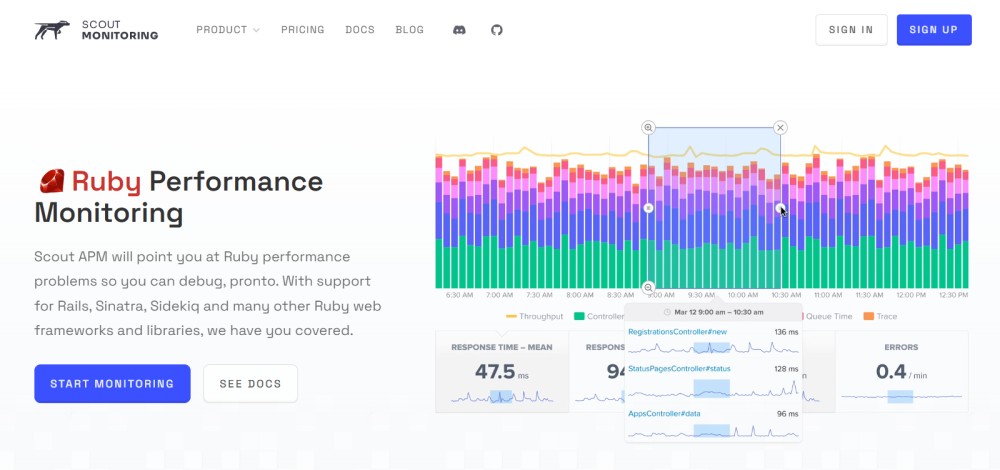
Scout APM is a hosted APM tool built specifically for Ruby, Python, PHP, and Elixir. It provides error monitoring, log management, and APM with automatic N+1 detection and memory bloat analysis. Scout is known for low overhead instrumentation and straightforward pricing.
Ruby support: Auto instruments Rails 2.2+, Sidekiq, Resque, DelayedJob, and ActiveRecord. Includes AutoInstruments for method level tracing.
Pricing: Starts at $39/host/month. Pricing scales with host count.
Deployment: SaaS only. Data is sent to Scout’s hosted backend.
Best for: Teams that want a Ruby focused APM with minimal setup and hosted deployment.
3. AppSignal
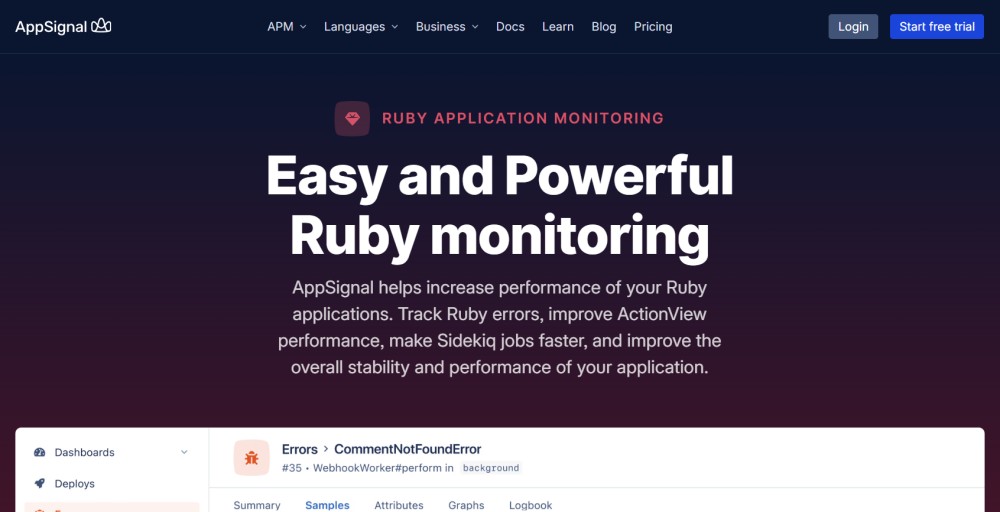
AppSignal provides APM, error tracking, and uptime monitoring for Ruby, Elixir, Node.js, and JavaScript. It is popular among Rails developers for its clean UI and developer-friendly onboarding.
Ruby support: Native support for Rails, Sidekiq, ActiveRecord, and Rack. Includes background job monitoring and exception tracking.
Pricing: Starts at $49/month for small applications. Scales with container count and request volume.
Deployment: SaaS only.
Best for: Rails teams that prioritize developer experience and want hosted monitoring with transparent pricing.
3. Datadog APM
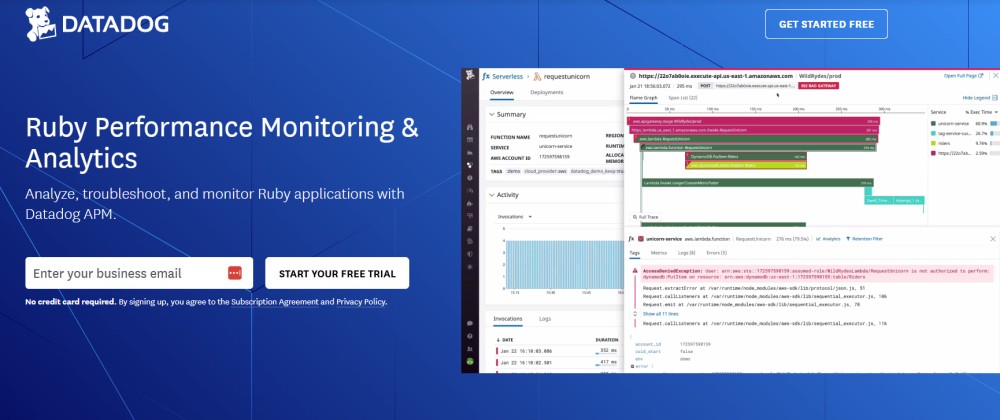
Datadog APM is part of Datadog’s broader observability platform. It provides distributed tracing, error tracking, and performance profiling for Ruby and dozens of other languages. Datadog’s strength is breadth: it covers infrastructure, logs, RUM, synthetics, and security in one platform.
Ruby support: Auto instruments Rails, Sinatra, and background job frameworks. Supports OpenTelemetry and native Datadog tracing libraries.
Pricing: APM starts at $31/host/month for infrastructure monitoring plus APM. Logs, RUM, and synthetics are billed separately.
Deployment: SaaS only.
Best for: Large enterprises that want a single platform for all observability signals and can budget for higher costs at scale.
4. New Relic APM
New Relic is one of the oldest APM platforms. It provides distributed tracing, error tracking, and transaction monitoring for Ruby and many other languages. New Relic’s platform includes logs, infrastructure, RUM, and synthetics.
Ruby support: Auto instruments Rails, Sinatra, Rack, Sidekiq, and ActiveRecord. Supports OpenTelemetry.
Pricing: pricing based on data ingested, starts at $0.40/GB beyond the first 100 GB free per month. Full platform user seats cost $99/user/month.
Deployment: SaaS only.
Best for: Teams that want a mature, full featured APM platform and are willing to manage per user seat costs as the team grows.
5. Elastic APM
Elastic APM is part of the Elastic Stack (ELK). It provides distributed tracing and error tracking, with logs and infrastructure metrics handled by the same backend. Elastic APM is open source and can be self hosted or used via Elastic Cloud.
Ruby support: OpenTelemetry compatible. Supports Rails, Sinatra, and Rack via the Elastic APM agent.
Pricing: Free if self hosted. Elastic Cloud pricing starts at $95/month for hosted deployments.
Deployment: Self hosted or SaaS via Elastic Cloud.
Best for: Teams already using the ELK stack who want to add APM without introducing a new vendor.
6. Dynatrace
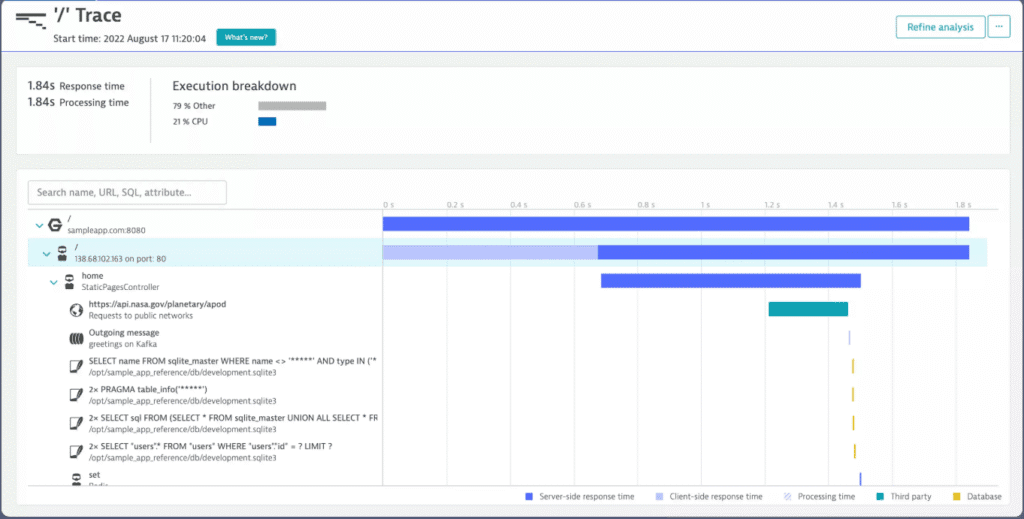
Dynatrace is an enterprise APM platform with AI powered root cause analysis. It provides full stack monitoring covering infrastructure, applications, logs, and user experience. Dynatrace is known for its automated dependency mapping and anomaly detection.
Ruby support: Auto instruments Rails and Rack applications. Supports distributed tracing and code level visibility.
Pricing: Starts at $74/host/month. Enterprise pricing is custom.
Deployment: SaaS or on premises.
Best for: Large enterprises that want AI assisted root cause analysis and can budget for premium pricing.
7. Honeycomb
Honeycomb is an observability platform focused on high cardinality event data. It excels at debugging complex distributed systems by allowing arbitrary queries on trace data without predefined indexes.
Ruby support: OpenTelemetry compatible. Instrumentation requires using the OpenTelemetry Ruby SDK.
Pricing: Free tier available. Pro plan starts at $130/month based on event volume.
Deployment: SaaS only.
Best for: Teams debugging distributed systems that need high cardinality query capabilities and are comfortable with OpenTelemetry instrumentation.
Best Practices for Ruby Performance Monitoring
Effective Ruby performance monitoring requires more than installing an agent. The practices below help teams maximize the value of their monitoring investment.
Instrument custom code paths
Auto instrumentation covers common libraries and frameworks, but every application has custom code that matters. Use manual instrumentation to trace business critical methods, service classes, and internal APIs. This ensures monitoring captures the full request path, not just the framework layer.
Set meaningful alert thresholds
Default alert thresholds rarely match your application’s performance profile. Define SLOs (service level objectives) for your most important endpoints, then configure alerts to fire when SLOs are breached. For example, if your checkout API must respond in under 300 milliseconds 99% of the time, alert when the p99 latency exceeds that threshold.
Monitor background jobs separately
Background jobs often have different performance characteristics than web requests. Monitor job execution time, queue depth, and failure rate separately. Long running jobs that process large datasets require different optimization strategies than fast API requests.
Track memory usage over time
Memory bloat is common in long running Ruby processes. Track memory usage per transaction and per background job to identify which code paths are responsible for memory growth. Fix memory leaks early before they force frequent process restarts.
Correlate traces with logs
Logs provide context that traces cannot. When debugging a slow request, correlate the trace with surrounding log lines to see what the application was doing before, during, and after the issue. Real User Monitoring (RUM) extends this further by capturing frontend behavior alongside backend traces.
Review performance regularly
Performance monitoring is not a set it and forget it tool. Review dashboards weekly to identify trends, catch regressions, and prioritize optimization work. Look for endpoints with increasing latency, growing error rates, or rising database query counts.
Optimize library selection
Given that Ruby applications spend 82% of CPU time in library code, library choice matters. For example, the mysql2 gem is more CPU intensive than trilogy, and json (2.7.3+) is more performant than oj for most use cases. Monitor CPU time by library to identify optimization opportunities.
How to Choose a Ruby Performance Monitoring Tool
Choosing the right Ruby performance monitoring tool depends on team size, deployment model, budget, and feature requirements. The decision framework below helps narrow the field.
Deployment model: SaaS vs. self hosted
If your team has data residency requirements, HIPAA compliance needs, or high data egress costs, self hosted tools like CubeAPM, Elastic APM, or Grafana are the right fit. If you prefer managed infrastructure and do not have data sovereignty constraints, SaaS tools like Scout, AppSignal, or Datadog simplify operations.
Pricing model: per host vs. per GB vs. per user
Per host pricing (Scout, Datadog) scales with infrastructure size. Per GB pricing (CubeAPM, New Relic) scales with telemetry volume. Per user pricing (New Relic full platform seats) scales with team size. Estimate your costs under each model before committing. The New Relic pricing calculator and Datadog pricing calculator help model SaaS platform costs.
Feature depth: APM only vs. full observability
If you only need APM, Scout and AppSignal are strong, focused choices. If you need APM, logs, infrastructure, RUM, and synthetics in one platform, CubeAPM, Datadog, and New Relic provide full stack coverage. Avoid buying multiple tools if a single platform meets your needs.
OpenTelemetry support
If you want to avoid vendor lock in, choose a tool with native OpenTelemetry support. CubeAPM, Honeycomb, and Elastic APM are OpenTelemetry native. Datadog and New Relic support OpenTelemetry but use proprietary agents by default.
Team size and support needs
Small teams benefit from tools with fast onboarding and simple pricing. Scout, AppSignal, and BetterStack are known for developer friendly UX. Large teams with complex stacks need deeper instrumentation, distributed tracing, and responsive support. CubeAPM, Datadog, and Dynatrace serve enterprise scale deployments.
Conclusion
Ruby performance monitoring is essential for maintaining fast, reliable applications in production. It surfaces the exact code path, database query, or background job causing slowdowns, so teams can fix issues before they impact users. Effective monitoring tracks application metrics, database query performance, background job health, memory usage, and external dependency latency.
The right tool depends on your deployment model, budget, and feature requirements. Self hosted tools like CubeAPM and Elastic APM keep data inside your infrastructure. SaaS tools like Scout and AppSignal simplify operations. Full stack platforms like Datadog and New Relic provide breadth at higher cost. Evaluate tools on pricing model, OpenTelemetry support, instrumentation coverage, and how well they integrate with your existing stack.
Disclaimer: The information in this article reflects the latest details available at the time of publication and may change as technologies and products evolve. Features, pricing, and plan limits can change over time. Always verify the latest information directly with the vendor before making purchasing or deployment decisions.
Frequently Asked Questions
What is Ruby performance monitoring?
Ruby performance monitoring tracks how Ruby applications behave in production, measuring request latency, error rates, database queries, memory usage, and background job performance to help teams detect and fix issues before they impact users.
What metrics should I track in a Rails application?
Track request throughput, response time percentiles (p50, p95, p99), error rate, database query duration, N+1 query detection, background job execution time, memory usage, and garbage collection metrics.
How does Ruby performance monitoring differ from infrastructure monitoring?
Infrastructure monitoring tracks host level metrics like CPU and memory. Ruby performance monitoring tracks application level behavior like request latency, slow queries, and exceptions. Both are needed for full stack visibility.
What is memory bloat in Ruby applications?
Memory bloat occurs when Ruby processes accumulate memory over time, especially in long running Rails apps and Sidekiq workers. Monitoring tools detect memory bloat at the transaction level, showing which controller actions or jobs are responsible.
What is memory bloat in Ruby applications?
Memory bloat occurs when Ruby processes accumulate memory over time, especially in long running Rails apps and Sidekiq workers. Monitoring tools detect memory bloat at the transaction level, showing which controller actions or jobs are responsible.
What is N+1 query detection?
N+1 query detection automatically identifies repeated database query patterns in ActiveRecord. For example, loading 50 users and then making 50 individual queries for each user’s profile photo is a classic N+1 that monitoring tools surface with the exact line of code responsible.
Do I need a separate tool for monitoring Sidekiq jobs?
Most Ruby performance monitoring tools automatically instrument Sidekiq, Resque, and DelayedJob. You do not need a separate tool, but you should monitor job execution time, queue depth, and failure rate separately from web requests.
What is the difference between APM and observability?
APM focuses on application performance: request latency, errors, and traces. Observability is broader, covering logs, metrics, traces, and infrastructure in one system. Many modern tools blur the line by offering both.