










Prometheus is an open source monitoring system that collects and stores time series metrics using an HTTP pull model. Developed at SoundCloud in 2012 and accepted as a Cloud Native Computing Foundation (CNCF) project in 2016, Prometheus has become the de facto standard for monitoring containerized workloads and Kubernetes clusters. According to the CNCF Annual Survey 2023, 85% of organizations running Kubernetes use Prometheus for monitoring.
Prometheus works by periodically scraping metrics from instrumented targets, storing them in a local time series database, and making them available for querying via its native PromQL language. This guide covers how Prometheus monitoring works, what makes it different from traditional monitoring systems, and how to implement it effectively at scale.
What Is Prometheus Monitoring?
Prometheus is a free, open source monitoring and alerting system that records metrics in a time series database. Unlike traditional monitoring tools that rely on agents pushing data to a central collector, Prometheus pulls metrics from configured targets at regular intervals.
Each metric in Prometheus is identified by a metric name and optional key-value label pairs. This dimensional data model allows you to slice metrics by service name, environment, HTTP status code, or any other label you define. Labels enable high cardinality queries that traditional monitoring systems struggle with.
Prometheus was designed specifically for dynamic cloud environments where services scale up and down automatically. Its service discovery mechanisms can automatically detect new targets in Kubernetes, Consul, AWS EC2, and other platforms without manual configuration changes.
The project graduated from CNCF incubation in August 2018, signaling production readiness and broad industry adoption. Major companies including DigitalOcean, Ericsson, and CoreOS have documented using Prometheus to monitor infrastructure at scale.
How Prometheus Monitoring Works
Prometheus operates on a pull-based model fundamentally different from systems like StatsD or traditional APM tools. Instead of applications pushing metrics to Prometheus, Prometheus scrapes metrics from HTTP endpoints exposed by your services.
Pull-Based Metric Collection
The Prometheus server maintains a list of scrape targets in its configuration file. At configured intervals (typically 15 to 60 seconds), it sends HTTP GET requests to each target’s metrics endpoint. The target responds with metrics in a text-based exposition format that Prometheus parses and stores.
This pull model has several advantages. First, Prometheus controls the scrape frequency centrally, making it easier to manage load. Second, scrape targets do not need network access to Prometheus, only the reverse. Third, you can monitor the monitoring system itself by checking whether scrapes succeed or fail.
For batch jobs that finish before Prometheus can scrape them, the Pushgateway component accepts pushed metrics. However, the pull model remains the primary collection method for long running services.
Time Series Database
Prometheus stores all collected metrics in a custom time series database optimized for append-only writes and fast range queries. Recent data (typically one to three hours) is held in memory and periodically flushed to disk in compressed blocks.
Each time series is uniquely identified by its metric name and label set. When you query http_requests_total{method=”GET”, status=”200″}, Prometheus can retrieve only the specific series matching those labels without scanning unrelated data.
The database uses an inverted index to make label-based queries fast even with millions of unique time series. Background compaction processes merge smaller blocks into larger ones to reduce read overhead over time.
Service Discovery
In dynamic environments like Kubernetes, manually maintaining a list of scrape targets is impractical. Prometheus includes built-in service discovery integrations for Kubernetes, Consul, EC2, Azure, and other platforms.
For Kubernetes specifically, Prometheus can discover pods, services, endpoints, and nodes automatically. You configure label selectors to filter which targets to scrape, and Prometheus updates the scrape target list as pods are created or destroyed.
This automatic discovery means you can deploy new services without updating Prometheus configuration. As long as the service exposes a metrics endpoint and matches your discovery rules, Prometheus will begin scraping it.
PromQL Query Language
Prometheus provides its own query language called PromQL for selecting and aggregating time series data. Unlike SQL, PromQL is designed specifically for time series operations.
A simple PromQL query looks like this: rate(http_requests_total[5m]). This calculates the per-second rate of HTTP requests over the last 5 minutes. PromQL supports aggregation operators like sum, avg, and max, allowing you to group metrics by label.
More complex queries can combine multiple metrics, perform mathematical operations, and apply time-based functions. For example, you can calculate the percentage of requests that resulted in errors or predict when a disk will fill based on current growth rate.
Key Components of a Prometheus Monitoring Stack
A production Prometheus deployment typically involves several components working together.
Prometheus Server
The core Prometheus server handles metric scraping, storage, and querying. It runs as a single binary with no external dependencies for basic operation. The server includes a built-in web UI for running ad-hoc queries and viewing basic graphs.
For production use, the Prometheus server requires persistent storage for its time series database. Running Prometheus in Kubernetes typically involves mounting a persistent volume to store metric data across pod restarts.
Exporters
Exporters are small programs that expose metrics from third-party systems in Prometheus format. The Node Exporter collects hardware and OS metrics from Linux hosts. The MySQL Exporter exposes database metrics. The Blackbox Exporter probes endpoints via HTTP, HTTPS, DNS, TCP, and ICMP.
Over 150 official and community exporters exist for applications including Redis, PostgreSQL, RabbitMQ, Kafka, and many others. When your application does not natively expose Prometheus metrics, an exporter typically fills the gap.
Alertmanager
The Alertmanager handles alerts sent from Prometheus servers. When a PromQL alert rule evaluates to true for a specified duration, Prometheus fires an alert to Alertmanager.
Alertmanager then handles deduplication, grouping, and routing. It can send notifications via email, Slack, PagerDuty, webhooks, and other channels. Silencing rules let you suppress alerts during maintenance windows without modifying Prometheus configuration.
Multiple Prometheus servers can send alerts to the same Alertmanager cluster, which deduplicates alerts that fire from multiple sources.
Pushgateway
For batch jobs and scripts that run too briefly for Prometheus to scrape, the Pushgateway provides a temporary metrics store. Your job pushes metrics to the Pushgateway via HTTP POST, and Prometheus scrapes the Pushgateway on its regular schedule.
The Pushgateway should be used sparingly because pushed metrics lack important metadata like scrape success/failure and can persist even after the job completes. For most use cases, exposing an HTTP endpoint and letting Prometheus scrape it directly works better.
Prometheus Metrics Types
Prometheus defines four core metric types that determine how data is collected and queried.
Counter
A counter is a cumulative metric that only increases. Examples include total HTTP requests served, total bytes sent, or total errors encountered. Counters reset to zero when the process restarts.
When querying counters, you typically use the rate() or increase() functions to calculate the per-second rate or total increase over a time window. Raw counter values are rarely useful because they accumulate indefinitely.
Gauge
A gauge represents a value that can go up or down. Examples include current memory usage, number of active connections, or queue depth. Unlike counters, gauges have no special handling when the process restarts.
Gauges can be queried directly without transformation, though aggregation functions like avg() and max() are often applied when multiple instances report the same gauge metric.
Histogram
A histogram samples observations and counts them in configurable buckets. For example, an HTTP request duration histogram might have buckets for 0-100ms, 100-200ms, 200-500ms, and so on.
Histograms expose three time series: a _bucket series for each configured bucket, a _sum series with the total of all observed values, and a _count series with the total number of observations.
Histograms allow you to calculate quantiles (like the 95th percentile latency) on the Prometheus server side using the histogram_quantile() function. However, the accuracy depends on bucket configuration chosen at instrumentation time.
Summary
A summary is similar to a histogram but calculates quantiles on the client side. The instrumented application maintains a sliding window of observations and computes quantiles like p50, p95, and p99 before exposing them to Prometheus.
Summaries provide more accurate quantiles than histograms but cannot be aggregated across multiple instances. They also consume more CPU and memory on the instrumented application. For most use cases, histograms are preferred.
Instrumenting Applications for Prometheus
Before Prometheus can collect metrics from your application, you must instrument the application code to expose metrics.
Client Libraries
Prometheus provides official client libraries for Go, Java, Python, and Ruby. Community-maintained libraries exist for most other languages including Node.js, C++, Rust, and Elixir.
Using a client library, you create metric objects (counters, gauges, histograms, summaries) in your application code and increment or set their values at appropriate points. The library handles exposing these metrics via an HTTP endpoint that Prometheus can scrape.
A simple Python example using the official client library:
from prometheus_client import Counter, start_http_server

request_count = Counter('http_requests_total', 'Total HTTP requests', ['method', 'endpoint'])

def handle_request(method, endpoint):

request_count.labels(method=method, endpoint=endpoint).inc()

# Handle the request...

start_http_server(8000) # Expose metrics on :8000/metricsOpenTelemetry Integration
OpenTelemetry, the CNCF’s unified observability framework, can export metrics to Prometheus format. This allows you to instrument your application using OpenTelemetry SDKs and still have Prometheus scrape the metrics.
OpenTelemetry provides a Prometheus exporter that exposes metrics at an HTTP endpoint. This approach gives you the flexibility to switch metric backends later without re-instrumenting application code.
Many teams running Kubernetes already use OpenTelemetry for traces and logs. Consolidating on OpenTelemetry for metrics as well reduces the number of SDKs and agents to maintain. For a deeper look at how OpenTelemetry compares to other infrastructure monitoring approaches, the linked guide covers architectural tradeoffs.
Choosing What to Measure
Effective instrumentation requires deciding what metrics matter for your application. The Four Golden Signals from Google’s Site Reliability Engineering book provide a good starting framework: latency, traffic, errors, and saturation.
For a web service, this translates to tracking request duration, request rate, error rate, and resource utilization like CPU and memory. For a database, you would track query duration, query rate, error rate, and connection pool saturation.
Over-instrumenting creates noise and storage overhead. Under-instrumenting leaves gaps when troubleshooting production issues. Start with high-level service metrics and add detail as specific questions arise during incident response.
Prometheus for Kubernetes Monitoring
Kubernetes has become the primary use case for Prometheus. The two projects evolved together within CNCF, and Prometheus understands Kubernetes service discovery natively.
Discovering Kubernetes Targets
Prometheus can discover four types of Kubernetes resources: nodes, services, pods, and endpoints. Each discovery mechanism exposes different metadata as labels.
Service discovery looks like this in Prometheus configuration:
scrape_configs:

- job_name: 'kubernetes-pods'

kubernetes_sd_configs:

- role: pod

relabel_configs:

- source_labels: [__meta_kubernetes_pod_annotation_prometheus_io_scrape]

action: keep

regex: trueThis configuration discovers all pods with the annotation prometheus.io/scrape: “true” and scrapes them automatically. Relabeling rules let you filter targets based on namespace, labels, or other metadata.
Monitoring Kubernetes Components
A complete Kubernetes monitoring setup tracks both cluster infrastructure and application workloads.
- For infrastructure, you typically monitor kubelet metrics (exposed by each node), kube-state-metrics (which exposes cluster-level resource state), and the control plane components like kube-apiserver and kube-scheduler.
- For applications, you instrument your services to expose custom metrics and configure Prometheus to discover and scrape them via pod annotations or service labels.
The Prometheus Operator simplifies Kubernetes deployment by introducing custom resources like ServiceMonitor and PodMonitor. Instead of editing Prometheus configuration files, you define what to monitor using Kubernetes manifests.
Handling High Cardinality in Kubernetes
Kubernetes environments can generate extremely high cardinality metrics. A pod label like pod_name=myapp-7d8f4c9b-xj2k9 creates a new time series every time the pod restarts with a new random suffix.
Prometheus handles high cardinality better than most monitoring systems due to its inverted index design. However, unbounded label cardinality can still cause memory and storage issues.
Best practices include dropping high-cardinality labels that provide no query value, aggregating metrics before storage where possible, and setting appropriate retention periods to limit database size.
Prometheus Limitations and Challenges
Prometheus excels at metrics collection and short term storage, but has several known limitations.
Long Term Storage
Prometheus stores data locally on disk with no built-in clustering or replication. The default retention period is 15 days, though this is configurable. For long term metric storage, you need a separate system.
Remote write and remote read APIs let Prometheus send data to long term storage backends like Thanos, Cortex, or commercial offerings. These systems provide multi-tenancy, horizontal scalability, and years of retention that Prometheus alone cannot deliver.
Setting up and operating these long term storage systems adds significant complexity. Teams must decide whether the operational overhead is worth the benefit of historical data retention.
Scalability Constraints
A single Prometheus server can handle millions of time series and hundreds of thousands of samples per second. However, it scales vertically not horizontally. When you exceed the capacity of one server, you must run multiple Prometheus instances.
Federation allows one Prometheus server to scrape selected metrics from other Prometheus servers. This lets you build a hierarchy where edge Prometheus instances scrape individual services, and a central Prometheus instance scrapes high-level aggregates from the edge instances.
Even with federation, managing many Prometheus instances becomes operationally complex. Teams monitoring large Kubernetes fleets often run dozens of Prometheus servers with custom tooling to coordinate configuration and query aggregation.
Limited Logging and Tracing Support
Prometheus focuses exclusively on metrics. It does not collect logs or distributed traces. Full observability requires combining Prometheus with tools like Loki for logs and Jaeger or Tempo for traces.
This separation of concerns matches the Unix philosophy of doing one thing well. However, it means running and integrating multiple systems to achieve complete visibility. Unified observability platforms that handle metrics, logs, and traces in one system can reduce operational overhead.
Prometheus vs. Traditional Monitoring Tools
Prometheus differs from traditional monitoring systems like Nagios, Zabbix, or Datadog in several fundamental ways.
Pull vs. Push
Most traditional monitoring systems use a push model where agents on monitored hosts send data to a central collector. Prometheus reverses this: the server pulls metrics from targets.
The pull model gives Prometheus central control over scrape frequency and allows it to detect when targets are unreachable. Push-based systems require the agent to be aware of the collector’s location and maintain persistent connections.
Neither model is universally better. Push-based systems work better for short-lived jobs and environments where the monitoring server cannot reach targets directly. Pull-based systems simplify target configuration and reduce the blast radius when the monitoring system fails.
Dimensional Data Model
Traditional monitoring systems often use hierarchical metric naming like servers.web01.cpu.usage. Adding dimensions requires creating new metrics: servers.web01.cpu.usage.user, servers.web01.cpu.usage.system, and so on.
Prometheus uses a flat metric name with label dimensions: cpu_usage{instance=”web01″, mode=”user”}. This allows flexible querying across any combination of labels without pre-defining every possible dimension.
The dimensional model scales better as cardinality increases and makes it easier to slice metrics by arbitrary attributes during troubleshooting.
Service Discovery
Traditional monitoring tools typically require static configuration listing every host to monitor. Prometheus service discovery automatically detects targets in dynamic environments.
This difference becomes critical in cloud native infrastructure where services scale automatically. Manually updating monitoring configuration for every scaling event is impractical.
Best Practices for Prometheus Monitoring
Effective Prometheus deployments follow patterns that maximize reliability and minimize operational overhead.
Metric Naming Conventions
Prometheus metric names should describe what is being measured, not how it is used. A good name is http_requests_total, not http_requests_per_second_rate. The query language handles aggregation and rate calculations.
Metric names use snake_case and include a unit suffix where applicable: _bytes, _seconds, _total for counters. Labels distinguish dimensions within a metric rather than creating separate metrics for each dimension.
Consistent naming across services makes it easier to write alerting rules and dashboards that work across your infrastructure.
Recording Rules
Recording rules pre-compute expensive queries and store the results as new time series. This reduces query latency and CPU usage when the same complex query runs repeatedly.
For example, if you frequently calculate the 95th percentile API latency across all instances, a recording rule can compute this once per evaluation interval and store the result as a new metric.
Recording rules run on the Prometheus server at regular intervals. They are defined in configuration files alongside alerting rules.
Alert Design
Alert rules in Prometheus specify a PromQL expression and a duration. If the expression evaluates to true for the specified duration, Prometheus fires an alert.
Good alerts detect symptoms users experience (high error rate, slow response time) rather than low-level causes (high CPU usage). An alert should be actionable: when it fires, an engineer should know what to investigate.
Alert fatigue from noisy alerts is a common problem. Each alert should represent a real issue requiring immediate attention. Informational metrics belong on dashboards, not in alerting rules.
High Availability Setup
For production use, run at least two Prometheus servers scraping the same targets. Both servers independently collect metrics and evaluate alert rules.
Alertmanager handles deduplication when multiple Prometheus instances fire the same alert. Users querying Prometheus can use either server interchangeably.
This setup provides resilience against Prometheus server failure without requiring complex clustering or leader election. However, it does not solve long term storage or query federation across Prometheus instances.
Tools and Platforms for Prometheus Monitoring
While Prometheus handles metric collection and storage, additional tools enhance the monitoring stack.
Grafana for Visualization
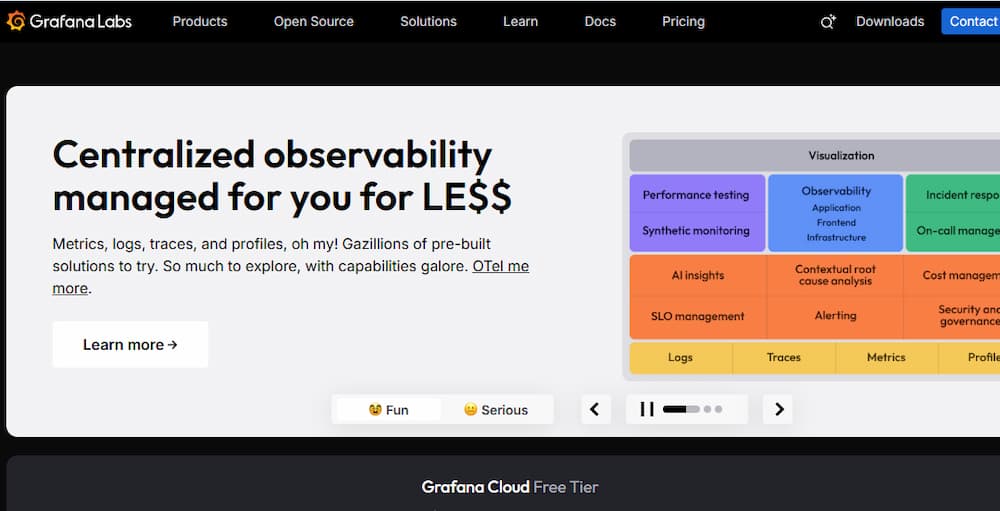
Grafana is the most popular dashboarding tool for Prometheus metrics. It connects to Prometheus as a data source and provides a rich UI for building visualizations.
Grafana dashboards can display time series graphs, tables, heatmaps, and gauges. Templating allows creating dashboards that work across different environments or services by parameterizing queries.
Many teams share Grafana dashboards publicly. The Grafana dashboard repository hosts thousands of pre-built dashboards for common exporters and applications.
Commercial Managed Prometheus Services
Several vendors offer managed Prometheus-compatible services that remove operational burden while maintaining PromQL compatibility.
Amazon Managed Service for Prometheus (AMP) provides a fully managed Prometheus-compatible monitoring service integrated with AWS security and billing. Google Cloud Managed Service for Prometheus offers similar capabilities on GCP.
Grafana Cloud includes managed Prometheus, Loki, and Tempo with long term storage included. These services charge based on metrics ingested and stored, typically ranging from $0.15 to $0.50 per million samples depending on retention and query volume.
CubeAPM as a Unified Alternative

CubeAPM provides a self-hosted monitoring platform that ingests Prometheus metrics alongside logs and traces in a single system. Unlike standalone Prometheus, CubeAPM includes unlimited retention, correlated log and trace data, and a unified query interface.
CubeAPM is compatible with Prometheus exporters and OpenTelemetry, allowing incremental migration from Prometheus without re-instrumenting applications. The platform runs in your own infrastructure, avoiding data egress fees and maintaining compliance with data residency requirements.
Pricing is $0.15 per GB of ingested data with no separate charges for users, hosts, or retention period. For teams running Prometheus alongside separate logging and tracing systems, consolidating onto CubeAPM can reduce both cost and operational complexity.
Migrating to Prometheus
Teams adopting Prometheus typically follow an incremental migration path rather than a big-bang replacement.
Running Prometheus Alongside Existing Monitoring
Prometheus can coexist with existing monitoring tools during migration. You instrument services to expose Prometheus metrics while continuing to send data to your current system.
This parallel operation lets you validate that Prometheus captures the same signals before decommissioning the old system. It also provides a fallback if issues arise during migration.
Exporter-Based Migration
For applications you cannot re-instrument immediately, exporters bridge the gap. If you currently collect metrics via StatsD, the StatsD exporter translates StatsD metrics into Prometheus format.
This approach lets you migrate the monitoring backend without changing application code. However, native Prometheus instrumentation provides richer metadata and better performance long term.
Validating Metric Coverage
Before switching production alerting to Prometheus, verify that all critical metrics exist and match expected values. Run queries in Prometheus and compare results against your existing system.
Pay special attention to metrics used in alerting rules and SLO calculations. A missing or misconfigured metric can cause missed alerts or incorrect SLO reporting.
Conclusion
Prometheus has become the standard for metrics monitoring in cloud native environments. Its pull-based model, dimensional data structure, and native Kubernetes integration make it well suited for dynamic infrastructure.
However, Prometheus is a component not a complete solution. Production deployments require adding Alertmanager for notifications, Grafana for dashboards, and a remote storage backend for long term retention. This toolchain provides power and flexibility but demands operational expertise.
For teams wanting Prometheus-compatible monitoring without operating the full stack, managed services and unified platforms offer alternatives. CubeAPM provides Prometheus scraping and PromQL queries alongside logs and traces in one self-hosted system. Grafana Cloud and vendor-managed Prometheus services handle the infrastructure while maintaining compatibility with the Prometheus ecosystem.
Disclaimer: The information in this article reflects the latest details available at the time of publication and may change as technologies and products evolve. Features, pricing, and plan limits can change over time. Always verify the latest information directly with the vendor before making purchasing or deployment decisions.