









When a product goes down, customers do not only care that your engineering team is fixing it. They also care whether someone clearly explains what is broken, what is affected, and when the next update will come. That is where a status page becomes more than a support add-on. It becomes a trust layer during downtime, maintenance, degraded performance, and incident response.
Instatus is built for that communication layer. It helps teams monitor services, publish public status pages, manage incidents, schedule maintenance, and send customer updates through channels such as email, SMS, Slack, Microsoft Teams, Discord, webhooks, RSS, and Atom. Its own site positions the product around three core jobs: monitor services, fix incidents with the team, and share status with customers.
This Instatus pricing and review guide explains what Instatus does, how its pricing works in 2026, what users like, where buyers should be careful, and how it compares with alternatives.
What Is Instatus?
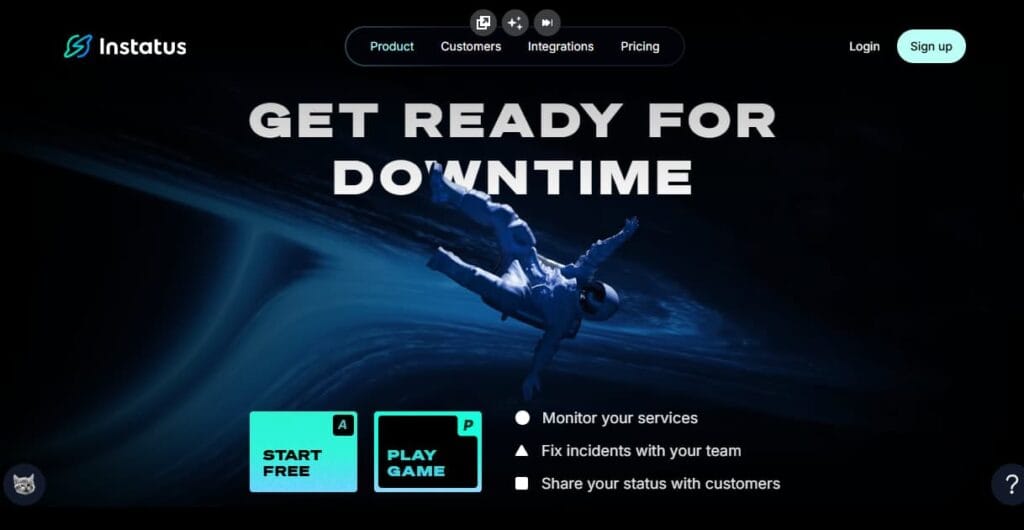
Instatus is a status page, uptime monitoring, and incident communication platform. It helps teams show service availability, publish incident updates, notify subscribers, schedule maintenance, and communicate clearly during outages.
In simpler terms, Instatus helps teams answer three urgent questions during a service disruption:
- What is affected?
- Who needs to know?
- How quickly can the right update be sent?
What Instatus Covers
| Area | What it means |
| Status pages | Public status pages, and higher-tier support for more status page types |
| Uptime monitoring | Built-in monitors with plan-based limits and check intervals |
| Incident updates | Incident timelines, updates, maintenance notices, and subscriber communication |
| Notifications | Email, SMS, calls, Slack, Discord, Microsoft Teams, webhooks, RSS, and Atom |
| Branding | Custom domains, custom branding, custom HTML, CSS, and JavaScript |
| Access control | SAML SSO on Business, and SCIM/multiple SSO connections on Enterprise |
| Subscribers | Subscriber limits increase by plan |
Key Features of Instatus
Instatus lets teams publish customer-facing status pages so users can check service health without opening support tickets. This is useful for SaaS products, APIs, developer tools, marketplaces, infrastructure providers, and internal platforms.
Instatus includes built-in monitoring. The official pricing page lists 15 monitors on Starter, 50 monitors on Pro, and 1,000 monitors on Business. Starter uses 2-minute checks, while Pro and Business list 30-second checks.
Teams can publish incidents, add updates, communicate with subscribers, and show a timeline of what happened. This is useful during outages, degraded performance, partial service failures, and scheduled maintenance.
Instatus supports subscriber updates through channels such as email, SMS, calls, Slack, Discord, Microsoft Teams, webhooks, RSS, and Atom. Alert channels differ by plan, so buyers should check whether they need email only, SMS, or phone call alerts before choosing a tier.
Maintenance scheduling helps teams announce planned downtime before it happens. This is useful for database migrations, infrastructure upgrades, product releases, security patching, or provider-side maintenance.
Instatus supports custom branding, custom domains, custom HTML, custom CSS, and custom JavaScript. Review-platform snippets also mention custom HTML and CSS as a useful customization feature for teams that want the status page to match their brand.
Instatus supports multi-language status pages, which can help companies communicate incidents to users in different regions or language groups.
Instatus Pricing in 2026
Instatus uses flat monthly pricing rather than per-seat pricing. That makes it simpler to estimate than tools that charge separately for every user, responder, page, or add-on.
The official pricing page lists these main plans: Starter, Pro, Business, and Enterprise. It also says annual billing gives three months free, and nonprofit or open-source projects can email Instatus to request a free Pro account.
| Plan | Price | Best for |
| Starter | Free | Small teams, indie products, and early-stage SaaS tools |
| Pro | $20/month | Growing teams that need faster checks and branded pages |
| Business | $300/month | Larger teams needing SSO, call alerts, and higher limits |
| Enterprise | Custom | Enterprises with procurement, identity, SLA, and compliance needs |
Instatus Plan Limits and Feature Coverage
| Feature area | Starter | Pro | Business | Enterprise |
| Monitors | 15 | 50 | 1,000 | Custom |
| Check interval | 2 minutes | 30 seconds | 30 seconds | 30 seconds |
| Team members | 5 | 50 | Listed under Business plan terms | Custom |
| On-call members | 2 | 20 | 50 | Custom |
| Status page type | Public | Public | All status page types | Custom |
| Custom domain | No | 1+ | 3+ | Custom |
| Subscribers | 200 | 5,000 | 25,000 | Custom |
What Does Instatus Really Cost?
The scenarios below are directional editorial estimates, not official Instatus quotes. Instatus publishes lower public plan prices, but real commercial cost can increase when teams need higher subscriber volume, more status workflows, phone/SMS alerting, SSO, SCIM, priority support, custom contracts, SLA terms, or enterprise procurement. Buyers should confirm final pricing directly with Instatus.
Instatus pricing is not based on hosts, logs, metrics, traces, or ingestion-based pricing. A 10-host team does not automatically need 10 Instatus monitors. Instatus monitors usually represent customer-facing services, APIs, SSL checks, DNS checks, TCP checks, keyword checks, or important workflow URLs.
That means the real cost depends less on infrastructure size and more on how the team communicates incidents: how many services are checked, how many users subscribe to updates, which alert channels are used, and whether the team needs security or enterprise controls.
Pricing Assumptions Used in These Scenarios
Instatus public pricing starts low, but these scenarios model production-ready usage rather than the cheapest possible setup.
| Scenario | Public tier anchor | Editorial estimate |
| Small production team | Business-level needs | ~$300/month |
| Growing SaaS team | Business + custom needs | ~$1,000/month |
| Mid-market team | Enterprise-style needs | ~$4,000/month |
These estimates assume the team is not only buying a basic public status page. They assume production incident communication, higher alerting needs, stronger access control, more subscribers, and support or contract requirements.
Workload Assumptions Used for Instatus Estimates
| Team size | Infrastructure context | Instatus usage assumption | Estimated cost |
| Small production team | ~10–25 hosts | 25–75 monitors, custom domain, SMS/call alerts, 1–3 pages | ~$300/month |
| Growing SaaS team | ~50–150 hosts | 100–300 monitors, SSO, private/internal pages, more subscribers | ~$1,000/month |
| Mid-market team | ~250–500 hosts | 300–900 monitors, SCIM, SLA, priority support, custom terms | ~$4,000/month |
Scenario 1: Small Production Team, ~$300/Month
Situation
A small production SaaS team runs around 10–25 hosts across its app, API, database, cache, workers, and customer-facing services. For Instatus, the team does not monitor every host directly. Instead, it monitors important service URLs, API health checks, SSL/DNS checks, webhook flows, login, billing, and regional endpoints.
Why teams at this stage consider Instatus
Teams at this stage may consider Instatus because they want a polished public status page, faster checks, SMS or phone-based alerts, and a cleaner way to communicate incidents without building the workflow manually.
Estimated profile
| Configuration | Detail |
| Infrastructure context | ~10–25 hosts |
| Monitor assumption | ~25–75 service checks |
| Status workflows | Public page, maybe internal page |
| Alerting need | SMS and calls |
| Pricing basis | Business-level usage |
Estimated monthly cost
Disclaimer: This estimate models a production-ready setup. A simpler team may pay less on public plans.
| Component | Assumption | Monthly cost |
| Instatus plan | Business-level usage | ~$300 |
| Extra monitoring scope | Within Business limits | $0 |
| SSO / calls | Included in Business-style setup | $0 |
| Custom terms | Not assumed | $0 |
| Total estimated cost | Production status setup | ~$300/month |
What this scenario shows
A small team can pay far less if it only needs Starter or Pro. But for a production SaaS setup that wants phone alerts, more status workflows, higher monitor capacity, and SSO-ready operations, ~$300/month is a defensible Business-level estimate.
Scenario 2: Growing SaaS Team, ~$1,000/Month
Situation
A growing SaaS team runs around 50–150 hosts and has more customer-facing workflows. It may monitor product APIs, auth, billing, file uploads, webhooks, regional endpoints, admin systems, SSL/DNS, queue health, and critical internal services.
Why teams at this stage consider Instatus
At this stage, incident communication becomes more operational. The team may need public and private status pages, SAML SSO, more subscribers, more on-call users, phone escalation, and support expectations beyond a basic public plan.
Estimated profile
| Configuration | Detail |
| Infrastructure context | ~50–150 hosts |
| Monitor assumption | ~100–300 service checks |
| Status workflows | Public + private/internal |
| Governance | SSO, more on-call users |
| Pricing basis | Business plus custom terms |
Estimated monthly cost
Disclaimer: This estimate assumes heavier production use and possible custom commercial terms. It is not public list pricing.
| Component | Assumption | Monthly cost |
| Base Instatus package | Business-level anchor | ~$300 |
| Expanded usage | More pages, subscribers, workflows | ~$300 |
| Support / alerting | Higher operational needs | ~$250 |
| Contract buffer | Custom terms assumption | ~$150 |
| Total estimated cost | Growing-team package | ~$1,000/month |
What this scenario shows
For growing teams, the cost is no longer only about the public Business price. Extra status workflows, subscriber communication, alerting requirements, internal pages, and support expectations can push the commercial package above the basic plan.
Scenario 3: Mid-Market Team, ~$4,000/Month
Situation
A mid-market team runs around 250–500 hosts across multiple services, regions, customer workflows, and internal platforms. It may need public status pages, private customer pages, internal communication pages, enterprise stakeholder updates, strict access control, and procurement-approved contract terms.
Why teams at this stage consider Instatus
At this stage, the buying decision is more about governance than basic uptime checks. The team may need SCIM, multiple SSO connections, priority support, SLA commitments, audit-friendly policies, custom contracts, and higher subscriber or page limits.
Estimated profile
| Configuration | Detail |
| Infrastructure context | ~250–500 hosts |
| Monitor assumption | ~300–900 service checks |
| Status workflows | Public, private, internal |
| Enterprise needs | SCIM, SLA, priority support |
| Pricing basis | Enterprise-style custom package |
Estimated monthly cost
Disclaimer: Instatus Enterprise is custom-priced. This is an editorial estimate for a larger commercial package, not a published price.
| Component | Assumption | Monthly cost |
| Enterprise package | Custom contract | ~$2,000 |
| Identity / governance | SCIM, multiple SSO, policies | ~$800 |
| Support / SLA | Priority support, SLA terms | ~$800 |
| Scale buffer | More pages, subscribers, workflows | ~$400 |
| Total estimated cost | Mid-market package | ~$4,000/month |
What this scenario shows
At mid-market scale, the cost is not mainly about monitors. It is about governance, identity controls, support guarantees, SLA expectations, and custom procurement terms. Since Enterprise pricing is not public, buyers should treat this as a planning estimate and confirm the final number directly with Instatus.
What Actually Drives Instatus Costs?
| Cost driver | Why it matters |
| Monitor count | More services and workflows may require more checks. |
| Subscriber volume | More customers or stakeholders increase communication needs. |
| Page type | Private/internal pages can push teams into higher tiers. |
| Alert channels | SMS and phone alerts matter for operational response. |
| Enterprise controls | SSO, SCIM, SLA, support, and contracts drive custom pricing. |
The Important Pricing Context
Instatus can be very affordable for basic status-page use. A team that only needs a public page, a few monitors, and simple updates may pay much less than the scenarios above.
The limitation is scope. Instatus helps teams communicate incidents, but it does not replace full observability for logs, metrics, traces, infrastructure monitoring, APM, RUM, synthetics, or root-cause analysis. That deeper layer is usually where teams compare tools like CubeAPM, Datadog, New Relic, Dynatrace, or Grafana.
Additional Costs and Operational Overhead Buyers Should Plan For
The biggest pricing consideration is the move from Pro to Business. Pro is $20/month, while Business is $300/month. That jump may be reasonable if you need SAML SSO, all status page types, phone alerts, and higher limits. But it can feel large if you only need one advanced feature.
Instatus helps teams communicate downtime and monitor availability. It is not a full APM, log management, distributed tracing, infrastructure monitoring, RUM, or synthetics platform. Teams that need root-cause analysis will likely need observability tools alongside it.
CubeAPM, for example, is positioned as an OpenTelemetry-native observability and APM platform with application, infrastructure, log, metric, and dashboard coverage. Its public site lists pricing at $0.15/GB of ingested data and describes a managed self-hosted model where telemetry stays in the customer’s environment.
Instatus lists different alert channels by plan. Starter has email alerts, Pro adds SMS, and Business includes SMS and calls. Teams that rely heavily on SMS or phone escalation should validate usage limits, regions, and any overage rules before rollout.
Teams that want a polished status.company.com page should check the plan carefully. Starter does not include custom domain support, while Pro includes 1+ custom domain and Business includes 3+ custom domains.
Larger companies may need custom contracts, uptime commitments, SAML SSO, SCIM, multiple SSO connections, legal review, and priority support. Those needs usually move the buying discussion into Enterprise pricing.
Instatus User Reviews in 2026
Instatus has strong public review signals, but the review base is not very large compared with bigger incident management or observability platforms.
G2 lists Instatus at 4.9 stars from 13 verified reviews, while Capterra shows 4.8/5 from 27 reviews. GetApp also lists 4.9/5 for value for money and 4.9/5 for ease of use.
What users praise
Users often praise Instatus for being easy to set up and simple to use. G2’s review summary says users consistently mention ease of use, beautiful design, powerful tools, and a generous free tier.
A recurring review theme is that Instatus gives teams a polished public status page without making the experience feel too heavy or technical. Capterra review snippets mention a strong user interface and a simple status page experience.
Users also like that Instatus supports customization options such as custom HTML and CSS. That is useful for SaaS companies that want a status page to feel like part of the main product experience instead of a disconnected third-party page.
Value for money is one of Instatus’s strongest review signals. GetApp lists Instatus at 4.9/5 for value for money from 27 reviews, and Capterra also shows value-for-money signals around the same score.
What users criticize
The following points reflect public user-review themes from review platforms. They should be treated as user feedback, not universal limitations of Instatus.
G2’s review summary says some users find the interface clunky for batch edits. This matters for teams with many components, many services, or frequent incident-history changes.
Instatus includes uptime monitoring, but it is not designed to replace a full observability stack. Teams that need deep logs, traces, infrastructure metrics, service dependency maps, RUM, synthetics, and root-cause analysis may still need a separate observability platform.
Capterra lists integrations such as Slack, Microsoft Teams, Intercom, Freshping, Discord, Site24x7, and PagerDuty. Still, teams with very specific automation needs should confirm their exact integration path before committing.
Instatus is affordable compared with many status page and incident tools, but pricing can still be sensitive for teams that only need one feature from a higher plan. The clearest example is moving from Pro to Business mainly for SSO, phone alerts, or more status page types.
Summary Rating Breakdown, 2026
| Platform | Rating or signal |
| G2 | 4.9 stars from 13 verified reviews |
| Capterra | 4.8/5 from 27 reviews |
| GetApp | 4.8/5 overall from 27 reviews |
| GetApp value for money | 4.9/5 |
| GetApp ease of use | 4.9/5 |
| Review caution | Strong scores, but a relatively small public review base |
Instatus Alternatives: How It Compares to Competitors
Instatus vs CubeAPM
Instatus and CubeAPM are not direct one-to-one substitutes. Instatus is strongest for status pages, uptime checks, incident updates, and customer-facing transparency. CubeAPM is a full-stack observability and APM platform for teams that need deeper visibility across logs, metrics, traces, infrastructure, dashboards, and application performance.
CubeAPM is best treated as a complementary observability layer, not a direct status page replacement. It becomes relevant when teams need to find and fix root causes, not only communicate incidents. CubeAPM lists $0.15/GB ingestion pricing and a managed self-hosted deployment model.
| Category | Instatus | CubeAPM |
| Primary role | Status pages and incident communication | Full-stack observability and APM |
| Pricing model | Flat monthly plans | Usage-based ingestion pricing |
| Logs, metrics, and traces | Not its core focus | Core platform coverage |
| Deployment | SaaS | Managed self-hosted model |
| Best fit | Teams needing customer-facing status communication | Teams needing deeper observability and data control |
Instatus vs Atlassian Statuspage
Atlassian Statuspage is one of the most established status page products, especially for companies already using Atlassian tools. Its public page pricing ranges from $79/month for Starter to $1,499/month for Enterprise, based on Atlassian’s pricing page.
| Category | Instatus | Atlassian Statuspage |
| Starting cost | Free plan, Pro at $20/month | Public paid plans start at $79/month |
| Design | Strong visual customization | More enterprise-standard status page experience |
| Monitoring | Native monitoring included | Often paired with other monitoring tools |
| Enterprise fit | Available through Business and Enterprise | Strong fit for Atlassian-heavy enterprises |
| Best fit | Startups, SaaS teams, and design-conscious teams | Larger teams already using Atlassian tools |
Instatus vs Better Stack
Better Stack is broader than a simple status page tool. It includes uptime monitoring, incident management, on-call, monitoring, status pages, and telemetry options. Better Stack says its free uptime tier includes 10 monitors, 10 heartbeats, and a status page with 3-minute checks, while paid responder access is priced per license.
| Category | Instatus | Better Stack |
| Primary strength | Beautiful status pages and incident communication | Monitoring, on-call, incident management, status pages, and telemetry |
| Status page design | Strong | Strong |
| Monitoring depth | Basic uptime monitoring | Broader monitoring workflow |
| Pricing style | Flat monthly plans | Free tier plus per-responder pricing |
| Best fit | Teams prioritizing customer-facing communication | Teams wanting monitoring and incident response in one workflow |
Instatus vs PagerDuty
PagerDuty is stronger for mature incident response, on-call operations, escalation policies, and enterprise operations workflows. PagerDuty also offers Status Pages for communicating current operational state to customers and internal audiences.
| Category | Instatus | PagerDuty |
| Primary role | Status pages and incident communication | Incident response and on-call operations |
| Customer-facing status page | Core product area | Available through PagerDuty Status Pages |
| On-call depth | Useful for smaller teams | More advanced enterprise incident response |
| Pricing style | Flat monthly plans | More complex incident management pricing |
| Best fit | Customer transparency and simple on-call workflows | Mature incident response teams |
Instatus vs New Relic
Instatus and New Relic solve different parts of the incident workflow. Instatus is mainly for public status pages, uptime checks, maintenance updates, and customer communication. New Relic is a full observability platform built for APM, infrastructure monitoring, logs, traces, browser monitoring, synthetics, and engineering troubleshooting. New Relic’s pricing is based mainly on users and data ingest, while Instatus uses simpler flat monthly status-page plans.
| Category | Instatus | New Relic |
| Primary role | Status pages and incident communication | Full-stack observability and APM |
| Best for | Customer-facing outage communication | Engineering troubleshooting and root-cause analysis |
| Pricing model | Flat monthly plans | User and data-ingest based pricing |
| Monitoring depth | Uptime monitoring | APM, logs, metrics, traces, synthetics, RUM, infrastructure |
| Best fit | Teams that need a clean status page | Teams that need deeper service and application visibility |
Instatus vs Datadog
Instatus is much lighter than Datadog. It works well when the main need is a polished status page, simple uptime monitoring, and subscriber communication. Datadog is broader and more technical, covering infrastructure monitoring, APM, logs, synthetics, RUM, security, network monitoring, and many integrations. Datadog’s pricing is modular across products, while Instatus is easier to forecast because it uses fixed plan tiers.
| Category | Instatus | Datadog |
| Primary role | Status pages and incident updates | Cloud-scale observability and monitoring |
| Best for | Customer transparency during downtime | Large teams monitoring apps, infra, logs, and user experience |
| Pricing model | Flat monthly plans | Modular pricing by product and usage unit |
| Monitoring depth | Basic uptime monitoring | APM, logs, infra, synthetics, RUM, network, security |
| Best fit | SaaS teams needing simple communication | Engineering teams needing broad technical visibility |
Instatus vs Dynatrace
Instatus is best for status communication, while Dynatrace is built for enterprise-grade observability. Dynatrace covers application and infrastructure observability, log analytics, digital experience monitoring, code monitoring, Kubernetes monitoring, and AI-assisted root-cause analysis. This makes Dynatrace much stronger for complex engineering environments, but also heavier than Instatus if the buyer only needs a status page and incident updates.
| Category | Instatus | Dynatrace |
| Primary role | Status pages and incident communication | Enterprise observability and automation |
| Best for | Communicating outages to users | Complex app, infra, cloud, and Kubernetes environments |
| Pricing model | Flat monthly plans | Usage-based pricing across observability modules |
| Monitoring depth | Uptime monitoring | Full-stack monitoring, logs, digital experience, Kubernetes, AI analytics |
| Best fit | Teams needing simple status communication | Enterprises needing automated root-cause analysis |
Is Instatus the Right Choice?
When Instatus works best
Instatus is a strong fit for:
- SaaS companies that need polished status pages
- Startups that want a free or low-cost starting point
- Teams that want flat monthly pricing
- Companies that need public or private incident communication
- Teams that care about branding and page design
- Teams that need email, SMS, Slack, Teams, or webhook notifications
- Products serving international audiences
- Smaller teams that want monitoring and status pages in one product
When Instatus may not be the right fit
Instatus may not be enough for:
- Teams needing deep infrastructure observability
- Companies that require advanced APM, logs, metrics, and traces
- Large enterprises with complex on-call workflows
- Teams that need granular monitoring-only capabilities
- Buyers that only need one Business-tier feature but not the full Business plan
- Teams already standardized on PagerDuty, incident.io, or another mature incident platform
Conclusion
Instatus is a solid choice for teams that need a clean status page, simple uptime checks, and clear incident communication without buying a heavy incident management platform. The free Starter plan works for small teams, while Pro at $20/month is the strongest fit for most growing SaaS products.
The main limitation is depth. Instatus helps you communicate downtime, but it does not replace a full observability stack for logs, metrics, traces, infrastructure monitoring, or root-cause analysis. For that deeper layer, teams can pair it with tools like CubeAPM, Datadog, New Relic, Grafana, or Dynatrace.
For most buyers, Instatus works best as the customer-facing status and communication layer, not the full engineering visibility layer.
Disclaimer: Features, pricing, and plan limits can change over time. Always verify the latest information directly with the vendor before making purchasing or deployment decisions.
FAQs
1. What is Instatus?
Instatus is a status page, uptime monitoring, and incident communication platform. It helps teams publish service status, schedule maintenance, notify subscribers, and communicate during downtime.
2. How much does Instatus cost?
Instatus has a free Starter plan, Pro at $20/month, Business at $300/month, and Enterprise custom pricing, according to its public pricing page.
3. Does Instatus have a free plan?
Yes. The Starter plan is free and includes 15 monitors, 2-minute checks, email alerts, 5 team members, 2 on-call members, a public status page, and 200 subscribers.
4. What is included in Instatus Pro?
Instatus Pro includes 50 monitors, 30-second checks, email and SMS alerts, 50 team members, 20 on-call members, a public status page, 1+ custom domain, and 5,000 subscribers.
5. What is included in Instatus Business?
Business includes 1,000 monitors, 30-second checks, SMS and call alerts, SAML SSO, all status page types, 3+ custom domains, 25,000 subscribers, and 50 on-call members.