










Apache monitoring tools are essential for ensuring speed, uptime, and reliability across millions of sites powered by the Apache HTTP Server. As of September 2025, Apache still holds 25.5% of the global web server market and serves nearly 18% of the busiest websites. That massive footprint makes downtime, misconfigurations, or performance issues extremely costly.
The challenge is choosing the right Apache monitoring tool. Users often face complex trade-offs: high feature depth versus pricing opacity, powerful dashboards versus steep learning curves, and short data retention versus strict compliance needs. Many tools appear robust but quickly become difficult to scale or unexpectedly expensive at enterprise volumes.
CubeAPM is the best Apache monitoring tool provider, solving these pain points with end-to-end visibility, SSL and log monitoring, real-time metrics, OpenTelemetry compatibility, transparent $0.15/GB pricing, and unlimited retention options backed by fast developer-level support.
In this article, we’ll explore the top Apache monitoring tools of 2025, their features, costs, and best use cases.
Top 8 Apache Monitoring Tools
- CubeAPM
- Datadog
- New Relic
- Dynatrace
- AppDynamics
- SolarWinds
- Sematext
- Site24x7
What is an Apache Monitoring Tool?

An Apache monitoring tool is software that tracks the health, performance, and reliability of the Apache HTTP Server in real time. It collects metrics such as request throughput, CPU and memory usage, latency, and error codes, while also analyzing access and error logs. By centralizing this data into dashboards and alerts, these tools give teams visibility into how Apache is handling web traffic and where bottlenecks or misconfigurations are occurring.
A slowdown in response time or an unnoticed spike in error rates can hurt user experience, SEO rankings, and even revenue. With more companies running hybrid or containerized environments, Apache monitoring helps teams:
- Ensure fast websites, reliable APIs, and uninterrupted digital services
- Maintain compliance, scale cost-effectively
- Reduce mean time to resolution (MTTR) when issues arise
Example: Monitoring high-traffic workloads with CubeAPM
Imagine an e-commerce site during a seasonal sale: sudden traffic surges could overwhelm Apache worker processes, slowing down page loads. With CubeAPM, teams can see real-time request latency, concurrent connections, and error spikes on a single dashboard. Its smart sampling ensures critical traces are captured without overwhelming storage, while synthetic monitoring proactively tests checkout endpoints.
If errors rise, CubeAPM’s error inbox highlights root causes, and developers receive Slack/WhatsApp alerts within minutes. This allows teams to act before customers abandon carts, directly protecting revenue.
Why teams choose different Apache monitoring tools
Deep Apache-specific signal collection from mod_status and exporters
Apache exposes internal state via mod_status (e.g. busy vs idle workers, scoreboard, requests/sec, bytes served per virtual host). Tools like apache_exporter (for Prometheus) scrape these metrics directly from the status page. (GitHub). This level of detail is vital for diagnosing Apache-specific issues: worker thread saturation, mismatch in KeepAlive settings, or slow upstream backends. Generic system-metric tools often miss this granularity.
Vendor-neutral, OpenTelemetry-friendly pipelines
Teams increasingly adopt OpenTelemetry and related standards to collect Apache metrics, logs, and traces in a portable way. For example, exporters for Apache status metrics can be used with OTEL Collectors, or downstream dashboards. This lets organizations switch backends without rewriting instrumentation. SigNoz has a guide showing how to monitor Apache with OpenTelemetry Collector, which reveals metrics exactly like apache.current_connections or apache.scoreboard.
Retention & pricing transparency tied to log and event volumes
Apache generates a lot of logs: access logs, error logs, SSL handshake failures, etc. Keeping these logs with high retention (for weeks or months, required for debugging, compliance, or forensic work) can drastically increase cost. Datadog’s log retention options range from 15 days to 365 days, depending on plan; longer retention and indexing cost more.
Also, in Datadog, billing for logs is per GB ingested, plus added charges for indexing, synthetic tests, span ingestion, and host count. Tools with flat-rate or usage-based pricing that don’t spike with traffic surges tend to be preferred.
Multi-cloud / hybrid deployment compatibility
Many organizations run Apache in heterogeneous environments: on-prem servers, cloud VMs, containers, Kubernetes, or reverse proxies. Monitoring tools that require only enabling mod_status, deploying a lightweight exporter, or using OpenTelemetry Collectors become more usable across these diverse environments. Google Cloud’s observability documentation shows how to integrate Apache exporters with managed Prometheus and deploy them as sidecars or alongside existing builds.
Correlation across logs, metrics, traces, and real users
Apache issues often span across layers: a spike in 5xx errors (logs), paired with high request latency (metrics), perhaps traced back to upstream database latency or blocking in some module (traces), plus degraded page load times for end users (RUM/synthetics). Tools that allow correlation of all these signals are much more powerful in resolving issues quickly.
Top 8 Apache Monitoring Tools
1. CubeAPM
Overview
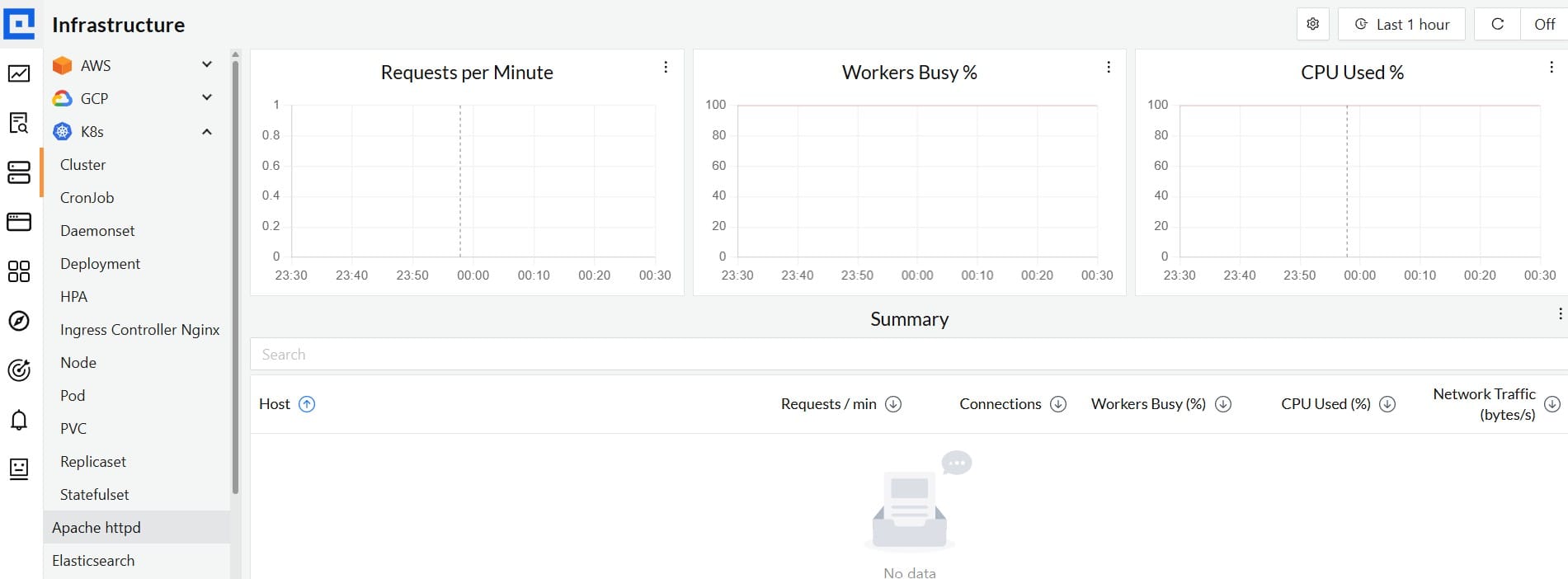
CubeAPM has positioned itself as a modern observability platform built for teams who want full-stack visibility without unpredictable pricing. Known for being OpenTelemetry-native and compatible with Datadog and New Relic agents, it has quickly gained traction as a preferred choice for enterprises monitoring high-traffic Apache workloads. By combining distributed tracing, real-user monitoring, and detailed log analytics into one solution, CubeAPM provides the depth needed for Apache HTTP Server monitoring while remaining cost-efficient at scale.
Key Advantage
Smart sampling that retains only the most relevant Apache traces (errors, high latency, anomalies) while cutting unnecessary data volume.
Key Features
- Apache log monitoring: Centralizes error and access logs for faster debugging and compliance.
- mod_status integration: Tracks Busy/Idle workers, requests/sec, and scoreboard states.
- End-to-end tracing: Follows requests from Apache into upstream services and databases.
- SSL/TLS visibility: Monitors handshake failures, certificate issues, and connection health.
- Synthetic checks: Continuously tests Apache endpoints to catch downtime before users notice.
Pros
- Predictable usage-based pricing model
- Full support for OpenTelemetry and Prometheus
- Quick to deploy, compatible with New Relic and Datadog agents
- Real-time correlation of logs, metrics, traces, and RUM
Cons
- Less suitable for teams that want a fully vendor-hosted, off-prem solution
- Focused purely on observability and does not include cloud security management capabilities
CubeAPM Pricing at Scale
CubeAPM uses a transparent pricing model of $0.15 per GB ingested. For a mid-sized business generating 45 TB (~45,000 GB) of data per month, the monthly cost would be ~$7,200/month.
*All pricing comparisons are calculated using standardized Small/Medium/Large team profiles defined in our internal benchmarking sheet, based on fixed log, metrics, trace, and retention assumptions. Actual pricing may vary by usage, region, and plan structure. Please confirm current pricing with each vendor.
Tech Fit
CubeAPM works seamlessly across languages and platforms often deployed behind Apache, including Java, PHP, Python, Ruby, Node.js, and containerized workloads on Kubernetes. It integrates tightly with Linux environments, making it a natural fit for Apache HTTP Server monitoring across both cloud and on-prem infrastructure.
2. Datadog

Overview
Datadog is a broad observability platform with a mature Apache integration that pulls core httpd signals—requests per second, bytes served, worker threads, uptime—and ties them to infrastructure, logs, traces, and user experience data. Teams like it for the breadth of out-of-the-box dashboards and its ability to place Apache in the context of the whole stack, from servers and containers to upstream services and real users.
Key Advantage
End-to-end correlation: Apache metrics and logs sit alongside APM traces, RUM, and synthetics so you can pivot from a 5xx spike to the exact service, endpoint, or user journey in a few clicks.
Key Features
- Apache integration metrics: Captures rps, bytes served, worker counts, uptime, and more via httpd integration.
- ExtendedStatus insights: Surfaces scoreboard states, requests/sec, and bytes/request when ExtendedStatus is enabled.
- RUM injector for httpd: Auto-injects the RUM SDK through an Apache module to measure real user performance.
- Dashboards and alerts: Prebuilt views for Apache with historical and real-time zoom for quick triage.
- Logs + search: Ingests Apache access/error logs with optional indexing policies for retention and search.
Pros
- Wide integration catalog and mature Apache pack
- Strong cross-signal correlation across metrics, logs, traces, RUM, synthetics
- Good defaults and historical zoom for trend analysis
- Works across hybrid and cloud-native deployments
Cons
- Pricing becomes complex at scale due to per-GB ingestion, per-host APM, and per-event indexing
- SaaS-based; no self-hosting
Datadog Pricing at Scale
Datadog charges differently for different capabilities. APM starts at $31/month; infra starts at $15/month; logs start at $0.10/GB, and so on.
For a mid-sized business ingesting around 45 TB (~45,000 GB) of data per month, the cost would come around $27,475/month.
Tech Fit
Strong for Linux-hosted Apache across VM and container estates; pairs well when you’re already standardizing on Datadog for infra + APM + RUM and want Apache in that single pane. Works with mod_status/ExtendedStatus and Datadog Agent across common distributions and orchestrators.
3. New Relic

Overview
New Relic provides a mature Apache HTTP Server integration that collects core httpd signals (requests/sec, bytes served, worker status, uptime) via its infrastructure agent and ships prebuilt “Instant Observability” dashboards and alerts for fast setup. It’s positioned as a full-stack platform, so you can place Apache in context with infrastructure metrics, log management, and upstream application telemetry when your stack spans VMs, containers, and multiple services.
Key Advantage
Quickstart packages plus guided install make it straightforward to enable Apache metrics, visualize key KPIs immediately, and layer alerts without building everything from scratch.
Key Features
- Apache httpd integration: Collects requests/sec, bytes served, worker states, uptime, and other metrics exposed by Apache and the integration.
- Prebuilt dashboards & alerts: Instant Observability quickstarts provide dashboards and alert policies tuned for common Apache KPIs.
- Log management for Apache: Forward access/error logs through the infrastructure agent for centralized search and triage alongside metrics.
- Broader Apache family support: Additional quickstarts exist for related tech like Apache Traffic Server and Apache Flink when your edge or streaming stack extends beyond httpd.
- User/role model: Basic users are free; Core and Full Platform users unlock deeper capabilities when teams need wider access to Apache data and alerting.
Pros
- Strong out-of-the-box experience for Apache metrics and alerting
- Unified place to correlate Apache with infra metrics and logs
- Scales across hybrid and containerized environments
- No per-host tax under usage pricing models
Cons
- Total cost can rise with high data ingestion and paid user seats
- Learning curve
- No self-hosting; SaaS-only
New Relic Pricing at Scale
New Relic’s billing is based on data ingested, user licenses, and optional add-ons. The free tier offers 100 GB of ingest per month, then it costs $0.40 per GB after that. For a business ingesting 45 TB of logs per month, the cost would come around $25,990/month.
Tech Fit
Well-suited for Linux-hosted Apache on bare metal, VMs, and Kubernetes, especially where teams already rely on New Relic for logs and infrastructure and want Apache dashboards and alerts in the same place. Quickstarts also help if your edge or streaming layer uses Apache family projects like ATS or Flink.
4. Dynatrace

Overview
Dynatrace provides deep Apache HTTP Server visibility via OneAgent, auto-detecting processes and collecting httpd signals (requests, response sizes, busy workers) alongside host CPU/memory and process-level network metrics. You can trace requests end-to-end, analyze response-time hotspots down to Apache modules (for example, mod_proxy), and correlate with Real User Monitoring and synthetics in the same view—useful when Apache fronts complex microservices.
Key Advantage
OneAgent + Davis AI correlation that links Apache process health, module hotspots, and upstream service calls—so you move from a 5xx spike to probable root cause in fewer clicks.
Key Features
- Apache metrics without plugins: Collects requests, response sizes, busy/idle workers, plus host CPU/memory and process-level network quality.
- Module-level hotspot analysis: Breaks down Apache response time by contributing modules (for example, mod_proxy) to pinpoint inefficiencies.
- End-to-end service flow: Visualizes how Apache connects to downstream services and where latency accumulates.
- RUM and synthetics tie-in: Auto-inject browser monitoring and run synthetic checks to validate user impact and uptime.
- Automatic discovery & topology: OneAgent maps processes and dependencies (Smartscape) to speed up triage.
Pros
- Strong Apache + full-stack correlation in one place
- Automatic discovery and instrumentation via OneAgent
- Useful when Apache fronts large microservice estates
- Mature RUM and synthetic monitoring options
Cons
- Could be expensive for small teams at scale: per-GiB ingest for logs/traces, host monitoring hours, retention, and query charges
- Learning curve for advanced dashboards and DQL when you go deep
Dynatrace Pricing at Scale
- Full stack: $0.01/8 GiB hour/month or $58/month/8GiB host
- Log Ingest & process: $0.20 per GiB
For a similar 45 TB (~45,000 GB/month) volume, the cost would be $21,850/month.
Tech Fit
Best for Linux-hosted Apache in complex, distributed environments where you also run JVM/.NET services, containers, or Kubernetes and want unified tracing, RUM, and synthetics. Dynatrace also offers first-class integrations across the Apache family (for example, Tomcat/TomEE) if your stack extends beyond httpd.
5. Splunk AppDynamics

Overview
AppDynamics (now part of Splunk’s observability portfolio) provides an Apache Web Server Agent that instruments httpd to discover business transactions, map loaded modules/backends, and stream performance data to the Controller via a Java proxy. Teams favor it when Apache fronts complex applications and they want deep request context and backend correlation rather than just host metrics.
Key Advantage
Apache-aware transaction discovery that links incoming HTTP requests to backends and modules, so you can trace impact beyond the web tier.
Key Features
- Apache Web Server Agent: Instruments httpd, maps business transactions, detects loaded modules as remote services, and sends telemetry via a Java proxy.
- mod_status metrics (extension): Optional Apache Monitoring Extension pulls worker/scoreboard/rps from mod_status into the Metric Browser.
- Backend detection rules: Identify Apache modules (e.g., mod_proxy, mod_jk) and upstream services to see where time is spent.
- Log Observer Connect: Centralize Apache access/error logs in Splunk and pivot from AppDynamics entities directly to related logs for faster RCA.
- Granular support matrix: Clear list of supported Apache builds and behaviors; note that automatic adrum injection for EUM isn’t done by the Apache agent.
Pros
- Strong transaction mapping from Apache to downstream services
- Mature agent model with Controller views and snapshots
- The optional mod_status extension covers Apache internals
- Tight log handoff into Splunk for in-context analysis
Cons
- Slower updates cycle
- Alert inefficiency
AppDynamics Pricing at Scale
AppDynamics pricing is based on CPU cores (vCPUs). The essential “Infrastructure Edition” starts at $6 per vCPU per month, while the “Premium Edition,” which includes log analytics along with app and DB monitoring, begins at $33 per vCPU per month. For a mid-size organization ingesting 45 TB of data, the cost could be: $8,625/month.
Tech Fit
Well-suited when Apache sits in front of complex Java/.NET/Node/PHP services, and you want web-to-backend correlation. Runs on common Linux distributions, supports Apache/IHS/OHS deployments, and pairs naturally with Splunk if your organization standardizes on Splunk for log analytics.
6. SolarWinds SAM

Overview
SolarWinds offers mature Apache monitoring through Server & Application Monitor (SAM) and its newer Observability platform. SAM provides ready-made Apache templates that read server-status to surface core httpd signals like idle/busy workers, requests per second, total traffic, and uptime, while Observability ties those metrics together with logs and host health for a broader view. This makes SolarWinds a strong fit in mixed on-prem and hybrid estates where Apache sits alongside Windows/Linux servers, databases, and network gear.
Key Advantage
First-class Apache templates that pull from mod_status on Linux or Windows, giving quick time-to-value without custom scripting.
Key Features
- Apache templates (Linux/Windows): Prebuilt component monitors that read server-status for workers, RPS, bytes served, and uptime.
- Guided setup: Documentation and best-practice guides for enabling mod_status and hardening access.
- Dashboards and alerts: Out-of-the-box views for Apache health with alerting on key thresholds.
- Broader platform coverage: Correlate Apache with server CPU/memory, network, and application services in the same console.
Pros
- Quick to enable Apache monitoring via built-in templates
- Good visibility into httpd internals without custom exporters
- Fits well in on-prem and hybrid environments already using SolarWinds
- Clear runbooks and docs around mod_status configuration
Cons
- Expensive for smaller teams
- Integration issues
- Learning curve and setup complexity
SolarWinds Pricing at Scale
SolarWinds Observability charges $5 per GB of logs, $12 per host per month for infra, and $27.5 per service for APM. For a mid-sized company, the cost for APM and infra would be:
APM: $27.5 x 125 (hosts) = $3,437.5
Infra: $12 x 200 (hosts) = $2,400
Tech Fit
Best for Apache on Linux or Windows in enterprises that already rely on SolarWinds for server, network, and Windows workload monitoring, or that prefer on-prem/self-hosted operations with familiar SAM workflows. Observability is a better fit when you want hosted operations and plan to centralize Apache logs at scale.
7. Sematext

Overview
Sematext bundles Apache metrics, logs, and alerting into a SaaS that’s easy to stand up and scale. Its Apache integration uses a lightweight agent to collect mod_status metrics and ship access/error logs, with ready-made dashboards so you can see worker saturation, requests/sec, response sizes, and error spikes without hand-rolling pipelines. It fits teams that want pragmatic Apache visibility with simple setup and metered pricing.
Key Advantage
Fast time-to-value for Apache: one agent, built-in Apache integration, and usable dashboards/alerts in minutes.
Key Features
- mod_status metrics collection: Tracks Busy/Idle workers, requests/sec, bytes served, and scoreboard states for capacity tuning and MPM health.
- Access & error log centralization: Ships Apache logs for search, alerting, and correlation with metrics during 4xx/5xx spikes.
- Out-of-the-box dashboards: Prebuilt views surface latency, throughput, and error trends without custom charting.
- Alerting & anomaly detection: Trigger on worker saturation, sudden RPS shifts, or error-rate anomalies tied to Apache.
- Broader stack coverage: Optional monitors for Tomcat and other Apache family tech if httpd fronts Java apps.
Pros
- Quick agent install and guided Apache integration
- Clean correlation between Apache logs and metrics
- Flexible, metered pricing with per-host monitoring that’s inexpensive
- Fits SMBs and mid-size teams that want SaaS simplicity
Cons
- UI is not very intuitive
- Occasional downtimes
Sematext Pricing at Scale
For Apache logs at 45 TB/month (45,000 GB), Sematext’s pricing gives log ingest costs of 45,000 GB × $0.10 = $4,500/month. Monitoring hosts at 10 × $3.60 = $36/month.
Tech Fit
Good fit for Linux-hosted Apache where you want quick SaaS setup, agent-based metrics and logs, and straightforward dashboards. Works well for teams standardizing on Sematext for infrastructure monitoring, log search, and lightweight uptime/API checks, especially when Apache is part of a leaner stack.
8. Site24x7

Overview
Site24x7 offers a lightweight Apache monitoring plugin that rides on its server agent, scrapes mod_status, and streams metrics like requests/sec, busy/idle workers, bytes/sec, CPU load, and uptime into ready-made dashboards. AppLogs ties in for access/error log analysis, and you can extend context with adjacent plugins (Tomcat, Flink) when Apache front-ends Java apps or streaming stacks. It’s aimed at teams that want simple setup, alerting, and searchable logs without standing up their own tooling.
Key Advantage
Fast path to Apache visibility: one server agent plus the Apache plugin, with built-in AppLogs for centralized access/error logs.
Key Features
- mod_status metrics out of the box: Tracks requests/sec, busy and idle workers, bytes/sec, uptime, scoreboard, and async connection states for event MPM tuning.
- AppLogs integration: Ships Apache access/error logs for search, comparisons against metrics, and faster incident triage.
- Thresholds and instant alerts: Trigger on rising 5xx, worker saturation, or drops in idle workers to act before users notice.
- Custom dashboards: Drag-and-drop widgets to build Apache views by vhost or environment.
- Ecosystem plugins: Optional plugins for Tomcat and Flink to correlate front-end httpd behavior with app or streaming tiers.
Pros
- Quick agent and plugin setup with clear docs
- Solid Apache metric coverage via mod_status
- Integrated log management for access/error logs
- Flexible add-ons and adjacent plugins for a broader context
Cons
- Alert issues
- Expensive for smaller teams
- Learning curve and setup complexity
Site24x7 Pricing at Scale
Site24x7’s Professional plan ($42/month, paid annually) may suit mid-sized companies but may quickly outgrow the base bundle once they need dozens of APIs, private endpoints, or extra ingestion. Also, the Enterprise tier costs $625/month (annually), which could be high for many teams.
Tech Fit
A good match for Linux or Windows-hosted Apache, where you want quick SaaS setup, mod_status-driven metrics, and integrated log search. It works well for lean teams standardizing on Site24x7 for server monitoring, synthetics, and RUM, with optional plugins if Apache fronts Tomcat or interacts with Flink.
How to choose the right Apache monitoring tool
Apache-specific signals
A strong Apache monitoring tool must surface insights directly from mod_status, such as Busy/Idle workers, scoreboard states, requests per second, and bytes served per virtual host. These signals are essential for detecting worker saturation, MPM bottlenecks, or misconfigured KeepAlive settings long before they impact users.
Log ingestion and analysis
Apache access and error logs are the single source of truth for user activity, errors, and security anomalies. The right tool should offer ready-made pipelines to parse log formats, preserve rich context such as TLS versions and upstream latency, and present dashboards that make troubleshooting straightforward.
OpenTelemetry and Prometheus compatibility
Modern enterprises demand flexibility. A monitoring solution should integrate seamlessly with OpenTelemetry collectors or Prometheus exporters, ensuring Apache telemetry can flow into any backend without rewriting instrumentation. This vendor-neutral approach prevents lock-in and keeps the stack future-proof.
Cross-signal correlation
Incidents rarely live in one plane. Effective Apache monitoring connects error spikes in logs, worker saturation in metrics, slow upstream dependencies in traces, and end-user impact in RUM or synthetic checks. This ability to pivot across signals in one place shortens incident response dramatically.
Cost transparency
Since Apache generates massive amounts of logs and metrics under load, cost predictability is critical. Tools that charge per GB or per host can create painful surprises during traffic spikes. Look for a solution that offers clear, usage-based pricing without hidden fees.
Retention and governance
Compliance and security requirements often mandate that Apache logs and metrics be retained for months or even years. A monitoring tool should provide configurable retention without forcing expensive plan upgrades, and offer options for storing data in-region to meet governance needs.
Multi-cloud and hybrid readiness
Apache workloads run on bare-metal servers, cloud VMs, Kubernetes ingress controllers, and managed hosting platforms. The monitoring solution you choose should work consistently across all these environments, using exporters and collectors that don’t depend on vendor-specific infrastructure.
Apache-aware alerting
Finally, the tool should provide prebuilt, Apache-focused alerting and SLO templates. Examples include rising 5xx rates, worker pool saturation, latency anomalies, TLS handshake failures, and unusual request spikes. Alerts tied to Apache’s actual behavior ensure teams act on meaningful issues instead of noise.
Conclusion
Choosing the right Apache monitoring tool is rarely simple. Teams often struggle with high licensing costs, complex pricing models, and the overhead of managing multiple agents and plugins. At the same time, Apache workloads generate vast amounts of logs and metrics that quickly turn into budget headaches when retention and scale are factored in.
CubeAPM is purpose-built for modern observability, delivering full Apache visibility (metrics, logs, traces, RUM, and synthetics) at a predictable $0.15/GB. No hidden fees, no per-host tax, just clear value as your data grows.
If you’re ready to cut monitoring costs while gaining enterprise-grade insights into your Apache servers, CubeAPM is the solution. Schedule a FREE demo with CubeAPM.
Disclaimer: The information in this article reflects the latest details available at the time of publication and may change as technologies and products evolve.
FAQs
1. What is the difference between Apache monitoring and general server monitoring?
Apache monitoring focuses specifically on the performance, health, and logs of the Apache HTTP Server, while general server monitoring covers system-level resources like CPU, memory, and disk usage. Both are important, but Apache monitoring provides application-level insight into requests, workers, and error trends.
2. Can Apache monitoring tools detect security issues?
Yes, many tools can flag unusual patterns such as repeated failed logins, suspicious user agents, or traffic spikes from unknown IP ranges. However, these tools are not replacements for dedicated security solutions like WAFs or SIEMs—they complement them by surfacing anomalies in web traffic and error logs.
3. How do Apache monitoring tools integrate with cloud-native environments?
Most modern tools integrate with Kubernetes, Docker, and multi-cloud setups. They can collect Apache metrics from containerized instances, auto-scale environments, and load balancers to ensure performance visibility even in dynamic infrastructures.
4. What role does OpenTelemetry play in Apache monitoring?
OpenTelemetry provides a vendor-neutral way to instrument Apache and related services, exporting logs, metrics, and traces to any observability backend. Tools like CubeAPM are OpenTelemetry-native, making it easy to future-proof monitoring pipelines.
5. How much retention is recommended for Apache logs and metrics?
Retention needs vary by organization. For troubleshooting and short-term trend analysis, 7–30 days is often sufficient. For compliance-heavy industries (finance, healthcare, e-commerce), retaining logs for 90 days or more may be required. Cost-effective platforms like CubeAPM make longer retention feasible without inflating budgets.